dbForge Data Compare for SQL Server
Features Overview
dbForge Data Compare for SQL Server is a convenient SQL comparison tool that combines a user-friendly interface with powerful functionality. It provides you with a wide range of comparison options to suit your needs in your daily working routine. The tool allows you to visually analyze data differences and instantly deploy changes or generate sync scripts to be run later. On this page, you will find the complete list of the features that the solution has to offer along with detailed descriptions and screenshots.
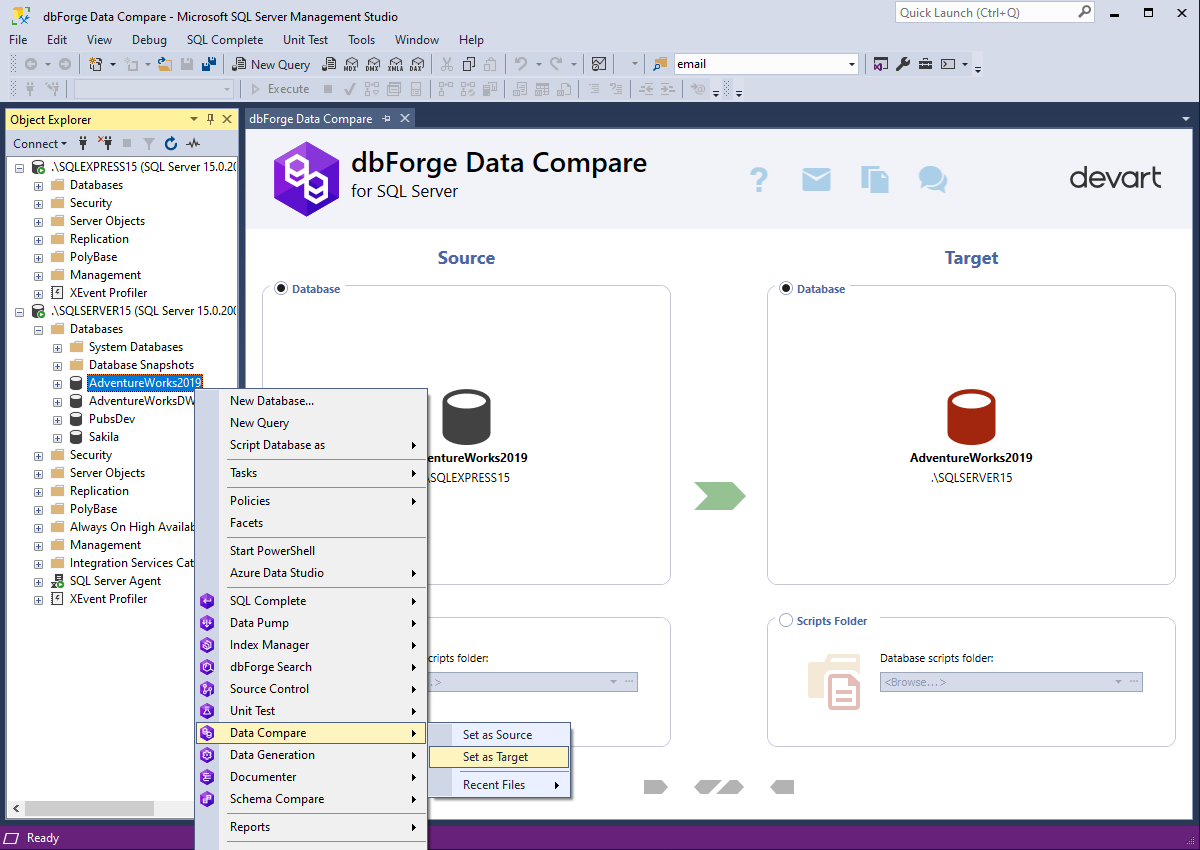
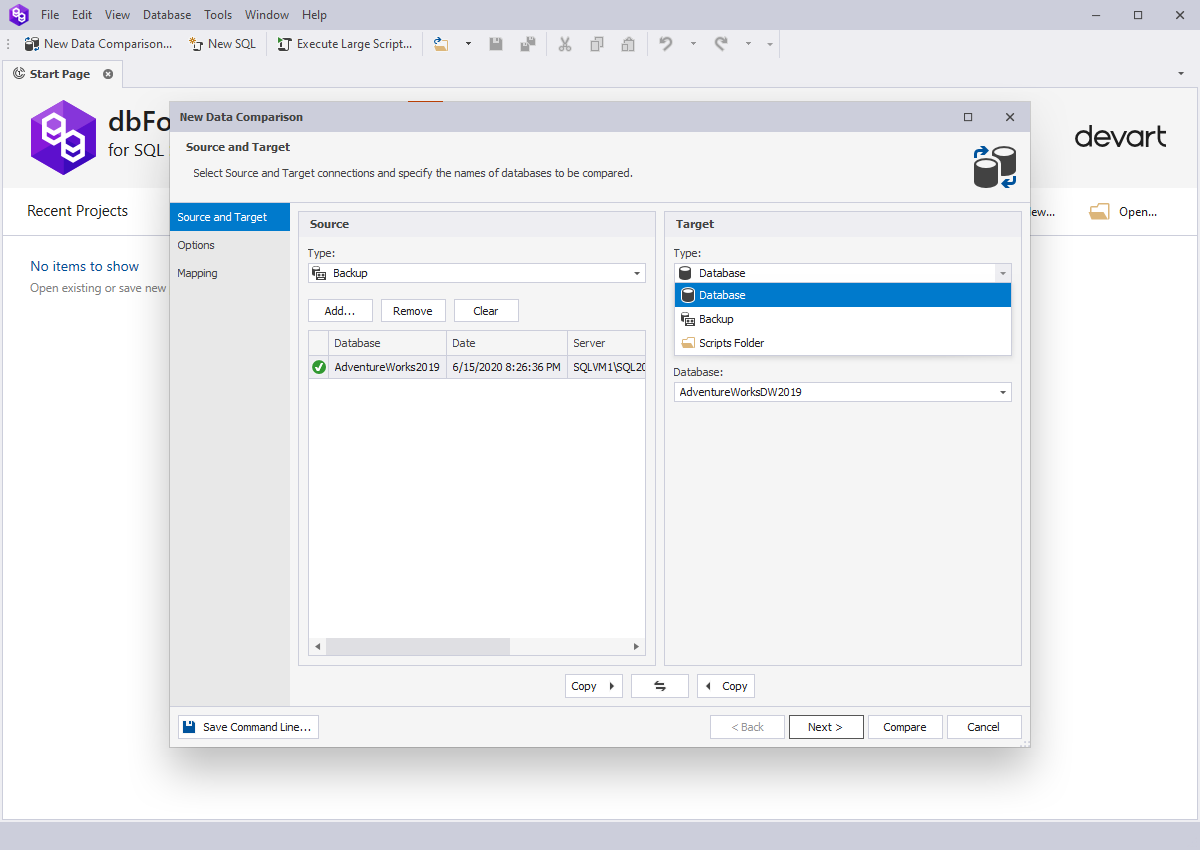
Choose the following objects as Source and Target:
- SQL Server tables and views
- Database backups data
- Custom queries
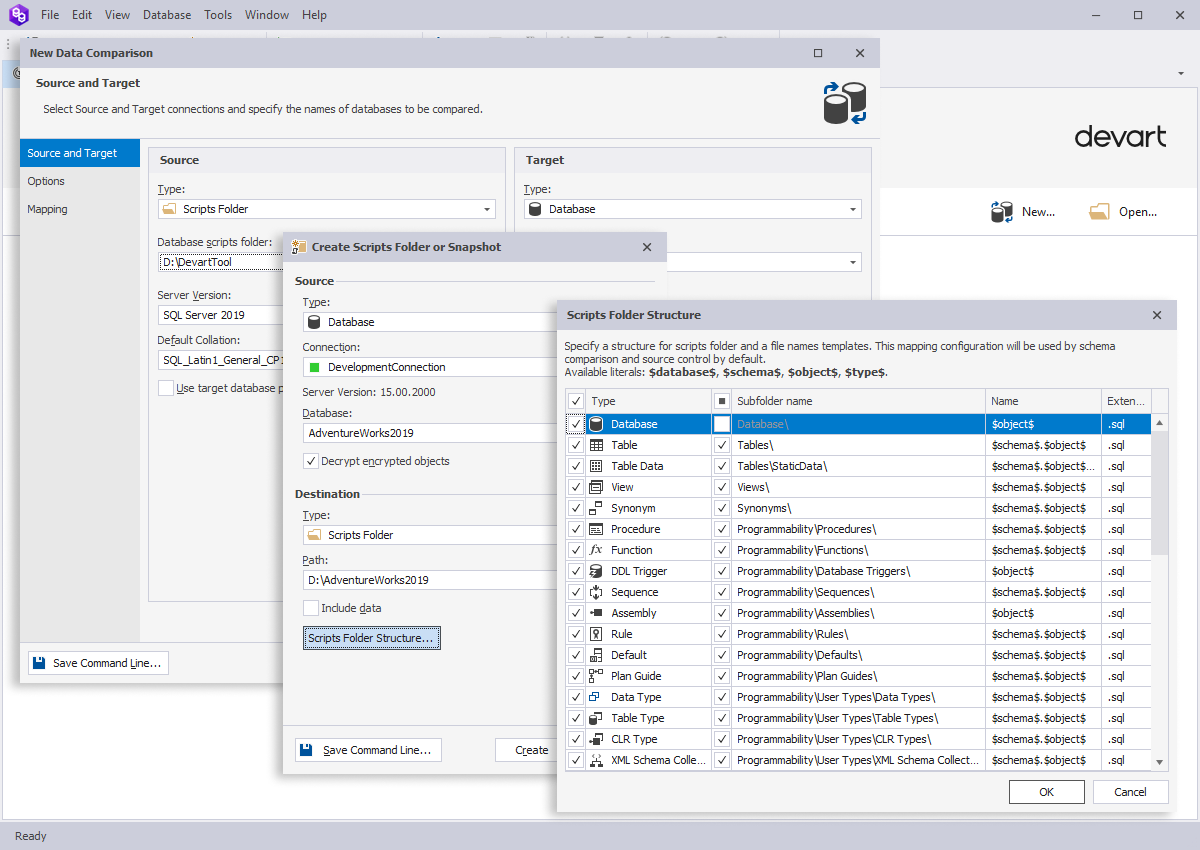
- Static data from the scripts folder
- Table data present on SQL Azure Cloud
- Table data present on SQL Server installed on Linux
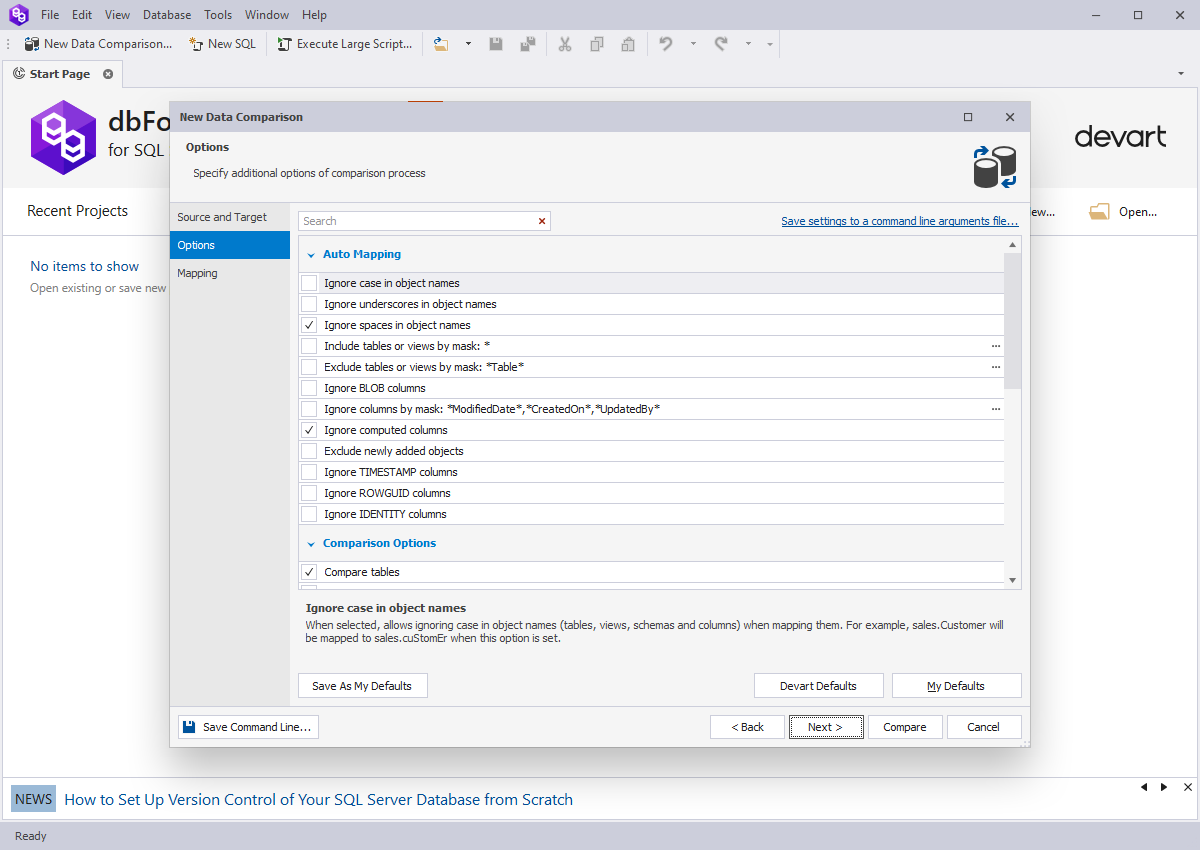
- Include or exclude SQL tables from the comparison either individually or by mask.
- Ignore the columns by mask, ignore Cases and Trailing Spaces options when comparing strings.
- Get the most out of the Float types rounding and LOB comparison options.
- When dealing with large tables, limit the workload by means of the WHERE filter.
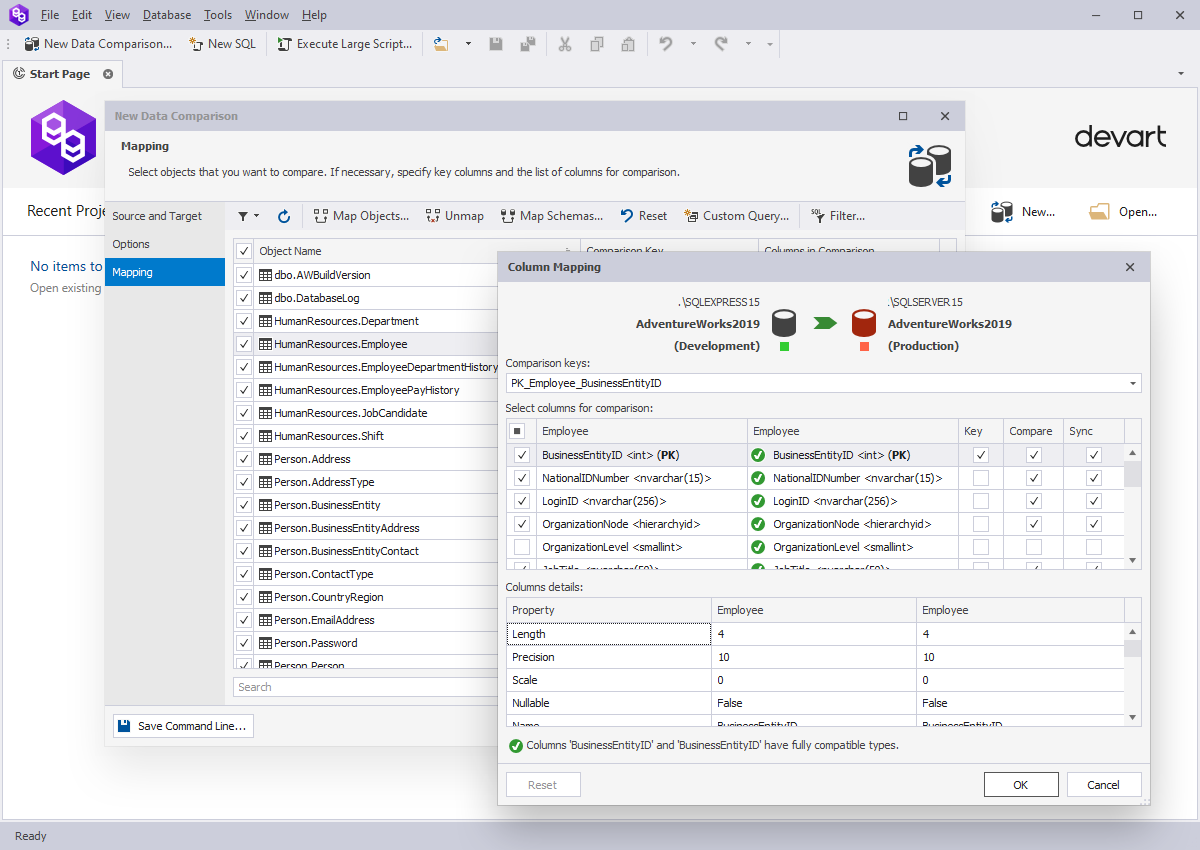
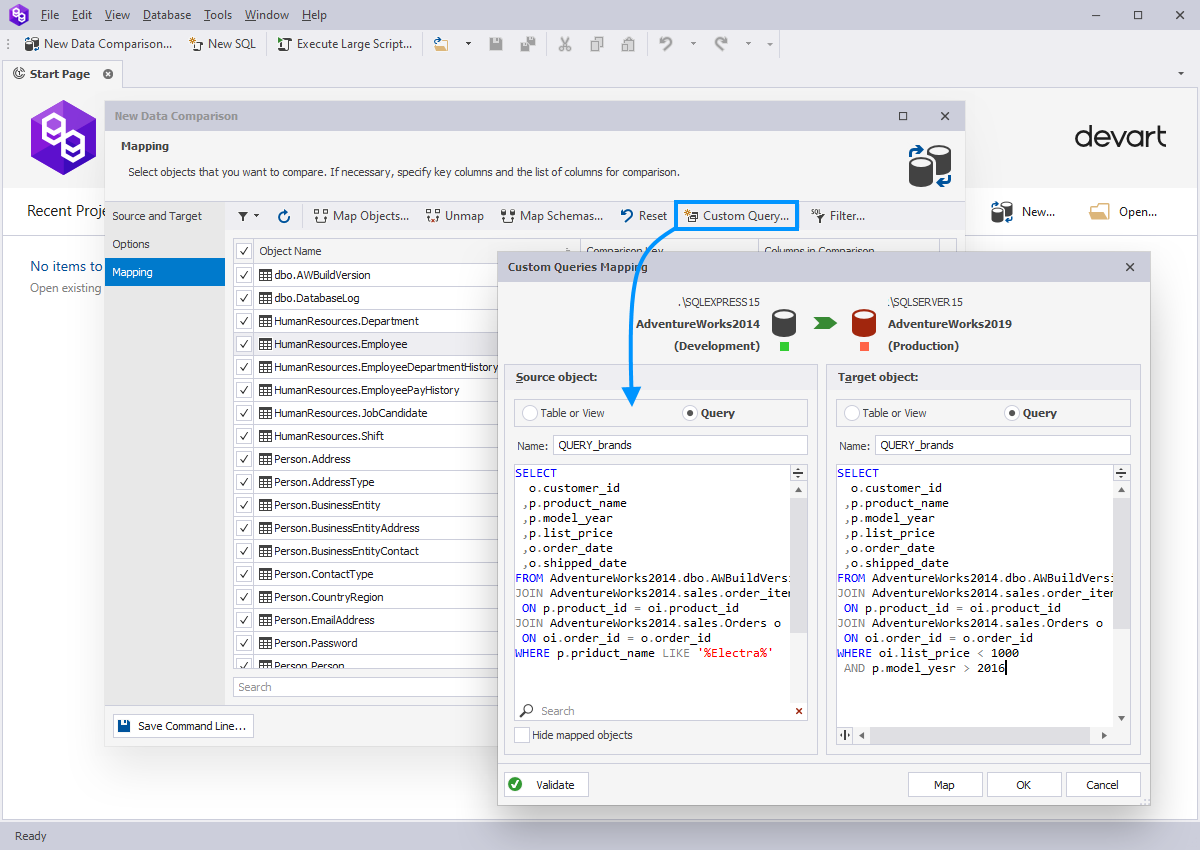
- Object Mapping allows comparing tables and views with different names and column set.
- Column Mapping allows mapping columns that have different names and specifying the comparison key and the list of columns to be compared.
- Schema Mapping helps mapping tables and views with different owners.
- Map one table in Source with two or more in Target.
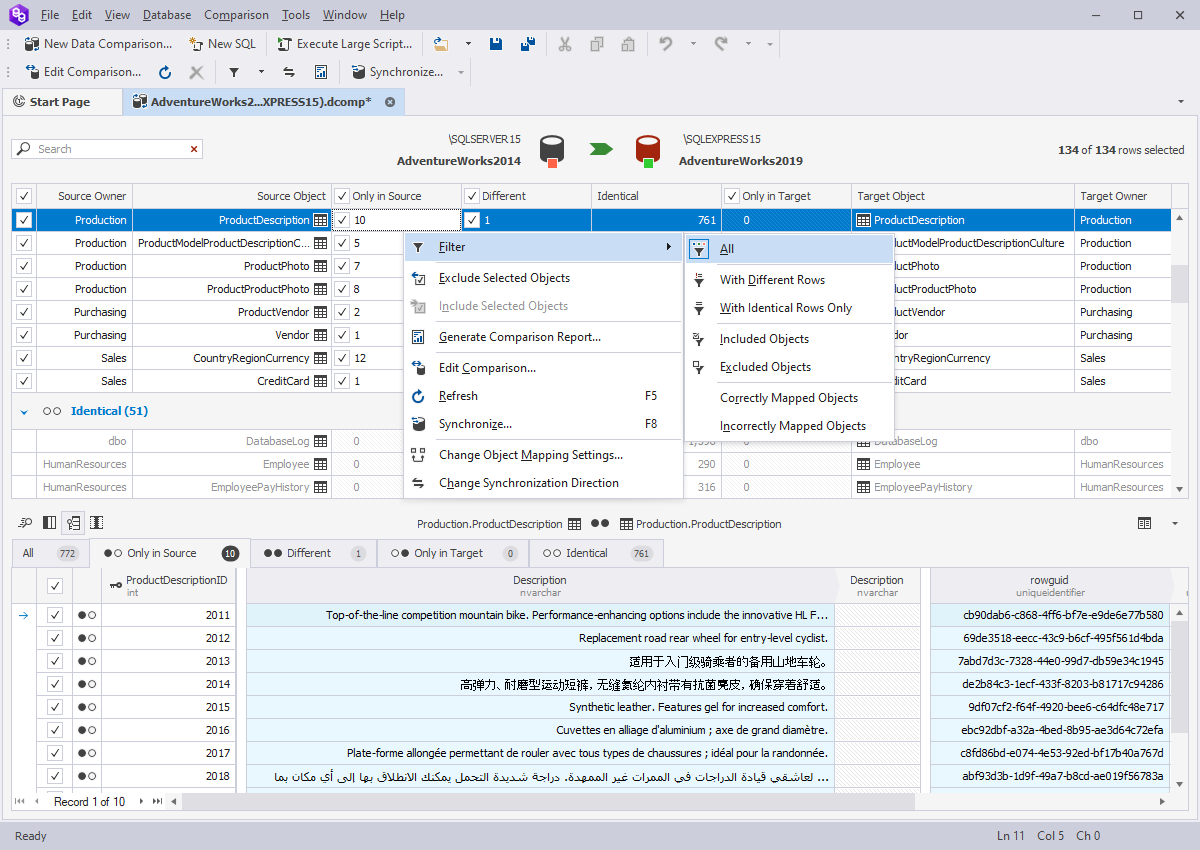
The Data Comparison document provides a clear display of the comparison results.
- View data differences for each pair of objects.
- Filter and sort objects in results grid.
- Perform full-text data search.
- See the number of changes per column.
- Hide unmodified columns to simplify the analysis.
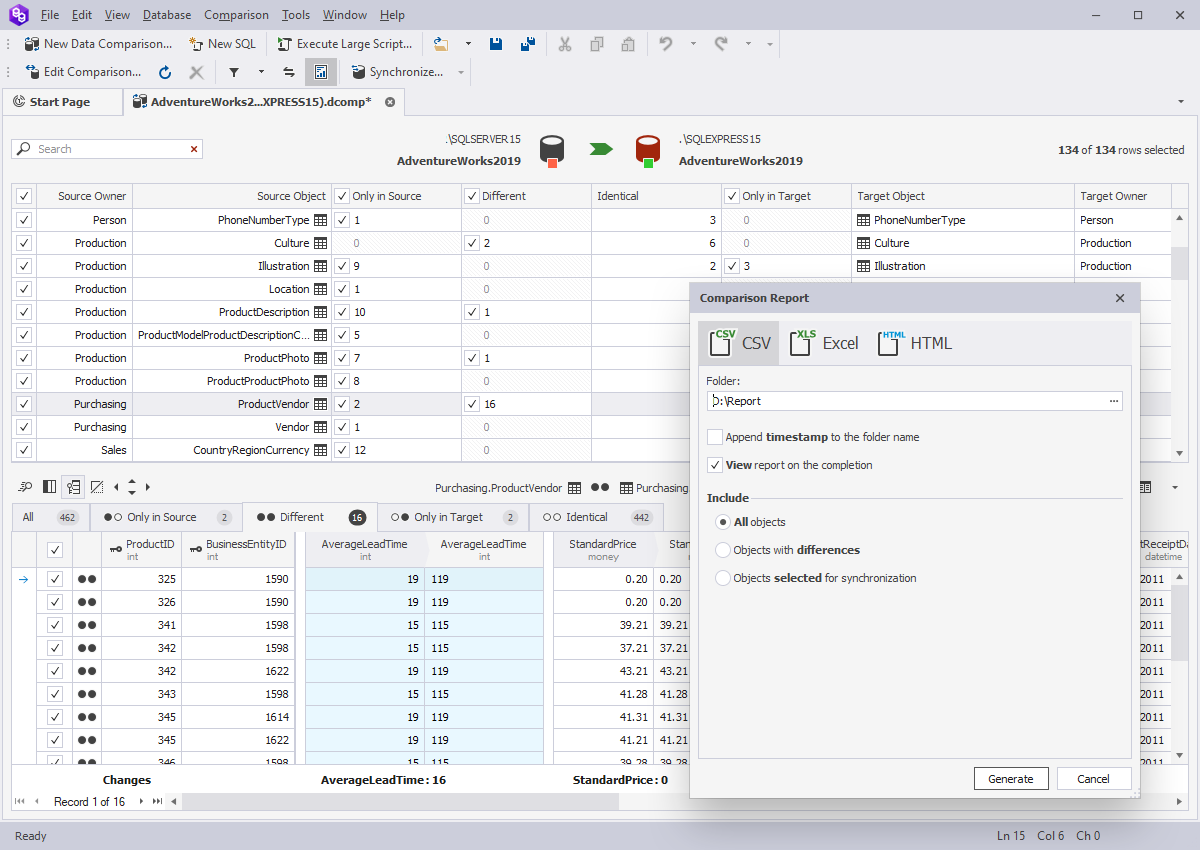
- Generate T-SQL synchronization script for the deployment or review.
- Migrate individual records, groups of records, or all SQL Server data differences.
- Toggle synchronization direction to apply data changes to both databases.
- Rollback changes on error.
- View warnings on possible problems prior to the sync.
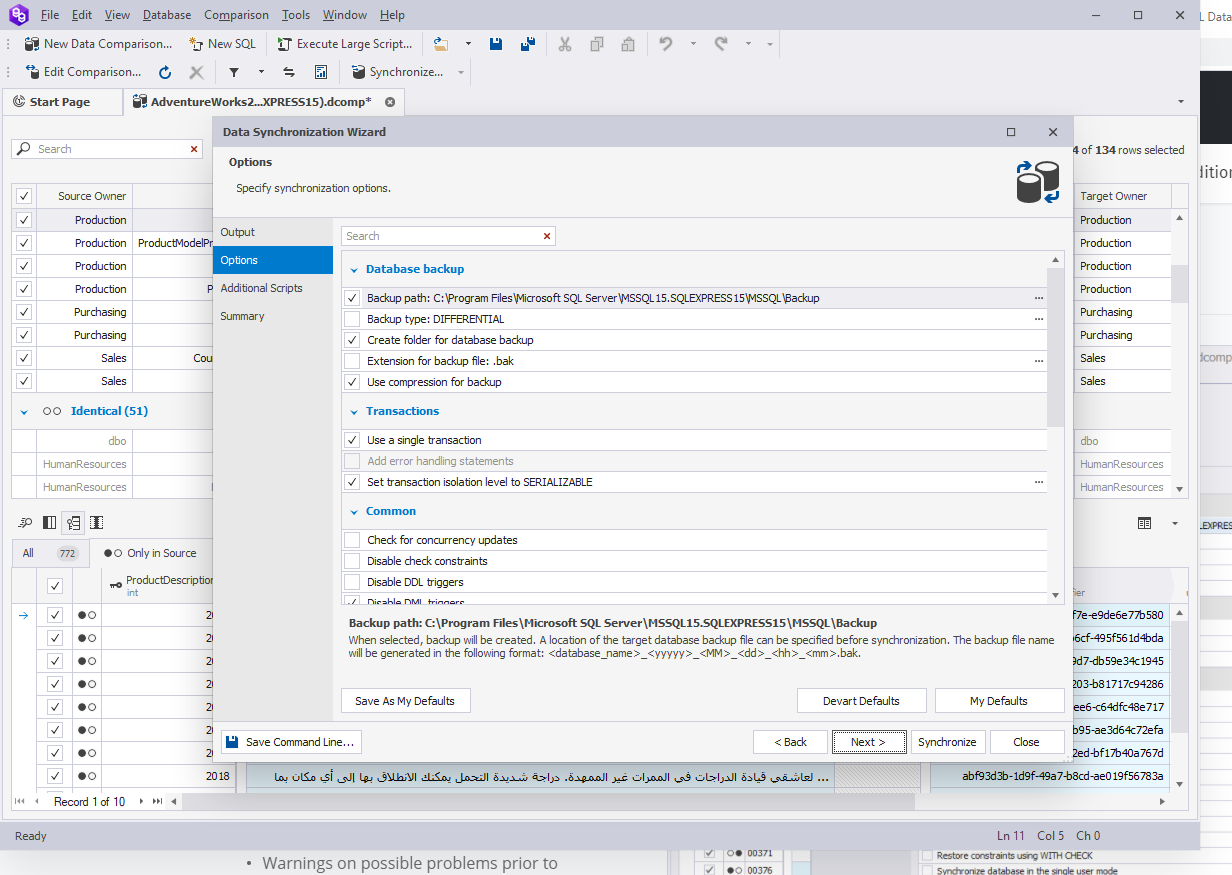
- Save the comparison project settings for future use.
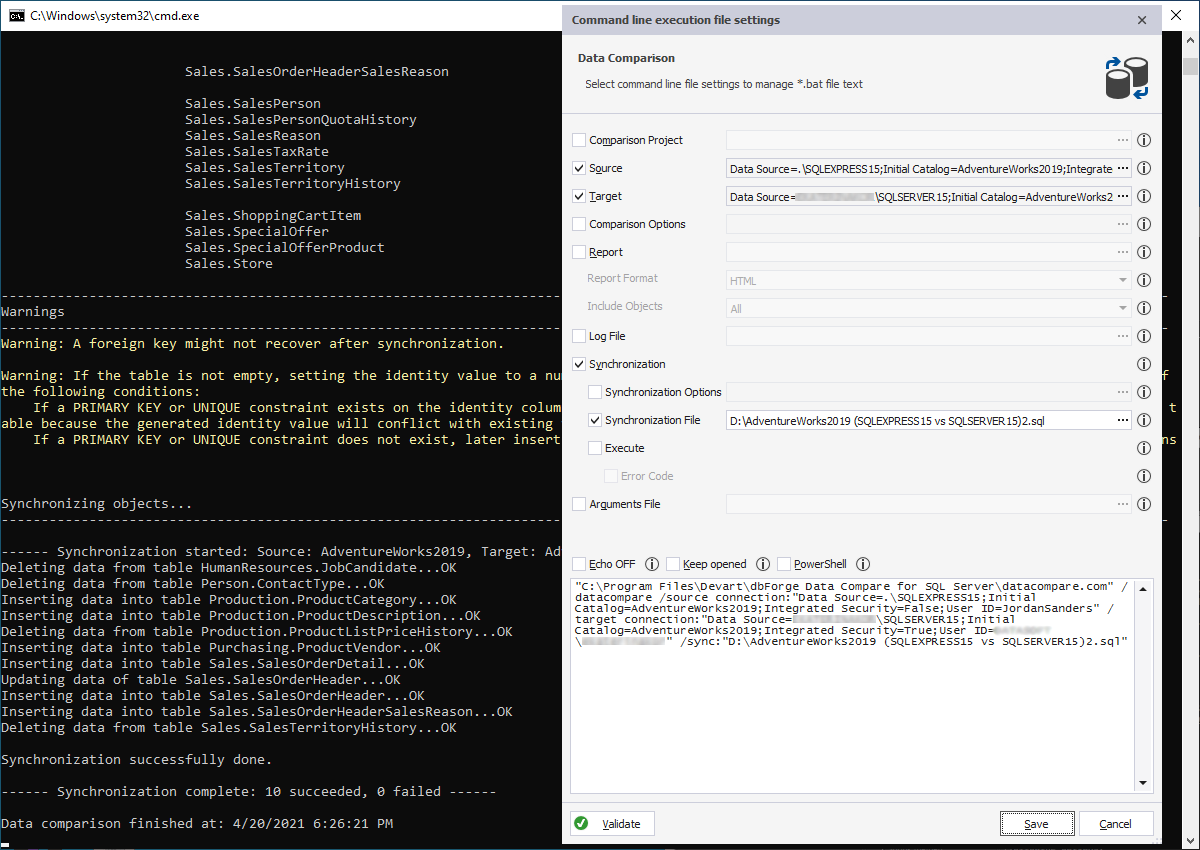
- Use Command Prompt or PorwerShell for automatic routine synchronizations.
- Save comparison and sync settings as a command-line execution file (.bat) and run it whenever you need.
- Set the .bat file automatic execution on with Windows Scheduler.