Code Review Tool – Review Assistant
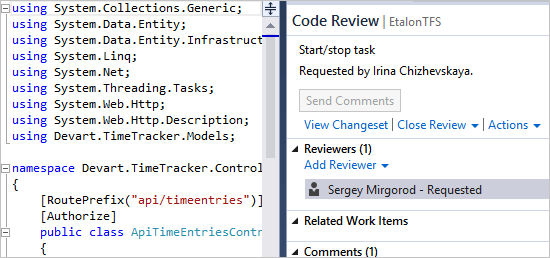
Review Assistant is a code review plugin for Visual Studio. Our
tool helps you to create review requests and respond to them without leaving Visual
Studio.
Peer code review helps to improve code quality and ship software with less defects.
And Review Assistant helps you to automate the process with minimum overhead.
Get started with code review and download
Review Assistant for free.
Not using code review? Check out the
code review benefits to see it's for you.
Is Review Assistant Right for Me?
Review Assistant is targeted at developers who use Visual Studio.
It supports Visual Studio 2012 and 2010. Our code review tool integrates with following
version control systems:
- Team Foundation Server (TFS)
- Git
- Subversion (SVN)
- Mercurial (Hg)
Review Assistant supports post-commit review process for all supported
source control systems and optional pre-commit review for TFS.
Following article explains the
difference between post-commit and pre-commit code review.
You can say: "Microsoft has already provided Code Review feature for Visual Studio.
Why make another tool?"
We strongly believe that our tool delivers a unique value to the
users. Check out the
Visual Studio Code Review vs Review Assistant article for more information.
Features Overview
Code discussion
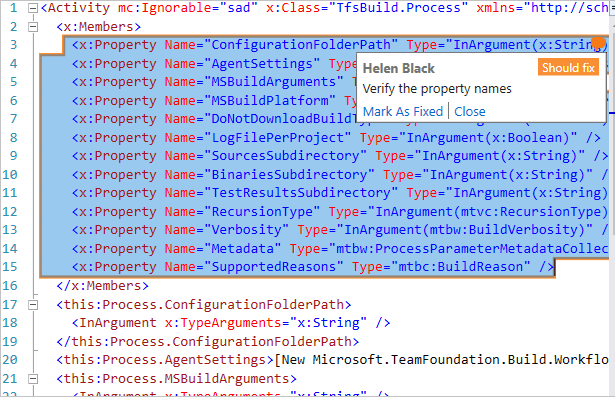
The heart of the review process is discussion around the code.
- Add you comments at the review level, or specific source code lines.
- Initiate threaded code discussions with your team members without scheduled meetings.
- Mark comments ans defects that need to be fixed
Instant switch from review to editing
Integration with Visual Studio gives you another benefit: you can start editing
code right away. Just click a comment on the review board, jump to the code editor,
and you are ready to fix the bugs.
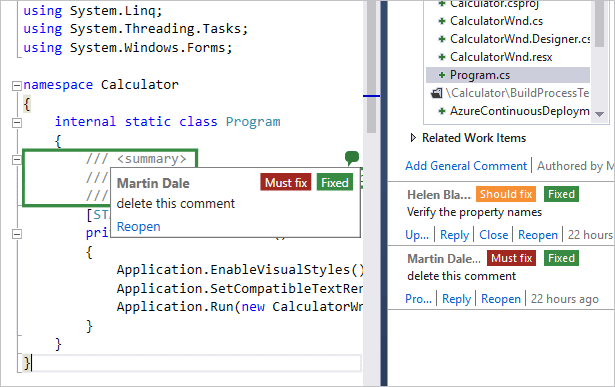
Review comments in the code editor
When you re-work you code after review, you can see review comments next to code
in the editor. You edit the code, mark comments as closed and they disappear from
the editor.
Incremental review
Often, you need to review the same code multiple times. Reviewers find bugs, the
author changes the code. Review Assistant allows you to have several iterations
within the same review's context.
Source control clients integrated into the review process
Using external version control clients like TortoiseSVN? Connect them with Review
Assistant using Code Compare. Add review comments to
source code while comparing file revisions.
Flexible workflow
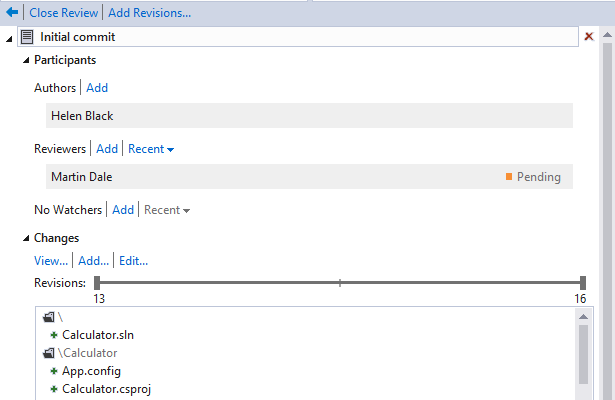
Review Assistant has a flexible review workflow:
- Only necessary review states are supported.
- Three main roles: author, reviewer, and moderator (optional).
- Discussions and defects statuses are not strict.
Help Me Choose
Here are the additional benefits of using Review Assistant.
With our code review software you can:
Start free and scale later
Introducing code review process into your company? Pick a team of 3 developers and
start reviewing code at no cost.
Buy Review Assistant for the entire company when you are ready to scale.
Review projects, not code snippets
Unlike standalone tools, Review Assistant plug-in brings code review right into
Visual Studio. You review work in the context of a project that
is much easier than reviewing separate code snippets and files.
Code review at a fraction of the usual cost
Review Assistant provides code review process automation for a fraction of competitors
products' price. This is a low-risk purchase. See Review Assistant
pricing information.
Simple Setup
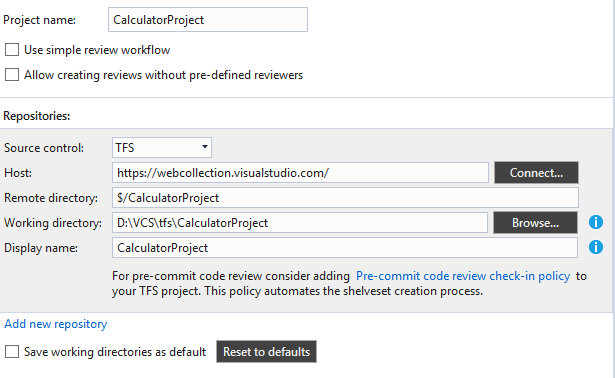
Get up and running in 5 five minutes. No tedious review server installation procedure.
Default Review Assistant setup requires virtually no manual customization.
Don't hesitate, start using Review Assistant for free!