SQL Server IDE for Database Development

dbForge Studio is an AI-powered IDE for developers, data architects, DBAs, analysts, and basically everyone who needs a rich toolset for SQL Server and related cloud databases. Think a far superior alternative to SSMS that helps write and optimize SQL code, design and test databases, compare and sync schemas and table data, perform database administration, version-control databases, and complete a vast number of other tasks.

  • SQL development
  • Database design
  • Data management
  • Database operations
  • Database administration
  • Data analysis & reporting
  • Version control
  • Automation

Work with a rich variety of databases and cloud services

For your convenience, dbForge Studio is fully compatible with the most popular SQL Server-based systems and services.

Microsoft SQL Server Microsoft SQL Server
Amazon RDS Amazon RDS
Heroku Cloud Heroku Cloud
Azure SQL Database Azure SQL Database
Azure Synapse Azure Synapse
Azure SQL Managed Instance Azure SQL Managed Instance
Azure Private Link Azure Private Link
Microsoft Entra Microsoft Entra
Microsoft Fabric Microsoft Fabric
Microsoft Fabric Data Warehouse Microsoft Fabric Data Warehouse
Microsoft Fabric OneLake Microsoft Fabric OneLake
ApsaraDB RDS ApsaraDB RDS
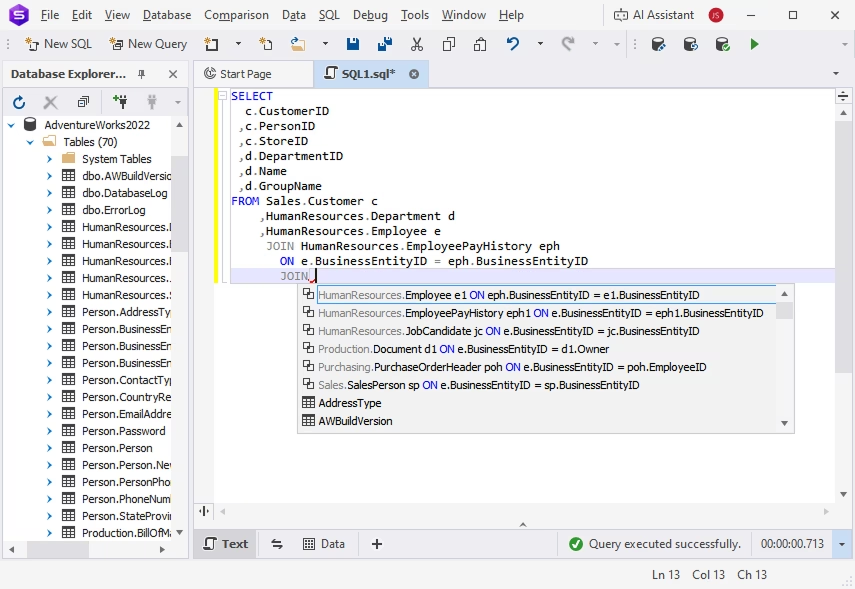
Everything you need to level up your database development

Database development

dbForge Studio for SQL Server provides an extensive set of features for database development, from context-aware SQL code completion to the automation of recurring operations.

Capabilities:

Database management

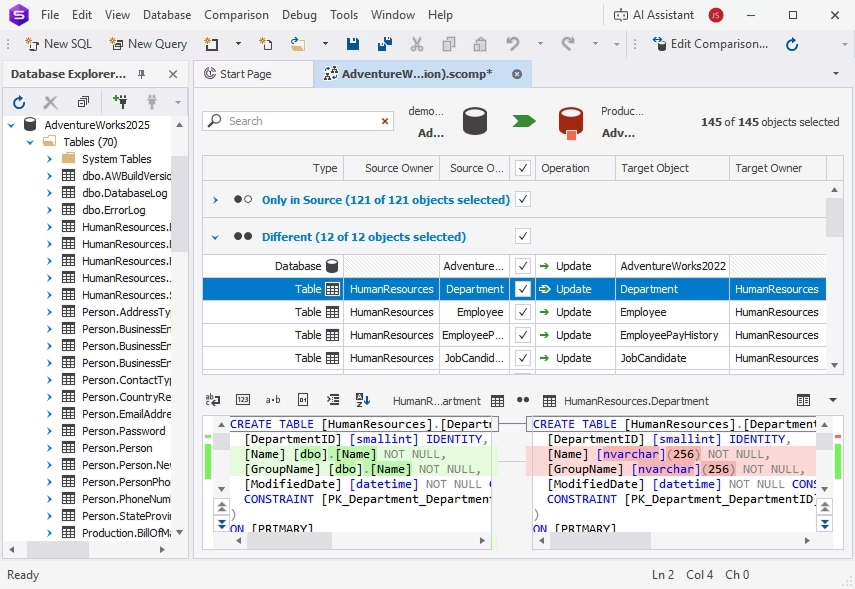
The Studio is a perfect fit for daily database management, offering a number of tools to compare, migrate, and document databases in a matter of moments.

Capabilities:

Database administration

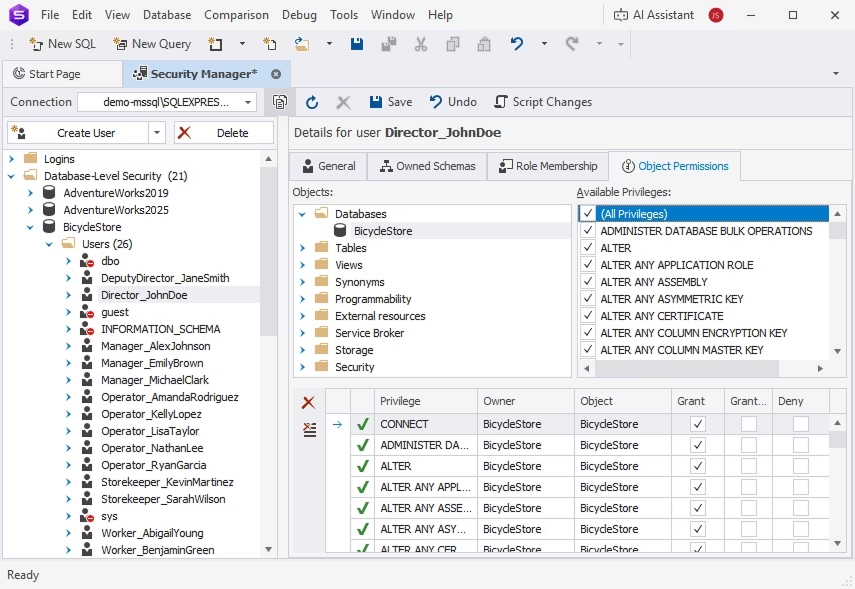
dbForge Studio for SQL Server has a set of database administration tools that help DBAs protect data and resolve potential issues before they can impact databases.

Capabilities:
Database administration inside the SQL Server IDE

Data analysis and reporting

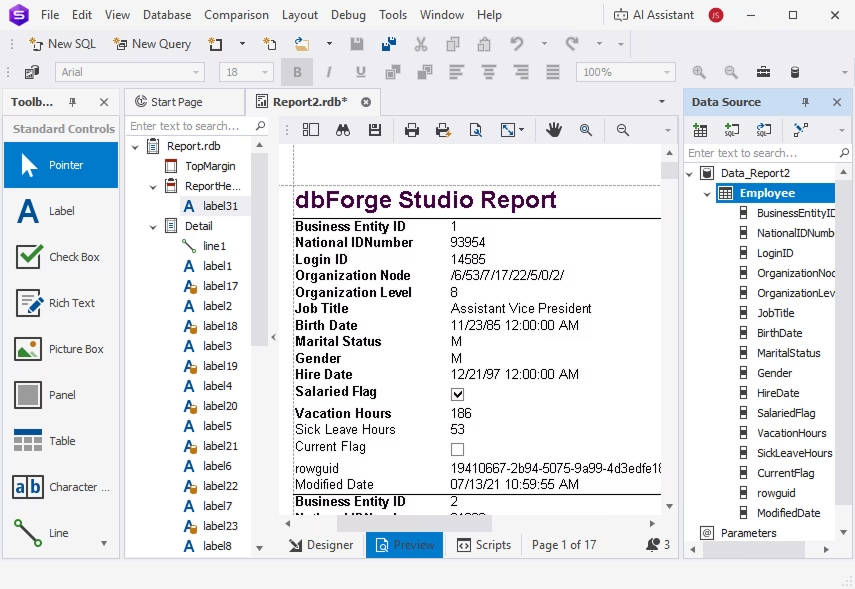
The Studio makes data analysis much more convenient with data aggregation and visualization, automated generation of data reports, and a handful of other useful features.

Capabilities:
Data reports and analysis capabilities of this MS SQL database client

Faster database releases under DevOps automation

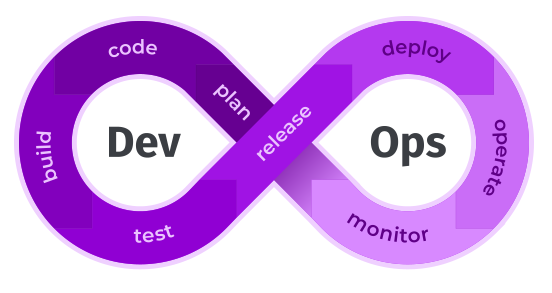
Automate the entire database lifecycle—from design and development to testing and deployment—using the comprehensive functionality of dbForge Studio for SQL Server.

DevOps Automation
Trusted by thousands of data-driven companies
Assurant
Bristol Myers Squibb
Blackstone
Cardinal Health
Cisco
DXC Technology
Emerson
Expedia
Labcorp
Trusted by thousands of data-driven companies
Assurant Bristol Myers Squibb Blackstone Cardinal Health Cisco DXC Technology Emerson Expedia Labcorp

Pricing

Express

Available
Free
Download
Key features
  • SQL code completion and formatting
  • Visual data and object editors
  • Database diagrams
  • Data import and export
  • Database backup and recovery
  • Security Manager

Standard

Starts from
$249.95
per year
Buy now
All features from Express +
  • T-SQL Debugger
  • Visual Query Builder
  • Query Profiler
  • Copy Database
  • Schema import and export
  • Pivot tables and data reports

Professional

Starts from
$399.95
per year
Buy now
All features from Standard +
  • T-SQL Code Analyzer
  • Data/schema comparison & sync
  • Index Manager
  • Event Profiler
  • Data Generator
  • CLI automation

Enterprise

Starts from

$549.95
per year
Buy now

Key features:

  • Complete coding assistance
  • Source Control
  • Query Profiler
  • T-SQL Code Analyzer
  • T-SQL Debugger
  • Visual Query Builder
  • Schema comparison & sync
  • Data comparison & sync
  • Unit Test
  • Database administration
  • Data Generator
  • Documenter
  • Generation of scripts folders
  • Data analysis & reporting
  • CLI & DevOps automation

Your most versatile cross-platform SQL Server IDE

+25%

Team productivity in database development

dbForge Studio for SQL Server is the ultimate solution for both individual users and entire teams operating with databases and actual data.

2x-4x

Faster query writing and database design

Everything you need to level up the speed and precision of your SQL coding and database modeling is right here, in an easy-to-use IDE.

+30%

Productivity in routine database administration

Our users report a minimum 30% productivity growth when it comes to carrying out administration tasks with the Studio at hand.

+100%

Flexibility in database management

The Studio has everything to help you and your teammates create, deploy, manage, and safeguard your SQL Server databases with ease.

100%

Accuracy in daily SQL coding

You can use the integrated dbForge AI Assistant to generate queries—or write them yourself with powerful code completion and syntax check.

50%

Time saved on routine database deployment

According to our clients, their database deployment time gets reduced by an average of 50%. dbForge Studio is all about saving your precious time.

100%

Effective administration of databases

The Studio will help you configure your database instances, manage users, track processes in your databases, and perform table maintenance.

+20%

Faster data management and analysis

The rich productivity features of dbForge Studio will help you get your routine data-related tasks done much faster and with less effort.

2x+

Faster database design and SQL development

You can speed up your routine SQL coding with context-aware completion, versatile formatting, syntax validation, code analysis, and debugging.

+80%

Daily productivity in database management

dbForge Studio is your easiest and safest way to modify, compare, synchronize, migrate, and back up SQL Server and related databases.

100%

Automation of recurring database-related tasks

You can use the command-line interface to automate database comparison and sync tasks, backups, import and export operations, and much more.

100%

Database integrity with efficient administration

Finally, dbForge Studio will help you manage users and permissions, keep track of server sessions, and perform table maintenance with ease.

2x+

Faster database design and SQL development

dbForge Studio for SQL Server will give your productivity a dramatic boost with its visual database design tools and SQL coding assistance features.

100%

Versatility and security in data management

dbForge Studio is your ultimate SQL Server viewer. You can inspect, edit, migrate, back up, and analyze your data in the most effortless way.

100%

Effective disaster recovery features

Speaking of backups, you no longer have to worry about potential data loss. The Studio will help you set up automated backups in no time.

50%

Time saved on database deployment

Our clients say that the Studio helps them cut their database deployment time in half. You can achieve the same results with ease.

2x-4x

Faster construction and effective optimization of SQL queries

dbForge Studio for SQL Server delivers a set of powerhouse tools to help you write and optimize SQL queries. These tools include IntelliSense-like code completion, instant syntax validation, and a smart Query Profiler.

+30%

Productivity growth in routine database administration

Actually, 30% is the minimum reported by our clients in their success stories. In quite a few cases, DBAs claimed to get a whopping 150% boost once they adopted dbForge Studio for their daily needs.

100%

Flexible toolset that makes all operations with data much easier

dbForge Studio simplifies data management in every way, from the basic operations like viewing and editing to more complex things like aggregation, analysis, and migration of data to different environments.

+20%

Efficiency in data analysis and reporting

dbForge Studio for SQL Server helps you aggregate, process, and scrutinize your data with ease, summing your findings up with compelling visual reports.

1

Complete solution for data management

The Studio has every tool you might need to view, edit, migrate, analyze, and report on your SQL Server data in the most convenient way.

2x+

Faster SQL coding and visual query building

You can write queries in SQL or design them visually, on diagrams, with no coding whatsoever. Either way, you'll get to do it much faster.

100%

Streamlined operations with databases

The Studio was designed to make database management easier than ever with the extensive command-line automation of recurring tasks.

1

Integrated solution for all database tasks in SQL Server

dbForge Studio for SQL Server is a multifeatured IDE that was designed to help you solve nearly every database-related task at hand. The Studio's automation capabilities make it even more special.

100%

Extensive DevOps automation of the entire database lifecycle

If you want to streamline your database development and delivery under a consistent DevOps cycle, dbForge Studio is your best bet. Broad automation capabilities and integration with CI/CD systems will make it easy.

100%

Reliability, flexibility, and security in routine data management

The Studio will help you ensure 24/7 availability, security, and high performance of your SQL Server databases. Everything you might need for data management is also here, always at hand.

Ready to get started?

Get started with a 30-day trial of dbForge Studio

Get started for free

Download the Studio for a free trial to get your firsthand experience with its advanced features and capabilities.

Get your discounts on multiple licenses

Enjoy bulk discounts

To meet your budget in the optimal way, we provide flexible purchasing options and bulk discounts for multiple licenses.

Need a hand or have a question?

Need a hand?

Feel free to contact us with any questions about our tools and purchasing options. Our response won't keep you waiting.

Frequently asked questions

What is dbForge Studio for SQL Server?

dbForge Studio for SQL Server is a high-end AI-powered integrated development environment (IDE) for on-premises and cloud databases, compatible with Microsoft SQL Server, Azure SQL Database, and a number of related cloud databases and services. Its functionality covers the entire database lifecycle, from visual design and development to testing, deployment, and monitoring. The Studio is a powerful solution for teams and individuals alike.

Is dbForge Studio the best SQL Server IDE?

There is no single best SQL Server IDE as such—every developer or team has their own tasks and requirements that can be covered in different ways. However, there are several strong contenders for the title, and dbForge Studio for SQL Server is one of them. Its slick and user-friendly interface, rich feature set, high performance, and broad automation capabilities have earned it a positive reputation in the market.

Can I use dbForge Studio as a SQL Server GUI tool?

Yes. The Studio is basically a multifeatured GUI tool that helps handle a vast number of database development, management, and administration tasks by means of a clean and intuitive graphical interface and smart wizard-aided workflows.

Is dbForge Studio an alternative to SQL Server Management Studio?

Yes. Although SQL Server Management Studio is a robust stock solution for SQL Server developers and DBAs, its features may prove insufficient for power users. This is where dbForge Studio comes into play as a superior alternative, taking database development and management capabilities to an entirely new level.

Does dbForge Studio for SQL Server work on macOS or Linux?

dbForge Studio for SQL Server is a Windows-native application. However, you can easily run it on macOS and Linux using specialized compatibility solutions like CodeWeavers CrossOver or Wine.

Can I manage on-premises and cloud SQL Server databases in dbForge Studio?

Yes. dbForge Studio is perfectly compatible with on-premises and cloud databases, going beyond Microsoft SQL Server to Azure SQL Database, Amazon RDS, Azure Synapse, ApsaraDB RDS, and a variety of related cloud services.

What SQL Server tools are included in dbForge Studio?

The Studio boasts an impressive number of features and built-in tools for SQL Server and related cloud databases and services. These include, but are not limited to, the following:

  • AI Assistant generates, optimizes, explains, and fixes SQL code in a matter of moments
  • SQL Editor offers a rich selection of coding assistance features, which include context-aware autocompletion and formatting
  • Query Profiler helps analyze and optimize queries
  • Database Designer helps design databases using ER diagrams
  • Query Builder helps create queries visually, without manual coding
  • Schema Compare finds differences in database schemas and synchronizes them to a target database
  • Data Compare finds differences in table data and synchronizes them to a target database
  • Source Control helps manage database changes using integration with the most popular version control systems
  • Unit Test helps implement automated unit testing based on the tSQLt framework
  • Data Generator creates meaningful, column-intelligent test data
  • Documenter generates comprehensive database documentation
  • DevOps Automation helps implement an automated database lifecycle via CI/CD

This list is far from being exhaustive. You can learn more about other capabilities of dbForge Studio for SQL Server on the Features page.

Does dbForge Studio include AI tools for SQL Server?

Yes. dbForge Studio for SQL Server delivers an integrated AI Assistant, a smart copilot for SQL development. Its capabilities include context-aware generation of SQL queries, conversion of natural language to SQL, explanation of code blocks, optimization and troubleshooting of pre-written queries, and consultations on everything related to SQL and databases.

Who should use dbForge Studio for SQL Server?

The versatile capabilities of dbForge Studio for SQL Server make it a favored solution for software and database developers, data architects, database administrators, analysts, managers, and virtually everyone who needs to manage SQL Server and related databases with ease and convenience.