How AI Data Management Improves Database Performance
AI data management is one of the secrets to the growth of today's fastest and most efficient data-driven businesses.
Every second, database applications generate tons of data, ranging from customer interactions to financial records and much more. But here is the harsh truth: as these data volumes increase, traditional methods of managing them simply can’t keep up. As a result, the data is often scattered and inaccurate, costing time, money, and competitive advantage.
This is where AI data management comes in.
AI data management introduces innovative and intelligent features that let you write queries faster, detect errors, optimize your database performance, and scale efficiently. With AI, you can easily track your application's performance and gain insights to make better, data-driven decisions. No more scalability issues, data accuracy issues, or losing competitive advantage.
This article explains how AI is improving data management and how you can use it to enhance your database performance. You will also learn about dbForge AI Assistant's cutting-edge features that make it stand out as one of the top AI tools for database management.
Let's get started.
Understanding AI data management
AI data management involves the use of artificial intelligence (AI) and machine learning (ML) to enhance the entire process of managing your database. Unlike traditional methods that rely heavily on manual processes, AI-powered data management relies on automated and intelligent processes that help you save time and improve decision-making.
Below are the key components of AI in data management that make it efficient:
- Data quality: AI database management tools, such as dbForge AI Assistant are designed to detect errors and inconsistencies and suggest corrections to ensure accuracy and maintain high-quality data.
- Data discovery: AI database management tools are built with features that can help you automatically identify, classify, and catalog data from multiple sources.
- Metadata management: AI can also help you ensure that your data is well-organized and maintained, enhancing searchability and context.
- Data governance & security: With AI, you can easily enforce rules and protocols in your database to protect sensitive information and maintain compliance.
- AI-powered analytics: You can leverage machine learning in some database AI tools to uncover hidden patterns, perform predictive analysis, and generate actionable insights.
Why AI is essential for modern data management
Data management goes beyond storing data. It also includes making sense of the data quickly and accurately. AI database management reduces the time spent on manually processing data and provides a more efficient and automated method. Beyond this, there are more reasons it is essential for modern data management.
- Automation of data processes: AI automates repetitive and time-consuming tasks such as data classification, data cleaning, metadata management, and data integration across systems. This reduces manual workloads and human errors.
- Speed and scalability: AI tools like the dbForge AI Assistant can help you process and analyze massive amounts of data faster and more accurately, enabling your business to keep up with rapid data growth and scale effortlessly.
- Predictive analytics: AI also offers predictive analytics capabilities. It can analyze both historical and real-time data, helping you detect patterns and anomalies, forecast future trends, and generate predictive insights for informed business decisions.
- Enhanced decision-making: Thanks to the quick data processing ability of AI tools, you can easily transform raw data into actionable insights and make data-driven decisions faster and more confidently.
Core benefits of implementing AI data management
No doubt, integrating AI tools into your database management is not just a tech upgrade; it's a strategic advantage. AI data management unlocks transformative benefits that go beyond automating processes and enhancing accuracy. When you integrate AI tools into your database, your business enjoys the following benefits.
Improved data quality and accuracy
Tools like dbForge AI Assistant excel at optimizing database schemas, ensuring their consistency and accuracy. This enables your business to build reliable data schemas that support accurate reporting, forecasting, and informed decision-making. dbForge AI Assistant simplifies schema management, minimizing structural errors and enhancing overall database quality for more efficient data-driven processes.
Enhanced operational efficiency
No more spending hours of manual effort on routine tasks. You can use AI to streamline operations and automate tasks like data integration, migration, and metadata tagging. This improvement enhances productivity and leads to quicker turnaround times for data-related projects.
Reduced cost through automation
The ability to cut down costs through automation is one of the most compelling benefits of managing databases with AI. AI helps you reduce money spent on operational expenses related to data storage and maintenance. As a result, you can allocate more resources to innovation and growth rather than routine data maintenance.
How to use AI for data management effectively
To maximize the benefits of using AI in your database process, consider the following factors.
1. Assess current data infrastructure:
- Before integrating AI, ensure you evaluate your existing data sources, tools, and processes.
- Identify areas where automation or predictive analytics can deliver the most value.
2. Define clear objectives:
- After evaluating your data, set specific goals for AI integration, such as improving data quality, reducing processing time, or enhancing analytics.
- Allocate a budget based on the objectives you have set.
3. Choose the right AI tools:
- Select AI-powered solutions that integrate smoothly with your current database environment.
- Prioritize platforms that offer flexibility, scalability, and robust security features. For example, dbForge AI Assistant, SQL Prompt (by Redgate), and Qlik AutoML
4. Integrate gradually:
- Test AI tools on small, non-critical datasets to measure impact and fine-tune processes.
- Roll out AI tools step by step, focusing first on high-impact tasks like data cleaning or metadata management.
Best practices to maximize AI effectiveness
Here are some best practices to help you enjoy integrating AI into your database management process.
- Prioritize data governance: Ensure your AI tools align with data privacy regulations and internal compliance policies.
- Invest in data literacy: Train your database teams to understand AI processes, outputs, and limitations.
- Monitor and optimize continuously: Regularly review AI performance to refine models and adjust workflows as data needs evolve.
- Focus on collaboration: Foster collaboration between data scientists, database administrators, and business teams to align AI efforts with business goals.
Common pitfalls to avoid
- Over-automation: Avoid handing over every process to AI without oversight. Some decisions still require human judgment.
- Ignoring data quality: AI tools work best with clean, well-structured data. Feeding low-quality data into AI systems leads to unreliable results. Therefore, ensure data cleansing is performed before AI analysis, or use AI tools with built-in data cleansing functionality.
- Skipping security measures: Ensure strong encryption, access controls, and audit trails are in place when deploying AI data solutions.
AI and data management: real-life use cases
Here are some practical use cases of AI data management.
1st use case: automated anomaly detection in databases
- AI algorithms analyze database activity in real time.
- Then identify anomalies such as unexpected spikes in traffic, unusual query patterns, or unauthorized access attempts.
- The AI may trigger alerts automatically, enabling rapid investigation and resolution.
- Minimizes downtime and data corruption risks.
- Speeds up troubleshooting by pinpointing root causes instantly.
- Enhances database reliability and performance.
A financial institution uses AI to monitor transaction records and spot suspicious activity in real-time.
SELECT transaction_id, amount, transaction_date
FROM transactions
WHERE amount > (SELECT AVG(amount) * 3 FROM transactions);
This query flags transactions that are unusually high (above three times the average). An AI anomaly detection model would go even further by analyzing trends, user behaviors, and past anomalies to automatically detect subtle risks.
2nd use case: AI-driven data cataloging and metadata management
- AI tools scan datasets across different systems and automatically classify, tag, and organize them based on content and usage.
- Machine learning models continuously refine and improve their classification over time.
- Improves data discoverability and accessibility.
- Saves time on manual tagging and documentation.
- Enhances compliance by ensuring consistent data organization.
An e-commerce company has thousands of product data records scattered across multiple databases. AI tools scan and classify this data by categories like "Electronics," "Clothing," or "Home Goods."
| Product_ID | Description | AI Category |
|---|---|---|
| 1023 | 55-inch OLED Smart TV | Electronics |
| 4561 | Organic Cotton T-Shirt | Clothing |
| 7321 | Non-stick Cookware Set | Home Goods |
AI automatically assigns metadata based on keywords, past labels, and learned relationships, reducing human error and improving searchability.
3rd use case: AI-enhanced database security management
- AI systems analyze login patterns, query behaviors, and data access logs.
- Detect potential vulnerabilities or unusual activity, such as insider threats or cyberattacks.
- May trigger automated alerts and even preemptive blocking to mitigate risks.
- Reduces risk of data breaches and compliance violations.
- Provides continuous monitoring without human intervention.
- Increases overall security posture with predictive threat detection.
A healthcare organization uses AI-driven tools to detect unusual login patterns that might indicate a breach.
SELECT user_id, COUNT(*)
FROM login_logs
WHERE login_time BETWEEN '2025-07-01' AND '2025-07-08'
GROUP BY user_id
HAVING COUNT(*) > 500;
This query identifies users with abnormally high login counts.
Choosing the right AI data management tools
Here's the part where it gets tricky. With so many AI data management tools out there, selecting the right one can feel overwhelming. To choose the best fit for your business, consider the following key factors.
Automation
The major goal of adopting AI data management is to reduce costs, save time, and effort. As a result, when selecting an AI tool, opt for a tool that automates with ease. The more the AI tool can automate, the more time your team will have for high-value tasks.
Scalability
As your business grows, so does your database. When you're choosing an AI data management tool, go for a tool that grows with your business. Whether you're working with thousands of records today or millions tomorrow, a good AI solution should handle increasing data loads without slowing down the application or costing you a fortune.
Integration
Integration is also another key factor to consider when choosing an AI tool for your database. The AI tool you go for should be one that can easily integrate with your existing database. The smoother the integration, the quicker your results.
Ease of use
You don't want to spend weeks just learning how to use the tool. So, opt for a tool with an intuitive interface, helpful tutorials, and low-code or no-code options so your whole team can use it comfortably.
Support
A responsive, knowledgeable support team can make a huge difference, especially when you’re just getting started. Check for resources like live chat, user forums, and clear documentation so you’re never left in the dark.
Cost
AI tools come with all kinds of pricing models. Some charge based on data volume, others on users or features. Always weigh the long-term value, not just the price tag. Consider how much time, effort, and money the tool can save you in the long run.
Introducing dbForge AI Assistant for enhanced data management
The smartest way to use AI for database management is to integrate the tool directly inside your workflow-your SQL environment. This method of integration saves time, boosts efficiency, accuracy, and takes the complexity out of your database management. It is like having an SQL query expert right next to you doing the hard work.
dbForge AI Assistant is designed specifically with this ease in mind. Whether you are a database developer or manager, you can integrate and use it directly in your SQL environment.
Let's take a closer look at the cutting-edge features that make it stand out.
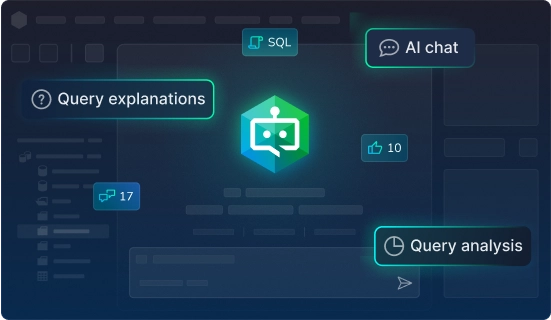
- Content-aware query generation - dbForge AI Assistant understands the context of your database and generates accurate and well-optimized queries that describe precisely what you need, whether it’s a complex JOIN, an aggregation, or a nested subquery. With this feature, you save hours of manual coding and debugging, and transition from question to query in seconds.
- Query optimization - Writing queries is only the beginning; making them fast and efficient is where the real challenge lies. dbForge AI Assistant excels in query optimization by analyzing your SQL code for potential inefficiencies. It suggests actionable improvements such as better indexing strategies, rewriting subqueries, or optimizing JOIN operations. This means you can improve performance, reduce server load, and accelerate query execution without spending hours on trial and error.
- Conversion of natural language to SQL - Imagine explaining your database question just like you would to a colleague and instantly getting the exact SQL query you need. This is the magic of the dbForge AI Assistant's natural language to SQL conversion. You simply write your request in plain English or any language of choice, and the assistant converts it into accurate, production-ready SQL code. This feature bridges the gap between technical queries and human thinking.
- SQL explanations - dbForge AI Assistant can help you break down complicated queries step by step and explain what each part does. Whether it's an advanced query from a teammate or legacy code you've inherited, dbForge AI Assistant SQL explanation provides the correct information you need to keep your database performance flowing.
- SQL troubleshooting - Debugging SQL can be time-consuming and frustrating, especially because you have to go through each line of code to figure out the issue. dbForge AI Assistant saves you tons of time and effort with its SQL troubleshooting feature. It can swiftly identify problem areas in your queries and suggest specific fixes. Whether it’s syntax errors, missing table references, or logic mistakes, the AI highlights the issue and provides guided solutions.
- AI chat - Beyond the dbForge AI Assistant providing expert guidance on your database workflow, you can use the AI chat feature to ask questions about SQL syntax, database design best practices, optimization tips, or even request sample queries. It’s conversational, intuitive, and incredibly useful for brainstorming or overcoming roadblocks without leaving your workspace.
- Integration with dbForge tools - The best part? dbForge AI Assistant seamlessly integrates with the full suite of dbForge tools, allowing you to unlock the power of AI right inside your existing workflows. Whether you're working on query building, schema design, or data analysis, the assistant complements your tools to boost productivity without disruption. No need for extra installations or complex setups.
Conclusion
Integrating AI assistants into your data workflows can completely transform the way you handle databases. From automating routine tasks and optimizing complex queries to improving data accuracy and delivering actionable insights, AI is redefining what's possible in database management.
However, success starts with choosing the right tools. The right AI-powered solution doesn't just boost performance; it enhances data accuracy, increases operational efficiency, and empowers smarter, faster decision-making across your organization.
If you’re a database developer or manager looking to stay ahead, now is the perfect time to explore what AI can do for you. And there's no better way to start than with dbForge AI Assistant. Its powerful, easy-to-use features are designed to make your job easier and your data management more effective.
Get started with dbForge AI Assistant and experience firsthand how AI can revolutionize your data management workflows.