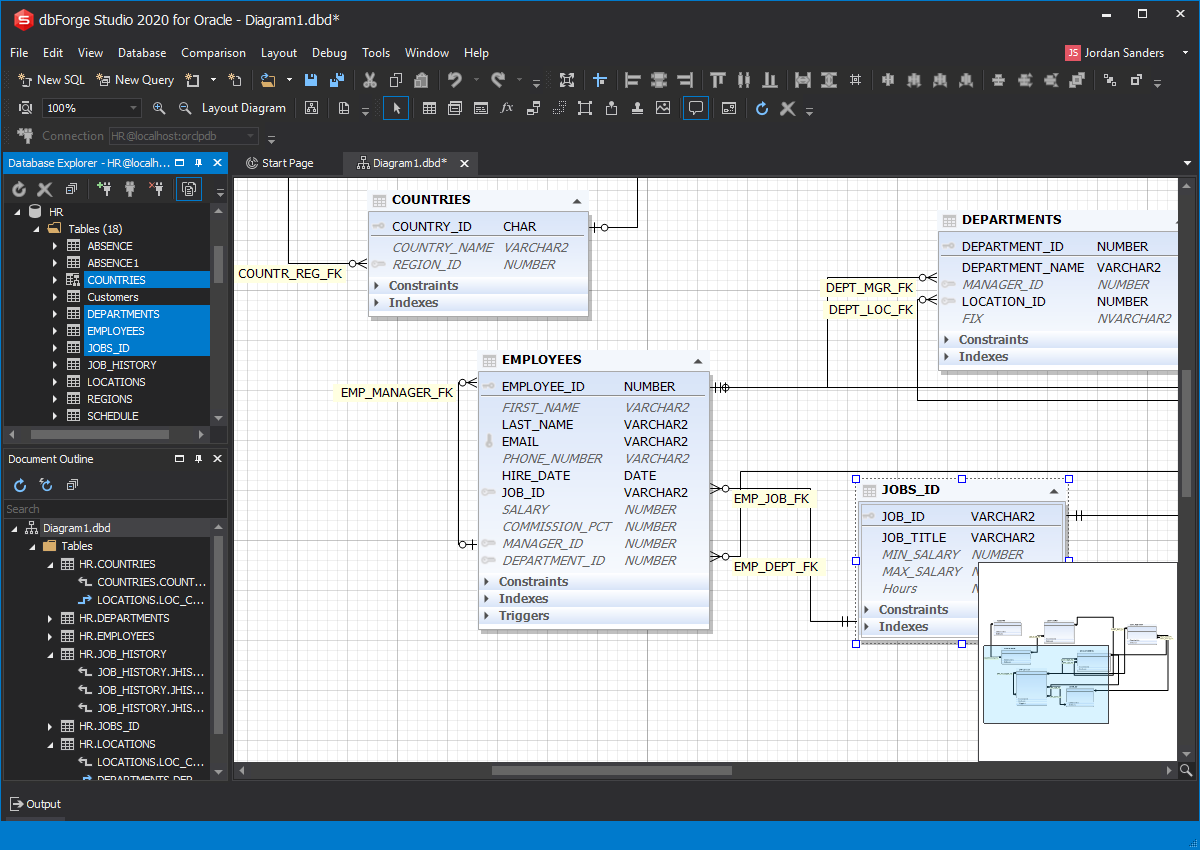
Database Diagram in dbForge Studio for Oracle

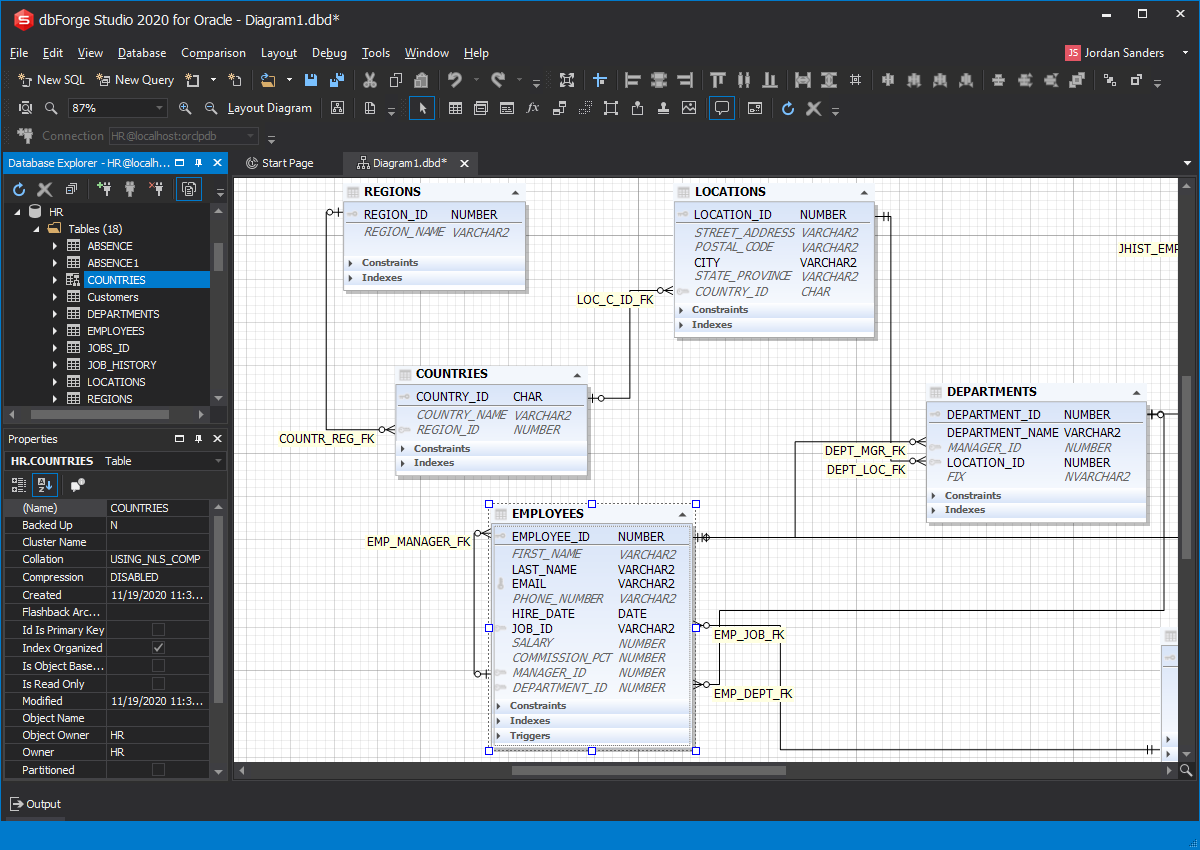
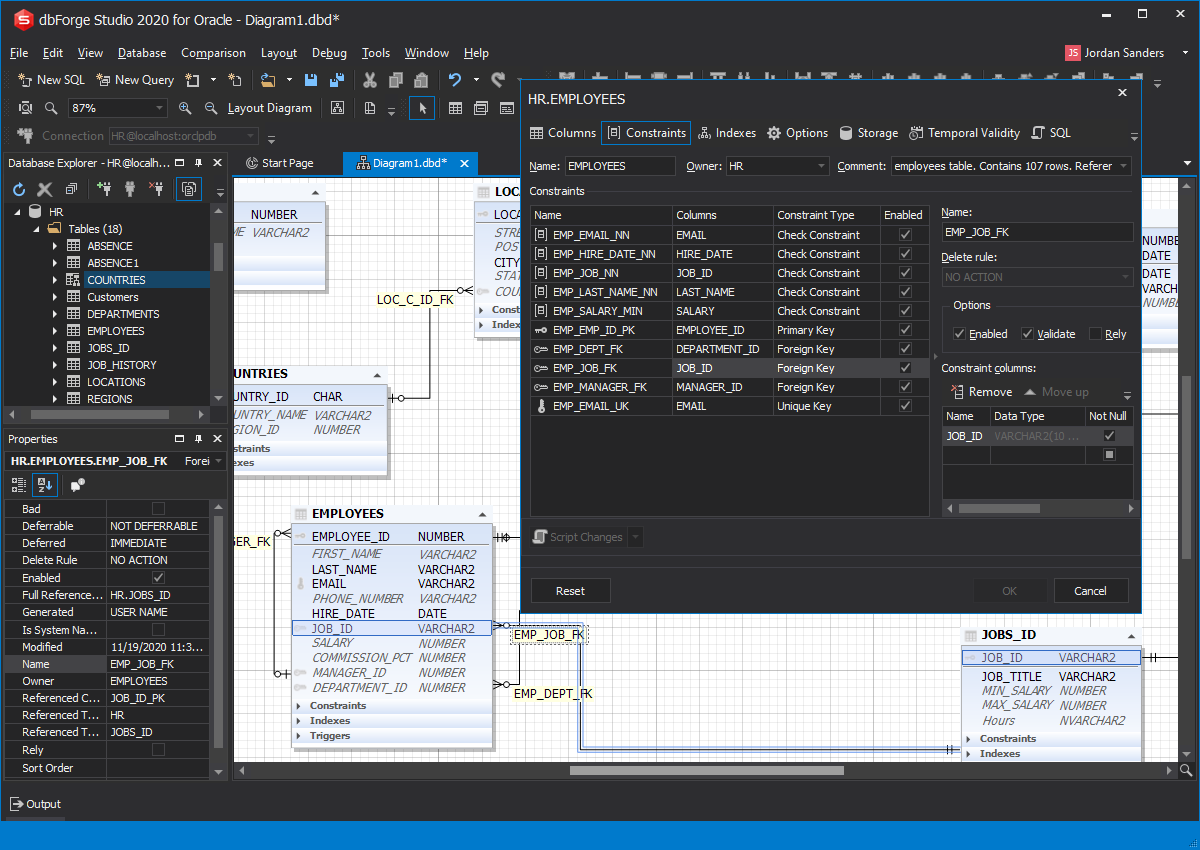
Oracle Database Diagram is a powerful visual design tool for database development that allows you to build a clear and effective database structure visually and to see the complete picture representing all the tables, foreign key relations between them, views, and stored routines of your database on database diagrams.

Features

  • Convenient visual design and editing
  • Powerful navigation controls
  • Instant printing
  • Easy management of database objects and their properties on a database diagram

See also

Create diagrams instantly with a simple drag-and-drop

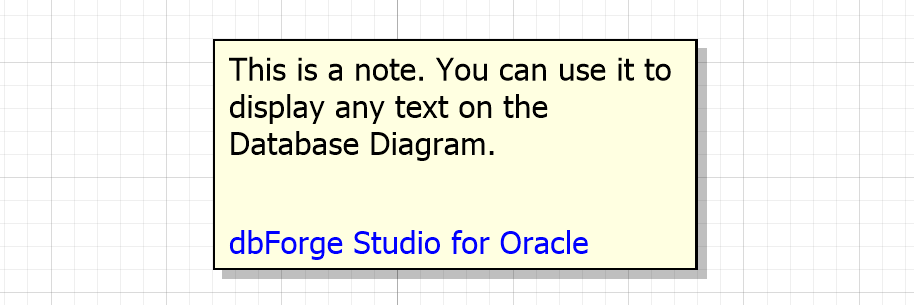
Using Oracle Database Diagram you can create a database diagram in a few simple steps. All you have to do is drag your database objects from Database Explorer to the diagram. Your new database diagram will reflect all objects and existing connections simplifying further analysis. From this point you can layout the diagram automatically or manually by dragging shapes and moving the relations. Your diagram can contain a stamp containing company and project names, diagram author, version, date, and copyright. You also may add notes to your diagram to describe its objects.

Visual Database Diagram - Getting Started

Navigating diagrams

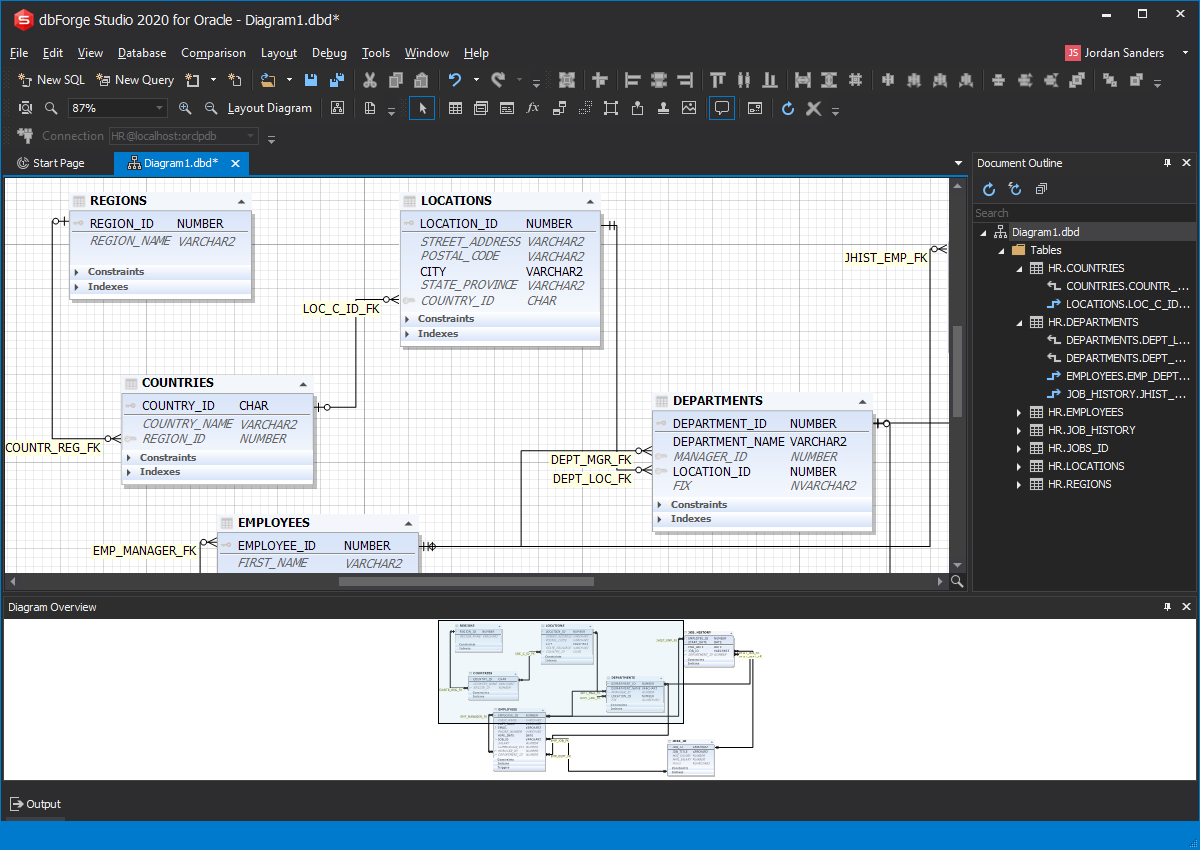
Navigating Diagrams in Database Diagram for Oracle was designed with emphasis on speed and convenience. You can focus on any part of your diagram using scrollbars, mouse scroll or Diagram Overview window. Combined with zooming in and out and quick moving to the needed area, these features illustrate the true power of this Oracle database diagram software.

Visual Database Diagram - Navigation

Straightaway diagram printing

Oracle visual Database Diagram is packed with outstanding features allowing to organize almost any number of objects on the diagram:

  • notes to explain certain diagram parts
  • unlimited number of stamps to specify information about your diagram
  • containers to group the shapes or store specific kinds of objects
  • packages to show encapsulated collections of related procedures, functions, and other program objects on your diagram
  • wide support of image formats backed by powerful image positioning features
Printing a DiagramPP

Visual Database Diagram Package

Diagram Note

Visual Database Diagram Note

Diagram Stamp

Visual Database Diagram Stamp


Availability in editions of dbForge Studio for Oracle

Features Express Standard Professional
Visual Database Diagram Partial Partial Yes

* The number of schema objects on a diagram is limited.


dbForge Studio for Oracle