Model-First Approach
There are two ways of creating ORM models - Model-First approach and Database-First approach. Entity Developer supports both
approaches for designing Entity Framework, LinqConnect, NHibernate and LINQ to SQL
models. It supports Model-First approach for Entity Framework 1 and Visual Studio
2008.
Model First in ADO.NET Entity Framework 4
Model-first approach supposes creating entity model (its conceptual part), and then
generating storage, mapping, and DDL for creating a database schema, based on the
storage part of the model. It was implemented in that way in Entity Framework 4.
However, the database rarely can be created at once, the model often needs to be
changed after the database was created. But dropping and re-creating the database
is not a choice, because the database may already contain data. Entity Developer
solves this problem with Update Database feature.
Our Vision
Update to Database Wizard generates Update script, that makes only necessary changes
to the existing model database and retains the data if possible. The database does
not need to be re-created. The wizard displays the tree of the changed objects and
their changes, allowing you to choose which objects need to be synchronized, specify
the renamed objects, etc. Even changes inside entity are detected and resulted in
ALTER statements, the table doesn't need to be dropped and created again.
Entity Developer allows flexible tweaking for the generated names of the tables
and columns. You may configure removing and adding of prefixes and suffixes, case
and pluralization, etc.
However, even with Update to Database Wizard, Visual Studio implementation of Model-First
approach does not provide full control over storage and mapping parts of the model.
You cannot manualy change column data type, rename storage tables, etc.
To solve above-mentioned Model First approach problems, Entity Developer offers
mapping synchronization - the further Model-First approach improvement.
Mapping Synchronization
With mapping synchronization, changes to the conceptual model are automatically
applied to its mapping and storage part. For example, when you add a class to the
conceptual part, a corresponding table is created in the storage part, and the class
is automatically mapped to this table.
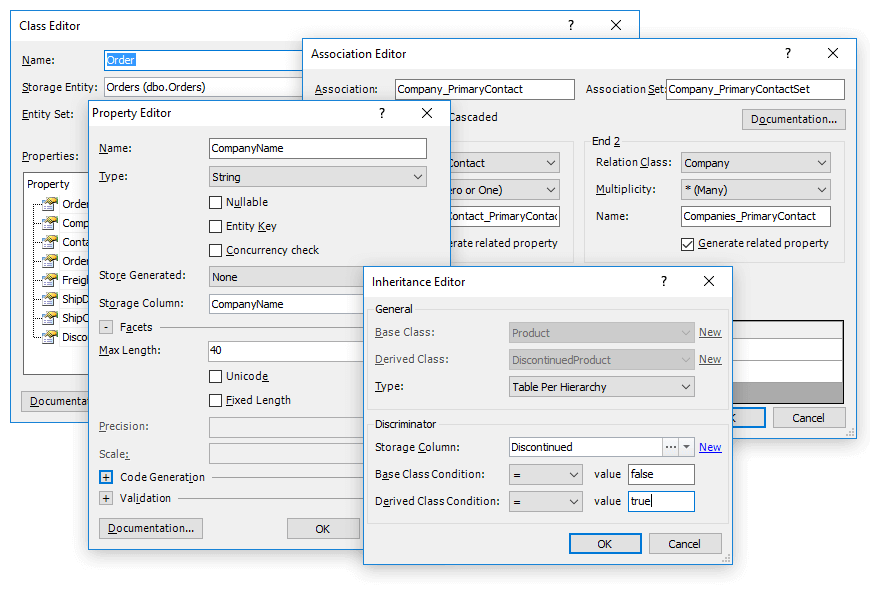
When you add a property into your conceptual model, the corresponding column is
created in the storage part. It's data type will be determined by the type of the
property in the conceptual part and its facets. Change them in the Properties window
or Property Editor, and the corresponding data type changes of the storage part
column will be applied.
Even the most complex conceptual part changes are supported - complex types, many-to-many
associations, complex hierarches. All these changes can be automatically reflected
in the storage part. However you may make manual changes to the storage part, and
they will be preserved when editing conceptual part. With Entity Developer you may
create entities from SELECT statements in your storage (Defining Query), that cannot
be used with Visual Studio 2010 Model-First implementation.
Mixed Approach
Entity Developer allows you to mix Model-First and Database-First approaches when
designing your model. With Update to Database and Update from Database wizards you
can easily synchronize your model and database in any direction. For example, you
may generate model from the database, then edit it, and apply these changes to the
database with Update to Database Wizard.
You can use mapping synchronization with models that were generated from database
with Database-First approach. You just need to enable automatic synchronization
of the storage part and mapping of the model with its conceptual part in the Model
Settings dialog box.
Model-First peculiarities in LINQ to SQL and LinqConnect Models
While Entity Framework models have explicit storage parts, LINQ models don't have
the one. Entity Developer considers the Source property of entities and Source and
Server Data Type properties of entity columns as the storage part. Source property
specifies the corresponding table or column name in the database, and Server Data
Type property specifies the corresponding column data type.