What is the most convenient and feature-rich tool to develop and manage MySQL databases and handle your data? The answer depends on your particular goals and needs.
The obvious solution is the well-known MySQL Workbench. However, there is another candidate that we'd like to present in comparison with the Workbench: dbForge Studio for MySQL. It was designed to fill in the gaps of the Workbench when it comes to developing, administering, and managing MySQL and MariaDB databases.
Why developers look for a MySQL Workbench alternative
MySQL Workbench is one of the most widely used tools for database design, development, and administration and the official GUI for MySQL. Its accessibility and feature set have made it a common starting point for developers working with MySQL databases.
However, many SQL professionals find that MySQL Workbench options may not match all their needs as their projects grow in size and complexity. There are complaints about slow performance when handling large databases, resource-heavy operations, and the lack of native functionality when it comes to advanced workflows and collaboration features. Also, the user interface can feel outdated compared to modern development tools.
The growing demand for faster, more flexible, and feature-rich SQL tools has led many database professionals to explore alternatives to MySQL Workbench that offer better performance, improved usability, and more powerful database management capabilities. One such solution is dbForge Studio for MySQL.
What is dbForge Studio for MySQL?
dbForge Studio is a feature-rich IDE for MySQL and MariaDB, a comprehensive solution that helps you make nearly every aspect of your work with databases quick and effortless.
With its clean and intuitive GUI, the Studio proves to be a perfect MySQL Workbench alternative for beginners and seasoned pros alike, boosting the performance and improving the results.
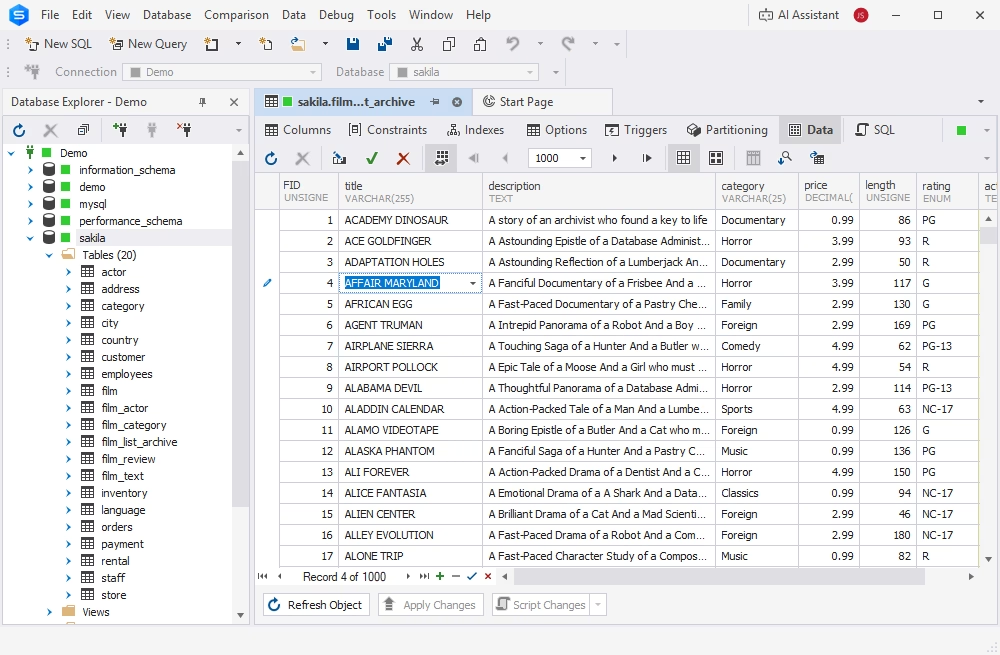
dbForge Studio for MySQL
A powerful, all-in-one IDE for MySQL and MariaDB professionals that helps design, develop, manage, and optimize databases faster and with confidence
How dbForge Studio for MySQL solves issues
dbForge Studio for MySQL addresses many of the MySQL Workbench limitations. It provides the required usability, productivity, and automation features that developers often seek. Its comprehensive feature set supports every stage of the database lifecycle, from SQL coding and database design to data analysis, deployment, and version control.
The Studio enables developers to automate routine tasks and schedule them for execution, helping build efficient and reliable workflows, thus becoming a much more robust alternative for MySQL Workbench. In addition, its integrated dbForge AI Assistant enhances SQL development by generating accurate SQL code, assisting with query optimization, and helping troubleshoot issues effectively.
Feature comparison table
The following table contains a detailed feature comparison of dbForge Studio for MySQL (Enterprise Edition) and MySQL Workbench. For quick navigation, please use the side menu.
Database development & design
Data analysis & reporting
Key advantages of dbForge Studio for MySQL
Let's take a closer look at the key features that make dbForge Studio for MySQL a compelling alternative to MySQL Workbench.
dbForge AI Assistant
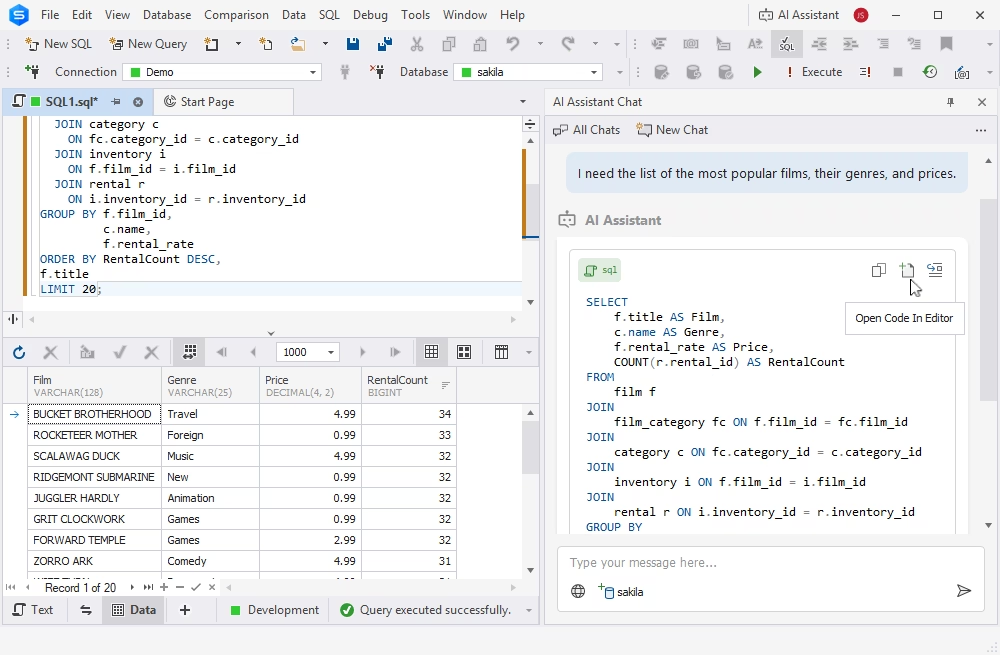
dbForge AI Assistant is an AI-powered tool that generates, analyses, troubleshoots, and optimizes SQL queries. Furthermore, it provides guidance on everything related to SQL and databases in general.
The Assistant is integrated into dbForge Studio for MySQL and is well-versed in the specifics of MySQL and MariaDB, as well as related cloud platforms.
Query Builder
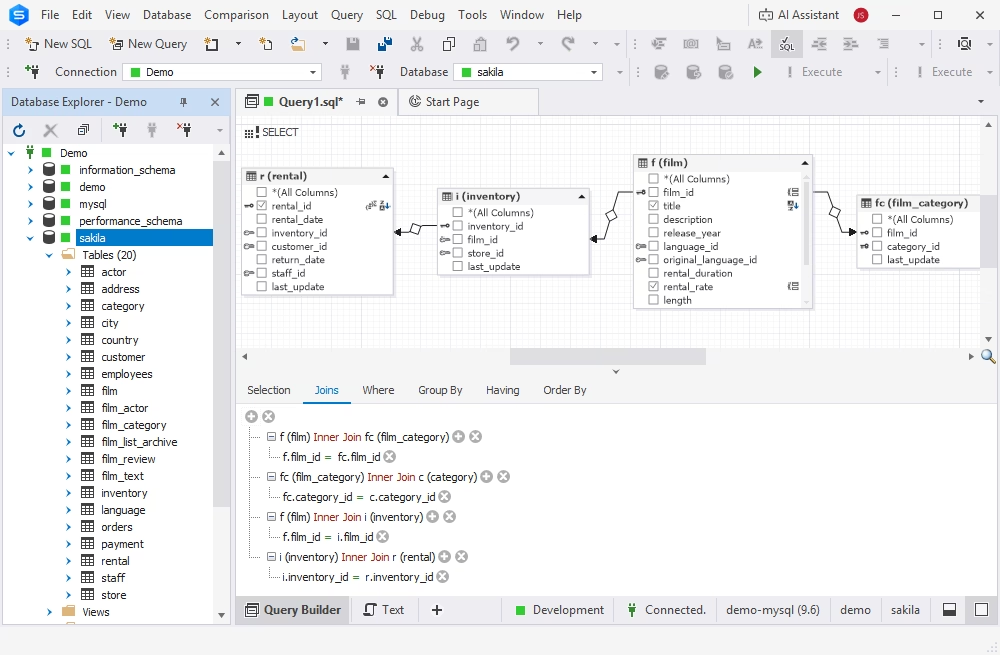
dbForge Studio for MySQL includes a query building tool that helps you construct the most complex queries on a diagram visually, simplifying the sophisticated data retrieval operations. This functionality is absent from MySQL Workbench.
- Combine a number of queries into a sub-query
- Easily make JOINs between tables
- Calculate totals for a dataset
- Apply grouping and/or ordering
- Export data in any required format
Copy Database
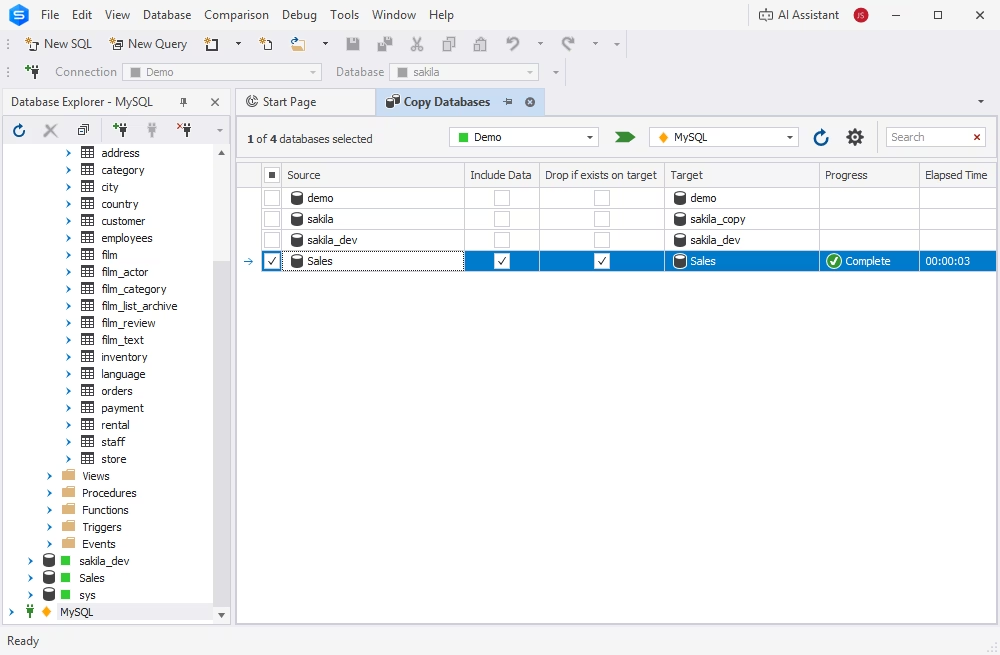
Users often face situations when they need to migrate several MySQL and MariaDB databases between servers. To copy a database in MySQL Workbench, you need to export a copy file to a folder, switch to a new server, and only then import it from the self-contained file.
The Copy Database functionality of dbForge Studio for MySQL is a far less time-consuming alternative. It lets you directly manage and configure the database migration process, monitor its duration and progress, and avoid duplication.
Schema Compare
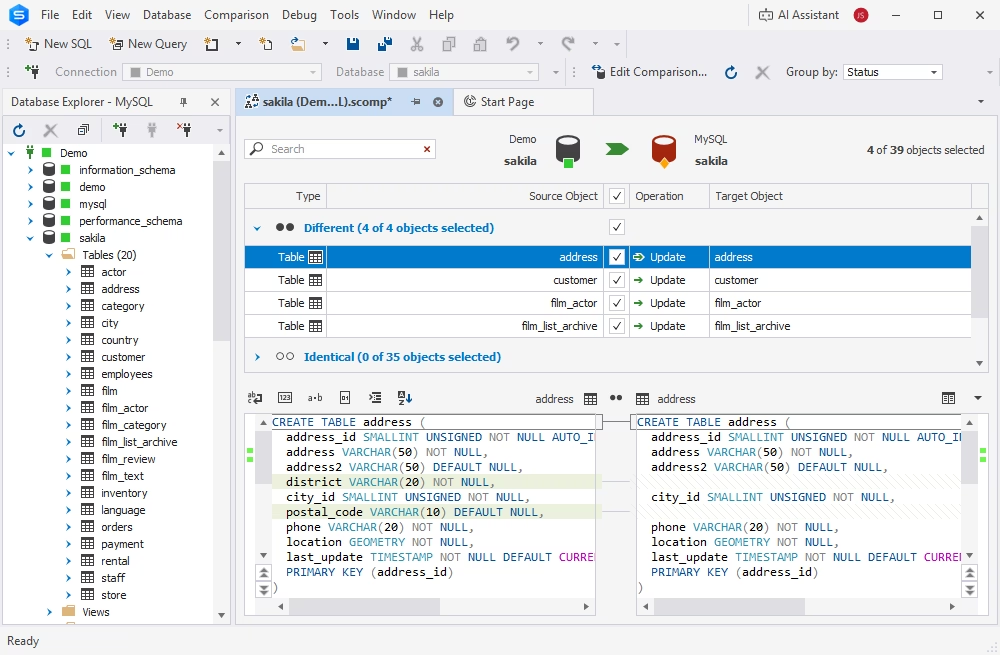
Although MySQL Workbench offers schema comparison and sync utilities, the built-in Schema Compare goes further. It comprises schema comparison and deployment features under a user-friendly interface.
Additionally, you can save the task settings as an executable .bat file and automate and schedule corresponding tasks via the command line.
Data Compare
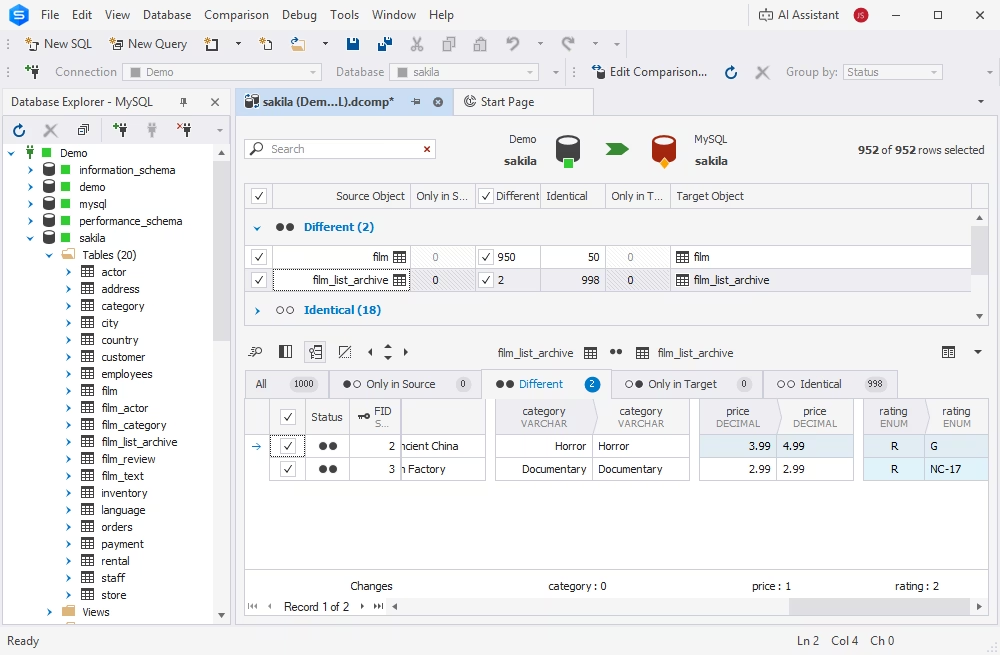
The Data Compare tool that comes with dbForge Studio for MySQL offers rich functionality and great flexibility in configuration to help accomplish these tasks.
- View data differences per record
- Generate data synchronization scripts
- Save and load comparison settings
- Include/exclude objects by mask
- Run command-line operations
- Generate reports in CSV, HTML, and XLS formats
- Automate comparison and synchronization tasks
Data Generator
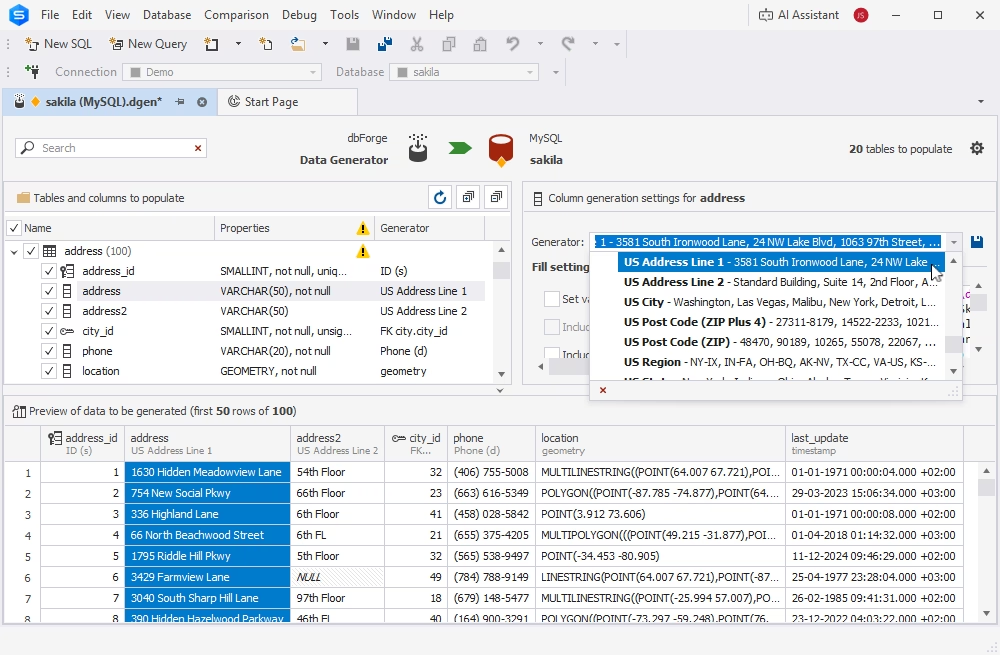
The integrated Data Generator was designed to produce large volumes of high-quality, realistic test data in a few clicks. With Data Generator, you don’t need to generate test data manually anymore. This tool helps you improve productivity and simplify the entire workflow.
- Support for all MySQL column data types
- Meaningful generators with data customization
- SQL data integrity support
- Real-time preview of generated data
- CLI-powered task automation
Documenter
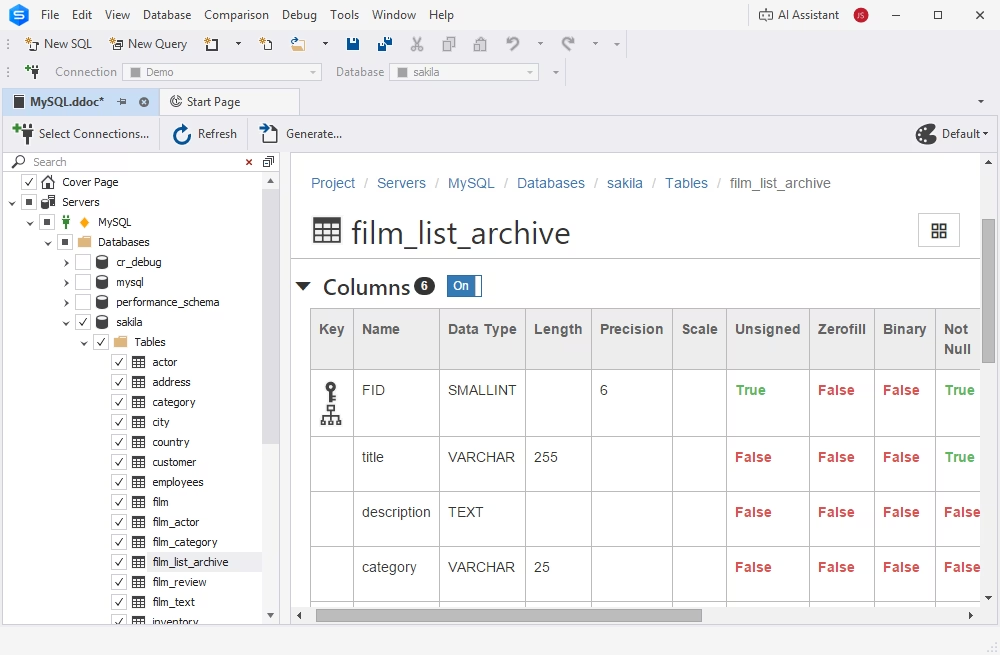
Documenter generates comprehensive database documentation in HTML, PDF, and Markdown. All the information is clearly structured, enabling you to easily find a required object and navigate through the entire document. Documenter also offers helpful additional features, which are absent from the Workbench, such as documentation style templates.
- Viewing inter-object and inter-database dependencies
- Documentation style templates
- Task automation via CLI
MySQL Workbench best alternative: Video guide
Discover the functionality, user interface, and unique capabilities of dbForge Studio. By the end of this video, you'll have a clear understanding of which tool aligns best with your specific requirements.
Who should use dbForge Studio instead of Workbench?
MySQL Workbench covers basic database administration and query development needs; still, many database professionals eventually encounter its limitations and seek more advanced MySQL Workbench alternatives. For these users, dbForge Studio for MySQL offers the necessary capabilities for demanding specialized workflows.
Developers needing advanced SQL development and automation
Database developers who regularly create, test, and deploy complex SQL code require more than a basic query editor. If the work involves writing stored procedures, generating SQL scripts for recurring operations, comparing schemas, or automating database tasks, dbForge Studio provides the options for these jobs in a more feature-rich development environment.
Advanced code completion, SQL formatting, code generation, debugging tools, and database synchronization features help reduce manual work and accelerate development cycles.
Analysts requiring real-time data viewing and editing
Data analysts need quick access to live database information without switching between multiple tools. While MySQL Workbench provides the query execution and result viewing options, dbForge Studio offers enhanced data management and visualization capabilities for much more efficient data analysis.
Robust Data Editor and Object Viewer, visual query building, and flexible data export and import significantly improve the overall data management productivity and results. Teams that rely on frequent and accurate reporting can rely on dbForge Studio for MySQL to gain insights from real-time data.
Teams needing Git integration and collaboration
Development teams working across multiple environments often require version control, change tracking, and coordinated deployment processes. This is an area where dbForge Studio provides advantages beyond traditional database management tools.
Built-in Git integration allows developers and DBAs to manage database code, maintain version history, and support team-based workflows. Combined with schema comparison, synchronization, and deployment tools, dbForge Studio helps teams reduce conflicts, improve change management, and maintain consistency across development, testing, and production environments.
MySQL Workbench remains a practical option for basic database administration and everyday development tasks. However, teams that require advanced SQL automation, richer data analysis capabilities, or collaborative development workflows may find dbForge Studio the best MySQL Workbench alternative that aligns with their needs perfectly.
dbForge Studio for MySQL
A powerful, all-in-one IDE for MySQL and MariaDB professionals that helps users design, develop, manage, and optimize databases faster and with confidence
FAQ
Why is MySQL Workbench not suitable for large databases?
MySQL Workbench can become less responsive when working with very large databases, complex schemas, or extensive result sets. Users may experience slower schema loading, query editing, and database synchronization operations compared to tools optimized for enterprise-scale environments.
Does MySQL Workbench support data comparison?
No. MySQL Workbench does not include a dedicated data comparison feature for comparing table contents between databases. It offers schema comparison capabilities, but data comparison typically requires additional tools or manual processes.
Which tool is better for visual SQL query building?
dbForge Studio is generally considered stronger for visual query building. Its drag-and-drop Query Builder allows users to create complex SQL statements visually without extensive manual coding, making it especially useful for analysts and users without a technical background.
Does dbForge Studio support MariaDB?
Yes. dbForge Studio supports MySQL, MariaDB, and related databases, allowing users to manage, develop, and administer MariaDB environments using the same interface and toolset.
Is dbForge Studio faster than MySQL Workbench?
Performance depends on the workload, but many users find dbForge Studio more responsive when handling large databases, schema comparisons, data synchronization, and complex development tasks due to its optimized tooling and workflow automation features.
Does dbForge support Git and SVN?
Yes. dbForge Studio includes integration with popular version control systems, including Git and SVN. This allows teams to track database changes, manage SQL scripts, and collaborate more effectively within established development workflows.
Can I use dbForge Studio on Linux or macOS?
dbForge Studio for MySQL is a Windows application. Linux and macOS users can run it through virtualization software, such as CrossOver and Wine.
How does dbForge help automate SQL tasks?
dbForge Studio for MySQL offers command-line task automation. Any task settings can be exported as executable batch files and used to run tasks automatically, on demand or on schedule. Schema and data comparison, deployment of changes, data import and export, data generation, backups and recovery, database documentation, and data reporting can be efficiently automated.

 dbForge Studio for MySQL