When it comes to the best visual database design tools, no list will be complete without dbForge Edge, DB Designer, dbdiagram.io, ERDPlus, Lucidchart, QuickDBD, DrawSQL, and Toad Data Modeler. In this article, we'll give you an overview of each, with key features, pros and cons, and pricing options—all to help you see which one is the best fit for your particular job.
Best 8 free and paid database design tools
The following tools stand out for their modeling depth, collaboration features, and support for complex systems. Each enables teams to structure and evolve their data architecture with clarity and control.
dbForge Edge is a comprehensive integrated development environment for database lifecycle management across SQL Server, MySQL, Oracle, PostgreSQL, and a variety of related cloud databases and services. Its rich feature set includes an advanced ER diagram design tool, which enables developers and data architects to create database diagrams, model schemas, design tables, and convert them into operational databases.
As an integral part of the IDE, Database Designer enables a smooth transition from design to implementation. Users can populate tables, write and execute SQL queries, compare and synchronize schema versions, document databases, and build efficient DevOps pipelines within a single environment.
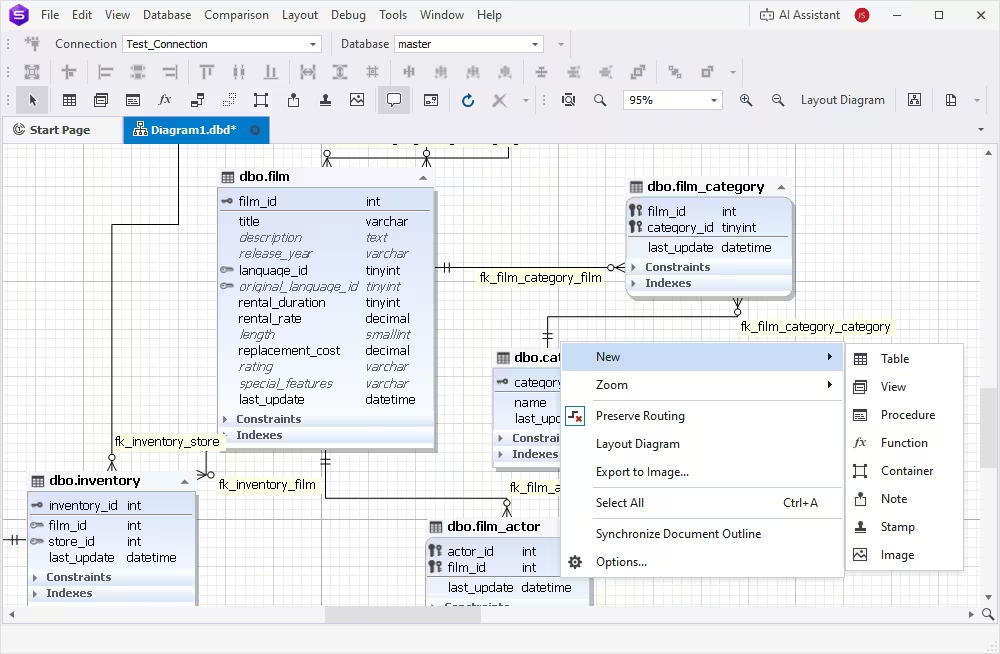
Key features:
- Visual construction of Entity Relationship (ER) diagrams
- Creation and modification of database objects directly within diagrams
- Analysis of logical relationships between tables and entities
- Visualization of live database structures for review and planning
- Reverse engineering from existing databases
- Forward engineering: convert ER diagrams into deployable databases
Pros
- Generates database scripts in script folders
- Logical grouping of related objects using containers
- Global or object-specific diagram customization
- Wide export options (BMP, JPEG, TIFF, PNG, EMF, WMF)
- Printing support for large-scale database diagrams
- Flexible visualization with filtering and hiding control
- Support for notes, stamps, images, and hyperlinks
- In-depth documentation and learning resources
Cons
- No native online version
- Limited real-time collaboration features
Pricing:
- Free – Express Edition with core features
- Paid – Subscription starting from $749.95/year
- Free trial – Fully functional 30-day trial
dbForge Edge
The ultimate multidatabase suite for database development, management, and administration, as well as data management, analysis, and reporting
DB Designer
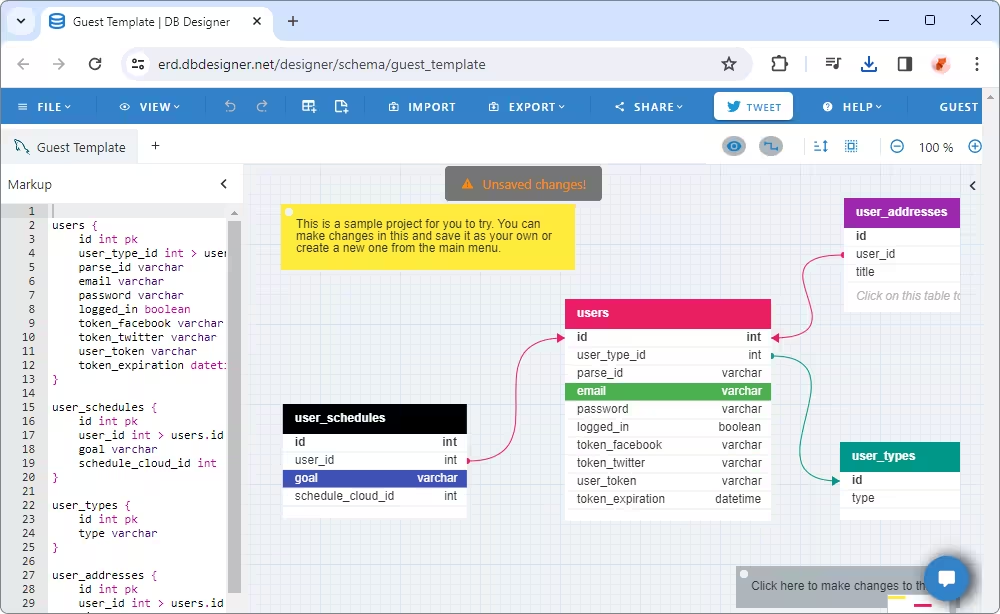
DB Designer is an online tool for visual design and modeling of databases. Users can start from scratch, utilizing the plethora of features to craft comprehensive database schemas. Once created, a database schema can be exported as an image or converted into an SQL script for major database management systems. The user-friendly interface simplifies all tasks, reducing errors and enhancing productivity.
Key features:
- Creation of database models of any complexity for major DBMSs
- Reverse engineering from existing SQL scripts
- Forward engineering with SQL script generation
- Collaboration by sharing database model diagrams
- User-friendly interface with keyboard shortcuts and a mini-map
- Intuitive dashboard for project management
- Export of diagrams to PDF or PNG
- One-click export into SQL
Pros
- Access from anywhere via the browser
- Collaboration with access levels: Owner, Editor, Viewer
- Public sharing via universal link
- Localization in 26 languages
- Generic design, compatible with all supported databases
Cons
- Restricted options in the free tier
- Limited collaboration features
- Limited export options
Pricing:
- Free – Limited options
- Paid – subscription-based license from $7 per month
dbdiagram.io
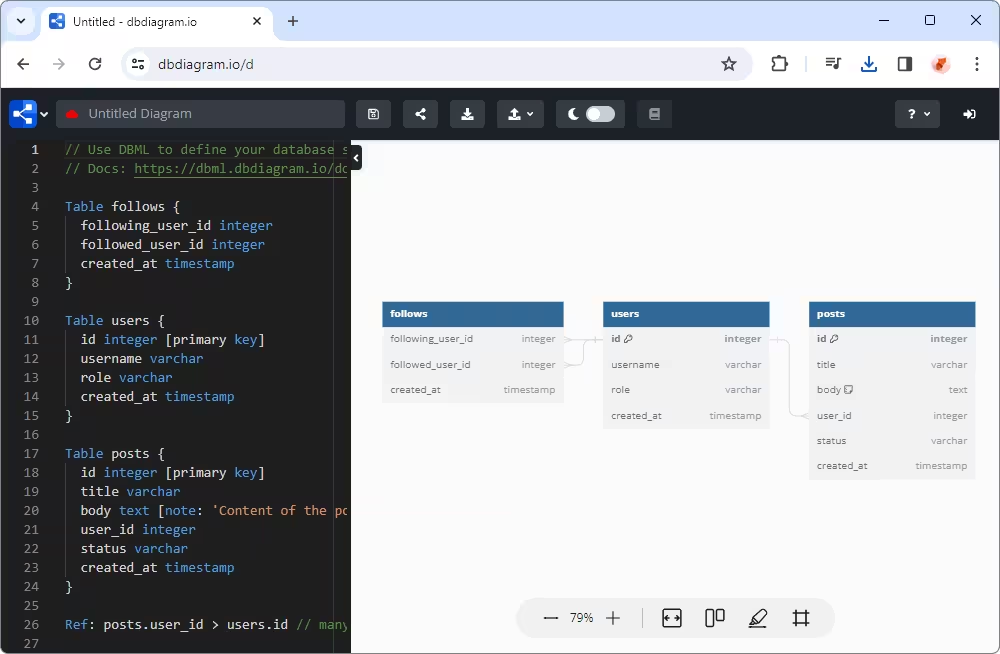
dbdiagram.io is a popular online ERD tool that helps developers and data analysts input DSL code directly or import SQL scripts, automatically generating diagrams and visualizing entire database schemas with all objects and relations. This tool supports both individual and teamwork modes, with collaborative spaces and a range of features for various tasks.
Key features:
- Creation of ER diagrams from code/SQL dump files
- Online diagram sharing
- Export of diagrams to PDF and PNG formats
- Generation of SQL statements for database tables
- Version history with rollback
- Dedicated workspace for collaboration (including storing, accessing, and sharing diagrams)
- Access management with advanced permissions
Pros
- Table grouping for work management
- Customizable diagrams with table header colors
- Flexible view settings via Diagram Detail levels
- Integrations with Rails, Django, and more
- Password protection for diagrams
Cons
- Cannot draw ER diagrams from scratch
- Limited diagram export formats
- Lack of clarity on supported database engines
Pricing:
- Free – with restricted options
- Paid – subscription-based license from $14 per month
ERDPlus
ERDPlus is a user-friendly web-based tool designed for creating entity-relationship diagrams, relational schemas (relational diagrams), star schemas (dimensional models), and DDL statements.
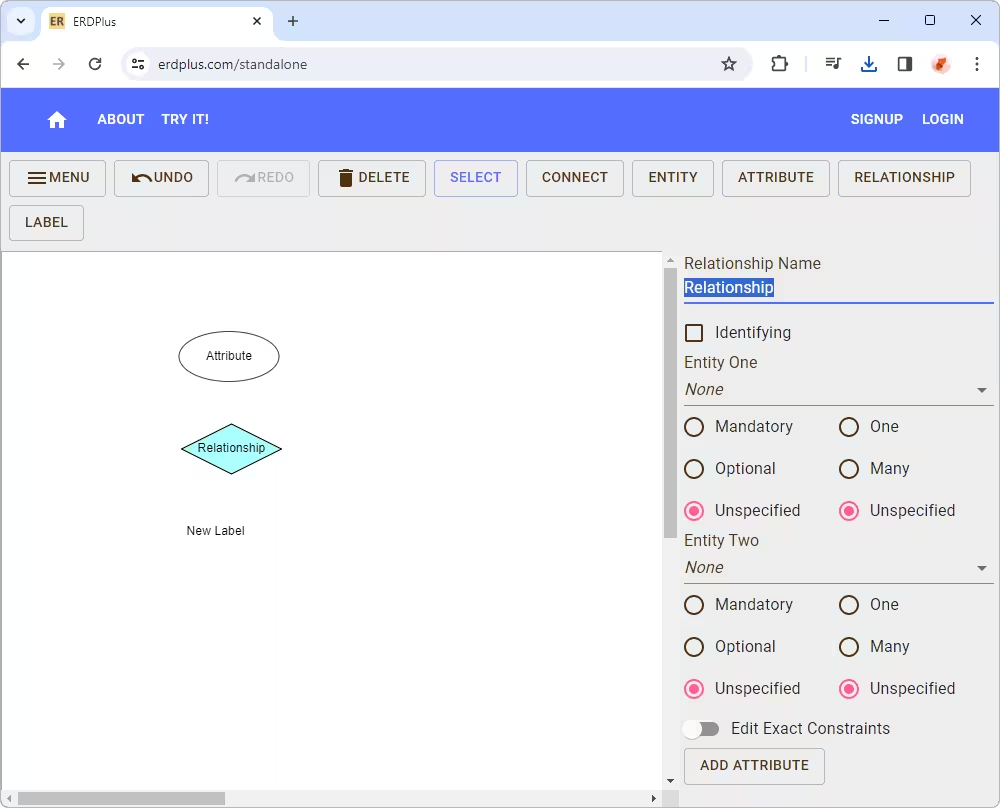
For ER diagrams, it supports the Chen notation, in which rectangles represent entities, ovals represent attributes, and diamonds represent relationships. ERDPlus simplifies database design, allowing users to swiftly and effortlessly sketch out database schemas visually.
Key features:
- Access from any location via the web browser
- Unlimited diagrams with the ability to organize them in folders
- Automatic generation of SQL scripts from relational schemas and star schemas
- Automatic conversion of ER diagrams into relational schemas
- Export of diagrams to the PNG format
- Export of diagrams to standard SQL
Pros
- Supports all major relational databases
- Easy Google account sign-in
- Secure server-side storage of diagrams
- Support for common data types
- No account required to start sketching schemas
Cons
- Not suited for large or complex projects
- Requires manual saving of changes
- Requires an active account to save diagrams online
Pricing:
Lucidchart
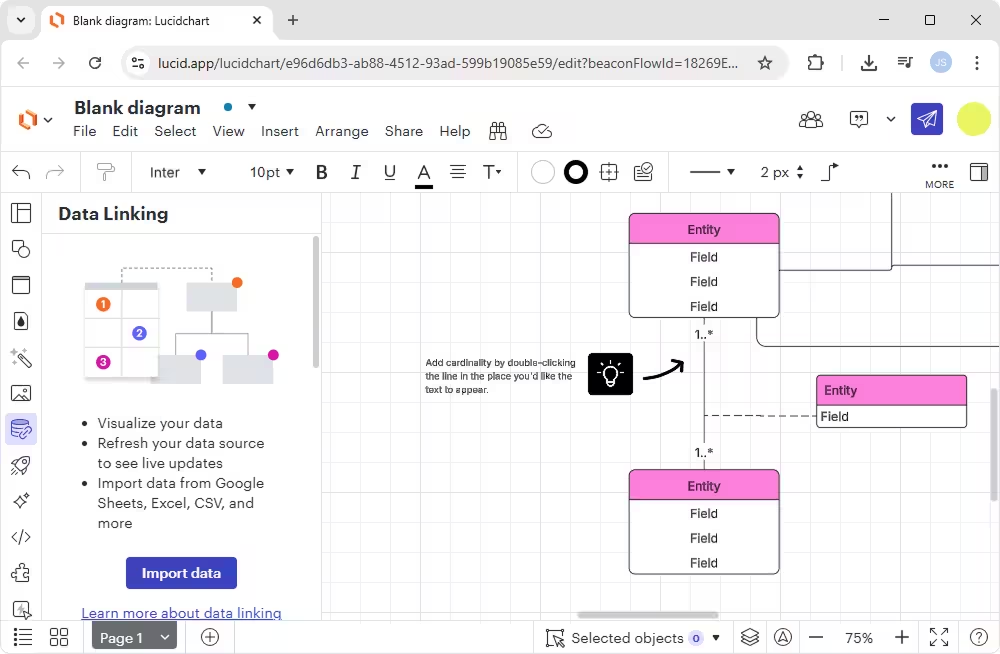
Lucidchart is another visual database schema designer tailored for creating detailed database diagrams online. As a web-based application, it offers accessibility from anywhere and also provides dedicated apps for Android and iOS. The tool's extensive functionality, including various automation features and AI support, combined with exceptional real-time teamwork capabilities, positions Lucidchart as a preferred solution for database design tasks.
Key features:
- Collaboration with real-time co-authoring and an in-editor chat feature
- Compatibility with MySQL, Oracle, SQL Server, PostgreSQL, and other popular DBMSs
- Automatic SQL script generation for specific DBMS configurations
- Collection of libraries and ready-to-use templates for quick diagram creation
- Revision history with the ability to revert to previous versions
- Flexible export options with support for PNG, JPG, PDF, CSV, and Visio files
- Live data integration from spreadsheets or databases for dynamic visualization
Pros
- Centralized account management and strong data security
- Integrations with Microsoft 365, GitHub, Confluence, Jira, Salesforce, Google Workspace, Slack, and more
- Visio import support
Cons
- No reverse engineering of existing databases
- Limited functionality in the free plan
- Supports only conceptual/logical diagrams
Pricing:
- Free – with restricted functionality
- Paid – from $7.95 per month
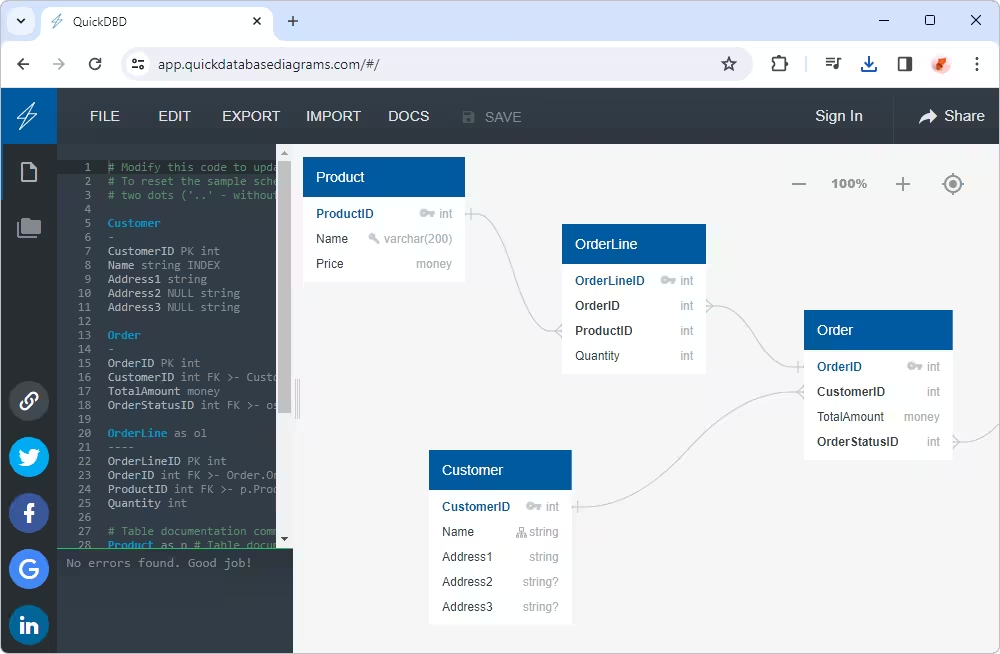
QuickDBD
QuickDBD (Quick Database Diagrams) is an online tool designed for swift creation and visualization of database models as diagrams. It's a keyboard-first application where users input database details, and the
tool automatically generates entity-relationship diagrams. Database designers often prefer QuickDBD for its simplicity, user-friendliness, and decent functionality.
Key features:
- Creation and organization of database diagrams into folders
- Easy editing of diagrams using the drag-and-drop functionality
- Export of diagrams as images, PDF/RTF files, and SQL files
- Diagram sharing via links or major social media platforms
Pros
- Provides a sample diagram at startup
- No registration required to begin
Cons
- Lack of documentation and learning resources
- Limited functionality in the free plan
- Paid subscription required to save diagrams privately
Pricing:
- Free – only 1 diagram is allowed
- Paid – subscription-based license from $14 per month
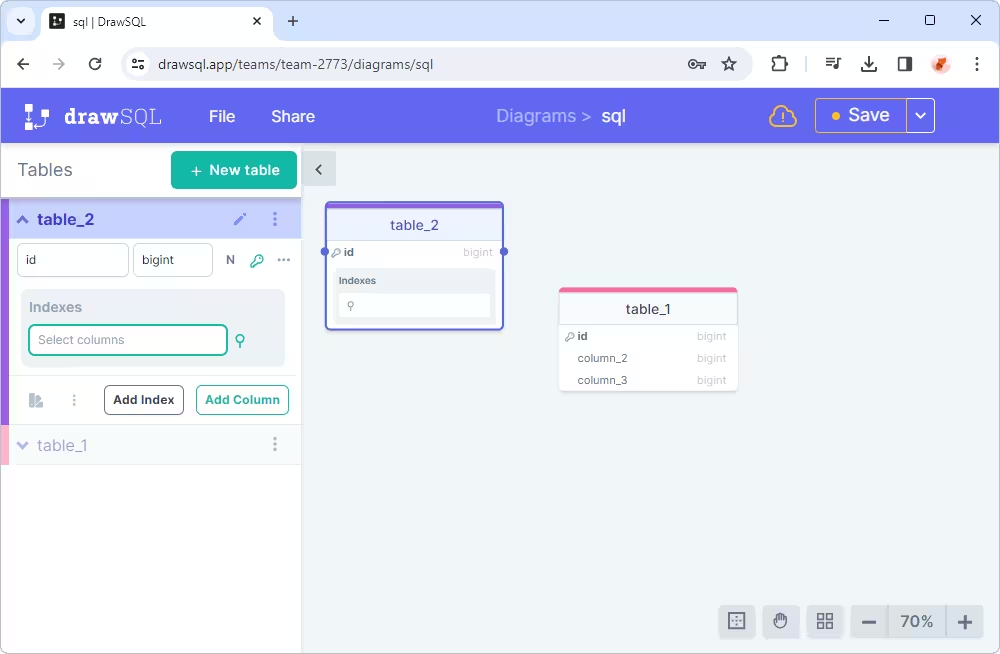
DrawSQL
DrawSQL is a fast and user-friendly database client designed for creating, visualizing, and designing ER diagrams. With its help, users can analyze relationships among database objects and generate SQL (DDL) scripts to convert diagrams into databases. Additionally, DrawSQL allows exporting live documents of database schemas for future reference. The tool suits both individual users and collaborative teams.
Key features:
- Dedicated editor for drawing database schemas
- Automated synchronization of diagrams among collaborators
- Import from DDL scripts or CREATE TABLE statements
- Support for MySQL, SQL Server, and PostgreSQL databases
- Export of diagrams as images or SQL scripts
- Version history with previews and the ability to revert to previous versions
Pros
- Access control with viewing/editing permissions
- 200+ sample diagrams from open-source projects
- Diagram embedding with automatic updates
- Guest access and shareable diagram links
- Easy cloning of existing diagrams
Cons
- Limited support for database engines
- No reverse engineering from live databases
Pricing:
- Free – allows public diagrams only
- Paid – from $19 per month
- Free trial
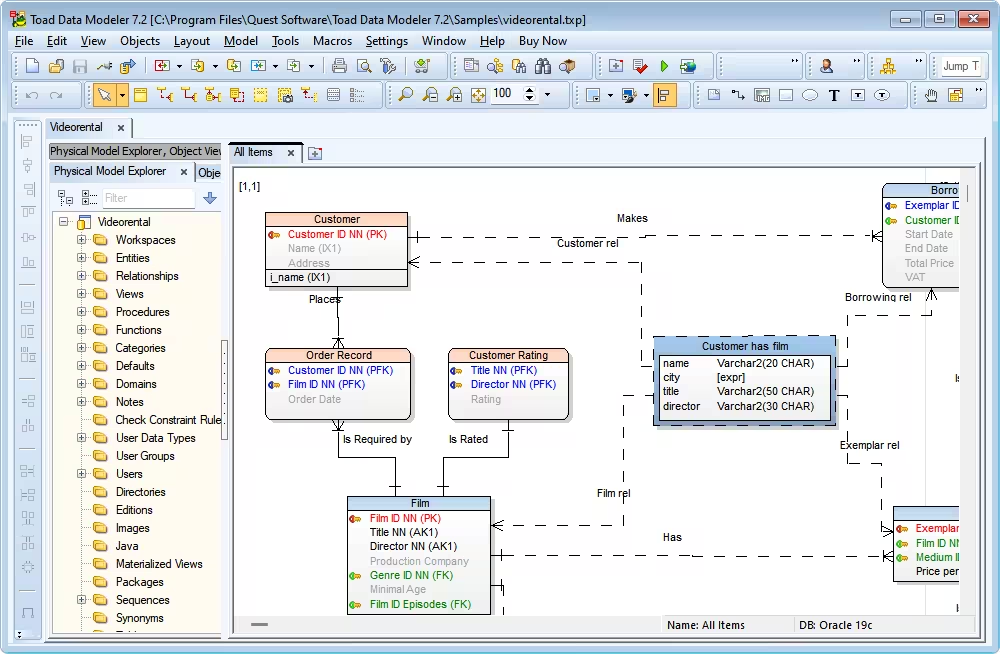
Toad Data Modeler
Toad Data Modeler is a well-established SQL schema designer that offers users an intuitive way to create, manage, and document database schemas visually. Its functionality includes creating both logical and physical data
models, as well as essential tasks such as model comparison, database synchronization, SQL/DDL script generation, and reverse engineering. Overall, Toad Data Modeler is highly regarded among database designers
for its robust features presented in a user-friendly visual interface.
Key features:
- Automatic creation and editing of database structures
- Support for 10+ database engines
- Reverse and forward engineering capabilities
- Creation of diagrams from imported SQL files
- Generation of SQL scripts to convert models into actual databases
- Version control with Apache Subversion integration
Pros
- Easy comparison and merging of models and versions
- Seamless migration of structures across databases
- Project folders for models, requirements, and files
- Detailed reports in HTML, RTF, and PDF
- Model validation with alerts for issues
Cons
- No real-time collaboration; manual merging required
- Limited to Apache Subversion for version control
- Pricing information is difficult to access
Pricing:
- Paid – subscription-based license $317.00 per year per user
- Free trial – 30 days
Database design tools comparison
| Tool |
Pricing |
Key features |
Collaboration |
Supported platforms |
Notable for |
 dbForge Edge
|
Paid (free trial), free Express
edition |
Visual ERD design, forward/reverse engineering, schema comparison, SQL DDL generation, and documentation |
Yes (via source control) |
Windows
macOS
Linux |
Database design for Oracle, MySQL, and SQL Server |
 DB Designer (dbdesigner.net)
|
Free |
Simple ERD design, export to SQL |
Yes |
Web-based |
Cross-database design for Oracle, MySQL, PostgreSQL, and SQL Server |
 dbdiagram.io
|
Free, paid |
Quick schema modeling with code-first syntax |
Yes |
Web-based |
Clean interface, ideal for sharing and teaching |
 ERDPlus
|
Free |
ER, relational schema, and UML design |
No |
Web-based |
Academic use, lightweight ERD and schema design |
 Lucidchart
|
Free, paid |
Drag-and-drop design, templates, and integrations with Confluence and G Suite |
Yes |
Web-based |
General-purpose diagramming with rich integrations |
 QuickDBD
|
Free, paid |
Text-to-diagram syntax, SQL export |
Yes |
Web-based |
Rapid database diagram creation via plain text |
 DrawSQL
|
Paid |
Visual ER modeling, version control, SQL export |
Yes |
Web-based |
Team collaboration, history tracking |
 Toad Data Modeler
|
Paid |
Advanced modeling, reverse engineering, and multi-database support |
Limited |
Windows |
Enterprise-level database modeling and automation |
Key features of a good database design tool
The best tools for database design do more than map out tables and relationships—they support clarity, scalability, and collaboration across the entire development lifecycle. Below are the essential capabilities to look for when evaluating design platforms for professional or enterprise use.
- Modeling: A powerful design tool enables intuitive, drag-and-drop modeling of database schemas. Visual representation of entities, relationships, and constraints helps teams align quickly and reduces miscommunication during design reviews. Tools like dbForge Edge offer a Database Designer that supports Oracle, MySQL, SQL Server, and PostgreSQL workflows, allowing users to map schemas visually and implement them across multiple platforms.
- Collaboration and sharing: Modern development is cross-functional. Built-in collaboration features like real-time editing, commenting, and role-based access allow architects, developers, and analysts to contribute without friction.
- Export and documentation options: Clear communication of database structure matters. Look for tools that generate exportable ER diagrams, schema documentation in formats like PDF or HTML, and metadata reports to support onboarding, audits, or stakeholder communication.
- SQL code generation: Automated SQL generation accelerates development and ensures consistency. The best tools translate visual models into ready-to-execute DDL scripts, reducing manual effort and minimizing human error.
- Integrations with DevOps toolchains: A design tool that integrates with CI/CD pipelines, version control systems, and popular IDEs allows smoother transitions from planning to deployment. Native support for platforms like Git, Jira, or Jenkins can streamline workflows across teams.
- Version control and change tracking: As data models evolve, tracking changes becomes essential. Versioning support helps teams review historical changes, compare schema versions, and roll back when needed, for traceability and safe iteration.
Code-first schema tools (generate schemas from code)
Code-first database design tools let developers define database schemas in code rather than building them entirely through a visual interface. Tables, columns, relationships, constraints, and indexes are described using programming languages or declarative schema definitions, which tools can then translate into SQL DDL and database migration scripts. Many of these tools support ORM migrations, allowing developers to version schema changes, review them alongside application code, and apply them consistently across development, testing, and production environments. This approach fits naturally into software development, where schema definitions live in version control and migrations can be integrated into CI/CD pipelines.
Code-first schema tools are particularly useful for teams that prioritize type safety, reproducibility, and automated deployments, although the level of database control varies by tool. Prisma and Drizzle focus on TypeScript applications, SQLAlchemy provides Python-based schema modeling with Alembic for migrations, and Atlas offers a declarative approach to schema management and migration automation.
| Tool |
Approach |
What it does |
Best for |
 Prisma
|
Code-first ORM |
Defines models in a Prisma schema file, generates a type-safe client, and creates SQL migration scripts with Prisma Migrate. |
Node.js and TypeScript applications that benefit from a strongly typed database client. |
 Drizzle ORM
|
Code-first TypeScript ORM |
Defines tables and relationships in TypeScript, infers types from schema definitions, and generates SQL migrations using Drizzle Kit. |
Type-safe TypeScript projects that prefer SQL-like syntax and close control over database queries. |
 Atlas
Atlas
|
Declarative schema-as-code |
Defines desired database states using HCL or SQL, plans schema changes, generates migration files, and automates schema deployment across multiple database engines. |
Teams managing database changes through CI/CD pipelines, code review, and migration automation. |
 SQLAlchemy
|
Python ORM and SQL toolkit |
Defines tables and relationships using Python models or SQLAlchemy Core, then generates DDL. Alembic provides schema migration and versioning capabilities. |
Python applications that need flexible database modeling, SQL control, and managed schema migrations. |
How to choose the right database design tool?
If you want to select a design tool to suit your needs most precisely, take note of the following features and capabilities.
Support for required database engines
This is quite obvious, yet you need to make sure that the tool supports the database management systems you work with. Compatibility with your target database system helps you create accurate models, use engine-specific features, and generate SQL scripts that work with your database. That said, you may want to check support for systems such as SQL Server, MySQL, PostgreSQL, and Oracle, especially if you work with multiple database engines.
Visual ERD vs code-first design
Database design tools generally follow one of two approaches: visual modeling or code-first schema definition. Visual ERD tools let you create tables, define relationships, and organize database structures through a graphical interface. They are particularly useful for planning architectures, documenting existing systems, and communicating designs.
Code-first tools, on the other hand, let you define schemas using SQL, programming languages, or declarative configuration files. They are well suited to developers who want to keep schema definitions in version control, review changes alongside application code, and integrate ORM migrations into CI/CD pipelines. Some tools combine both approaches, allowing you to move between visual diagrams and code-based definitions.
DDL/SQL script generation
A fundamental feature of a database design tool is its ability to translate a database model into executable SQL Data Definition Language (DDL) statements. These scripts can create tables, columns, primary keys, foreign keys, indexes, and other database objects. Look for tools that support forward engineering and let you preview or customize generated SQL before executing it. If you work with multiple DBMSs, verify that the tool generates dialect-specific SQL for each target engine.
Export formats
Consider how easily you can export and reuse your database models. Depending on your workflow, you may need DDL scripts, image files such as PNG or SVG, PDF documentation, or editable diagram formats. Some tools also support structured model formats, such as XML or JSON, or code-based definitions that can be stored in version control. Check which formats are supported and whether exported diagrams preserve relationships, metadata, and layout. If you plan to move between tools, verify that the target format can be imported without losing important model details.
Database model validation
A good database design solution should include validation features to identify problems in your model before implementation. These may include missing primary keys, invalid relationships, incompatible data types, naming conflicts, or other structural inconsistencies. Validation helps you detect issues early, reducing the risk of deployment errors and costly schema changes later.
Forward and reverse engineering
Forward engineering generates a database structure from a visual or logical model, typically by producing DDL scripts. Reverse engineering works in the opposite direction, creating a visual model from an existing database schema. Both capabilities are valuable for developers and architects: forward engineering helps implement new designs, while reverse engineering makes it easier to understand, document, and maintain existing databases. If you regularly modify production schemas, look for tools that can compare models with live databases and generate scripts for applying schema changes.
Collaboration
For complex projects involving multiple developers, database administrators, and architects, collaboration features can significantly improve productivity. Look for shared workspaces, co-editing, comments, version history, access controls, and convenient diagram-sharing options. Integration with Git or other version control systems is particularly useful for teams that manage database models as part of their development workflow. Browser-based tools may simplify collaboration, while desktop applications may offer stronger modeling capabilities or more control over sensitive database designs.
Ease of use
Choose a tool with an intuitive interface, clear navigation, and a manageable learning curve. Features such as drag-and-drop diagrams, automatic layout, relationship management, and searchable database objects can make schema design faster and more convenient. Developers who prefer working in an IDE or writing code may favor a code-first solution, while architects and analysts may benefit more from a dedicated visual modeling environment.
Reporting
Generation of comprehensive documentation is essential for databases that evolve frequently or support multiple applications. Look for tools that can document tables, columns, relationships, indexes, constraints, and business rules. Some solutions also generate data dictionaries, model descriptions, and reports that help teams understand database structures without inspecting the underlying SQL. Automated documentation is especially useful for onboarding new team members and maintaining long-term architectural consistency.
Free vs paid tools
Your budget is another important consideration. Free and open-source tools can provide sufficient functionality for individual developers, students, and small projects, including visual modeling and SQL generation. Paid solutions may offer more advanced features, such as enterprise collaboration, schema comparison, automated deployment, extensive reverse engineering, reporting, and professional support. Before purchasing a license, compare the available editions and check whether essential features are restricted to higher-tier plans. A free tool may be entirely adequate for simple schemas, while larger projects may justify investing in a more comprehensive solution.
Quality of support
Reliable support is invaluable, particularly when you are adopting a new tool or working with complex database structures. Check the quality of the official documentation, the availability of tutorials, the activity of the user community, and the responsiveness of customer support. For commercial tools, also consider support agreements, update frequency, and compatibility with newer database versions.
Consider your work priorities and which features align best with them. Additionally, consider online versus standalone desktop solutions. Online tools offer access from anywhere without installation, while desktop tools ensure offline work, are stable, and usually offer more features.
Ultimately, the choice of the right database design tool depends on your particular needs and requirements.
Why dbForge Edge is a strong option for database design
As teams move beyond initial planning into implementation and ongoing management, database design and development tools must evolve with them. While solutions like Lucidchart and dbdiagram.io serve well in early-stage modeling, they are often limited when deeper control, automation, and operational integration become critical.
dbForge Edge addresses that gap by combining visual design with enterprise-grade development capabilities.
Key advantages:
- Connected workflows: dbForge bridges design and deployment through forward and reverse engineering, allowing teams to map, validate, and push changes within a single environment.
- Executable output: Unlike diagram-only platforms, it generates production-ready DDL scripts, aligning data modeling with real-world implementation needs.
- Change management at scale: Built-in schema comparison and synchronization tools support safe iteration across environments, from development to staging to production.
- Versioning and audit trails: Integration with Git enables teams to manage changes collaboratively, review history, and maintain full traceability over time.
- Direct Oracle connectivity: Real-time database access allows for design validation against live instances, minimizing risk and improving accuracy during development.
- Enterprise documentation tools: From ERDs to metadata exports, dbForge supports formal documentation for audits, governance, and cross-team handoffs.
For technical leaders managing complex database environments, dbForge Edge offers a unified design and development experience that supports scale, precision, and operational transparency.
Conclusion
The main purpose of these tools for database design is to simplify tasks for database designers. Such tools enable them to sketch database structures and visually inspect all objects and relationships. Additionally, these tools offer various features to streamline processes. In this article, we've highlighted the most popular and efficient solutions for visual database design and their advantages and drawbacks. These database design software options vary in depth, collaboration, and deployment support.
However, if you're seeking a single solution for cross-database environments, dbForge Edge stands out as the top choice. It's especially valuable for teams working with SQL Server, MySQL, Oracle, and PostgreSQL, offering a unified experience for designing, deploying, and documenting databases across multiple platforms. With its advanced visual modeling, built-in SQL generation, and comprehensive multi-DBMS support, dbForge Edge delivers both flexibility and precision.
You can try out the fully functional free trial of dbForge Edge for 30 days. This trial allows you to test all available features under full workload conditions.
FAQ
What is the best database design tool for beginners?
Beginners often start with tools like dbdiagram.io or Lucidchart for their simplicity and visual focus. However, if you’re planning to grow into production-level development, platforms like dbForge Edge or Toad Data Modeler offer a more scalable path with built-in SQL generation and reverse engineering.
Are there free tools available for designing databases?
Absolutely, especially since several platforms offer free versions, including dbdiagram.io, DrawSQL, and dbForge Edge Express. These tools support basic ER diagramming and SQL export, though advanced features like schema synchronization or version control are typically reserved for paid tiers.
How do database design tools improve development workflows?
Database schema tools improve schema planning, enforce consistency, and accelerate development through features like visual modeling, automated SQL generation, reverse engineering, and schema comparison. This is especially valuable in team-based or regulated environments.
What features should a good database modeling tool offer?
Look for visual ER modeling, SQL script generation, live database connectivity, reverse engineering, version control integration (e.g., Git), and the ability to compare and sync schemas across environments.
What tools can generate a SQL database schema from an ER diagram?
Tools like dbForge Edge, ERDPlus, DrawSQL, and Toad Data Modeler can generate executable DDL directly from a visual ER diagram.
What is the best visual database design tool for developers and architects?
The best visual database design tool for developers and architects depends on whether you prioritize visual ER diagrams, forward and reverse engineering, schema-as-code workflows, team collaboration, or enterprise architecture. Candidates include dbForge Edge, DB Designer, dbdiagram.io, ERDPlus, Lucidchart, QuickDBD, DrawSQL, and Toad Data Modeler.
Can I collaborate with teammates when designing a database?
Yes, since tools like dbForge Edge and Lucidchart offer collaborative features such as exportable diagrams, Git integration, or shared cloud access. They make it easier for distributed teams to align on the
database structure.
Does dbForge Edge support multiple databases?
Yes, dbForge Edge supports major DBMSs, including SQL Server, MySQL, Oracle, and PostgreSQL. This makes dbForge Edge a strong choice for cross-database environments or multi-project teams.
Is reverse engineering supported in dbForge Edge?
Absolutely. dbForge Edge can connect to live databases, extract schema details, and generate accurate ER diagrams—ideal for auditing, redesign, or documentation.
Are paid tools like dbForge Edge worth it for professionals?
For serious development work, yes. Paid platforms offer deeper integration, more precise control over schema evolution, and productivity-enhancing features that free tools typically lack, saving time and reducing risk at scale.