Databases aren’t one-size-fits-all, especially when it comes to analytics. The system that works fine for storing and retrieving customer transactions or app data isn’t necessarily built
to process complex queries on massive datasets. Some databases struggle with concurrency, others with indexing, and many can’t handle the kind of distributed processing that analytics demands.
That’s why picking the right database isn’t just a matter of choosing the fastest option—it’s about finding a system designed for large-scale data processing, real-time querying, and efficient storage.
Of course, optimization tools like dbForge Edge can help fine-tune performance, automate indexing, and prevent slowdowns.
However, even the best optimization tools can only do so much if the database itself isn’t built for analytics. To get the best results, it’s crucial to start with the right foundation.
This guide breaks down how to choose the best database for data analytics—so you can make the right choice from the start. Continue reading to learn more!
What makes the best database for analytics?
The best analytical database (or analytics database) does not mean "the most popular" or "the top brand" on the market. When you choose the best database for analytics, you are choosing the tool that is the best fit for your purpose.
When you work in database analytics, your requirements are very different from those of database developers or DBAs. For analysts, an optimal database is one that can handle:
- Complex queries (JOINs, subqueries, large scans)
- High concurrency (situations when many users query the database simultaneously)
- Real-time data ingestion according to a certain pattern (batch processing, streaming, or both)
- Advanced reporting and visualization
In other words, an efficient analytical database should make it easy to turn raw data into insights quickly and reliably while displaying sufficient scalability.
Let's see how a data analytics database differs from databases optimized for other purposes.
Database analytics vs. transaction processing
One of the main distinctions is between transactional database systems and analytical database systems.
Transactional databases:
- Fast inserts and updates
- Small operations, but in high volumes
- Designed for data integrity and consistency
Analytical databases:
- Large-scale queries across many table rows
- Aggregations, filtering, and grouping
- Designed for historical and trend analysis
Such distinctions are often the reason for teams to maintain two separate database systems: one for transactions and one for analytics.
Analytical database vs. general-purpose database
Depending on the purpose of the database, its underlying mechanisms may be suited for different use cases.
General-purpose databases are intended for:
- Read and write performance
- Flexibility
- Broad compatibility
Analytical databases are optimized for:
- Query optimization
- Large-scale data compression
- Parallel execution
In short, general-purpose databases are designed for flexibility, while analytical ones are for performance at scale.
When do you need a real-time analytics database?
Not all analytics workflows need to be real-time; however, in the following cases, they absolutely must be:
- System or infrastructure monitoring
- User behavior or event tracking
- Anomaly detection
- Live dashboards and customer-facing metrics
In such situations, time is of the essence, as any delays can reduce the value of data.
How to define your data analytics requirements?
A high-performance database for data analytics starts with one key factor: understanding how data is structured, stored, and processed. The right database structure directly impacts query speed, scalability,
and efficiency—determining whether insights flow smoothly or systems lag under pressure.
Types of data used in analytics
Here’s a quick breakdown of the data used in analytics:
- Structured business data. Think of neatly organized tables, like financial records or customer databases. It’s perfect for transactional processing and BI reporting. Examples
include sales transactions, financial data, inventory, orders, and similar records. If the main purpose of your database is to handle structured data, opt for the tools that support
SQL-based querying and fit both transactional and analytical use cases. Typically, relational databases like SQL Server or PostgreSQL are the best choice.
- Event streams. Such type of data captures actions as they occur: user clicks, application events, IoT signals, system triggers, etc. To handle event streams, choose a
database designed for continuous ingestion, for example, Apache Druid.
- User activity and behavioral data. This type of data focuses on user journeys and patterns: sessions, feature usage, conversion funnels, engagement metrics, etc. A database suited
to handle user activity data must be able to join events across sessions, process aggregations, and perform fast scans. A typical example is ClickHouse.
- Time-series data. This type describes data that is indexed by time and tracked continuously. This type includes various performance metrics (CPU and memory usage, latency, etc.),
sensor readings, monitoring dashboards, and so on. Usually, processing time-series data requires specialized systems capable of time-based indexing and fast aggregation, for example, InfluxDB.
Data type is a critical criterion in the selection of the best database for analytics, as it defines the core database characteristics, such as query patterns, ingestion models, and performance modes.
Common analytical workloads
Most databases are designed for one of the two workloads: OLTP for high-speed transactions or OLAP for analytical insights. Choosing the right database for analytics is critical because mismatched workloads cause
slow queries, resource strain, and performance bottlenecks.
Here’s how they differ:
- OLTP (Online Transaction Processing): Designed for rapid, high-volume transactions with strong consistency mechanisms. This type of processing uses row-based storage for fast reads and writes—ideal for
e-commerce, banking, and order processing.
- OLAP (Online Analytical Processing): Built for heavy-duty number crunching, making it perfect for BI dashboards, sales forecasting, and trend analysis. It uses columnar storage
to speed up complex queries across massive datasets.
Workload intensity: Read vs. write optimization
Beyond OLTP and OLAP, the best database for big data analytics depends on whether workloads are read-heavy, write-heavy, or balanced.
| Workload type |
Description |
Best for |
Common databases |
| Read-heavy (analytics) |
Optimized for fast queries on large datasets using columnar storage. Designed for high-speed analytics and aggregations. |
BI, reporting, real-time dashboards |
Snowflake, Redshift, ClickHouse |
| Read-heavy (transactional) |
Designed for frequent, small read operations with row-based storage. Prioritizes consistency and quick lookups. |
E-commerce, financial transactions, authentication |
PostgreSQL, MySQL |
| Write-heavy |
Built for high-ingestion workloads, utilizing distributed NoSQL or NewSQL to handle large-scale writes efficiently. |
Logging, IoT, event-driven applications |
Cassandra, DynamoDB |
| Mixed read-write |
Handles both frequent reads and heavy writes, typically using HTAP for real-time insights, making it the best database for real-time analytics in hybrid workloads. |
Real-time analytics, risk assessment, hybrid workloads |
Google Spanner, SingleStore |
Batch analytics vs. real-time analytics
Not all data needs to be processed instantly—some insights come from analyzing historical trends, while others require real-time action. Here’s a quick look at how batch and real-time processing stack up.
| Processing type |
Description |
Use cases |
Common databases |
| Batch processing |
Processes data in scheduled intervals (hours, days). High-latency but cost-efficient for large datasets. |
Financial reporting, trend analysis, historical analytics |
Snowflake, Amazon Redshift, Google BigQuery |
| Real-time processing |
Continuously ingests and processes data with minimal latency for real-time decision-making. |
Fraud detection, IoT monitoring, AI-driven recommendations |
Apache Druid, Rockset, ClickHouse, TimescaleDB |
Industry-specific examples
| Industry |
Database type |
Common databases |
| Retail |
Relational (SQL): Manages inventory tracking, order processing, and sales reports. |
PostgreSQL |
|
NoSQL: Powers real-time product recommendations and customer personalization. |
DynamoDB |
| Healthcare |
Relational (SQL): Stores Electronic Health Records (EHRs) for HIPAA compliance. |
MySQL, PostgreSQL, Oracle, SQL Server |
|
NoSQL: Handles large unstructured datasets like MRI scans and genomic data. |
MongoDB |
| Finance |
OLAP: Enables high-speed analytics on stock market data. |
ClickHouse, KDB+ |
|
NoSQL: Stores log data for fraud detection and compliance monitoring. |
Apache Cassandra |
Best database for analytics: Comparison of 6 top systems
No single database fits every workload. Some handle real-time queries, others excel at batch processing, and a few do both. This guide compares six top databases—their strengths, limitations,
and best use cases—to help you choose the right one. Let’s dive in.
1. Amazon Redshift: Best for traditional data warehousing
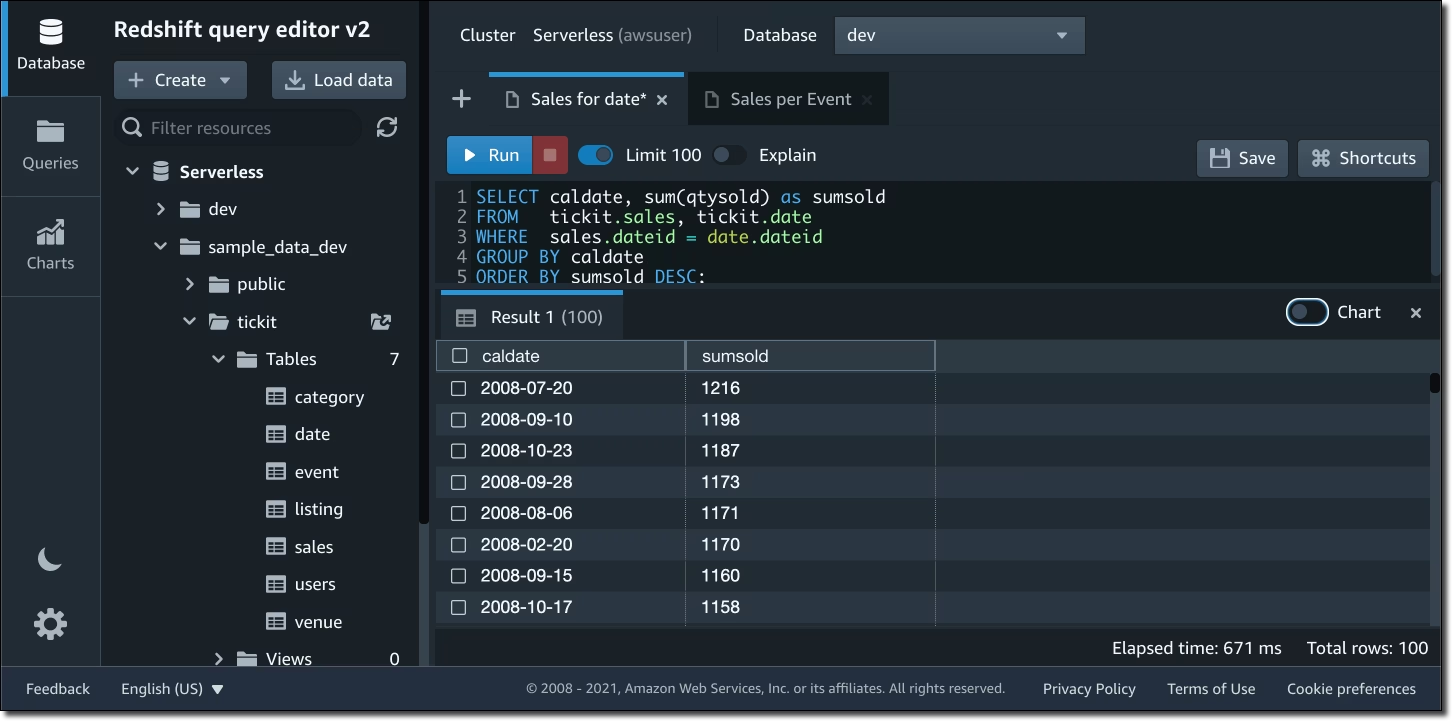
Amazon Redshift is a cloud-based, SQL-driven data warehouse optimized for
large-scale batch analytics, BI reporting, and structured data workloads. It integrates tightly with AWS services, making it a go-to solution for enterprises already invested in the AWS ecosystem.
Key features
- MPP architecture: Columnar storage enhances query speed on large datasets.
- Batch processing: Requires periodic maintenance (vacuuming, indexing) to sustain performance.
- AWS integration: Connects with S3, Glue, QuickSight, and other AWS tools.
- Security and compliance: Supports encryption and RBAC but lacks column-level security.
Pros
- Cost-efficient at scale with reserved pricing
- Smooth AWS integration for easy data ingestion
- Optimized for petabyte-scale workloads
Cons
- Requires manual tuning (vacuuming, indexing)
- Lacks auto-scaling, limiting flexibility
- Query slowdowns under high concurrency
Best for:
AWS-heavy enterprises that need cost-efficient, high-performance batch analytics.
Pricing
- Paid: Pay-as-you-go and reserved instances; costs rise with high concurrency.
- Free trial: $300 credit for 90 days
2. Snowflake: Best for multi-cloud scalability and data sharing
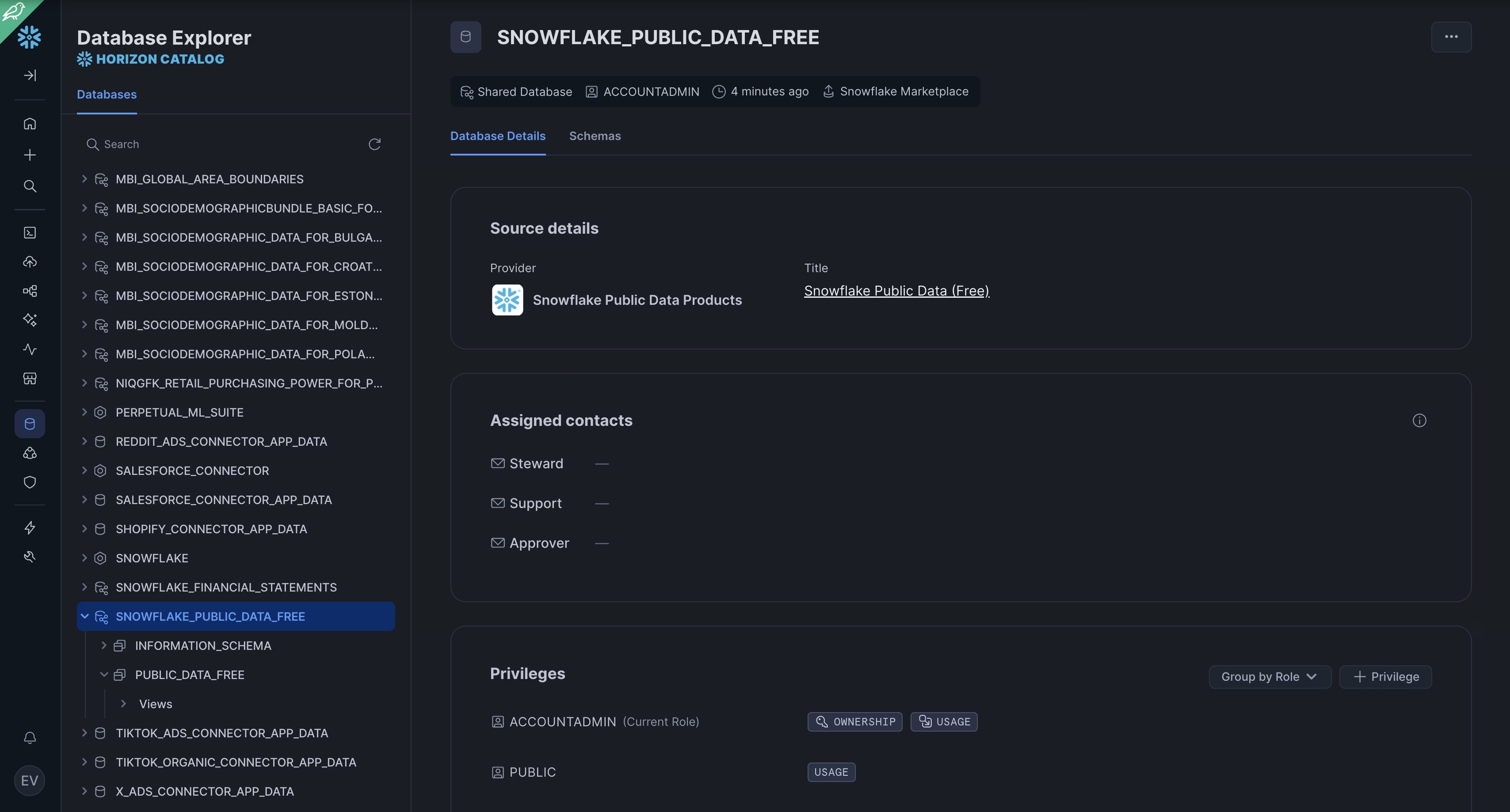
Snowflake is a fully managed, multi-cloud data warehouse built for scalability,
cost efficiency, and AI-driven analytics. Unlike traditional systems, it separates storage and compute, preventing resource contention.
Key features
- Elastic compute and storage: Instantly scales without downtime or resource contention.
- Automated performance optimization: Built-in caching, clustering, and query pruning improve speed and reduce costs.
- Zero-copy cloning and time travel: Enables dataset duplication and historical data access without replication overhead.
- BI and cloud integration: Natively connects with Tableau, Power BI, Looker, and multi-cloud storage.
- Security and compliance: Automates RBAC, key management, and data masking for GDPR and HIPAA compliance.
Pros
- Auto-scaling eliminates performance bottlenecks
- Multi-cloud support (AWS, Azure, GCP)
- Handles structured and semi-structured data efficiently
Cons
- Costs escalate if warehouses aren’t optimized
- No reserved pricing, making it costlier for stable workloads
- Per-second billing requires careful cost monitoring
Best for:
Multi-cloud analytics, AI-driven workloads, and real-time data sharing.
Pricing
- Paid: Pay-as-you-go pricing: Requires careful warehouse optimization to avoid overspending.
- Free trial: $400 credit for 30 days
3. Google BigQuery: Best for ad-hoc and real-time BI analytics
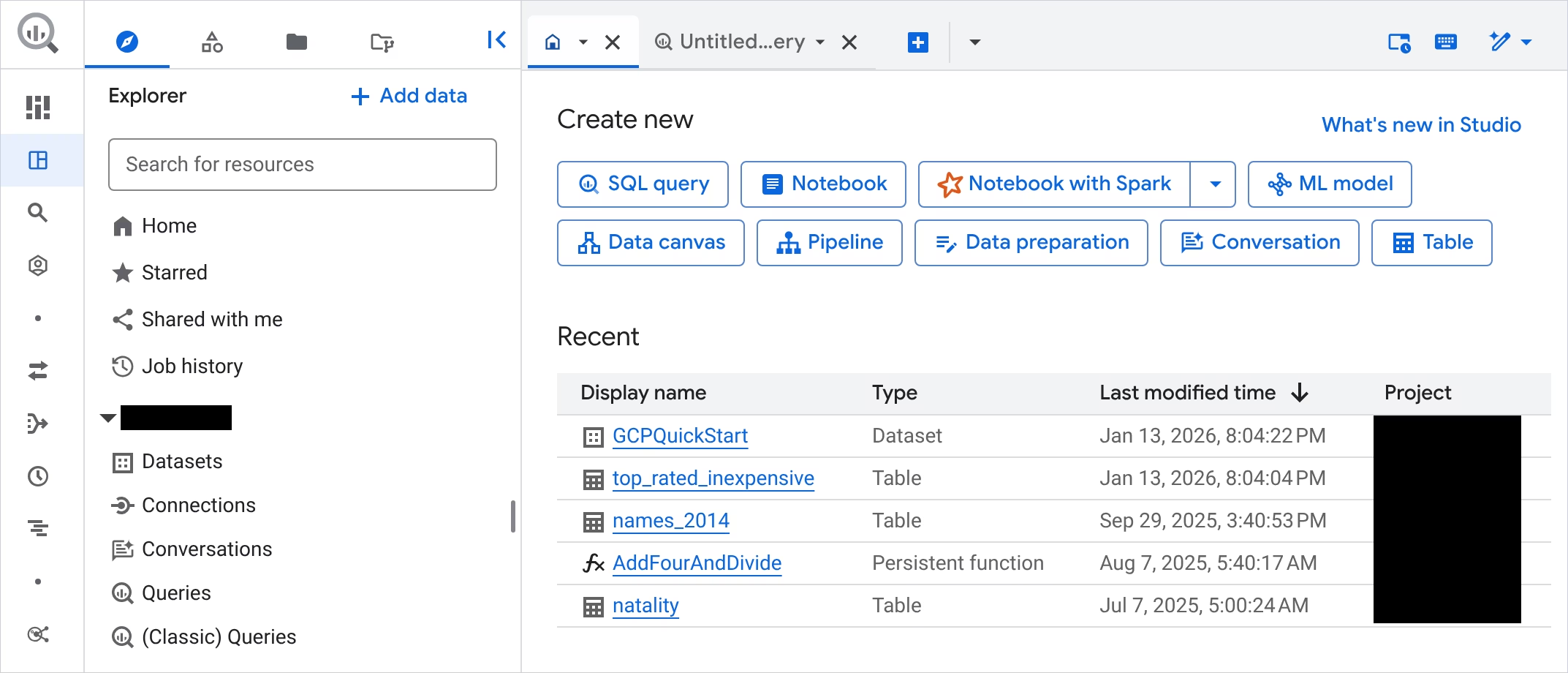
Google BigQuery is a fully serverless, auto-scaling cloud data warehouse designed
for real-time, ad-hoc analytics on massive datasets. Unlike traditional warehouses, it eliminates resource provisioning, automatically adjusting compute power based on query complexity.
Key features
- Serverless architecture: No provisioning—compute scales dynamically.
- Federated queries: Querying of live data across Google Cloud and external sources.
- AI and ML integration: Works with Vertex AI for advanced modeling.
- Security and compliance: IAM-based access control and automated GDPR/HIPAA compliance.
Pros
- Serverless, eliminating the need for infrastructure management
- Auto-scales instantly, handling thousands of concurrent users
- Native AI/ML integration enables advanced analytics
Cons
- Costs rise quickly with frequent, complex queries
- Lacks reserved pricing, making it less cost-efficient for predictable workloads
Best for:
Ad-hoc analytics, federated queries, and machine learning workloads.
Pricing
- Paid: Pay-per-query pricing: Charges $5 per TiB scanned, requiring cost optimization.
- Free tier: The first 10 GiB of storage and 1 TiB of data processing per month are free.
4. Microsoft Azure Synapse Analytics: Best for SQL-based enterprise workloads
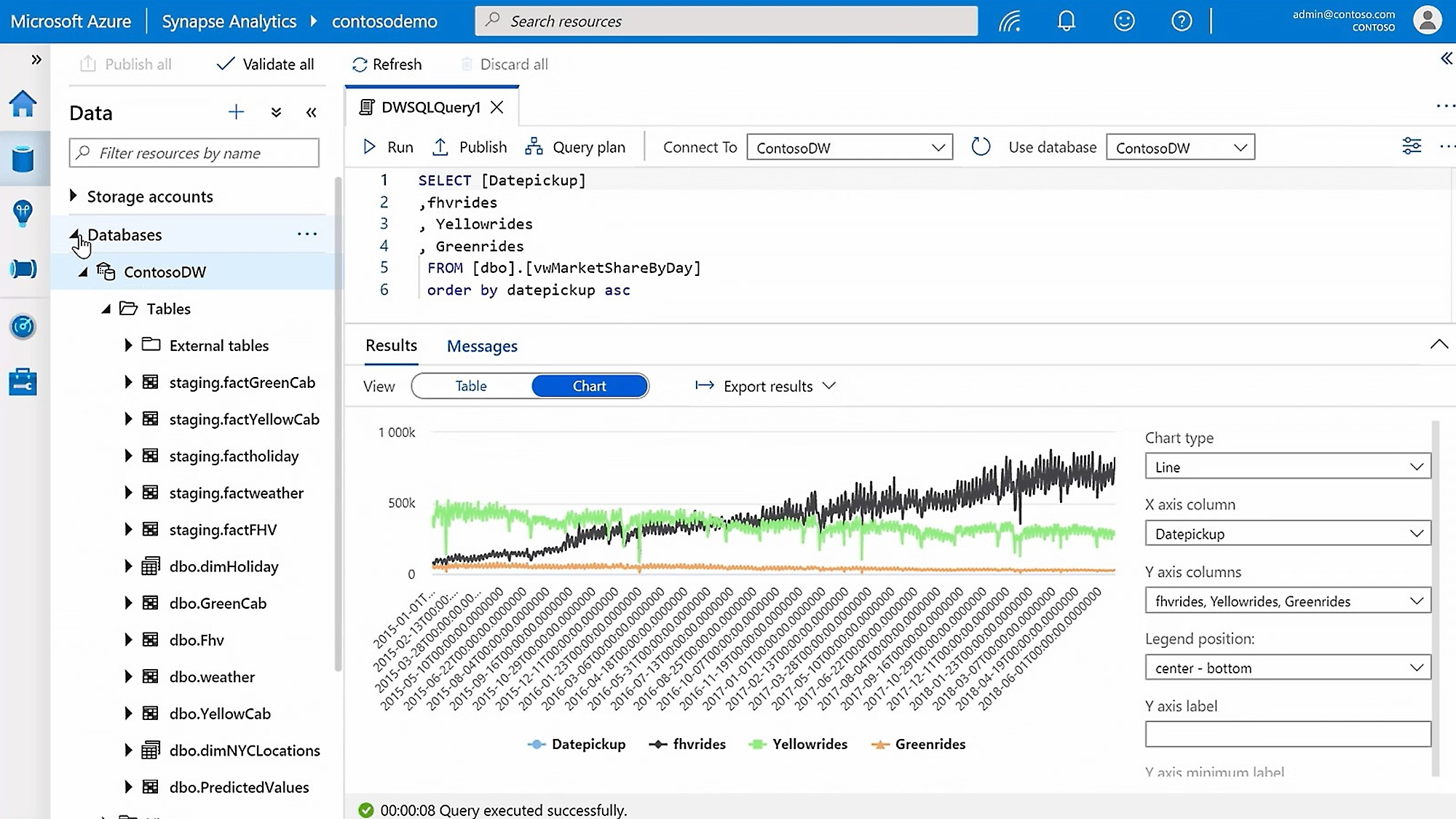
Azure Synapse Analytics is Microsoft’s enterprise-grade
data platform, designed for SQL-based analytics, data warehousing, and hybrid transactional/analytical processing (HTAP). Unlike serverless platforms like BigQuery and Snowflake,
Synapse relies on dedicated SQL pools, meaning users must manually provision and optimize resources.
Key features
- Hybrid OLTP-OLAP engine: Supports both transactional and analytical workloads
- Microsoft integration: Works with Power BI, Azure Data Factory, and SQL Server
- Performance-optimized SQL queries: Ideal for batch analytics and complex SQL-based workloads
- Security and compliance: Built-in encryption, GDPR/HIPAA compliance, and RBAC
Pros
- Deep Microsoft ecosystem integration
- Strong SQL support for enterprise analytics
- HTAP capabilities for hybrid workloads
Cons
- Manual provisioning needed for scaling
- Scaling isn’t as dynamic as in Snowflake
- Reserved pricing can lead to underutilization
Best for:
Large enterprises with SQL-heavy analytics and Microsoft ecosystem users.
Pricing
- Paid: Pay-as-you-go pricing. Reserved capacity model with prepayment for computing resources.
- Free trial: $200 credit for 30 days
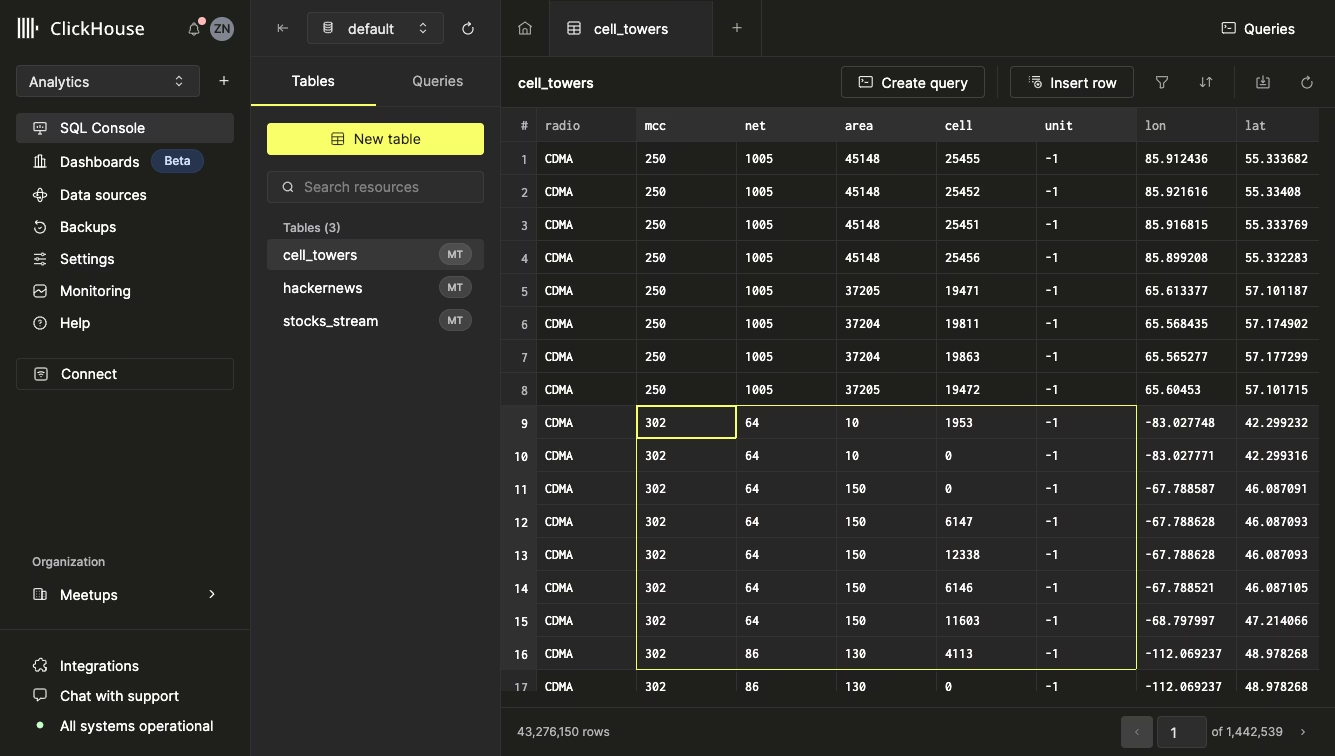
5. ClickHouse: Best for high-speed, real-time analytics
ClickHouse is an open-source, high-performance columnar database optimized for fast analytics on large datasets
with near-real-time query performance. Unlike traditional SQL databases, it stores data in columns instead of rows, significantly boosting aggregation speed and reducing disk I/O.
Designed for event-driven analytics, ClickHouse powers financial trading, log processing, and IoT workloads.
Key features
- Columnar storage engine: Processes analytical queries up to 10 times faster than row-based databases
- Distributed query processing: Supports sharding and replication for efficient horizontal scaling
- Smooth integration: Works with Kafka, Spark, Grafana, and Tableau for real-time data visualization.
- Security and compliance: RBAC, TLS encryption, and built-in data masking for sensitive data protection.
- Open-source flexibility: Free to use but requires dedicated infrastructure for production environments.
Pros
- Blazing-fast aggregations—perfect for large-scale analytics
- Handling of high-concurrency workloads with fast, parallel query execution
- Open-source flexibility with cost-effective scalability
Cons
- Requires expert tuning for optimal performance
- No auto-scaling or fully managed cloud service
- Slower writes than NoSQL for high-ingestion workloads
Best for:
Real-time analytics (financial markets, IoT, high-frequency event processing).
Pricing
- Paid: Pay-as-you-go pricing.
- Free trial: $300 credit for 30 days
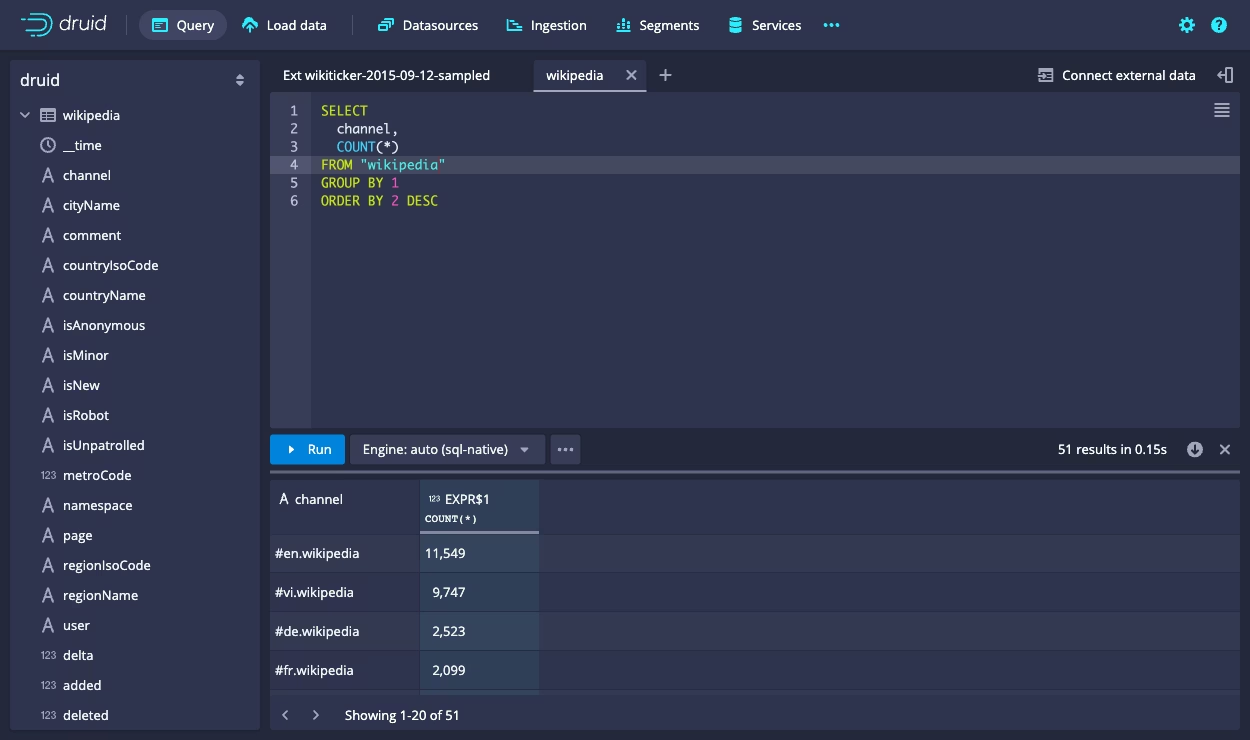
6. Apache Druid: Best for time-series and event-driven analytics
Apache Druid is a real-time analytics database built for high-ingestion, event-driven workloads.
It excels in low-latency queries on massive time-series datasets, making it a go-to for streaming analytics, anomaly detection, and operational intelligence in finance, ad tech, and cybersecurity.
Key features
- Real-time data ingestion: Supports continuous data streams from Kafka, Kinesis, and Spark
- Columnar storage for fast queries: Optimized for low-latency time-series analytics
- Horizontal scalability: Uses deep storage and segment replication to handle petabyte-scale data
- BI and visualization integration: Works with Looker, Superset, and other BI tools
- Security and compliance: RBAC, TLS encryption, and audit logging ensure data protection
- Deployment flexibility: Open-source and self-hosted, but also available in cloud-managed solutions
Pros
- Handles real-time streaming analytics with sub-second query speeds
- Scales efficiently for large event-driven workloads
- Supports time-series, log, and operational data with instant query performance
Cons
- Storage-heavy architecture increases infrastructure costs
- Complex setup and maintenance compared to serverless data warehouses
- Less optimized for traditional BI workloads compared to Snowflake or Redshift
Best for:
Streaming analytics, security monitoring, AI-driven anomaly detection.
Pricing
Key factors when choosing an analytics database
Finding the best database for analytics requires striking the perfect balance between speed, scalability, and long-term reliability. Here’s what to keep in mind.
Scalability and performance with growing data volumes
A scalable database must grow with your workload, but choosing the right approach matters. You can scale up (add CPU, RAM, or storage) for quick performance boosts, but hardware limits make this costly.
Scaling out (distributing workloads across multiple servers) ensures long-term efficiency, though poor sharding and load balancing can slow queries and increase costs.
Tip:
The best databases scale both ways—handling today’s demands while preparing for tomorrow’s growth.
Handling growing datasets without bottlenecks
The more data you store, the harder it becomes to maintain speed and cost efficiency. The best database for analytics must handle growing volumes without performance trade-offs. Here’s what to look for:
- Batch processing: Processes data in scheduled intervals. It’s cost-effective but introduces latency.
- Streaming processing: Processes data continuously for real-time insights but requires more resources.
- Distributed storage: Distributes data across nodes to improve performance and scalability, as well as prevent slow queries.
Tip:
A database designed for real-time ingestion and distributed storage keeps insights flowing—without breaking the bank.
Query speed and optimization features
A slow database costs more than time—it costs opportunities. Optimizing for speed ensures real-time insights without wasted resources. Here’s what makes a database fast:
- Indexing and partitioning: Organizes data efficiently, reducing query times.
- Columnar storage: Optimized for analytics, cutting aggregation times and lowering storage costs.
- Intelligent caching: Prevents redundant processing by storing frequent query results for instant retrieval.
Tip:
Faster processing and efficient resource usage directly impact how quickly teams can turn large volumes of data into actionable insights.
Data integration and ecosystem compatibility
A database for data science should connect smoothly with analytical tools to turn raw data into insights. One that doesn’t? It locks your data in silos, killing efficiency.
To avoid costly inefficiencies, your database should have the following features:
- Connectivity with BI tools: An easy integration with Power BI, Tableau, Looker, and other similar solutions ensures no need for extra exports or workarounds.
- Support for ETL pipelines and APIs: A database's ability to integrate with other services via APIs enables the creation of efficient Extract, Transform, Load (ETL) automation workflows.
- Connectivity with real-time data integration tools: Databases supporting such tools are best suited for use for streaming and event-driven analytics.
- Structured and unstructured data management: A database that can handle both structured and unstructured data improves efficiency by eliminating the need to use multiple systems.
Tip:
An efficient analytical database integrates with diverse data sources without creating disconnected workflows or data silos.
Security, governance, and compliance
Most breaches aren’t caused by hackers—they’re caused by misconfigured databases. Here’s how to secure yours:
- End-to-end encryption and strict access control: Protect sensitive data with encryption, Role-Based Access Control (RBAC), and Multi-Factor Authentication (MFA).
- Compliance with GDPR, HIPAA, and SOC 2: Mishandling financial, healthcare, or customer data can lead to major fines and legal actions.
- Automated security monitoring: The best databases detect vulnerabilities before attackers do, preventing costly breaches.
Tip:
Database security begins with proper configuration, which helps prevent unauthorized access, ensures compliance, and enables proactive data protection measures.
Cost model and operational complexity
The real database expenses go far beyond its licensing cost or cloud usage rates. Instead of focusing on upfront pricing, evaluate the long-term impact of the platform
you are choosing for data analytics. Consider the following factors:
- Administrative overhead: The database should not be too hard and costly to monitor, optimize, upgrade, and secure.
- Team expertise: Your database should match the team's specialization and enable a manageable learning curve.
- Time-to-insight: An efficient analytical database should help you move from raw data to decisions quickly.
Tip:
The best balance comes from choosing a database that provides reliable performance while minimizing maintenance and administration.
Types of analytical databases
The table below lists the main types of databases that are used in data analytics.
| Database type |
Best for |
Data structure |
Main strengths |
Main limitations |
Typical use cases |
Examples |
| Relational databases for analytics |
Structured data, SQL-heavy teams, reporting on well-defined schemas |
Structured tables with fixed schemas |
Strong SQL support, clear schema design, consistency, mature tooling, broad ecosystem |
Can become slower at very large analytical scale or high concurrency; less specialized for real-time event analytics |
BI reporting, internal dashboards, operational reporting, structured business analytics |
PostgreSQL, MySQL, SQL Server |
| NoSQL databases for analytics |
Semi-structured or rapidly changing data, distributed systems, flexible schemas |
Document, key-value, wide-column, or graph models |
Schema flexibility, horizontal scalability, good fit for evolving or distributed datasets |
JOINs can be harder, consistency models vary, not always ideal for complex analytical queries |
User behavior data, app telemetry, distributed product data, semi-structured analytics |
MongoDB, Cassandra, Elasticsearch |
| Columnar databases |
Large-scale analytical queries and aggregation-heavy workloads |
Column-oriented storage |
Fast scans on large datasets, strong compression, strong performance for reporting and dashboards |
Less suited to high-frequency transactional workloads; architecture is more analytics-specific |
Data warehousing, BI dashboards, trend analysis, large-scale aggregations |
ClickHouse, Vertica, Amazon Redshift |
| Real-time analytics databases |
Fresh data analysis, streaming events, operational analytics |
Often optimized for event/time-series ingestion and fast query response |
Low-latency ingestion, fast queries on recent data, strong fit for live dashboards and event analysis |
Can add architectural complexity; may be unnecessary for teams that only need scheduled reporting |
Monitoring, fraud detection, clickstream analysis, IoT analytics, live product dashboards |
ClickHouse, Apache Druid, Apache Pinot |
| Cloud data warehouses |
Managed analytics at scale, enterprise BI, centralized reporting across teams |
Structured and semi-structured analytics data in managed cloud storage |
Managed infrastructure, scalable compute, strong ecosystem integration, lower admin burden |
Ongoing usage cost, less control than self-hosted systems, may be more than smaller teams need |
Enterprise BI, cross-team reporting, centralized analytics, cloud-based warehousing |
Snowflake, BigQuery, Azure Synapse |
How dbForge Edge helps you work with analytics databases
dbForge Edge is a multi-database solution that includes four comprehensive IDEs: dbForge Studio for SQL Server, dbForge Studio for MySQL, dbForge Studio for PostgreSQL, and dbForge Studio for Oracle. Its
extensive range of features supports database management across their entire lifecycle.
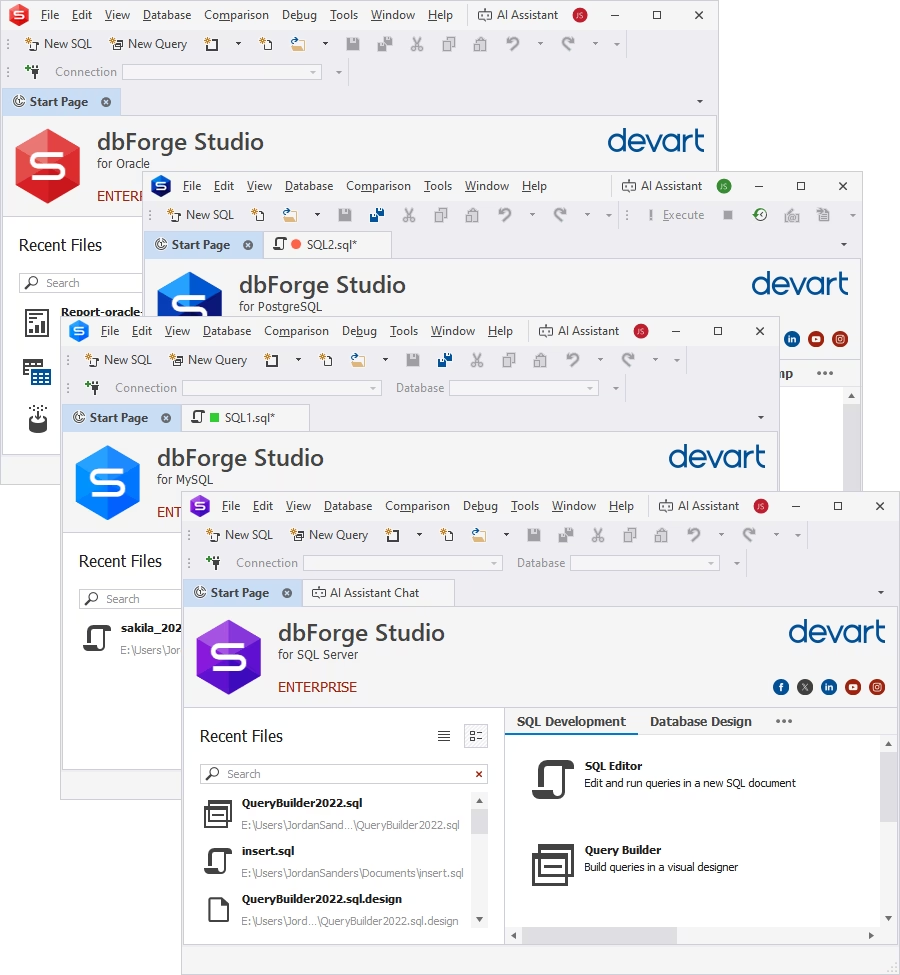
In addition to database development and administration capabilities, dbForge Edge provides a suite of tools for optimizing performance, simplifying workflows, and enhancing decision-making.
With its user-friendly interface, it makes advanced analytics more accessible and efficient. Here's a closer look at what it offers to database developers, DBAs, and analysts:
- Smooth multi-database support: With dbForge Edge, you can manage MySQL/MariaDB, PostgreSQL, SQL Server, and Oracle databases without switching platforms. In addition to the popular
relational databases, the platform supports the management of multiple cloud databases and services.
- Smart SQL editing: Intelligent query optimization and debugging reduce errors and improve efficiency.
- Data extraction and transformation: dbForge Edge facilitates the retrieval, cleanup, and structuring of data for in-depth analysis.
- Advanced query optimization: The platform supports you in writing, debugging, and optimizing SQL queries with intelligent suggestions and performance tuning options.
- Automated reporting and dashboards: In dbForge Edge, you can generate dynamic reports and interactive dashboards to visualize trends, patterns, and anomalies.
- Enhanced data visualization: The built-in profiling and visualization tools help you transform raw data into actionable insights.
- Free trial: You can experience the full functionality of dbForge Edge before you commit.
- Free Express Edition: For basic SQL coding, database design, and data editing, dbForge Edge offers a permanently free Express Edition.
Whether you look for solutions for sleek data manipulation, data analysis, or report generation, or development of a dashboard and seek to populate it with insights from raw data,
dbForge Edge will cover all these needs. This multi-database solution has proven to be a powerful solution for data engineers, data analysts, and everyone working with business
intelligence since it doesn’t require advanced knowledge of database management to let you work with data and perform even the most complex queries and operations on it visually.
Conclusion
Your database isn’t just a storage system—it determines how fast you get insights, how smoothly analytics runs, and how well your business scales.
Choosing the right one means fast queries, smooth integrations, and cost-efficient scaling. The wrong one? Slow reports, skyrocketing costs, and endless frustration.
However, choosing the right database is just the start. To truly optimize performance, you need the right tools. dbForge Edge helps you fine-tune queries, automate indexing, and eliminate
performance bottlenecks—so your database works at its full potential.
Try dbForge Edge by downloading a free, fully-featured 30-day trial,
and level up your data analysis and data-driven decision-making!
FAQ
What is the difference between OLTP and OLAP?
OLTP (Online Transaction Processing) and OLAP (Online Analytical Processing) represent two different types of database workloads:
- OLTP platforms handle multiple small, fast read-write operations—simple queries against databases with highly normalized schemas. Typical OLTP use cases include banking operations,
e-commerce orders, CRM updates, and other similar everyday transactions.
- OLAP solutions analyze large volumes of data, such as complex analytical queries against databases with denormalized (redundant) schemas optimized for analysis. Mostly, OLAP systems
are used to power sales dashboards, forecasting engines, and trend analytics platforms.
What is the difference between a data warehouse and a database for analytics?
A data warehouse is a specific type of database designed to ingest, centralize, and store large volumes of data from multiple sources. Data warehouses are typically used in
enterprise reporting, dashboards, and historical analysis. Examples: Snowflake, Amazon Redshift, Google BigQuery.
An analytical database is any database optimized for analytics. Such databases are intended to support analytical querying and data exploration. They are mainly
used in aggregations, ad hoc querying, and real-time analysis. Examples: ClickHouse, Apache Druid, SQL Server, MySQL.
Do I need a separate database for real-time analytics?
Not necessarily. For small applications, you can use a single database if it can handle low-latency ingestion and fast query execution. However, in some cases,
a dedicated real-time analytics database may be a good idea:
- Your current warehouse or analytics database cannot query data fast enough for live dashboards or event monitoring.
- You need insights from high-velocity event streams (for example, for fraud detection, user behavior tracking, or IoT telemetry).
- Heavy batch analytics jobs may be affected by real-time workloads.
Can a relational database be used for analytics?
Yes. Relational databases, such as SQL Server, MySQL, or PostgreSQL, can be used for analytics, especially for small to medium-sized workloads, operational reporting, and business intelligence tasks. However, as relational
databases are optimized for OLTP workloads, their analytical performance may suffer when the data volume grows. For large-scale aggregations, complex queries, high concurrency, and
real-time event analytics, specialized databases, such as Snowflake or Google BigQuery, are the best choice.
Can a relational database replace a dedicated analytics database?
In certain cases, a relational database can be used for analytical purposes: moderate data volumes, straightforward reporting workflows, and real-time transactions not interfering with
analytics. With larger data volumes and high query complexity, a specialized database may be necessary.
What is the best database for analytics?
There is no single database that can be named the "best database for analytics." Depending on your goals and priorities, different databases may become the preferred choice:
- dbForge Edge, combining four IDEs (SQL Server, MySQL, Oracle, PostgreSQL), is the perfect tool when your data volumes are not too high, the concurrency is manageable, and your
analytical workflows require data from multiple databases.
- Snowflake shines when scalability is important.
- ClickHouse is a good choice for fast query execution and real-time analytics workloads.
- Apache Druid is popular for excellent real-time event analytics.
What is the best database for real-time analytics?
The best database for real-time analytics is the one that can ingest high volumes of continuously changing data, process queries with minimal latency, and scale reliably under concurrent workloads.
Common choices include:
- ClickHouse: Extremely fast in real-time querying and event analytics.
- Apache Druid: Designed for data streaming.
- Google BigQuery: Great for large-scale analytical processing.
- Snowflake: Highly scalable and supporting cloud-native analytics.
 Amazon Redshift
 Snowflake
 Google BigQuery
 Azure Synapse Analytics
 ClickHouse
 Apache Druid