
dbForge Studio for PostgreSQL
AI-powered IDE for database development, management, and data analysis across PostgreSQL and related cloud services
PostgreSQL is a widely adopted open-source database management system. To work with it effectively, you need a convenient environment for writing, executing, and debugging SQL queries; exploring databases, schemas, tables, and relationships; editing and inspecting data; and performing routine administration tasks such as managing roles, permissions, indexes, and other database objects. While many of these tasks can be performed from the command line, a GUI-powered client provides a more convenient and intuitive way to handle everyday database operations, making it faster, easier to navigate, and less error-prone.
In this guide, we compare the best free PostgreSQL GUI clients, looking at their features, usability, and the types of workflows they support. We'll also explain when a professional IDE may be a better fit, especially if you need advanced database development tools, productivity features, or support for larger, more complex projects.
Yes. PostgreSQL is free and open-source software distributed under the PostgreSQL License, which is permissive and similar to BSD- and MIT-style licenses, allowing users to operate, modify, and distribute PostgreSQL with relatively few restrictions.
This means you can install PostgreSQL without paying for a commercial database license and use it for personal projects, development, or production workloads. However, while the server itself is free, you may still want a separate GUI client to make database development and administration easier.
A PostgreSQL client refers to any tool that connects to PostgreSQL databases and allows you to develop, manage, administer, and maintain them across their entire lifecycle.
PostgreSQL clients come in several forms. They can be command-line tools, desktop GUI applications, or web-based tools; the right choice depends on how you work with PostgreSQL and what features you need.
The term PostgreSQL client is broader than PostgreSQL GUI. A client refers to any software that can connect to and interact with a PostgreSQL database, while a GUI is a type of client that provides a visual interface for doing so.
For example, psql is PostgreSQL's standard interactive command-line client. It lets you connect to databases, execute SQL, inspect objects, and perform many administrative tasks, but it does not provide a graphical interface.
GUI-based clients, on the other hand, provide visual elements such as SQL editors, data grids, schema trees, object browsers, and configuration dialogs. Tools such as pgAdmin, DBeaver, HeidiSQL, or dbForge Studio for PostgreSQL deliver graphical interfaces to make database development and administration more accessible and efficient.
The following tools were selected based on practical criteria that matter in daily PostgreSQL development and administration, rather than relying solely on popularity or user ratings. These include feature sets, compatibility, documentation, updates, and the availability of vendor or community support.
We will also explain where a free and open-source client may be sufficient and where a professional PostgreSQL IDE can offer additional capabilities that justify its cost.
The following comparison brings together some of the strongest free and open-source options for working with PostgreSQL. Each client takes a different approach, from lightweight database browsers and straightforward SQL tools to more comprehensive graphical environments. Some of them offer both free and paid editions, and we'll cover this as well.
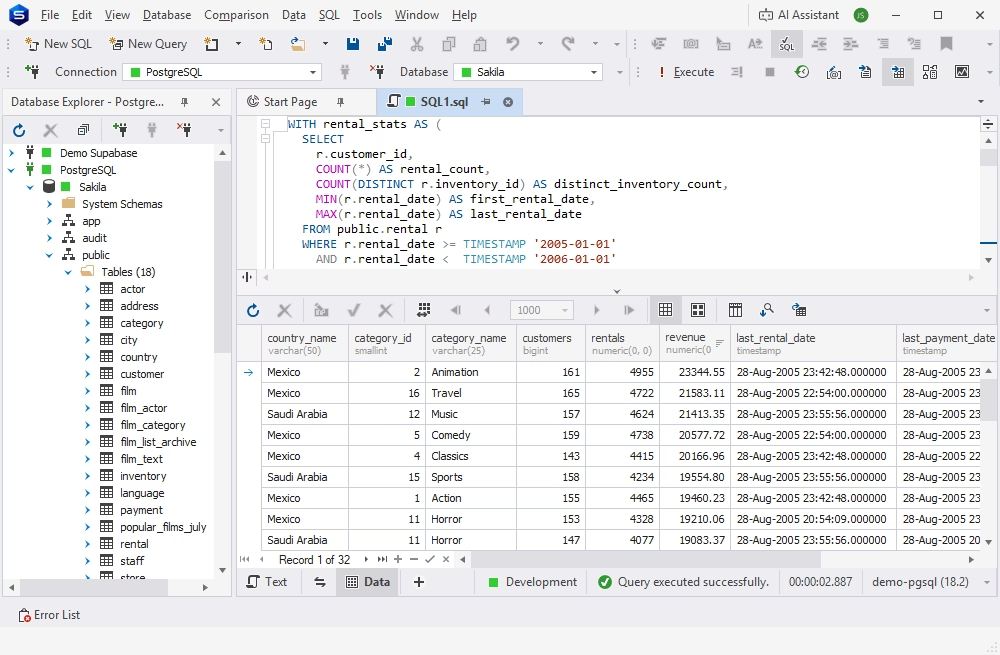
dbForge Studio for PostgreSQL is an AI-powered IDE for database development, management, and administration across PostgreSQL, Supabase, Amazon Redshift, and a number of related cloud services.
The Studio delivers a rich set of features, covering all aspects of the entire database lifecycle. These include context-aware code completion and query optimization, database comparison and synchronization, data migration and management, analysis and reporting, as well as vast automation options.
The free Express edition of dbForge Studio provides all the essentials for basic SQL development and database management. It is a worthy competitor for the title of the best free IDE for PostgreSQL. And should you require an advanced feature set, you can always opt for one of the paid editions.
PostgreSQL, Supabase, Heroku, Amazon Redshift, Amazon RDS, Amazon Aurora, Azure PostgreSQL, and much more (see the full list).
The free Express edition of dbForge Studio is a perfect starting point for beginners and non-profit projects. The paid editions are well-suited for enterprise-grade database development and management.

A feature-rich and versatile IDE for database development and management, as well as data management, analysis, and reporting
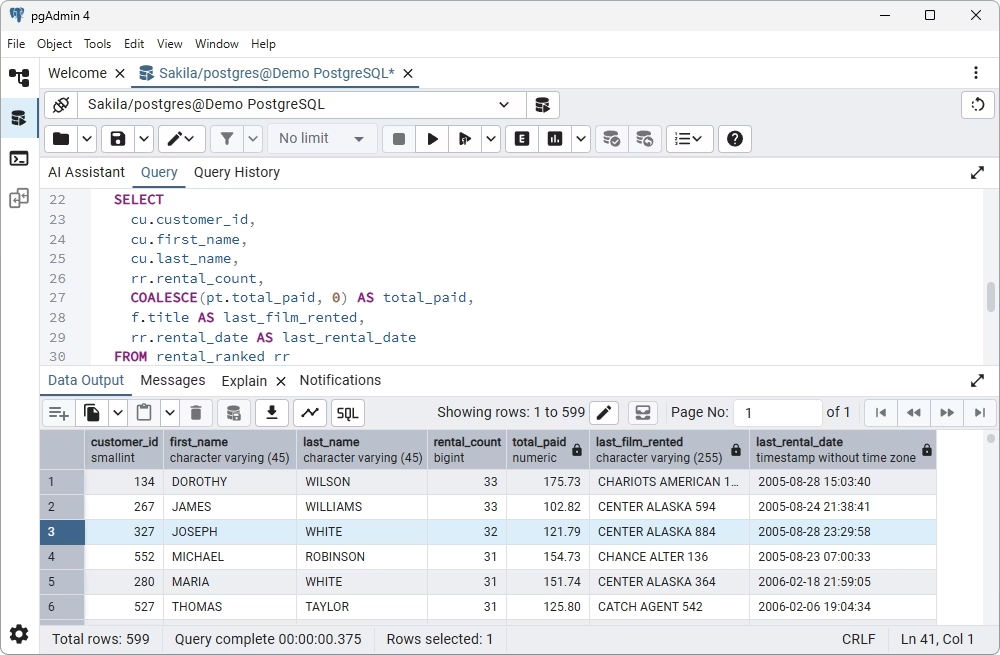
pgAdmin is a free and open-source management and administration solution designed specifically for PostgreSQL. It provides a graphical interface, allowing users to connect to database servers, create and manage database objects, write and execute SQL queries, monitor server activity, and perform routine administration tasks without relying entirely on the command line.
As a web-based application, pgAdmin can run across major operating systems, including Windows, macOS, and Linux, and can also be deployed on remote or cloud infrastructure. This makes it suitable for both local development environments and centralized database management.
PostgreSQL and EDB Postgres Advanced Server.
pgAdmin is a go-to choice for developers and teams looking for a capable PostgreSQL management tool without licensing costs.
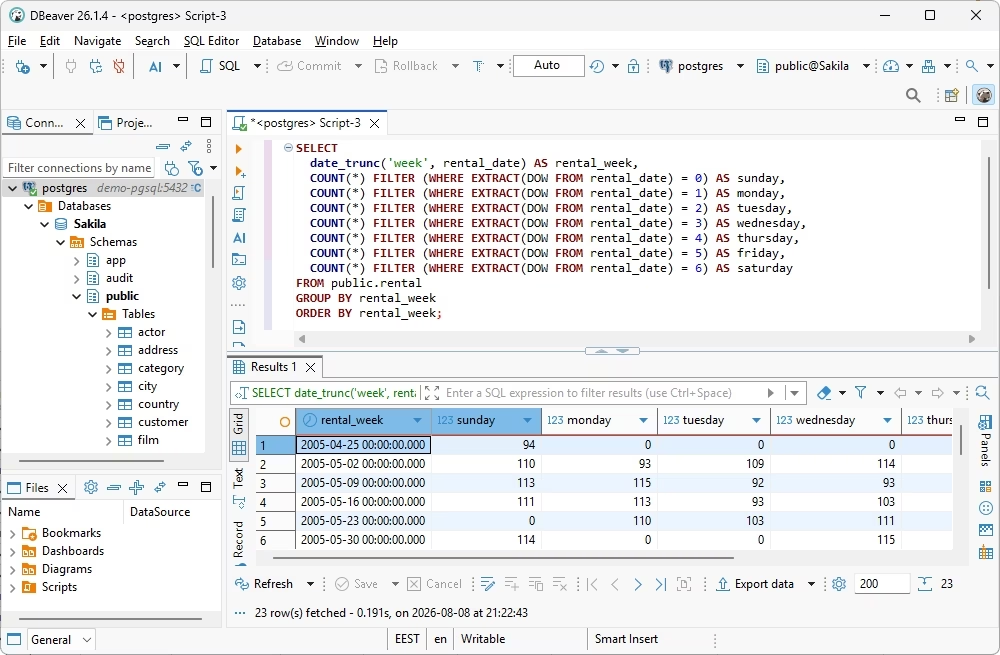
DBeaver is a cross-platform database management and development tool that supports PostgreSQL alongside more than 100 other database systems. It provides a simple and convenient graphical environment for common PostgreSQL tasks.
The free Community edition includes essential tools for working with PostgreSQL databases, such as database and schema browsing, visual editing of tables and other database objects, SQL development and execution, data editing, and connection management. Users can create and modify database objects, inspect database structures, execute queries, work with query results, and perform data import and export.
PostgreSQL, MySQL, MariaDB, Oracle Database, SQL Server, SQLite, MongoDB, Cassandra, Redis, Amazon RDS, Amazon Aurora, Snowflake, BigQuery, Amazon Redshift, and more.
The free Community edition of DBeaver is a versatile choice for developers, students, and database enthusiasts who need a powerful multidatabase tool. The paid editions add advanced development, administration, cloud, and enterprise features, making DBeaver well-suited for professional and enterprise database management.
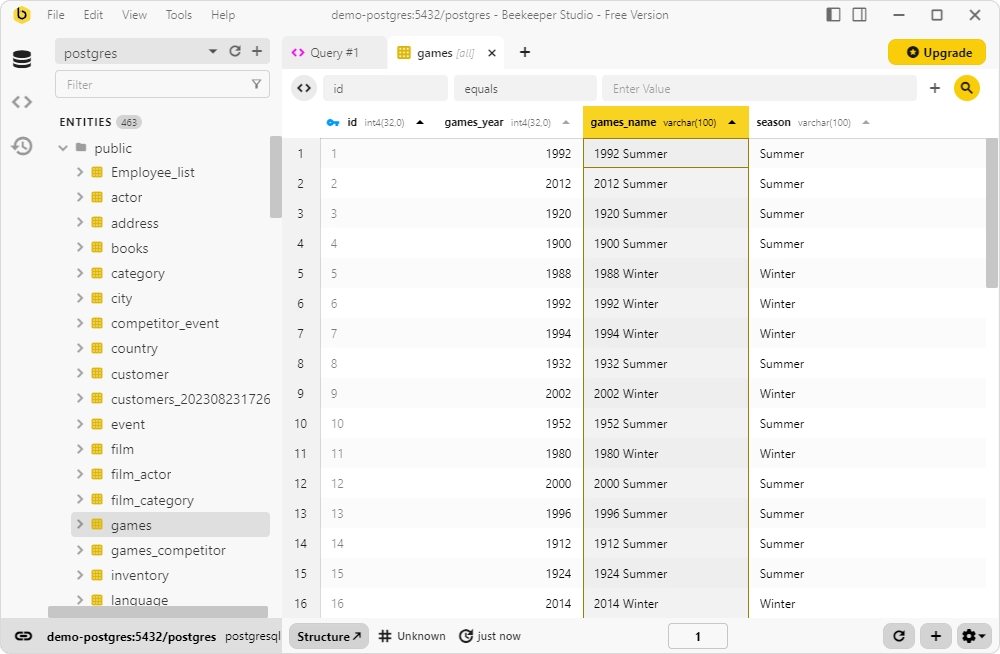
Beekeeper Studio Community is a free cross-platform database manager with full PostgreSQL support. It focuses on providing a clean, modern interface for everyday database development and management, making it particularly approachable for developers who want a simpler alternative to more complex database tools.
The free edition includes a SQL editor with autocompletion, query history, visual browsing and editing of database objects and data, table and schema management, filtering, and data export. It also supports secure PostgreSQL connections through SSL and SSH tunnels and runs on Windows, macOS, and Linux.
PostgreSQL, MySQL, MariaDB, SQLite, Microsoft SQL Server, Amazon Redshift, Google BigQuery, CockroachDB, Oracle Database, Cassandra, Redis, MongoDB, DuckDB, ClickHouse, and more.
The free Community edition of Beekeeper Studio is a great choice for students, hobbyists, and developers who need a simple and modern database GUI. The paid editions add support for more database engines, advanced data management features, cloud collaboration, and enterprise capabilities.
DbGate Community is a versatile free PostgreSQL GUI that sits somewhere between a lightweight SQL client and a full database management tool, with particularly strong support for visual data editing, query building, database structure management, and working with multiple database technologies.
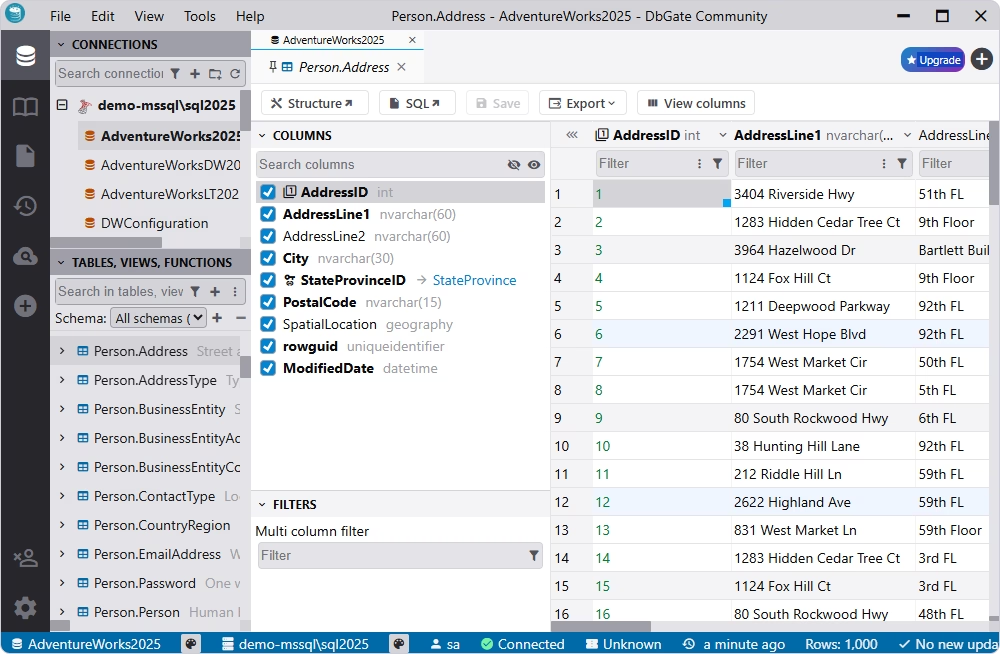
MySQL, PostgreSQL, Microsoft SQL Server, Oracle Database, SQLite, MongoDB, MariaDB, Amazon Redshift, CockroachDB, Redis, Azure Cosmos DB, ClickHouse, Cassandra, libSQL, DuckDB, Firebird, and more.
The free Community edition of DbGate is a strong choice for developers and database enthusiasts who need an open-source, cross-platform database client. The Premium edition adds advanced features such as database comparison, query building, administration tools, collaboration, and AI assistance.
A list of the best PostgreSQL open-source software can't be complete without HeidiSQL, a user-friendly client with a convenient graphical interface for managing databases across PostgreSQL and other popular database systems. It is lightweight and easy to operate, providing all the essentials for editing queries, managing table data, troubleshooting issues, and handling database users.
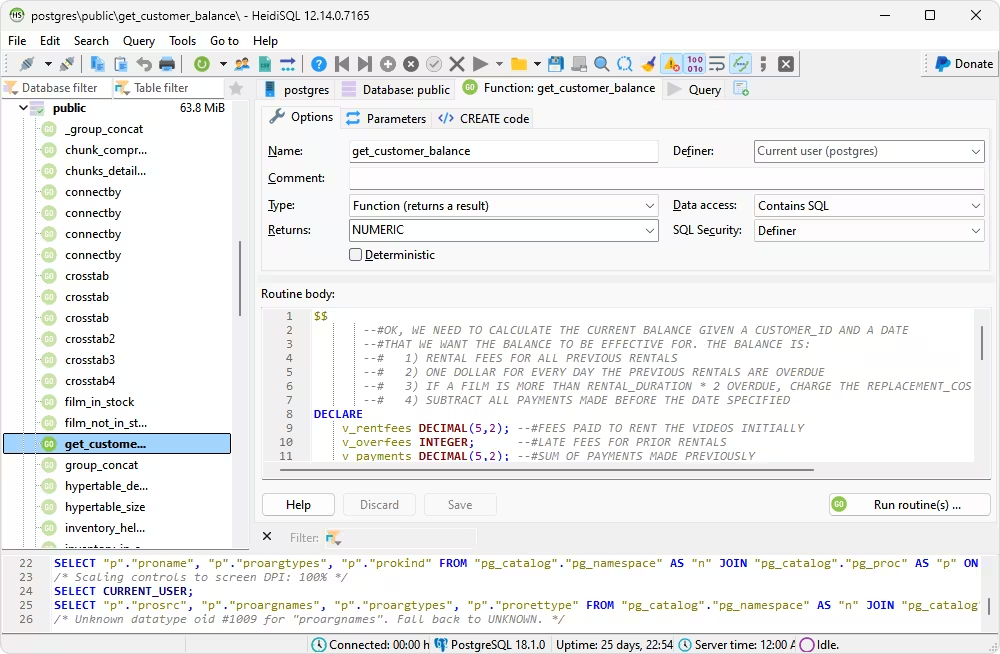
MySQL, MariaDB, Microsoft SQL Server, PostgreSQL, SQLite, Interbase, Firebird, ProxySQL, and Amazon Redshift.
HeidiSQL is a rather versatile multidatabase client, particularly well-suited for database development and administration without licensing costs.
OmniDB is a web GUI tool that simplifies database development tasks with a particular focus on PostgreSQL. Despite being open-source, it provides various professional features for SQL development typically found in premium IDEs. The lightweight and intuitive interface makes it a valuable asset for database developers.
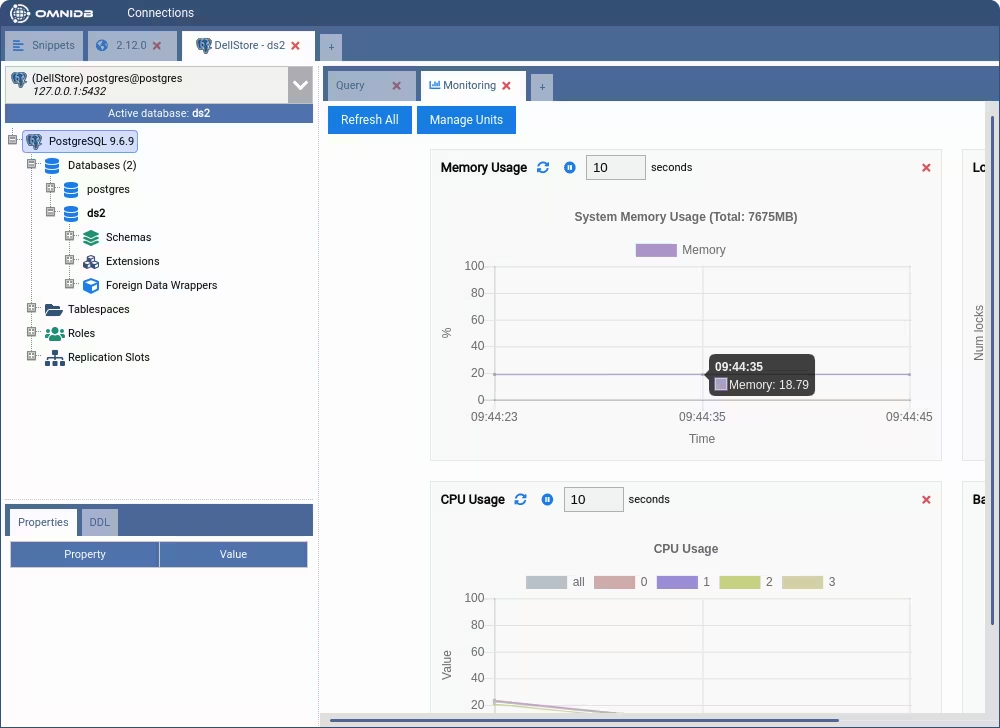
PostgreSQL, Oracle Database, MySQL, MariaDB, and Firebird.
OmniDB is designed primarily for developers and administrators who need a reliable cross-platform PostgreSQL management tool without any licensing costs. Its web-based interface and support for multiple database systems make it a convenient choice.
| Tool | Type | Best for | Key limitation |
|---|---|---|---|
|
dbForge Studio for PostgreSQL
|
PostgreSQL IDE | Full-cycle PostgreSQL development, SQL coding, data management, database design, query profiling, import/export, and administration | The free Express edition is rather limited feature-wise; a commercial edition is preferable for more complex work |
 pgAdmin
|
PostgreSQL administration GUI | PostgreSQL administration, database object management, SQL development, monitoring, and server configuration | More administration-focused and less suitable for intensive database development |
 DBeaver Community
|
Universal database GUI | SQL development and everyday database management across PostgreSQL and other relational database systems | Advanced database development and administration features require a paid edition |
 Beekeeper Studio Community
|
SQL client / GUI | Simple PostgreSQL browsing, data editing, SQL development, and other daily database tasks | The Community edition omits several advanced data management and productivity features |
 DbGate Community
|
Cross-platform SQL client | Visual data editing, SQL development, database browsing, ER diagrams, and multidatabase workflows | Some advanced features are reserved for paid editions |
 HeidiSQL
|
Lightweight database client | Quick SQL development, data editing, and database management | PostgreSQL is supported, but the tool is primarily associated with MySQL/MariaDB |
 OmniDB
|
Web-based database GUI | Lightweight PostgreSQL development, SQL execution, database browsing, and cross-platform database access | Smaller ecosystem and less mature feature set |
A free PostgreSQL client may be wholly sufficient for your everyday database work. If your requirements are limited to writing and running SQL, browsing schemas and database objects, making simple data edits, or handling basic administration, there is little reason to pay for a more advanced tool. Free clients can provide a capable environment without adding software costs, making them particularly attractive for learning, personal projects, and smaller workloads.
For students and people learning PostgreSQL, a free client is usually a sensible starting point. It provides the tools needed to practice SQL, explore database structures, create tables, insert and update data, and understand how PostgreSQL works without requiring a paid license.
Free tools are also well suited to hobby projects and small databases where database structures and development workflows are relatively simple. They keep costs down while still providing enough functionality for routine database management.
If your main requirements include inspecting tables and schemas, running SELECT queries, checking database objects, and occasionally editing records, a free client is generally sufficient. These tasks do not necessarily require advanced development features such as query profiling, schema comparison, automated synchronization, or AI-assisted coding.
For straightforward PostgreSQL workflows, choosing a free client can provide all the functionality you need without paying for features you most likely won't use.
Free PostgreSQL clients are excellent for many common tasks, but they can become limiting as database workflows grow more complex. When you need integrated AI-guided SQL development, query profiling, schema and data comparison, import and export, reporting, automation, and other advanced capabilities in a single environment, a professional PostgreSQL GUI can support a more complete workflow.
dbForge Studio for PostgreSQL is a professional IDE designed for database development, management, administration, data analysis, and reporting. It brings the management of the entire database lifecycle into a single environment.
For users who work with PostgreSQL every day, having all these capabilities in one IDE can eliminate the need to switch between separate utilities for each task. This is where efficiency, functionality, and automation come to the forefront.
For more demanding database workflows, there are advanced tools that go far beyond a basic SQL editor. For instance, dbForge Studio offers a variety of features for SQL development and optimization (including the integrated dbForge AI Assistant), database comparison and synchronization, data analysis and reporting, test data generation, and much more.
These capabilities can be particularly useful when SQL development, query performance analysis, data management, and reporting are all part of the same workflow.
When the primary requirement is comparing database structures and deploying schema changes, you may want a specialized commercial tool to compare and synchronize schema differences between your databases. It will help you establish a controlled deployment workflow.
Still, if you don't need much firepower beyond this, we can suggest a free option called dbForge Schema Compare for PostgreSQL. In simpler cases, it might prove sufficient for you. For instance, it will help you find structural differences between Redshift and PostgreSQL databases and auto-generate SQL scripts to migrate and update schemas in a matter of moments.

A free schema comparison and synchronization tool for Amazon Redshift and PostgreSQL
Choosing a PostgreSQL client is less about finding the tool with the longest feature list and more about finding one that fits your requirements. Use the following checklist to narrow down your options.
Start by checking where you need to run the client. Many of the best free PostgreSQL GUI tools support the entire trinity of Windows, macOS, and Linux, while others are available only on a specific platform. Also note web-based clients, which can be useful when you need to access PostgreSQL from different devices without installing desktop software.
Naturally, your role and typical tasks should guide your choice. A DBA, backend developer, data analyst, and DevOps engineer may all use PostgreSQL clients differently.
Free availability should not be your only criterion. A free client that lacks an important feature may ultimately cost more time than a paid tool that handles the workflow more efficiently.
Before adopting a PostgreSQL client for regular use, check how actively it is maintained. Look at the frequency of updates, quality of documentation, license terms, support model, and whether the project has an active development community or vendor behind it.
This is particularly important when choosing a tool for a professional environment. A client that works well today may become a poor long-term choice if development slows down, documentation becomes outdated, or compatibility with newer PostgreSQL versions and operating systems is not maintained.
There are plenty of free clients that provide everything for writing SQL, browsing database objects, editing data, and handling basic administration. In many cases, a free PostgreSQL client can be the most practical choice.
However, as PostgreSQL development becomes more demanding, routine database work may expand to include more complex operations with databases and actual data. In these cases, a commercial PostgreSQL IDE can bring more of these capabilities together in a single, well-supported environment.
That being said, we invite you to try dbForge Studio for PostgreSQL for free. It's a feature-rich and cost-effective IDE that may prove the ultimate solution for database development, management, and administration. And if your workflow comprises basic SQL coding, as well as schema comparison, synchronization, and deployment tasks, you may want to consider free solutions like dbForge Schema Compare for PostgreSQL.
PostgreSQL is a database management system that stores and processes your data. A PostgreSQL client is a tool that connects to PostgreSQL and allows you to interact with databases in multiple ways.
Look for the features that match your workflow, such as a capable SQL editor, autocompletion, formatting, schema browsing, data editing, import and export, query history, and database administration. You should also consider platform support, usability, updates, and documentation. The most suitable combination will make the best free PostgreSQL client for you.
They can be. Open-source clients are often sufficient for SQL development, schema browsing, data editing, and routine administration. However, teams and individuals with more complex workflows may need advanced capabilities such as query profiling, database comparison and synchronization, data analysis, reporting, and automation.
Some of the top free PostgreSQL GUI clients are well-suited to schema browsing and data editing, including pgAdmin, DBeaver, and Beekeeper Studio. The best choice depends on your preferred interface, operating system, and the other features you need.
Many do. However, the supported formats, import and export options, and automation features vary between tools. Check each specific tool to see if it covers particular formats, bulk operations, or recurring migrations.
Yes. dbForge Schema Compare for PostgreSQL is a good example.
There is no single best free GUI for PostgreSQL that matches every platform and workflow. You may want to look for a tool with native support for your operating system and the features you actually need. Also note that some Windows-native solutions, like dbForge Studio, can run on macOS and Linux through compatibility layers, delivering the same smooth experience and high performance.
Consider switching when your routine database work becomes more complex or time-consuming, and you need more advanced capabilities that the free tools cannot offer.
dbForge Studio for PostgreSQL is a professional IDE that delivers a diverse feature set for SQL development and optimization, schema and data management, analysis, reporting, database administration, and automation of recurring tasks. It is also available in a free Express edition with basic functionality.
dbForge Schema Compare for PostgreSQL is a specialized tool for comparing and synchronizing database schemas across PostgreSQL and Amazon Redshift.
Yes. dbForge Studio for PostgreSQL is available for a free 30-day trial, which is a good way to evaluate its features and determine whether it's the right tool for your job.