Data modeling is the visual representation of the data structures, storage, and flow. Considering the complexity of modern systems, data modeling becomes crucial, and visualization is one of the most efficient ways of understanding and managing intricate architectures.
Complexity is not the only challenge that data professionals face daily. They have to address regulatory compliance, maintain data quality and consistency, and support agile development and integration. To satisfy these demands, they require tools able to handle all aspects of data modeling and related issues.
This article explores the most powerful and popular tools for data modeling available today. We highlight their core features, discuss their pros and cons, and help you select the right tool for your specific needs.
What are data modeling tools?
Data modeling tools are applications for creating visual data models that define the structure of a future database. Since data modeling is the first step in building a solid data architecture, a well-structured model helps create efficient physical databases.
Modern software for database modeling allows us to design database structures, validate schemas, optimize performance, and ensure alignment with business needs. Also, the most robust tools provide such valuable options as collaboration, version control integration, and routine task automation.
Why data modeling tools are essential in modern database design
Designing a database is a sophisticated process that involves many aspects. Teams often struggle with a lack of standardization that leads to inconsistent naming conventions and development practices, as well as poor documentation and incomplete data models. At the same time, developers need flexible models that can be easily modified. Managing these changes across environments or shared between multiple users introduces further complications.
Professional data modeling tools address these challenges by providing the following options:
- Improved communication: Visual representation of data structures makes it easier to understand and discuss the requirements across teams.
- Stronger database design: Visual models help identify structural errors and anomalies early, allowing a more consistent and reliable design from the start.
- Faster development: These tools can automatically generate SQL code based on the visual model, thereby reducing the need to manually write and debug code.
- Reverse engineering: Existing databases can be efficiently documented and easily modified.
- Better data quality and consistency: Professional modeling tools help enforce standards such as naming conventions, data types, and relationships.
- Simplified change management: A visual interface allows teams to track changes and assess their impact on dependent objects in a convenient way.
- Regulatory compliance: Modeling tools assist in documenting data lineage, ownership, and classification, which is essential for GDPR, HIPAA, and other regulatory requirements.
- Tool integration: Many solutions integrate with ETL platforms, business intelligence tools, and CI/CD pipelines.
Types of data models explained
Before we jump into tool reviews, let's take a closer look at data models themselves. Understanding the types of data models not only sharpens your analysis but also helps you choose the right tool for the job.
Data modeling involves three levels of abstraction: conceptual, logical, and physical. Each level serves a different purpose, targets different stakeholders, and answers different data questions. When your team understands these layers and their usage, choosing the best data modeling tools that fit your workflows becomes much easier.
Conceptual data models
Conceptual models provide a general, business-oriented view of data. Such models include the core entities (e.g., customers, orders, products) and high-level relationships between them. Technical details are minimal or absent.
The purpose of a conceptual data model is to develop the overall terminology, define the scope and restrictions of the entire system, communicate the ideas without going into technical details, etc. At this stage, a clear general model is more helpful than a detailed and technically precise one.
Conceptual data models are useful for business stakeholders, product managers, and data architects at the early stages of the design process. Therefore, data modeling tools should be able to create such clean and simple diagrams for non-technical audiences.
Logical data models
Logical models convert the general business concepts into structured, detailed representations without tying them to a specific database technology. At this level, data models include entities with attributes, primary and foreign keys, normalization rules, and detailed relationships and constraints.
Logical data models offer more complexity and precision. They help database architects design the data structure, ensure consistency, and prepare the model for physical implementation. A critical requirement for the data modeling tool is the ability to refine the conceptual model into a logical model seamlessly; it should show the initial schema and relationships and let you elaborate or add details.
Physical data models
Physical models define the actual database with data. They include tables, columns, data types, indexes, constraints, database-specific syntax, and other features for database administrators, developers, and data engineers.
This type of data model enables the generation of the actual database schema and deployment to the production systems. A critical requirement is to ensure platform-specific details. Data modeling tools should support different database systems and be able to generate and synchronize schemas directly.
If a data modeling tool supports only one layer, it forces teams to use multiple tools or do a lot of manual work. Quality tools let teams move between levels, from concept to practical implementation, all within the same solution.
What makes the best data modeling tools
Choosing a data modeling tool can pose challenges. You should not simply pick the most feature-rich or popular option. The primary challenge is picking the best database software for flexible data modeling that will combine strong modeling fundamentals with collaboration, automation, and solid ecosystem support.
Before diving into specific features, it's important to define how we evaluate each tool. We use the following criteria:
- Feature depth: The strength of modeling, automation, and governance capabilities
- Ease of use: The intuitiveness of the interface, learning curve, and overall productivity
- Integration: Compatibility with databases, BI tools, and development workflows
- Collaboration: Real-time editing, sharing capabilities, and permission controls
- Performance: Ability to handle large schemas efficiently without lags
- Compatibility: Support for various database systems, including both on-premises and cloud platforms
- Support: Availability of documentation, community resources, and vendor assistance
- Pricing: Overall value in terms of cost versus functionality
Our reviews concentrate on these criteria to help you determine the technical, operational, and financial factors and consider how each fits your environment and processes.
Top 9 database modeling tools for 2026
Below, you'll find reviews of the top 9 database modeling solutions that effectively address the demands and challenges of modern database development. We have also compiled a comparison table to provide an overview of their features and functionality.
| Tool name |
Supported databases |
Cloud support |
Collaboration features |
Licensing |
Best for |
 dbForge Edge
|
MySQL/MariaDB, PostgreSQL, Oracle, SQL Server |
AWS, Azure, GCP |
Real-time collaboration, Git integration |
Free, paid, free trial |
Enterprise, multi-database teams |
 SqlDBM
|
SQL Server, Snowflake, PostgreSQL |
AWS, Azure, GCP |
Real-time, version control |
Paid, free trial |
Cloud-native teams |
 DBDiagram.io
|
MySQL, PostgreSQL, SQL Server |
None |
Real-time collaboration |
Free, paid upgrade |
Solo devs, small teams |
 Oracle SQL Developer
|
Oracle |
Oracle Cloud |
Basic collaboration |
Free |
Enterprise Oracle users |
 Erwin Data Modeler
|
MySQL, PostgreSQL, Oracle, SQL Server |
AWS, Azure |
Version control |
Paid |
Large enterprises |
 Lucidchart
|
MySQL, PostgreSQL, Oracle, SQL Server |
AWS, Azure, GCP |
Real-time collaboration |
Free, paid upgrade |
Visual collaboration teams |
 Luna Modeler
|
SQL Server, MySQL, MariaDB, Oracle Database, PostgreSQL, SQLite |
Azure SQL Database, AWS RDS, Supabase, Oracle Cloud |
Basic collaboration |
Paid, free trial |
Data warehouses |
 Dataedo
|
MySQL, PostgreSQL, SQL Server |
AWS, Azure |
Documentation sharing |
Paid, free trial |
Documentation-heavy environments |
 pgModeler
|
PostgreSQL |
None |
Version control |
Open source |
Open source enthusiasts |
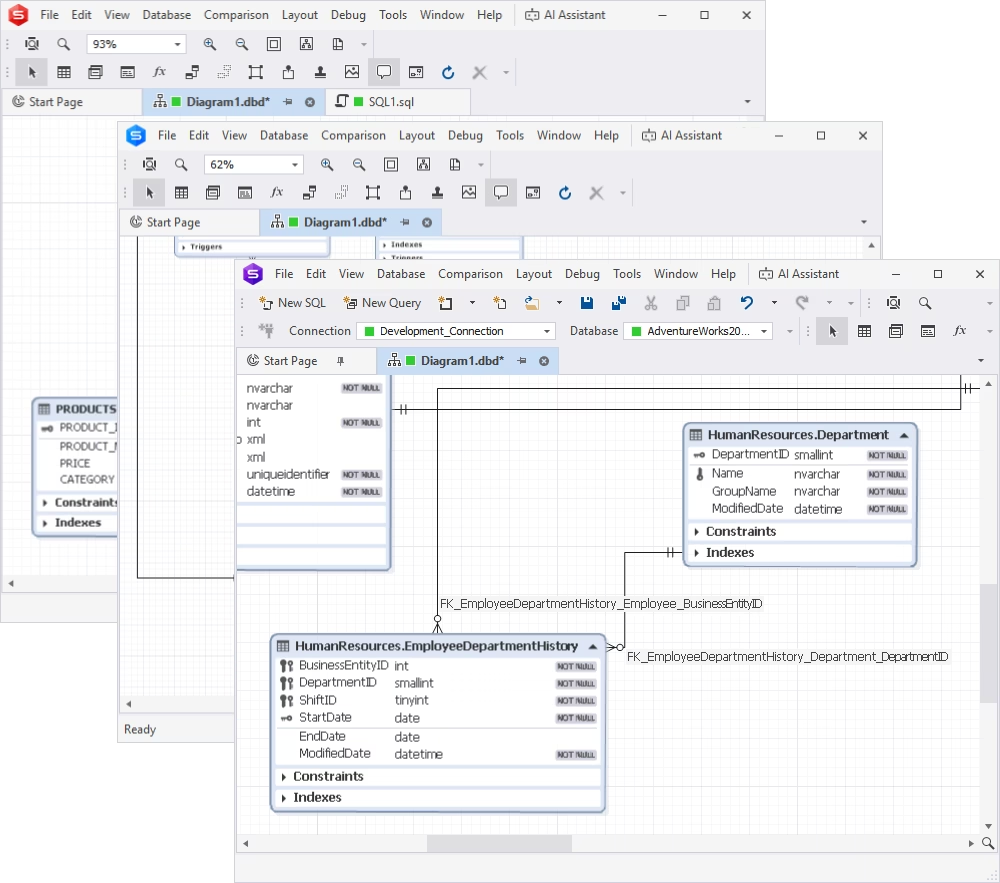
dbForge Edge is a multi-database solution designed to cover the full cycle of database development and management in SQL Server, MySQL/MariaDB, Oracle, PostgreSQL, and multiple related cloud databases and services. It includes a robust MySQL Database Designer, an SQL Server Database Designer, and an Oracle Database Designer. Each integrated tool is adjusted to the specifics of the particular database system.
dbForge Edge allows users to create detailed database schemas, visualize relationships, and convert diagrams into fully functional databases with smooth transitions from database design to execution. The reverse engineering feature for converting existing databases into ER diagrams further provides a clear understanding of complex structures for simpler modification and extension of databases.
A fully functional free trial, personalized professional support, and detailed documentation let the users assess the database design features and all other tools available in dbForge Edge.
Pros
- Integrated AI Assistant for SQL development
- Generation of database scripts in script folders
- Logical grouping of related objects in containers
- Rich visualization capabilities
- Support for notes, stamps, images, and hyperlinks
- In-depth documentation and learning resources
Cons
- No native online/cloud version
- Limited real-time collaboration features
Key features
- Creation and editing of database objects directly on ER diagrams
- Reverse engineering capabilities
- Conversion of ER diagrams into functional databases
- Analysis of logical relationships between objects
- Global or object-specific diagram customization
- Export into BMP, JPEG, GIF, PNG, TIFF, and EMF formats
- Printing of large SQL database diagrams
Price
- Free: Express Edition with basic features
- Paid: Subscription (from $749.95/year), perpetual license ($1499.90)
- Free trial: 30 days
dbForge Edge
Experience effortless database development and administration across SQL Server, MySQL, Oracle, PostgreSQL, and cloud databases.
2. SqlDBM
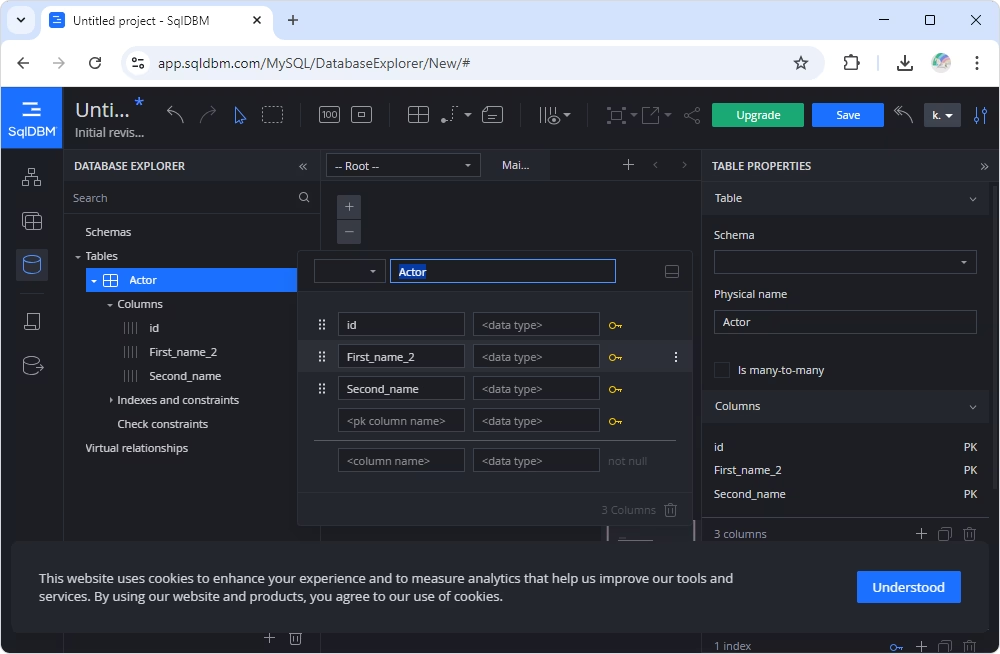
SqlDBM is a versatile and intuitive web-based database modeling tool for efficient design and management of SQL database schemas. Its user-friendly interface makes it accessible to beginners, while advanced functionality suits experienced developers. As a cloud-based platform, SqlDBM eliminates the need for installations, providing easy access from anywhere with an internet connection.
The tool supports both forward and reverse engineering for designing new databases and analyzing and modifying existing ones with ease. Additionally, it provides advanced collaboration options for working on cloud-based database architecture. The visualization capabilities enable users to map and visualize relationships between tables and entities, particularly in complex database structures.
Pros
- Cloud-based solution with no installation
- Support for multiple database platforms
- Collaborative features
- Integration with tools like dbt and Confluence
Cons
- Advanced features require paid plans
- Limited offline functionality
- Complicated interface for new users
Key features
- Forward and reverse engineering capabilities
- Support for all popular SQL databases
- Real-time collaboration
- Support for comments and tagging specific database objects
- Integration with Microsoft Excel, GitHub, GitLab, Bitbucket, and Jira
- Version control
- Customizable visual interface with filtering options
- Light and dark modes
Price
- Free trial: Available
- Paid: From $29.4/month
3. DBDiagram
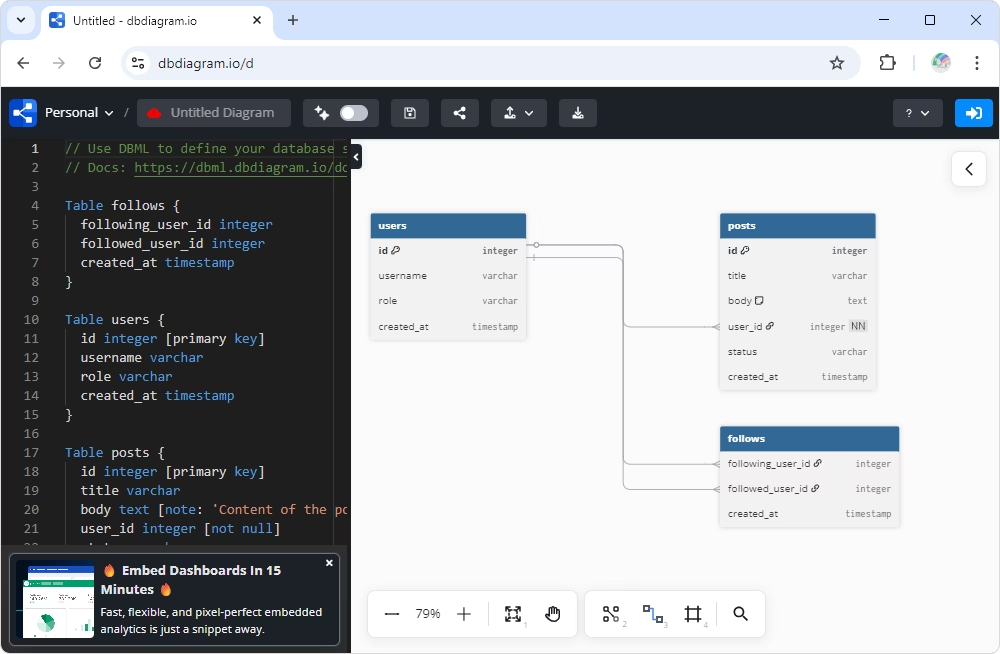
dbdiagram.io is a popular online tool for developers and data analysts seeking a solution to simplify database schema visualization. With this tool, users can create Entity-Relationship (ER) diagrams by directly inputting Domain Specific Language (DSL) code or importing SQL scripts. dbdiagram.io automatically converts scripts into diagrams that display the full database structure, including all objects and their relationships.
dbdiagram.io is ideal for both individual use and collaborative projects. In particular, it offers dedicated workspaces with advanced permissions and version history, making it suitable for both personal and team use. Although it lacks some advanced features, such as the ability to create diagrams from scratch, dbdiagram.io remains an excellent choice for quick, collaborative database design and documentation.
Pros
- Instant ERD creation via browser
- Support for SQL and custom DSL input
- Easy sharing and export (links, PDFs, SQL)
- Great for documentation and quick sharing
- Integrations with Rails, Django, and more
Cons
- Limited to basic modeling (mostly logical/physical)
- Not ideal for complex enterprise schemas
- Cloud-only (no offline use)
Key features
- Creation of ER diagrams from code/SQL dump files
- Online diagram sharing
- Export of diagrams to PDF and PNG formats
- Generation of SQL statements for database tables
- Version history with rollback functionality
- Dedicated workspace for collaboration (including storing, accessing, and sharing diagrams)
- Access management with advanced permissions
- Password protection for diagrams
- User-friendly interface with various customization options
Price
- Free: Restricted options
- Paid: From $8/month (billed annually)
4. Oracle SQL Developer Data Modeler
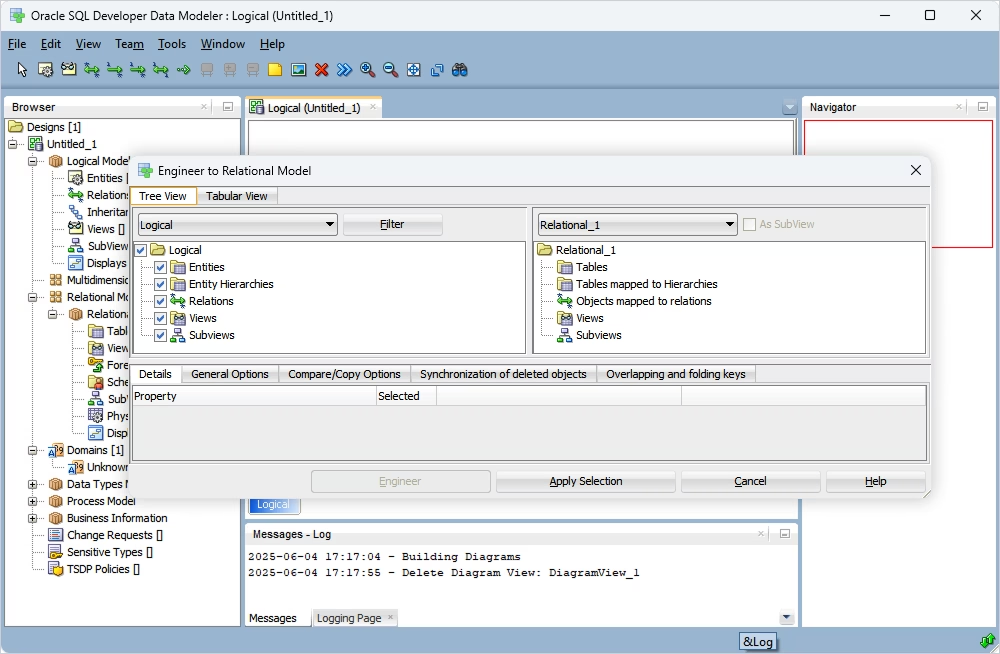
Oracle SQL Developer Data Modeler is a free data modeling tool provided by Oracle. Its purpose is to let users create, manage, and browse data models easily. It offers a robust suite of tools, including SQL programming, database administration, and data modeling, all in a unified environment. The options of forward and reverse engineering enable both designing new database schemas and analyzing existing ones.
The tool also includes collaboration features and version control for team-based development, ensuring that changes are well-managed throughout the modeling process.
Pros
- Integration with the Oracle Database stack
- Rich functionality
- Support for all data model types
- Forward and reverse engineering capabilities
- Support for multiple databases
Cons
- Outdated UI/UX
- Unstable performance under heavy workloads
- Insufficient documentation
- Less flexible for non-Oracle ecosystems
Key features
- Support for physical, logical, and relational models
- Reverse engineering from existing databases
- Multi-platform database support
- Built-in collaboration and version control features
- Powerful SQL editor
- Migration support for different databases
Price
5. Erwin Data Modeler
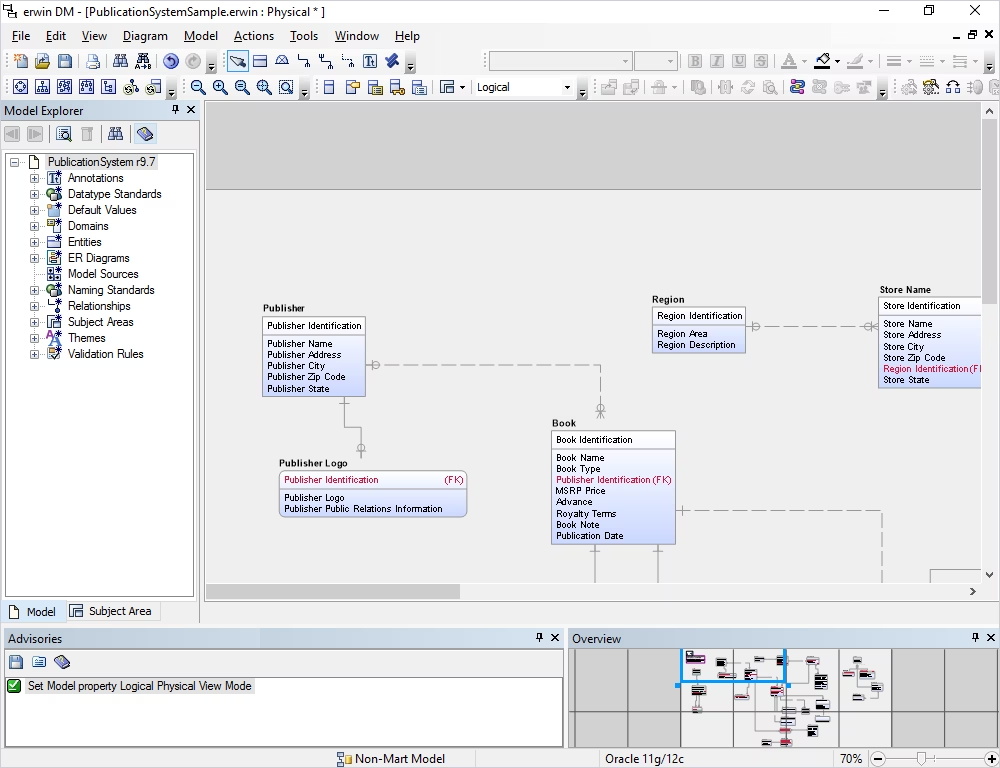
Erwin Data Modeler is a leading enterprise-level tool widely recognized for its data modeling, database design, and metadata management capabilities. This solution supports both logical and physical data modeling, providing a scalable and high-performance solution for managing complex database structures. The tool integrates with various databases, including Oracle, SQL Server, MySQL, and NoSQL platforms, and is also compatible with cloud environments.
Erwin Data Modeler enables teams to design, visualize, and optimize databases in collaboration through integrated version control. It supports forward and reverse engineering, allowing users to create new databases or optimize and update existing ones with ease.
Pros
- Enterprise-grade modeling platform
- Support for conceptual, logical, and physical models
- Strong metadata management and governance
- Version control integration
- Excellent for compliance-heavy environments
Cons
- Expensive and often overkill for small teams
- Steep learning curve
- Can be complex to set up and maintain
Key features
- Support for relational and NoSQL databases
- Extraction/conversion of data from ERP, CRM, and other enterprise applications
- Database schema design and optimization
- Logical and physical data modeling
- Reverse engineering and auto-generation of data models
- Collaboration tools for team-based modeling
- Metadata management for data quality, consistency, and compliance
- Cloud deployment support
Price
- Paid: From $2,969 per year
- Free trial: On demand
6. Lucidchart
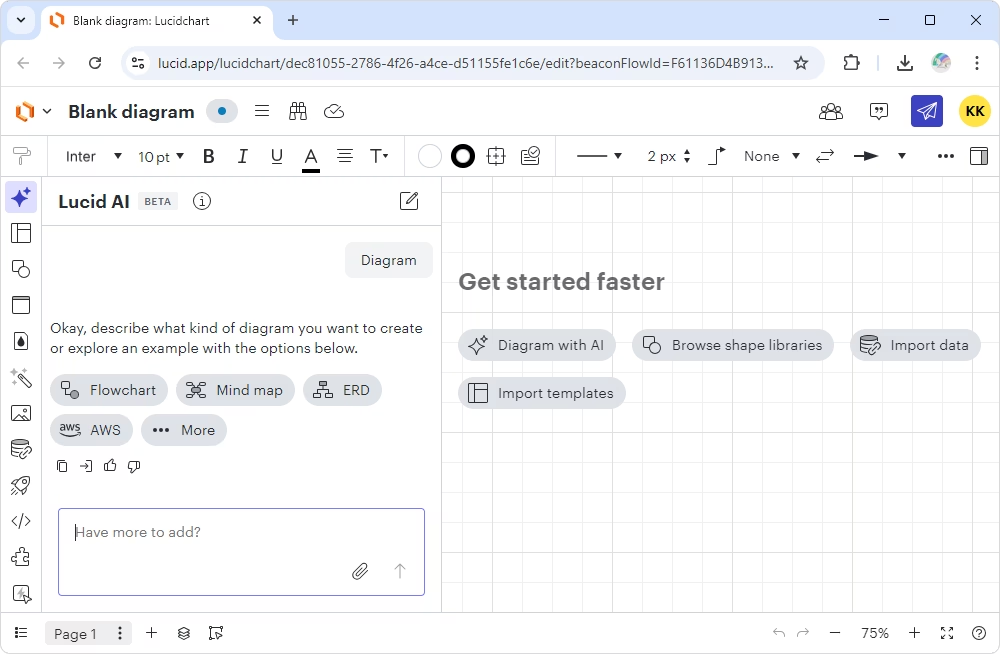
Lucidchart is a more general-purpose diagramming tool that supports database diagrams and offers collaborative, real-time editing. It allows users to design databases, collaborate on diagrams in real time, and optimize the database design process with its flexible set of features. Popular database management systems, including MySQL, Oracle, SQL Server, and PostgreSQL, are supported. The tool's web-based nature allows for access from anywhere, with additional apps available for Android and iOS devices.
While it lacks reverse engineering capabilities and is limited to conceptual and logical diagrams in its free plan, Lucidchart remains a versatile and effective solution for creating dynamic, collaborative database diagrams.
Pros
- Real-time collaboration and version tracking
- Works on any device via a browser
- Import/export of SQL, CSV, and Salesforce schemas
- Extensive template and shape library
Cons
- Lack of deep reverse/forward engineering
- Not a dedicated data modeling tool
- Limited support for database features
- Advanced functionality requires higher-tier plans
Key features
- Real-time collaboration with co-authoring and in-editor chat
- Automatic SQL script generation
- Libraries and templates for quick diagram creation
- AI support
- Revision history and version rollback
- Live data integration from spreadsheets or databases
- Integration with Microsoft 365, GitHub, Confluence, Jira, Slack, and Salesforce
- Visio import support
Price
- Free: Available
- Paid: From $9/month (billed annually)
7. Luna Modeler
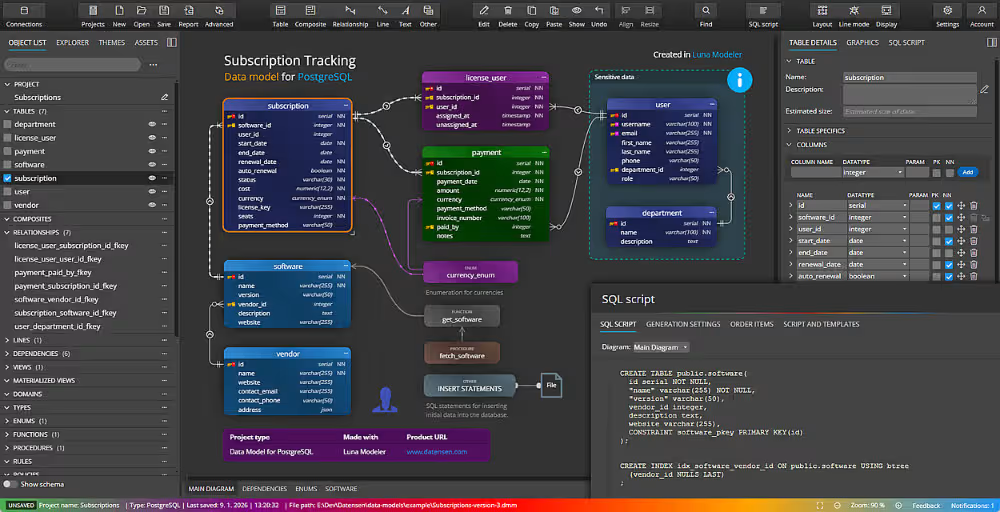
Luna Modeler is a visual data modeling tool designed to work with relational databases. It supports a range of database systems (SQL Server, MySQL, MariaDB, Oracle Database, PostgreSQL, and SQLite) and clouds (Azure SQL Database, AWS RDS, Supabase, and Oracle Cloud).
This user-friendly desktop application allows developers to create and manage relational database schemas using the entity-relationship (ER) model. It also offers such features as reverse engineering and visualization of existing databases, making it easy to analyze and optimize database structures. Luna Modeler serves as an all-in-one solution for designing, documenting, and managing databases across various platforms.
Pros
- Lightweight and intuitive UI
- Support for multiple databases
- Reverse engineering and SQL generation
- Documenting databases (HTML)
Cons
- Lack of enterprise features
- Smaller ecosystem/community
- Limited customization compared to top-tier tools
- Some usability limitations (e.g., diagram control)
Key features
- Support for on-premises SQL databases and cloud services
- Creation of entity-relationship (ER) diagrams
- Reverse engineering and database visualization
- Platform-specific SQL script generation
- Export of diagrams to PNG, PDF, and image files
- Interactive documentation
- Version control explorer
Price
- Paid: Perpetual license from $99
- Free trial: 14 days
8. Dataedo
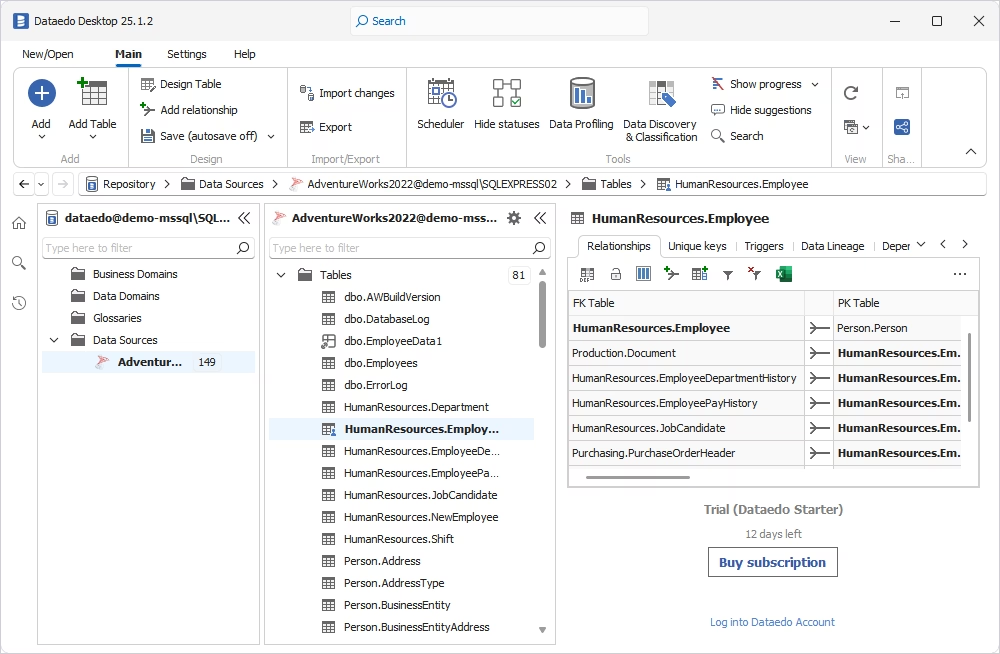
Dataedo is a robust data documentation and governance platform. While it isn't a traditional data modeling tool, it provides the features of documenting existing databases, creating detailed data dictionaries, and visualizing data structures through Entity-Relationship Diagrams. It supports a wide range of databases and cloud platforms. This makes it particularly valuable for mid-sized organizations.
The platform also offers a centralized metadata repository, automated data lineage tracking, and a business glossary to standardize terminology across the organization. The user-friendly interface allows both technical and non-technical users to explore and understand complex data ecosystems.
Pros
- Strong data documentation and cataloging features
- Generation of data dictionaries and lineage documentation
- Reverse engineering and metadata management
- Suitability for technical and business users
Cons
- Insufficient lifecycle modeling
- Outdated UI and workflows
- Not ideal for complex modeling
Key features
- Data model visualization through ER diagrams
- Data dictionary for documenting and annotating database structures
- Tracking and visualization of data flows across systems
- Custom fields for additional metadata attributes
- Collaboration and sharing of diagrams through interactive web portals
- Integration with Power BI, Tableau, and Microsoft Purview
Price
- Paid: From $18,000 per year
- Free trial: 14 days
9. pgModeler
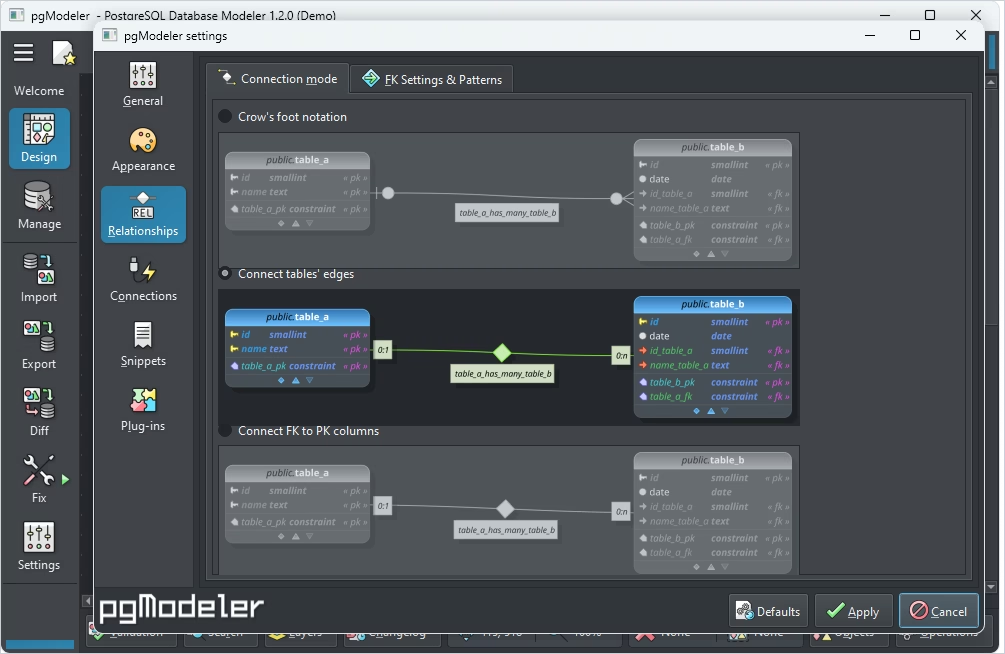
pgModeler (PostgreSQL Database Modeler) is an open-source data modeling tool specifically designed for PostgreSQL. It allows users to create, edit, and manage database structures through a visual interface, making it easier to design complex schemas without manually writing SQL code. The tool is cross-platform and supports database design for any version of PostgreSQL.
The tool generates SQL code directly from diagrams and enables reverse engineering of existing databases into visual models. pgModeler also supports version control integration and automation via its command-line interface, making it suitable for both individual use and team-based workflows.
Pros
- Open-source and highly customizable
- Strong PostgreSQL-specific modeling and export
- Cross-platform (Windows, Linux, macOS)
- Plugin/extensibility support
- CLI support
- Advanced security with SSH tunneling
- Split-model format for collaboration
Cons
- Limited to the PostgreSQL ecosystem
- Setup and configuration can be complex
- UI is less polished than commercial tools
- Not ideal for multi-database environments
Key features
- Visual design and editing of PostgreSQL database schemas
- Support for all PostgreSQL-specific features
- Schema validation and customizable export options
- Model-database diff synchronization
- Forward and reverse engineering
- SQL code generation and export from models
- Model validation with error highlighting
Price
- Free: Open-source
- Paid: Subscription (from $39.92 per 3 months per user), perpetual license ($309.47 per 2 users)
Best data modeling tools by use case
When selecting a data modeling tool, the most important question is who will be using it. The right choice often depends on the user's role, needs, and specific use cases. With that in mind, let's explore the tools reviewed here in the context of different usage scenarios.
Best for enterprise database teams
Enterprise environments need tools that provide a broad range of tasks except for diagramming. In particular, they require governance and control across large systems. The best data modeling tools for enterprise database teams should help enforce standards across hundreds of models.
The priority features for such tools include:
- Full support for conceptual, logical, and physical models
- Advanced role-based access control and audit trails
- Centralized repositories for shared models
- Metadata management
- Integration with enterprise ecosystems (e.g., SAP, Informatica)
- Strong versioning and change management
Best for small teams and solo developers
Smaller teams benefit from tools that are fast, intuitive, and low-overhead. Tools that are too complex can slow down development instead of improving it.
The demands for such tools include:
- Clean, simple UI with minimal setup
- Quick diagram creation (browser-based)
- Easy sharing via links or export
- Lightweight integrations (e.g., Git, simple SQL export)
- Affordable pricing
Best for cross-database environments
If the organization uses multiple databases, which is a common scenario, the tool must be compatible with them. Otherwise, users end up duplicating their effort. Teams that handle hybrid or multi-database environments typically require the following features in the data modeling tools:
- Support for multiple relational and cloud databases
- Schema comparison across different database types
- Quick deployment of changes, preferably no-code
- Consistent notation
Best for reverse engineering existing databases
Database developers and administrators who work with legacy systems or undocumented databases require reverse engineering capabilities. Tools that can quickly turn a live database into a clear model save time and reduce errors.
The most demanded features for reverse engineering include:
- Automated schema extraction from live databases
- Reconstruction of relationships and constraints
- Visualization of complex schemas as ER diagrams
- Change tracking and synchronization with the source database
Understanding the primary use cases always helps you make the right choice.
How to choose the right data modeling tool for your needs
Each organization's needs are unique and shaped by specific workflows and environments. Still, certain key considerations can guide your decision.
Determine your team size and collaboration needs
For teams, especially across departments or geographic locations, collaboration features become critical. Look for tools that support multi-user access, real-time updates, comments, and change tracking. Solutions with cloud-based access or integration with version control systems (e.g., Git) are better for distributed teams working with DevOps pipelines.
Evaluate the usability and learning curve of the tool
The tool should match the skill level of your team. Beginners or occasional users will benefit from a simple interface with drag-and-drop functionality and intuitive navigation. Advanced users may require customizable features, scripting support, and shortcuts to simplify complex tasks. Usability impacts both initial setup and long-term productivity.
Check for reverse and forward engineering capabilities
Reverse and forward engineering features are essential for maintaining legacy systems, migrating databases, or syncing models with production environments. If your team often works with existing structures or generates code from visual models, these capabilities can significantly reduce manual work and eliminate errors.
Analyze licensing, pricing, and budget
Data modeling tools vary widely in cost, from open-source options to enterprise-level platforms with flexible pricing plans and tiers. Consider your budget, licensing model (per-user, per-device, perpetual, or subscription-based), and the available features at each price point. For small teams or startups, free data modeling tools with core functionality might be sufficient. Enterprises may justify higher costs with enhanced security, support, and scalability.
Consider documentation and integration support
Well-documented tools with active user communities or official support channels make troubleshooting easier. Additionally, verify the integration with other tools in your workflow, such as ETL platforms, business intelligence systems, continuous integration/continuous deployment (CI/CD) pipelines, or cloud environments. Appropriate integration grants smooth transitions and ensures the modeling tool fits naturally into your system.
Why teams choose dbForge Edge for data modeling
dbForge Edge belongs to the top flexible data modeling software options, making a strong choice for teams that need more than a standalone diagramming tool. It delivers a powerful platform for managing the entire database lifecycle, with data modeling integrated into everyday workflows. Designed for complex, enterprise-level environments, it supports all major database systems and offers a wide range of features.
Visual data modeling
The integrated Database Designer enables you to design new databases and analyze existing ones in a fully visual environment. An intuitive drag-and-drop functionality lets you work at both logical and physical levels, create and modify objects directly on diagrams, track relationships, and even print large-scale designs. This makes it equally useful for individual developers and teams of any size.
Reverse engineering
For those working with legacy or undocumented systems, reverse engineering is essential. dbForge Edge can reconstruct database structures visually, making it easier to understand objects and their relationships. It also allows you to generate scripts and convert models into live databases, simplifying maintenance and modernization tasks.
Schema analysis
An integrated Schema Compare tool helps you analyze and compare database schemas across different environments. It examines every object in detail, generates comprehensive reports, and supports both manual and automated deployment of changes to a target database. This functionality is particularly valuable for teams using CI/CD pipelines or managing database synchronization.
Multi-database support
dbForge Edge supports a wide range of database systems, including SQL Server, MySQL/MariaDB, Oracle, PostgreSQL, and Amazon Redshift, both on-premises and in the cloud. This flexibility makes it one of the best database solutions for dynamic data modeling for teams working across diverse environments.
dbForge Edge
Experience effortless database development and administration across SQL Server, MySQL, Oracle, PostgreSQL, and cloud databases.
Conclusion
Data modeling tools are designed to simplify the work of database designers. They allow users to visually sketch database structures, inspect objects and relationships, and optimize associated processes. In this article, we've covered popular and effective solutions for visual database design to help you find the tool that best suits your needs.
If you're looking for an all-in-one solution that covers database creation, management, and administration across major database systems, dbForge Edge is a strong contender. It lets you design database diagrams, build detailed and accurate visual models, convert those models into live databases on the server, document them thoroughly, and prepare them for deployment, all within a single platform.
Try dbForge Edge at its full capacity and evaluate its performance with a 30-day fully functional free trial. Download and install Edge to see how it can help you tackle your database challenges under real-world conditions!
FAQ
How do data modeling tools assist in database schema design?
Data modeling tools help design database schemas by switching the work into the visual mode. They provide a visual interface that enables the designers to create, organize, and manage tables, relationships, constraints, and other database elements. Therefore, developers and architects can build the data structure clearly and detect design flaws early. Furthermore, data modeling tools automatically generate DDL scripts to convert the model into an actual database. Additionally, modern data modeling tools support collaboration, version control, and documentation.
What are the four types of data modeling?
The four main types of data modeling are conceptual, logical, physical, and dimensional. Conceptual models outline high-level business entities and relationships. Logical models add detail, including attributes and keys, without DBMS-specific details. Physical models map the design to an actual database platform, defining storage, indexing, and data types. Dimensional models are used primarily in data warehousing, focusing on facts and dimensions to support analytical queries.
What features should I look for in data modeling software?
Key features to consider include support for multiple database platforms, ER diagram creation, reverse and forward engineering, version control integration (e.g., Git), collaboration tools, documentation generation, and usability. Additional valuable features include data type enforcement, change tracking, SQL script generation, and integration with other tools, such as ETL platforms or CI/CD pipelines. Licensing options and platform compatibility should also align with your project's scale and budget.
Is dbForge Edge a good alternative to open-source data modeling tools?
dbForge Edge is a multi-database solution, covering SQL Server, MySQL, Oracle, and PostgreSQL. It supports visual data modeling, model-to-database conversion, deployment, and a full range of database management, analysis, and administration tasks. dbForge Edge provides advanced features not found in open-source alternatives, along with detailed documentation and dedicated customer support. Flexible pricing plans are also available.
Does dbForge Edge include tools for collaboration and team workflows?
dbForge Edge supports team collaboration on database projects across multiple management systems. It offers built-in source control integration with all major version control systems, enabling schema versioning, data script tracking, and static data management. Teams can commit changes, manage branches, resolve conflicts, and track updates across environments.
Shared development models and change tracking enhance transparency with “Get Local” and “Get Remote” histories, streamlining conflict resolution and team synchronization.
Database projects consolidate scripts, diagrams, documentation, and policies into a single structure for organized work, easy version control integration, and consistent deployment.
Can I use dbForge Edge for creating ER diagrams and schema designs?
Yes, dbForge Edge includes an integrated Database Designer, which helps you visually create detailed database models, including comprehensive ER diagrams. It can automatically convert these models into SQL scripts to build actual databases, deploy schemas to the target platform, and easily modify them as needed. Additionally, reverse engineering is supported to help you work with existing databases.


