RazorSQL and DBeaver are both on the list of the most widely used database clients, available on multiple operating systems, and compatible with a variety of database systems.
But what if your daily tasks have outgrown the available capabilities of those tools, and now you are in search of more comprehensive alternatives?
Enter dbForge Edge, a multidatabase solution comprising four consistently designed all-in-one IDEs that provide you with advanced toolsets for work with multiple database systems, including Microsoft SQL Server, MySQL, MariaDB, Oracle Database, and PostgreSQL.
Below, we will compare its features to those of RazorSQL and DBeaver.
Check it out - chances are that dbForge Edge is exactly what you're looking for.
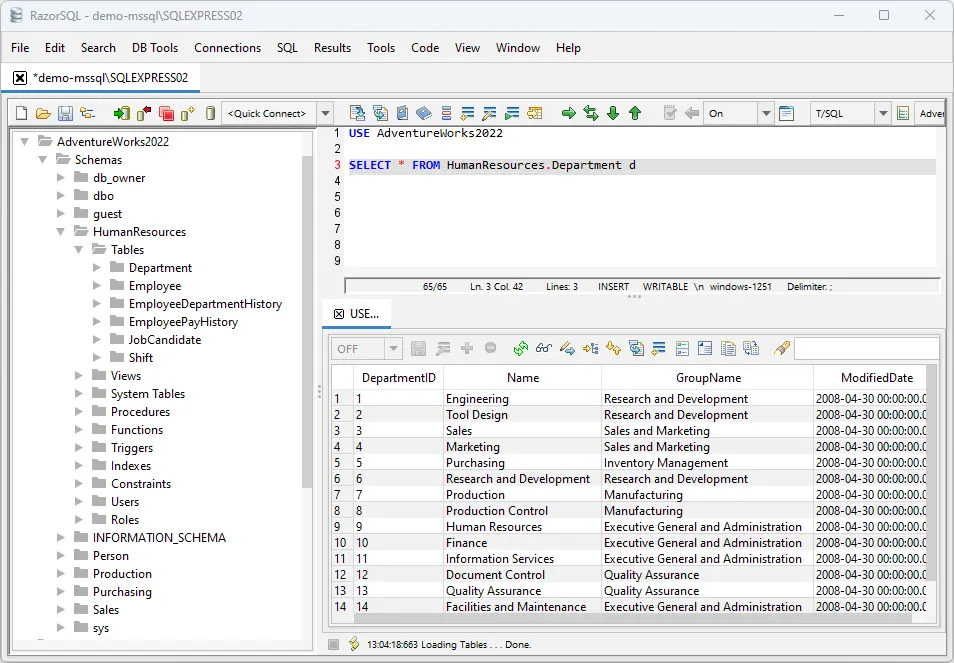
Overview of RazorSQL
RazorSQL is an easy-to-use database management tool that works across more than 40 database systems. Its feature highlights include a database browser, an SQL editor, visual tools for database object management, a table data comparison tool, and a visual query builder.
RazorSQL also delivers CLI automation of backups, script executions, data import and export operations, and more.
Platforms: Windows, macOS, Linux · Pricing: from $129 per user (perpetual license)
Pros
- Clean and simple UI
- Support for 40+ databases
- Visual query builder
- CLI-powered operations
- Visual tools for object management
- Free 30-day trial
Cons
- No AI assistant
- No visual debugger
- No schema comparison and synchronization
- No data generator
- No visual database designer
Overview of DBeaver
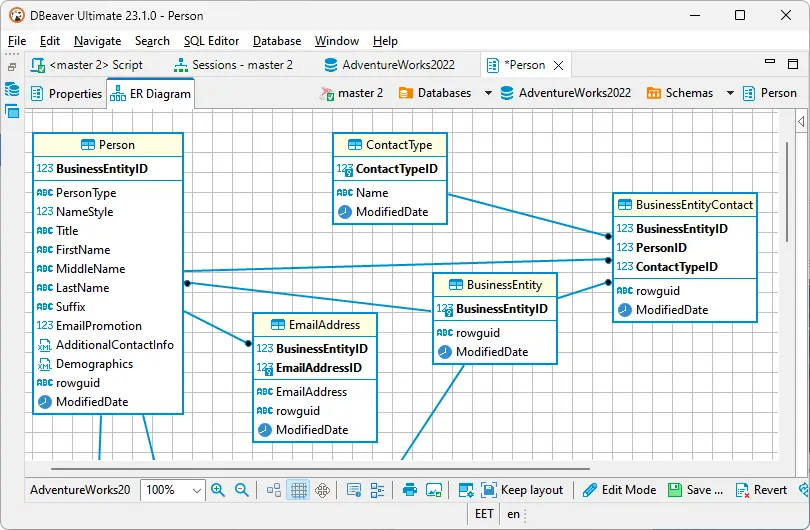
DBeaver Ultimate is a commercial edition of DBeaver, a cross-platform client for SQL-based databases, designed for in-depth data management, SQL development, and easy work with all possible data sources,
including multiple database systems and cloud services.
Platforms: Windows, macOS, Linux · Pricing: Community edition free / $510 per user per year (Ultimate)
Pros
- Feature-rich data editor
- Convenient SQL editor
- Advanced security
- Unified access to cloud databases
- Support for multiple database systems
- Free 14-day trial
Cons
- No visual debugger
- No data generator
- No database documenter
- No pivot table and data report designer
- No CLI automation for schema and data comparison
Why dbForge Edge is the best RazorSQL or DBeaver alternative
dbForge Edge is a multidatabase solution that consists of four all-in-one IDEs (called Studios)
for the most popular database systems: SQL Server, MySQL, MariaDB, Oracle, and PostgreSQL - alongside a rich selection of cloud services.
Besides an extended feature set, you get a comprehensive documentation center with in-depth insights into the features of each IDE alongside helpful tutorials on the company's blog and YouTube channel.
Devart also provides reliable technical support.
- AI Assistant helping in query generation, optimization, and debugging
- Context-aware SQL autocompletion and relevant object suggestions
- Easy code formatting, refactoring, and debugging
- Comparison and synchronization of database structures and actual data
- Flexible database management and operations with data
- Intuitive visualization of queries on diagrams
- Quick generation of column-intelligent test data
- Database administration
- Free 30-day trial, with a free Express Edition available for basic features
dbForge Edge
The ultimate multidatabase suite for database development, management, and administration, as well as data management, analysis, and reporting
dbForge Edge vs RazorSQL vs DBeaver: How to choose the right tool
When you need to choose between dbForge and RazorSQL or DBeaver, proceed from the practical benefits each tool can bring. When used in different database
development and management scenarios, each tool may prove to be the best alternative. The following table shows differences between dbForge, RazorSQL, and DBeaver
in the context of their practical benefits for various developer use cases.
Feature comparison table
The following table contains a detailed feature-by-feature comparison of dbForge Edge 2026.1.39, RazorSQL 10.6.8,
and DBeaver 26.0. For quick navigation, use the side menu.
AI Assistant
SQL Development
Development & Design
Data Management
Database Exploration
Database Operations
Team Collaboration
Workflow Automation
Data Analysis & Reporting
Key advantages of dbForge Edge
dbForge Edge helps you complete database tasks faster and with less manual work, from design and development to testing, administration, and data analysis.
Work faster with AI assistance
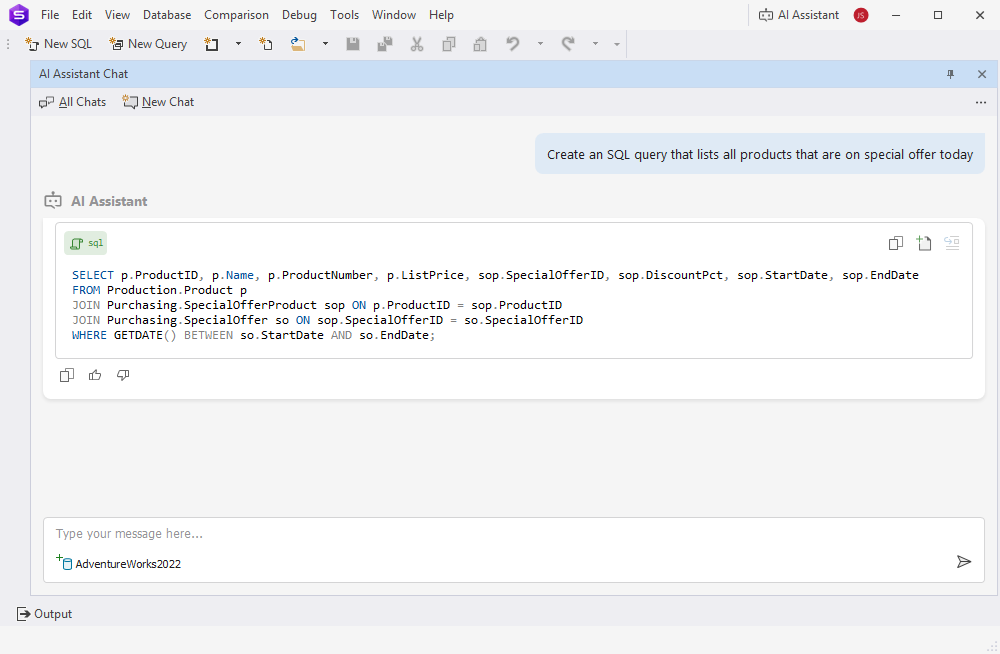
Built-in AI capabilities help reduce routine work and speed up daily database tasks:
- Generate SQL queries from natural language descriptions
- Improve query quality with optimization recommendations
- Understand complex SQL with clear explanations
- Resolve errors and troubleshoot issues faster
- Get instant answers to database-related questions
- Reduce time spent on debugging, testing, and data preparation
Write SQL with fewer errors
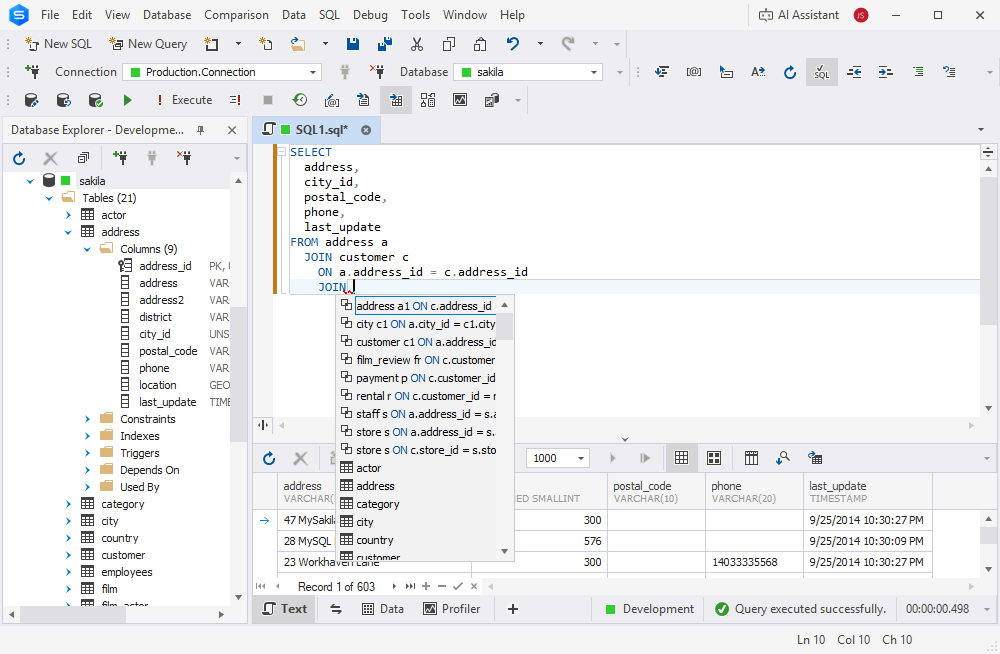
Powerful coding tools help you create, modify, and maintain SQL code more efficiently:
- Write code faster with intelligent code completion
- Catch syntax issues before execution
- Reuse common code patterns with snippets
- Keep code consistent with flexible formatting options
- Rename objects safely without breaking dependencies
- Identify and fix issues during development with built-in debugging tools
Keep data synchronized across environments
Compare and synchronize data with confidence while reducing manual verification:
- Quickly identify differences between databases
- Analyze changes at the record level
- Reuse saved comparison settings for recurring tasks
- Generate synchronization scripts automatically
- Share results through detailed comparison reports
- Schedule and automate routine comparison operations
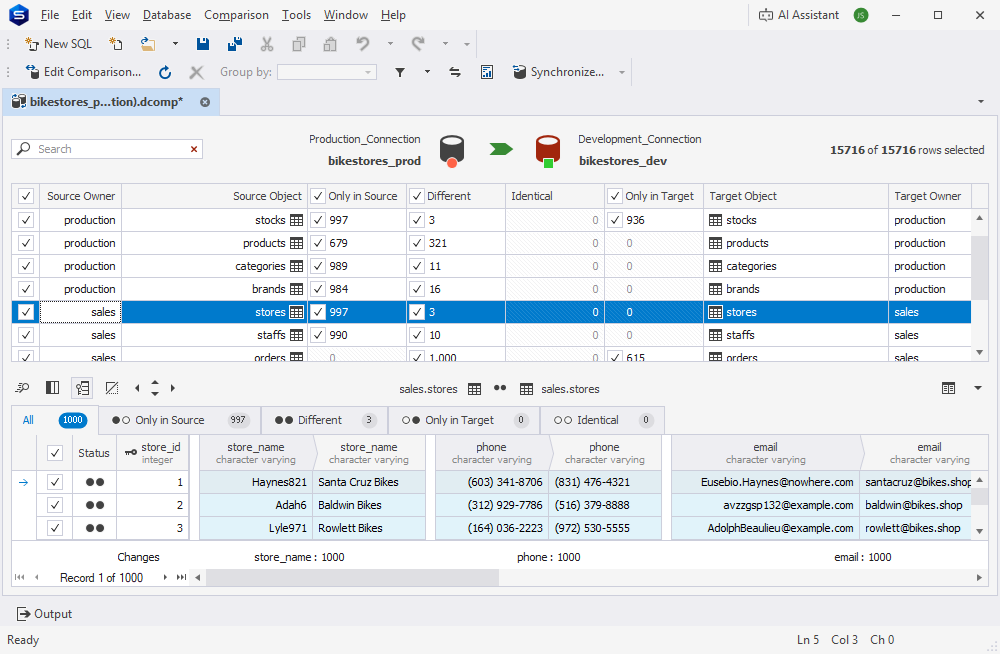
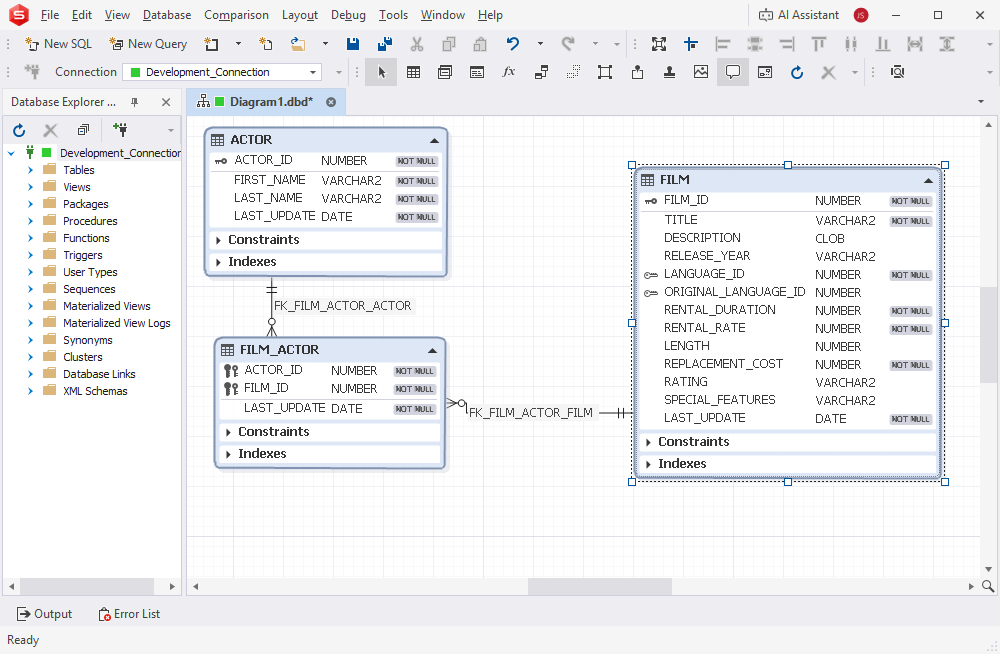
Visualize and maintain database structures
Design and modify database schemas without manually analyzing complex object relationships:
- Understand database structures through visual diagrams
- Create and modify schemas with minimal manual scripting
- Easily explore relationships between tables
- View object details directly from diagrams
- Generate diagrams from existing databases
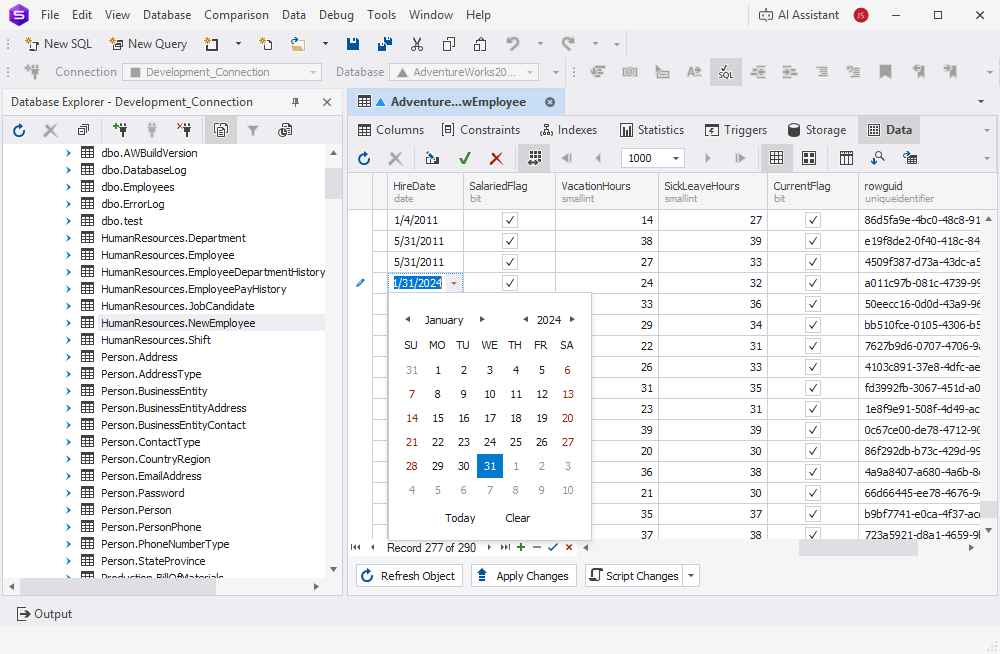
Manage data more efficiently
Access and modify data using tools designed for everyday database work:
- Find and update data faster with filtering and search tools
- Review large datasets more comfortably with paged views
- Navigate records quickly with instant search capabilities
- Inspect records in a clear card-based layout
- Generate INSERT statements directly from selected data
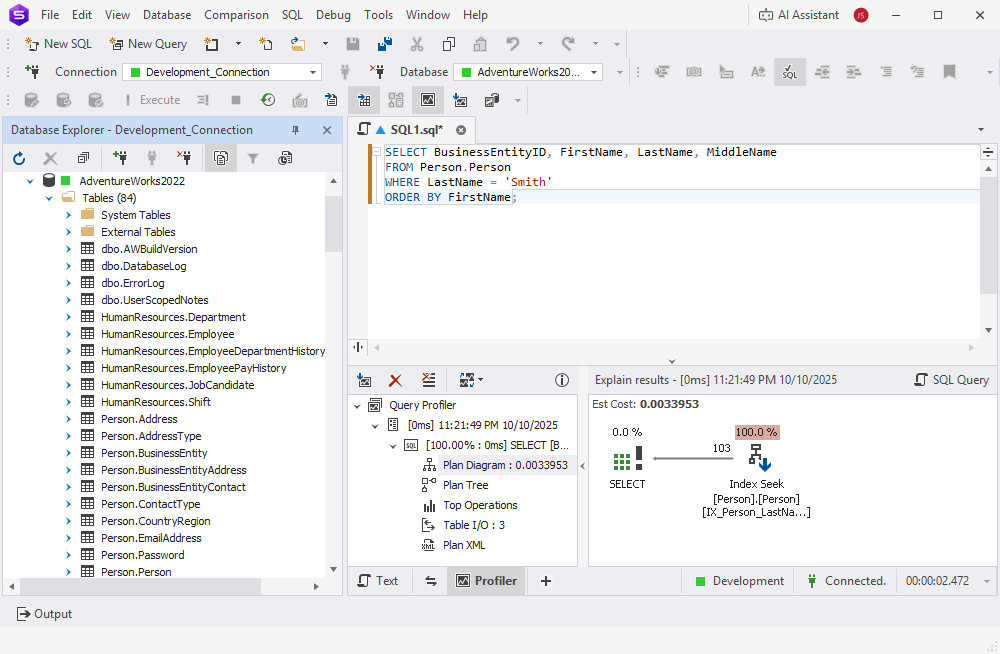
Improve query performance
Identify performance issues before they affect users and applications:
- Detect query bottlenecks faster
- Understand execution plans and profiling results
- Compare performance before and after changes
- Analyze query behavior with automated profiling tools
- Troubleshoot performance issues using detailed diagnostics
Create realistic test data in minutes
Prepare development and testing environments without using production data:
- Generate large volumes of realistic sample data
- Maintain consistency across related tables
- Preserve relationships and dependencies automatically
- Create reusable custom generators for your team
- Populate test environments in just a few clicks
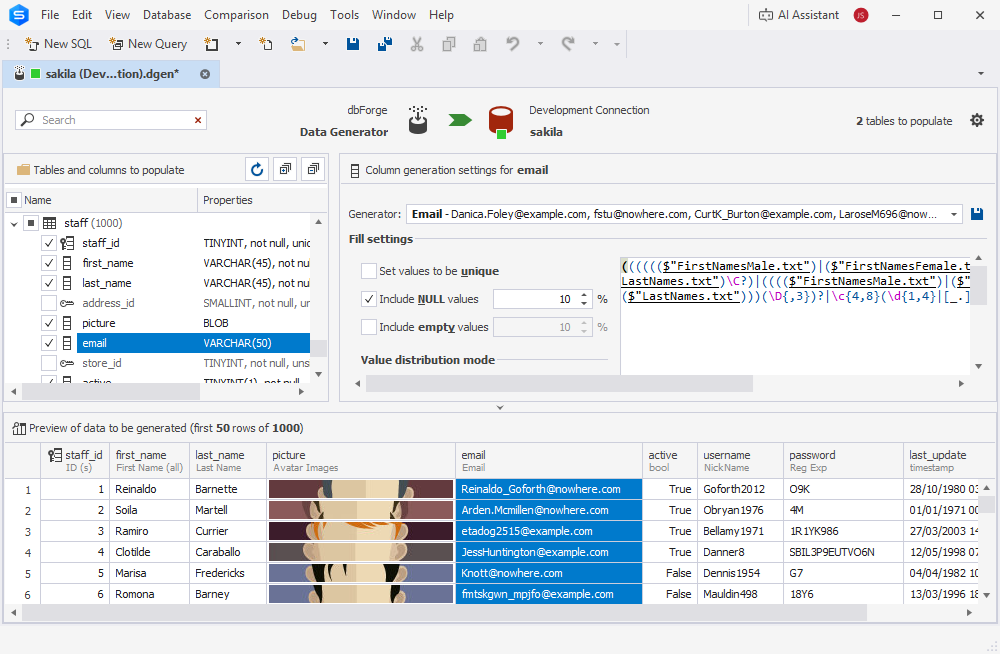
Reduce repetitive work through automation
Automate routine database operations and spend more time on high-value tasks:
- Schedule recurring database activities
- Reuse saved configurations and workflows
- Generate scripts and reports automatically
- Standardize processes across development and administration teams
dbForge Edge
The ultimate multidatabase suite for database development, management, and administration, as well as data management, analysis, and reporting
FAQ
dbForge Edge offers a free 30-day trial, during which you can evaluate the advantages of this
multi-database solution.
Is dbForge a good IDE for database teams?
Yes, dbForge Edge represents an efficient IDE for database development and administration for its multi-database support and development-enabling features, such as Data Editor,
Data Generator, code completion, debugging, and others.
How does the AI Assistant in dbForge Edge work?
dbForge AI Assistant supports you in various database-related matters, generating and optimizing queries, converting natural language to SQL, finding and fixing errors, and
providing information on topics concerning database development and management.
Is dbForge Edge a good RazorSQL replacement for large teams?
Yes, dbForge Edge can be more efficient as a database development IDE for large teams for its multi-database support, automation features, as well as documentation
and collaboration capabilities. However, RazorSQL can still be a good choice when you need a lightweight IDE that you can start using out of the box in simple workflows.
Does dbForge Edge offer Git integration?
Yes, dbForge Edge offers Git integration, enabling version control and conflict resolution features. At the same time, dbForge Edge supports collaborative workflows, where multiple
team members can work on the same project.
Is dbForge Edge cross-platform like DBeaver?
dbForge Edge is a multi-database solution comprising four IDEs for working with Microsoft SQL Server, MySQL, MariaDB, Oracle Database, and PostgreSQL databases. All components of
dbForge Edge are designed for Windows, macOS, and Linux, offering full cross-platform support.