Code Completion Features Overview
Contents
What autocompletion and code completion are about?
Autocompletion functionality means predicting a word, phrase, objects name,
etc that user wants to type without typing it completely. Instead user can choose
an appropriate item from the popup list which is formed basing on the existing context.
Autocompletion of code (source code, queries, etc.) is also known as code completion.
dbForge SQL Complete offers code completion functionality for SQL Server
Management Studio and Visual Studio that resembles Microsoft IntelliSense, but provides
many additional options and possibilities. In SQL Complete, basic code completion
capabilities go together with advanced ones, thus making the product useful for
newbies as well as for experienced developers.
In this article, you can follow described steps and review the capabilities of the
product yourself while actually using them.
So, let's begin our tour and get acquainted with features of SQL Complete.
Let's start typing!
The application itself builds its menu item into the main menu of SSMS and Visual
Studio and is enabled by default after installation. Open your SQL Server Management
Studio or Visual Studio, start typing:
USE AdventureWorks
SELECT * f
Smart filtering to suggest relative keywords and objects
You see, the list of suggested relative keywords and objects was neatly filtered
basing on the first typed symbol. When using SQL Complete, you will notice it also
performs such filtering basing on whitespace, camel case, and square bracket. This
feature is called Smart filtering to suggest relative keywords and objects.
USE AdventureWorks
SELECT * FROM
Determining a current database or schema
Here the application displays the list of database objects from the current database
or schema. The application determines the current database or schema basing
on the connection properties of the current SQL document in case there are no USE
statements in the code, and if there are any, the application changes the current
database for subsequent SQL statements.
USE AdventureWorks
SELECT * FROM Person.Address a LEFT JOIN HumanResources.EmployeeAddress ea
ON ea.AddressID =
Context-based code completion
SQL Complete really catches the meaning at once - it thoroughly analyzes the context
to predict what you will type next and displays only relative keywords and names
of database objects. This is Context-based code completion.
USE AdventureWorks
SELECT * FROM Person.Address a LEFT JOIN HumanResources.EmployeeAddress ea
ON ea.AddressID = a.AddressID WHERE
Context-based sorting of suggestions in the list
To accelerate and simplify your work, SQL Complete sorts names of database objects
by type and displays the most relevant suggestions in the top of the list; others
are moved to the bottom. This way the application applies Context-based sorting
of suggestions in the list.
Code Completion in SELECT statements
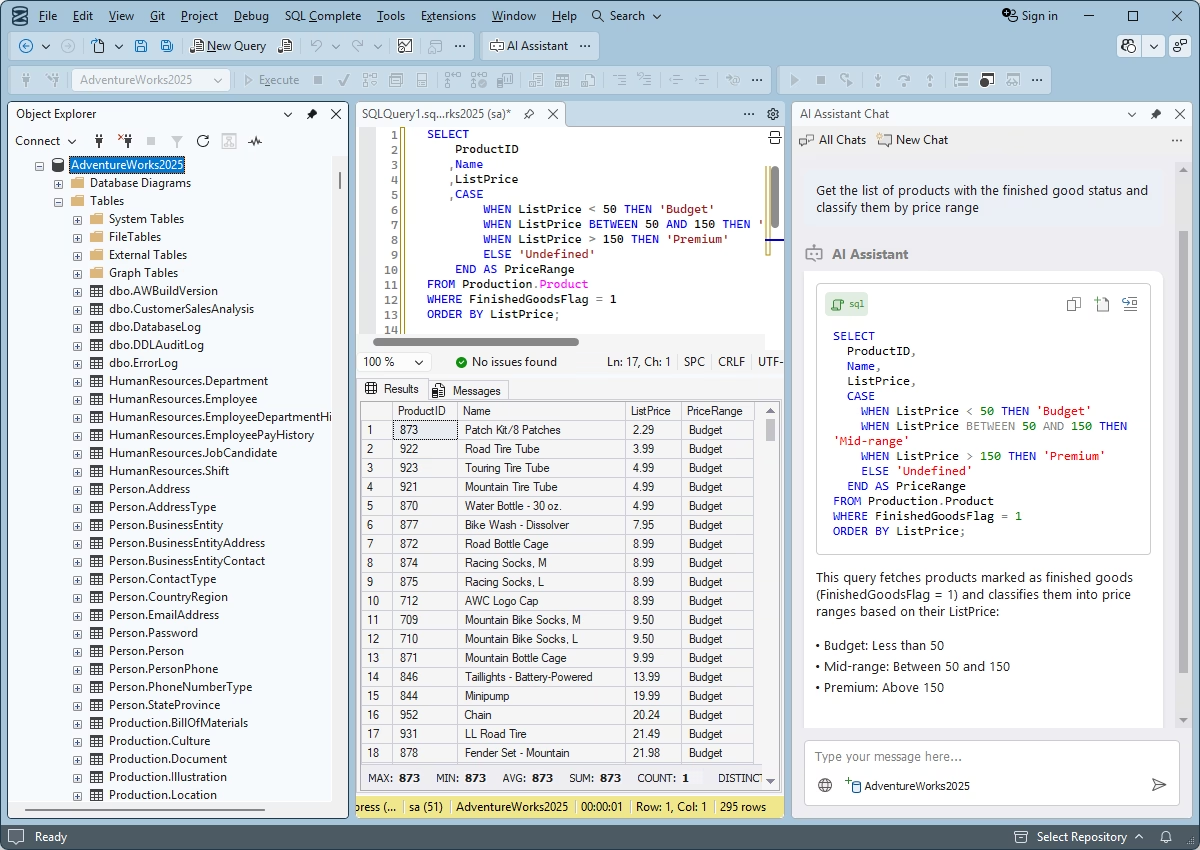
Now let's review the group of features designed to simplify creation of SELECT statements.
I bet you write SELECT queries more often than other queries. That's why SQL Complete
does its best to reduce the time you spend creating such queries. Actually, the
tool takes the smallest hint:
USE AdventureWorks
SELECT /* Press Ctrl+Space*/ FROM Person.Address a
Column picker for list building
In case you need to select data from several columns from one or more tables, you
don't need to type column names manually or create any workarounds - in the SQL
Complete prompt list, you can check the requested columns and they will be added
to your SQL document. This is how Column picker for quick list building works.
USE AdventureWorks
SELECT * FROM Person.Address a LEFT JOIN
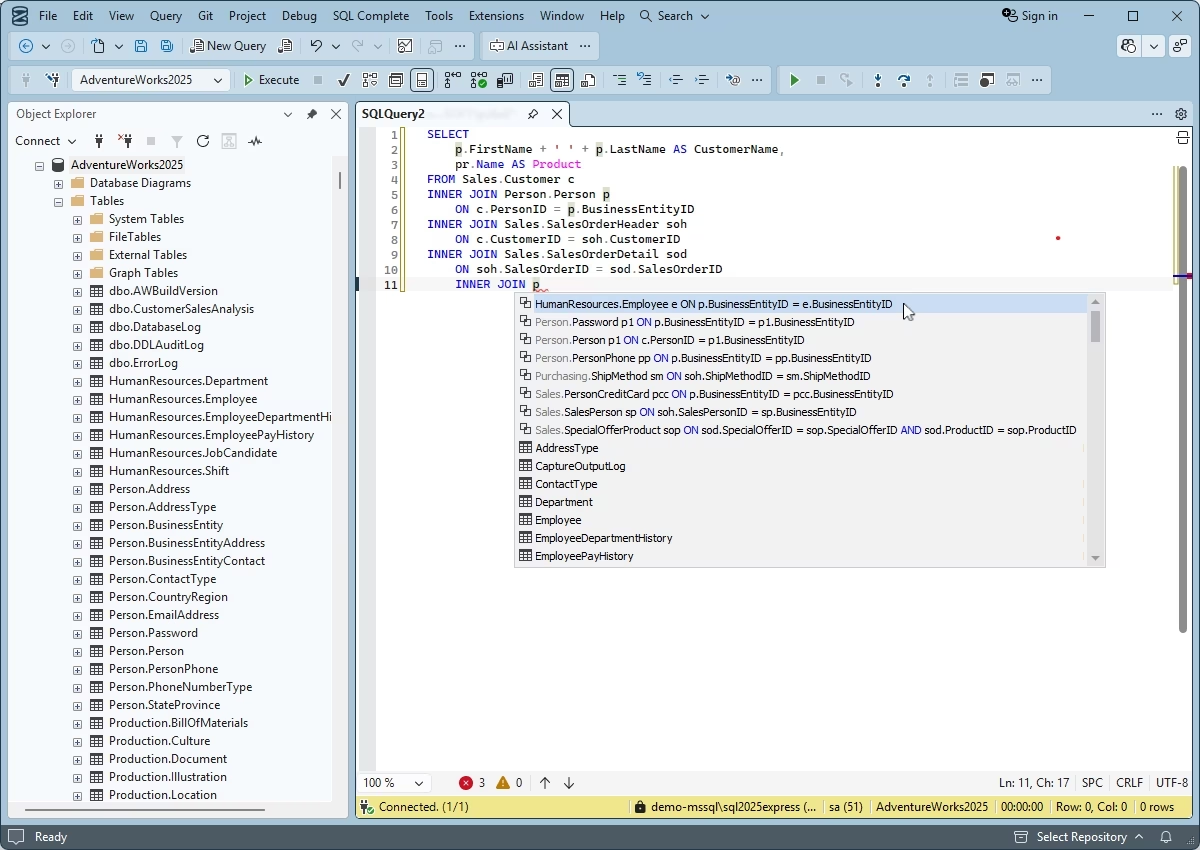
Suggesting conditions for JOIN statements
SQL Complete suggests a full JOIN statement basing on foreign keys, or it
can prompt conditions based on column names.
USE AdventureWorks
SELECT /* Press Tab */ FROM Person.Address a
Expanding a list of columns
You can replace the * asterisk symbol with the list of columns from the required
table or view on pressing the Tab key.
USE AdventureWorks
SELECT * FROM HumanResources.EmployeeAddress ea
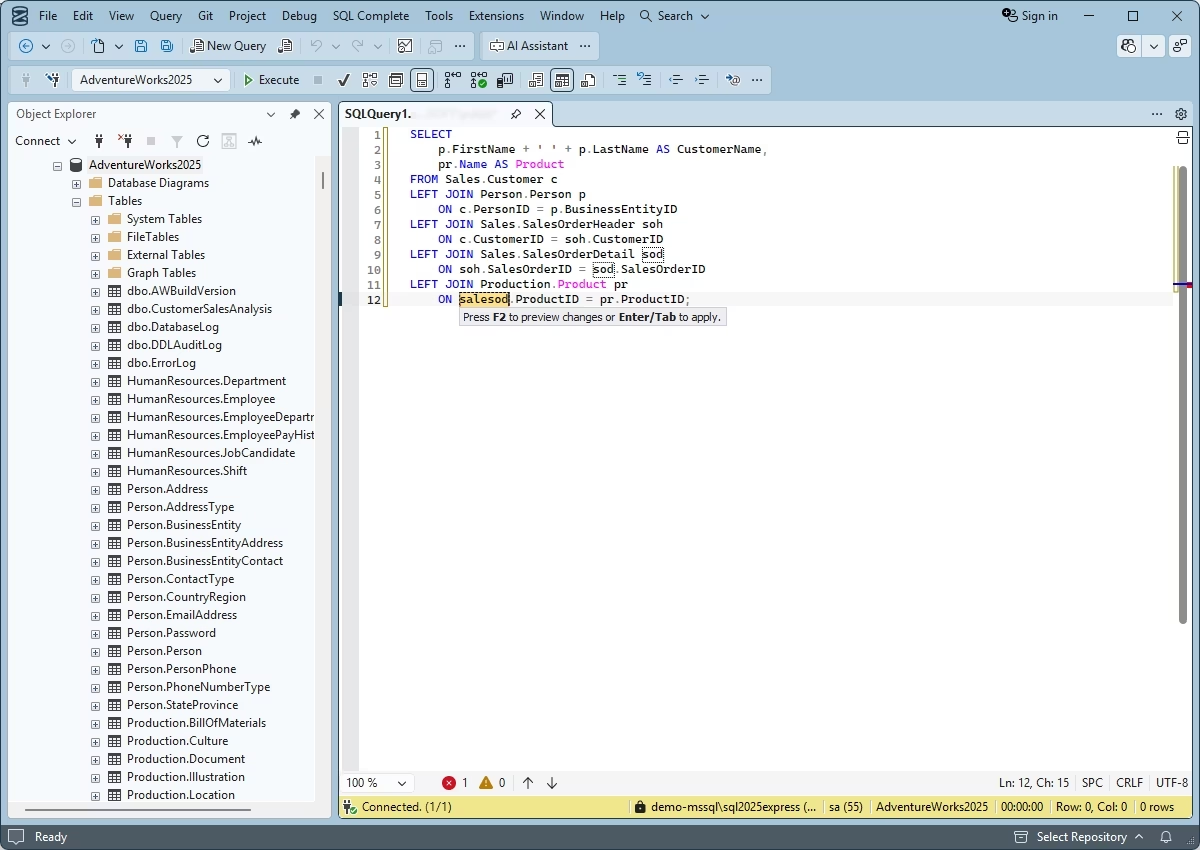
Automatic alias generation
After table object (table, view, stored procedure, function, synonym) name is entered,
SQL Complete automatically generates an alias for it in the FROM list of
your SQL document.
USE AdventureWorks
WITH cte (cc, n) AS SELECT CurrencyCode, Name FROM Sales.Currency c
SELECT
SQL Complete helps you improve readability and simplify maintenance of complex queries
with code completion for Common Table Expressions (CTE).
Completing T-SQL code, DDL, and security statements
Another pile of features covers Transact-SQL, DDL, and security statements.
With such help, you will have an ace up your sleeve when there is a necessity to
write complex SQL code in a short period of time:
Suggestions for T-SQL statements
As for T-SQL, SQL Complete provides smart prompts for:
- DECLARE statements for local variables, cursor variables, and table definitions;
- cursors (declared with the help of DECLARE CURSOR statements) in OPEN, CLOSE,
DEALLOCATE statements;
- context for such control-of-flow as BEGIN...END, GOTO, IF...ELSE, RETURN, BREAK,
CONTINUE, WHILE, WAITFOR, TRY...CATCH, CASE, RAISERROR.
Suggestions for DDL statements
You see, SQL Complete provides suggestions when typing DDL statements. In
the example above it prompts for columns from referenced table.
For security statements, you also get some help:
Suggestions for security statements
If you want to grant privileges to enable user make a selection from some table,
SQL Complete will give you a suggestion list containing users and roles available
in the database.
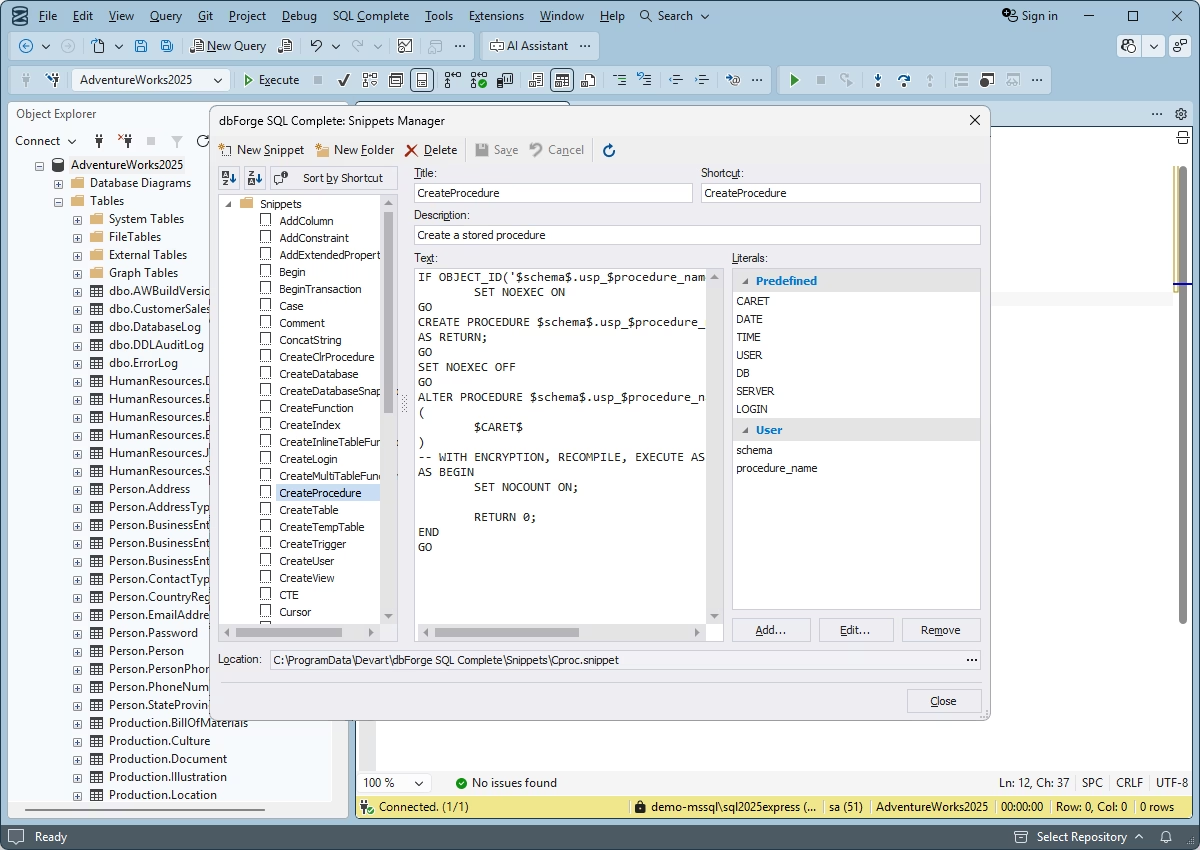
Frequently Used Code Templates - SQL Snippets
If you have to use some pieces of code over and over again, you don't need to type
them each time. The SQL snippets feature will help you avoid such repetitive
actions. With Snippets Manager, you can view, edit, add new code templates with
or without parameters. When typing SQL code itself, existing and user-defined templates
will be shown in the popup suggestion list generated by SQL Complete. They can be
opened on pressing Tab:
IntelliSense for linked servers
If you are using a linked server configuration, you can also use IntelliSense when
creating queries in addition to other advantages of such configuration. dbForge
SQL Complete supports IntelliSense for linked SQL Server 2000, 2005, 2008,
2012, and Azure servers.
IntelliSense for linked servers
Conclusion
dbForge SQL Complete provides a wide range of code completion features that
allow users to avoid concentrating on remembering long and complex object names,
column names, exact SQL operators, etc, but instead concentrate on writing high-quality
SQL code with proper formatting that will be easy to understand and interpret.