Choosing the best SQL editor for PostgreSQL in 2026 goes beyond features. You must consider important factors, such as how efficiently you want to write SQL queries, handle complex databases, and manage your data. The right choice can improve productivity and provide in-depth insight into your database. But with so many options available, how do you know the best PostgreSQL editor for your workflow?
This guide compares the best PostgreSQL-compatible SQL editors based on use cases like query writing, data editing, and database management. Whether you're a developer, database administrator, or data analyst, you'll find both free and premium PostgreSQL editors, including options with visual query builders, advanced code completion, and cross-platform support. This comparison will help you choose the best PostgreSQL query editor for your needs and workflow.
Let's get started.
Why use a SQL editor for PostgreSQL
A dedicated SQL editor for PostgreSQL speeds up database work, enhances system reliability, and is significantly more manageable than using command-line tools or generic code editors. These tools are designed with built-in features for writing queries faster, modifying data, and navigating database structures, so you can focus on getting results and not struggling with syntax.
Compared with command-line tools like psql, dedicated PostgreSQL editors stand out for reducing friction with a more natural, visual workflow. While tools like psql are useful, they might slow you down when dealing with complex queries or large datasets where dedicated PostgreSQL editors thrive.
Here's how using a PostgreSQL SQL editor helps improve your daily workload:
- Faster query writing with syntax support: Features like syntax highlighting, auto-completion, and error detection in PostgreSQL editors help you write correct and clean queries faster and avoid common errors.
- Better query readability and formatting: With the built-in tools in dedicated PostgreSQL editors, long and complex SQL queries are easier to read, debug, and maintain.
- Efficient result review and analysis: PostgreSQL editors display results in structured grids, offering sorting, filtering, and export options instead of raw text output.
- Safe and controlled data editing: PostgreSQL editors also make it easy to edit table data directly with safeguards that reduce the risk of accidental changes. This is especially useful in production-like environments.
- Advanced filtering and data exploration: Dedicated PostgreSQL editors can help you quickly locate specific records without rewriting queries every time.
- Visual database object browsing: You can easily navigate tables, views, indexes, and schemas without memorizing structure or writing extra queries with PostgreSQL editors.
- Reduced risk when working with critical data: PostgreSQL editors also include features such as transaction controls, query previews, and execution warnings to help prevent costly mistakes.
Now that we have explored why using a dedicated PostgreSQL editor is important, let's examine some of the best editors for PostgreSQL, their features, and how they fit into your workflow.
List of the best SQL editors for PostgreSQL
Below is a curated list of the best SQL editors for PostgreSQL that balance usability, query capabilities, and workflow support for different user types.
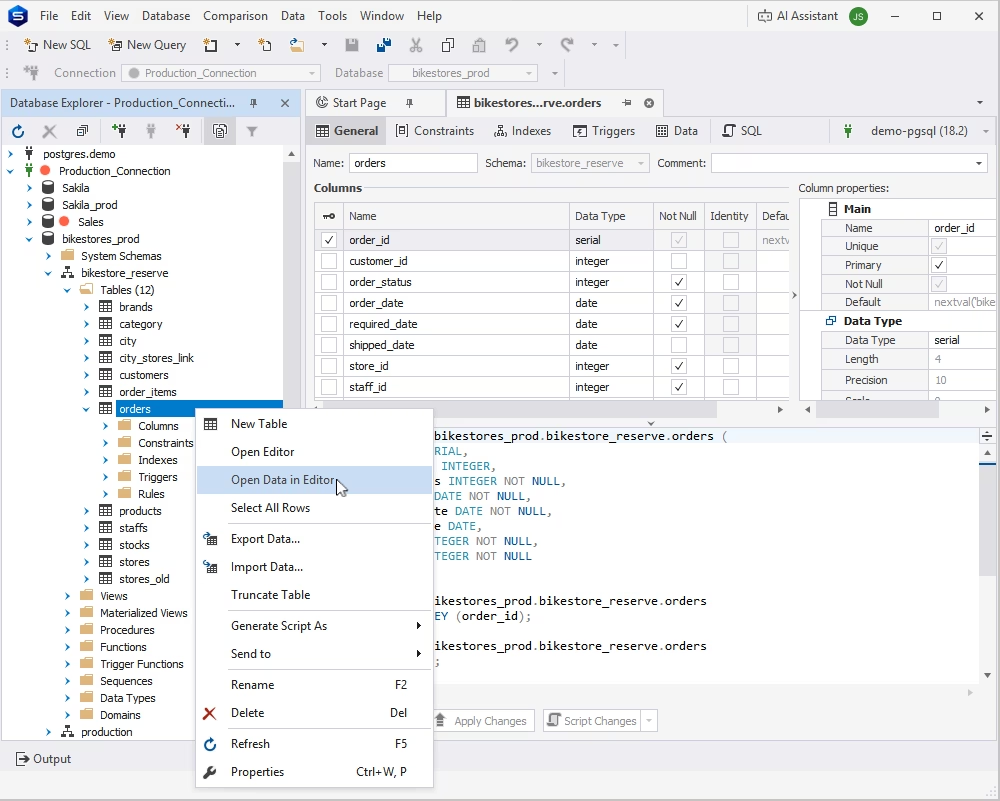
dbForge Studio for PostgreSQL is a high-end IDE with an extensive toolset, compatible with on-premises PostgreSQL and related cloud services (e.g., Supabase, Heroku, Amazon Redshift/RDS/Aurora). Among other things, it offers a professional PostgreSQL editor designed for efficient data handling alongside full database development workflows. It goes beyond basic query execution by providing a structured environment for viewing, editing, filtering, and managing table data with precision.
The Studio is especially useful for technical teams working with large datasets, complex schemas, and routine database tasks. It offers a dedicated PostgreSQL interface rather than a generic editor, making it easier to navigate objects, validate changes, and maintain data consistency across projects.
Pros
- Advanced data editing with filtering and sorting
- Strong support for structured data workflows
- Integrated database development and management tools
- Intuitive interface for working with tables and schema objects
Cons
- May feel feature-heavy for beginners
- Not as lightweight as minimal editors
Features
- Visual data editor with inline editing
- Advanced filtering and sorting options
- Database Explorer
- Query execution and optimization
- Schema and data management tools
Pricing
Paid (with a free 30-day trial)
Free Express Edition
dbForge Studio for PostgreSQL
A feature-rich and versatile IDE for database development, management, and administration, as well as data management, analysis, and reporting
DBeaver
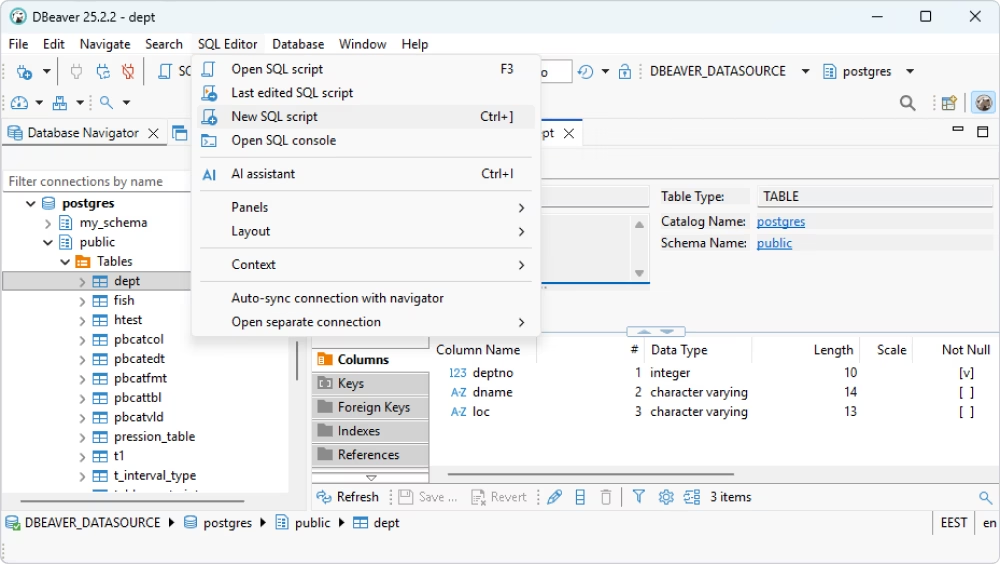
DBeaver is a widely used PostgreSQL SQL editor known for its flexibility and multi-database support. It allows users to work with PostgreSQL alongside other database systems, making it a popular choice for teams managing diverse environments.
As a PostgreSQL editor, it provides solid SQL editing, object browsing, and data management capabilities. Its cross-platform nature and plugin ecosystem make it suitable for users who want a single tool for multiple databases.
Pros
- Supports multiple database systems
- Cross-platform (Windows, macOS, Linux)
- Customizable interface and extensions
- Strong community support
Cons
- The interface can feel cluttered
- Performance may slow with large datasets
Features
- SQL editor with auto-completion
- Database navigator for object browsing
- Data viewer and editor
- ER diagrams and metadata tools
- Multi-database connectivity
Pricing
Free (Community Edition)
Paid (Enterprise Edition)
pgAdmin
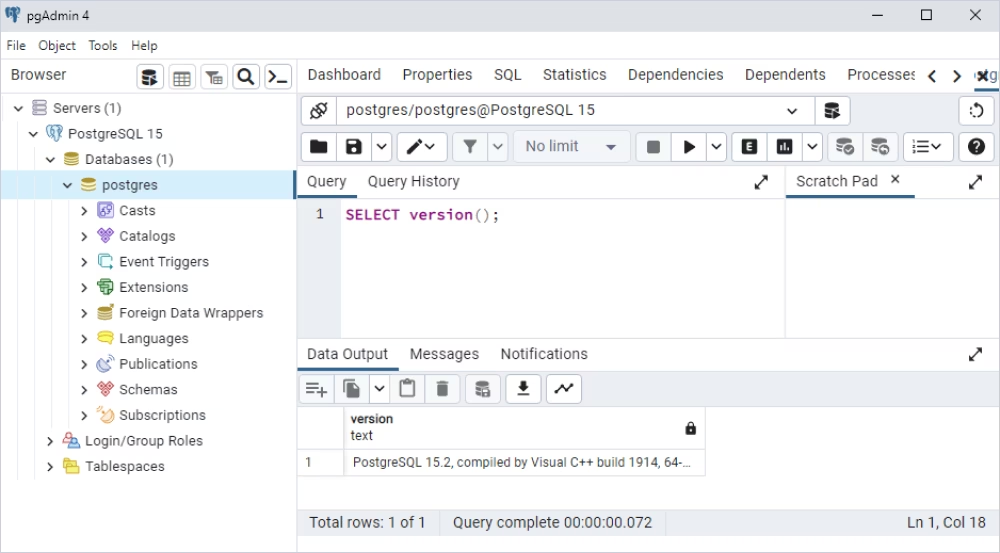
pgAdmin is one of the most recognized PostgreSQL editors and administration tools, widely used within the PostgreSQL ecosystem. It provides a native environment for managing databases, running queries, and handling administrative tasks.
As an ecosystem-aligned PostgreSQL query editor, pgAdmin is often the default choice for users who prefer a tool closely tied to PostgreSQL itself. It supports database browsing, query execution, and configuration management in a unified interface.
Pros
- Official PostgreSQL tool
- Comprehensive database management features
- Free and open-source
- Strong integration with PostgreSQL
Cons
- The interface can feel outdated
- Slower performance compared to modern tools
Features
- Query tool for SQL execution
- Database object browser
- Backup and restore utilities
- User and role management
- Server monitoring tools
Pricing
Free
DataGrip
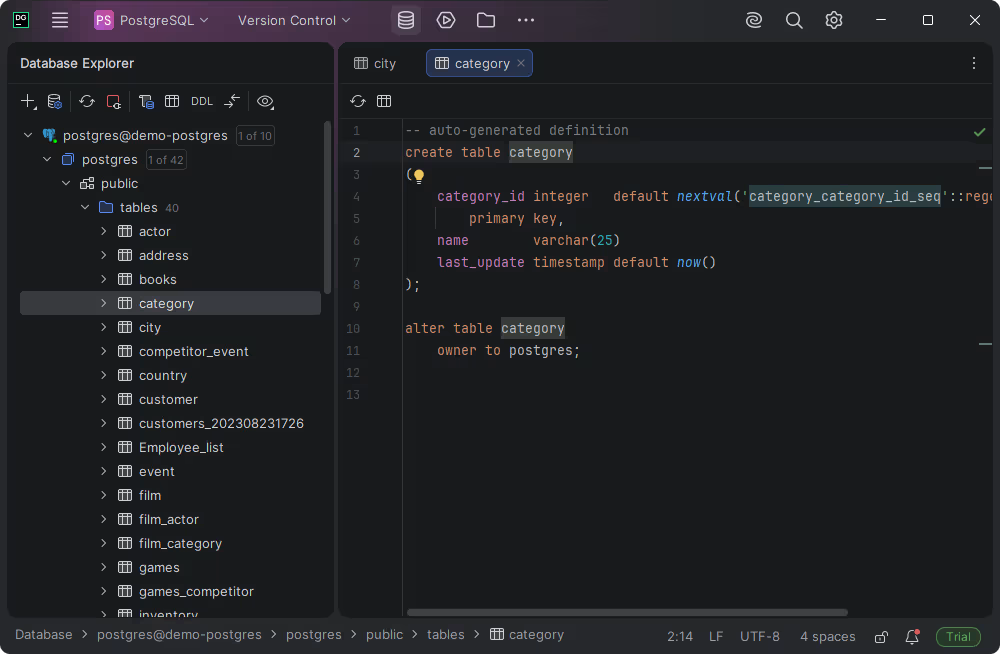
DataGrip is a database IDE that offers advanced SQL editing capabilities with intelligent code assistance. It is designed for developers and technical users who want a more code-focused PostgreSQL editor with IDE-like features.
This SQL editor for PostgreSQL stands out for its smart query analysis, auto-completion, and refactoring tools. It supports multiple databases, making it suitable for users who prioritize efficient query writing and structured development workflows.
Pros
- Powerful SQL editor with smart suggestions
- Clean, developer-friendly interface
- Supports multiple databases
- Strong code analysis and refactoring tools
Cons
- Slower to navigate for simple tasks
Features
- Intelligent SQL auto-completion
- Query profiling and analysis
- Version control integration
- Database schema navigation
- Multi-database support
Pricing
Paid (subscription-based)
Free non-commercial edition
TablePlus
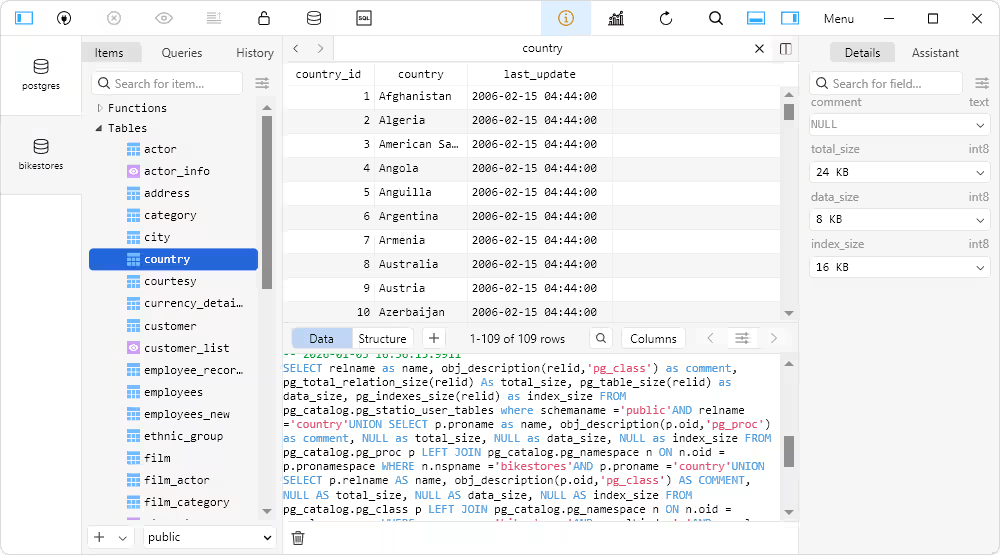
TablePlus is a lightweight PostgreSQL editor focused on simplicity and speed. It provides a modern interface for browsing data, writing queries, and managing databases without overwhelming users with complex features.
This PostgreSQL SQL editor is ideal for users who prefer a clean UI and quick access to database functionality. It balances usability and performance, making it a strong option for everyday database tasks.
Pros
- Clean and modern interface
- Fast performance
- Easy to use for beginners
- Cross-platform support
Cons
- Limited advanced features
- Some features locked behind paid version
Features
- SQL editor with tabs
- Data grid for editing records
- Database object navigation
- Connection management
- Lightweight design
Pricing
Free (limited version)
Paid (full version)
Beekeeper Studio
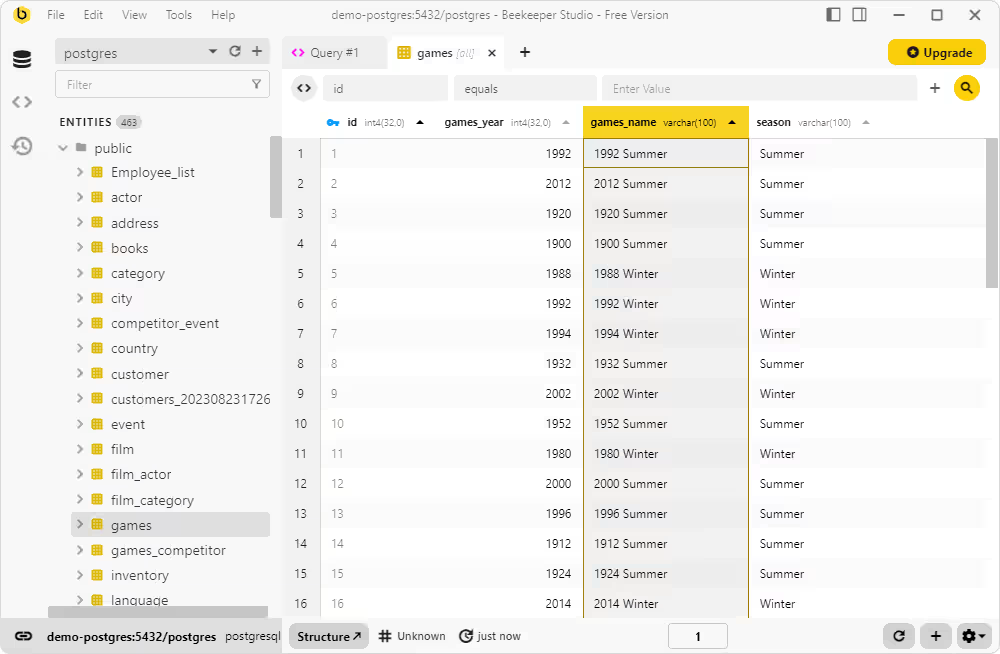
Beekeeper Studio is an approachable SQL editor for PostgreSQL that focuses on simplicity and ease of use. It provides a clean interface for query execution, data browsing, and basic database management.
This PostgreSQL editor is particularly appealing to users who want a less intimidating alternative to more complex tools. It simplifies query workflows while still offering essential features for working with PostgreSQL databases.
Pros
- Simple and user-friendly interface
- Open-source option available
- Easy setup and connection
- Clean query editing experience
Cons
- Fewer advanced features
- Not ideal for complex database workflows
Features
- SQL query editor
- Table data viewer
- Saved queries and tabs
- Basic database browsing
- Cross-platform support
Pricing
Free (Community Edition)
Paid (Ultimate Edition)
This list of the best PostgreSQL editors highlights tools for different needs—from full-featured database environments to lightweight SQL editors. Choosing the right SQL editor for PostgreSQL depends on your workflow, technical requirements, and how deeply you interact with your database systems.
PostgreSQL editor comparison table
Choosing the best SQL editor for PostgreSQL is easier when you can easily assess how each tool performs in key areas such as query writing, data editing, and usability. The table below provides a clear, side-by-side comparison to help you decide which PostgreSQL editor best fits your workflow.
| Tool |
SQL editor quality |
Data editing |
Visual database navigation |
PostgreSQL focus |
Plan options |
Best fit for |
|

dbForge Studio for PostgreSQL
|
Advanced, professional-grade editor for query writing and result handling |
Strong built-in data grid editing, filtering, sorting, and record management |
Strong visual navigation for database objects and table data |
High |
Free trial / Free Express Edition / Paid options |
DBAs, PostgreSQL developers, analysts, and technical teams that want a dedicated PostgreSQL workspace |
|

DBeaver
|
Strong and flexible |
Good |
Strong |
Medium-High |
Free trial / Paid option |
Multi-database users, developers, and DBAs needing broad platform support |
|

pgAdmin
|
Good |
Basic to moderate |
Strong |
High |
Free |
PostgreSQL administrators and users who prefer an ecosystem-native tool |
|

DataGrip
|
Advanced, IDE-style editing experience |
Moderate |
Good |
Medium |
Free trial / Non-commercial edition / Paid option |
PostgreSQL developers who prioritize code assistance and IDE workflow |
|

TablePlus
|
Good |
Good |
Good |
Medium |
Free trial / Paid option |
Users who prefer a simpler interface for everyday PostgreSQL work |
|

Beekeeper Studio
|
Good |
Good |
Moderate |
Medium |
Free trial / Paid option |
Developers and analysts who want an easy-to-use PostgreSQL editor |
Whether you want a PostgreSQL editor with advanced query capabilities, robust data editing, or a simple, clean interface, this comparison highlights the benefits of each PostgreSQL SQL editor, helping you quickly narrow down your selection based on your specific needs.
How to choose the best SQL editor for PostgreSQL
Now that we have gone through some of the best SQL editors for PostgreSQL, you may want to ask: How do you choose the best tool for your workflow?
Choosing the best SQL editor for PostgreSQL depends not just on the tool's capabilities. It should match your workflow, support efficient data handling, and fit your environment without adding unnecessary complexity.
Here are some key factors to consider when choosing your PostgreSQL editor:
- Your day-to-day workflow (development, administration, analysis)
- Data editing and result handling capabilities
- PostgreSQL-specific features and depth
- Visual navigation of database objects
- Platform compatibility (Windows, macOS, or both)
- Budget and licensing model
- Team size and collaboration needs
Let's break the process down to help you better understand how to make the right choice.
Choose based on your PostgreSQL workflow
Different tools are optimized for different user types, and choosing the wrong one can slow you down. Therefore, your role and workflow should be the primary factors when selecting a PostgreSQL editor.
- Developers typically need a PostgreSQL SQL editor with strong query-writing features, auto-completion, and code assistance. Tools with IDE-like capabilities help streamline development and debugging.
- Database administrators (DBAs) require deeper control over database objects, user roles, performance monitoring, and data integrity. A PostgreSQL database editor with robust management features is essential here.
- Data analysts often focus on querying and reviewing results rather than managing schemas. For them, a PostgreSQL query editor with clear result grids, filtering, and export options is more valuable than advanced admin tools.
- Mixed teams benefit from flexible PostgreSQL editors that balance query editing, data management, and cross-database support, allowing different roles to work within the same environment.
Understanding how you interact with PostgreSQL daily helps narrow down the best SQL editor for PostgreSQL without overpaying for features you won't use.
Check data editing and query result handling
Data editing and result handling are critical features that many users overlook when choosing a PostgreSQL editor. A tool may have a strong SQL editor, but if its data grid is weak, your workflow can become inefficient.
A reliable SQL editor for PostgreSQL should allow you to:
- View query results in a structured, grid-based format
- Sort, filter, and search within result sets easily
- Edit records directly without writing additional queries
- Handle large datasets without performance issues
These capabilities are especially important when working with production-like data, where clarity and control reduce the risk of errors. Editing data through a visual interface is often faster and safer than running manual update statements.
In practice, the usability of the result grid can make a bigger difference than the query editor itself, especially for analysts and DBAs who frequently review and manipulate data.
Consider platform compatibility
Platform compatibility plays a key role when selecting a PostgreSQL editor, especially for teams working across different operating systems. Not all tools offer the same experience on Windows and macOS, and some are limited to specific environments.
If you work on a single system, such as a PostgreSQL editor for Windows or macOS, your options are broader. However, for cross-platform teams, it's important to choose a SQL editor for PostgreSQL that provides consistent functionality across environments.
Consider the following:
- Windows users often have access to the widest range of PostgreSQL editors, including more feature-rich tools
- macOS users may prefer lightweight or modern GUI-based editors optimized for performance
- Cross-platform teams should prioritize tools that work seamlessly on Windows, macOS, and Linux
Choosing a PostgreSQL editor that aligns with your platform ensures smoother collaboration, fewer compatibility issues, and a more consistent development experience across your team.
Conclusion
The best SQL editor for PostgreSQL ultimately depends on your workloads and priorities. Some users want advanced PostgreSQL capability for handling schemas and data, whereas others choose a lightweight PostgreSQL editor for quick queries and straightforward database access.
If you need multi-database flexibility, solutions like DBeaver or DataGrip may be more suited. But if you prefer an ecosystem-native experience, pgAdmin remains a viable option. TablePlus and Beekeeper Studio provide simple, user-friendly interfaces for routine PostgreSQL operations.
However, if your workflow requires advanced data editing, structured query handling, and full database visibility, dbForge Studio for PostgreSQL is an excellent choice. As a powerful PostgreSQL GUI client, the Studio offers a more comprehensive editing experience, which makes it ideal for DBAs, developers, analysts, and technical teams working with large datasets and complex database architectures.
Finally, choosing the best SQL editor for PostgreSQL requires aligning the tool with your workflow, so you can work faster, reduce errors, and manage your database with confidence.
FAQ
What features should a PostgreSQL SQL editor have?
A good PostgreSQL-compatible SQL editor should do more than just execute queries; it should also facilitate efficient and secure database operations. Key features to look for include:
- Syntax highlighting and auto-completion for faster query writing
- Query formatting and error detection
- A structured result grid with sorting and filtering
- Built-in data editing capabilities
- Visual navigation for database objects (tables, views, and schemas)
- Performance handling for large datasets
- Transaction control and safeguards for production environments
These features increase productivity, eliminate errors, and make working with PostgreSQL more efficient overall.
Which PostgreSQL editor is best for DBAs and analysts?
The best PostgreSQL editor for DBAs and analysts depends on the level of control and visibility they need. DBAs often benefit from solutions that provide powerful database management, object navigation, and data control capabilities, whereas analysts prioritize query execution and result handling.
Tools like dbForge Studio for PostgreSQL are ideal for both jobs because they offer robust data editing, structured result displays, and extensive database navigation. This makes it easy to handle data, analyze outcomes, and work with complex PostgreSQL systems.
Other tools, such as DBeaver and pgAdmin, can be useful, particularly for users who want multi-database capability or prefer a PostgreSQL-native interface.
What is the difference between a PostgreSQL SQL editor and a database IDE?
A PostgreSQL SQL editor focuses primarily on writing, executing, and reviewing SQL queries, often with features like syntax highlighting, result grids, and basic data editing. It is designed for efficient interaction with database queries and data.
In contrast, a database integrated development environment (IDE) offers a more comprehensive development environment. In addition to SQL editing, it includes code analysis, refactoring, integration with version control systems, and advanced schema management tools.
Put simply, a SQL editor for PostgreSQL is best for query-focused operations, but a database IDE is better suited for full-scale database development and complex processes.


