Why should you even look for alternatives to DBeaver? It's popular, it's multi-database, and it has a free open-source version. Still, since you've landed on this page, it must be for a reason.
DBeaver is a great database management tool, but it doesn't mean that it is the right fit for every team and developer. For some, its heavy Java-based architecture may be the deal breaker, as it affects the
performance. For others, it's the learning curve. And for still others, it's just nice to have a choice of tools for their database development projects.
Let's dive deeper into what you may be looking for in an alternative to DBeaver and check out some of the tools that may be worth considering.
TL;DR
Choosing a DBeaver alternative is more than just comparing the features or price. It is about matching the tool to your goals and workflows:
- Look for tools that fit your database environment and team setup.
- Prioritize the features that add value to the type of work you typically do.
- Remember that sometimes, simplicity and speed are better than advanced features.
Why users look for alternatives to DBeaver
DBeaver's popularity is well-deserved—it is flexible and can be used for a wide range of database-related tasks. Still, there are certain friction points that drive users to other tools.
Performance, stability, and resource usage
As we mentioned, DBeaver is Java-based, which may cause performance issues, such as slower startup times, editor lag, or higher memory usage, which may get too heavy for everyday tasks. These issues may become
especially prominent in the following situations:
- Multiple simultaneous database connections
- Large schemas or complex queries
- Use of several tabs at once
Such performance issues may result in slower workflows or execution interruptions, which decrease the overall application reliability.
Need for a better SQL editing experience
Sometimes, DBeaver's features, such as ERD diagrams, formatting tools, or schema visualization capabilities, may be below the teams' expectations, especially when database design and documentation are of major importance. Typical
pain points include:
- Slow autocomplete suggestions
- Limited code navigation features
- SQL formatting not meeting the expectations
Such issues, while not blocking database work, make it less efficient, causing developers to look for other tools.
Desire for a simple or more modern interface
DBeaver is a feature-rich tool. However, when you don't need that many features, its interface may seem cluttered and distracting, which can make you choose a tool that:
- Only has the features you need
- Offers a cleaner interface
- Has a smoother learning curve
In other words, sometimes users prefer DBeaver alternatives not because it is missing certain features, but because it has too many of them.
Need for tools better aligned to specific workflows
Finally, DBeaver may not fully match the team's operating system, development workflow, or database stack. Sometimes, development teams may have different priorities:
- A PostgreSQL-focused environment
- A multi-database platform with schema compare, documentation, and deployment workflows
- A powerful built-in AI assistant
When the tool does not fully meet the users' requirements, they start searching for an alternative that is closer to what they need. DBeaver, like any other tool on the market, cannot satisfy all the evolving
needs of the vast database developer community. This is why some choose other solutions, often trying and testing more than one alternative before they find the tool that fits their requirements best.
How we evaluated the best DBeaver alternatives
Our list of DBeaver alternatives is intended to help you make an informed choice of a database tool that is right for your project. It includes different products: multi-database and engine-focused,
cross-platform and single-OS, free and paid. For all tools we selected for our list, we evaluated multiple criteria, such as performance, visual design tools, SQL productivity, usability, and others.
In our research, we do not aim at naming a single "winner", as there is none. We want to highlight the strengths of every tool we tested and emphasize its fit for a particular purpose.
Let's start.
Quick comparison table of the best DBeaver alternatives
The table below lists the most decision-driving criteria for each tool to help you quickly see whether it fits your development environment, operating system, workflows, and budget.
| Tool |
Best for |
OS support |
Database coverage |
AI features |
Visual tools |
Free / Paid |

dbForge Edge
|
Teams needing an all-in-one multi-database platform |
Windows, Linux, macOS |
SQL Server, MySQL/MariaDB, Oracle, PostgreSQL, Redshift, others |
Yes |
Yes |
Free trial / Express
edition
+ paid |
|

DataGrip
|
Developers who prioritize SQL editor quality |
Windows, Linux, macOS |
Broad multi-database support |
Yes |
Limited compared to full lifecycle tools |
Trial / paid |
|

Beekeeper Studio
|
Users wanting a cleaner, lighter modern SQL client |
Windows, Linux, macOS |
Broad database support |
Yes |
Yes |
Community / open-source + paid editions |
|

DbVisualizer
|
Mixed-database environments needing a mature universal client |
Windows, macOS, Linux |
Broad database support |
Not a core feature |
Some visual capabilities |
Free tier +
paid |
|

HeidiSQL
|
Windows users wanting a practical free admin tool |
Windows |
Strong for MySQL/MariaDB and selected others |
No |
Basic |
Free |
|
DbGate
|
Users seeking a free/open-source cross-platform alternative |
Windows, Linux, macOS, web |
Multi-database support |
No major AI angle |
Yes |
Community / open-source +
paid editions |
|

TablePlus
|
Developers who value speed and a native-feeling UI |
Windows, Linux, macOS |
Broad support for major databases |
No major AI angle |
Limited compared to full IDEs |
Free tier + paid |
|

pgAdmin
|
PostgreSQL-focused users |
Windows, Linux, macOS |
PostgreSQL-focused |
No |
Admin/visual tools for PostgreSQL |
Free |
|

VS Code with SQL extensions
|
Developers and DevOps |
Windows, Linux, macOS |
Database support depends on the selected extension |
Yes |
Visual capabilities depend on the selected extension |
Free |
9 best DBeaver alternatives and competitors
Let's look closer at each of the tools on our list. We analyzed their strengths and weaknesses and highlighted the most important features to help you make a choice. Again, there is no tool that is "better" than
the others—they all shine in their own way. We suggest that you consider them from the point of view of what you are looking for in an alternative to DBeaver: higher performance, richer SQL editing capabilities,
cross-platform support, intuitive visual database design, AI assistance, or cost.
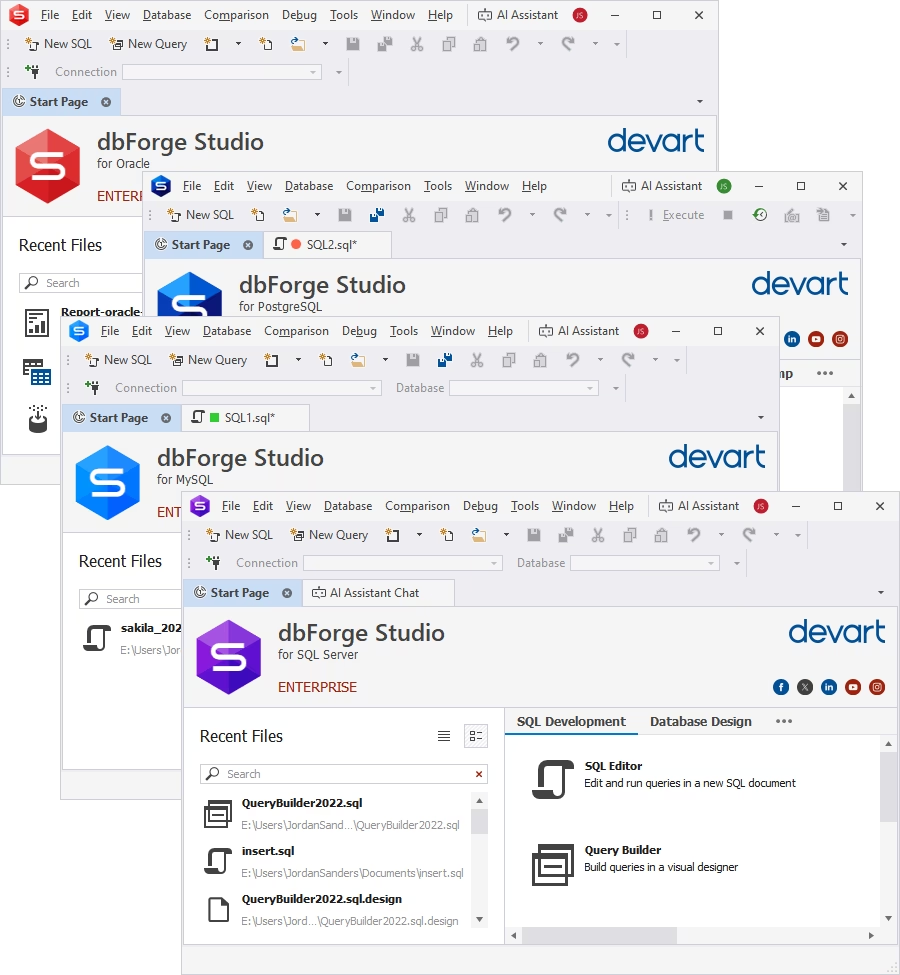
dbForge Edge is a multi-database solution compatible with dozens of databases, both on-premises and cloud-based, providing a uniform experience to developers, DBAs, and data analysts working with various data sources.
With dbForge Edge, you get an environment for managing and administering the entire database lifecycle—from AI-powered SQL coding to deployment validation and performance optimization.
Moreover, dbForge Edge is not a single IDE but a suite of four of them: for SQL Server,
MySQL/MariaDB, Oracle, and PostgreSQL. Each of the environments is database-specific, supporting engine-related features in a consistent UI.
Pros
- All-in-one workflow for multiple databases
- AI Assistant in SQL development, administration, and other use cases
- Strong data and schema comparison tools
- Intuitive database design
- Automation capabilities
- Professional personalized support
Cons
- Not as lightweight as other database management tools
- Limited functionality in the free Express edition
Features
- Integrated AI Assistant
- Advanced SQL editor with code completion, formatting, and query debugging
- Visual database and table designer with ER diagrams
- Data editor with advanced filtering, sorting, and grouping
- Performance and activity monitoring
- Query profiling and optimization
- Data analysis and reporting
Best for:
- Teams working across multiple database systems
- DBAs handling schema updates and deployments
- Users standardizing database management within a unified product ecosystem
Price
- Free: Express edition (limited features)
- Paid: Subscription-based at $749.95 per year
- Free trial: 30 days
dbForge Edge
Experience effortless database development and administration across SQL Server, MySQL, Oracle, PostgreSQL, and cloud databases.
2. DataGrip
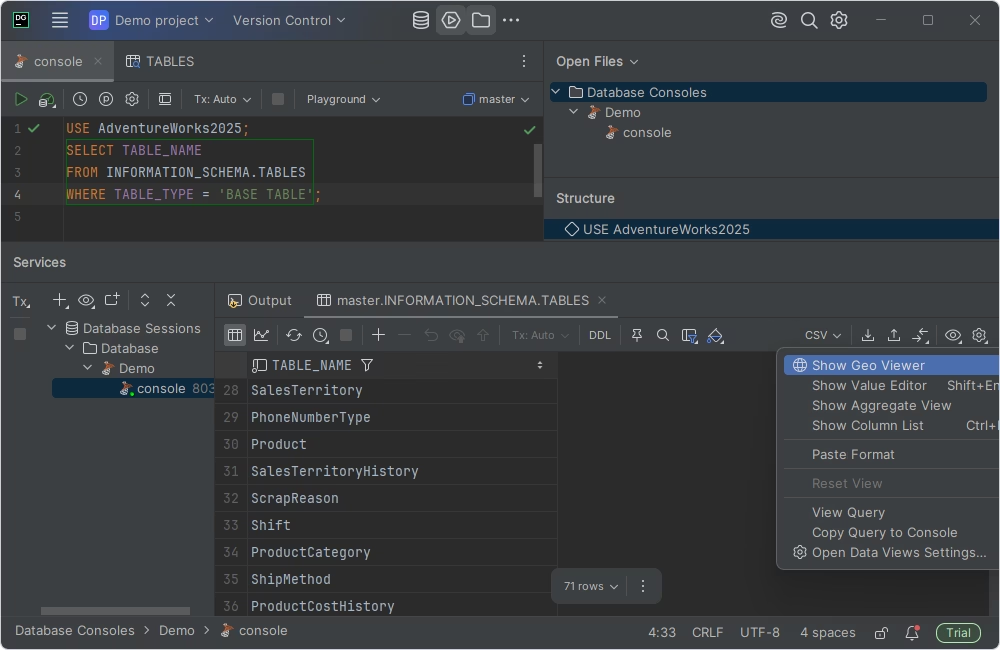
DataGrip is often one of the first DBeaver alternatives developers consider. It offers a great
SQL editing experience in a consistent workflow. Integration with JetBrains, a software development ecosystem, is an additional benefit.
Pros
- Developer-centric approach
- Advanced SQL editing features
- Clean, modern UI
- Common UX with other JetBrains tools
Cons
- No free version for commercial use
- Limited database lifecycle management capabilities
- High resource consumption
Features
- Context-aware SQL editor
- Refactoring tools
- Multi-database support
- Built-in Git-based version control
Best for
- Developers focused on writing and maintaining SQL
- Teams using other JetBrains tools
Price
- Free: Non-commercial use
- Paid: Subscription-based from $10.90 per month for individuals and from $25.90 for organizations
- Free trial: 30 days
3. Beekeeper Studio
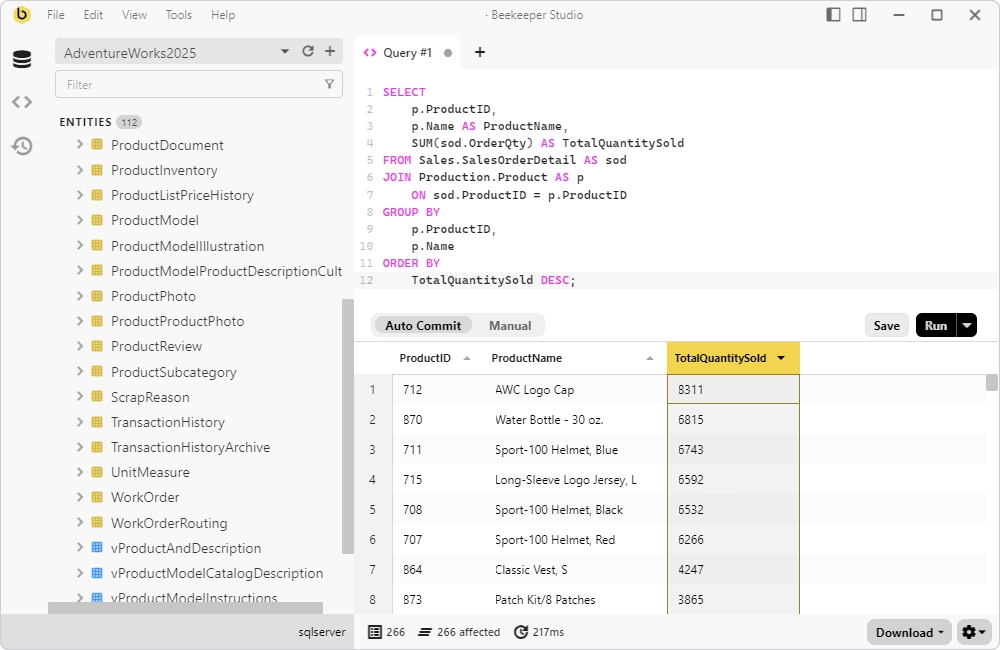
Beekeeper Studio is a lightweight SQL client that supports multiple databases. It features a clean UI convenient
for running queries and browsing data. As a DBeaver alternative, it may be appealing to those who focus on usability and speed, rather than on an extensive feature set.
Pros
- Fast and lightweight SQL client
- Clean, intuitive interface
- Minimal learning curve
- Easy navigation
Cons
- Limited feature set
- Suboptimal performance with complex queries and large workloads
- Lack of DBA features
Features
- Fast context-aware SQL editor
- Multi-database support
- Easy data browsing and editing
- Data export and import
- AI assistance
Best for
- Teams with simple SQL development workflows
- Users who mostly run queries and browse data
- Teams that do not require advanced database administration capabilities
Price
- Free: Community version (limited feature set)
- Paid: Subscription-based from $9 per user/month
- Free trial: 14 days
4. DbVisualizer
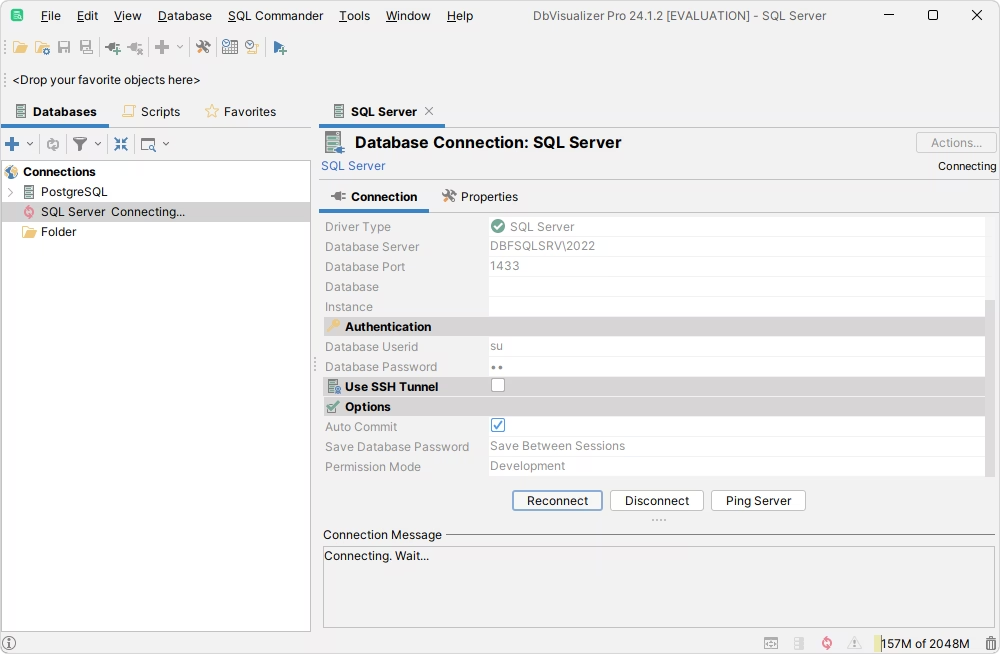
DbVisualizer, a multi-database client, is often considered as an alternative to DBeaver, when users want a unified experience
working with several database engines.
Pros
- Clean, intuitive UI
- Out-of-the-box experience with minimal setup
- Strong workflow for standard database operations
Cons
- Limited customization options
- License cost for a full-featured version
- Performance issues when handling large datasets
Features
- Broad database support
- Built-in SQL editor with auto-completion
- Visual database designer
- Data import and export
- Version control
- Basic AI assistance
Best for
- Teams who prefer a straightforward SQL client with minimal setup
- Developers who focus on standard SQL querying
- Users who choose ease of use over advanced features and customization
Price
- Free: Basic feature set
- Paid: Subscription-based from $199 per user/year (Full feature set)
- Free trial: 21 days
5. HeidiSQL
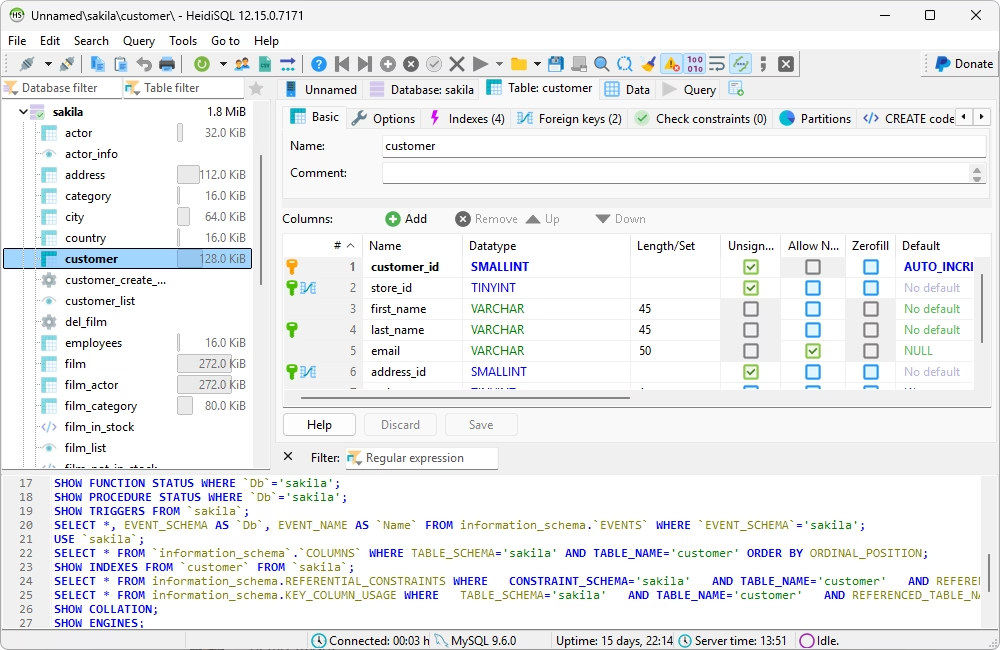
HeidiSQL is a lightweight SQL client, mostly focused on Windows users. macOS and Linux are also supported,
but with certain limitations. Mostly, HeidiSQL is a preferred client for those working with MySQL and MariaDB, although it also supports Microsoft SQL, PostgreSQL, SQLite, Interbase, and Firebird.
Pros
- Free open-source tool
- Simple, intuitive UI
- Reliable core functionality for database tasks
- Lightweight tool
Cons
- Limited macOS and Linux support
- Lack of advanced IDE features
- Limited database support
- Basic visualization and design features
Features
- Convenient tabbed query editor interface
- Visual data editor
- Data export and import
- User management
Best for
- Developers and DBAs working with MySQL/MariaDB
- Teams using Windows as the preferred OS
- Small projects or startups
Price
6. DbGate
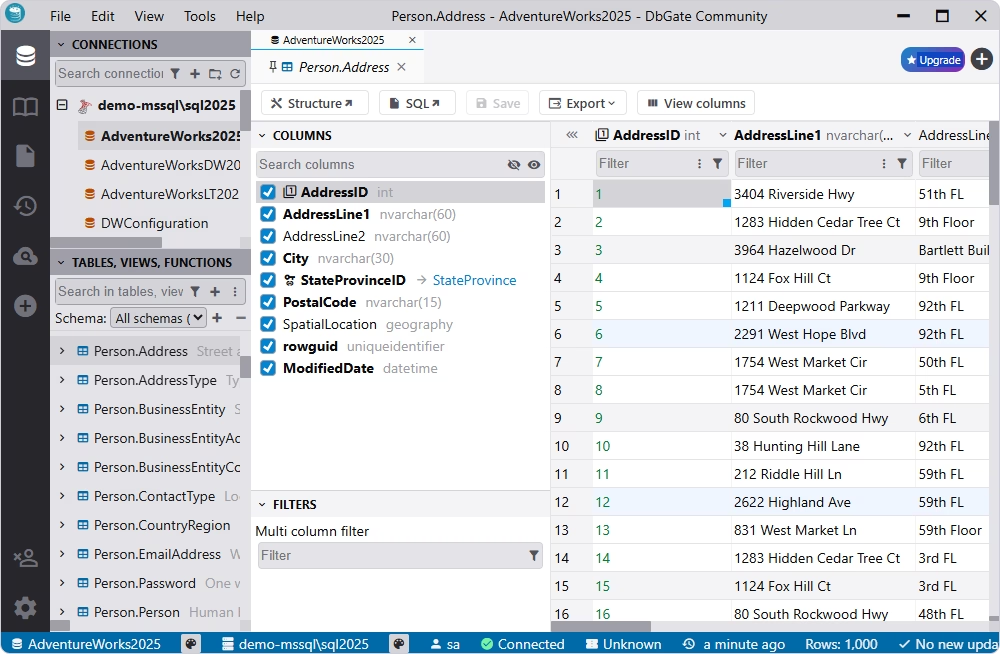
DbGate is a multi-database, cross-platform tool that also offers a browser-based option. Developer teams often choose DbGate
as a lightweight open-source alternative to DBeaver that enables the management of multiple databases.
Pros
- Fast, lightweight tool
- Support for multiple SQL and NoSQL databases
- Browser-based usage
- Open-source tool
Cons
- Limited enterprise-grade functionality
- Performance issues while handling large datasets
- Small ecosystem and community
Features
- Cross-platform and web deployment
- Support for multiple databases in a single interface
- SQL editor with autocompletion
- Data editor
- Data export and import
- Visualization and modeling capabilities
Best for
- Teams working with several SQL and NoSQL databases
- Users requiring a browser-based database client
- Individual developers or small teams looking for free but reliable database tools
Price
- Free: Community edition
- Paid: Subscription-based from $12 per user/month
- Free trial: 30 days
7. TablePlus
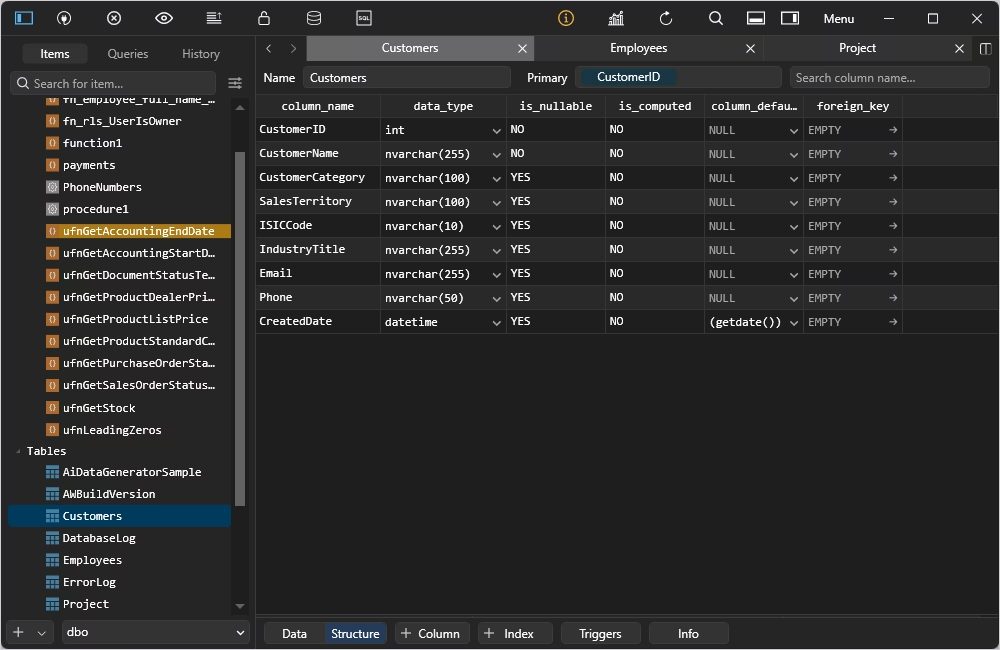
TablePlus is a modern tool for working with relational databases. While primarily targeting macOS users,
TablePlus also supports Windows and Linux installations, although not as extensively.
Pros
- Lightweight native architecture
- Multi-database support
- Smooth data editing experience
- Good usability
- Active development and support
Cons
- Limited functionality in the free version
- Lack of enterprise features, such as schema comparison or advanced modeling
- Lower suitability for complex workflows
Features
- Native cross-platform experience
- SQL editor
- Data editor
- Data filtering, sorting, and browsing
- Support for plugins and extensions
Best for
- macOS users who prioritize UX and performance
- Users requiring data querying and editing features
- Individuals or small teams valuing simplicity over advanced features
Price
- Free: Free trial with limited functionality
- Paid: Perpetual license from $79 per seat
8. pgAdmin
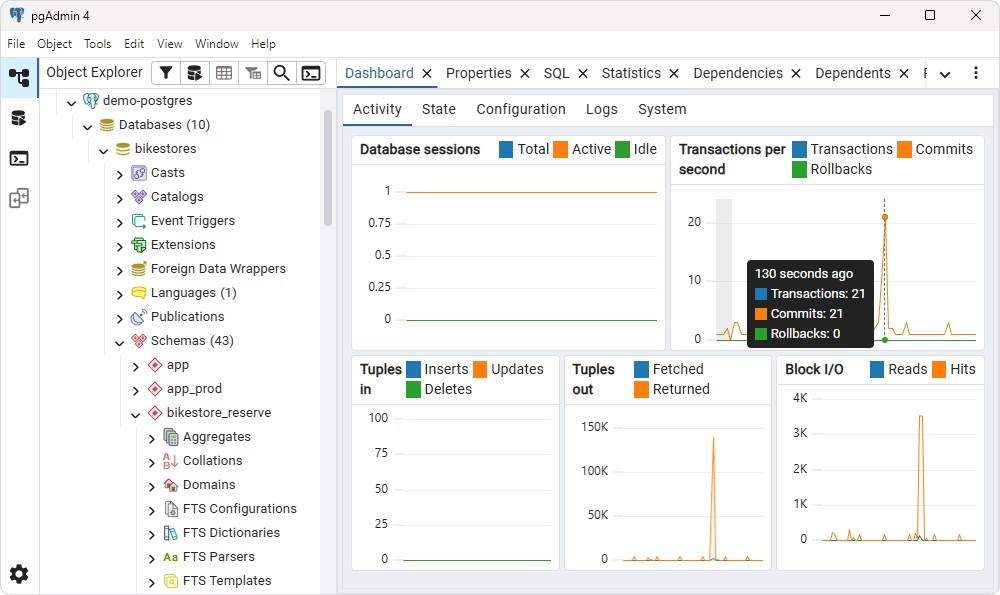
pgAdmin is built specifically for PostgreSQL. It offers full database management functionality,
including development and administration capabilities. Being open-source, pgAdmin is often a tool of choice for developers and teams working solely with PostgreSQL databases.
Pros
- Deep PostgreSQL integration
- Free open-source tool
- Strong DBA and monitoring capabilities
- Standard tool in the PostgreSQL ecosystem
Cons
- No multi-database support
- Less advanced SQL editor
- Outdated UI
Features
- PostgreSQL-focused environment
- Built-in ERD designer
- Data browsing and editing
- Server monitoring dashboard
- Desktop and web versions
Best for
- PostgreSQL-focused teams
- DBAs who need monitoring and server management
- Users looking for a free, feature-complete PostgreSQL tool
Price
9. VS Code with SQL extensions
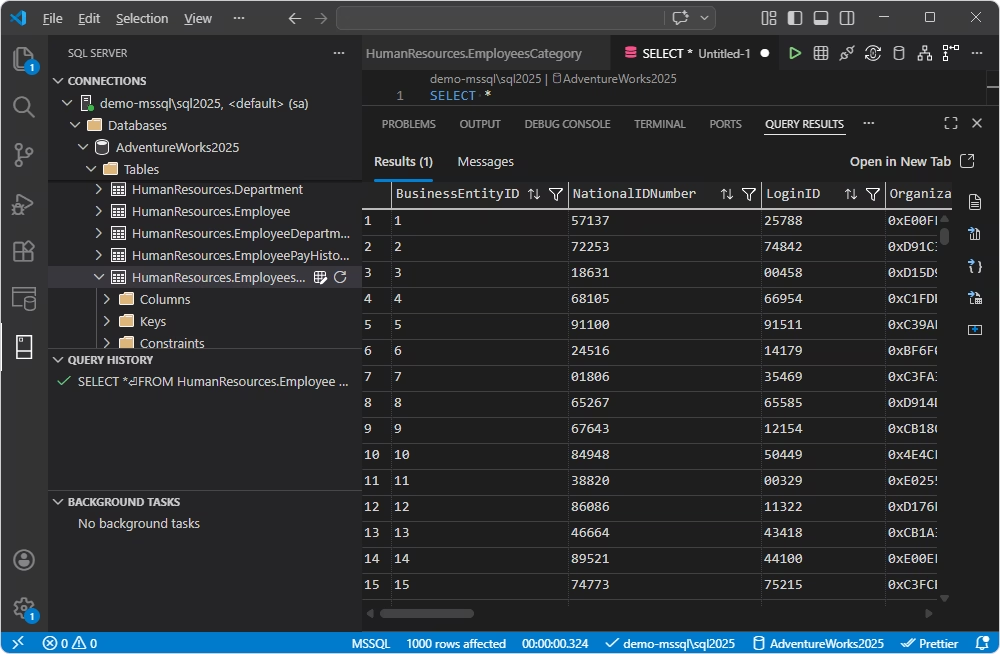
Visual Studio Code, as a standalone tool, is not suitable for database management. However,
with special extensions, such as MSSQL, SQLTools, DB Connector, or similar, it becomes an environment for browsing and editing databases.
Pros
- Developer-centric workflow
- High performance
- Flexibility
Cons
- Extension setup required
- Multiple extensions necessary to obtain the required functionality
- Non-uniform UX, when multiple extensions are enabled
Features
- Lightweight tool
- Free usage
- Git support
- AI assistance
Best for
- Users seeking flexibility and integration with development workflows
- DevOps environments
- Full-stack developers
Price
How to choose the right DBeaver alternative for your workflow
Choosing a DBeaver alternative is not about finding a better tool or a tool with more features—it is about finding the tool that fits your goals and workflows. You start evaluating alternatives when you
feel that something is off: performance, user experience, or SQL editing features. Once you identify this gap you need to fill, making the right choice becomes easier.
Let's look at the typical criteria you need to consider when choosing a DBeaver alternative.
Start with your database environment
Take a look at what you work with. One database or many? Which ones? That should be your starting point in choosing a database IDE.
If you work across multiple engines—SQL Server, MySQL, PostgreSQL, and others—look for a universal database tool with a uniform UI,
for example, dbForge Edge or TablePlus. If you only work with one database,
a multi-engine tool may be too much for your purposes. In this case, choose a specialized one; for example, if you only manage PostgreSQL databases, pgAdmin may be your best shot.
Consider your operating system and team setup
The next question you need to answer is which OS your environment is set up on. While most of the tools are either cross-platform or support the major ones, some are still focused on a specific platform. For example,
HeidiSQL is primarily designed for Windows, while TablePlus is more macOS-oriented.
If your team's workflows span different operating systems—the most typical combination is Windows, macOS, and Linux—look for a solution that provides a consistent UI and UX across all platforms. Consider dbForge Edge, DataGrip,
or DbGate—tools that are designed to run on multiple operating systems.
Match the tool to the type of work you do most
Not all tools are designed to perform all database tasks. Some are optimized for SQL development, others are better suited for database design, while still others include database administration and monitoring features.
Choose the tool that is the most fitting for the tasks that your team does on a daily basis.
For example, DataGrip or VS Code are good for development workflows, Beekeeper Studio is an optimal choice for routine querying, and dbForge Edge is an ideal solution when you need to manage the entire database lifecycle,
from development to deployment.
Decide how important SQL editor quality and AI features are
One of the main reasons users switch to other database tools is the desire to improve how they write and understand SQL. If your work is rather SQL-intensive, a high-quality editor can make a dramatic difference. Auto-completion
and formatting speed up SQL coding. Inline error detection and SQL validation improve the code quality. Execution plans allow you to write high-performance SQL.
If these factors are important to you, look for tools that feature an advanced SQL editor, for example, dbForge Edge or DataGrip.
If your work involves writing complex queries with large JOINs and subqueries, or if you have no deep experience with SQL coding, check out tools that have an AI assistant on board. On the one hand, an AI assistant
will help you with sophisticated tasks, breaking down your SQL into understandable components and finding errors and bottlenecks. On the other hand, it can convert your plain-text requests into valid SQL statements,
allowing you to query the database without writing code. Tools like dbForge Edge and DataGrip come with advanced AI capabilities, while DbGate is moving in that direction, too.
Evaluate the budget, licensing, and team value
Finally, there's the question of budget—and it's not just about the price. In choosing the tools to manage their databases, teams balance the licensing costs against the benefits they expect to get. Some opt for free
or open-source tools, such as HeidiSQL or pgAdmin, understanding that the functionality they are going to get may be somewhat limited. However, if the tool ticks all the other boxes, why not?
Other teams are willing to invest in paid tools like dbForge Studio or DataGrip, because they need their extended functionality. If the primary goal is to handle multiple databases in a single UI or to maintain the
whole database lifecycle from design to deployment, then it takes a more sophisticated solution.
Conclusion
Choosing a DBeaver alternative isn't just about replacing one tool with another—it's about bringing your tool in alignment with your workflows.
Different tools serve different purposes and address different pain points. Some prioritize speed, simplicity, and an easy start, like Beekeeper Studio. Others, for example, DataGrip, focus on advanced SQL development
and productivity. And some deliver full database lifecycle maintenance capabilities, such as dbForge Edge. The right choice depends on your priorities and your goals.
If you are looking for a reliable alternative to DBeaver, try dbForge Edge, which provides a complete multi-database experience. Download a
free, fully functional 30-day trial and see how dbForge Edge can improve your database workflows.
FAQ
Which database tool should I switch to if my current one feels too heavy?
Choose a lightweight tool that aligns with your database workflows. If you are focused on SQL querying, check out Beekeeper Studio. For speed and efficiency, try TablePlus. If you only work with PostgreSQL, pgAdmin may be your best choice.
What SQL client is best for working across multiple database systems?
For efficient management and administration of multiple databases in a unified UI, try dbForge Edge, a solution that combines IDEs for SQL Server, MySQL/MariaDB, PostgreSQL, and Oracle. Other multi-engine tools include DataGrip, DbGate, TablePlus, and Beekeeper Studio.
Which tools are easiest to use for daily querying and data editing?
If you prioritize SQL querying and data editing, try DataGrip, Beekeeper Studio, or TablePlus.
Which database IDE has the best SQL editor for developers?
For the most optimal SQL editing experience, try dbForge Edge, a multi-database IDE that supports an efficient SQL editor with auto-completion and code formatting features. Besides, in dbForge Edge, you will find an advanced AI Assistant that helps you convert plain language into valid SQL, troubleshoot and optimize your queries, and explain the SQL syntax.
Are there any good options for teams working on both Windows and Linux?
There are many tools that support multiple platforms: dbForge Edge, DataGrip, TablePlus, DbVisualizer, or Beekeeper Studio.
Which DBeaver alternatives offer useful AI features for SQL work?
If you need reliable AI support in your SQL work, try dbForge Edge, which comes with an advanced AI Assistant helping you improve and validate SQL code and providing useful information on other SQL-related matters. Also, consider DataGrip and Beekeeper Studio, which offer AI assistance with SQL coding and querying.
Is dbForge Edge a good fit for teams that manage several database platforms at once?
Yes. dbForge Edge combines advanced IDEs for managing and administering SQL Server, MySQL, PostgreSQL, and Oracle databases. With a unified UI across all four environments, dbForge Edge ensures a smooth experience for all the supported database engines.
Can dbForge Edge help with both query writing and database administration?
Absolutely. dbForge Edge is designed to maintain the whole database lifecycle and supports an efficient SQL editor with visual capabilities as well as database administration features.
Why would someone choose dbForge Edge over a simpler SQL client?
Switching to dbForge Edge from a simpler SQL client is not about getting a larger set of features—it is about resolving workflow challenges that a simpler client cannot handle. In dbForge Edge, you get not only superb SQL querying and editing capabilities. You also can design tables and schemas, compare environments, generate synchronization scripts, and automate deployments. In other words, dbForge Edge enables database development and administration workflows, as well as data analysis, on a single platform.