Save Big on Cyber Monday! Up to 40% Off
ends in   {{days}}
Days
{{timeFormat.hours}}
:
{{timeFormat.minutes}}
:
{{timeFormat.seconds}}

What Are Data Migration Tools?

Data migration tools are specialized applications designed to move data between database systems or storages. These tools select, prepare, extract, and transform data to ensure compatibility with the new destination as well as the accuracy, security, and efficiency of the data migration process.

Organizations need to migrate data between various systems for many reasons, such as consolidating various data sources, relocating data from one data center to another, particularly, to the cloud, recovering data, and more. Data migration is often a part of larger processes of data management.

Integration of data migration tools into regular workflows can greatly improve the efficiency of data management.

Advantages of professional data migration tools:

  • Minimum downtime – reduction of system outages during migration
  • Data integrity – prevention of corruption, loss, or duplication
  • Optimized performance – improvement of system efficiency
  • Enhanced security – safe transfers while meeting regulations
  • Cost efficiency – less expenses caused by errors and downtime
  • Scalability – smooth transitions to advanced systems

Key features of effective data migration tools

Connectivity

Connectivity

Data migration tools should support a wide range of data sources and formats, as well as ensure smooth integration with different systems.

Data mapping

Data mapping

Migration tools should be capable of aligning data fields and maintaining data relationships between the source and target systems in all work modes.

Scalability

Scalability

The amounts of data tend to grow over time, so the performance of migration tools should allow for future accommodation of larger data volumes.

Security

Security

Features like encryption of data during transfers, secure connections, and compliance with relevant data protection regulations are fundamental.

Speed and automation

Speed and automation

Migration tools should enable high-speed data transfers with minimal downtime, job scheduling, and automation to perform tasks during non-peak hours.

User-friendly interface

User-friendly interface

The interfaces of migration tools should be intuitive and user-friendly, so that users of any background can quickly master migration tasks.

Best tools for data migration from Devart

Most organizations rely on multiple data management systems. A common challenge is managing data across various database management systems and cloud platforms while ensuring smooth data movement between them — from local databases to the cloud, between different databases, or across cloud services.

dbForge Edge by Devart is a comprehensive solution for handling database tasks across SQL Server, MySQL, Oracle, PostgreSQL, and other popular databases and cloud services, such as MariaDB, Amazon Redshift, Azure SQL, Percona, and Amazon RDS. dbForge Edge runs on Windows, macOS, and Linux.

dbForge Edge offers two options for data migration. The first one is direct data import and export. Another option is data comparison and synchronization.

Data import and export with dbForge Edge

Data import and export in dbForge Edge cover up to 14 most popular formats, including TXT, XLS, XML, JSON, CSV, ODBC, DBF, and Google Sheets.

Data import and export wizards with an intuitive visual interface allow the users to set the data migration tasks quickly and easily, precisely define the data to be transferred, configure mapping, choose a migration mode, and specify error-handling preferences.

Task settings can also be saved as reusable templates. Additionally, migration jobs can be automated via the command-line interface.

Data Compare for validation and synchronization

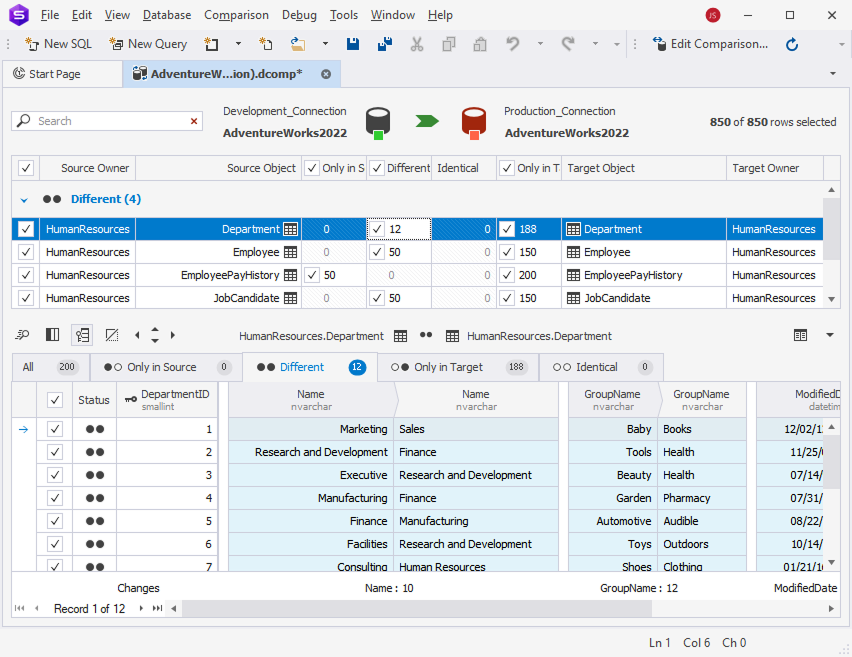
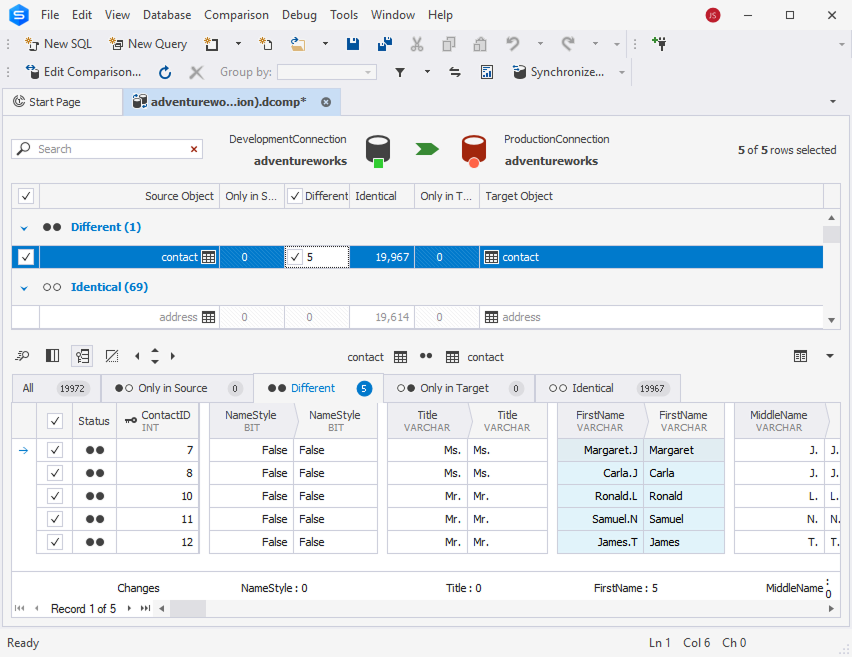
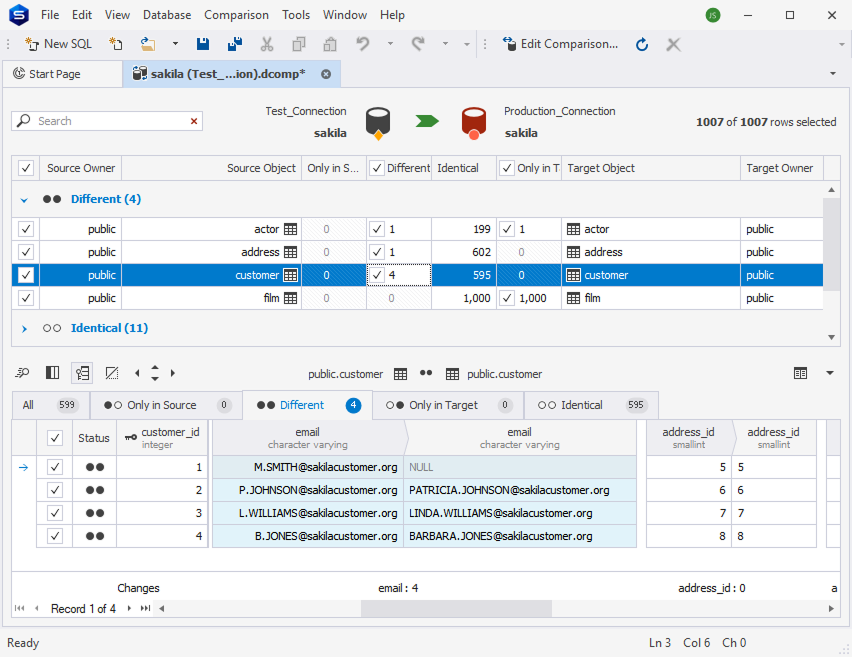
Data Compare in dbForge Edge compares databases, detects data differences, and applies changes to target databases using synchronization scripts. This feature is particularly useful for migrating data across platforms, especially between development, staging, and production environments.

The user-friendly interface helps set up data comparisons visually, making the process faster and easier. Results are displayed in a clear, readable format, with differences highlighted for quick identification.

Once the comparison is complete, users can migrate individual rows, groups of records, or all selected data to the target database at once. It also validates the data. The entire process can be automated.

dbForge Edge provides Data Compare tools for all major database management systems, including Microsoft SQL Server, MySQL/MariaDB, Oracle, and PostgreSQL.

Specialized tools for popular databases

dbForge Edge

dbForge Edge includes four IDEs called Studios, each designed for a specific database management system: SQL Server, MySQL, Oracle, and PostgreSQL.

All features for database development, administration, testing, management, analysis, and deployment are available within an intuitive interface. Edge handles data migration across all supported databases, both on-premises and in the cloud.

dbForge Edge provides data import and export supporting over 10 widely used data formats. Also, it offers Data and Schema Compare tools for each system.

Users can efficiently migrate data, precisely customize the settings, monitor the process, create templates for recurring tasks, define error-handling preferences for a smooth migration experience, and automate data migration jobs.

dbForge Studio for SQL Server

dbForge Studio for SQL Server is a comprehensive IDE for database development, management, administration, data analysis, reporting, random data generation, schema and data comparison, synchronization, DevOps integration, and data migration.

dbForge Studio for SQL Server allows data migration across multiple formats, including HTML, TXT, XLSX, MDB, RTF, PDF, JSON, XML, CSV, ODBC, DBF, and SQL.

Intuitive data import and export wizards provide the possibility to configure and customize tasks in a few clicks.

Additionally, migration jobs can be automated via the command line and scheduled for execution.

Users can compare and synchronize table data between databases, backup files, and script folders.

The tool helps identify data differences, troubleshoot inconsistencies, and ensure accuracy across environments when migrating from development or staging to production.

Generation of synchronization scripts and job automation via the command-line interface make reduce manual work and make data migration more efficient and precise.

dbForge Studio for MySQL

dbForge Studio for MySQL is designed for handling all aspects of database management, development, analysis, reporting, and administration in MySQL and MariaDB, including tasks of data migration between various destinations.

dbForge Studio for MySQL supports direct data import and export across more than 10 popular formats, including XML, JSON, CSV, ODBC, DBF, and Google Sheets.

Intuitive import and export wizards offer a variety of customization options.

Users can save task settings as reusable templates and automate migration processes via the command line.

The built-in Data Compare tool analyzes differences in table data across development, staging, and production environments.

Then, it generates synchronization scripts for smooth data transfer to target databases.

Recurring tasks can be automated and scheduled for execution.

dbForge Studio for PostgreSQL

dbForge Studio for PostgreSQL is an all-in-one IDE for PostgreSQL and Amazon Redshift. Its purpose is to simplify all database-related tasks, including code writing, schema and data comparison, synchronization, and data transfer across servers.

dbForge Studio performs data transfer between servers, databases, and IDEs.

Visual data import and export wizards eliminate the need for manual coding and make task configuration straightforward.

Users can save task settings as reusable templates and automate data migration via the command line.

The Data Compare tool precisely compares table data across different databases. It is ideal for managing database versions in development, staging, and production environments, on-premises and in the cloud (supporting Azure PostgreSQL, Amazon RDS for PostgreSQL, and Amazon Redshift).

The Studio also generates scripts for data synchronization and supports the automation of comparison and synchronization tasks.

dbForge Studio for Oracle

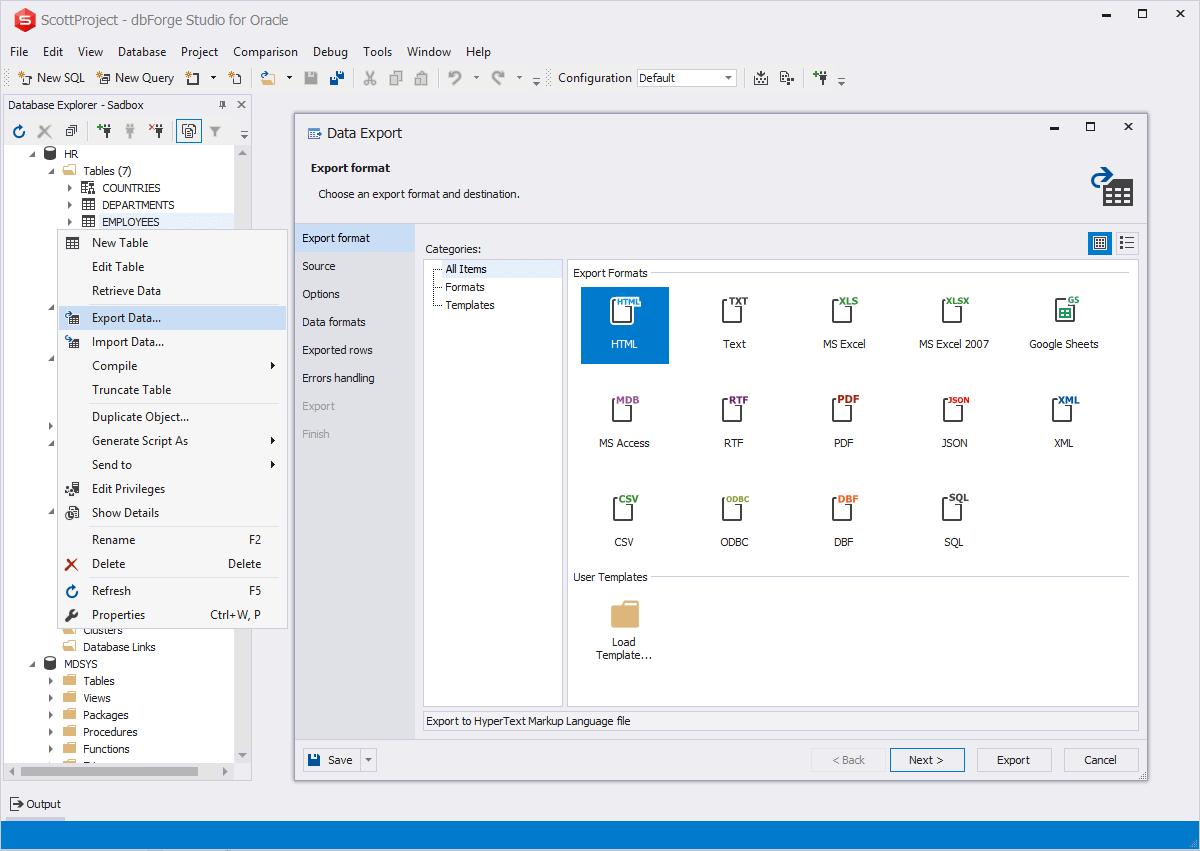
dbForge Studio for Oracle is an IDE for database development, management, administration, data analysis, and reporting. It offers all functionality for database tasks, including data migration between different destinations.

The data import and export tools enable users to transfer data in various popular formats, in particular, move data between Oracle and non-Oracle databases.

Users can save recurring task settings as reusable templates, automate data transfers, and schedule migration tasks.

dbForge Studio allows users to compare and synchronize table data across Oracle databases, making it easy to update database versions in staging and production environments.

The tool automatically generates scripts for data migration and supports automation via the command line, making data synchronization more efficient and reliable.

Why choose Devart tools for data migration?

Devart provides powerful database tools designed to handle the full spectrum of database tasks in a single solution. From coding assistance and database development to database comparison, synchronization, data analysis, reporting, version control, data migration, and user management, these tools offer comprehensive functionalities for all major database systems and work scenarios across various platforms.

Experience the full capabilities of dbForge tools with a fully functional 30-day trial — test them under your complete workload!

Ready to get started?

Download dbForge Edge

Download dbForge Edge for a free trial!

Experience all the rich features and capabilities offered by dbForge Edge with a 30-day trial.
dbForge Edge

Wield the full firepower of dbForge Edge

Go with the comprehensive Enterprise edition of dbForge Edge and stay at the top of your game from day one!