Both DbVisualizer and DBeaver rank among the best-known multidatabase tools for a reason. They're easy to use, they're available on the three key operating systems—Windows, Linux, and macOS—and they offer that solid set of essential features that meets the average demands of database professionals.
However, as your requirements grow, you start looking for more sophisticated alternatives that retain the advantages of multidatabase cross-platform solutions and deliver more functionality. We've got one such candidate for you: dbForge Edge, a multidatabase solution that helps you address a far broader set of tasks. Below, we'll compare it with DbVisualizer and DBeaver feature by feature.
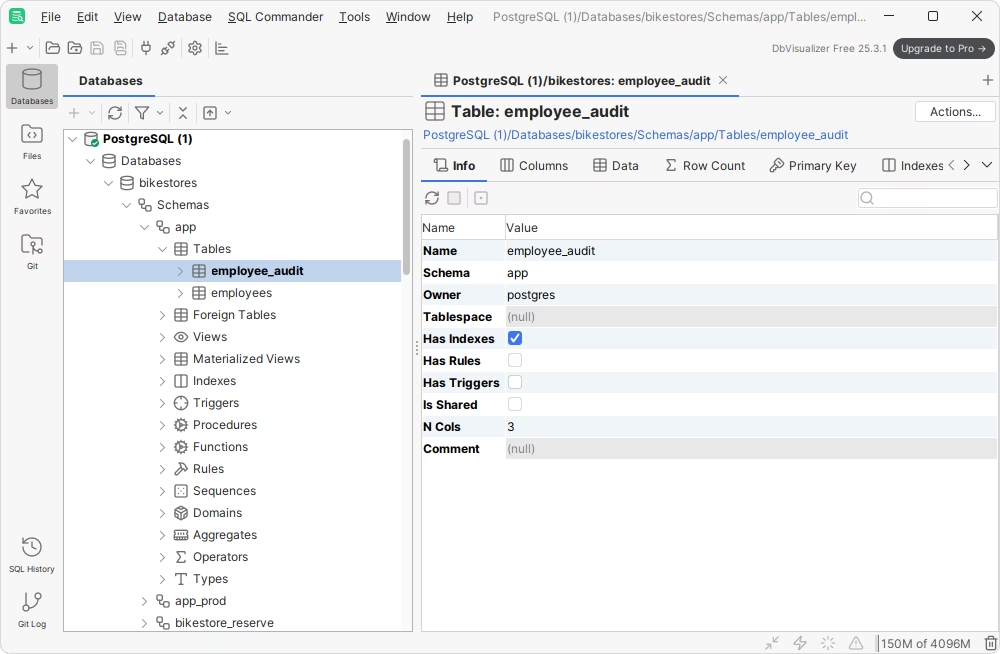
About DbVisualizer
First comes DbVisualizer, a database client that supports a huge number of data sources and offers a robust SQL editor with context-aware autocompletion and dedicated data management tools.
About DBeaver
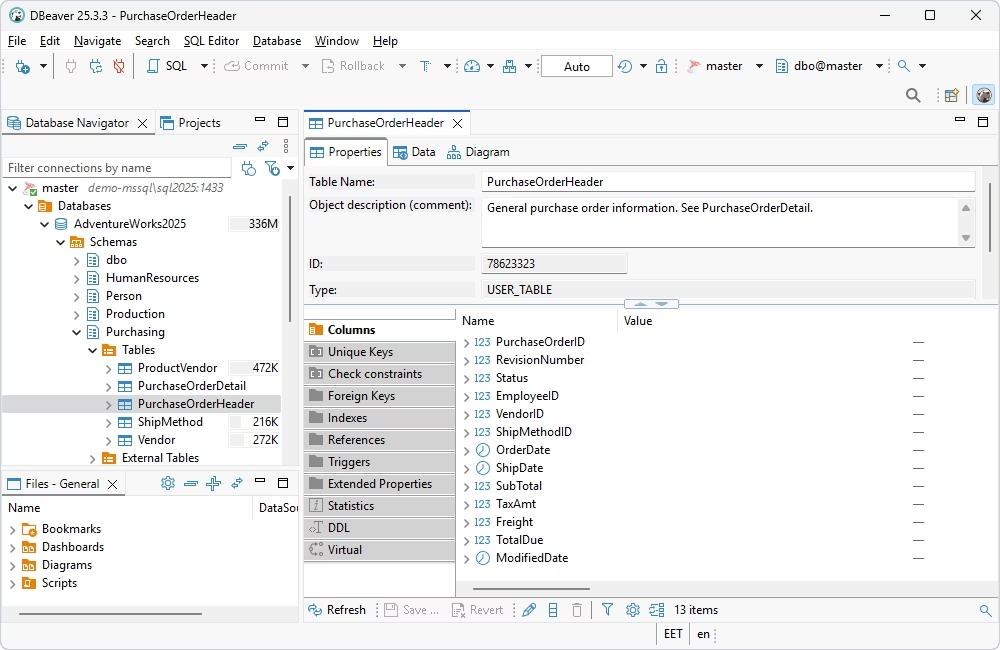
DBeaver is an advanced solution with expansive coverage of databases, data warehouses, and cloud services. Its key features include SQL coding, data visualization and management, and database administration. And it's just as well available in free and commercial editions (the latter can be explored with a free trial).
About dbForge Edge
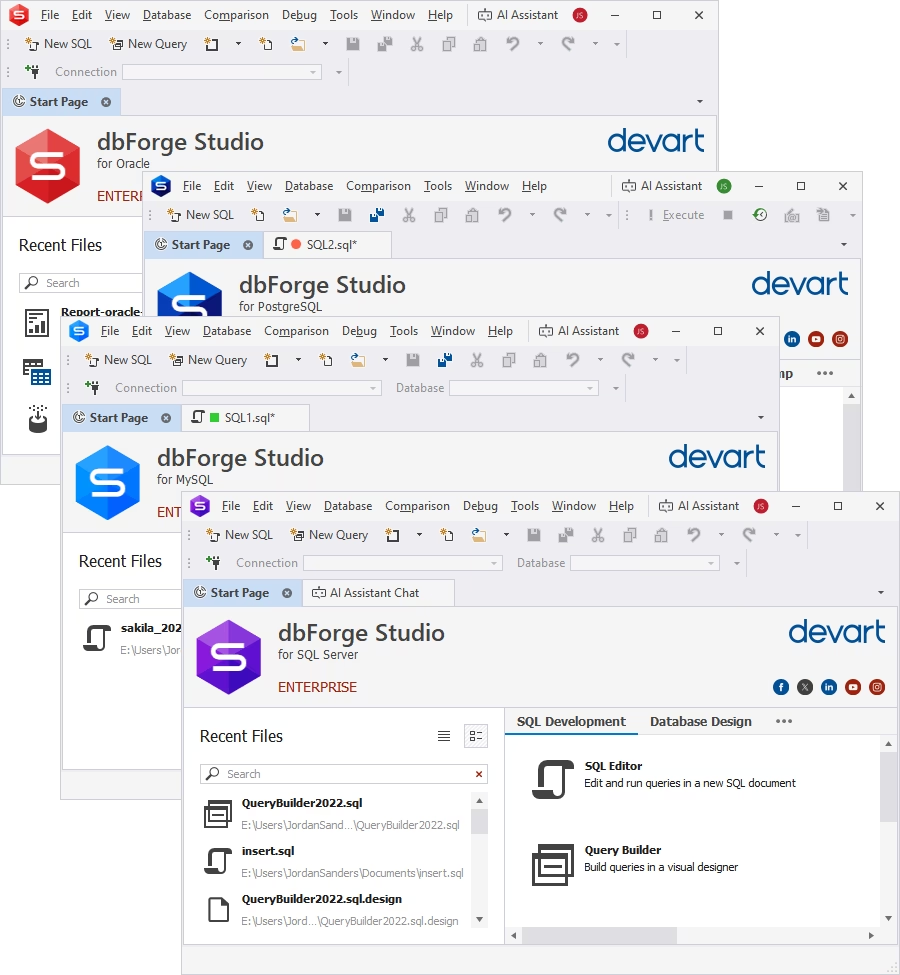
dbForge Edge is an AI-powered multidatabase solution for the entire database lifecycle that covers all the most popular database systems: SQL Server, MySQL/MariaDB, Oracle Database, and PostgreSQL, as well as related cloud databases.
dbForge Edge is a suite of four dedicated all-in-one IDEs, known as Studios, each designed for a specific database system. Every Studio offers powerful, database-specific features tailored to the needs of its users.
dbForge Edge
A unified cross-database solution that empowers teams to design, develop, and manage multiple database systems from a single workspace.
dbForge Edge vs DbVisualizer vs DBeaver: Feature comparison
Now, let us compare the full functionality of all three products. The following table contains a detailed feature-by-feature comparison of dbForge Edge, DbVisualizer, and DBeaver Ultimate. For quick navigation, please use the side menu.
Database development & design
Data analysis & reporting
Key advantages of dbForge Edge
dbForge Edge is designed to help you effectively handle a rich variety of tasks, including database design, development, testing, and administration, as well as data analysis and management.
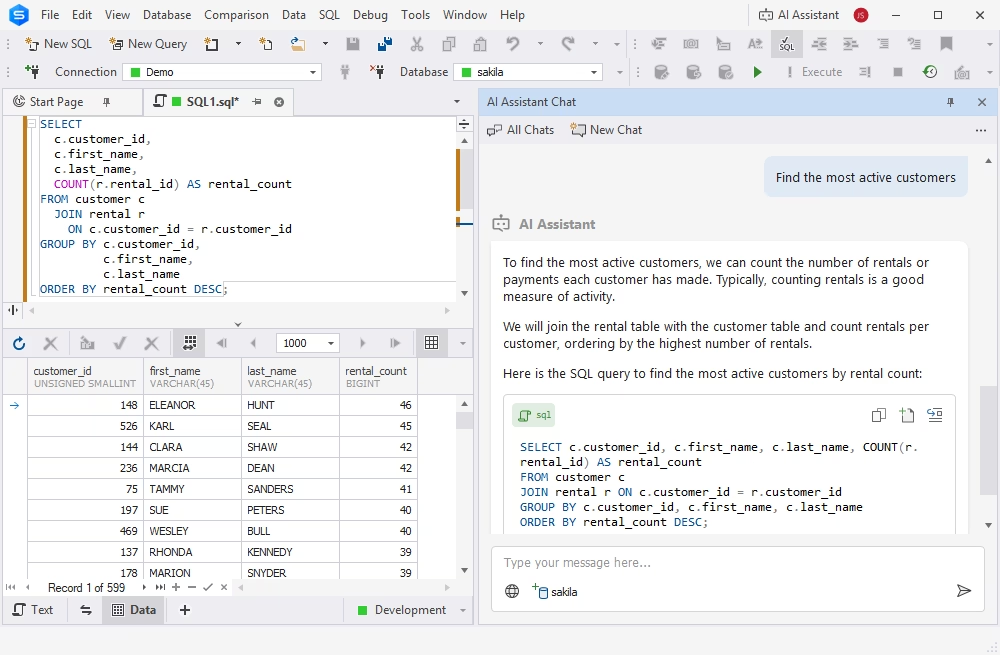
Integrated dbForge AI Assistant
dbForge AI Assistant is an AI-powered copilot that generates, explains, troubleshoots, and optimizes SQL queries. It also provides full guidance on everything related to SQL and databases. The AI Assistant is integrated into dbForge Edge and is well-versed in the specifics of the most popular database management systems on-premises and in the cloud.
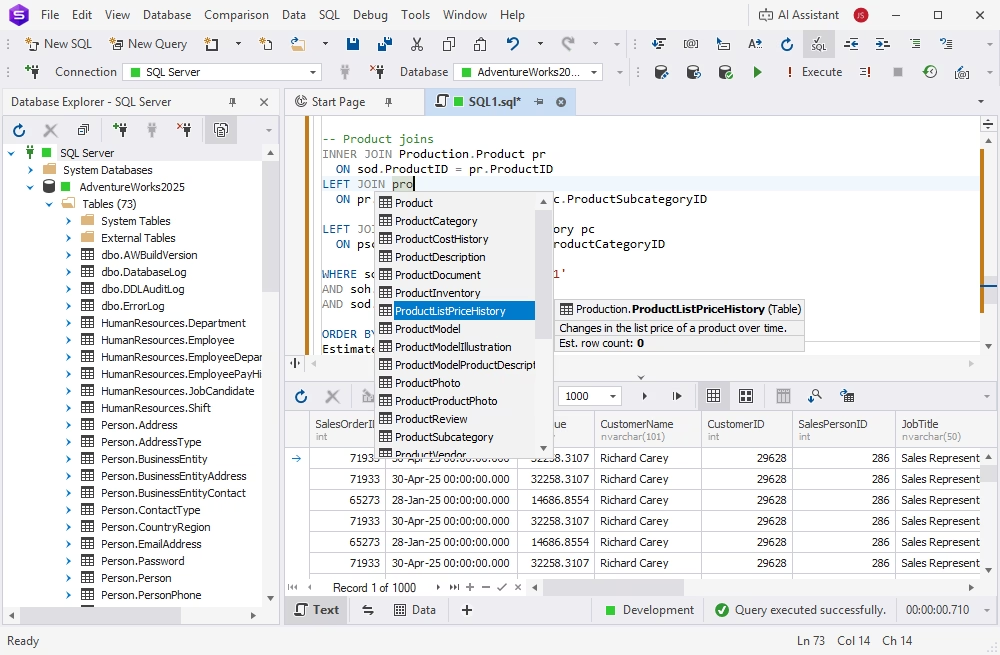
SQL development
dbForge Edge is well-known for some of the most advanced SQL coding assistance tools, including IntelliSense-like SQL code completion, versatile formatting options, smart refactoring, and effective debugging of SQL scripts, stored procedures, functions, and triggers.
- IntelliSense-like SQL code completion
- Instant syntax check
- A rich, expandable library of code snippets
- Versatile formatting options with a number of predefined and custom profiles
- Smart refactoring with auto-correction of references to renamed objects
- Effective debugging of SQL scripts, stored procedures, functions, and triggers
Database comparison and synchronization
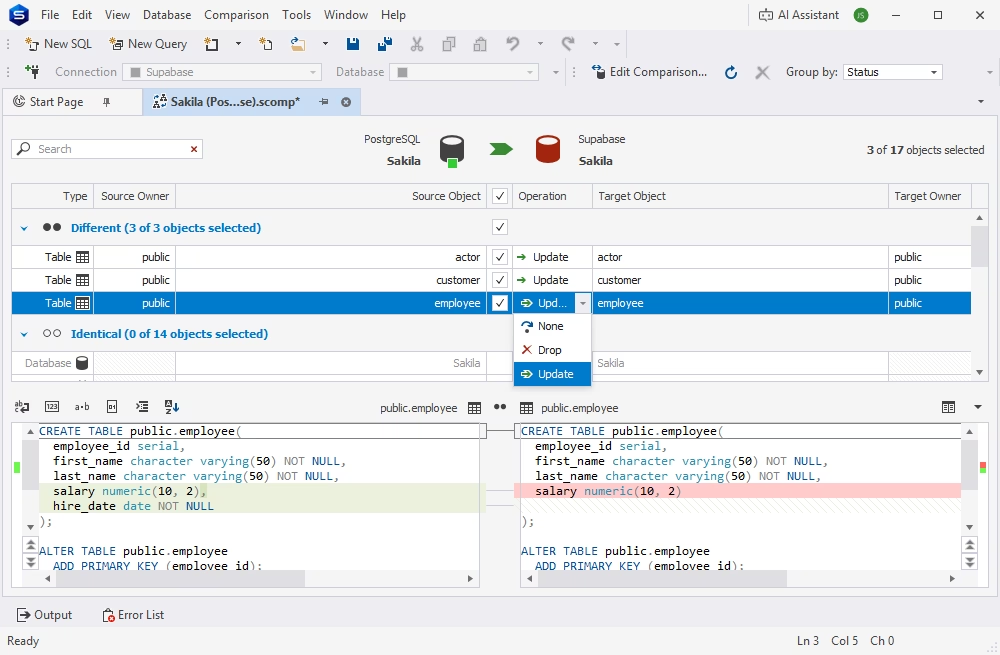
dbForge Edge delivers twin features called Schema Compare and Data Compare, whose names are pretty self-explanatory. These tools compare database schemas and table data and provide detailed reports on all found discrepancies up to a row level. They enable users to synchronize diffs manually or automatically and provide efficient scripting capabilities.
- Find and analyze differences in schemas and table data
- Scrutinize data differences per record
- Save and load comparison settings
- Generate data synchronization scripts
- Create comparison reports in HTML, XML, and XLS
- Automate recurring tasks from the command line
Database Designer
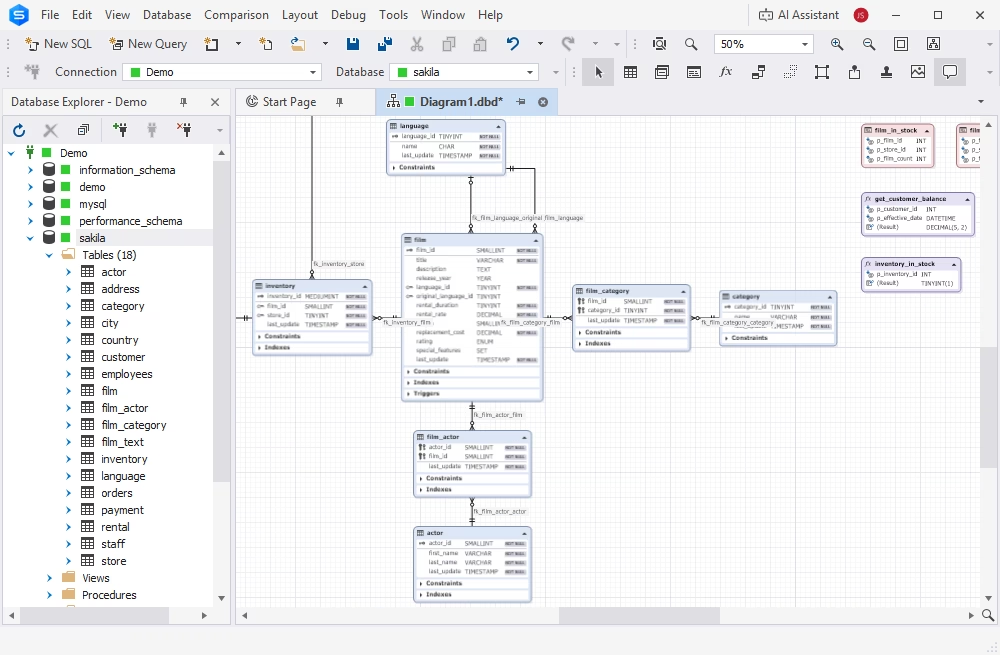
dbForge Edge allows you to design databases using entity-relationship diagrams, visualizing database structures and logical relations between tables. You can also edit database objects directly on these diagrams and group logically related objects using containers. Additionally, it provides reverse engineering capabilities.
- Design and modify database structures visually
- Examine and manage foreign key relationships between tables
- View database objects and their properties
- Perform reverse engineering of database diagrams
Data Editor
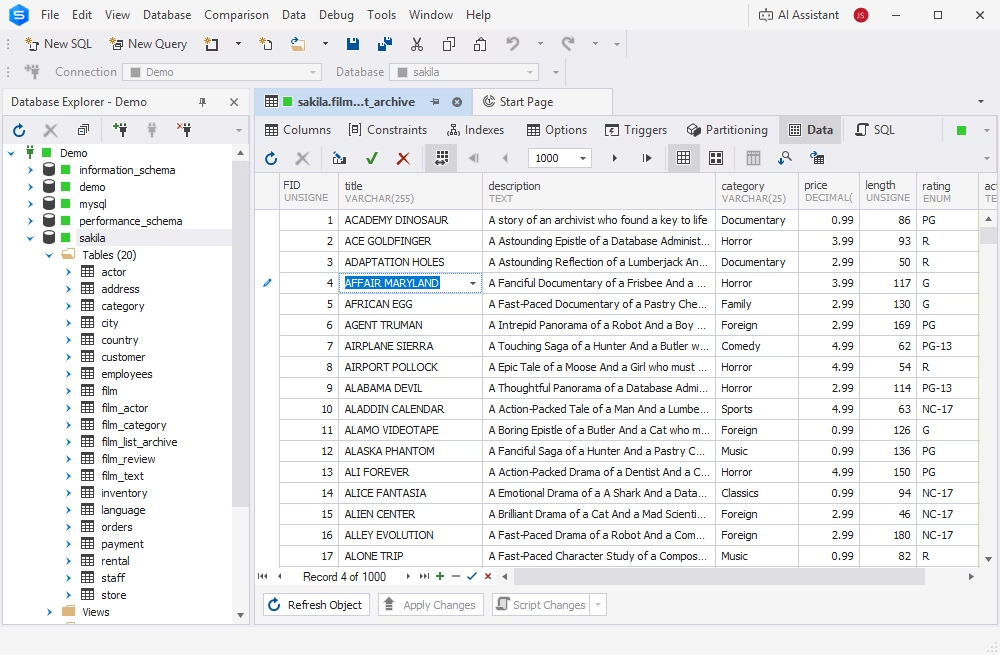
dbForge Edge provides you with optimal tools for all kinds of manipulations with your data, including viewing, editing, grouping, sorting, filtering, searching, and deleting.
- View, edit, delete, group, sort, filter, and visualize data
- Apply pagination for convenient viewing
- Apply the auto-search mode for simplified navigation
- View data in the Card View mode
- Export data to an INSERT query in a few clicks
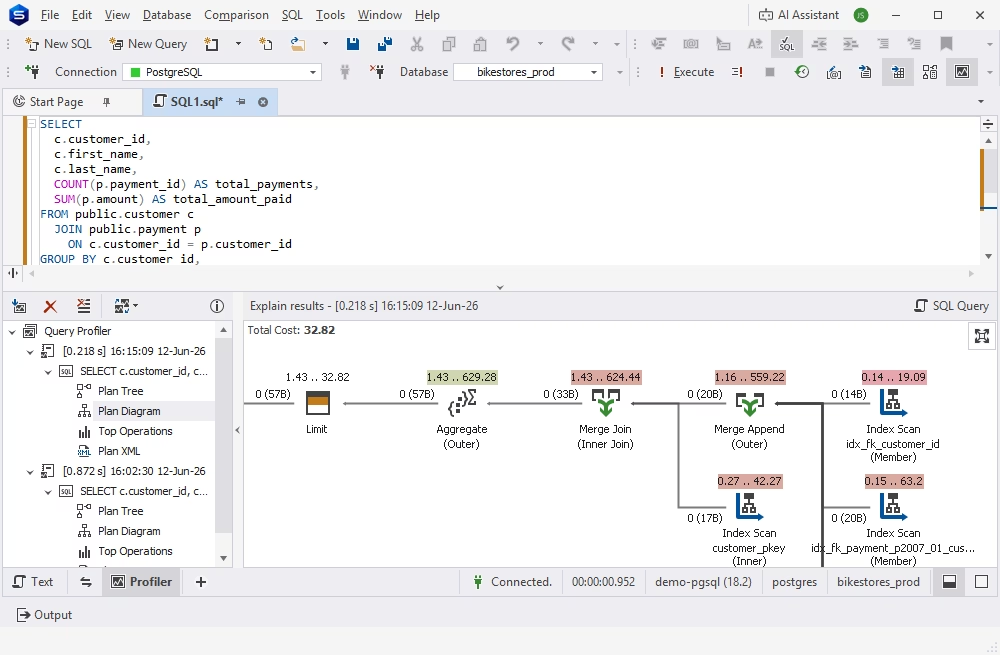
Query Profiler
You will always keep the performance of your SQL queries at an all-time high using the integrated Query Profiler. It helps you identify query performance bottlenecks, compare query profiling results, and optimize SQL queries using AI.
- Identify query performance bottlenecks
- Inspect the EXPLAIN plan
- Compare differences in query profiling results
- Get a clear and automated way to profile your queries
- Trace queries and diagnose performance issues
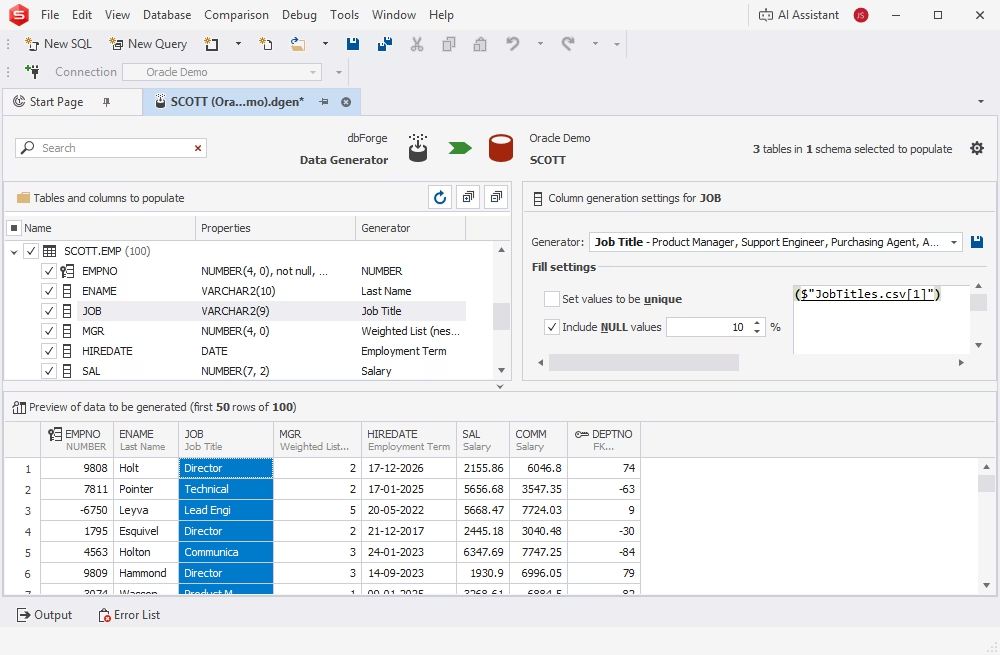
Data Generator
Data Generator helps you get any volume of column-intelligent, realistic test data that you can quickly populate your databases with.
- Create large volumes of meaningful test data
- Maintain the integrity and consistency of your data across multiple tables
- Preserve inter-column data dependencies
- Create, set up, and share custom generators
- Populate your databases with newly generated data in a matter of moments
- Automate routine tasks from the command line
Which tool is better for specific use cases?
DbVisualizer, DBeaver, and dbForge Edge all support multiple database platforms and offer robust toolsets. However, their strengths differ depending on the task at hand, and the final choice usually depends on the specific scenarios and regular workflows where these tools should be applicable.
Best for developers writing SQL every day
Developers who spend most of their day writing, reviewing, and optimizing SQL code will definitely benefit from dbForge Edge. It provides the most feature-rich environment with powerful coding assistance, SQL formatting, analysis, refactoring, and debugging. These features help reduce manual coding effort and improve code quality.
DbVisualizer offers a capable SQL editor and query execution environment, while DBeaver provides syntax highlighting and completion features. However, neither delivers the same level of SQL productivity tools available in dbForge Edge.
Best for designing diagrams and schema design
dbForge Edge includes database diagrams, schema modeling tools, object editors, and database project capabilities to design and maintain complex database structures.
DBeaver offers ER diagrams and basic visualization features, suitable for understanding database relationships. DbVisualizer provides schema visualization as well, but its design-focused functionality is more limited.
Best for data comparison and sync tasks
Developers and DBAs frequently need to compare databases, identify differences, and synchronize data across environments. dbForge Edge includes dedicated Schema Compare and Data Compare tools with advanced filtering, detailed comparison reports, synchronization script generation, and automation support.
DBeaver provides basic database comparison functionality, while DbVisualizer focuses primarily on database management and querying rather than advanced schema comparison and synchronization workflows.
Best for teams working across multiple database systems
Both DBeaver and DbVisualizer support a wide range of database platforms through a single interface. These tools provide broad database compatibility and a consistent user experience across many database engines. This is particularly appealing to organizations that need a lightweight, vendor-neutral tool.
dbForge Edge supports major database management systems (SQL Server, MySQL/MariaDB, Oracle, and PostgreSQL), as well as related cloud platforms such as Amazon Redshift, Supabase, Microsoft Azure, and others. Teams that require both cross-platform compatibility and advanced development, comparison, and administration capabilities will find dbForge Edge a suitable option.
Best free option for lighter workflows
For users who need a free database client for routine database browsing, querying, and administration tasks, DBeaver Community Edition provides excellent value. It supports numerous database systems and offers a broad feature set without licensing costs.
DbVisualizer also provides a Free version, but many advanced capabilities are reserved for the Pro edition. dbForge Edge offers a free Express edition for basic database development, management, and data analysis tasks. However, it is primarily designed for more advanced workflows rather than entry-level or occasional use.
dbForge Edge
A unified cross-database solution that empowers teams to design, develop, and manage multiple database systems from a single workspace
FAQ
What is the difference between DbVisualizer Free and Pro?
DbVisualizer Free includes core database browsing, SQL editing, and query execution features. DbVisualizer Pro adds advanced capabilities such as AI assistance, Git integration, visual query building, charts, enhanced database-specific features, advanced export/import options, and other productivity tools.
For casual use, DbVisualizer Free is sufficient. However, if the workflows are complicated and you need a solution for professional developers and DBAs, DbVisualizer Pro is a better option.
Is DBeaver better than DbVisualizer for SQL development?
Both DBeaver and DbVisualizer are well-established products with multiple database support. DBeaver offers data management tools for exploring, processing, and administering SQL, NoSQL, and cloud data sources. Besides, DBeaver is available for free as DBeaver Community and commercially as DBeaver PRO, with different feature tiers and flexible pricing options.
DbVisualizer is a universal database client for SQL specialists of all skill levels. It provides a cleaner and more polished UI and excellent database-specific support. Users can explore database structures, manage schemas and database objects, and run SQL queries across multiple database systems.
Overall, DBeaver is a popular solution for developers who want flexibility and an open-source option. Teams that need a polished commercial experience tend to choose DbVisualizer.
Which tool is better in general?
It depends on the requirements and preferences. dbForge Edge is the best choice for users who need a solution supporting the entire database lifecycle, especially schema and data comparison and deployment in extensive workflows. DbVisualizer is a tool for general database administration, while DBeaver is a popular solution for specialists who need broad multi-database support and pricing flexibility.
Which tool is better for schema and data comparison?
dbForge Edge is generally the most powerful solution. It has dedicated database comparison and synchronization tools that support deployment workflows with synchronization scripts. dbForge Edge also provides excellent automation capabilities for regular change management.
Which tool is better for enterprise database work?
dbForge Edge is typically the strongest choice for enterprise-level database lifecycle management because of its comparison, synchronization, deployment, and database DevOps capabilities.
DbVisualizer is also a popular option for enterprises that work across many database systems.
DBeaver is capable, but organizations often choose it more for flexibility and cost efficiency than for advanced deployment tools.
Is DbVisualizer open source?
No. DbVisualizer is proprietary commercial software with both Free and Pro editions. It uses some open-source components, but the product itself is not open source. DBeaver Community Edition is open source.
Which tool is best if you work with multiple database engines?
For DbVisualizer, cross-database support is the primary focus, and it provides a highly consistent experience across many database engines. DBeaver also supports a very wide range of databases. dbForge Edge supports all major database management systems and their related databases and cloud platforms; besides, it delivers the most feature-rich functionality.


