MySQL Database Design Tool
Database design is crucial for any project. Whether you're launching a new system, upgrading it, or modifying a database to meet new business or security requirements, the structure of your database plays a key role. One of the most effective ways to ensure solid performance is visualization.
For software and database developers, having the right tools is essential. They need solutions that make it easy to understand the entire database structure at a glance, explore it conveniently, and work with it efficiently. The best data modeling tools are powerful, intuitive, and feature-rich, allowing developers to visually design new databases, reverse-engineer existing ones, and apply modifications without unnecessary complexity.
dbForge Studio for MySQL includes an integrated Database Designer, a MySQL data modeling tool built specifically for these needs. With it, you can design databases visually, define relationships between tables, and significantly reduce the need to write complex SQL code manually.
- Create schema diagrams of any complexity
- Design and edit database structures visually
- Add and view foreign key relations between tables
- Display database objects and their properties on a diagram
- Reverse-engineer MySQL and MariaDB databases
- Comment on the diagram and its elements
Visualize MySQL database design with diagrams
See Database Designer in action and learn how it helps you design a database model and get the simplest and easiest way to create, analyze, reverse-engineer, print, customize, and perform any database development tasks.
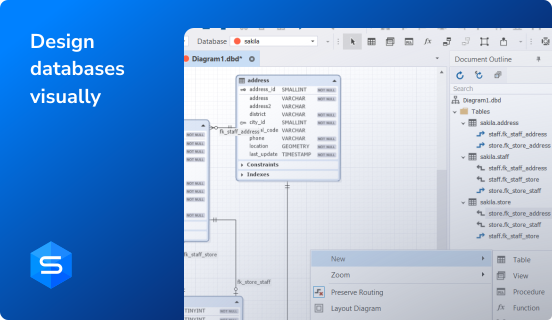
Design MySQL database schemas of any complexity
This MySQL database diagram tool allows you to organize almost any number of objects on the diagram and create complex MySQL schemas. You can create unlimited Entity-Relationship diagrams (ERDs) for your MySQL and MariaDB databases from scratch. Database Designer offers automatic object layout and containers with the ability to embed objects for logical grouping. You can establish and modify virtual relations between the tables directly on the diagram.

Reverse-engineer MySQL databases with drag-and-drop
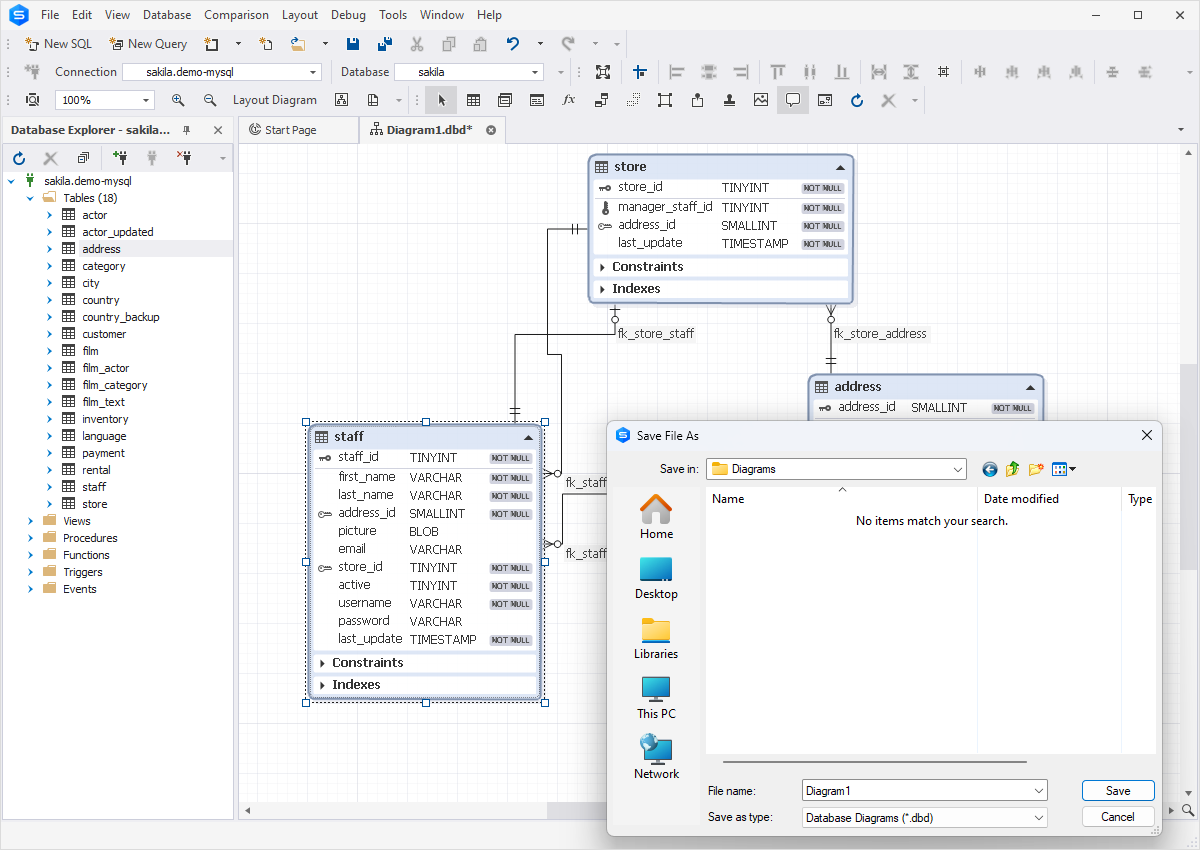
dbForge Studio for MySQL allows you to visualize, analyze, and edit existing logical and physical database models using the dedicated MySQL modeling tool. All you need to do is drag and drop the necessary database (or its objects) from the Database Explorer to the Database Diagram area. With this tool, you can:
- Review and edit relations between database objects
- Save the diagram to a .dbd file
- Generate SQL scripts from diagrams automatically
- Generate database documentation in HTML, PDF, or Markdown formats
Use a diagram for navigation
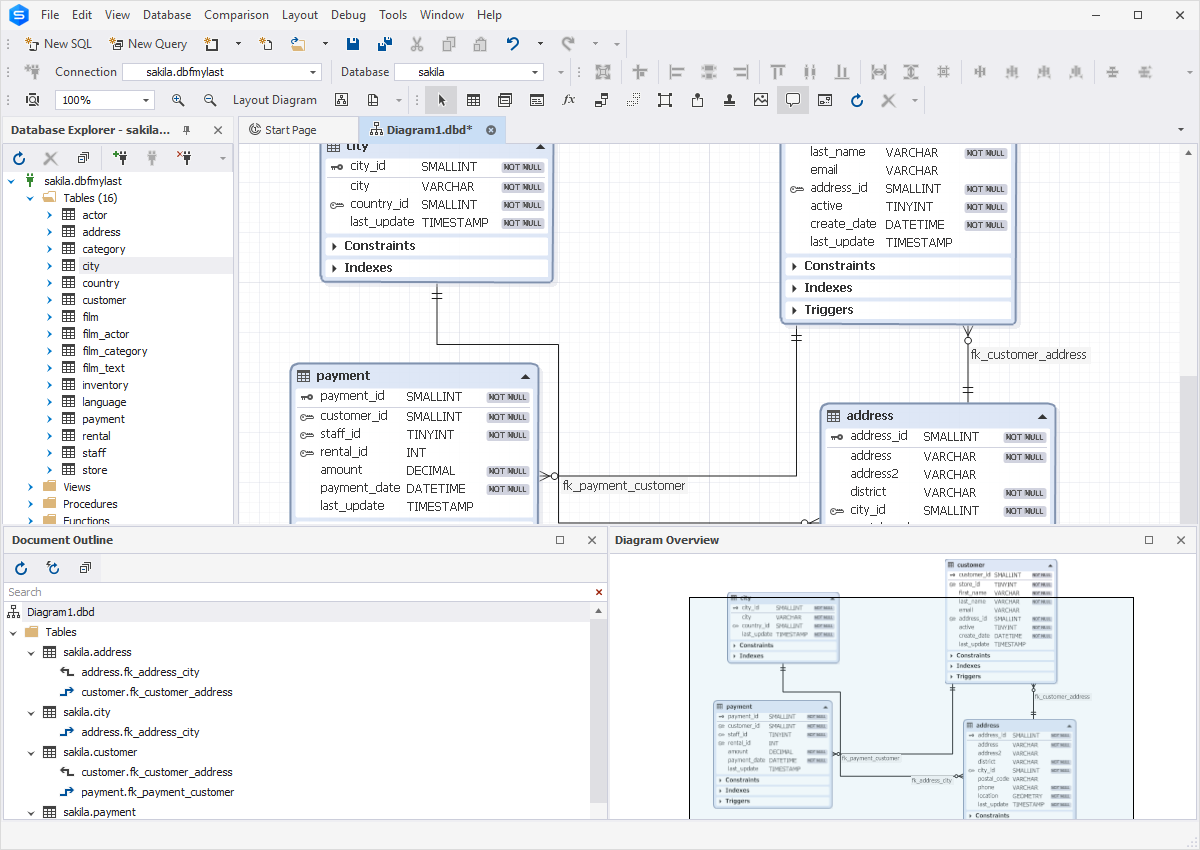
ER diagrams allow you to navigate through all database objects easily. In dbForge Studio for MySQL, you can move around the diagram in the following ways:
- Zoom in and zoom out diagrams
- Drag the specific diagram area with a mouse on Diagram Overview
- Navigate between tables and their relationships using Document Outline
- Use the scrollbars
- Search for objects and navigate to them in the diagram using the Find tool
Update databases instantly
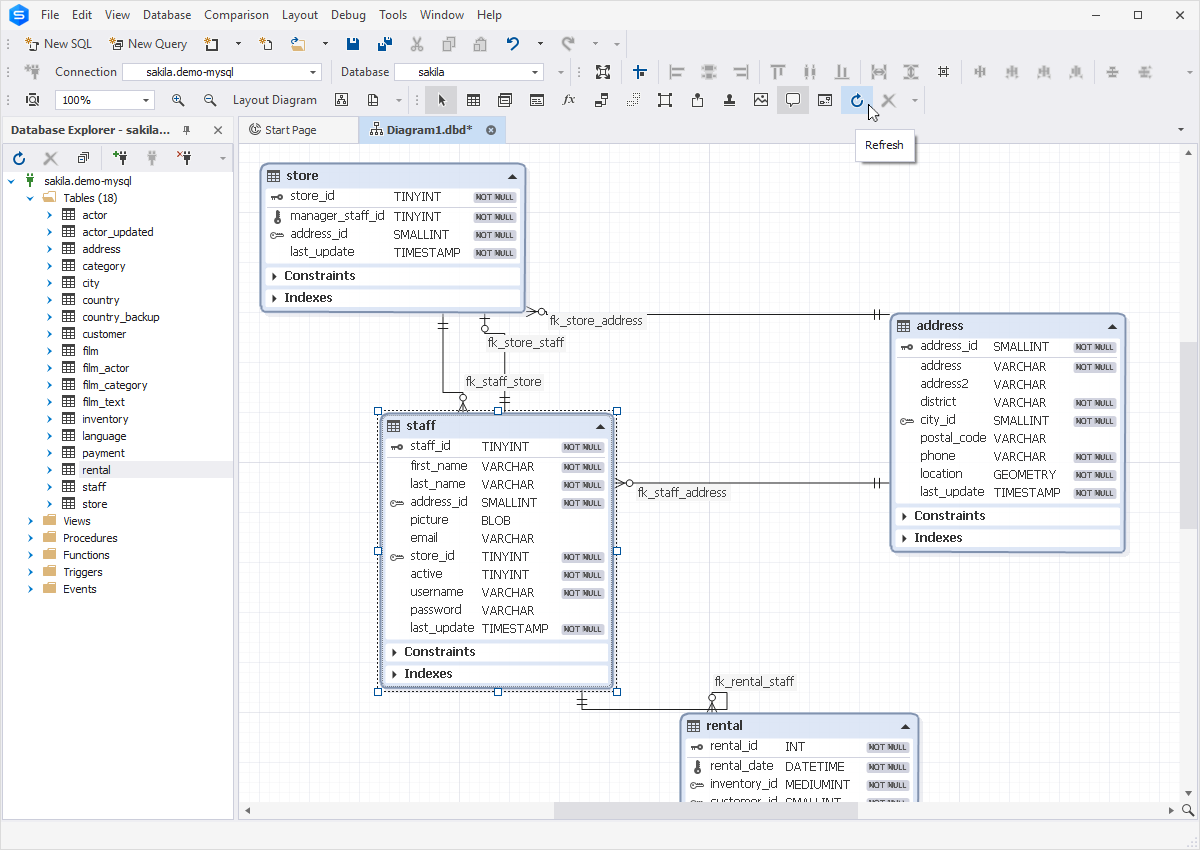
The MySQL database diagram in dbForge Studio is a real-time database representation synchronized with the server. You can see the most recent updates, even those made by other users, and update the MySQL schema design instantly.
After applying changes to the ER diagram, you can automatically generate SQL scripts to update your database.
Print, glue, and pin ERDs
To view how database objects will be positioned on the page in the printing mode, you can use the Display print markup option on the diagram toolbar. Gray stripes can display the page overlapping between the sheets and special markup. This way, you can glue the fragments of your diagram.
With Database Designer, you can adjust the page overlapping and print settings from the Options menu.
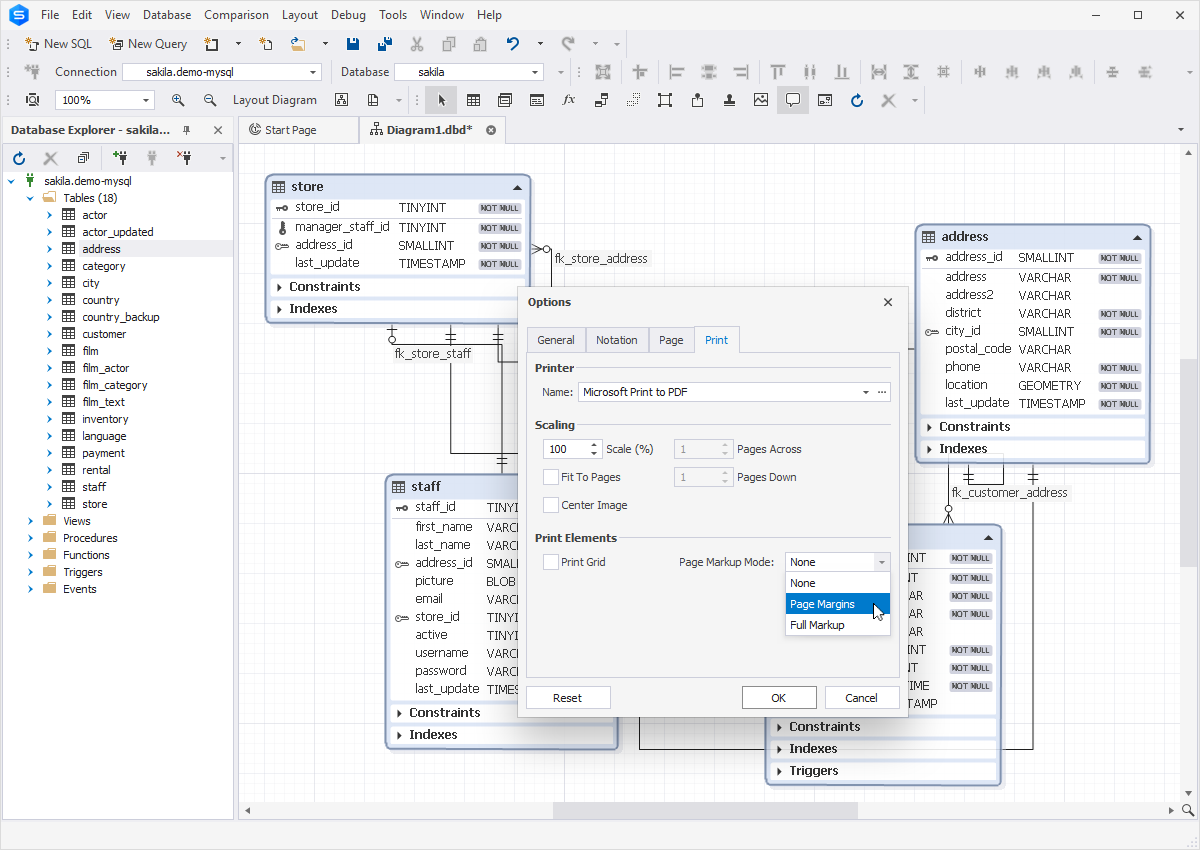
Choose the best diagram representation
Database Designer includes a MySQL visual editor that allows you to change the diagram in general and adjust the look of all tables for your needs:
- Change the background color, shape shadows, and diagram grid
- Change the diagram skin: default, simple, or IDEF1X
- Specify the relation notation: IE or IDEF1X
- Add or hide table constraints, indexes, or triggers
- Separate primary key columns
- Adjust page settings and printing options
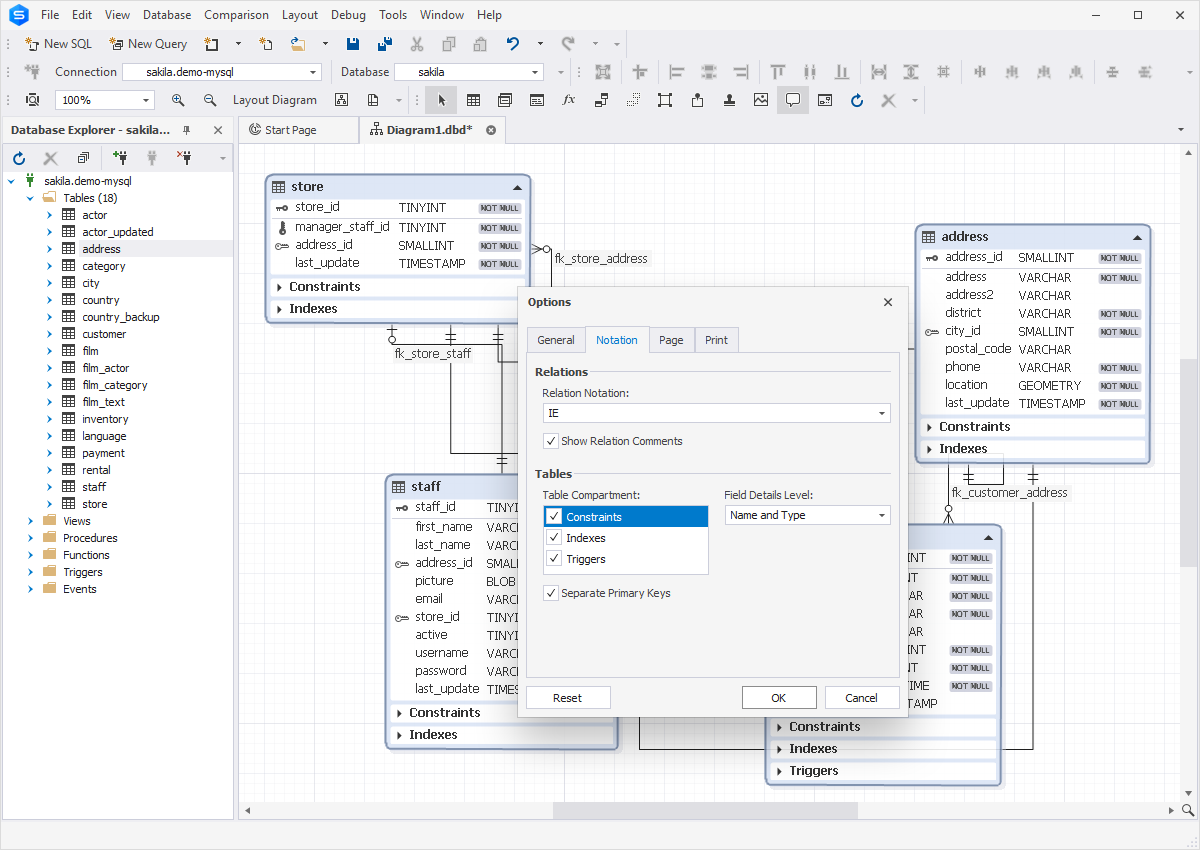
Add auxiliary information via the MySQL diagramming tool
While working with database schemas, you can add more information related to the database structure itself. It can be beneficial if you work on the database model in collaboration with other specialists and need to share some essential information with them.
- Add comments to the diagram
- Insert hyperlinks to other files in comments
- Add stamps with additional information
- Add image sketches for new objects
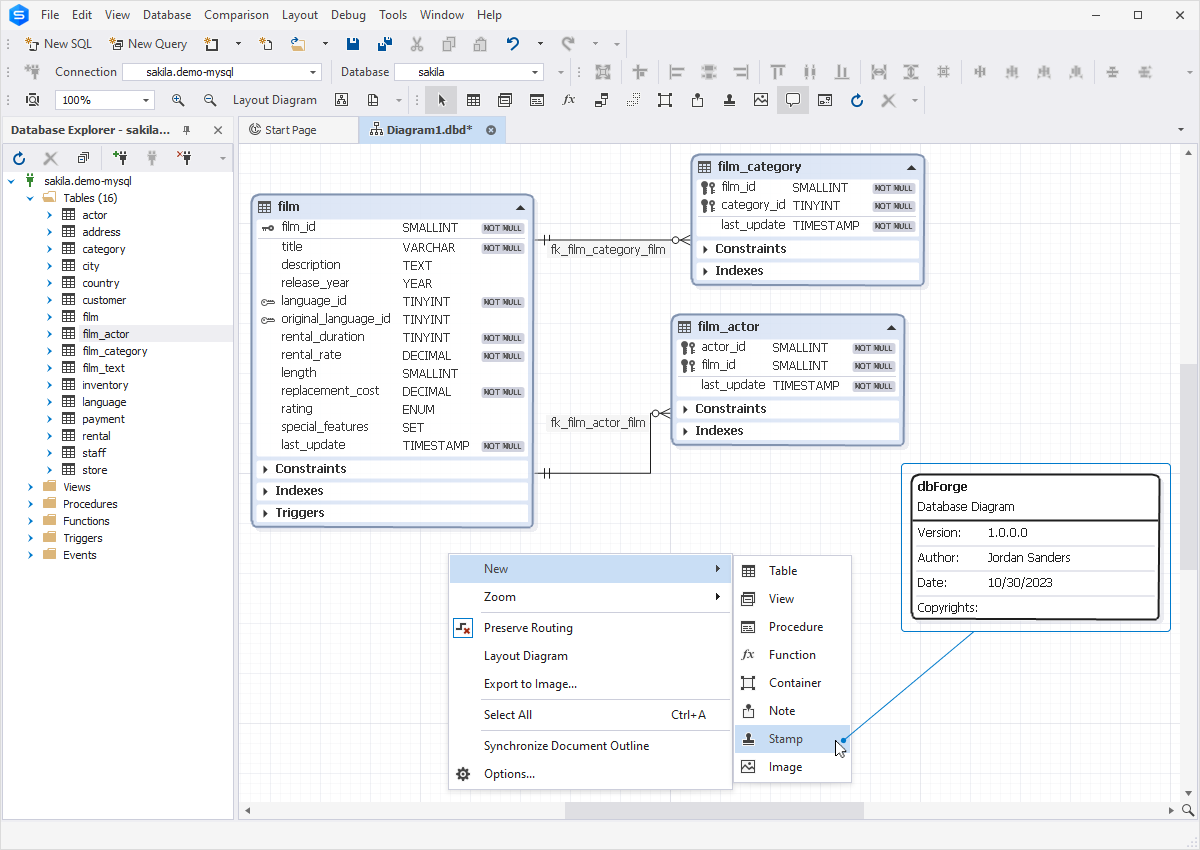
Common database design issues
Visualizing database schemas is essential for both planning and maintaining databases and database-driven applications, as many issues can be traced back to poor design. Let's have a look at some of the most common mistakes that can occur during database design and define how appropriate visualization can help resolve them.
Absent or excessive relationships between tables
One of the most frequent mistakes in database design is either neglecting relationships between related tables or overcomplicating the schema with unnecessary links. Both mistakes break business rules and weaken referential integrity.
Database diagrams allow you to reveal missing or unnecessary connections instantly and adjust connections to keep only essential constraints, improving clarity and integrity.
Overusing VARCHAR(255)
Another standard error is using the same column definitions in all cases. In particular, some designers apply VARCHAR(255) to nearly every textual field, even when shorter lengths or other data types would be more suitable. Some even store numbers, dates, or booleans as text to bypass constraints. These practices waste storage, slow indexing, and hurt query performance.
Schema visualization highlights column definitions, helping you easily spot type mismatches. After that, you can correct issues directly in the ERD and have them automatically updated in the SQL code.
Missing, excessive, or inadequately designed indexes
Some designers frequently skip necessary indexes or create ineffective ones. However, without proper indexing, queries fall back on full-table scans and suffer performance problems.
ER diagrams display all indexes for easy review and adjustment. With tools like dbForge Studio for MySQL, designers can also analyze query performance using the EXPLAIN plan before and after changes to ensure efficiency.
Inappropriate naming conventions
Poor naming doesn't directly slow performance, but it complicates queries and debugging. Ambiguous or inconsistent names may cause misinterpreted columns, overlooked indexes, or duplicate indexes, which may impact the database performance significantly.
Schema visualization exposes these inconsistencies, enabling designers to fix them early. Clear and consistent names help you reduce errors and improve database maintainability.
Lack of documentation
Teams often write documentation late and then neglect updates; however, outdated documentation leads to expensive debugging and performance issues.
An ER diagram can serve as documentation. dbForge Studio for MySQL lets the database designers add comments directly to diagrams, making complex projects easier for teams to understand and maintain.
In all these cases, the visual representation of the database schema provides the possibility to expose design flaws early. Therefore, MySQL design tools help the database specialists detect and fix issues quickly and simplify updating the database code.
How dbForge Studio helps DevOps and CI/CD
dbForge Studio for MySQL is a popular choice among developers who follow DevOps practices. With integrated Source Control, automated database update tools, and seamless CI/CD pipeline integration, the IDE helps ensure fast and accurate releases.
Source Control integration
Integrated Source Control allows you to commit and revert changes, and resolve conflicts directly from within the IDE. It supports all popular version control systems, e.g., Git (including GitHub, GitLab, and Bitbucket), Mercurial (Hg), Perforce (P4), SourceGear Vault, Azure DevOps Server, Apache Subversion (SVN), and TFVC.
To link a database to Source Control, select the desired database in the Database Explorer. Right-click that database, select Source Control > Link Database to Source Control, and configure the necessary parameters in the dialog.

Source Control Manager
The built-in Source Control Manager allows you to perform all version control tasks, including:
- Pull the latest changes from the repository
- Commit changes with comments
- Revert commits
- Resolve conflicts
- Compare local and remote database versions to identify differences

Automated database updates
dbForge Studio for MySQL contains the Schema Compare tool, which allows you to detect all changes between database versions (supporting live databases and script folders). After that, it automatically generates synchronization scripts to deploy the necessary changes onto the destination platforms.

The generated script is fully editable. You can execute it immediately to apply changes, or save it for reuse in routine synchronization operations. dbForge Studio for MySQL also generates command-line scripts and batch files, making it possible to schedule database updates and include them in continuous delivery pipelines.

Conclusion
Database Designer is one of many tools available in dbForge Studio for MySQL, an IDE designed to cover all aspects of database creation, management, data analysis, and administration. You can create professional database models, add and configure all database objects, parameters, and relationships. Such necessary tasks as database reverse-engineering, documenting, updating databases, and setting up CI/CD processes become much more straightforward with the help of this powerful MySQL IDE.
Try dbForge Studio for MySQL in action! The fully functional 30-day free trial enables you to evaluate all the powers of dbForge Studio for MySQL in your daily workflows.