What Is Supabase and How dbForge Studio Supports Its PostgreSQL Database
Supabase is an open-source application development platform that operates under the Backend-as-a-Service (BaaS) model. By providing the backend infrastructure, Supabase allows developers to focus on building and maintaining the frontend code. Every Supabase project comes with a PostgreSQL database, storage, authentication and user management, realtime, and data APIs.
For application developers, starting from an integrated backend platform is a major advantage that translates into considerable time and resource savings. What's more, being open-source, Supabase is flexible and transparent in its architecture, allowing full control, customization, and freedom from vendor lock-in.
Why choose Supabase for your projects?
Supabase is a platform of choice for many application developers for the convenience of Backend-as-a-Service combined with the flexibility of open-source technologies that Supabase uses. Moreover, built directly on top of PostgreSQL, Supabase offers a fully-featured PostgreSQL database with every project. In addition to that, Supabase boasts many other advantages that tip the scales when developers choose the platform for building their applications:
- Open-source platform. Contrary to proprietary solutions that come as a "black box", with Supabase, you have access to the platform code and can inspect and modify it as necessary. This makes it appealing for both startups and projects with strict compliance requirements.
- Comprehensive backend-as-a-service. When launching a Supabase project, you don't need to worry about putting together the required backend components—the platform takes care of that by offering a unified solution that works out of the box.
- Integration with popular tools. Built with PostgreSQL at the core, Supabase leverages its integrability, allowing you to connect to widely-used ORMs, BI tools, and SQL clients.
- Scalability. A Supabase project can be launched in a couple of hours with minimal setup and then grow with your workload. You can start with a prototype and evolve it into an enterprise-grade system without switching platforms.
- Development efficiency. By offering complete backend infrastructure with each project, Supabase saves you the setup time and effort, allowing you to start building application features immediately.
dbForge Studio for PostgreSQL: A comprehensive overview
While Supabase provides an effective application development environment with the backend infrastructure already in place, pairing it with an advanced database management IDE can improve development productivity even further. dbForge Studio for PostgreSQL, with its native support for PostgreSQL databases, is a perfect match for teams that choose Supabase for their app development projects.
dbForge Studio is designed to accelerate the development and administration of PostgreSQL databases, offering a range of capabilities that make it a convenient workspace for developers, DBAs, and data analysts:
- SQL editor. The Studio includes a comprehensive SQL editing functionality complete with syntax highlighting, AI-assisted code completion, query formatting and validation.
- AI Assistant. You can dramatically increase the speed and quality of your SQL coding with AI Assistant that converts your requests into structured SQL, helps you troubleshoot and optimize queries, and simply chats with you on anything you want to learn about SQL development and use.
- Visual data editing. The Studio's GUI allows you to browse table data in a grid, edit values directly without writing and executing SQL queries, and modify tables, getting immediate results.
- Data and schema comparison. Using the Studio, you can easily detect differences in PostgreSQL data and schemas and synchronize databases, if needed.
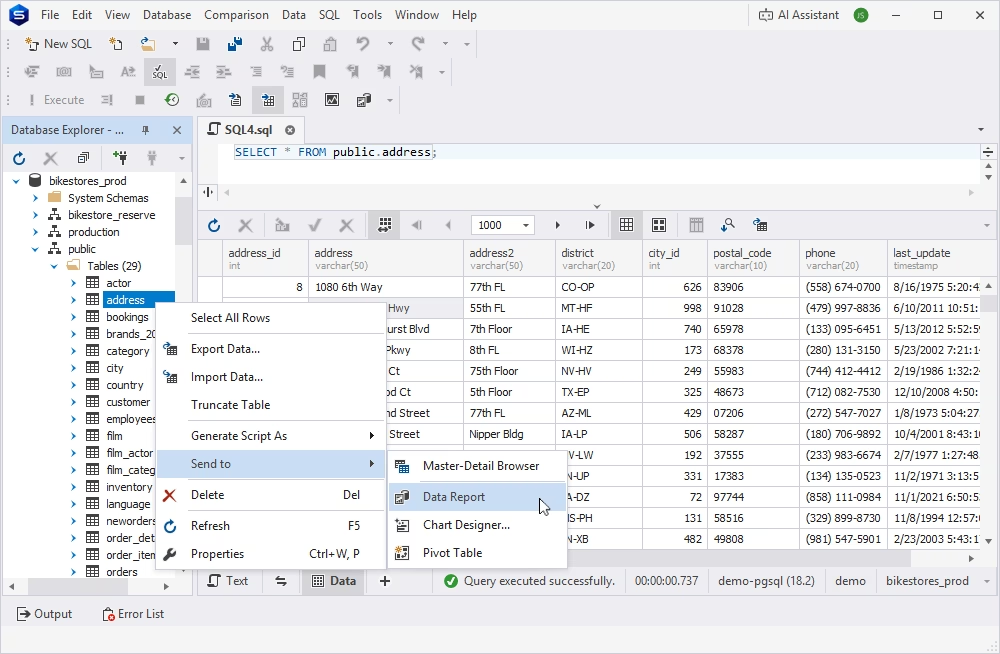
- Reporting and visualization. In dbForge Studio, you can group, sort, and filter PostgreSQL data to obtain insights, generate reports, and export them in different formats.
- Data export and import. With dbForge Studio, importing external data into your database, exporting data in multiple formats, and migrating data between platforms is easy and intuitive.
- Query profiling. The Studio offers a query profiling mechanism that helps you identify performance bottlenecks, analyze execution plans, and optimize queries and indexes to accelerate your workflows.
- Database compatibility. In addition to PostgreSQL, dbForge Studio supports other cloud databases and development platforms, providing technical and data teams with a unified workspace, regardless of which of the supported services they prefer.
How dbForge Studio for PostgreSQL supports Supabase
With dbForge Studio specifically designed as a PostgreSQL IDE and Supabase built directly on top of PostgreSQL, it is only logical to join them to form a comprehensive application development platform with full-featured database management. The Studio provides native compatibility with Supabase, making integrations easy and efficient.
Easy connection setup
dbForge Studio for PostgreSQL treats Supabase as what it essentially is—a PostgreSQL instance. Therefore, it enables direct connectivity to Supabase without any additional drivers or other software. Connecting to a Supabase database is as easy as connecting to any other PostgreSQL database: you only need the connection details (host, port, username, and password). Moreover, dbForge Studio supports secure SSL/TLS connections that may be required by Supabase.
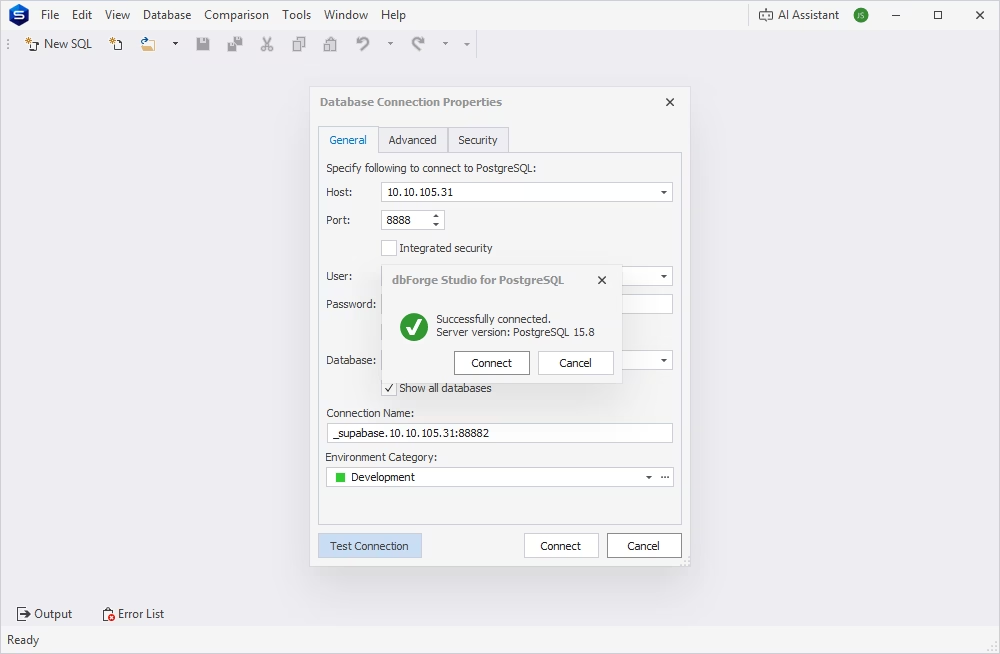
Once connected, you can browse and manage Supabase tables as any other PostgreSQL tables with the entire dbForge Studio functionality available to you.
Advanced query development
By connecting Supabase to dbForge Studio for PostgreSQL, you get a fully manageable database inside the familiar IDE with all the features that the Studio supports:
- SQL development. You can write and execute SQL queries against Supabase data directly in the Studio, using dbForge's code completion and formatting capabilities.
- Database comparison and synchronization. dbForge Studio allows you to compare Supabase data and schemas, identifying differences and initiating synchronizations.
- Query optimization. The Studio's Query Profiler feature helps you pinpoint performance bottlenecks in your SQL queries against Supabase data.
Data analysis and reporting
Data teams can benefit from using the advanced visualization and reporting features available in dbForge Studio when working with PostgreSQL data stored in Supabase.
- Visual data editing. You can open Supabase tables in a grid editor and browse and modify data directly. The Studio offers a cached update option, allowing you to bulk accept or reject changes you have made.
- Report generation. Using the Studio's reporting features, you can create reports in various formats from Supabase data, enhancing them with images, shapes, and graphs that help to unveil the insights provided in the reports.
- Data sorting and filtering. In dbForge Studio, you can sort, group, and filter Supabase data to spot trends and patterns and get a deeper understanding of your application behavior.
Advantages of using dbForge Studio with Supabase
Integrating dbForge Studio for PostgreSQL with Supabase creates a powerful environment that combines a flexible application development platform with a full-featured database management IDE. The native connectivity between the Studio and PostgreSQL databases at the core of Supabase simplifies data management and accelerates application development.
Enhanced productivity
dbForge Studio provides a rich set of integrated tools—SQL editor, visual data editor, query optimization, data and schema comparison—all in one place. When connected to Supabase, the Studio significantly improves the productivity of development teams:
- Faster SQL coding assisted by AI-powered autocompletion, syntax highlighting, and formatting
- Quick data modifications in the visual editor
- Efficient database navigation in the convenient GUI
Reduced development time
Supabase alone is a great accelerator of development processes due to its backend-as-a-service capabilities. Combined with dbForge Studio for PostgreSQL, it helps teams save even more time:
- Quick query validation in the SQL editor
- Performance improvement with query optimization
- Rapid prototyping and iteration using the visual data editing features
Improved database management
dbForge Studio adds advanced database management capabilities to Supabase’s PostgreSQL core:
- Schema and object inspection using a convenient Database Explorer
- Database synchronization with the help of data and schema comparison features
- Data consistency maintained with the export/import and backup capabilities
Better data visibility and control
When managing Supabase data with dbForge's powerful tools, you get a full picture of what is going on in your database:
- Easy data browsing in a structured grid supported by the visual data editor
- Trend analysis assisted by efficient data sorting and filtering
- Controlled editing with change previews and immediate results
Conclusion
The integration of Supabase and dbForge Studio for PostgreSQL brings together the best of both worlds: a convenient, developer-friendly backend-as-a-service platform and a modern, feature-rich database management IDE. Supabase accelerates app development by providing the backend infrastructure and offering instant data APIs, storage, authentication, and real-time capabilities. At the same time, dbForge Studio enables superb control over the database at the foundation of every Supabase project with advanced SQL development and data editing features, database management tools, and analytics support. This synergy creates an efficient workflow for building, testing, and deploying applications.
If you have chosen Supabase as your app development platform, try enhancing it with dbForge Studio's features. Download dbForge Studio for PostgreSQL and enjoy a next-level database management experience.