Devart’s Birthday Sale Is On — 20% Off All Products
ends in   {{days}}
Days
{{timeFormat.hours}}
:
{{timeFormat.minutes}}
:
{{timeFormat.seconds}}

The easiest way to manage diffs in SQL Server schemas and table data

Keep your databases consistent across development, testing, and production environments with dbForge Compare Bundle—a powerful combination of dbForge Schema Compare and dbForge Data Compare. Quickly identify differences in database schemas and table data, review the changes, and synchronize databases with automatically generated SQL scripts.

If you need to deploy updates, migrate databases, or validate releases, dbForge Compare Bundle will simplify database comparison and synchronization. Moreover, it supports command-line automation, making recurring comparison and deployment tasks faster, more reliable, and easier to integrate into CI/CD workflows.

What's included in dbForge Compare Bundle?

Compare and synchronize database schemas

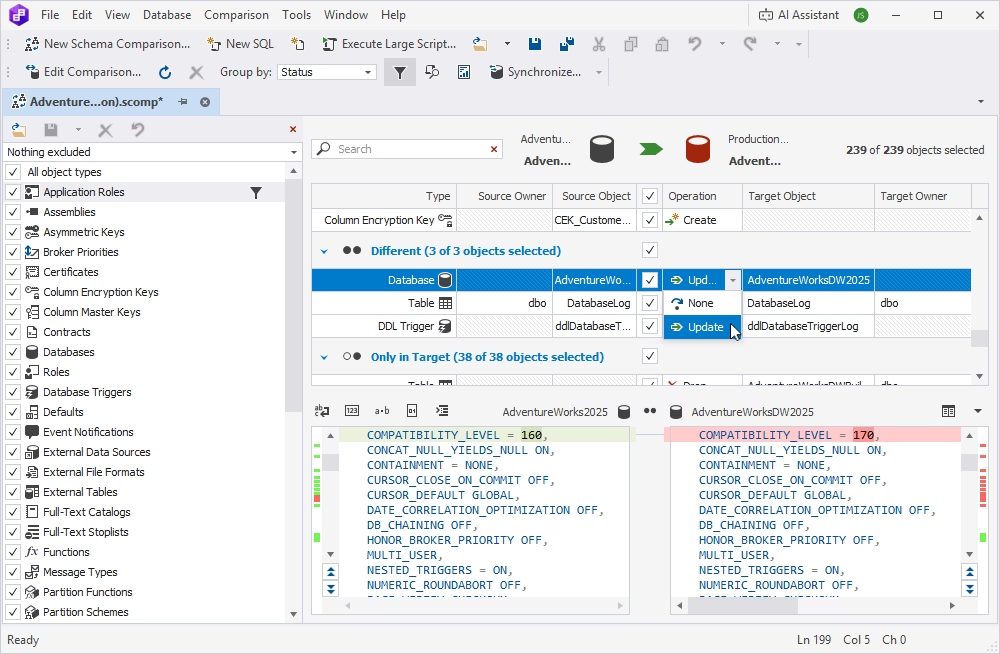
dbForge Schema Compare is your perfect way of managing differences in database schemas. It works with live databases, snapshots, scripts folders, native backups, and source control revisions. With its help, you can fine-tune a variety of settings, run comparisons, analyze differences, and generate error-free SQL scripts to deploy schemas from the source to the target.

You can use this tool in your database development workflow to validate schema changes in a development environment before syncing them with production. You can just as well use it to recover database structures or migrate them to new environments. Moreover, you can set up automated comparison and synchronization operations with command-line scripts.

Compare and synchronize table data

dbForge Data Compare is used to compare actual table data. It works with live databases, scripts folders, and native backups. Similarly to Schema Compare, you can configure a slew of settings, run comparisons, and analyze data differences. You can also compare static data against version-controlled databases and synchronize changes with just a few clicks.

The use cases are also similar to those of Schema Compare. You can continuously monitor changes in your data. You can recover missing or damaged data from a native backup. Finally, you can migrate data from a source to a target environment in the easiest possible way. And take note that command-line automation applies here just as well.

AI Assistant

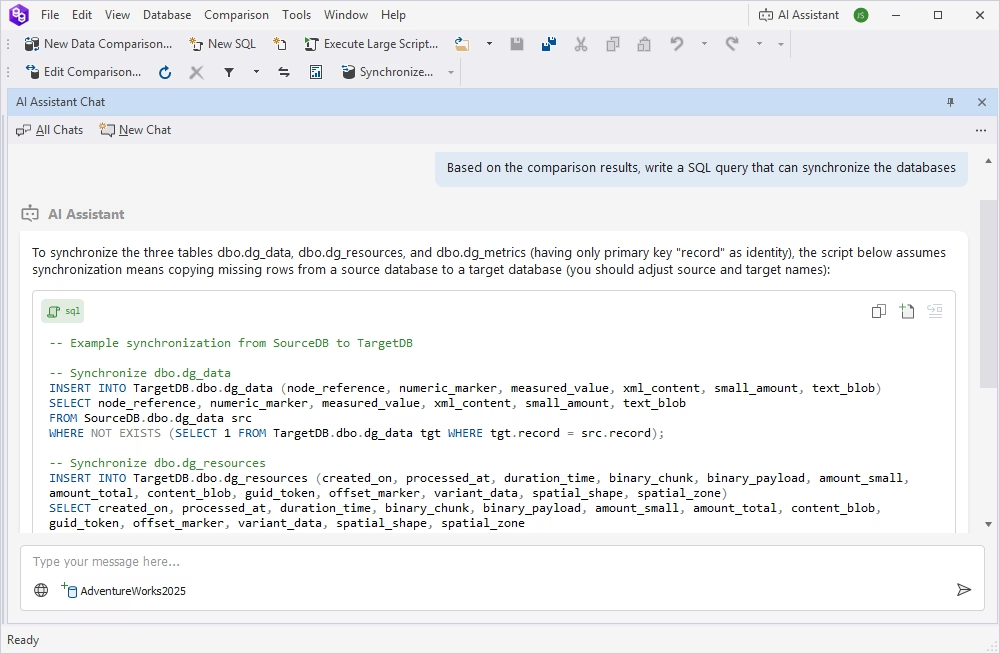
Need help with writing complex SQL queries, optimizing performance, or troubleshooting your SQL? The integrated AI Assistant is there for you. It supports you even in the most sophisticated SQL matters, generating and fixing queries, providing information, and explaining each step in detail.

Quick comparison of database schemas and table data

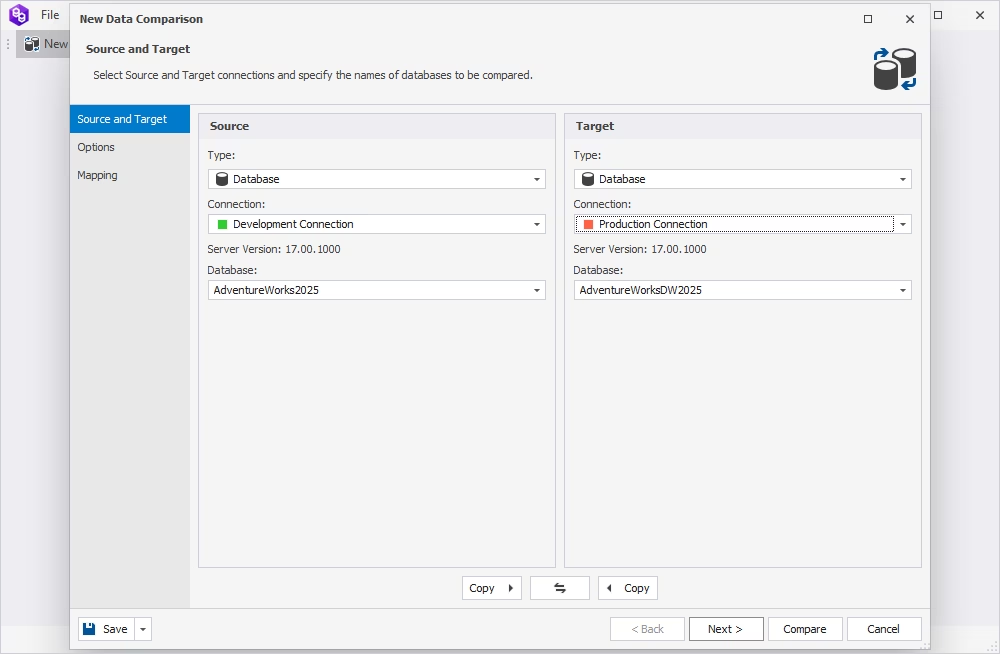
Both tools boast a simple and intuitive user interface, so you won't have any trouble figuring out your next step. Just select the databases to be compared and click Compare—and get the results in a matter of minutes.

Multiple schema objects

Schema Compare will help you spot differences and synchronize the following types of schema objects:

  • Application Role
  • Assembly
  • Asymmetric Key
  • Broker Priority
  • Certificate
  • Contract
  • DDL Trigger
  • Default
  • Event Notification
  • Symmetric Key
  • Full Text Catalog
  • Full Text Stoplist
  • Function
  • Message Type
  • Partition Function
  • Partition Scheme
  • Procedure
  • Queue
  • Sequence
  • Role
  • Route
  • Rule
  • Schema
  • ...and more!

Flexible customization

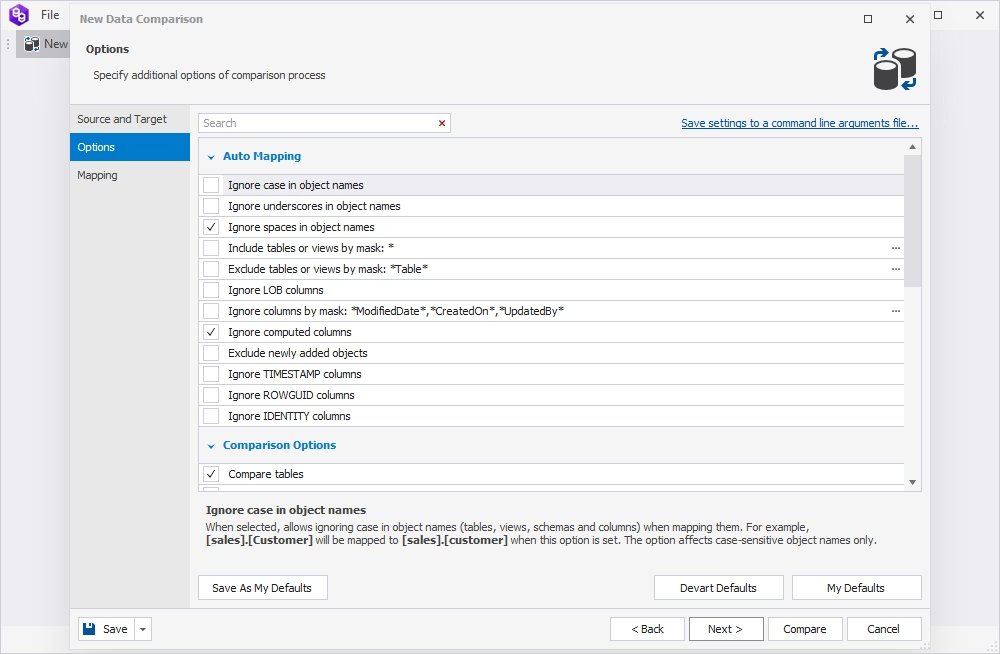
Both Compare tools include convenient comparison wizards with multiple ways to fine-tune data and schema comparison.

  • General comparison options that allow including/excluding specific object types, database properties, etc.
  • Customizable auto-mapping and smart custom mapping options
  • Flexible comparison behavior for tables, triggers, indexes, constraints, replication objects, and script objects
  • The Custom Query feature of Data Compare that allows performing a bilateral comparison of a table with a custom query output

Easy management of comparison results

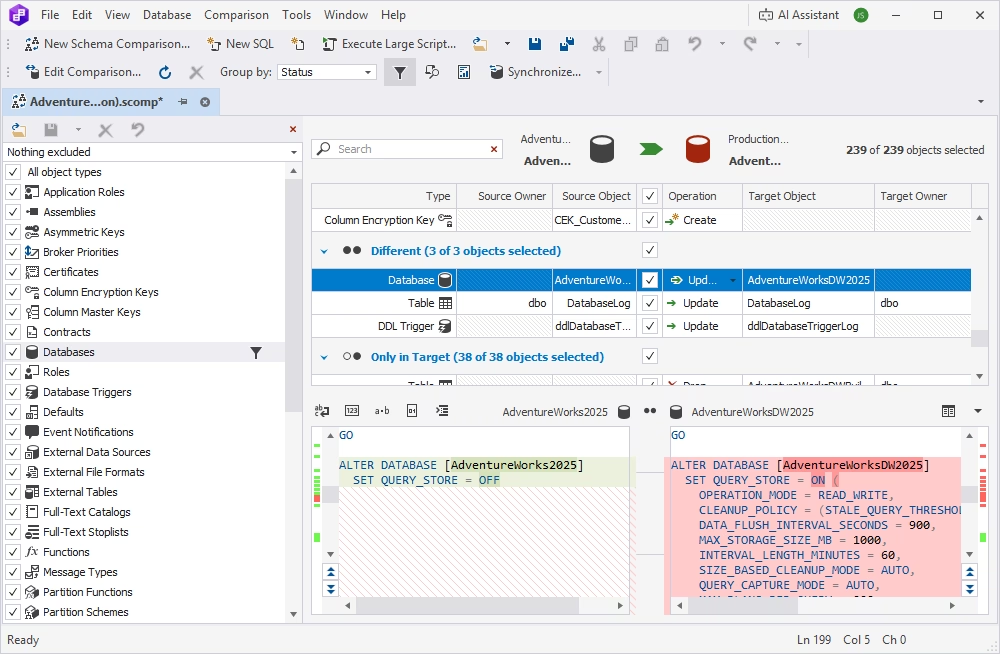
After the comparison, the results are presented in a comparison document, with differences conveniently highlighted for easy inspection.

  • Filter, group, and sort comparison results
  • View DDL differences for each pair of objects
  • Preview update scripts for each object
  • Generate data comparison reports in CSV, XLS, and HTML formats and schema comparison reports in HTML, XLS, and XML formats

Smart synchronization

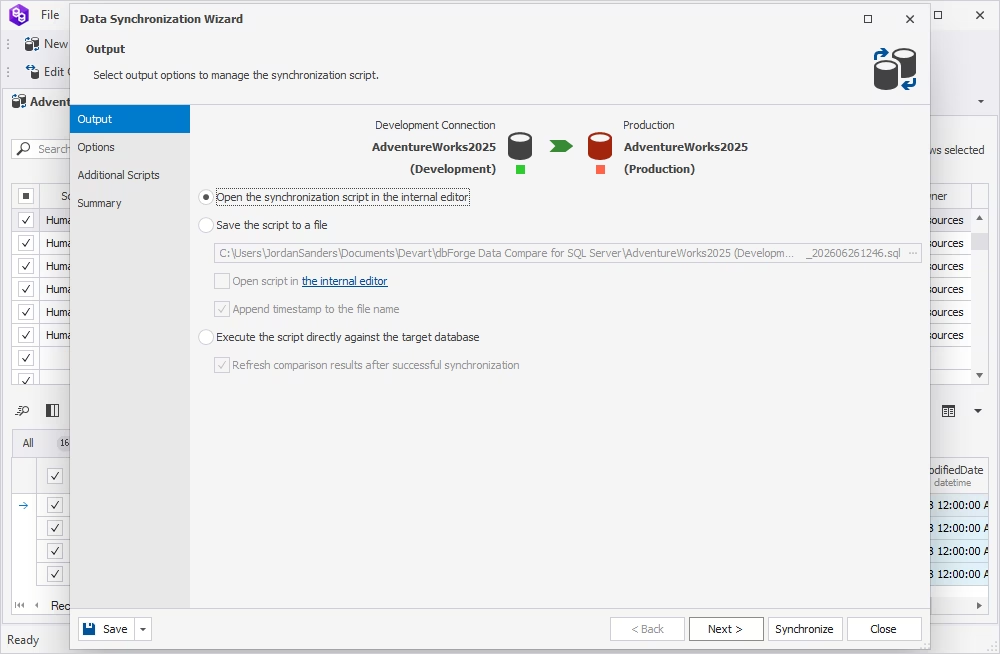
If you need to sync your source and target databases, the synchronization wizard will help you do it in a matter of seconds.

  • Create accurate synchronization scripts
  • Review and edit scripts in the internal editor, save them to files, or execute them directly against the target database
  • Deploy individual, selected, or all schema differences
  • Perform dependency checks to script objects in the correct order
  • Resolve sync issues automatically
  • View warnings about possible issues prior to synchronization

Automation of recurring tasks

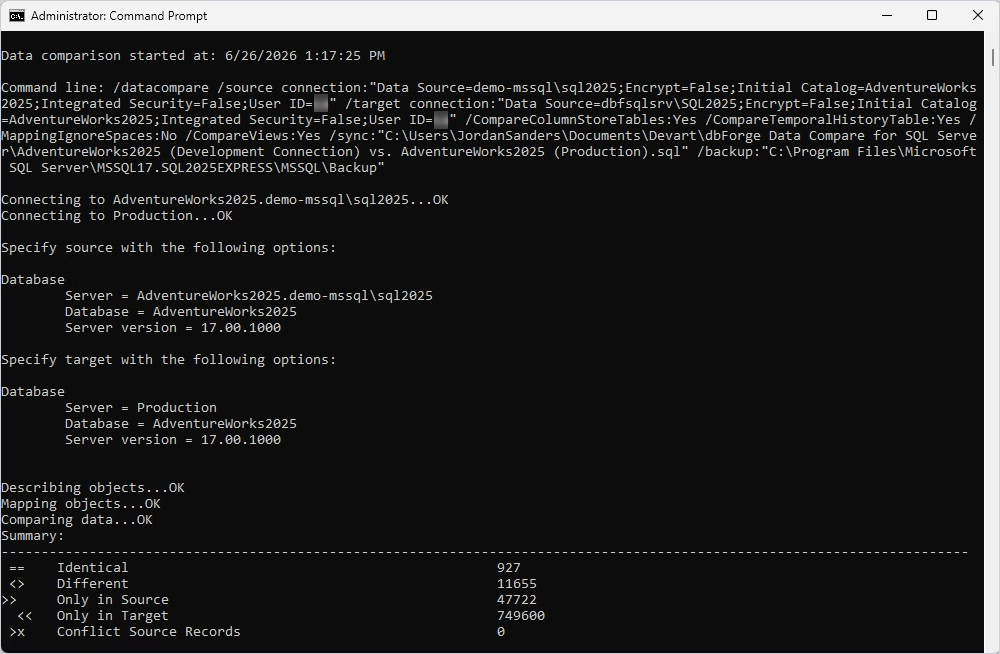
Want to make Schema and Data Compare part of your DevOps cycle? Easy! Configure your settings once, generate a command-line script, and run it at any given moment.

  • Save comparison project settings for recurring use
  • Generate automation scripts
  • Save these scripts to .bat files and schedule their execution via Windows Task Scheduler

Pricing

dbForge Compare Bundle

Starts from

$299.95
per year
Try the tool

Key features:

  • Support for all schema objects
  • Rich customization
  • Comparison of database properties
  • Comparison of database snapshots
  • Comparison of tables and views
  • Custom mapping
Trusted by thousands of data-driven companies
Barkley
Arconic
Polaris
Jabil
Hewlett Packard Enterprise
Lam Research
Microsoft
Trusted by thousands of data-driven companies
Barkley Arconic Polaris Jabil HP Lam Microsoft

What our customers say

Ready to get started?

Get started with dbForge Compare Bundle at no cost

Get started for free

Download both Compare tools in their most advanced editions for a free trial, explore their features, and see them in action.

Buy multiple licenses with a substantial discount

Enjoy bulk discounts

We provide flexible purchasing options, including bulk discounts for multiple licenses. Rest assured that we will meet your budget.

Need a hand?

Need a hand?

If you need any help or have questions about our products, just get in touch with us. Our response won't keep you waiting.