Devart’s Birthday Sale Is On — 20% Off All Products
ends in   {{days}}
Days
{{timeFormat.hours}}
:
{{timeFormat.minutes}}
:
{{timeFormat.seconds}}

SQL Server schema compare tool

dbForge Schema Compare for SQL Server helps you compare databases, analyze differences, perform error-free schema synchronization using autogenerated SQL scripts, and automate recurring operations from the command line. This SQL diff tool works with live databases, snapshots, script folders, and native backups, as well as integrates with SSMS.

  • Compare live databases, native SQL Server backups, or scripts folders
  • Sync staging or production databases with development databases
  • Generate concise and accurate database deployment T-SQL scripts
  • Restore functions and procedures from SQL Server native backups
  • Automate routine synchronization tasks from the command line
  • Deploy to SQL Server, Azure SQL, and SQL Server on Amazon RDS
  • Export schema comparison results to HTML, Excel, and XML
Killer feature of dbForge Schema Compare

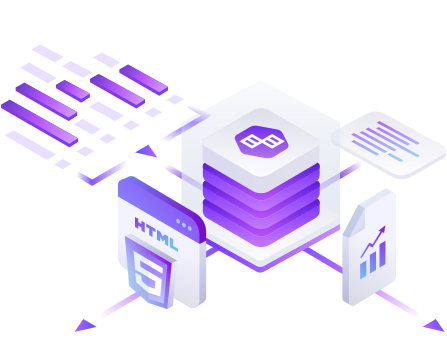
Interactive object comparison report in HTML

  • Generate a detailed report with comparison results
  • Navigate through a read-only HTML report
  • Keep track of the changes applied
  • Analyze DDL differences between objects
  • View a deployment script

Explore how to easily generate an interactive HTML comparison report.

Supported data sources

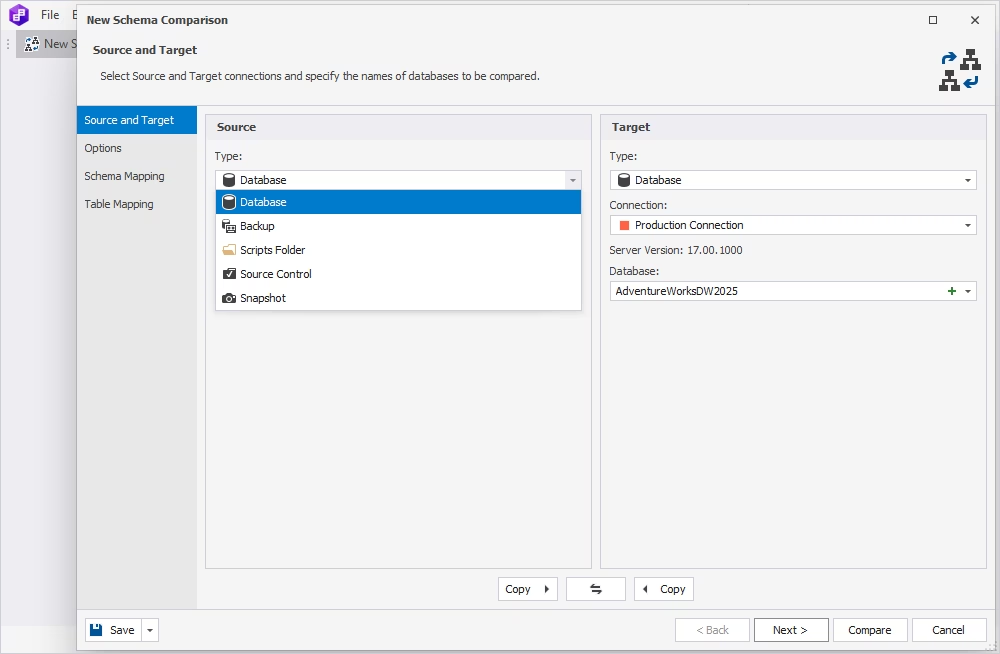
Use the following objects as Source and Target for schema comparison and synchronization:

  • SQL Server databases
  • Native SQL Server backups
  • Database snapshots
  • Custom-mapped tables
  • SQL Server script folders
  • Azure SQL Cloud objects
  • SQL Server installed on Linux
  • Source control revisions
Download for free

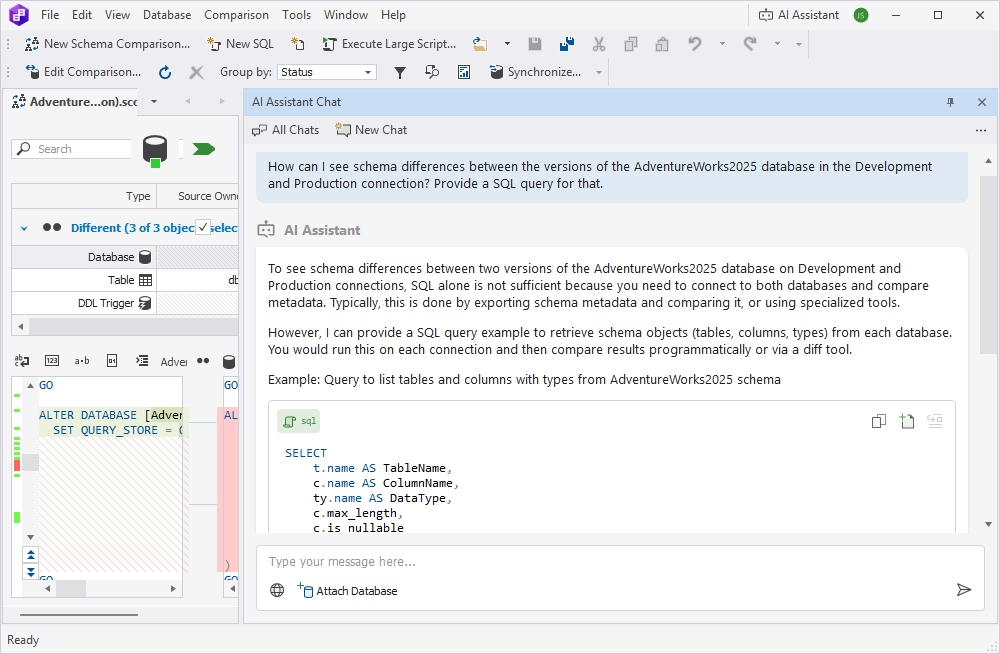
Manage schema comparison results

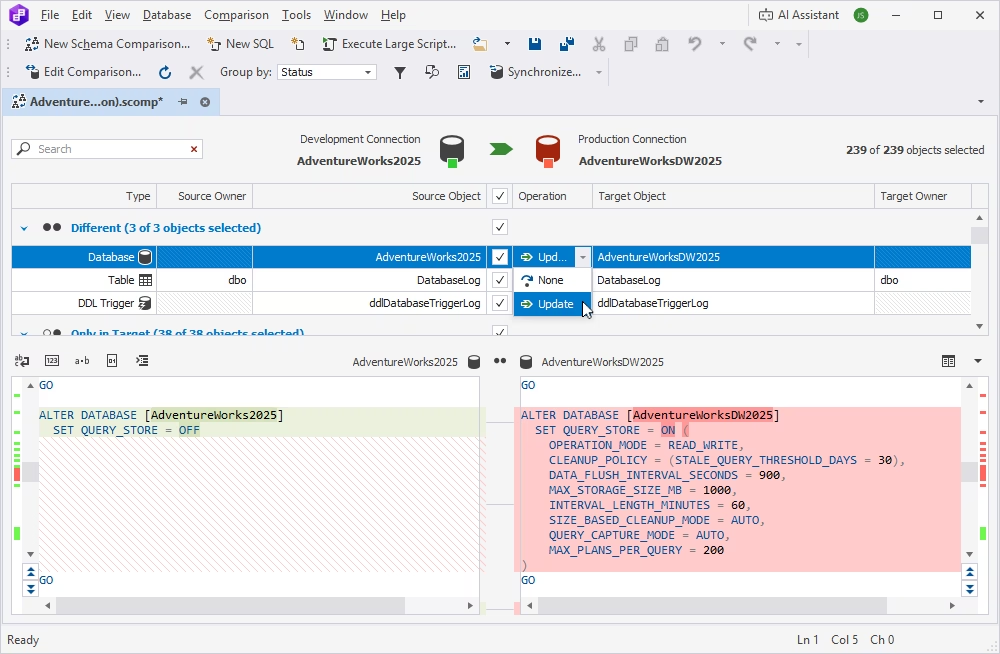
Browse schema comparison results displayed in a clear format with a detailed breakdown of all the identified differences and provide multiple management options:

  • Edit comparison by modifying the initial settings
  • Group comparison results by different criteria
  • Search and filter comparison results
  • View SQL differences
  • Customize differences view
Download for free

Customize schema comparison

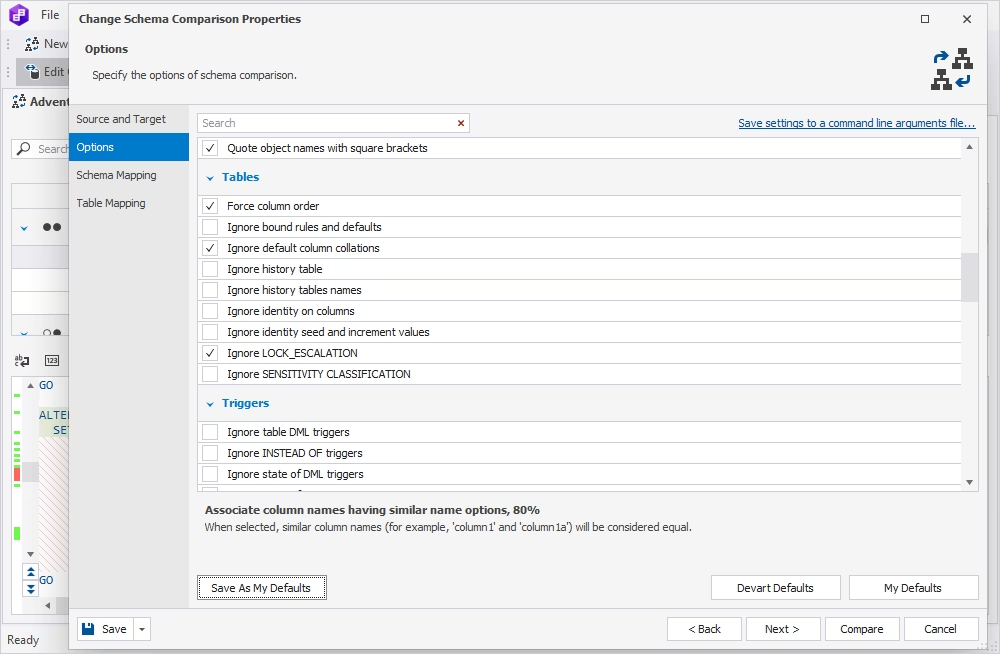
Choose from the long list of available options to set up a schema comparison process to meet your specific needs. You can include or ignore various schema and non-schema objects to obtain the exact results you want:

  • Triggers
  • Indexes and constraints
  • Table properties
  • Sequences
  • Replications
  • Script objects
Download for free

Synchronize databases after schema comparison

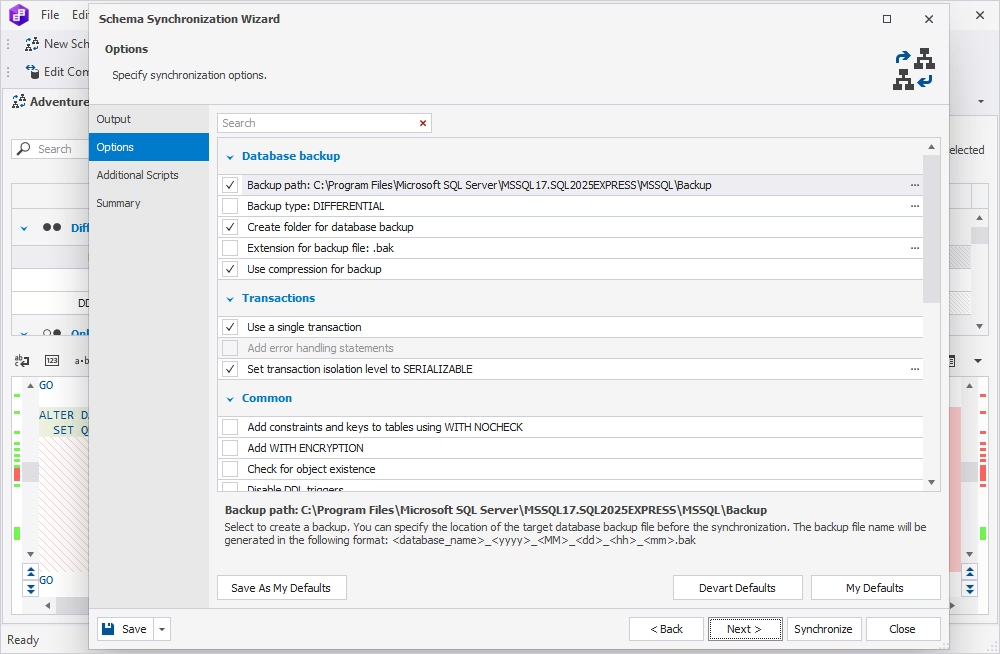
Use the comparison results to update the target data source in an intuitive wizard-assisted process. A flexible selection of synchronization options allows you to customize the output according to your needs.

  • Select objects for synchronization
  • Configure synchronization options
  • Create custom synchronization scripts
  • Back up the target database for safe synchronization
Download for free

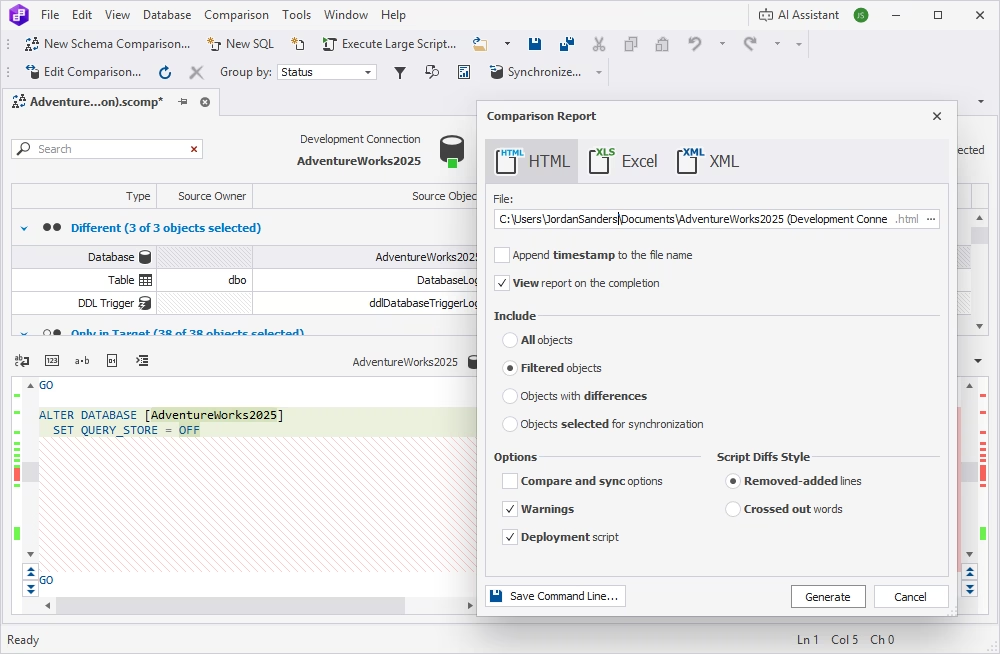
Export schema comparison reports

Export comparison reports in the Excel, HTML, and XML file formats, customizing the output as necessary.

  • Select objects to include in the report
  • Choose which comparison options to include in the report
  • Customize the script diff style
Download for free

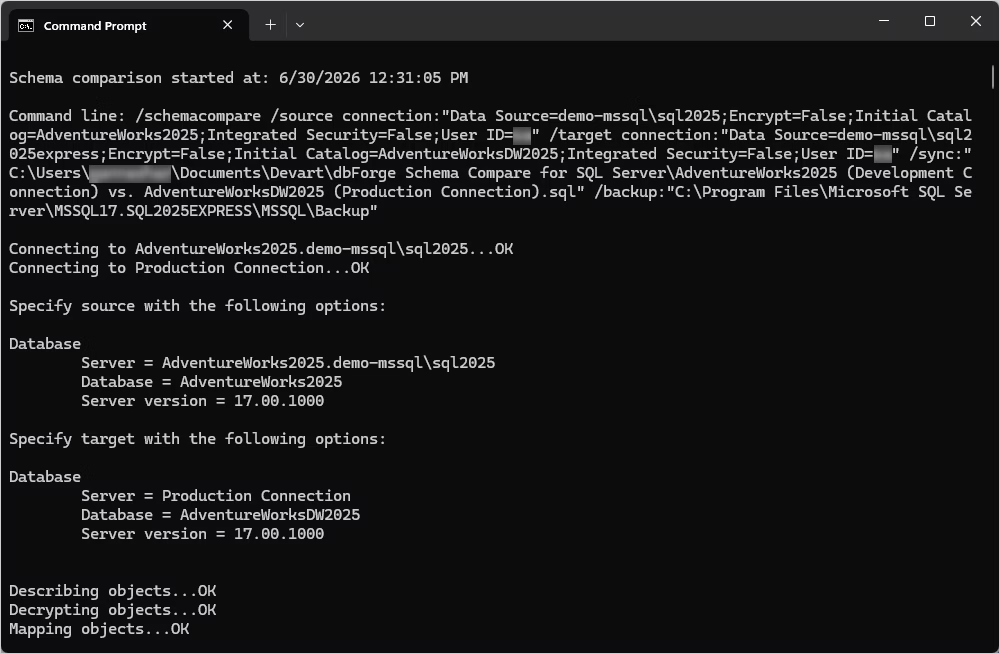
Automate recurring tasks

Leverage the automation features of dbForge Schema Compare for SQL Server to set up routine workflows. You can automate various operations from the command line, saving time and resources and reducing errors.

  • Use the command-line interface to run schema comparisons
  • Configure automated email notifications
  • Set up automated tracking of schema changes
  • Run schema comparisons in automated DevOps pipelines
Download for free

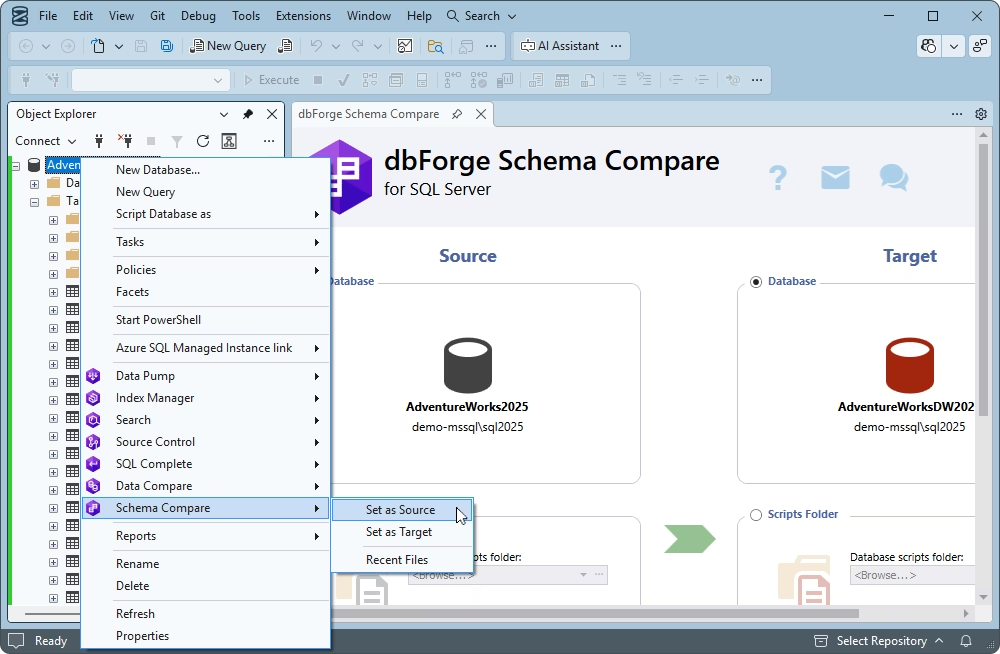
Integrate Schema Compare into SSMS

dbForge Schema Compare is available both as a standalone application and as an add-in for SQL Server Management Studio. If SSMS is your SQL environment of choice, you can integrate Schema Compare into it and perform your comparisons and synchronizations within the same IDE.

Download for free

Pricing

dbForge Schema Compare

Starts from

$239.95
per year
Try the tool

Key features:

  • Support for all database objects
  • Properties comparison & sync
  • Custom table mapping
  • Comparison reports generation
  • Git, SVN, TFS, Hg support
  • Scripts folder support
  • SQL backup comparison
  • Command-line interface
Save 37% with the bundle

dbForge Compare Bundle

Starts from

$299.95
per year
Try the complete bundle

Key features:

  • Support for all schema objects
  • DB properties comparison & sync
  • Snapshots comparison
  • Tables & views comparison
  • Rich customization options
  • Custom mapping
  • Version control comparison
  • Git, SVN, TFS, Hg support
  • Native backups comparison
  • Static data comparison
  • Command-line interface
Trusted by thousands of data-driven companies
Barkley
Arconic
Polaris
Jabil
Hewlett Packard Enterprise
Lam Research
Microsoft
Trusted by thousands of data-driven companies
Barkley Arconic Polaris Jabil HP Lam Microsoft

What our customers say

Ready to get started?

Get started with dbForge Schema Compare at no cost

Get started for free

Download a FREE trial and make your routine database schema comparison and sync operations twice as fast and effective today.

Buy multiple licenses with a substantial discount

Enjoy bulk discounts

To meet your budget in the optimal way, we provide flexible purchasing options and bulk discounts for multiple licenses.

Try SQL tools with Schema Compare included

Try SQL Tools

Sync schemas, deploy from version control, write SQL, and more with our mega pack of SQL Server tools.

Frequently asked questions

What is SQL Server Schema Compare?

SQL Server Schema Compare is a utility that allows you to detect differences in the structure of two databases. Such tools focus on database objects (tables, views, functions, triggers, etc.) rather than on the data they contain.

How do I compare two SQL Server database schemas?

The easiest way to compare two SQL Server database schemas is to use a dedicated tool, such as dbForge Schema Compare for SQL Server. It offers a straightforward schema comparison process, where you can select databases for comparison, customize the options and, if needed, synchronize databases after the comparison.

Can I compare SQL Server schemas in SSMS?

Yes. dbForge Schema Compare can be used as an SSMS add-in, allowing you to compare and synchronize database schemas within the SSMS IDE.

Is dbForge Schema Compare a SQL diff checker?

dbForge Schema Compare checks for differences in SQL schemas (tables, views, stored procedures, functions, etc.) and returns a complete list of differences that you can review and manage.

What is the difference between Schema Compare and Data Compare?

The key difference is what is being compared:

  • Schema Compare compares the structure of databases.
  • Data Compare compares the contents of database tables.
Can I compare a live SQL Server database with a backup?

Yes. In dbForge Schema Compare, you can compare any combination of the supported data source types: databases, backups, snapshots, scripts folders, and source control versions.

Can I generate a SQL synchronization script?

Yes. In dbForge Schema Compare, you can generate a command-line script that executes schema synchronization and include it in your automation pipelines.

Does Schema Compare support Azure SQL Database?

Yes, dbForge Schema Compare supports Azure SQL Database, thus allowing you to compare on-premises and cloud databases.

Can I automate schema comparison from the command line?

Absolutely. dbForge Schema Compare enables you to generate a schema comparison and synchronization script that can be executed from the command line and used in automation pipelines.

Is there a free SQL Server schema comparison tool?

You can download dbForge Schema Compare for a free trial and experience the full functionality of this schema comparison tool.