SQL Server development tools in one bundle

dbForge SQL Tools is a high-end bundle of 15 apps and add-ins that cover the entire database lifecycle for Microsoft SQL Server and Azure SQL Database. It is a go-to solution for SQL developers, database administrators, data analysts, and DevOps engineers who want to increase their productivity and reduce expenses by automating database development and deployment under CI/CD.

  • SQL development
  • Version control
  • Data management
  • Database operations
  • Database administration
  • Data analysis and reporting
  • CLI-powered automation
  • Database DevOps

What's in the bundle?

Database development and data analysis

Database management and operations

Database administration

Automation

Ready to explore dbForge SQL Tools for free?

Download the bundle for a free trial and give it a go today!

Pricing

Standard

Starts from
$429.95
Buy now
Key features:
  • Basic SQL coding assistance
  • Basic schema and data comparison
  • Visual query building
  • Data import and export
  • Search for objects and data
  • Performance monitoring
  • Event management

Professional

Starts from
$649.95
Buy now
All features from Standard +
  • Advanced SQL coding assistance
  • Advanced schema and data comparison
  • Generation of database documentation
  • Source control integration
  • Automated unit testing
  • Generation of test data
  • Database DevOps automation

Enterprise

Starts from
$699.95
Buy now
All features from Professional +
  • High-end SQL coding assistance
  • T-SQL code analysis
  • High-end schema and data comparison
Get started with dbForge SQL Tools at no cost

Get started with dbForge SQL Tools at no cost

Download the bundle for a free 30-day trial and see all of its capabilities in action today!

Who can benefit the most from dbForge tools for SQL Server?

Developers

Developers

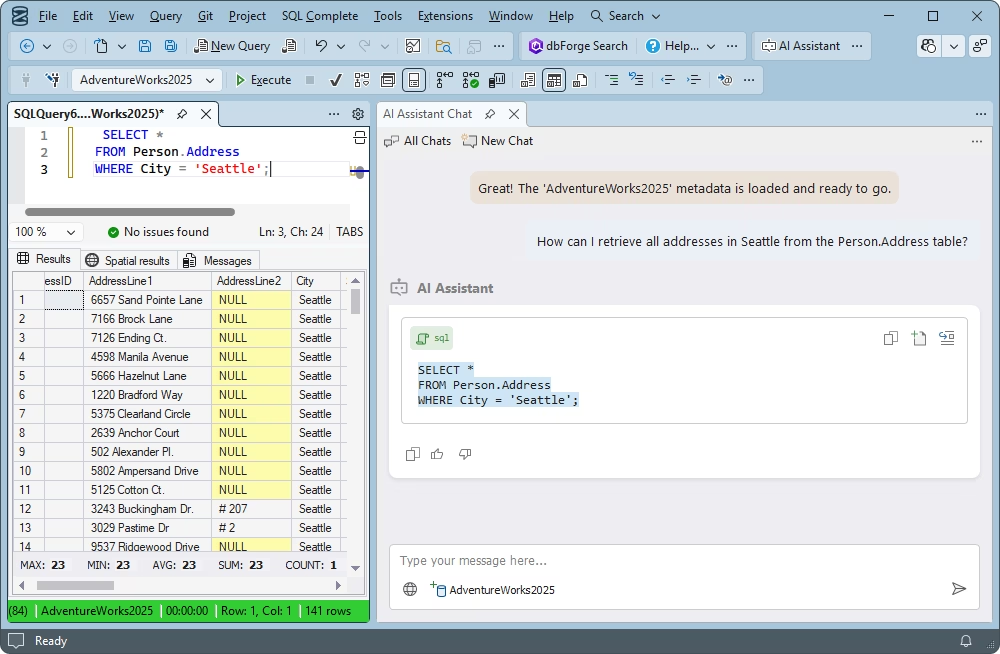
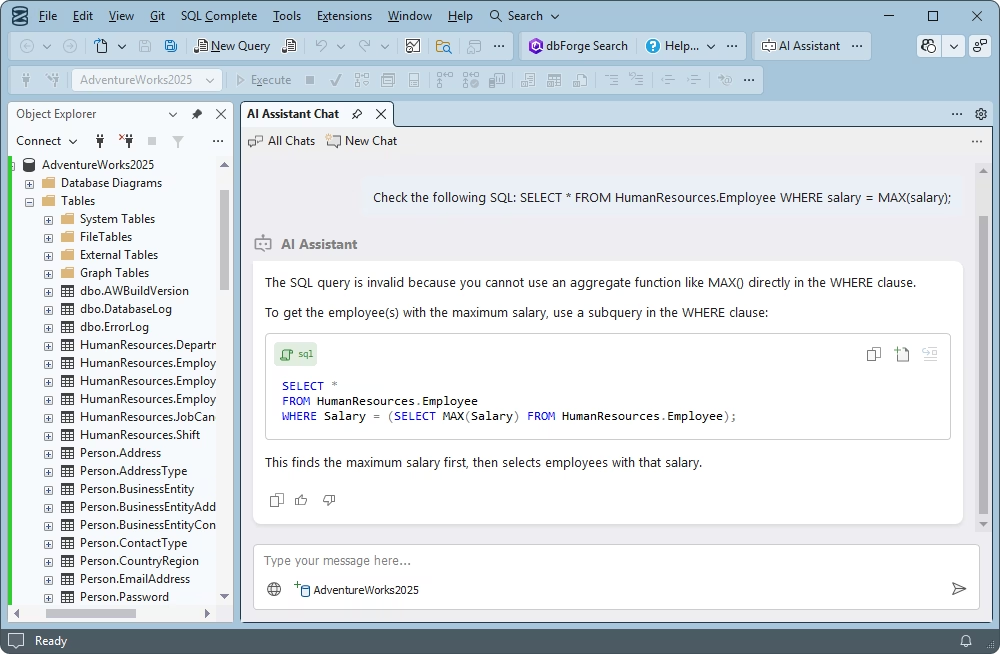
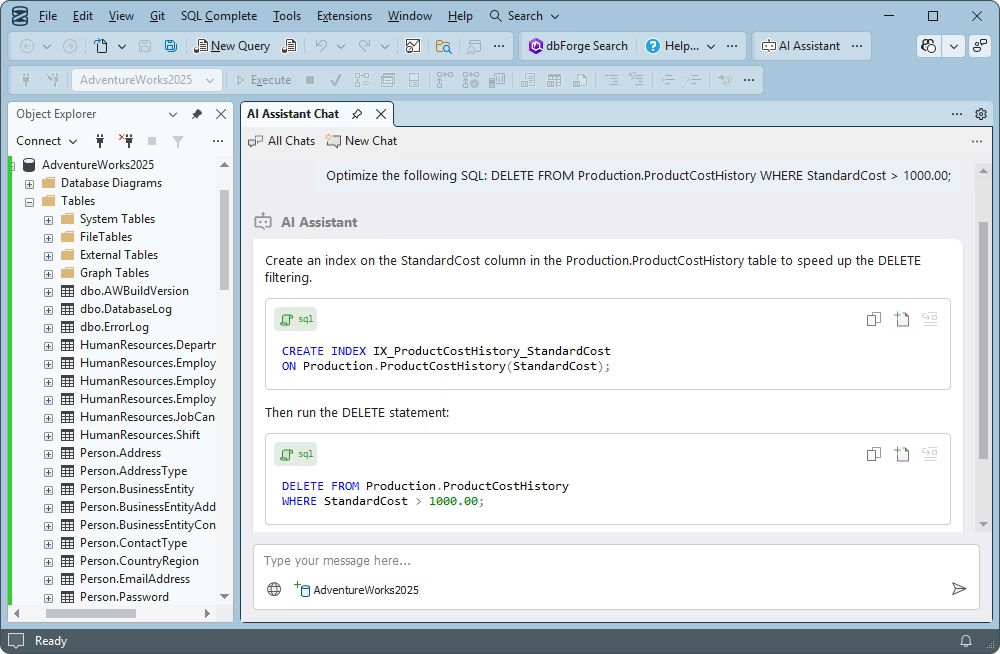
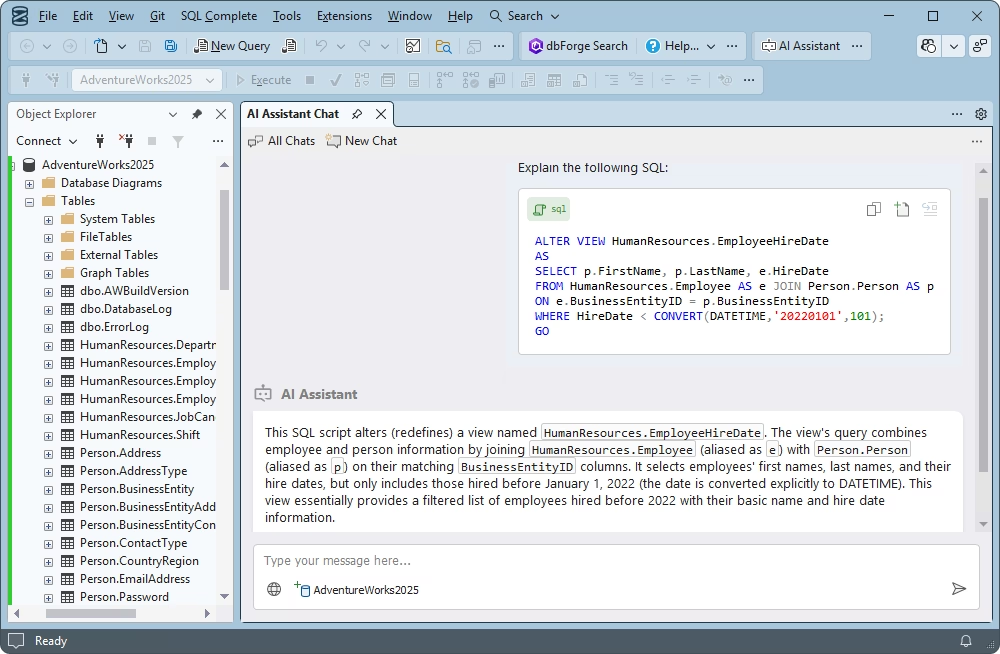
dbForge brings a comprehensive set of SQL Server tools to help developers perform their daily work as quickly and effortlessly as possible. These tools include IntelliSense-like code completion, formatting, and refactoring, as well as AI-powered query generation and optimization.

Database administrators

DBA tasks are perfectly covered as well. These include user and privilege management, backup and recovery, database migration and monitoring.

Data analysts

Analysts will definitely benefit from tools that aggregate data in convenient pivot tables and present findings in compelling reports.

Managers

Finally, dbForge solutions are perfectly suitable for managers. Their interfaces are so intuitive that you won't need any tech background to use them.

Why choose dbForge SQL Tools?

You will become far more productive

You will become far more productive

dbForge SQL Tools was designed to make all of your operations with databases quick, error-free, and automated where possible. Once you give it a go, you will see the difference.
You can set up database DevOps

You can set up database DevOps

The bundle offers everything you need to set up a DevOps cycle and manage your database lifecycle most effortlessly at each stage, be it development, testing, or deployment.

You will meet your budget

You will meet your budget

You can save a lot by purchasing the entire bundle (instead of getting those tools separately). It is available in several editions to help you meet your needs and budget in the optimal way.
Databases will be in order at all times

Databases will be in order at all times

The bundle's DBA tools will help you keep an eye on the health and safety of your databases. This includes performance tuning, backup and recovery, migration, index management, and more.

Leading companies choose dbForge SQL Tools

Berkley
Arconic
Polaris
Jabil
Hewlett Packard Enterprise
Lam Research
Microsoft

What our customers say

Ready to get started?

Get started

Download for free

Give dbForge SQL Tools a go during a free 30-day trial and see the bundle's versatile capabilities in action.

Buy multiple licenses with a substantial discount

Enjoy bulk discounts

We offer flexible purchasing options to meet your budget. Also, if you need multiple licenses, you will get a bulk discount.

Need a hand?

Need a hand?

If you need any help or have questions about our tools or purchasing options, feel free to get in touch with our team.

Frequently asked questions

What are SQL Server development tools?

SQL Server development tools are software utilities and environments designed to help you write, test, debug, deploy, and manage databases built on Microsoft SQL Server. They are used by database developers, analysts, and administrators.

Which dbForge tools help with SQL Server development?

First off, it's dbForge Studio for SQL Server, an AI-powered integrated development environment that offers a rich feature set for the entire database lifecycle.

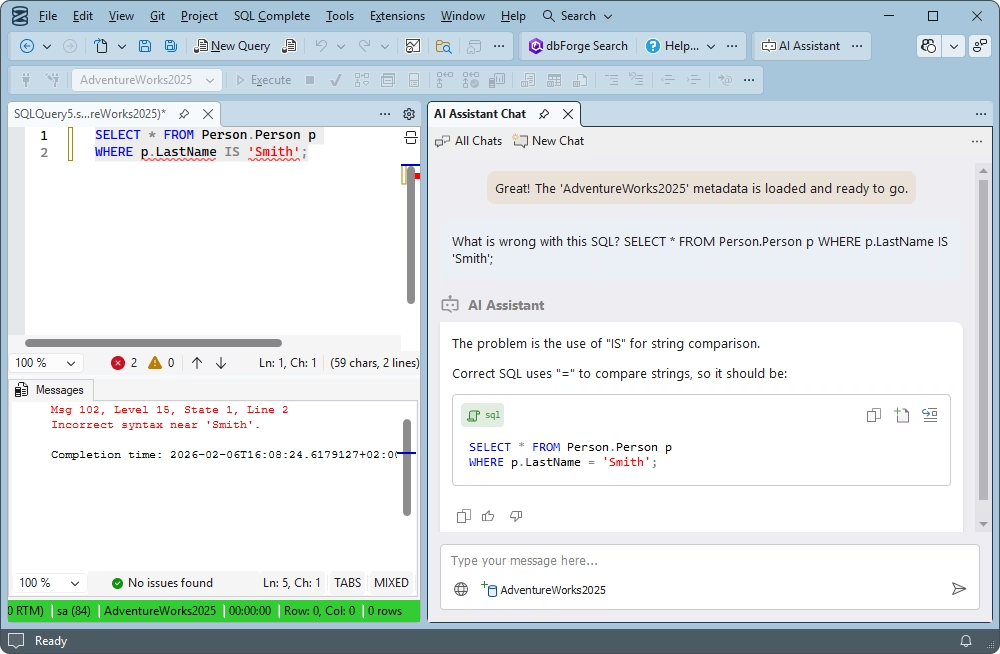
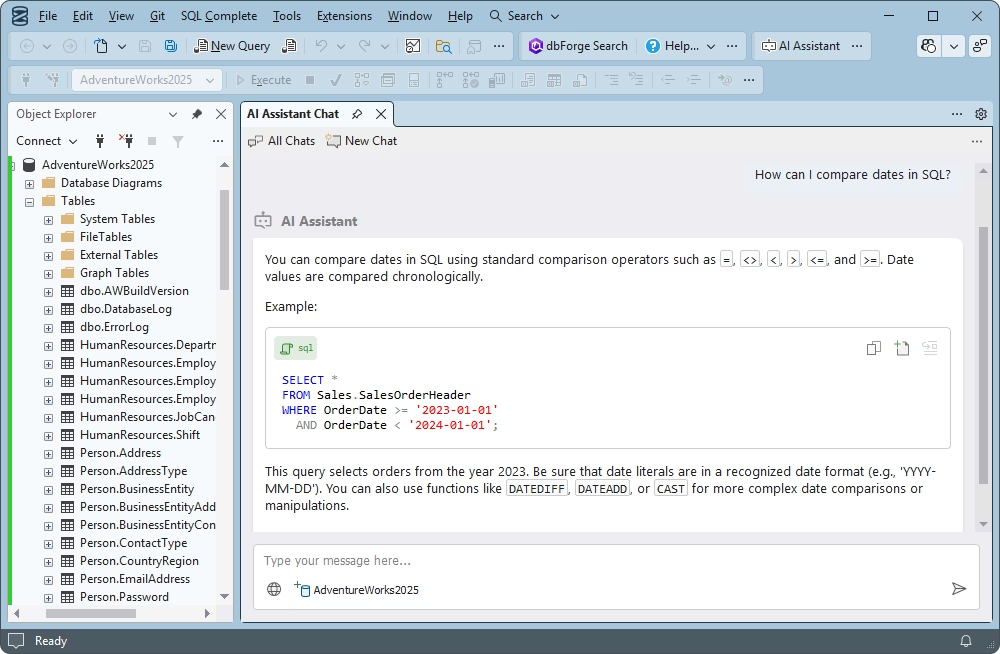
Next, it's dbForge SQL Tools, a bundle of 15 standalone apps and add-ins for SSMS and Visual Studio. The most notable of those is dbForge SQL Complete, an add-in that focuses on SQL coding and provides autocompletion, formatting, refactoring, debugging, and code analysis directly in SSMS. It is also powered by dbForge AI Assistant, an invaluable solution for SQL generation, optimization, and troubleshooting.


Finally, if you deal with several database management systems simultaneously, you may opt for dbForge Edge, an all-in-one solution that encompasses SQL Server, Azure SQL Database, MySQL, MariaDB, Oracle Database, PostgreSQL, and a number of related databases and cloud services.

Does dbForge SQL Tools work inside SSMS?

Yes, dbForge SQL Tools delivers a number of add-ins that can be integrated into SSMS to drastically enhance its capabilities. These include SQL Complete, Data Pump, Source Control, Unit Test, Data Generator, and more.

What SQL Server development tools do developers use most often?

Most often, SQL Server developers use tools that help them write and run SQL queries, create tables, stored procedures and indexes, perform debugging and performance tuning, as well as manage, migrate, and deploy databases. All of these tasks can be performed with combinations like SSMS + dbForge SQL Tools or IDEs like dbForge Studio for SQL Server.

How do SQL Server developer tools help speed up database development?

High-end SQL Server tools can remove a lot of the manual work that slows down the development process. With their help, you can achieve faster coding with fewer mistakes, rapid testing and debugging, automated data integration and database deployment. Moreover, you can use visual design instead of manual SQL coding, save time with reusable database projects and templates, and even set up effective teamwork under version control.

Does dbForge SQL Tools include AI-powered capabilities?

Yes. The dbForge SQL Tools bundle includes multiple AI-powered tools like SQL Complete, Documenter, Data Generator, Query Builder, Data Compare, and Schema Compare. All of them offer an integrated AI Assistant, a reliable copilot that generates, explains, fixes, and optimizes SQL code in a matter of moments.