Compare data in SQL Server databases

dbForge Data Compare for SQL Server is your best assistant when it comes to finding differences in the data of two databases, syncing changes from development to production, recovering data from a backup, and migrating data to a target environment with minimal downtime. With Data Compare, you can run quick comparisons, analyze conveniently highlighted diffs, generate comparison reports, and keep your databases in sync.

  • Detect data diffs in live databases, backups, and scripts folders
  • Generate T-SQL scripts to update one database with content from another
  • Restore damaged or missing data from a native backup
  • Copy lookup data from development databases to staging or production
  • Deploy changes to SQL Server, Azure SQL Database, and SQL Server on Amazon RDS
  • Export data comparison results to CSV, HTML, and Excel
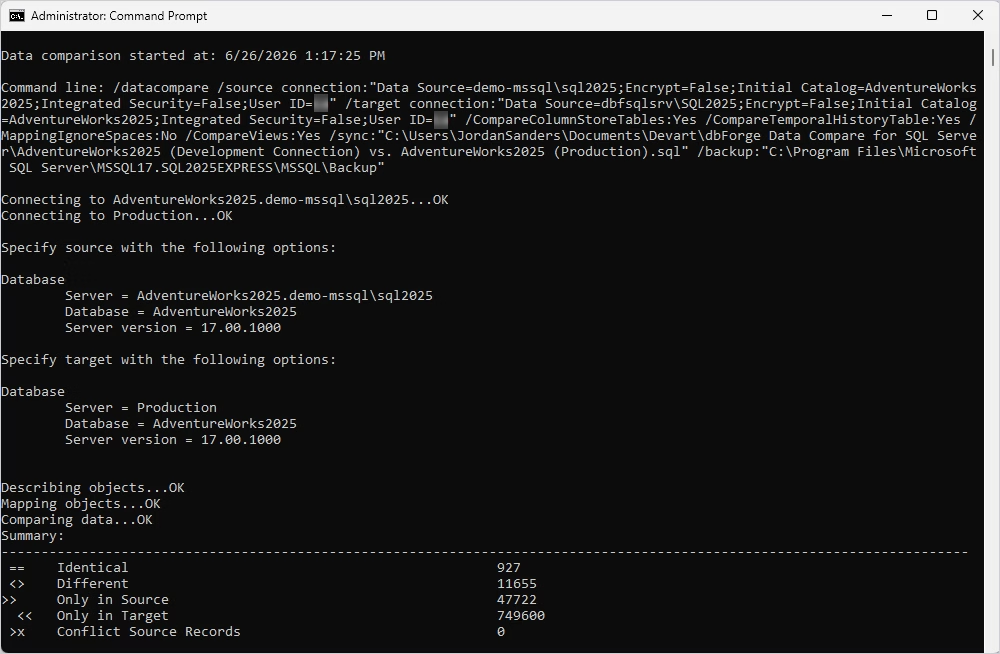
  • Automate reporting and synchronization from the command line
  • Integrate dbForge Data Compare with SQL Server Management Studio

Meet the killer feature of dbForge Data Compare

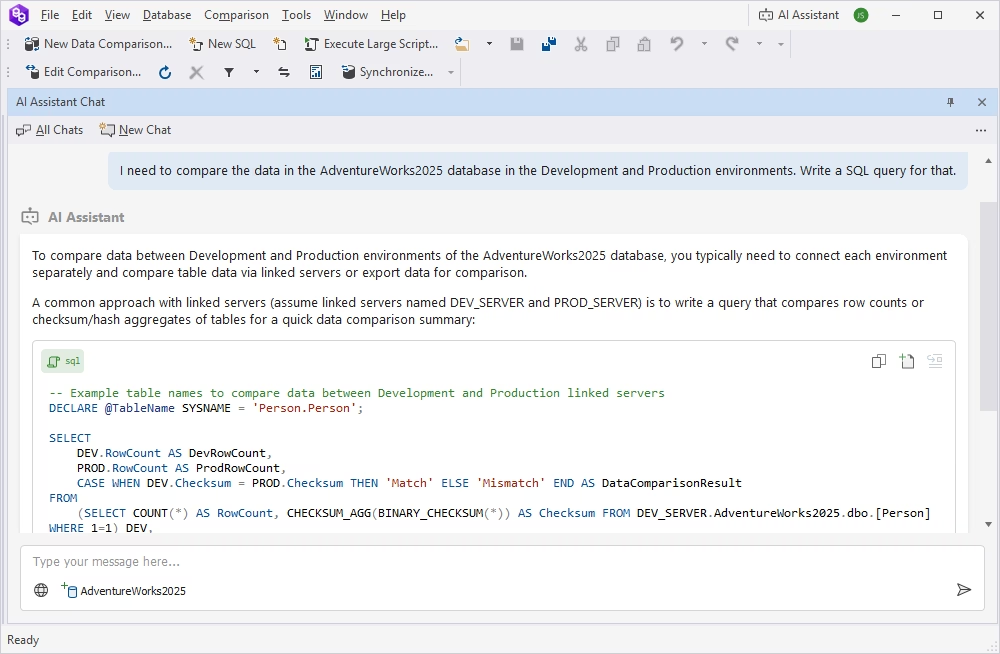
Compare the results of custom queries

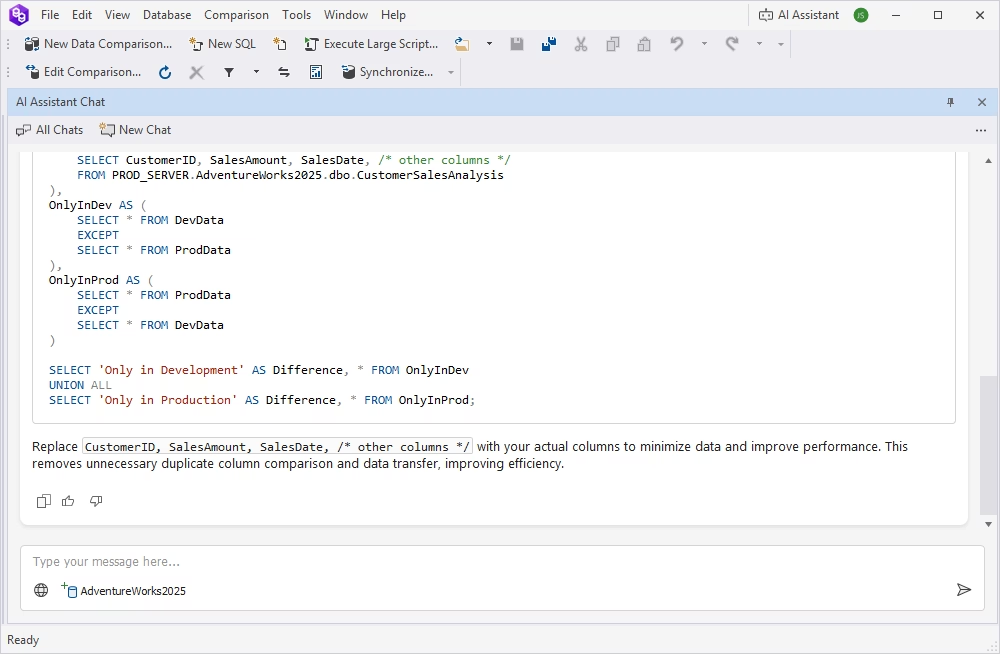
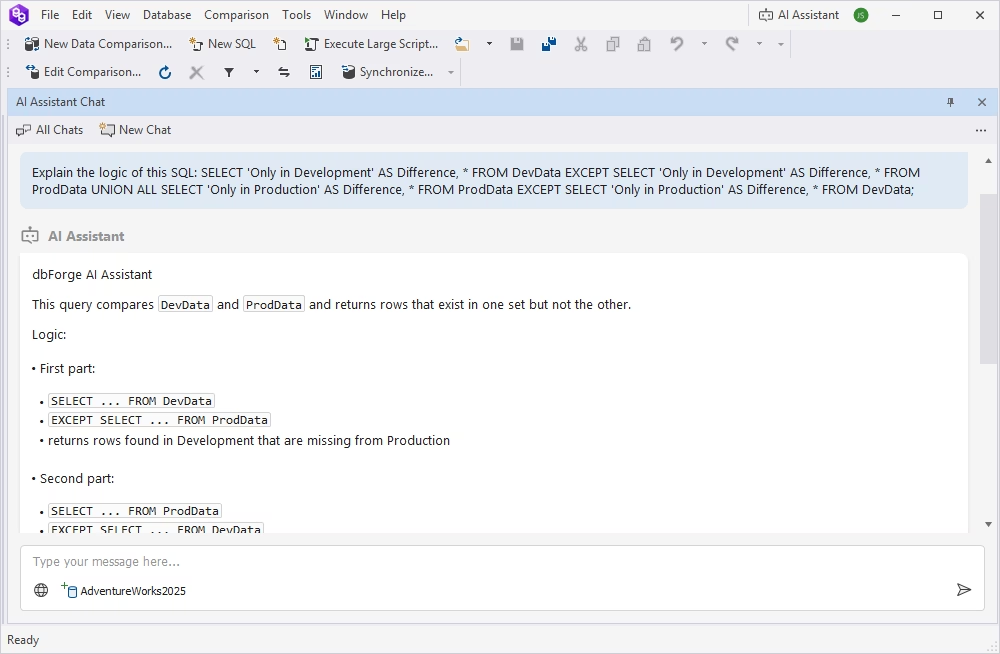
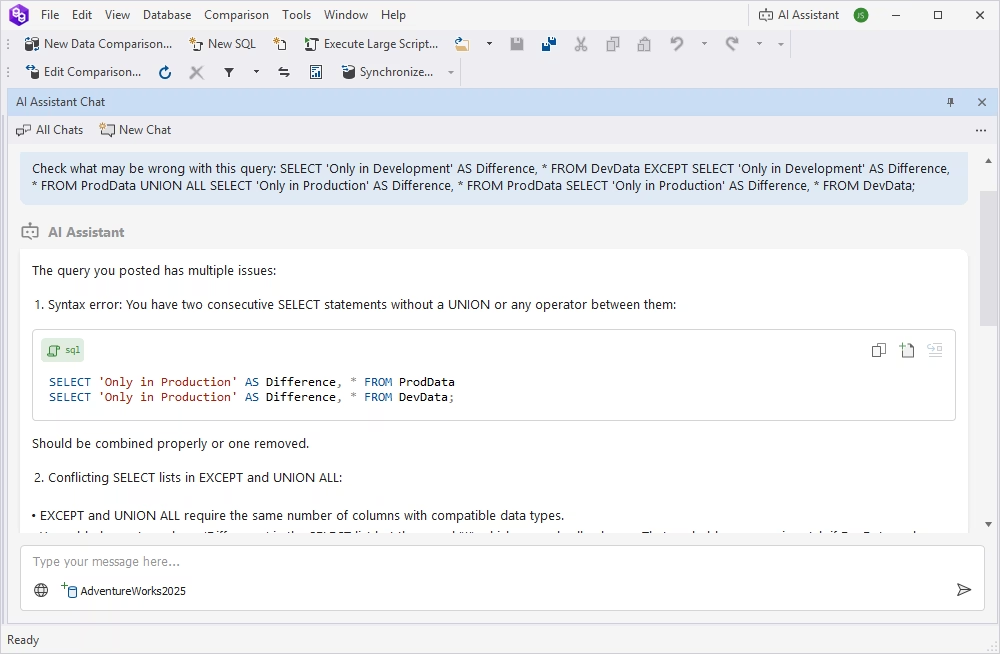
What if you need flexibility that goes beyond the basic comparison of entire tables and views? What if you need selective comparison output based on your custom requirements? It's easy! The solution lies in the killer feature of dbForge Data Compare - comparison of custom query results. Just like with regular data comparison, you get a simple setup, fast execution, clear output, and instant generation of synchronization scripts.

Run quick data comparisons

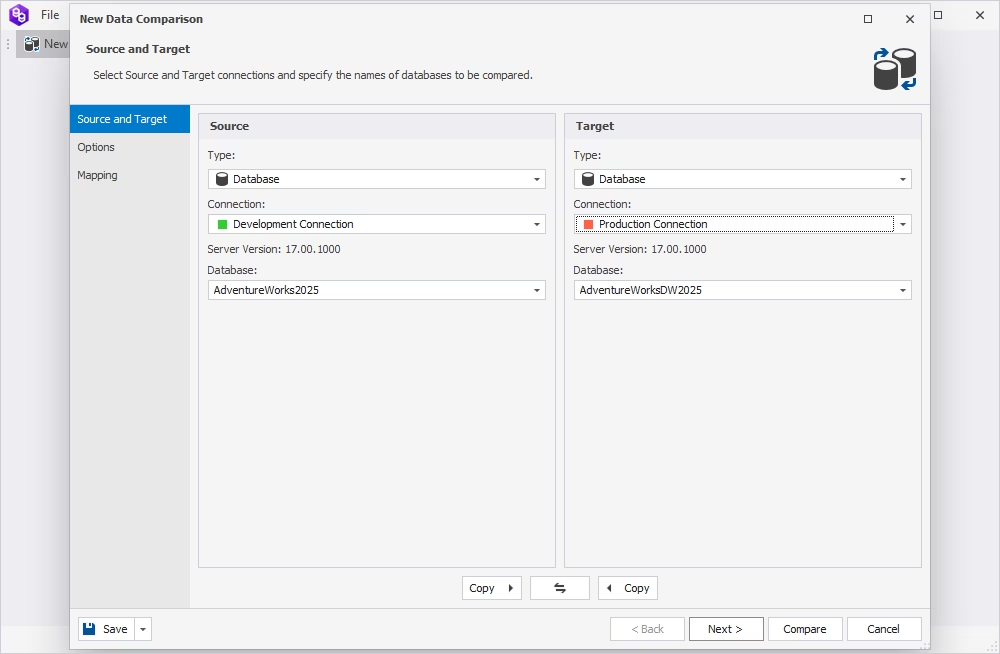
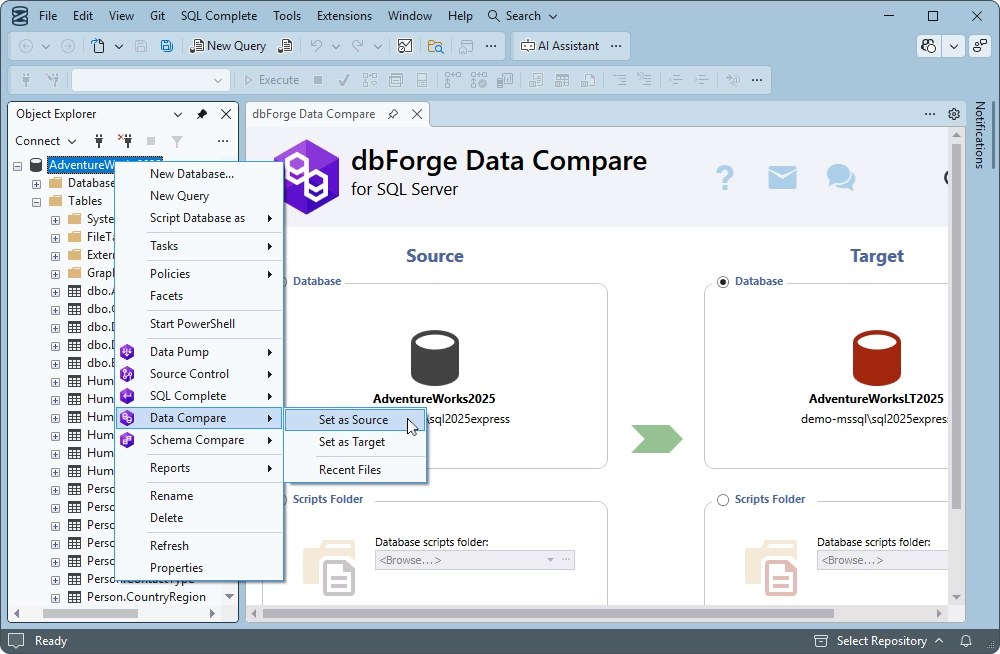
In our database comparison tool for SQL Server, the workflow is simple. You select a source and a target, adjust a few settings, launch the comparison, and wait for a while to get the results.

Data Compare helps find differences in the following:

  • Data types such as dates
  • Tables
  • Views
  • Backups
  • Custom queries
  • Static data from scripts folders
  • Data from Azure SQL Database
  • Data from SQL Server databases installed on Linux
Download for free

Manage data comparison results

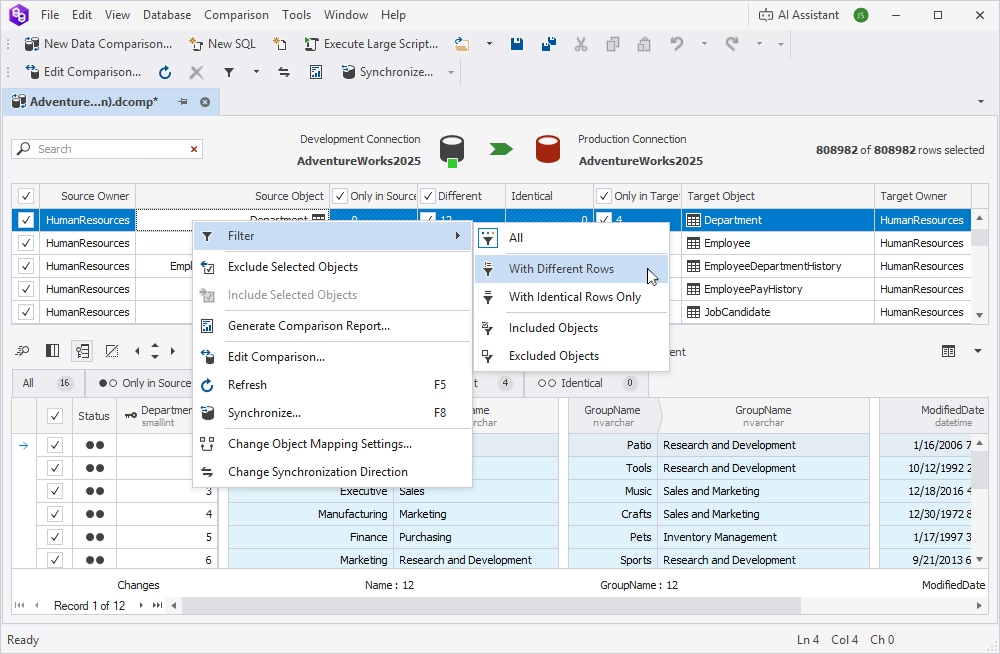
After you run a comparison, you get the results in a data comparison document, which gives you a clear picture of the identified differences and provides a slew of handy tools to help you manage them.

  • View data differences for each pair of objects
  • Filter and sort objects in results
  • Quickly navigate through SQL Server data differences
  • Perform full-text data search
  • View the number of changes per column
  • Hide unmodified columns to simplify analysis
  • Select arbitrary columns for display
Download for free

Sync data to a target database

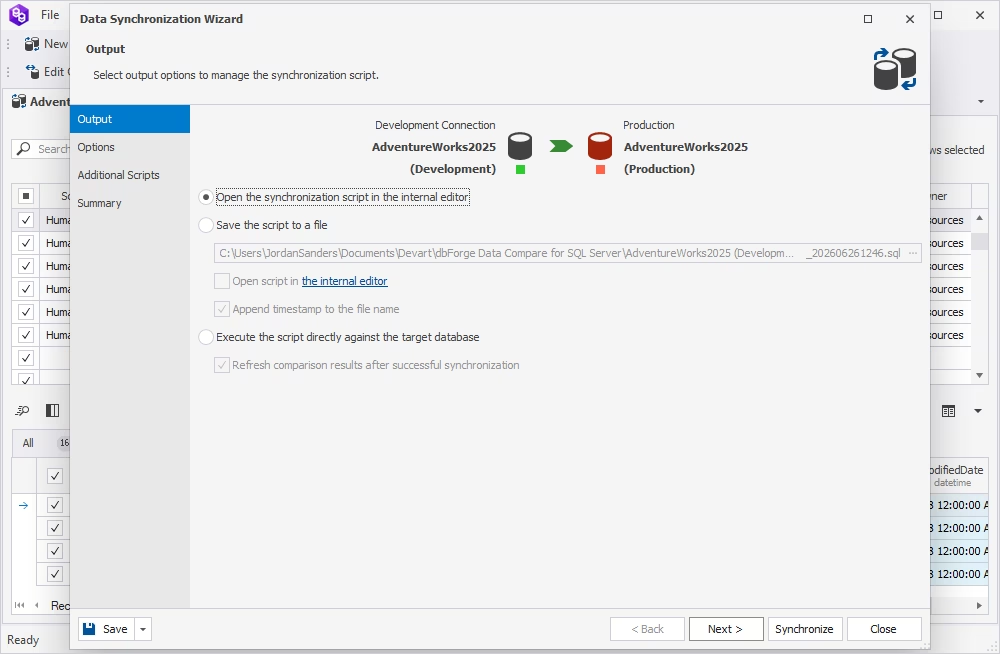
The Data Synchronization Wizard will guide you through deploying differences to your target database. It includes a bunch of options to make your SQL Server data synchronization safe and flawless.

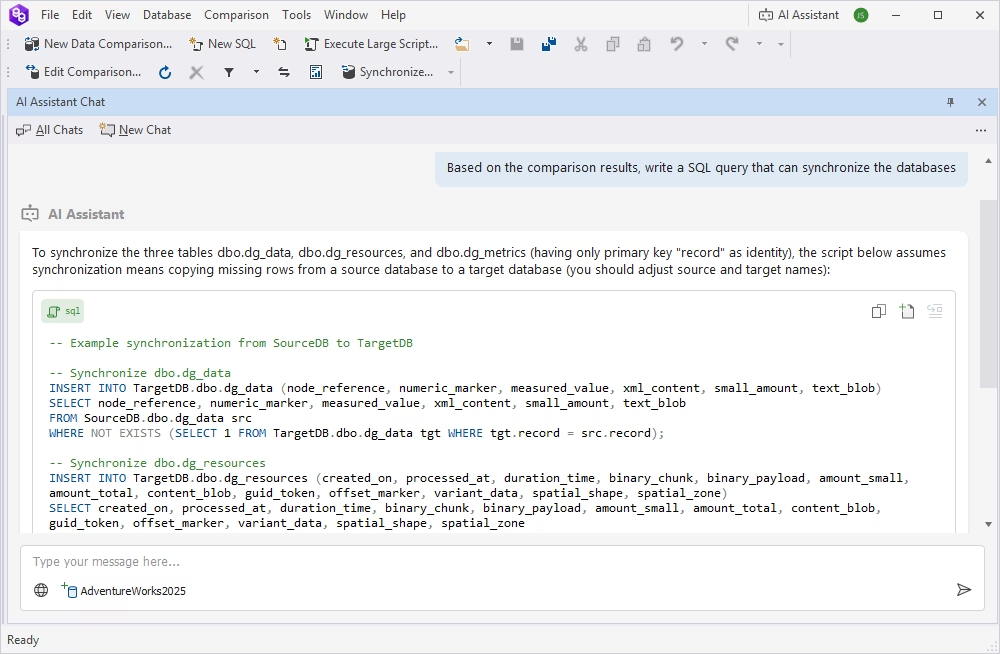
  • Generate T-SQL synchronization scripts for review or deployment
  • Migrate individual records, groups of records, or all SQL Server data differences
  • Toggle synchronization direction to apply data changes to both databases
  • Roll back changes on error
  • Get warnings on possible problems prior to SQL Server data synchronization
Download for free

Export data comparison reports

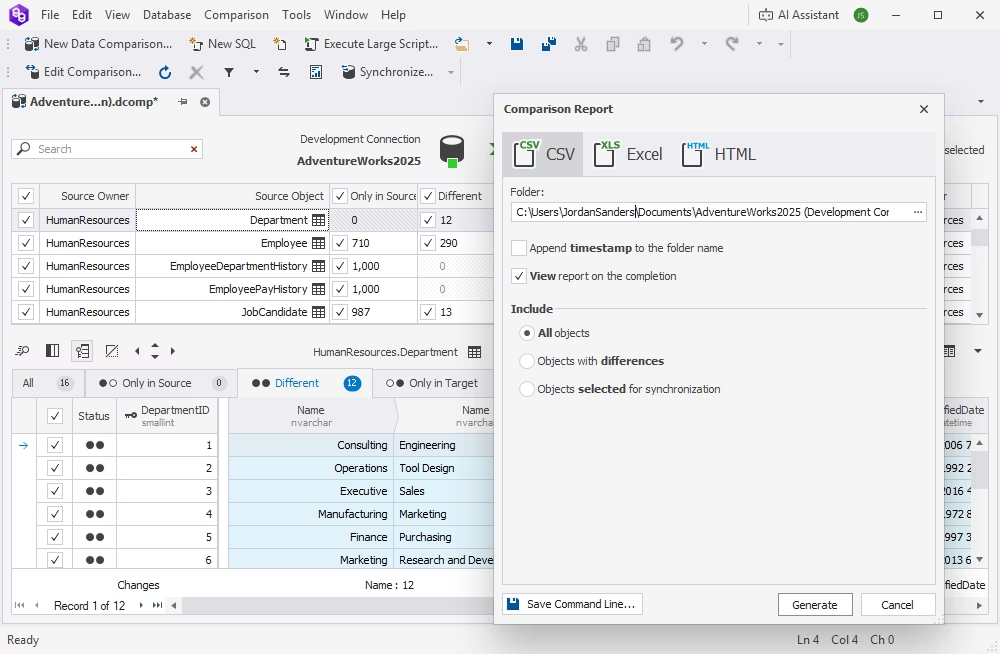
If necessary, the identified differences can be documented in compelling comparison reports.

  • Generate SQL Server data comparison reports in the Excel, HTML, and CSV file formats
  • Include actual data in reports
  • Report on selected objects only
  • Generate comparison reports from the command line
Download for free

Automate recurring tasks

Recurring comparison and synchronization tasks should be automated where possible to help you do less manual work and focus on more important matters at hand. That's why dbForge Data Compare has a few automation tricks to help you out.

  • Save comparison project settings for reuse
  • Use the command-line interface to automate routine synchronization operations
  • Save comparison and synchronization settings as command-line execution files (.bat) and run them whenever you need to
  • Schedule the execution of .bat files with Windows Task Scheduler
Download for free

Integrate Data Compare into SSMS

dbForge Data Compare is available both as a standalone application and as an add-in for SQL Server Management Studio. Thus, if you are a long-term SSMS user, you can easily integrate Data Compare into it and perform your comparison and synchronization tasks directly from the IDE.

Download for free

Data Compare included in the dbForge Compare bundle

dbForge Data Compare

Starts from

$239.95
per year
Try Data Compare

Key features:

  • Comparison of tables/views
  • Rich comparison options
  • Custom schema mapping
  • Comparison report generation
  • Command-line interface
  • Scripts folder support
  • SQL Server backups comparison
Save 37% with the bundle

dbForge Compare Bundle

Starts from

$299.95
per year
Try the complete bundle

Key features:

  • Support for all schema objects
  • DB properties comparison & sync
  • Snapshots comparison
  • Tables & views comparison
  • Rich customization options
  • Custom mapping
  • Version control comparison
  • SVN, TFS, GIT, Hg support
  • Native backups comparison
  • Static data comparison
  • Command-line interface
Trusted by thousands of data-driven companies
Barkley
Arconic
Polaris
Jabil
Hewlett Packard Enterprise
Lam Research
Microsoft
Trusted by thousands of data-driven companies
Barkley Arconic Polaris Jabil HP Lam Microsoft

Ready to get started?

Get started with dbForge Data Compare at no cost

Get started for free

Download Data Compare for a free trial today and let it take care of your data comparison and synchronization routine.

Buy multiple licenses with a substantial discount

Enjoy bulk discounts

We offer flexible purchasing options to meet your budget. Also, if you need multiple licenses, you will get a bulk discount.

Need a hand?

Need a hand?

If you need any help or have questions about Devart tools or purchasing options, feel free to get in touch with us.

Frequently asked questions

What is a SQL data compare tool?

A SQL data compare tool is a utility that compares the data stored in two databases to identify differences and, if needed, synchronize them.

How do I compare data in two SQL Server databases?

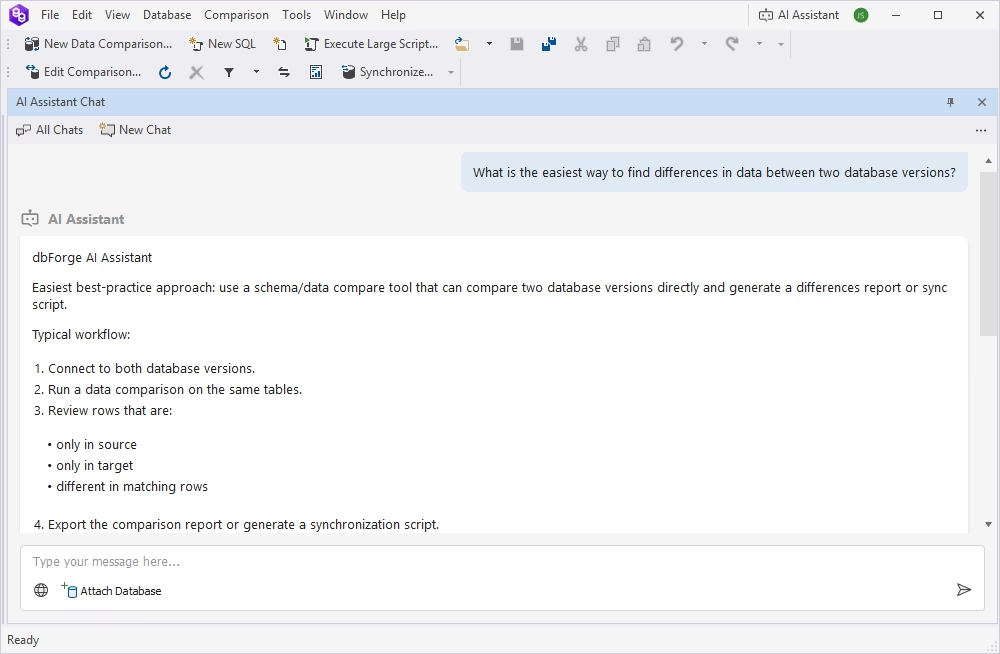
To compare data in two databases, you can use a SQL Server database comparison tool, for example, dbForge Data Compare. Its intuitive wizard will guide you through the process, from selecting databases for comparison to setting the comparison and mapping options. After the comparison is finished, you will get the results in a clear visual format with differences highlighted and various management options available.

What is the difference between SQL data comparison and SQL schema comparison?

A SQL data comparison tool focuses on the contents of tables in databases, while a schema comparison tool compares database objects such as tables, views, and stored procedures.

Can I compare SQL Server data without using an online SQL comparison tool?

Absolutely. You can try dbForge Data Compare for SQL Server, which works both as a standalone desktop tool and an SSMS add-in.

Can dbForge Data Compare generate T-SQL synchronization scripts?

Yes. dbForge Data Compare for SQL Server can generate T-SQL synchronization scripts based on the differences it finds between the source and target databases.

Can I compare custom SQL query results?

Yes. dbForge Data Compare for SQL Server allows you to compare the results of custom SQL queries instead of entire tables. This is useful when you want to compare aggregated data, joined data from several tables, or data returned by views or stored procedures.

Can I automate SQL Server data comparison?

Yes. If you are using dbForge Data Compare for SQL Server, you can generate a command-line data comparison script and, optionally, a synchronization script, and include them in your CI/CD pipeline to run database comparisons on demand or on schedule.

Can dbForge Data Compare compare data between on-premises SQL Server and cloud databases?

Absolutely. dbForge Data Compare supports a variety of SQL Server versions as well as Azure SQL Database, Azure SQL Managed Instance, Amazon RDS, and Heroku Cloud. You can compare data between an on-premises database and a cloud database, or between two cloud databases.

Does dbForge Data Compare work with Azure SQL Database and Amazon RDS?

Yes. dbForge Data Compare supports Azure SQL Database and SQL Server on Amazon RDS.

Can I compare data from SQL Server backups?

Certainly. dbForge Data Compare for SQL Server supports comparing not only databases but also backups and scripts folders. You only need to select Backup as the source and target type and run the comparison.

How do DBAs and developers use SQL data comparison tools?

Developers use SQL Server data compare tools to:

  • Verify application changes against test environments
  • Validate migration scripts
  • Ensure data consistency and integrity across the entire database development lifecycle

DBAs use data compare tools to:

  • Maintain data consistency across different environments
  • Validate backups, migrations, and deployments
  • Troubleshoot issues
Is dbForge Data Compare available as an SSMS add-in?

Yes. dbForge Data Compare can be used as an SSMS add-in, allowing you to compare SQL Server databases directly within the SSMS environment.

What can you compare with dbForge Data Compare?
Source type Supported? Use case
SQL Server tables Yes Find row-level differences
SQL Server views Yes Compare view output
Native backups Yes Restore missing or damaged data
Scripts folders Yes Compare static data
Custom queries Yes Compare filtered result sets
Azure SQL Database Yes Sync cloud database data
Amazon RDS for SQL Server Yes Compare managed SQL Server data
Heroku Cloud Yes Compare and sync cloud database data