PostgreSQL consistently ranks among developers' favorite databases and powers applications in environments ranging from startups to large-scale enterprise platforms. Users interact with PostgreSQL using psql, web-based dashboards, IDE plugins, and dedicated desktop clients, and the choice of the database client can significantly affect productivity.
Which solution to choose depends on your daily workflow and specific requirements. While some users only need a SQL editor, others require more: the best PostgreSQL client should deliver schema exploration, query history, data migration, performance analysis, change management, deployment tools, and other advanced capabilities.
In this article, we'll review some of the most powerful and user-friendly PostgreSQL GUI clients, comparing their strengths, limitations, key features, and use cases to help you choose the right tool for your needs.
What is a PostgreSQL client?
A PostgreSQL client is an application that establishes a connection to a PostgreSQL database and enables you to execute database operations: run SQL queries, browse schema objects, view and edit data, administer databases, and manage database workflows of different complexity.
PostgreSQL clients can be CLI-based (e.g., psql, the default PostgreSQL client), GUI-based (desktop applications or browser-based tools), and IDE extensions (e.g., PostgreSQL for Visual Studio Code). Our article will focus on the best PostgreSQL GUI desktop applications, as they typically provide the most robust functionality.
How we selected the best PostgreSQL clients
Before we review the best PostgreSQL GUI clients, let's define the criteria we used to select and evaluate them. Our reviews are based on several essential aspects: PostgreSQL support, functionality, AI integration, platform support, pricing and licensing, and vendor support.
Platform support
Database developers and administrators often work across diverse environments, performing migrations, upgrades, or legacy system maintenance. A good tool should support multiple PostgreSQL versions and work seamlessly both on-premises and in the cloud.
Comprehensiveness of functionality
The most in-demand tools are those that let users write and tune SQL queries, manage schema and data differences across databases and environments, migrate data, deploy changes, administer databases and users, and automate routine tasks.
AI integration
Most advanced software tools now incorporate AI capabilities. Some products use their own AI assistants, while others integrate popular third-party providers such as OpenAI. For modern software tools, the availability of some kind of an AI assistant is already one of the key demands.
Pricing
Since our review covers both free and paid tools, we considered pricing models and licensing terms, as well as the availability of free editions and trials. This information is essential for users choosing between open-source and commercial solutions.
Vendor support
Finally, we considered the support provided by each vendor: how frequently the software is updated, what support channels are available, whether an active community exists, and whether users can get direct, individual assistance.
Together, these aspects shaped our reviews and rankings for each tool.
Best PostgreSQL client tools compared
Here are the best PostgreSQL GUI tools selected based on the criteria outlined above. For each tool, we provide an overview of its key features, along with its strengths and limitations. We also highlight important factors such as PostgreSQL compatibility, data management capabilities, and recommended use cases.
Since every tool is evaluated with the same criteria, you can easily compare them and identify the one that best suits your role and workflow.
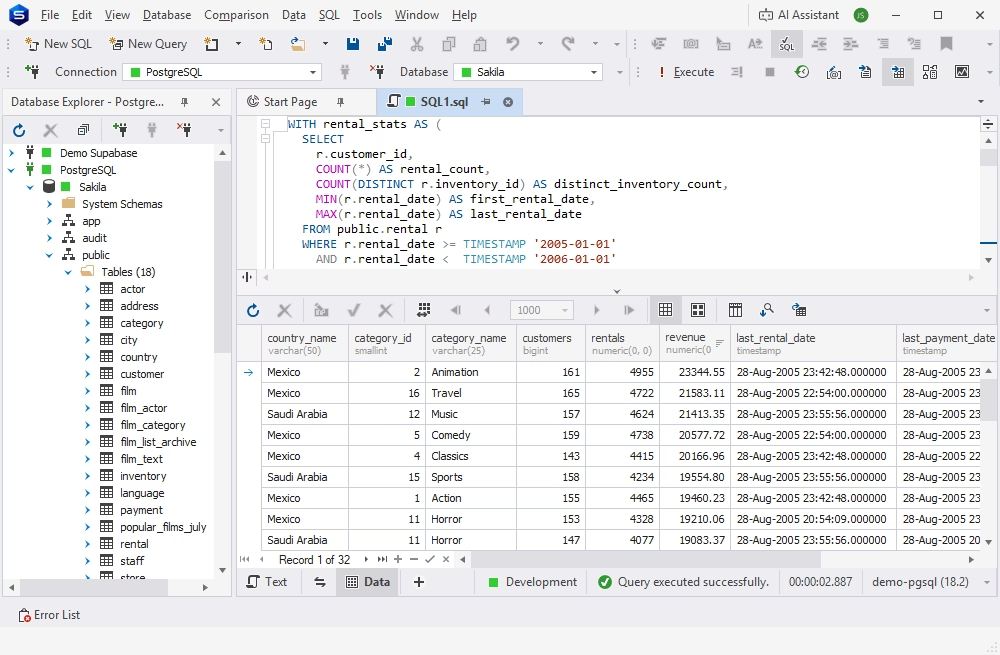
dbForge Studio for PostgreSQL is an AI-powered IDE that supports PostgreSQL, Amazon Redshift, and related cloud and local databases.
The Studio offers a rich set of features in a single solution, covering all aspects of the entire database lifecycle. Among its capabilities, it is worth mentioning intelligent coding assistance, query profiling, database comparison and synchronization, data analysis and reporting, and robust visualization and automation options.
A smart visual UI simplifies mastering the tool and configuring and performing all tasks, making it suitable for beginners. Also, it delivers advanced features required by experienced specialists. Additionally, the tool comes with comprehensive documentation and guidelines, including video tutorials.
Pros
- Integrated AI Assistant
- Database comparison and synchronization
- SQL code formatting
- Data visualization and reporting
- Task automation via CLI
- Full documentation and video tutorials
- Personalized support from the vendor
Cons
- Commercial solution
- Limited features in the free Express edition
Key features
- SQL Editor with auto-completion and formatting
- Robust query profiling tool
- Visual Query Builder
- Test data generator (200+ generators)
- Data export and import (10+ popular formats)
- Visual data analysis tools
- Report Designer
Pricing
- Free: Express edition (basic functionality)
- Paid: Subscription-based license (from $89.95/year), perpetual license (from $179.95)
- Free trial: 30 days
Best for
Development of evolving enterprise-grade databases and maintaining documentation standards.
dbForge Studio for PostgreSQL
A feature-rich and versatile IDE for database development and management, as well as data management, analysis, and reporting
pgAdmin
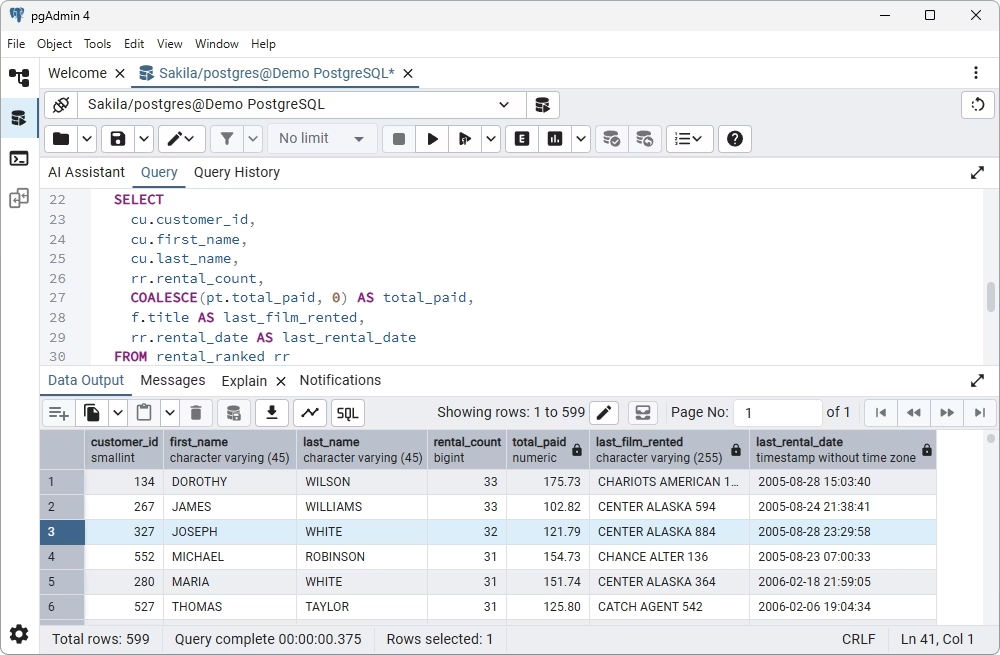
pgAdmin is a free open-source PostgreSQL management tool and the only solution recognized as a native GUI client for PostgreSQL. As a web application, pgAdmin is compatible with all major operating systems and can be configured and run on cloud servers.
The tool supports the standard database operations in PostgreSQL and performs a wide range of tasks, from writing basic queries to developing and administering complex databases.
pgAdmin is widely recognized for its stability, user-friendly design, and visualization capabilities, addressing the diverse needs of PostgreSQL users in different roles.
Pros
- AI-powered query generation
- Visual task configuration
- Compatibility with any cloud server
- Localization in 15 languages
- Full Unicode support
- Full documentation and a large community
Cons
- Lacks advanced features like schema comparison
- Complicated setup in professional workflows
- No dedicated customer service
Key features
- SQL editor with shortcuts for enhanced efficiency
- Visual PL/pgSQL debugger
- Visual object editors
- Data viewing and editing
- Data import and export (CSV)
- Server monitoring
Pricing
- Free: Open-source solution
Best for
Free PostgreSQL administration.
DBeaver
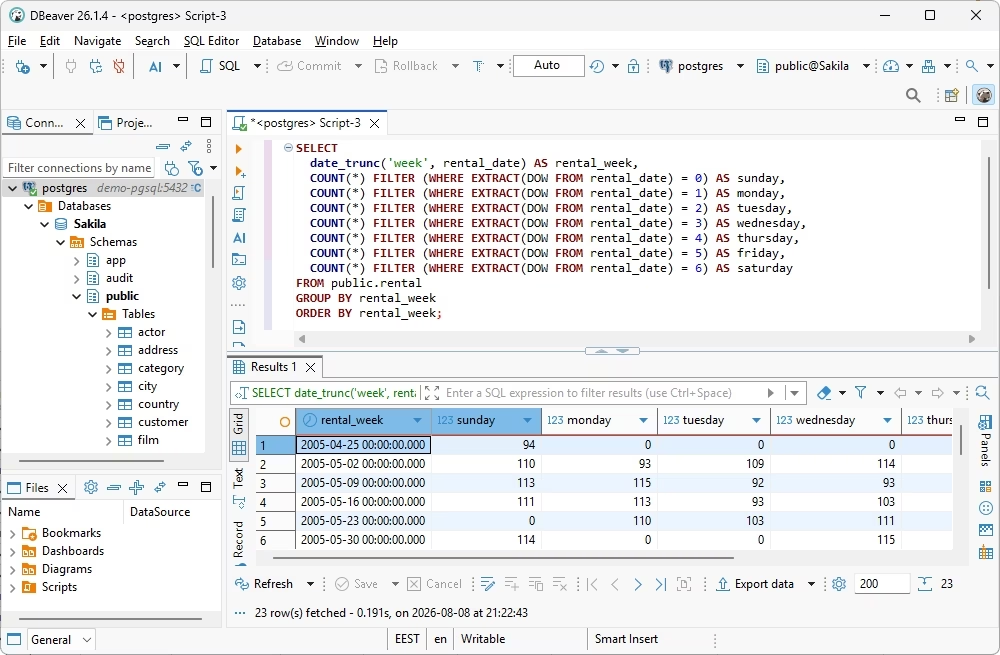
DBeaver supports over 100 database systems, including PostgreSQL, with cross-platform coverage. As a GUI-based tool, it simplifies daily operations for database users of different skill levels and delivers advanced functionality for seasoned database developers and administrators.
The available features enable users to create and edit databases and database objects visually, manage users and connections, migrate data, and perform other related tasks. The latest DBeaver version also introduced AI-powered code generation. Due to its open-source nature, customizable UI, and flexible pricing options, DBeaver remains one of the most popular choices for PostgreSQL specialists.
Pros
- AI-powered SQL coding
- Task automation and scheduling
- Enterprise-grade security features
- Rich visualization capabilities
- Support for multiple database systems
Cons
- No data analysis and reporting
- No CLI automation
- Personal support is available only for paid users
- Limited features in the Community edition
- Short free trial duration
Key features
- Database table comparison and synchronization
- Visual SQL query design, analysis, editing, and execution
- Visual Database Designer with ER diagrams
- Visual editing of database objects and data
- Data migration
- Session Manager for database monitoring
- Customizable data generators
Pricing
- Free: Community edition
- Paid: Subscription-based license (from $12/month)
- Free trial: 14 days
Best for
Individual projects with personal codebases.
DataGrip
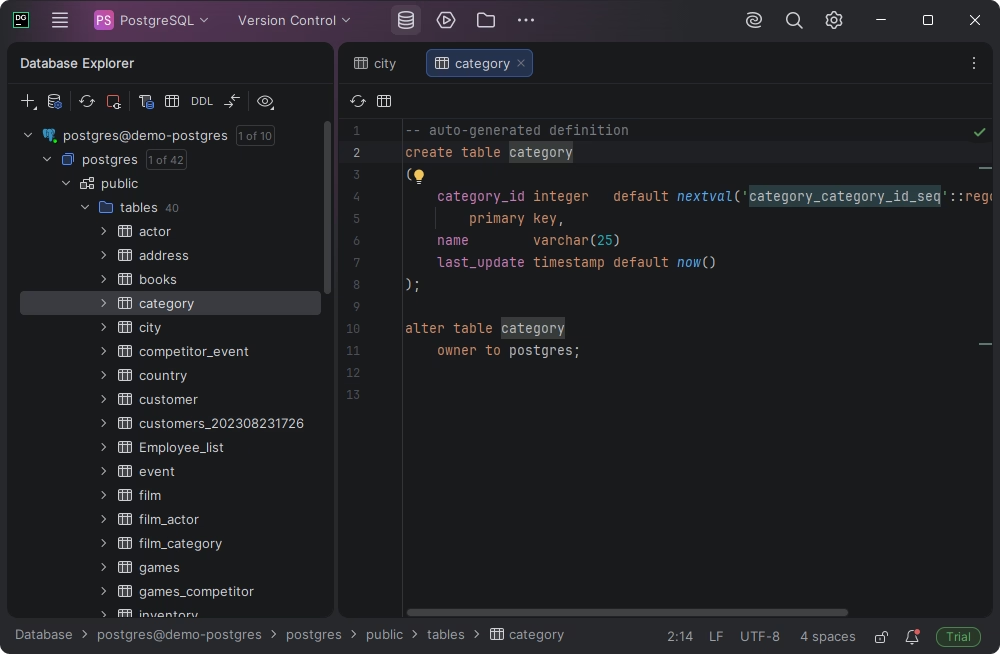
DataGrip is a popular desktop multidatabase GUI client that supports PostgreSQL among other database management systems. It provides a user-friendly and customizable interface and rich functionality for database experts. DataGrip enables SQL coding and query execution, query history tracking, creation and editing of database schemas and objects, and effective analysis of query performance.
Furthermore, the functionality of DataGrip is extendable with dedicated plugins, allowing its users to combine the required database management features on a single platform.
Pros
- AI-powered SQL queries
- Smart and customizable UI
- Git integration
- DDL and DML generation
- Visual schema management
Cons
- Lack of advanced database management
- Relatively high price
Key features
- SQL editor with auto-completion, debugging, and refactoring
- Smart query console with query history
- Database design and analysis with ER diagrams
- Professional data editor
- Visual EXPLAIN plan in a tree view
- Data export and import
Pricing
- Free: For non-commercial use
- Paid: Subscription-based license (from $10.90/month per user for individuals and $25.90/month per user for organizations)
- Free trial: 30 days
Best for
Database administration and engineering workflows for teams managing multi-environment databases.
Navicat for PostgreSQL
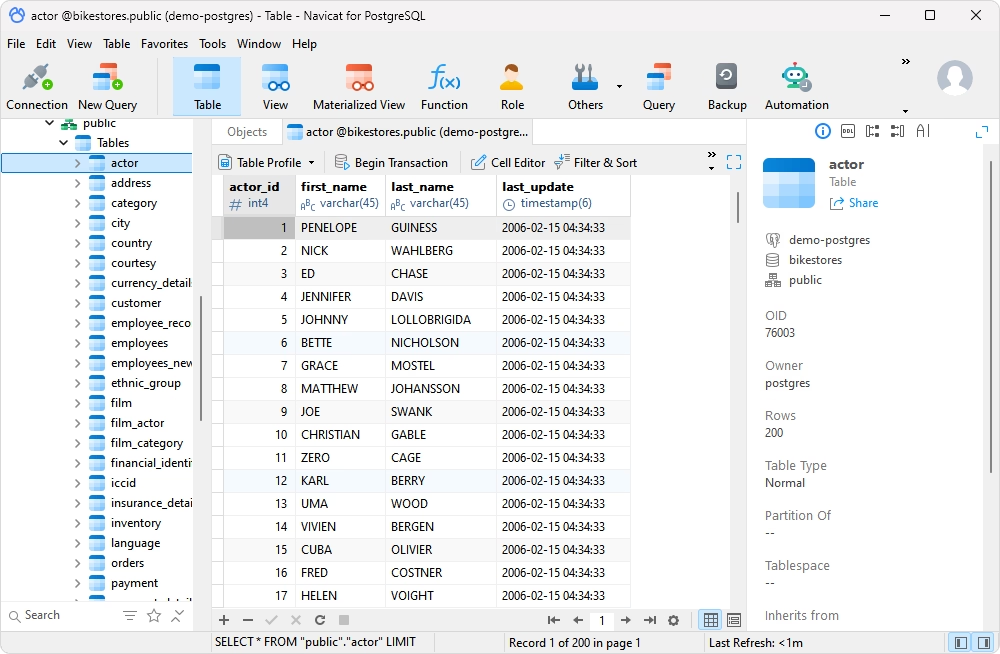
Navicat for PostgreSQL is a powerful GUI-based cross-platform tool that delivers rich capabilities for PostgreSQL development and administration.
Though Navicat meets the demands of professional developers, it is also designed for swift mastery by new users, ensuring efficient work. An intuitive and visually appealing graphical interface helps users quickly and accurately organize, access, and share PostgreSQL data.
Pros
- AI support for SQL coding
- Navicat Cloud for team collaboration
- UI customization
- Advanced security with SSH and SSL support
- Data analysis and reporting
- Task automation
Cons
- Short trial period
- Rather high price
- Insufficient support and documentation
Key features
- Intelligent SQL editor with rich coding assistance options
- Database comparison and deployment of changes
- Data migration (supports main data formats)
- Visual data and database modeling
- Test data generation
- Visual charts and insights for data analysis
Pricing
- Paid: Subscription-based license (from $14.99/month), perpetual license (from $299)
- Free trial: 14 days
Best for
Cross-platform, multi-database administration and complex data migration workflows.
Beekeeper Studio
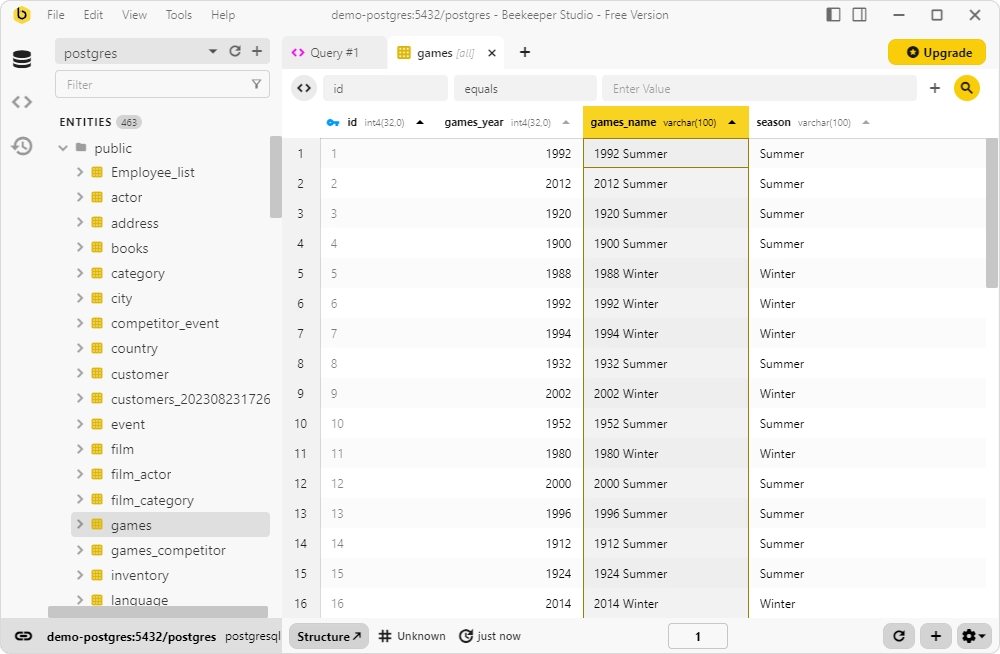
Beekeeper Studio is a GUI-based software client for managing database tasks in different database systems, including PostgreSQL. It offers a user-friendly graphical interface with all the necessary options for visual task configuration.
Though Beekeeper Studio lacks some advanced features that are present in top PostgreSQL GUI tools reviewed above, it still delivers functionality for standard database tasks such as executing SQL queries, updating tables, and basic database management.
Pros
- AI-powered query generation and schema management
- Simultaneous editing of multiple queries
- SSL and SSH encryption for data security
- Collaboration and teamwork features
Cons
- Limited functionality
- No vendor support
- No documentation
Key features
- SQL editor with syntax highlighting, auto-completion, and shortcuts
- Visual query building with results preview
- Visual table designer and editor
- Data visualization with charts, graphs, and colors
- Data export
- Data browser for data viewing and editing
Pricing
- Free: Limited functionality
- Paid: Subscription-based (from $18/month)
- Free trial: 14 days
Best for
Developers and data analysts who need a clean, fast, and multi-platform SQL editor to manage multiple databases.
TablePlus
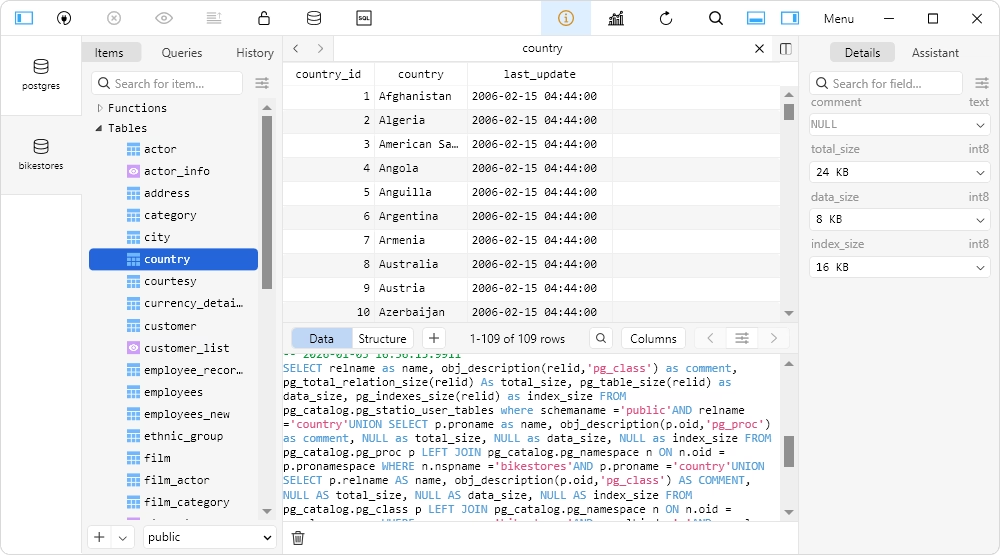
TablePlus is a lightweight PostgreSQL editor focused on simplicity and speed and supports PostgreSQL and other database systems. Its intuitive and user-friendly GUI simplifies the tasks of data browsing, querying, and editing. The UI can be customized. Moreover, users can extend the default functionality with Java-based plugins.
TablePlus is ideal for users who prefer a clean UI and quick access to database functionality for everyday tasks.
Pros
- AI-powered code generation and optimization
- Advanced security features
- Built-in support for SSH and TLS
- Smart SQL editor with diverse output splitting
- High performance and speed
- Active community on GitHub
Cons
- Limited functionality in comparison to advanced IDEs
- No built-in automation or CLI support
Key features
- SQL Editor with query execution, history, and AI integration
- Table designer with foreign key editing and changes preview
- Data editor (viewing, editing, and deleting data)
- Data import and export (CSV format)
- Backup and recovery for databases
- Security Manager for handling user accounts and privileges
Pricing
- Paid: Perpetual license (from $99.00 per user)
- Free trial: No time restrictions but limited functionality
Best for
Frequent, everyday data viewing and editing and database manipulation.
DbVisualizer
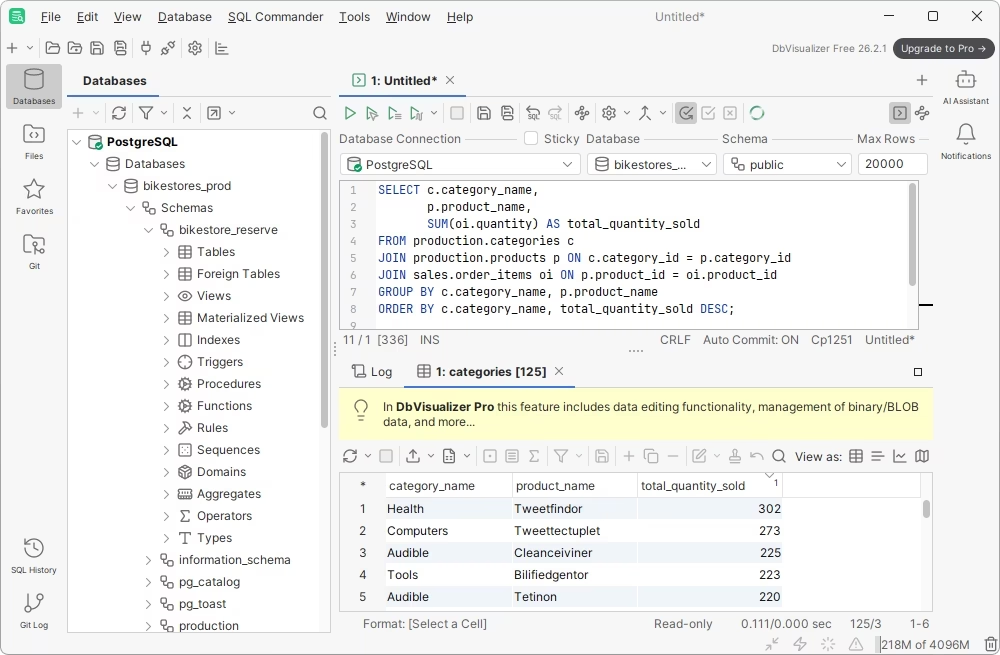
DbVisualizer is a smart SQL editor and database manager that supports different database engines, including PostgreSQL. It is a valuable solution that enables developers and data analysts to work with SQL code, access and explore databases, and manipulate data. DbVisualizer focuses on SQL development, data exploration, and secure connectivity rather than deep administrative or monitoring tasks.
Pros
- AI assistance for SQL coding
- Rich data visualization capabilities
- Smart, customizable GUI
- Command-line interface (CLI) support
- Advanced security features
Cons
- Limited documentation and learning resources
- Fewer features compared to competing IDEs
- No dedicated schema management tools
- Relatively high price
Key features
- Smart code auto-completion and syntax check
- Table data and table schema comparison
- Visual query construction
- Query analysis for performance tuning (EXPLAIN plan)
- Data visualization, searching, and direct editing
- Data import and export with task templates
- User access configuration and control
- SSH data encryption and secure access
Pricing
- Free: Basic functionality
- Paid: Subscription-based (from $199/year per user)
- Free trial: 21 days
Best for
Developers, DBAs, and analysts who need to query, maintain, and visualize multiple databases from a single interface with cross-database search capabilities.
Comparison table
| Tool |
Type |
PostgreSQL support |
Key features |
AI assistance |
Pricing model |
 dbForge Studio for PostgreSQL
|
Desktop IDE / GUI client |
All major versions on-premises and in the cloud |
SQL editor, query profiler, schema/data comparison, data generator, CLI |
Yes |
Free Express edition;
Paid: from $89.95 per year;
Free trial |
 pgAdmin
|
Desktop / web admin tool |
All major versions |
SQL editor, debugging, server monitoring, visual config tools |
Yes |
Free |
 DBeaver
|
Universal DB client |
All major versions |
ER diagrams, query editor, data migration, visual explorer |
Yes |
Free Community edition;
Paid: from $12/month;
Free trial |
 DataGrip
|
Database IDE |
All major versions |
SQL editor, refactoring, visual schema, plugin support |
Yes |
Paid: from $10.90/month;
Free trial |
 Navicat for PostgreSQL
|
Commercial DB client |
All major versions |
SQL editor, data modeling, cloud integration, SSH tunneling |
Yes |
Paid: from $14.99/month; perpetual license: $299;
Free trial |
 Beekeeper Studio
|
SQL client |
All major versions |
SQL editor, data editing, data import and export |
Yes |
Free;
Paid: from $18/month;
Free trial |
 TablePlus
|
Universal DB client |
All major versions |
Advanced SQL editor, SSH tunneling, high performance |
Yes |
Paid: from $99;
Free trial with limited functionality |
 DbVisualizer
|
Universal DB client |
All major versions |
SQL editor, data editor, data import and export, schema management |
Yes |
Paid: from $199 per year;
Free trial |
How to choose the best PostgreSQL client
When you select the best client for PostgreSQL, you need to consider your workflow and requirements first of all. These criteria define the functionality you need. Other essential factors are price, compatibility, and the availability of personalized support from the vendor.
Check your daily workflow first
Some developers spend most of their time writing and testing SQL queries, while others primarily edit data, troubleshoot slow queries, compare database schemas, import or export data, generate reports, or administer cloud-hosted PostgreSQL instances. Those who only need quick access to databases, query writing, and basic data editing may refer to lightweight clients like Beekeeper Studio or free SQL editors. Complex workflows and the need for data analysis and reporting require advanced tools like dbForge Studio for PostgreSQL or DbVisualizer.
Compare the value of free and paid tools
Free PostgreSQL clients can handle everyday database tasks as they typically provide SQL editors, object browsers, data viewers, and basic administration features.
Paid tools deliver advanced functionality; and when such advanced features are required regularly, paid tools become more attractive. A PostgreSQL IDE typically includes visual schema and data comparison, integrated data migration, advanced performance analysis, automation, and other options. Such features can significantly reduce the time spent on repetitive tasks. For individuals and teams who depend on these capabilities, the productivity gains can compensate for the licensing costs.
Review platform and cloud support
Most modern PostgreSQL clients support Windows, macOS, and Linux (refer to our list of PostgreSQL GUI clients for Ubuntu for more information). If your databases are hosted in the cloud, verify that the client supports secure connections and integrates with managed PostgreSQL services, especially for modern popular platforms like Supabase.
Evaluate support, updates, and long-term use
A PostgreSQL client is a tool you may use for years, so its long-term reliability is as important as its capabilities.
Consider how frequently the software is updated, how quickly bugs and security issues are addressed, and whether the documentation is comprehensive and actively maintained. If you are evaluating a commercial product, review the quality of vendor support and the available support plans. For open-source tools, look at the health of the community, release frequency, and the availability of helpful documentation.
Conclusion
The choice of the best tool for PostgreSQL always involves considering and evaluating many factors. This article reviewed some of the software clients favored by PostgreSQL users, with proven functionality and user-friendliness. If you are a PostgreSQL user and need a tool for daily operations, you may certainly pick it from this selection.
Free tools offer the simplicity of usage; pgAdmin is the default choice for official PostgreSQL administration, while Beekeeper and TablePlus are popular lightweight GUI solutions for daily basic tasks. However, if your work requires professional development, and you need all advanced tools in one IDE, dbForge Studio will be the best option.
You can try the Studio for free if it fits your needs. Download the fully functional 30-day free trial and see how it helps you under the actual workload.
dbForge Studio for PostgreSQL
A feature-rich and versatile IDE for database development and management, as well as data management, analysis, and reporting
FAQ
What is a PostgreSQL client used for?
A PostgreSQL client is software that connects to a PostgreSQL database and allows users to perform different database tasks. In particular, it lets users write and execute SQL queries, browse objects, edit table data and database schemas, migrate data, etc. PostgreSQL clients can be CLI-based, GUI-based, web-based, or they can be extensions for popular IDEs like Visual Studio.
How is a PostgreSQL desktop client different from a web-based client?
A desktop PostgreSQL client is installed locally and typically offers faster performance, richer editing features, offline configuration, and deeper integration with the operating system. A web-based client runs in a browser, requires no local installation, and is easier to access from multiple devices.
What should I look for when choosing the best PostgreSQL client?
Choose a client based on your daily workflow. Consider the quality of its SQL editor, data editing capabilities, debugging and performance tools, schema comparison, import and export features. Other essential factors are cloud compatibility, supported operating systems, detailed documentation and an active community, and long-term vendor support.
Is a free PostgreSQL client enough for professional database development?
In many cases, yes. Free clients often provide decent functionality, especially for writing SQL, browsing databases, and performing everyday administration. However, teams that require advanced features like debugging, schema synchronization, automation, performance tuning, and professional support may benefit more from a commercial solution.
What is the difference between pgAdmin and a full PostgreSQL IDE?
pgAdmin is primarily a database administration and management tool with query editing capabilities. A full PostgreSQL IDE is typically a more advanced solution with such features as SQL debugging, visual schema comparison, database project management, code generation, performance analysis, and integrated development workflows.
Which PostgreSQL client is best for writing and debugging SQL queries?
The best choice depends on your needs. Debugging usually belongs to advanced features provided by dedicated IDEs like dbForge Studio or DbVisualizer. These PostgreSQL clients also deliver rich coding assistance with code auto-completion, syntax validation, code formatting, and other options. The presence of a modern AI assistant for SQL coding is also an important factor.
Which PostgreSQL client is best for editing table data visually?
Many GUI PostgreSQL clients provide visual data editors that allow viewing, managing, and editing table data without writing SQL code. dbForge Studio for PostgreSQL includes a robust Data Editor with all these functions.
Do PostgreSQL clients support cloud databases like Amazon RDS, Azure PostgreSQL, and Supabase?
Most modern PostgreSQL clients can connect to managed PostgreSQL services such as Amazon RDS, Azure Database for PostgreSQL, Supabase, Google Cloud SQL, and other cloud-hosted instances. dbForge Studio for PostgreSQL, DBeaver, DbVisualizer, Navicat for PostgreSQL and similar solutions allow users to perform all the necessary tasks in PostgreSQL databases and related cloud services.
Which PostgreSQL client supports query profiling and performance analysis?
Several professional PostgreSQL clients include query profiling and performance analysis features: dbForge Studio for PostgreSQL, pgAdmin, DbVisualizer, DataGrip, DBeaver, etc. These tools help developers examine execution plans, identify slow queries, evaluate resource usage, and optimize SQL statements. dbForge Studio offers the richest functionality and AI assistance in the dedicated Query Profiler.
Can AI help write and optimize PostgreSQL queries in a desktop client?
Yes. Modern PostgreSQL clients integrate AI-powered assistants that can generate SQL statements, explain complex queries, suggest optimizations, and help troubleshoot errors. However, though AI can improve productivity, you should always review the generated SQL before using it in production.
Is dbForge Studio for PostgreSQL a good option for developers who need more than pgAdmin or DBeaver?
Yes. dbForge Studio for PostgreSQL is a good choice for developers who need an integrated environment with advanced SQL editing, debugging, schema and data comparison, database synchronization, query profiling, and other productivity features. It is particularly well suited for professional development teams that regularly work on complex PostgreSQL projects and manage databases in the cloud.


