Visual tools for PostgreSQL are in high demand due to their ability to simplify and optimize all kinds of database management workflows. Database developers, administrators, data analysts, and other users need such GUI tools because they help them work faster and make fewer errors. The right tool can make all the difference.
This article breaks down the best PostgreSQL GUI clients, their functionality, pros, cons, use cases, and other aspects essential for regular work. Let us start.
PostgreSQL GUI clients and database management tools
As a rule, by PostgreSQL GUI tools we mean desktop or web-based applications that provide a graphical interface for working with PostgreSQL databases. The standard PostgreSQL client is psql, a command-line utility that all Postgres users must learn; however GUI-based solutions can be more convenient in many scenarios.
Postgres GUI clients simplify routine database tasks, especially those related to SQL development, schema design, data editing, performance analysis, migrations, backups, and administration. They offer a single interface for all these jobs and eliminate the need for writing code and memorizing commands and specific syntax. This way, PostgreSQL GUI tools improve productivity and help users better understand and analyze complex database structures and data.
Does this mean that GUI tools completely replace command-line clients? In practice, these tool types usually work together, complementing each other. The advantages of GUI clients are obvious: they speed up task configuration and execution and simplify standard tasks through visualization. Database specialists rely on GUI-based solutions and need reliable options they can trust. Meanwhile, the command line becomes a perfect solution for the automation of visually configured tasks, quick and reliable for recurring operations.
Why many PostgreSQL teams choose dbForge Studio for PostgreSQL
Choosing a PostgreSQL GUI client can be a complicated decision because there are many such tools on the market, from lightweight editors to feature-rich IDEs, and it can take plenty of time to examine different options.
However, if you work with complex PostgreSQL environments and require one tool that would cover all workflows and manage your databases efficiently across PostgreSQL, Amazon Redshift, Supabase, and other related databases and cloud platforms, then dbForge Studio for PostgreSQL is the most suitable solution.
The Studio is a PostgreSQL GUI IDE with integrated AI assistance, designed for database development, management, and data analysis. The set of tools it offers covers the entire database lifecycle in a single application. In terms of functionality, it is one of the best PostgreSQL GUI tools available, while its visualization capabilities enable much faster and more accurate results. Later in this article, we will focus on the Studio and examine its features in detail.
List of the best PostgreSQL GUI clients for 2026
Now, let's take a closer look at each PostgreSQL GUI client included in this review. To make comparisons easier, we've evaluated every tool using the same structure and focused on the features that matter most. This approach helps you quickly understand whether a tool meets your requirements while also highlighting additional features it offers.
Comparison table
| Tool |
PostgreSQL support |
Key features |
AI assistance |
Free version |
Usability |
 dbForge Studio for PostgreSQL
|
All major versions + related cloud services |
SQL Editor, Query Profiler, schema/data comparison, data generator, CLI |
Yes |
Free Express edition; free trial |
Pro level |
 pgAdmin
|
All major versions |
SQL editor, debugging, server monitoring, visual config tools |
Yes |
Free (open-source) |
General use |
 DBeaver
|
All major versions |
ER diagrams, query editor, data migration, visual explorer |
Yes |
Free Community edition; free trial |
Developer-friendly |
 DataGrip
|
All major versions |
SQL editor, refactoring, visual schema, plugin support |
Yes |
Free for non-commercial use; free trial |
Expert-level |
 Navicat for PostgreSQL
|
All major versions |
SQL editor, data modeling, cloud integration, SSH tunneling |
Yes |
No free version, free trial only |
Professional-grade |
 Beekeeper Studio
|
All major versions |
SQL editor, data editing, data import and export |
Yes |
Free Community edition; free trial |
Basic needs |
 TablePlus
|
All major versions |
Advanced SQL editor, SSH tunneling, high performance |
Yes |
Free trial (no time restrictions but limited functionality) |
Fast & clean |
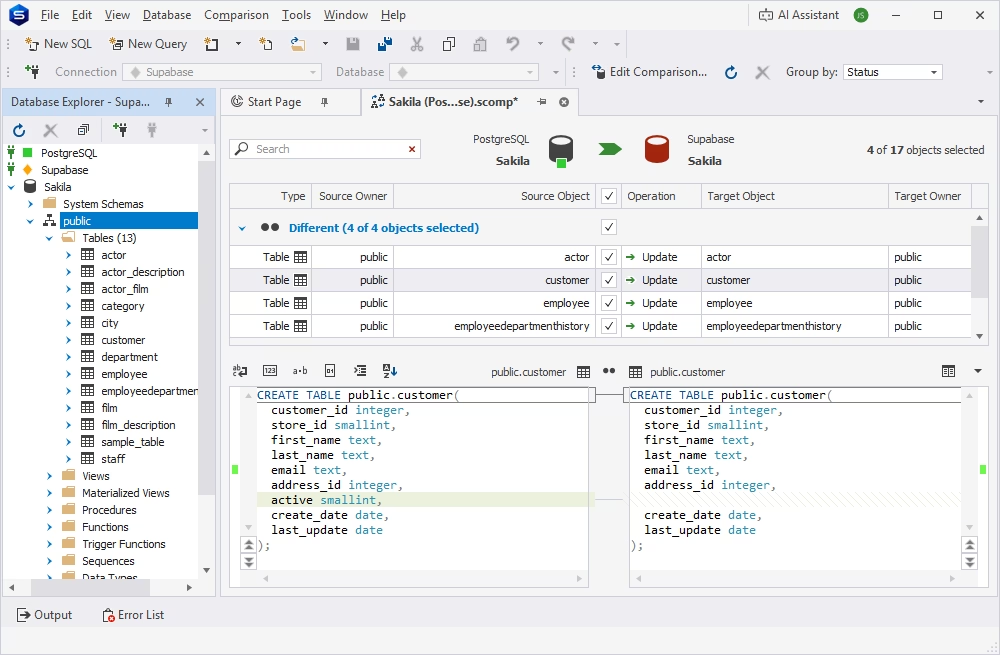
dbForge Studio for PostgreSQL is one of the most powerful GUI solutions for PostgreSQL databases, including Amazon Redshift and related cloud and local databases. A neat and convenient graphical UI helps users of all skill levels quickly master this IDE and efficiently perform all kinds of database tasks for the entire database lifecycle.
The Studio offers robust functionality with intelligent coding assistance, query profiling, database comparison and synchronization, data analysis and reporting, and rich visualization and automation options. The integrated AI Assistant delivers professional SQL coding assistance: generation of high-quality SQL code on demand as well as troubleshooting, analysis, and optimization of queries.
Additionally, dbForge Studio for PostgreSQL comes with comprehensive documentation and tutorials for all tools available in this IDE.
Pros
- Integrated AI Assistant
- SQL code formatting
- Data visualization
- Visual data analysis
- Report Designer
- Task automation via CLI
- Full documentation and video tutorials
- Personalized vendor support
Cons
- Commercial software
- Limited features in the free edition
- Requires compatibility solutions to work on Linux and macOS
Key features
- Robust SQL Editor with diverse coding assistance features
- Database comparison and synchronization (both schema and data)
- Dedicated Query Profiler
- Visual Query Builder
- Data Generator (comprising 200+ generators)
- Data export and import (up to 14 data formats)
- Report Designer
Pricing
- Free: Express edition (basic functionality)
- Paid: Subscription-based license (from $89.95/year), perpetual license (from $269.95)
- Free trial: 30 days
Compatibility
Windows (native), Linux, and macOS (via CrossOver or Wine)
dbForge Studio for PostgreSQL
A feature-rich and versatile IDE for database development and management, as well as data analysis and reporting
pgAdmin
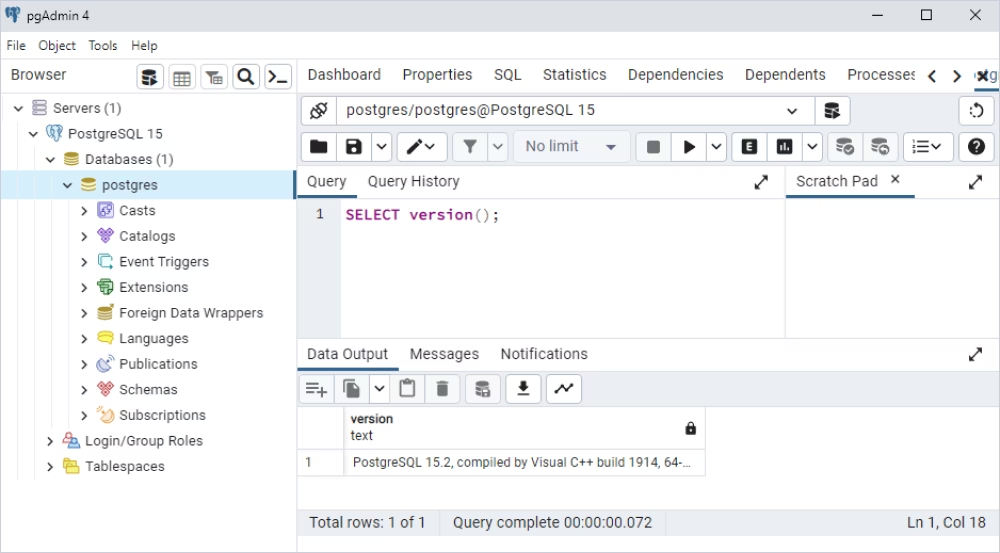
pgAdmin is the only native GUI client for PostgreSQL. It is compatible with all operating systems and can be run on cloud servers. pgAdmin offers a solid set of features for fundamental PostgreSQL tasks. Its features include a powerful SQL editor, data and object editors, a code debugger, data import and export, and more. The latest pgAdmin version also includes an AI helper that can generate code based on the user's prompts.
The smart GUI, which simplifies task configuration and performance, makes pgAdmin one of the favorite tools for PostgreSQL users in different roles.
Pros
- AI-powered query generation
- PL/pgSQL debugger
- Rich visualization capabilities
- Compatibility with any cloud server
- Localization in 30+ languages
- Full Unicode support
- Full documentation and a large community
Cons
- Lack of advanced features compared to other IDEs
- Complex setup procedure in professional workflows
- No dedicated customer service
Key features
- SQL editor with shortcuts for enhanced efficiency
- Visual object editors
- Data viewing and editing
- Data import and export (CSV)
- Server monitoring
Pricing
Free and open-source solution
Compatibility
Windows, macOS (native applications), Linux (web-based app)
DBeaver
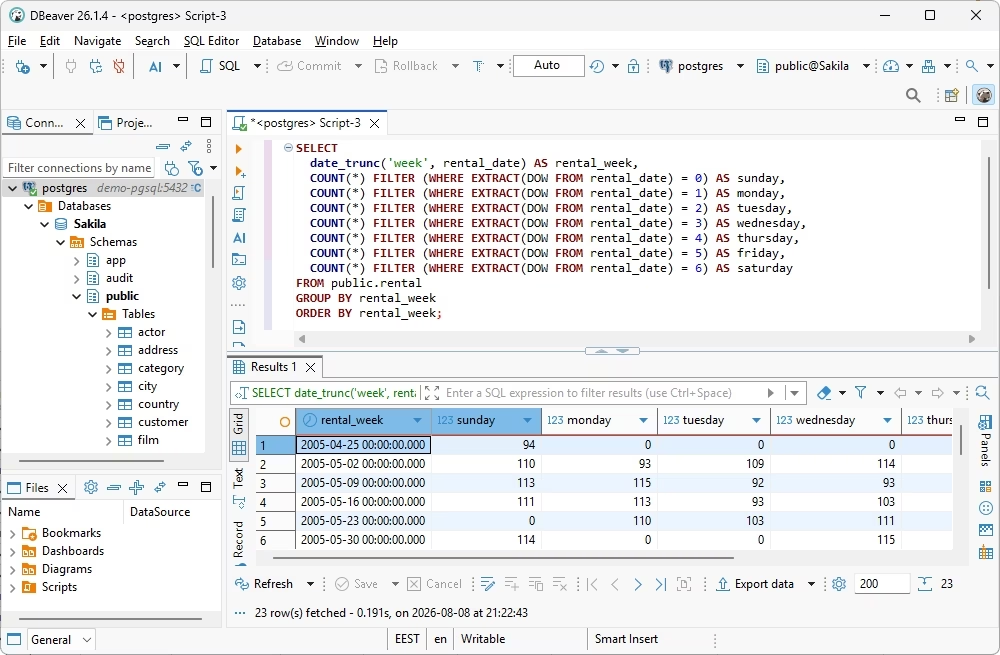
DBeaver is one of the most popular multidatabase solutions that supports PostgreSQL and other major database management systems. It offers exceptional flexibility with several editions and pricing models, thus allowing users to find the most suitable option for their needs. DBeaver provides an intuitive GUI, rich functionality for database management tasks with AI assistance (query generation on demand).
The most sought-after features of DBeaver include the visual creation and editing of databases and database objects, database administration, data migration, and test data generation. Besides, as an open-source solution, DBeaver offers rich customization options for its users.
Pros
- AI-powered SQL query generation
- Task automation
- Advanced security features
- Data visualization
Cons
- Lack of data analysis and reporting
- Paid tech support
- Limited functionality of the Community edition
- Short free trial duration
Key features
- Database comparison and synchronization
- Visual SQL query design and editing
- Database Designer with ER diagrams
- Database object editors
- Data import and export
- Session Manager
- Test data generation
Pricing
- Free: Community edition
- Paid: Subscription-based license (from $12/month)
- Free trial: 14 days
Compatibility
Windows, macOS, Linux
DataGrip
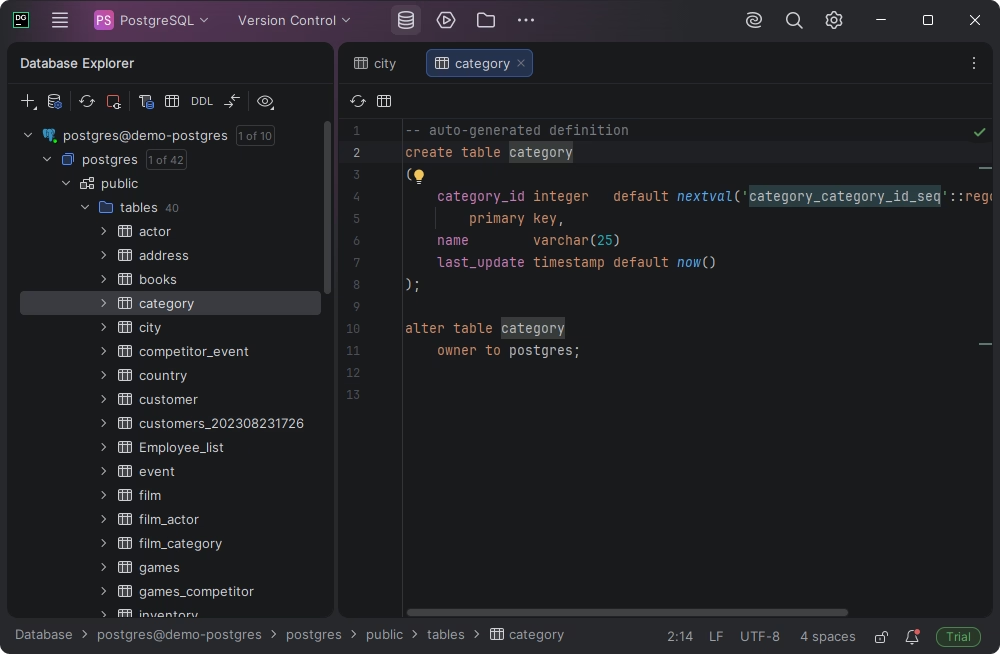
DataGrip is a multidatabase GUI client with PostgreSQL support. DataGrip's functionality is mostly targeted toward database developers, offering professional SQL coding assistance, creation and editing of database schemas and schema objects, query performance analysis, and query history tracking.
DataGrip provides rich customization options and the possibility to extend the default functionality with plugins. As a cross-platform solution, it runs natively on all operating systems.
Pros
- AI-powered SQL queries
- Git integration
- DDL and DML generation
- Visual schema management
Cons
- Insufficient database management features
- Commercial solution with a relatively high price
Key features
- SQL editor with auto-completion, debugging, and refactoring
- Smart query console with query history
- Database design with ER diagrams
- Professional data editor
- Visual EXPLAIN plan in a tree view
- Data export and import
Pricing
- Free: For non-commercial use
- Paid: Subscription-based license (from $10.90/month per user for individuals and $25.90/month per user for organizations)
- Free trial: 30 days
Compatibility
Windows, macOS, Linux
Navicat for PostgreSQL
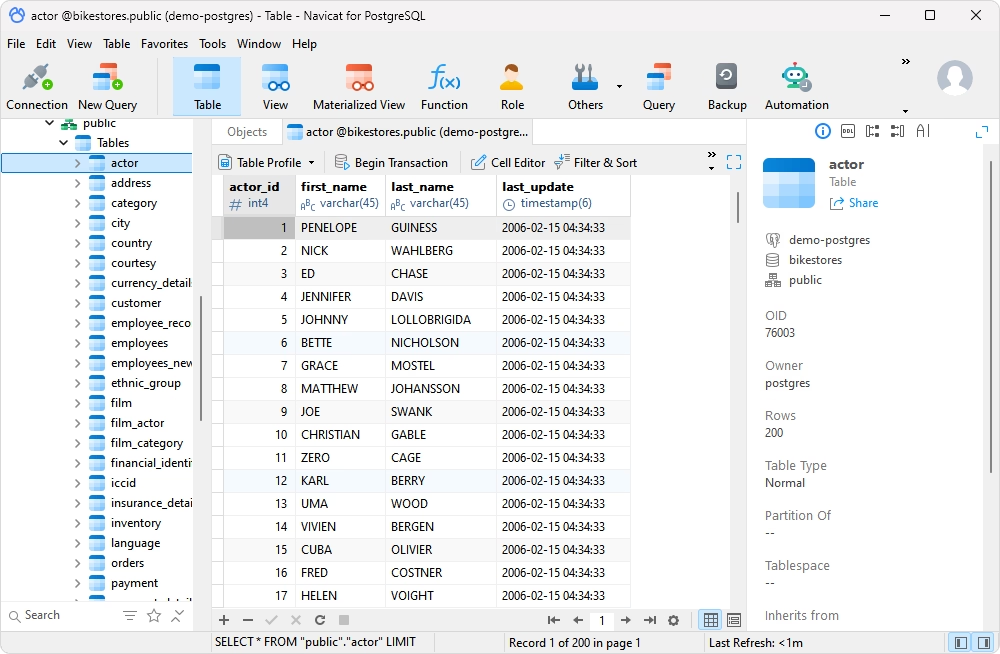
Navicat for PostgreSQL is a cross-platform GUI-based database IDE for PostgreSQL development and administration. It is one of the most powerful database clients for PostgreSQL available on the market, with many dedicated tools for different aspects of the database management and AI integration (several third-party providers). Key features include database comparison and synchronization, visual database modeling, data analysis capabilities, and data import and export in several formats.
The smart and customizable graphical UI simplifies mastering this tool for users in different roles while matching the needs of both professionals and newcomers with no in-depth SQL knowledge.
Pros
- AI support with different models
- Navicat Cloud for team collaboration
- SSH and SSL support
- Data analysis and reporting
- Task automation
Cons
- Short trial period
- Rather high price
- Lack of detailed documentation
Key features
- Intelligent SQL editor with rich coding assistance options
- Database comparison and synchronization
- Data import and export
- Visual data modeling
- Test data generation
- Visual data analysis with charts
Pricing
- Paid: Subscription-based license (from $14.99/month), perpetual license (from $299)
- Free trial: 14 days
Compatibility
Windows, macOS, Linux
Beekeeper Studio
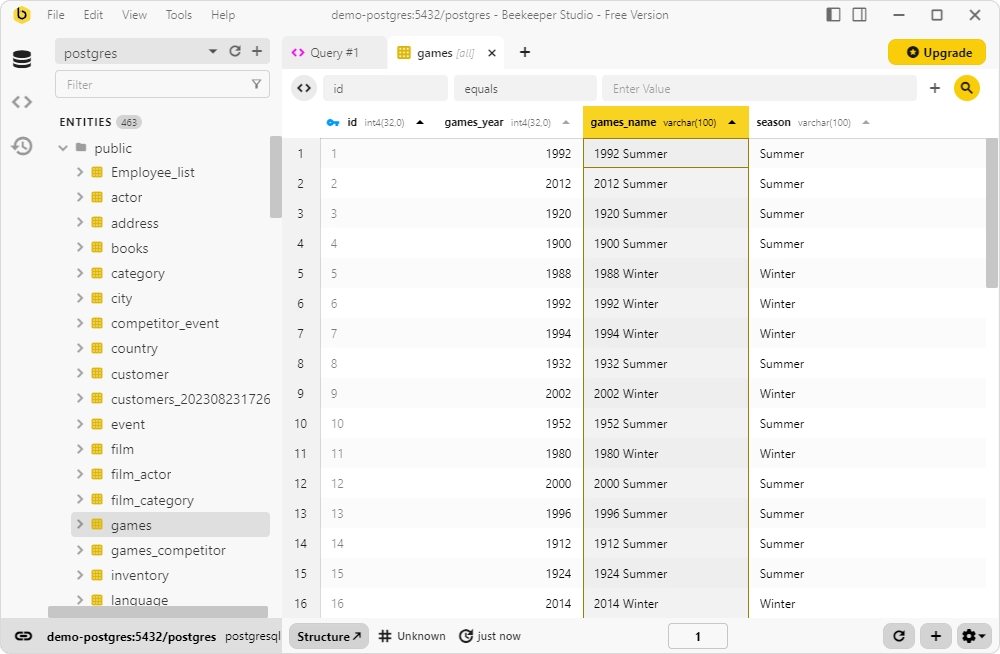
Beekeeper Studio is a multidatabase SQL editor that supports PostgreSQL among other popular database systems. The main advantages of Beekeeper Studio are its speed and convenience for basic tasks. Though it is not a full-featured IDE, it still delivers functionality for query writing, visual table design and editing, visual query building, and data visualization and data editing options, with native compatibility for major operating systems.
Pros
- AI support for query generation and schema management
- Simultaneous editing of multiple queries
- SSL and SSH encryption
- Team collaboration features
Cons
- Lack of database management features
- Lack of documentation
- No vendor support
Key features
- SQL editor with syntax highlighting, auto-completion, and shortcuts
- Visual query building with preview
- Visual table construction and editing
- Rich data visualization and editing options
- Data export
Pricing
- Free: Limited functionality
- Paid: Subscription-based (from $18/month)
- Free trial: 14 days
Compatibility
Windows, macOS, Linux
TablePlus
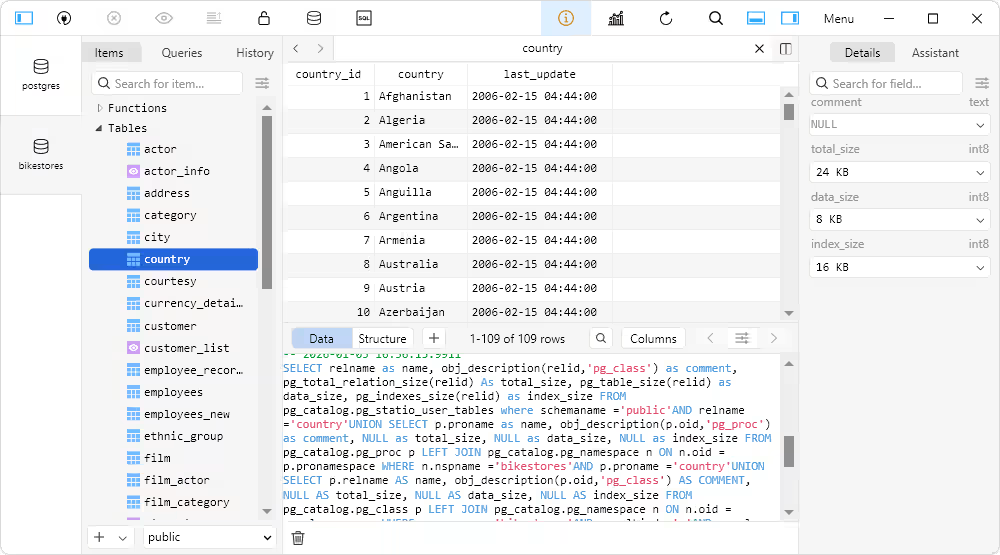
TablePlus is a fast and lightweight PostgreSQL database client that focuses on speed and simplicity. The main tasks it performs are SQL coding, data viewing and editing, data import and export, and basic database administration. A user-friendly GUI makes task configuration simpler and available to all users without deep SQL knowledge, while AI integration enables SQL code generation and query optimization.
The main advantages of TablePlus also include GUI customization and the possibility to enhance the default functionality with Java-based plugins.
Pros
- AI-based query generation and optimization
- Support for SSH and TLS
- High performance and speed
- Active community on GitHub
Cons
- Limited functionality (it is not an IDE)
- No built-in task automation
Key features
- SQL Editor with query execution history
- Table designer with foreign key editing
- Dedicated data editor
- Data import and export (CSV)
- Backup and recovery
- Security Manager for user accounts and privileges
Pricing
- Paid: Perpetual license (from $99.00 per user)
- Free trial: No time restrictions but limited functionality
Compatibility
Windows, macOS, Linux
How to choose the best PostgreSQL GUI client
We have reviewed the most popular and user-friendly GUI tools for PostgreSQL to highlight their capabilities and pitfalls. Still, the question remains: how to choose the right solution?
The right choice always depends on individual needs and workflow-specific requirements. While developers often prioritize powerful SQL editors and data browsers, DBAs usually need advanced administration, monitoring, backup, and performance analysis capabilities. Teams working with large or distributed environments typically value collaboration options, cloud database support, and schema comparison and change deployment. Let us consider the most essential features for each area.
PostgreSQL administration capabilities
For database administrators and operations teams, a GUI should simplify routine administration tasks while helping them monitor and maintain the health and security of PostgreSQL instances. The key features are:
- User management: Create and manage users, roles, and permissions from a graphical interface.
- Security: Set and review authentication types, object privileges, role memberships, etc.
- Monitoring: View active sessions, locks, connections, resource usage, and server health via dashboards.
- Maintenance: Perform routine tasks such as analyzing tables, handling backups and restores, and scheduling maintenance operations.
SQL development productivity
Developers spend a lot of time writing, testing, and refining SQL. The right PostgreSQL client should provide tools that minimize repetitive work. Usually, these tools are SQL editors that offer features such as the following:
- Code completion: Apply intelligent autocompletion for SQL keywords, tables, columns, functions, and object names.
- Formatting: Format SQL code with flexible settings to improve readability and maintain coding standards.
- Debugging: Test complex code and detect errors more easily.
- Query execution: Execute individual statements or scripts, review results, and save query history.
- AI assistance: Generate SQL queries from user prompts in plain language.
Performance analysis features
Many PostgreSQL GUI tools include built-in diagnostics that simplify performance tuning. Consider tools that offer the following options:
- Query plans: Visualize execution plans to detect inefficient operations.
- Profiling: Analyze query execution times, resource consumption, and workload patterns.
- Bottleneck detection: Identify blocking sessions, locking conflicts, long-running queries, and other issues.
- AI-powered query analysis: Use AI capabilities to troubleshoot and fix inefficient queries.
Database design and schema management
GUI clients with schema management capabilities make it easier to understand, document, and maintain complex databases. The following features are useful:
- Schema comparison: Compare databases or schemas to identify differences before deploying changes.
- ER diagrams: Visualize tables and their relationships to better understand database architecture.
- Version control: Integrate with Git or other version control systems.
Operating system compatibility
Many users have to perform tasks across different operating systems, including Windows, macOS, and Linux. It is always important to determine whether the chosen PostgreSQL client is cross-platform. Some of the clients offer native support for diverse platforms, while others require compatibility solutions to run on macOS and Linux, such as those from our review of PostgreSQL GUI for Linux. This is an important factor to consider when making your choice.
Conclusion
The decision about which tool to adopt can be crucial, as the GUI client can significantly impact your work. Of course, to choose the right tool, you need to consider your workflow and the daily challenges that the tool should help you resolve.
Based on our evaluation of the PostgreSQL GUI tools covered in this review, dbForge Studio for PostgreSQL stands out as the best overall choice. It delivers the most robust functionality for all database tasks, along with AI-powered assistance and powerful automation capabilities. These capabilities also make it an excellent option for enterprise teams.
If cost efficiency is your top priority, pgAdmin is the strongest free alternative, offering a solid feature set and native PostgreSQL support. It's also worth exploring the free Community edition of DBeaver and the free Express edition of dbForge Studio for PostgreSQL, both of which provide valuable functionality at no cost.
Finally, if cross-platform compatibility is a must, then both DBeaver and Navicat for PostgreSQL offer feature-rich environments with native applications for major operating systems.
Meanwhile, you can try dbForge Studio for PostgreSQL in action with its fully functional 30-day free trial. Download it, install it, and see the capabilities and results it delivers under your actual workload!
dbForge Studio for PostgreSQL
A feature-rich and versatile IDE for database development and management, as well as data analysis, and reporting
FAQ
What is the best PostgreSQL GUI client?
It is hard to name one solution as the best PostgreSQL GUI client because "best" depends on many factors. If you need a feature-rich tool with automation capabilities and AI assistance for enterprise-level database development and management, dbForge Studio for PostgreSQL or DBeaver Enterprise would suit your needs. If you require a free tool with native PostgreSQL support, then the official PostgreSQL GUI client, pgAdmin, would match your needs. If you focus only on PostgreSQL development, DataGrip is often the better choice.
Which PostgreSQL GUI client works best on Windows?
All tools listed in this review run smoothly on Windows. Among them, dbForge Studio for PostgreSQL, Navicat for PostgreSQL, and DBeaver deliver the most robust functionality.
Which PostgreSQL GUI client works best on macOS?
pgAdmin, DBeaver, Navicat, DataGrip, and Beekeeper Studio offer native versions for macOS that are adjusted to the specific requirements of this operating system. dbForge Studio for PostgreSQL requires a compatibility solution to run on macOS (CrossOver or Wine).
Are there any free PostgreSQL GUI clients?
Yes. First, pgAdmin is free software, and it is the official PostgreSQL GUI client. dbForge Studio for PostgreSQL, DBeaver, DataGrip, and Beekeeper Studio offer free editions with basic features (DataGrip and Beekeeper Studio position their free editions as those for non-commercial use).
What features should a PostgreSQL GUI client include?
It depends on the workflow in which this GUI client will be used. Typically, PostgreSQL users seek SQL coding assistance, query performance tuning, visual database and object design, data viewing and editing, data migration, user management, and database backup and recovery options. Enterprise teams also require schema and data comparison, change management, scripting, advanced database administration, data analysis, and reporting along with task automation capabilities.
Does dbForge Studio for PostgreSQL support cloud PostgreSQL databases?
Yes, dbForge Studio for PostgreSQL fully supports PostgreSQL-based cloud databases, such as Amazon Redshift, Supabase, Amazon RDS, Amazon Aurora, Azure PostgreSQL, and other related databases and cloud platforms.
Can I manage PostgreSQL schemas and deployments from a GUI tool?
Yes, the most advanced GUI clients for PostgreSQL provide the required functionality. In particular, dbForge Studio for PostgreSQL offers two dedicated tools, Schema Compare and Data Compare, which enable you to detect all differences between the databases, analyze them, and deploy changes onto the destination platform manually or automatically, instantly on demand, or on schedule.
Do PostgreSQL GUI clients support AI-powered SQL assistance?
Yes, advanced IDEs incorporate AI-powered coding assistance. All the tools from this review provide AI helpers that generate SQL code based on the user's prompt. dbForge Studio for PostgreSQL delivers the most precise output, as it is adjusted to the specific database chosen by the user. Additionally, the Studio provides code troubleshooting and optimization.


