An SQL manager is software designed to develop, manage, and maintain specific database types, typically through a GUI. It allows users to work visually with databases instead of coding each action.
This article reviews top solutions for development, administration, query work, schema changes, and other database operations. You'll find a shortlist of leading free and paid tools, with detailed descriptions of their functionality, advantages, and drawbacks. The aim is to help select the best SQL manager for any particular needs.
Why use an SQL manager instead of basic query tools
Daily database workflows include many standard tasks. SQL managers are exceptionally helpful in such scenarios as they allow performing such routine tasks with a convenient visual user interface.
SQL managers handle database administration, visual query building, data manipulation, database maintenance, comparison, and modeling. While basic query tools are ideal for automation and resource-light environments, SQL managers add a visual interface, intelligent coding assistance, and administration features that save time and help users be more productive.
How to choose the best SQL manager for your workflow
"SQL manager" is a broad term that can refer to different types of tools depending on the context. Most commonly, it describes an integrated development environment (IDE) such as SQL Server Management Studio or dbForge Studio for SQL Server. In other cases, it may refer to a multi-database client or an administrative platform.
In this article, we use the term to mean IDEs and compare them based on practical criteria, including SQL editing capabilities, object management features, platform support, pricing, and overall suitability for developers and database administrators (DBAs).
Choose according to your database system
The primary filter is your main database system. If you mostly use SQL Server, a specialized tool is ideal. Such software is designed with SQL Server's specifics.
On the other hand, if you work with multiple systems (e.g., PostgreSQL, MySQL, Oracle, or cloud databases), a universal database client becomes more practical.
Compare the SQL editing and management functionality
Not all SQL tools are equal in functionality. Some of them may prioritize SQL query writing, while others would support full database lifecycle management.
The best SQL manager is one that includes an SQL editor with robust coding assistance options (auto-completion, syntax validation, code formatting, etc.) and also provides tools for schema comparison and synchronization, data management, database deployment, performance monitoring and diagnostics, as well as administration tools.
Professional SQL editors or mid-tier tools with strong query capabilities and basic schema awareness may be the best options for database developers, while DBAs, data analysts, database managers, and DevOps specialists will benefit more from employing full-featured, platform-specific IDEs.
Check support for your operating system
Among the available solutions, there are Windows-only and cross-platform tools. Windows-only tools often deliver the richest feature sets, especially in SQL Server environments. Such tools are perfect for enterprise-level systems that focus on SQL Server and Windows. However, if your team prioritizes flexibility and accessibility, you may need a cross-platform tool that can serve as a proper SQL manager for Windows, macOS, and Linux at once.
Consider free, open-source, and paid options
Free open-source tools are great for individuals or for lightweight tasks; they offer decent functionality (such as DBeaver) along with community support. However, they usually lack advanced features. Paid tools typically provide much more robust feature sets, regular updates, version upgrades, and professional support. For teams and long-term usage, these advantages often outweigh license fees.
Best SQL manager tools: Shortlist for 2026
Choosing the best SQL manager isn't easy, especially when the options don't fall into a single category. Some tools are built specifically for SQL Server, with deep, platform-specific capabilities. Others are designed as universal database clients that support multiple systems. In practice, buyers often evaluate these options side by side, considering both their specialization and flexibility.
This article includes both SQL Server–focused IDEs and broader SQL management solutions. The goal is to help you understand not just how these tools differ, but what SQL management tool makes more sense for your workflow, team structure, and long-term needs. The choice of the right SQL Server manager is always individual.
Now that you are familiar with the selection process and criteria, let's proceed to the reviews.
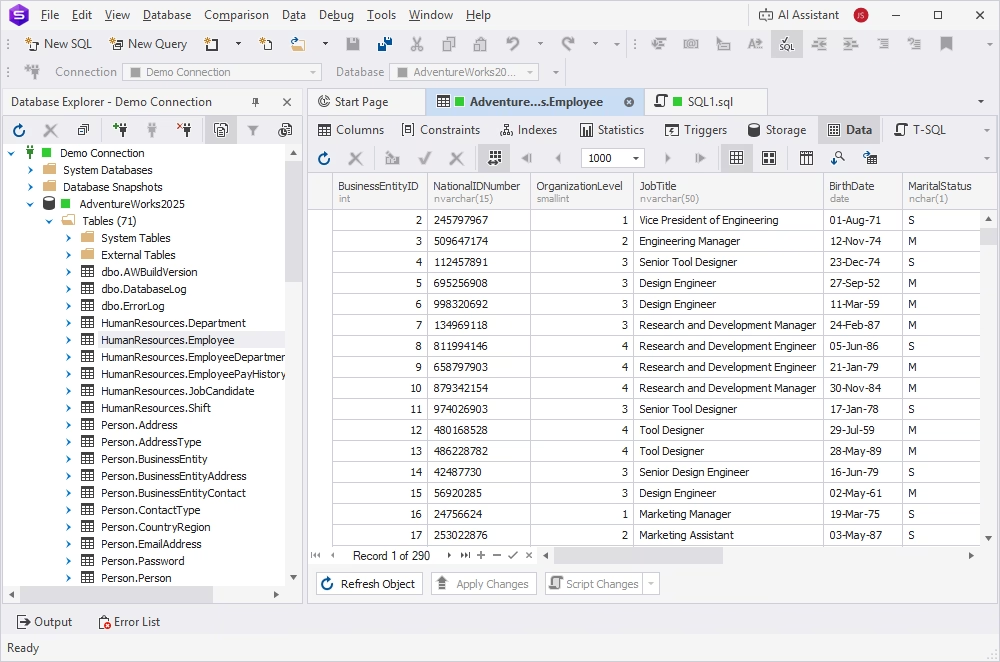
dbForge Studio for SQL Server is an all-in-one IDE for SQL Server, Azure SQL, and a wide range of cloud services; it supports the entire database lifecycle, from database development and design to administration and automation. The Studio becomes the most suitable SQL manager in scenarios where stock Microsoft tools or lightweight cross-database editors are insufficient, especially in complex environments and team workflows.
A comprehensive toolset of dbForge Studio for SQL Server helps handle all database tasks, including SQL code writing, schema management, database administration, data analysis and reporting, and version control. AI support and robust visualization and automation capabilities make routine jobs even simpler and more efficient.
Pros
- AI Assistant for SQL development
- SQL code debugger
- Database comparison and synchronization
- Task automation via CLI
- DevOps features support
- Generation of the database documentation
- Data analysis and visualization
- Documentation and video tutorials
- Personalized support from the vendor
Cons
- Advanced options require paid editions
- Requires CrossOver or Wine for macOS or Linux
Key features
- Schema Compare and Data Compare, which help identify differences in databases and synchronize changes
- T-SQL Editor with rich coding assistance features (smart auto-completion, syntax validation, code formatting, analysis, and debugging)
- Visual Query Builder
- Visual Database Designer with ER diagrams
- Data import and export (10+ data formats and direct migration between databases)
- High-quality test data generation (200+ generators)
- Database administration with real-time monitoring and user management
- Data analysis and reporting
- Integrated Source Control
Price
Free: Express edition (limited functionality)
Paid: Subscription-based (from $249.95 per year) or perpetual license (from $499.90)
Free trial: 30 days
dbForge Studio for SQL Server
A powerful, all-in-one IDE that helps SQL Server professionals design, develop, manage, and optimize databases faster and with confidence.
SQL Server Management Studio (SSMS)
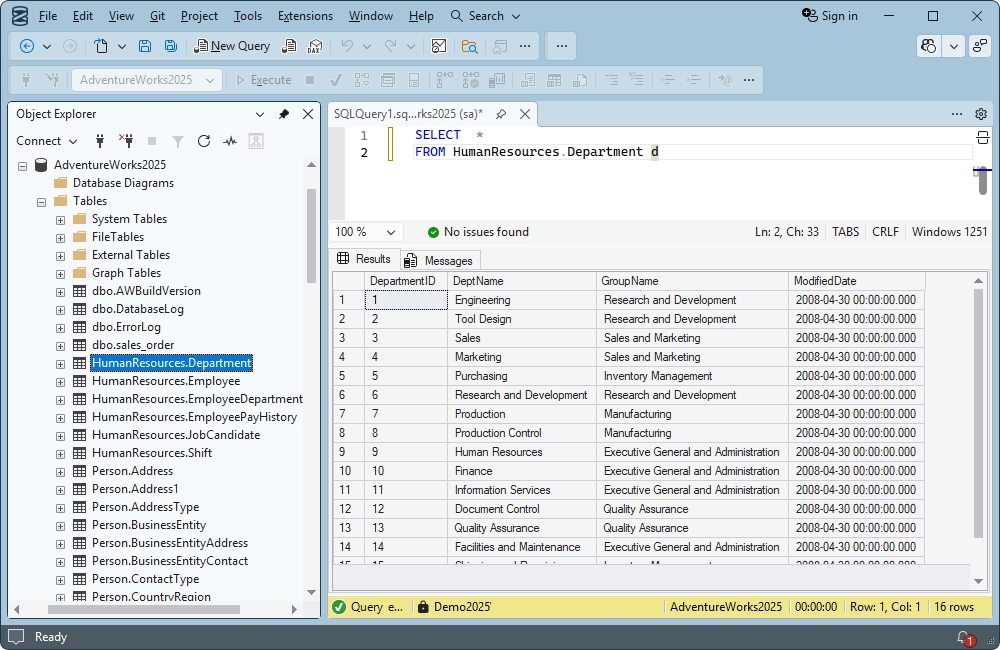
SSMS is the standard Microsoft management environment for SQL Server administration and core query work. Despite the presence of many alternatives, even more functional, SSMS remains a common default choice as a SQL Server manager, especially for SQL Server-only teams and administrators who prefer Microsoft-native tooling.
SSMS is free of charge. It is designed to perform standard database tasks across on-premises and cloud SQL infrastructures, from SQL Server to Azure SQL Database. With its flexible configuration options, this Microsoft SQL manager allows users to tailor it to their needs and develop, manage, and maintain databases effectively. Besides, SSMS offers the possibility to enhance the standard functionality via add-ins, both native and third-party.
Pros
- Full integration with the Microsoft ecosystem
- SQL Server migration component
- SQL Server Agent for job scheduling and automation
- Smart and intuitive graphical user interface
- Easy functional extensibility via plugins
- Support and regular updates from Microsoft
- Integration with GitHub Copilot for AI support
Cons
- Windows-only application
- Support for Microsoft SQL environments only
- Limited team collaboration and DevOps
Key features
- Query Editor for SQL coding with IntelliSense-based code completion
- T-SQL code debugging
- Visual Database Designer
- Visual Object Explorer
- Data import and export
- Backup and restore capabilities
- Integration with Git
- Performance monitoring and tuning
- Security management with permissions and authentication
- Task scheduling and automation
- Reporting services management
Price
Free software
DBeaver
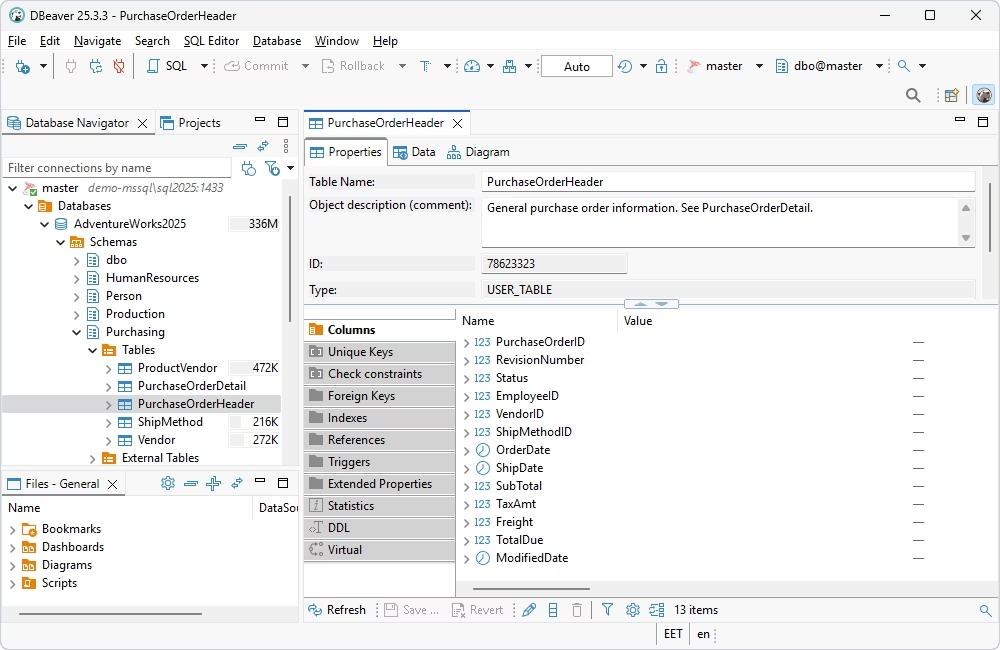
DBeaver is a widely used multi-database SQL client that supports SQL Server alongside many other systems (over 80 different database systems, including all the major ones). Frequently, teams that need one tool across mixed database environments, rather than a SQL Server-only manager, refer to DBeaver. This IDE is also cross-platform, so it can run on Linux or macOS perfectly.
DBeaver is an open-source SQL manager with a free edition available, making it a tool of choice for many database professionals of all levels. It allows users to tailor the functionality to meet all their specific needs and also offers extensive documentation, tutorials, and a large active community.
Pros
- AI-powered SQL query generation
- Task automation and scheduling
- Database comparison (schemas and table data)
- Data visualization
- Multiple customizable data generators
- Advanced security features
- Robust visualization and data viewing options
- Database Explorer with multiple connections
- Git repository integration
Cons
- Collaboration only in the Cloud and Team editions
- Advanced functionality is only in paid editions
- Limited backup and restore functionality
- Limited schema comparison options
- Limited support options (for paid users only)
- Short free trial
Key features
- SQL Editor with code auto-completion, script debugging, and snippets
- Database comparison and synchronization
- Visual Query Builder
- Visual Database Designer
- Visual editing of database objects and data
- Data import and export to the most popular formats
- Server monitoring with a visual SQL EXPLAIN plan
- Backup and recovery
- Monitoring with Session Manager
- Test data generation
Price
Free: Community edition
Paid: Subscription-based (from $11 per month)
Free trial: 14 days
DataGrip
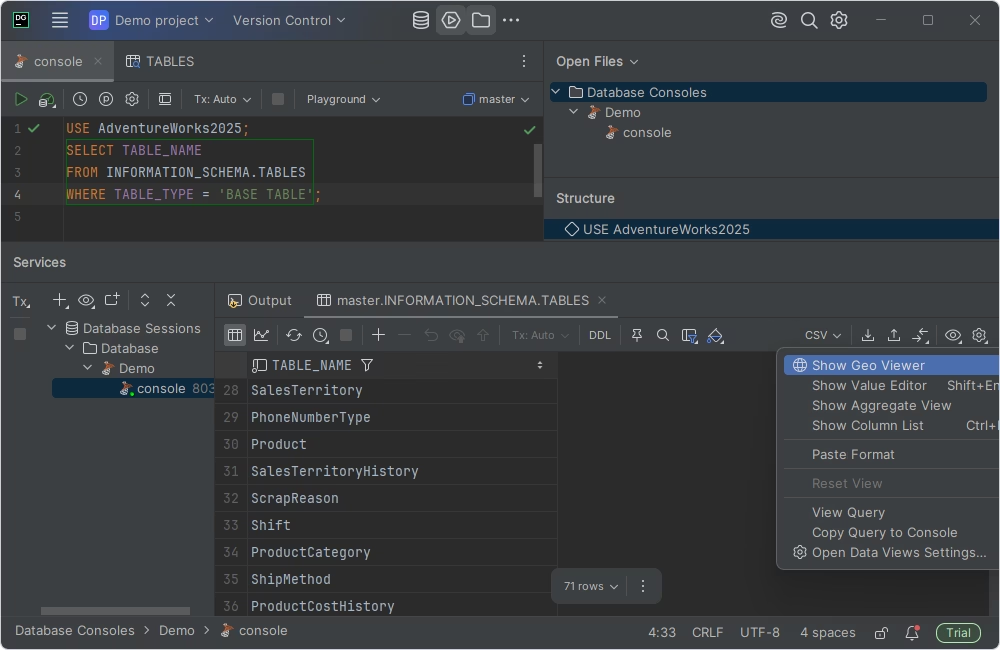
DataGrip is a developer-oriented SQL IDE for users who value code-centric workflows, cross-platform support, and productivity. It integrates with the JetBrains ecosystem, making it favored by developers who already use JetBrains tools.
Being a nice example of SQL manager software, DataGrip is often preferred by engineering teams that prioritize editor experience and multi-database support over SQL Server-specific solutions, especially in non-Windows environments. DataGrip is a cross-platform solution that is often used as an SQL manager for Mac or Linux.
Pros
- AI Assistant for advanced SQL coding
- Plugin ecosystem and JetBrains integrations
- Wide range of supported DBMSs
- Cross-platform support
- Git version control integration
- Visual schema management
- Data reporting with charts
- DDL and DML automation
- Customizable UI with a dark theme
Cons
- Limited schema and data comparison tools
- Fewer import/export formats
- No multi-database administration features
- Complex UI that requires time to master
Key features
- Smart SQL editor with auto-completion, refactoring, and debugging
- Smart query console with local history
- Visual schema exploration for tables and views
- Query analysis and optimization tools
- Advanced data viewer and editor
- Visual user management
- Database introspection with ER diagrams
- Multiple connectors for various data sources
Price
Free: Non-commercial use
Paid: Subscription-based (from $10.90 per month)
Free trial: 30 days
DbVisualizer
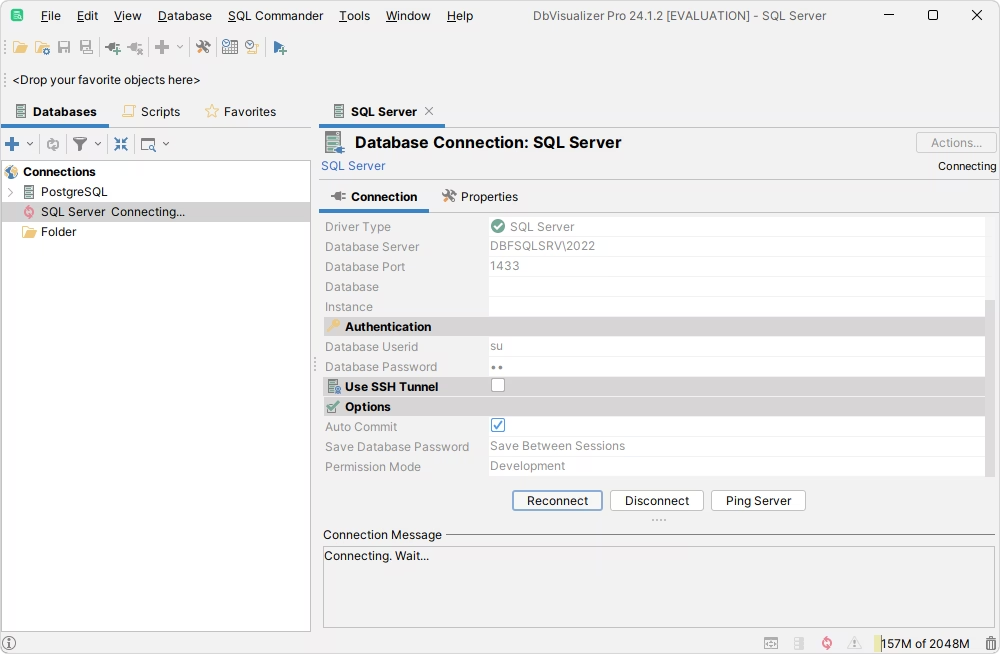
DbVisualizer is a universal database client used by teams that work across different database engines and want a stable, cross-platform SQL database manager. It is a popular SQL manager tool for developers, database administrators, and data analysts, offering the functionality to perform most of the basic database development and design tasks.
It supports Microsoft SQL Server and Azure SQL Database alongside many other DBMSs and focuses on SQL development, data exploration, and secure connectivity rather than deep administrative or monitoring tasks. Therefore, it often becomes a practical SQL DB manager for mixed environments where the main requirement is consistent database access rather than deep SQL Server specialization.
Pros
- Rich data visualization options
- Command-line interface (CLI) support
- SQL formatting tools
- UI customization with various themes and options
- Secure connections via SSH tunneling
- Broad support for multiple DBMSs
Cons
- Fewer features compared to competing IDEs
- Minimal schema management capabilities
- Limited data import formats
- Limited documentation and learning resources
- Relatively high price for the offered functionality
Key features
- SQL editor with intelligent auto-completion and syntax checking
- Visual query builder
- Table data and schema comparison tools
- Data visualization, search, and inline editing
- Data import and export with reusable task templates
- Query performance analysis (EXPLAIN plans)
- User access configuration and control
Price
Free: Basic functionality
Paid: Subscription-based (depends on a license type, from $199/year per user)
Free trial: 21 days
HeidiSQL
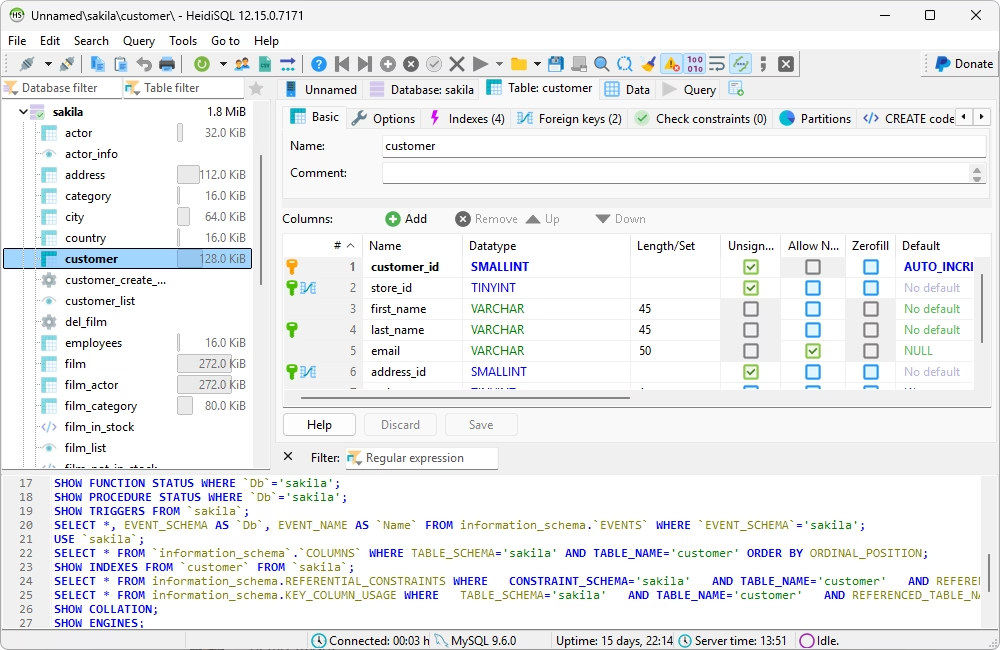
HeidiSQL is a lighter, free option that appeals to users looking for a simple SQL manager for practical everyday work. This multidatabase tool copes with essential database tasks, including SQL coding, query construction, and the creation and editing of various database objects, along with some administrative jobs.
While it may lack some of the advanced features found in more robust tools, HeidiSQL remains a popular choice as an open-source SQL manager. As a rule, it is relevant for users who need quick, free, and reliable tools for small-scale database projects rather than seeking a broad enterprise-style SQL management suite.
Pros
- Support for multiple database systems
- Parallel connections and session management
- User-friendly interface
- Secure connections via SSH tunneling
- Easy connection management with CLI support
- Text search across tables and databases
- Bulk table editing
- Active and supportive community
Cons
- Limited functionality compared to advanced IDEs
- Not suitable for large or complex projects
- Lack of documentation and vendor support
Key features
- SQL code completion, formatting, and code snippets
- Data viewing and inline data editing
- Database object creation and editing
- Visual construction of complex queries
- Data import (CSV) and export (supports common formats)
- Direct data migration between databases and servers
- Database user management
- Backup and recovery
- Session monitoring and user management
Price
Free: Free software
Navicat for SQL Server
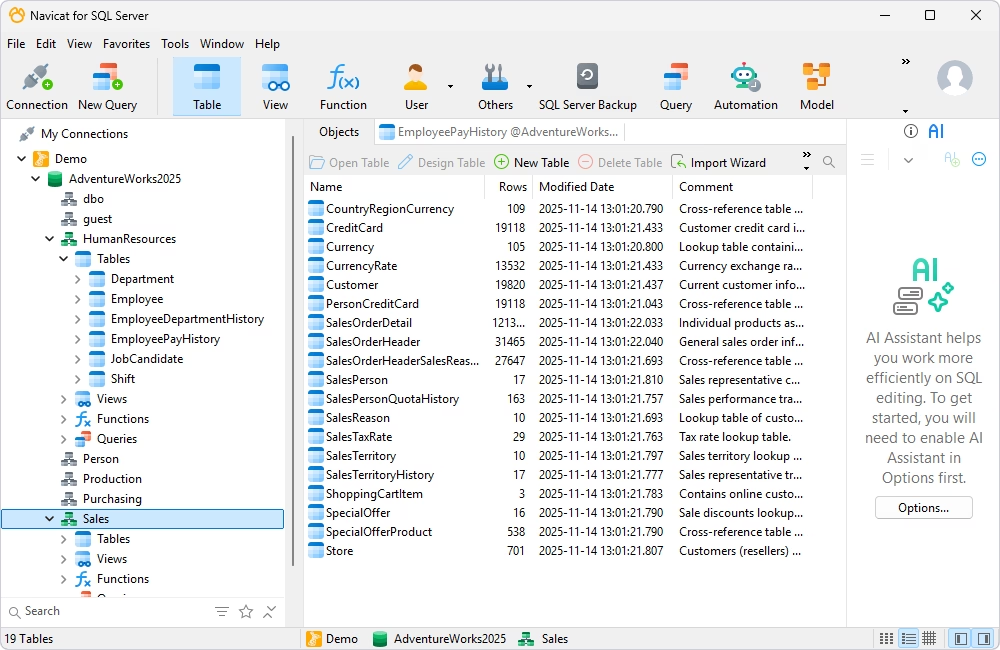
Navicat for SQL Server is a cross-platform GUI database tool for SQL Server management, data handling, and administration, one of the popular choices among specialists who require SQL Server management tools working on various operating systems, with both local and cloud databases, focusing on usability and flexibility.
Navicat for SQL Server provides tools for database design, data migration, synchronization, and SQL editing. It is considered one of the best SQL Server database tools, especially for users who prefer visual workflows and multi-database tooling that cover the full range of database tasks.
Pros
- AI assistance (via external providers such as OpenAI)
- Database comparison and synchronization tools
- Cross-platform support with easy license portability
- Clean UI with customization options
- Cloud synchronization for connections and queries
- Advanced security features
- Task automation capabilities
Cons
- Short trial period
- Advanced features are only in paid editions
- Insufficient documentation
- High price
Key features
- Intelligent SQL editor with code completion, formatting, and snippets
- Schema and data comparison with deployment tools
- Visual database designer with smart ER diagrams and table design
- Visual query builder and editor
- Built-in test data generator
- Data analysis with charts and visual insights
- User management tools
- Data migration (supports popular data formats)
Price
Paid: Subscription-based license ($45.99 per month), perpetual license ($899.00)
Free trial: 14 days
Quest Toad for SQL Server
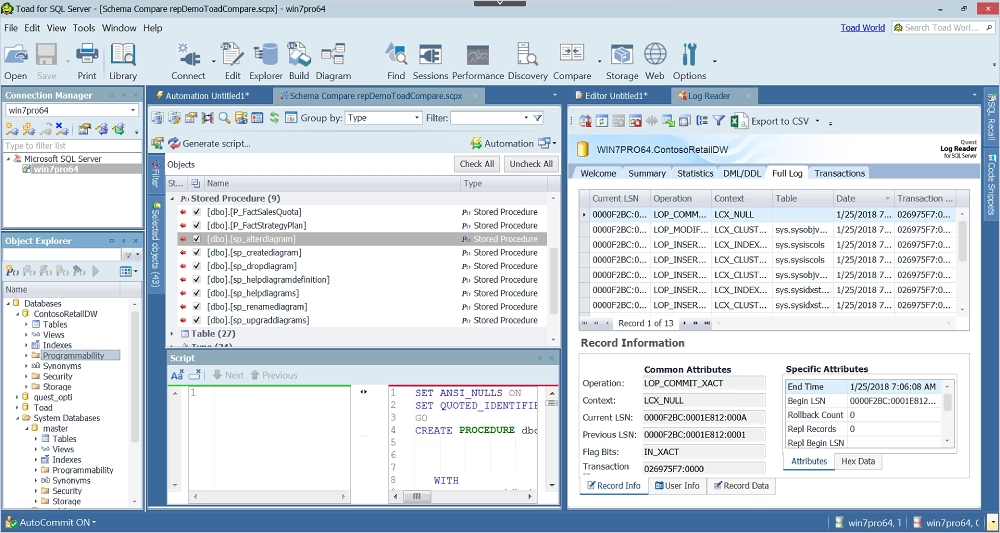
Toad for SQL Server, developed by Quest, is a database development and administration tool with solid capabilities for SQL coding, database management, and automation. It is one of the most powerful SQL Server management tools on the market, an advanced IDE for database professionals who work across on-premises and cloud SQL Server environments.
Toad is a good choice for database professionals who require SQL Server development tools that can replace stock Microsoft solutions and provide additional functionality, especially in the DevOps area.
Pros
- AI Explain – AI-powered SQL analyzer
- Advanced code debugging and review
- Query analysis and optimization
- Reverse engineering for data modeling
- Unit tests
- Task automation with scripting
Cons
- Windows-only solution
- High price
- A complicated procedure for getting a free trial
- Steep learning curve
Key features
- Advanced SQL and T-SQL development
- Database comparison and synchronization
- Visual query building
- Data modeling
- Query optimization and performance monitoring
- Database administration features
- Test data generation
- Data import and export
- Version control
- Automated unit testing
Price
Paid: Subscription-based (from $562 per year)
Free trial: 30 days
SQL manager comparison table
| Tool |
Scope |
Core capabilities |
Platform |
Pricing |
Best fit for |
 dbForge Studio for SQL Server
|
All-in-one SQL Server work |
Advanced SQL editing, object management, data editing, schema compare/sync |
Windows, Linux, macOS (the latter two via compatibility solutions) |
Free edition / Paid / Free trial |
Developers, DBAs, and architects focused on SQL Server |
 SSMS
SSMS
|
Native SQL Server administration |
Strong administration, query editing, object management |
Windows |
Free |
SQL Server administrators who prefer stock Microsoft tools |
 DBeaver
|
Multi-database environments |
SQL editing, data editing, object browsing, broad database support |
Windows, macOS, Linux |
Free version / Paid |
Teams working across SQL Server and other databases |
 DataGrip
|
Developer-focused SQL IDE workflows |
Advanced code editing, navigation, inspections, multi-database support |
Windows, macOS, Linux |
Free trial / Paid |
Developers prioritizing editor quality and cross-database work |
 DbVisualizer
|
Universal database access |
SQL editing, visual object browsing, data management |
Windows, macOS, Linux |
Free version / Paid |
Users who need one tool for several database platforms |
 HeidiSQL
|
Lightweight free SQL work |
Basic SQL editing, object management, data editing |
Windows |
Free |
Individual users looking for a simple free SQL manager |
 Navicat for SQL Server
|
GUI-based SQL Server administration and query work |
SQL editing, data viewer/editor, object management, import/export, visual administration tools |
Windows, macOS, Linux |
Free trial / Paid |
Users who want a polished cross-platform GUI for different SQL Server tasks |
 Toad for SQL Server
|
SQL Server development and database administration in established enterprise workflows |
SQL editing, database development, object management, automation, administration features |
Windows |
Free trial / Paid |
DBAs and developers who need mature enterprise-oriented SQL Server tooling |
Which SQL manager works best for your team?
This article reviews some of the most powerful solutions on the market, focusing on their key features, the range of tasks they support, cross-platform compatibility, and their ability to work with different database systems. However, when it comes to choosing the SQL manager for your work, the choice depends on many factors.
For example, teams working primarily with SQL Server can benefit from a specialized SQL Server GUI, such as dbForge Studio for SQL Server, SQL Server Management Studio (SSMS), or Toad for SQL Server. Teams that need cross-platform tools for multi-database environments may find DBeaver PRO or Navicat for SQL Server more suitable. If your needs are more modest, lightweight tools, such as HeidiSQL or DBeaver Community, may be a better fit.
Ultimately, the right choice depends on your specific workflows, goals, and requirements. If SQL Server, whether on-premises or in the cloud, is your primary system, dbForge Studio for SQL Server offers one of the most comprehensive toolsets available. You can evaluate it in real-world scenarios with a fully functional 30-day free trial. Getting started is simple: download it from the official website, install it, and begin using it right away.
FAQ
An SQL manager is a software tool that connects to databases and performs different tasks on those databases. It typically provides a graphical interface that simplifies such jobs as writing and running queries, designing database structures, and performing administrative tasks, including backups, security, and performance tuning. In short, an SQL manager helps developers and database administrators interact with databases more efficiently than via raw command-line tools.
What is the best SQL manager for SQL Server?
One of the most widely used and recommended tools is SQL Server Management Studio (SSMS). It is the default IDE, created and supported by Microsoft, and it allows users to configure, manage, and develop SQL Server databases from a single interface. Other strong options include dbForge Studio for SQL Server and Toad for SQL Server. The choice depends on your specific needs and work scenarios.
Is there a free SQL manager?
Yes, several SQL managers are free. SQL Server Management Studio (SSMS) is free software provided by Microsoft, the creator and owner of SQL Server. Also, dbForge Studio for SQL Server Express, DBeaver Community, and HeidiSQL are free solutions that provide decent functionality for basic database tasks.
What SQL manager works on Mac and Linux?
Popular cross-platform SQL managers are DBeaver and Navicat; they support Windows, macOS, and Linux. Such robust tools as SSMS and dbForge Studio for SQL Server are Windows-native. dbForge Studio for SQL Server, however, runs efficiently on macOS and Linux via CrossOver or Wine.
What is the difference between an SQL client and an SQL manager?
An SQL client is a tool that connects to a database and executes queries. It can be simple (like a command-line tool). An SQL manager is a more advanced tool that includes a query editor and other features for data visualization and editing, database design, data import and export, database administration, and more. The most powerful IDEs also provide database comparison and synchronization capabilities, as well as source control integration.
What SQL managers include AI features for SQL development?
Modern SQL managers are increasingly integrating AI features. Examples include dbForge Studio for SQL Server (AI Assistant for query writing, analysis, troubleshooting, and optimization), DBeaver (via integrations), Navicat, DataGrip, Toad, and others. Some tools provide their own AI helpers, others allow integration of third-party AI tools, like OpenAI or GitHub Copilot.
Can an AI SQL assistant help with query generation, explanation, and optimization?
AI-powered assistants in modern SQL managers generate SQL queries from natural language, can explain complex queries in plain English, suggest optimizations for better performance, and can even rewrite queries to make them more efficient. It makes them exceptionally helpful, especially for non-experts.


