SQL Formatter
Online SQL Formatter is designed for evaluation purposes, offering limited functionality. Choose a formatting profile, paste your SQL code into the editor, and click Format. The formatter automatically applies predefined rules for indentation, spacing, line breaks, and keyword capitalization, instantly converting unstructured SQL into clean, readable code.
- Advanced formatting options
- Bulk formatting of selected files or entire directories
- Wide range of predefined formatting profiles and the ability to create your own ones
Premium all-in-one SQL Server GUI tool

AI-powered IDE for SQL Server and Azure SQL that supports development, database management, administration, deployment, and automation in one environment.
Boost SQL coding productivity

Productivity add-in for SSMS and Visual Studio with intelligent code completion, SQL formatting, refactoring, code analysis, and AI-powered assistance.
What is SQL Formatter/Beautifier
SQL Formatter structures SQL code by applying consistent indentation, spacing, line breaks, and capitalization. It helps make queries easier to read, review, debug, and maintain across projects and teams.
As part of the dbForge database development workflow, SQL formatting helps teams maintain consistent, readable code and reduce time spent on routine tasks.
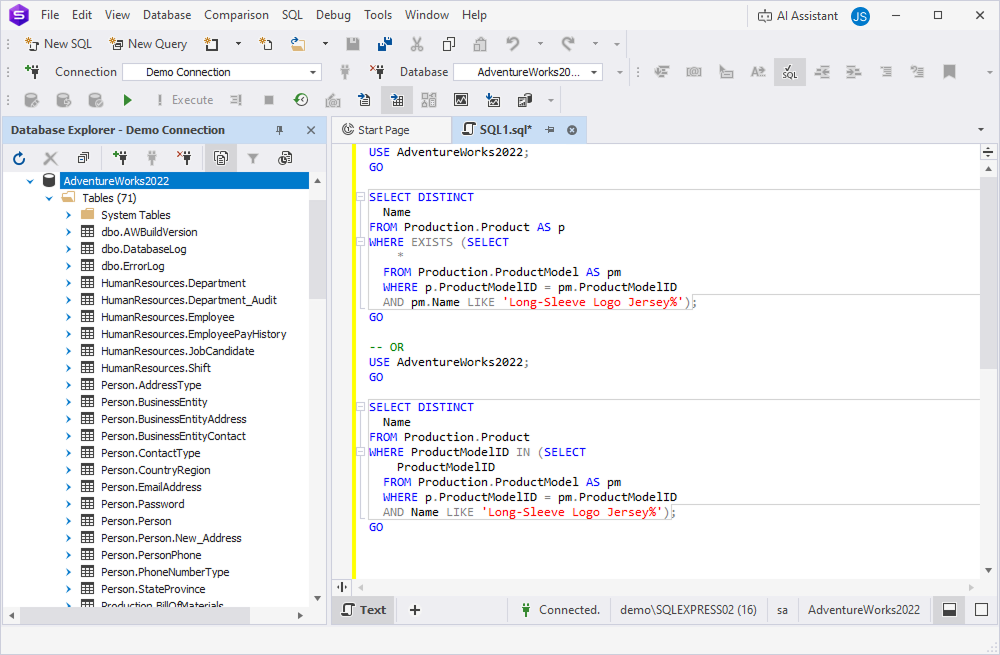
Why use an online SQL Formatter?
The online SQL Formatter helps you quickly standardize SQL code and improve its readability. It applies consistent formatting rules for indentation, spacing, line breaks, and capitalization, making queries easier to read, review, and maintain.
Key benefits include:
- Instant SQL formatting in your browser
- Multiple predefined formatting styles
- Consistent code formatting across projects
- Improved readability and maintainability
- Quick evaluation of dbForge SQL formatting capabilities
For advanced formatting profiles, team-wide code standards, bulk formatting, automation, and AI-powered database development workflows, use dbForge SQL Complete for SSMS and Visual Studio or dbForge Studio for SQL Server.
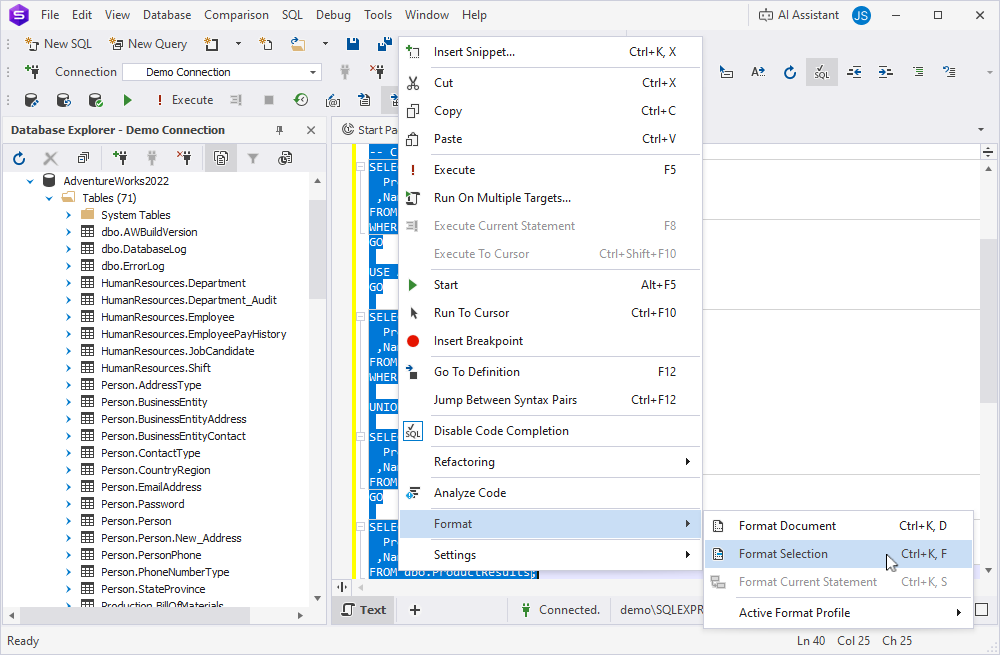
SQL formatting best practices
Consistent SQL formatting helps keep code readable, easy to review, and maintainable across projects and teams. Follow these practices to standardize your SQL code:
- Use consistent indentation with spaces or tabs
- Write SQL keywords in uppercase
- Place each clause in long queries on a new line
- Use clear aliases and add comments where they help explain complex logic
- Align JOIN conditions and place ON conditions on separate lines
- Follow consistent naming conventions for tables, columns, aliases, and database objects
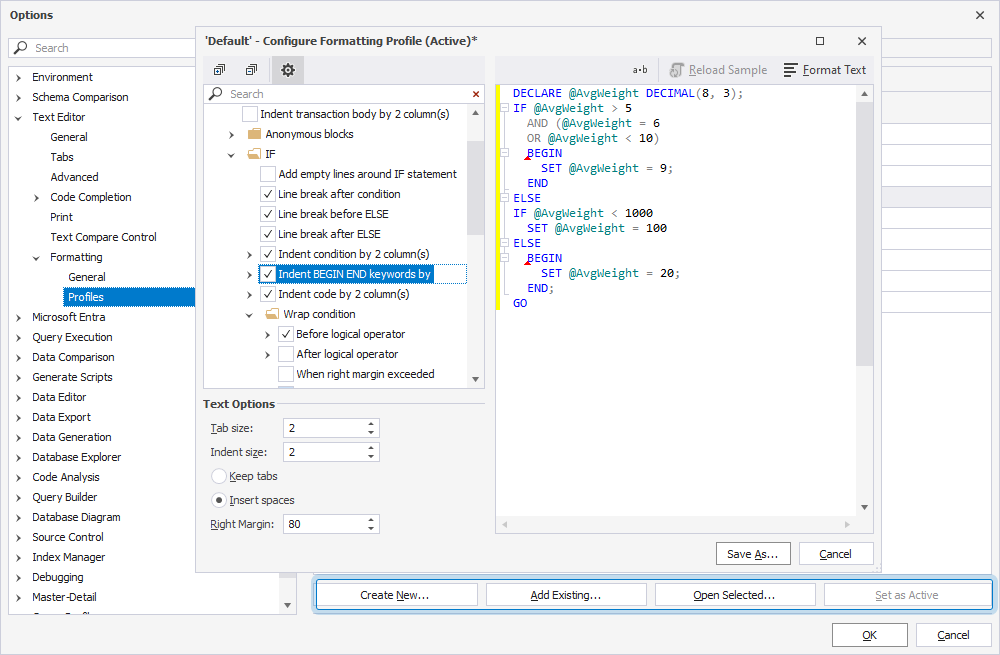
For larger projects, use formatting profiles in dbForge tools to apply the same code style across files, teams, and database development workflows.
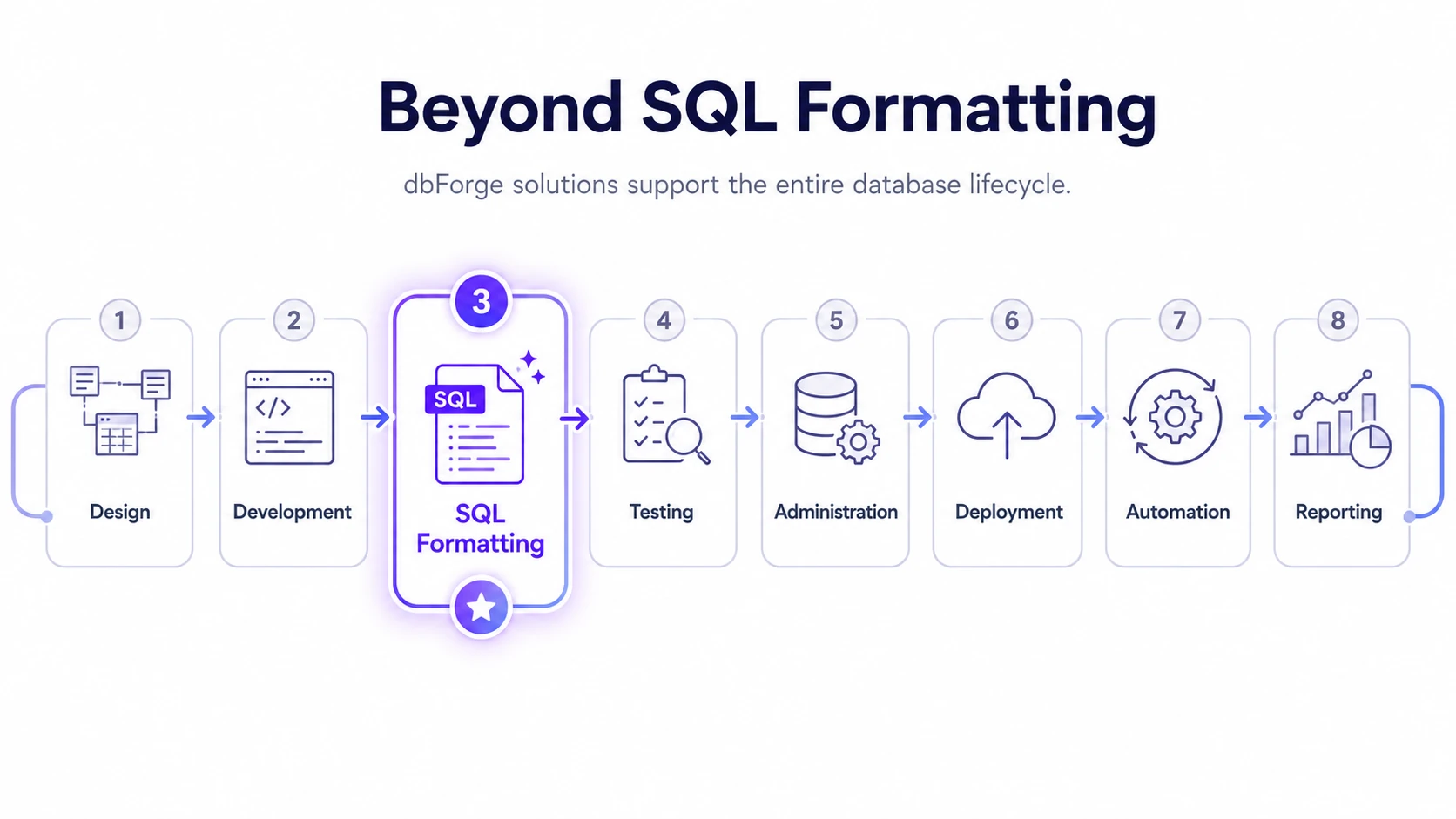
More than SQL formatting
SQL formatting is only one part of database development. dbForge provides a complete set of AI-powered tools that support every stage of the database lifecycle, helping teams work more efficiently and maintain consistent workflows across projects.
- Database design and modeling
- SQL development and code optimization
- Database testing and validation
- Administration and maintenance
- Schema and data deployment
- Workflow automation
- Reporting and documentation
Power up SSMS with dbForge
Already using SQL Server Management Studio? dbForge SQL Complete extends SSMS with advanced SQL formatting, code completion, refactoring, and AI-powered assistance, helping you work faster without changing your familiar development environment.

Free Online Formatter for MySQL
Use your existing skills and full capabilities of dbForge tools for MySQL
Frequently Asked Questions
How to use SQL Formatter?
SQL Formatter is very easy to use. Just enter your code into the editor, choose the required style, and click FORMAT.
How can I beautify SQL code to improve readability and maintainability?
To enhance the readability and maintainability of your SQL code, follow these simple rules:
- Use uppercase for SQL statements and functions and lowercase for tables
and columns. - Write SQL queries with line breaks. This approach will make your code easy to read and understand.
- Avoid using blank lines within statements.
- Apply indentation for subqueries.
- Add comments for complex or essential components of code.
- Divide a query into multiple blocks. Thus, you'll be able to analyze each component of a statement and detect errors.
How does SQL Formatter handle complex SQL queries and stored procedures?
SQL Formatter copes with complex SQL queries and stored procedures in the following way:
- Indentation: Queries and subqueries are indented according to their nesting level.
- Line breaks: To avoid horizontal scrolling, long statements are split into
multiple lines. - Alignment: To improve readability, compound queries with many columns
are aligned. - Subquery and function formatting: To ensure clarity, subqueries and functions
are formatted. - Capitalization: To quickly identify crucial elements, SQL keywords are capitalized.
- Comments: To explain complex sections, SQL Formatter preserves comments.
- Long lines handling: To prevent wide code blocks, long lines of code are wrapped.
Can I use SQL Formatter for different database management systems?
Yes, you can. Also, it's possible to use SQL Formatter for free online.