The best MySQL GUI clients for macOS in 2026 include dbForge Studio for MySQL, MySQL Workbench, DBeaver, DataGrip, and other modern solutions compared below by features, price, and best use. Let us get started.
What is a MySQL GUI client?
MySQL clients are software solutions that help users handle various database development, management, and administration tasks. The exact range of covered tasks, however, depends on the specific client’s functionality. It can be a relatively simple solution that only covers the most basic jobs or a multi-featured integrated development environment (IDE) that can become an integral part of the full DevOps cycle.
See also: How to install MySQL on macOS
MySQL client options on macOS
Apple's ecosystem comes with its own set of specific factors. First of all, it is the rise of Apple Silicon, which revolutionized performance. Therefore, support for this technology is required for applications supposed to run on macOS. Also, many macOS developers rely on Homebrew as their primary package manager, which affects how tools are installed and updated. And last but not least, Apple users have specific requirements for UI/UX. All these factors are essential for the development, distribution, and adoption of MySQL clients for Mac.
Currently, several types of MySQL clients are available for macOS users. Let us consider them.
GUI-based MySQL clients for Mac
GUIs (graphical user interfaces) are ideal for users who prefer a visual approach over working directly with code. They typically include features such as
schema browsing, a MySQL editor, a visual data editor, and import/export wizards.
GUI-based clients range from full-featured, usually commercial, database IDEs designed for professional developers and database administrators to free, open-source tools that cover essential database tasks.
Command-line MySQL clients on Mac
Command-line tools remain essential for many developers, especially when working over SSH, automating tasks, or integrating with scripts and CI/CD tools. Official MySQL CLI tools are those provided by Oracle, such as mysql, mysqldump, and associated utilities, installable via native packages or Homebrew.
Hybrid tools (GUI + CLI support)
Some tools combine graphical interfaces with tight command-line integration. This hybrid approach appeals to users who want intuitive UI panels alongside scriptable features.
Such tools may include embedded terminal panes for executing commands directly within the GUI or provide separate but fully integrated GUI and CLI interfaces.
Now, let us proceed to the brief general overviews of the most functional and user-friendly MySQL GUI tools that feel native and meet the requirements put forth by Apple, making the entire ecosystem richer.
Top 16 MySQL GUI clients for macOS in 2026
We've put together descriptions of the top MySQL GUI clients for macOS. For each one, we highlight both the pros and the cons so you can get a clear picture before trying it out. These solutions are diverse enough to make sure you will find the best macOS MySQL client—at least something that perfectly matches your current needs.
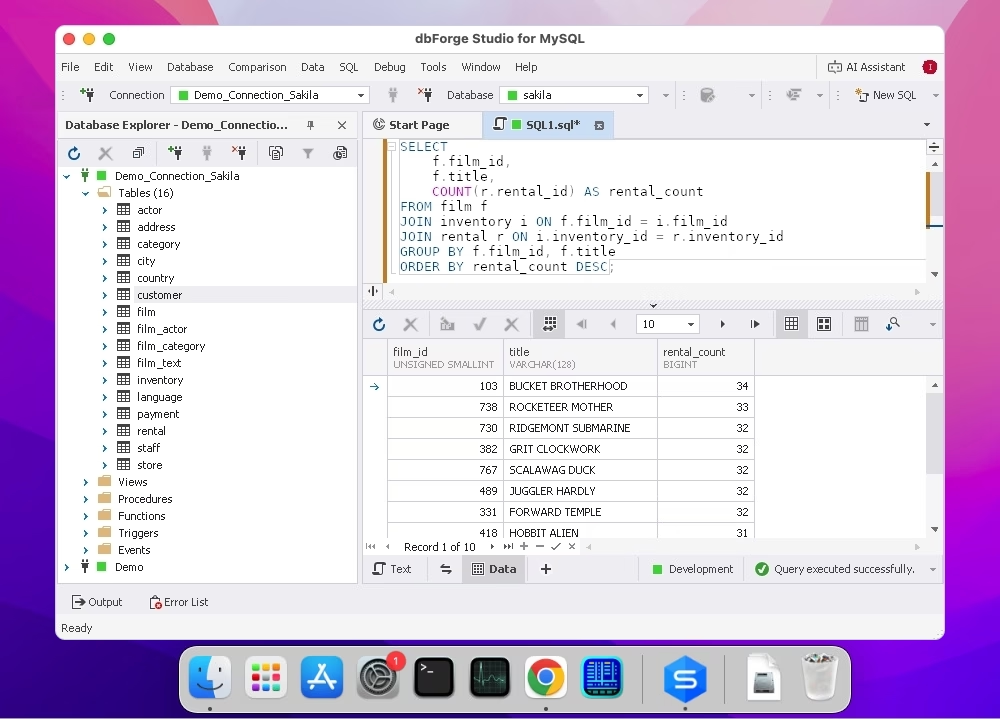
dbForge Studio for MySQL is an all-in-one AI-powered environment for database developers, managers, and administrators. It provides a unified system to cover the full database lifecycle in MySQL and MariaDB with a focus on recurring manual job automation and setting up proper CI/CD processes.
Best for: developers who want a rich IDE with advanced SQL coding and database development, management, and deployment tools for MySQL and MariaDB on macOS.
Pros
- AI Assistant for SQL query generation, optimization, and troubleshooting
- Visual database development and management
- Integration with all major version control systems
- CLI-powered automation of nearly all tasks
- Multi-channel support and lots of additional materials
- Comprehensive documentation with detailed guides
Cons
- Requires CrossOver to work on macOS
- Advanced functionality is only available in paid editions
Key features
- Coding assistance with autocompletion, code formatting, syntax check, and debugging
- Database comparison and synchronization
- Query Builder for visual query construction without manual coding
- Database Designer for visual database development through ER diagrams
- Data import and export (support for 10+ data formats)
- Test data generation (200+ generators)
- Database monitoring and real-time troubleshooting
- User management
- Database backup and recovery
- Data analysis and reporting
Price
- Free: Express edition with basic feature set
- Paid: Subscription-based license (from $9.95 per month)
- Free trial: 30 days
dbForge Studio for MySQL
The world's most feature-rich and versatile IDE for database development, management, and administration, as well as data management, analysis, and reporting
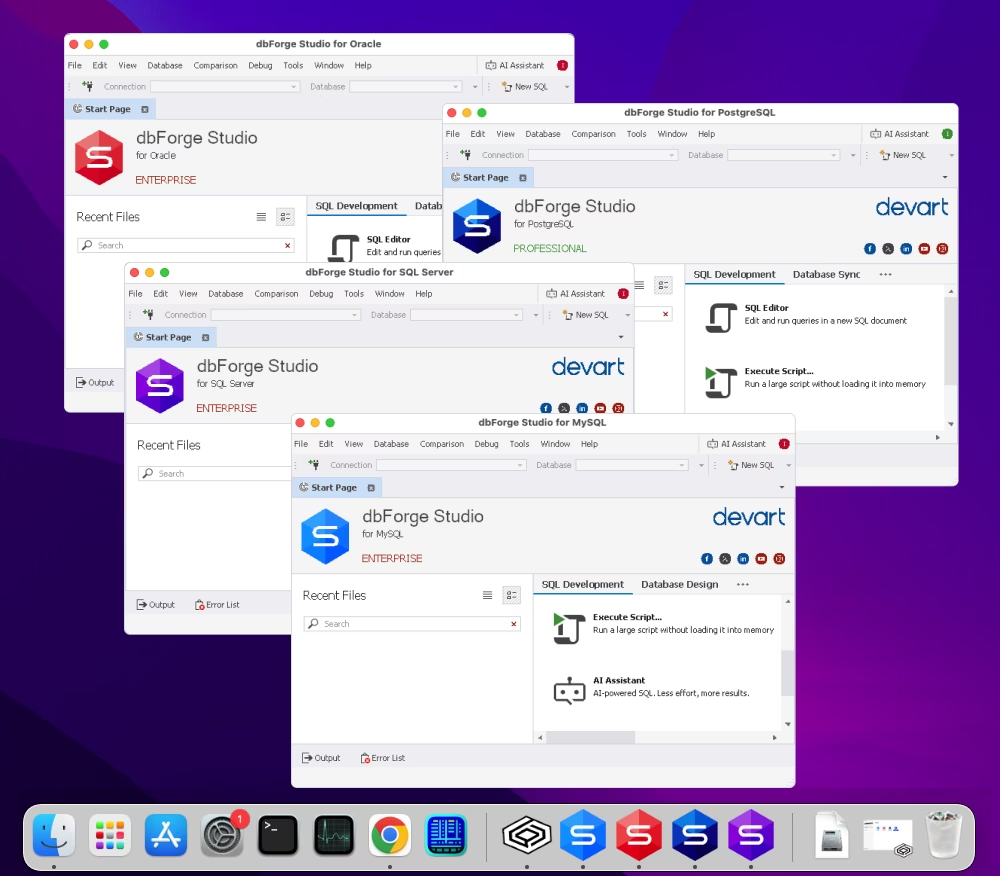
dbForge Edge is a multi-database solution for full-stack database specialists. dbForge Edge offers a broad range of features for essential tasks in MySQL/MariaDB, SQL Server, Oracle, and PostgreSQL, allowing users to manage on-premises and cloud databases efficiently, automate tasks, save time, and boost overall productivity.
Best for: teams that seek a unified IDE that supports both MySQL and other database platforms with DevOps features.
Pros
- AI Assistant for all supported DBMSs
- Database comparison and synchronization
- Comprehensive automated database documenting
- Task automation via the command-line interface
- Rich visualization features
- In-depth product documentation
- Professional technical support from the vendor
Cons
- Native compatibility with Windows only (requires compatibility solutions to work on macOS)
- Available functionality varies depending on the DBMS
Key features
- Coding assistance with code completion, debugging, formatting, analysis, syntax validation, snippets, etc.
- Database comparison and synchronization
- Visual database and table design
- Query Builder for the construction of complex queries
- Query Profiler for performance analysis and tuning
- Integration with all popular version control systems
- Server/database monitoring and user management
- Data import and export with 14 supported data formats
- Test data generation with support for various data types
Price
- Free: Express edition with basic feature set
- Paid: Subscription-based license (from $749.95 per year)
- Free trial: 30 days
dbForge Edge
The ultimate multidatabase suite for database development, management, and administration, as well as data management, analysis, and reporting
3. MySQL Workbench
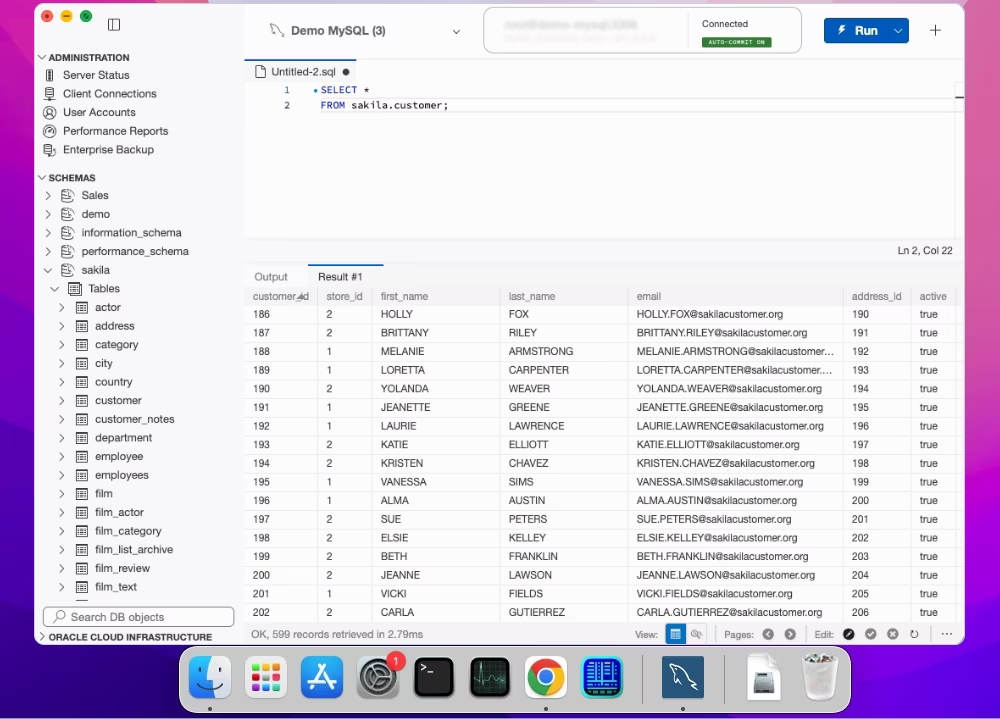
MySQL Workbench is the default GUI client for MySQL database developers, architects, and analysts. It is compatible with macOS, Windows, and Linux, and includes a decent selection of database design and administration tools for regular tasks, especially when handling large databases.
Best for: MySQL users who need an official, free, and feature-complete GUI tool for database design and management.
Pros
- Intelligent code completion
- Advanced tools for data modeling
- Database administration basics
- Free product with a large community
Cons
- Lack of visual query building
- Lack of code debugging
- Restricted database schema and data comparison
Key features
- SQL editor with professional coding assistance
- Visual database and table design and editing
- Query analysis with the EXPLAIN plan
- Object editor
- Data import and export (most popular data formats)
- Comprehensive database administration and monitoring tools
- Basic database documenting
Compatibility
Price
Download MySQL Workbench
4. SQLPro for MySQL
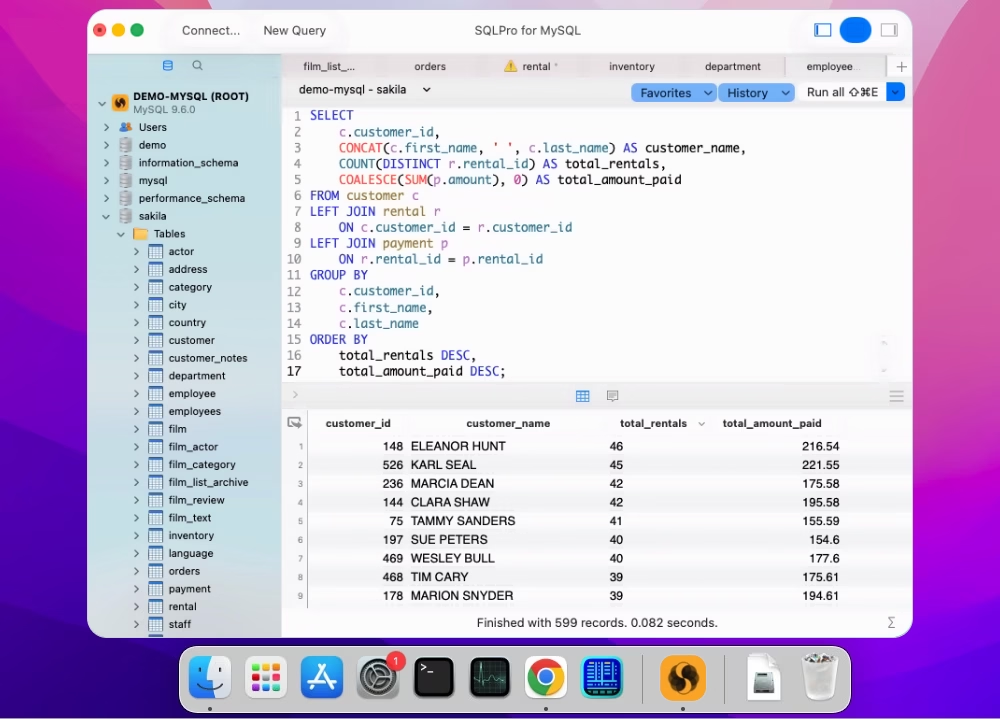
SQLPro for MySQL is a lightweight MySQL client for macOS. It enables quick access to tables and views, delivers IntelliSense-like autocompletion, formatting, and syntax highlighting, and includes a table designer for easy modification of columns, indexes, foreign keys, and triggers.
Best for: users who want a lightweight, native macOS client with a clean interface and reliable query performance.
Pros
- Native macOS support
- Support for cloud platforms
- Simultaneous execution of multiple queries
- Smart and user-friendly interface
- Sharing of queries and their results
Cons
- Overall functionality is quite limited
- Insufficient documentation and learning resources
- Complex procedure of getting a trial
- Limited purchasing options
Key features
- SQL editor with coding assistance
- Database object creation and management
- Visual data viewing and data analysis
- Data migration (CSV, JSON, and XML)
- Tree-like format for navigation
- Direct data editing
- Enhanced security with master passwords
Compatibility
Price
- Free: One-year subscription for students, on direct request
- Paid: Subscription-based license (from $7.19 per month), perpetual license ($155.99)
- Free trial: 7 days
Download SQLPro for MySQL
5. Sequel Pro
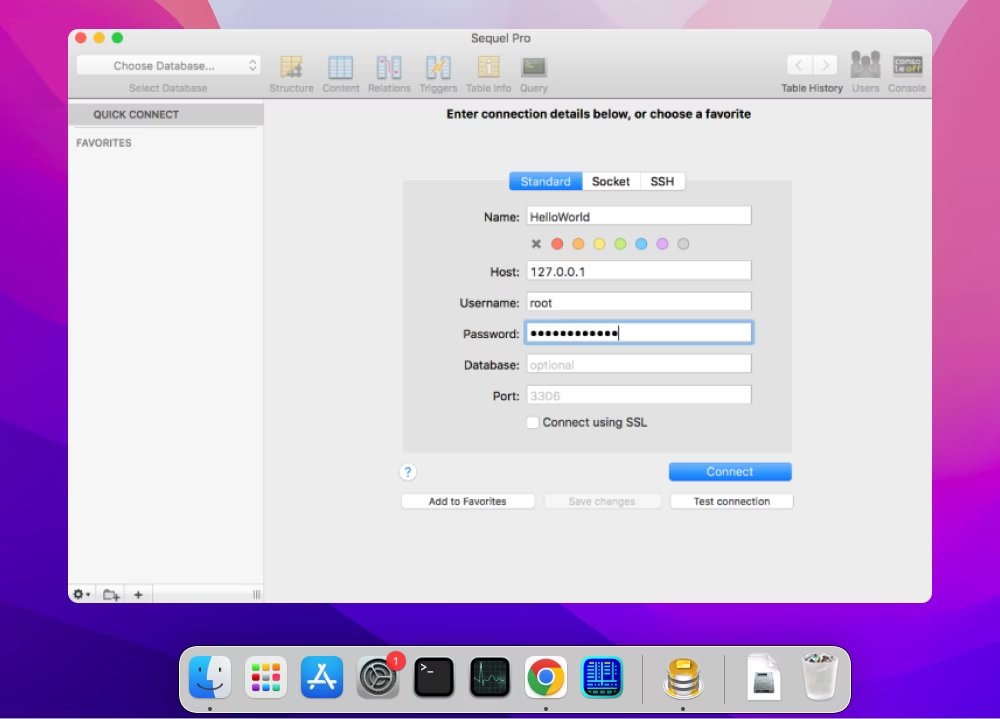
Sequel Pro is an entirely free and open-source MySQL database manager for users who need a simple tool to handle queries in multiple MySQL databases.
Best for: users who prefer a simple, fast, open-source MySQL/MariaDB client with a macOS-centric design.
Pros
- Support for MySQL and MariaDB
- Simplicity of the interface
- Easy installation
- Convenient import and export of databases
Cons
- No proper support for new versions of MySQL
- The product appears to be effectively abandoned
- Limited functionality
Key features
- Query editor with coding assistance options
- Table management
- Data import and export
- SSH tunneling for secure connections
- Data visualization through built-in charts
Compatibility
Price
Download Sequel Pro
6. Valentina Studio
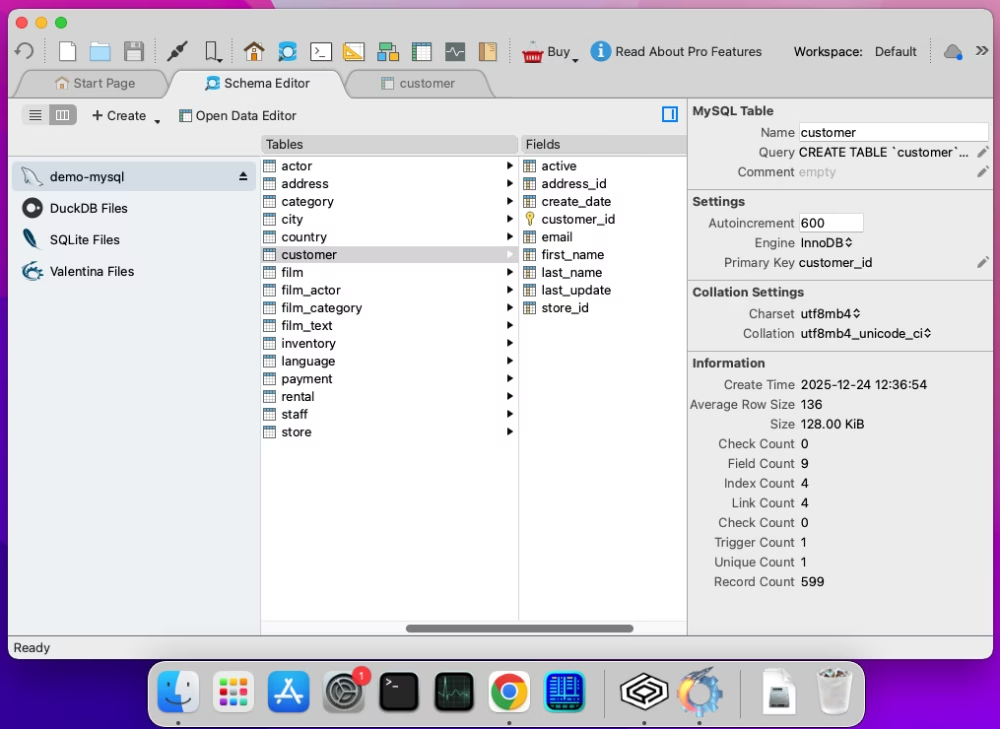
Valentina Studio is a multidatabase GUI tool for easy management of MySQL, MariaDB, and other databases. It offers visual query building and database modeling, a simple but functional data editor, a report designer, schema comparison, and basic database administration.
Best for: those who need a reliable database manager with broad multi-engine support and reporting features.
Pros
- Easy handling of multiple database systems
- Convenient navigation and fast data search
- Report designer with rich capabilities
- Decent functionality even in the free edition
Cons
- Rather underdeveloped documentation
Key features
- Visual SQL Editor with search functionality
- Visual database modeling and query building
- Schema comparison and synchronization
- Database-specific direct data editing
- Database administration features
- Data reporting with visualization
- AI-powered SQL code generation and optimization (integration with third-party AI solutions)
Compatibility
Windows, macOS, Linux
Price
Free: Basic functionality
Paid: Perpetual license (from $79.99)
Download Valentina Studio
7. DBeaver
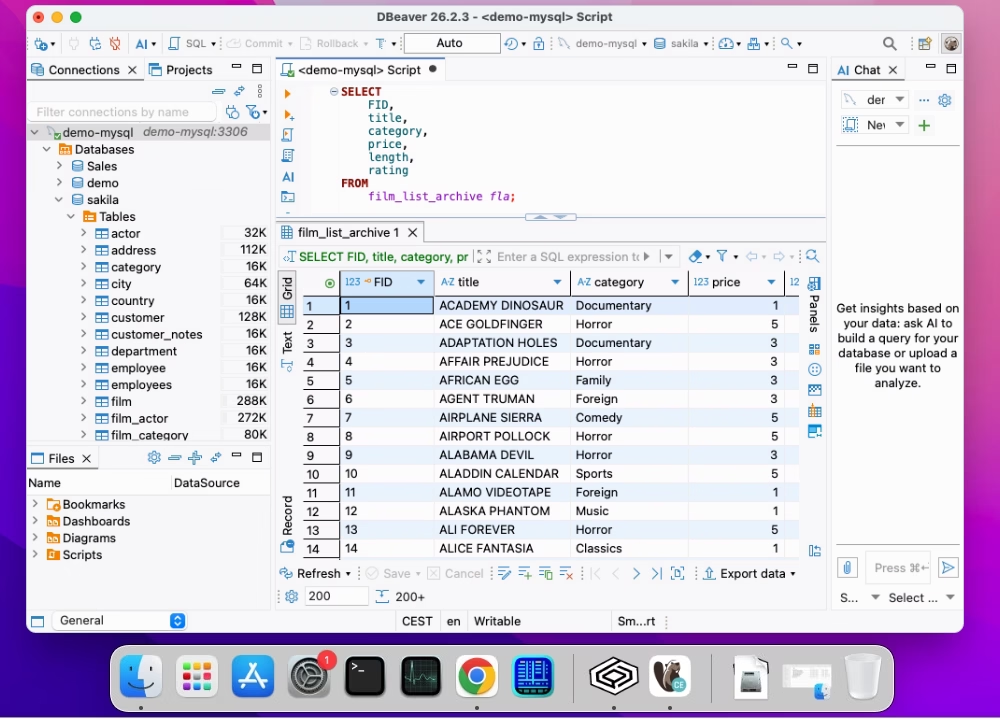
DBeaver is a multiplatform IDE supporting multiple database management systems, including MySQL and MariaDB. It is designed for users who want a cross-platform database tool with rich functionality for database management. DBeaver offers professional features for SQL development, including visual query building, database comparison tools, a test data generator, and ER diagrams.
Best for: users who want an open-source, cross-platform database tool with enterprise-ready features and broad connectivity.
Pros
- Multiple database connection management
- AI-powered conversion of text into SQL queries
- Flexible comparison of database objects
- Dummy data generation
- Advanced security
- Full documentation
Cons
- Advanced functionality is provided in paid editions
- Personal support is provided to paid users only
- Limited schema comparison options
- Short free trial
Key features
- Rich SQL Editor with code autocompletion and script execution
- Visual construction of databases and tables
- Visual Query Builder for construction of complex queries without coding
- Data comparison and synchronization
- Data import and export (support for popular data formats)
- Multiple test data generators with data customization
- Server monitoring and tracking of user sessions
- Backup and recovery functionality
Compatibility
Windows, macOS, Linux
Price
Free: Community edition (basic features)
Paid: Subscription-based (from $12 per month)
Free trial: 14 days
Download DBeaver
8. Querious
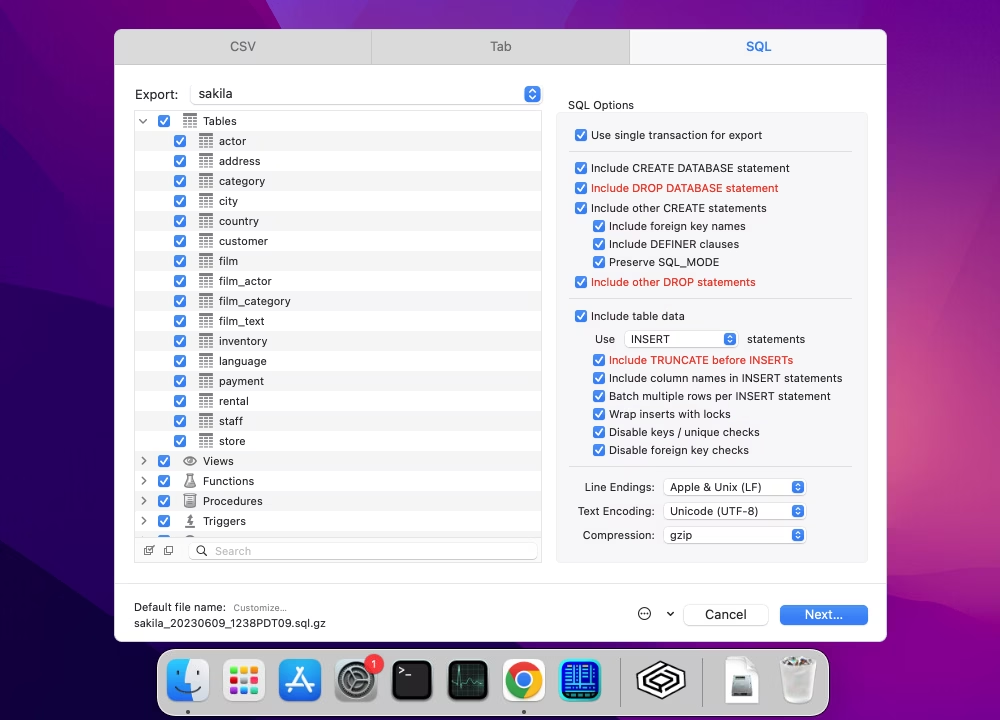
Querious is a macOS-only GUI client for MySQL and compatible databases for those users who require strong querying capabilities and tools for database object editing, server management, and easily configurable database structure comparison.
Best for: Mac users who want an intuitive, responsive, and Mac-native MySQL/MariaDB GUI with data editing.
Pros
- Native macOS experience with good, stable performance
- Query results filtering
- Convenient navigation and shortcuts
- Support service
Cons
- Moderately capable but not an all-in-one solution; however, the long trial period gives you time to explore
Key features
- Smart GUI for database management
- SQL Editor with autocompletion, syntax highlighting, and formatting
- Data viewing and editing
- Data import and export (CSV and SQL formats)
- Server monitoring
- User management
Compatibility
macOS native application
Price
Paid: Perpetual license ($50 per user)
Free trial: 30 days
Download Querious
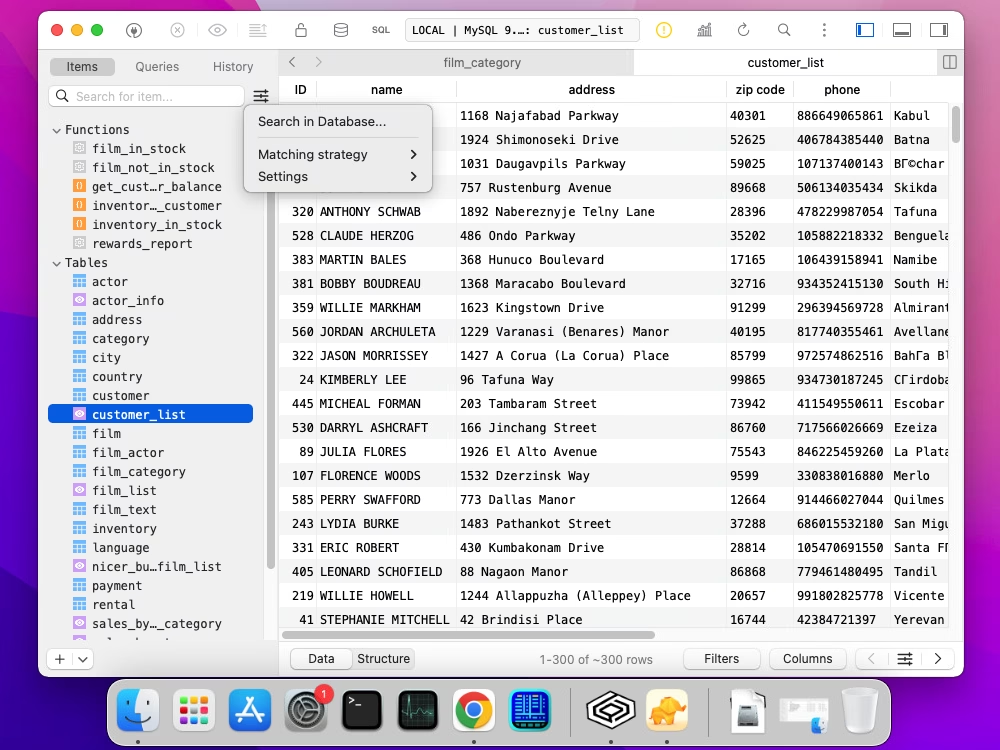
9. TablePlus
TablePlus is a multiplatform GUI tool for database developers that focuses on query development and editing and offers syntax highlighting, instant autocompletion, and SQL formatting, as well as data editing features.
Best for: users who prioritize lightweight solutions with data viewing and editing capabilities.
Pros
- Rich UI customization options
- Plugin support to expand functionality
- AI-powered code generation and optimization
Cons
- Functionality is well-aligned to SQL queries and data editing, but limited in other aspects
Key features
- SQL Editor with query execution, history, and AI integration
- Table designer with foreign key editing and changes preview
- Data editor (viewing, editing, and deleting data)
- Data import and export (CSV format)
- Backup and recovery for databases
- Security Manager for handling user accounts and privileges
Compatibility
Windows, macOS, Linux
Price
Paid: Perpetual license (from $99.00 per user)
Free trial: No time restrictions but limited functionality
Download TablePlus
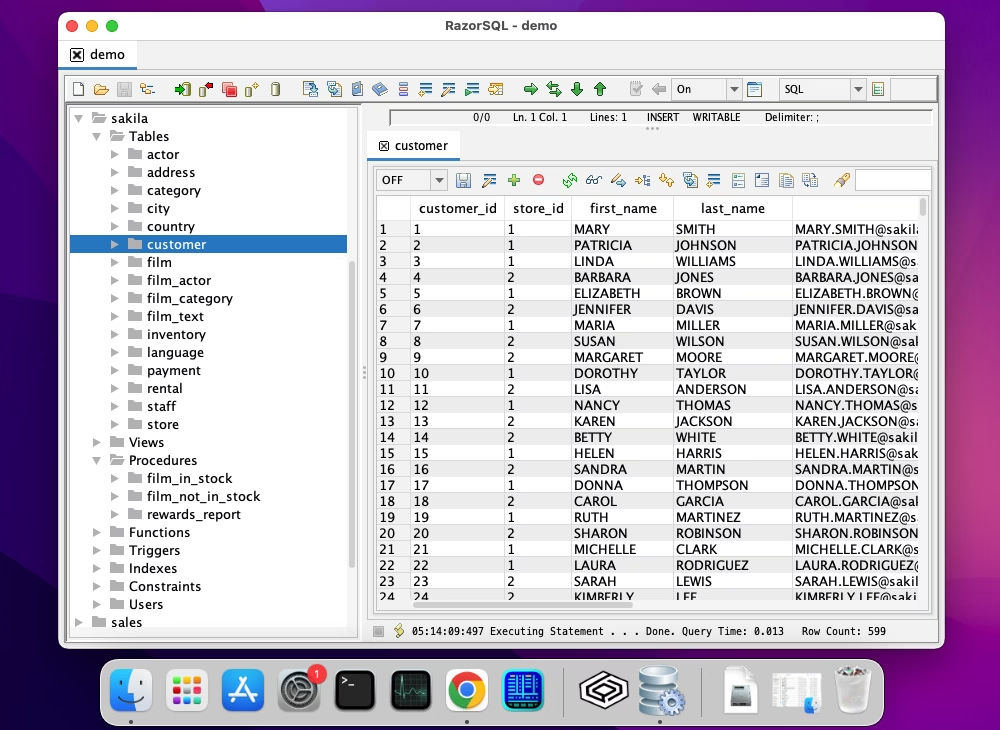
10. RazorSQL
RazorSQL is an easy-to-use multidatabase SQL query tool for those database specialists who primarily require user-friendly SQL editors and database browsers. RazorSQL delivers a selection of highly functional database tools, including SQL query builder, SQL editor, and data import, export, and comparison features, as well as integrated scripting for automated tasks.
Best for: users looking for a versatile SQL editor and database browser with integrated scripting and query tools.
Pros
- Huge database system coverage
- Well-designed user interface
- CLI support
- Detailed documentation
Cons
- Although RazorSQL offers many features, users must verify whether each of them is advanced enough for their specific needs
Key features
- SQL Editor with code autocompletion and other coding assistance features
- Multi-tabular display of queries with filtering, sorting, searching, etc.
- Quick searching for database objects
- Visual database editing
- Table data comparison
- Data export (support for CSV, Excel, HTML, and JSON)
- Data import (support for CSV and Excel)
- Visual table designer
- DDL Generator (tables, views, and indexes)
- Backup and restore functionality
Compatibility
Windows, macOS, Linux
Price
Paid: Perpetual license (from $129 per user)
Free trial: 30 days
Download RazorSQL
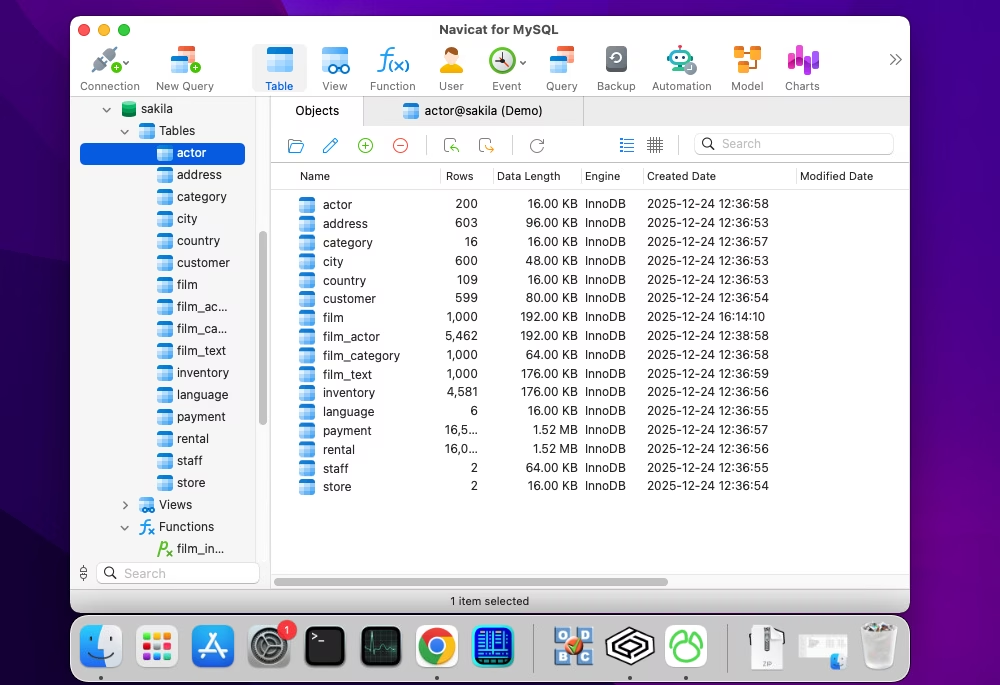
11. Navicat
Navicat is a universal database development and administration solution that supports most of the popular database management systems and cloud platforms. It is meant to help design and manage entire databases and specific objects, migrate data, compare and synchronize databases, build queries, and perform reverse engineering.
Best for: professionals needing advanced data modeling, sync, automation, and cross-database management features.
Pros
- Integrated AI helper (external providers like OpenAI)
- Well-designed GUI
- Database comparison functionality
- Handy task automation capabilities
Cons
- It's a rather pricey solution
- The 14-day trial is relatively short for an IDE
- The documentation could use some expansion
Key features
- SQL editor with syntax coloring, code formatting, and snippets
- Visual query building and editing
- Visual database designer with smart ER diagrams and table designer
- Database schema and data comparison
- Data migration with support for popular data formats
- Test data generation
- User management
Compatibility
Windows, macOS, Linux
Price
Paid: Subscription-based (from $9.99 per month) or perpetual license (from $199.00)
Free trial: 14 days
Download Navicat
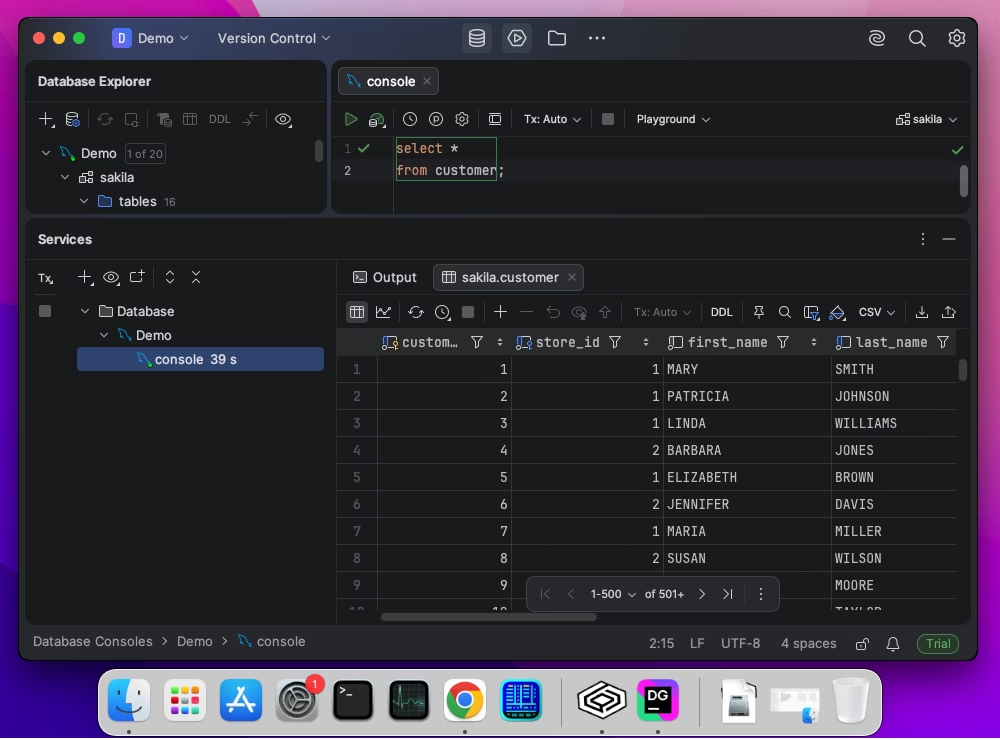
12. DataGrip
DataGrip is a subscription-based IDE for database developers and administrators, providing them with intelligent code assistance and professional database management tools.
Best for: developers who want intelligent code assistance and advanced SQL refactoring across multiple database types.
Pros
- Version control integration
- Integrated data connectors
- Extensive documentation with tutorials
- Integrated AI with code generation and query troubleshooting
Cons
- Complicated learning curve
- Excessive resource consumption
Key features
- Context-aware code completion
- Advanced data editor
- Intelligent query console and local query history
- Customizable GUI
- Integrated data connectors
Compatibility
Windows, macOS, Linux
Price
Free: Non-commercial use
Paid: Subscription-based license (from $10.90 per month)
Free trial: 30 days
Download DataGrip
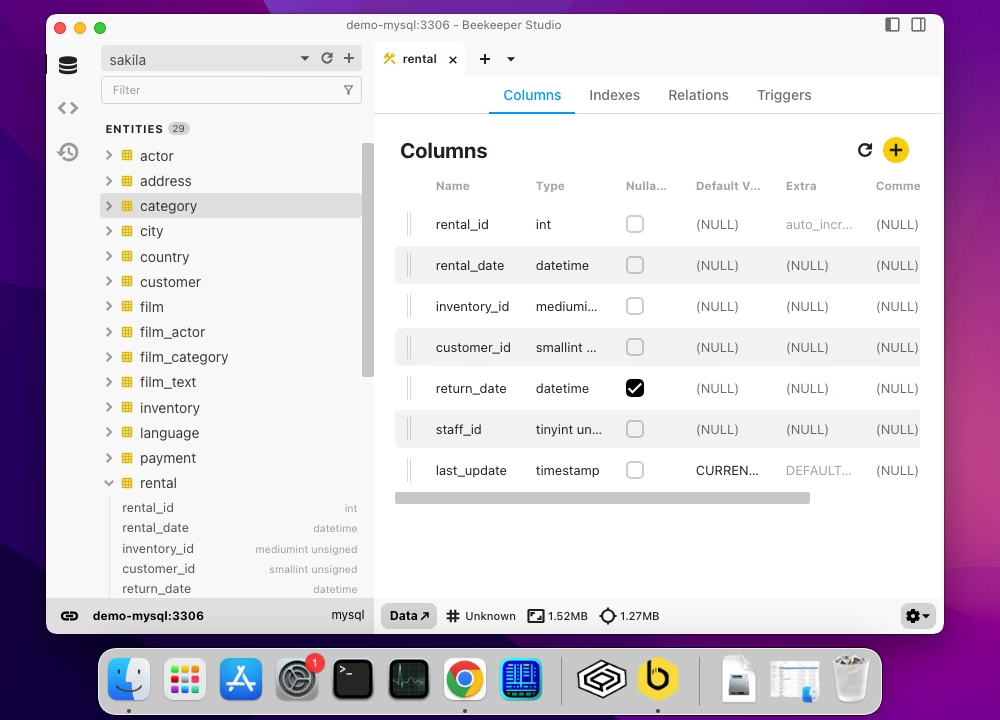
13. Beekeeper Studio
Beekeeper Studio is a free, open-source GUI-based database manager and SQL code editor for MySQL and other popular databases, designed for those users whose work involves queries and doesn't go far beyond them.
Best for: those who want a free, open-source modern SQL editor with strong visualization features and easy connection management.
Pros
- Simultaneous editing of multiple queries
- SSL and SSH encryption for data security
- Collaboration and teamwork features
- AI-powered query generation and schema management (beta)
Cons
- Limited functionality (it is an editor, not an IDE)
- Vendor support is available to paid users only
Key features
- Quick data export options
- SQL editor with syntax highlighting, autocompletion, and shortcuts
- Visual table designer and editor
- Data visualization with charts, graphs, and colors
- Data export (support for CSV, JSON, Markdown, and XLS)
- Data browser for data viewing and editing
- Secure SSL and SSH connections
Compatibility
Windows, macOS, Linux
Price
Free: Basic functionality
Paid: Subscription-based (from $9/month)
Free trial: 14 days
Download Beekeeper Studio
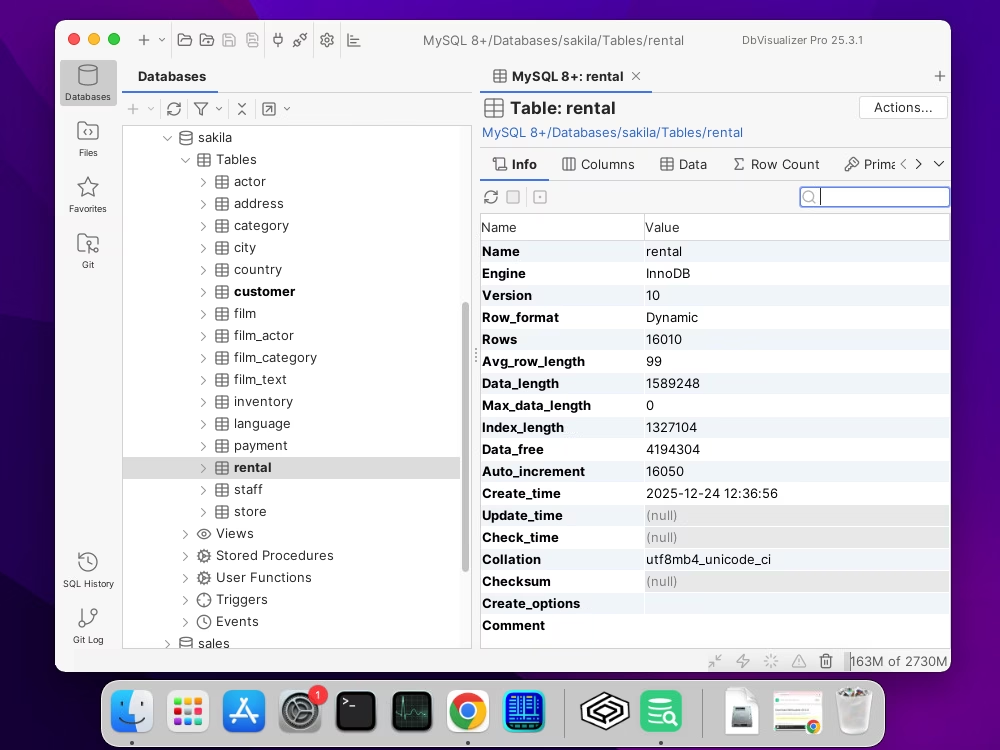
14. DbVisualizer
DbVisualizer is a smart SQL editor and database manager, a valuable solution that enables users to work with SQL code, access and explore databases, and manipulate data. DbVisualizer is available in Free and Pro editions.
Best for: users needing a powerful cross-platform client with extensive database management and visual tools.
Pros
- Good-looking user interface
- Huge database system coverage
- Good customization
- CLI support
Cons
- Sophisticated navigation for beginners
- It can be slow at times
- It is a bit expensive for the set of features it delivers
Key features
- Smart code autocompletion and syntax check
- Table data and table schema comparison
- Visual query construction
- Query analysis for performance tuning (EXPLAIN plan)
- Data visualization, searching, and direct editing
- Data import and export with task templates
- User access configuration and control
- SSH data encryption and secure access
Compatibility
Windows, macOS, Linux
Price
Free: Basic functionality
Paid: Subscription-based (from $199/year per user)
Free trial: 21 days
Download DbVisualizer
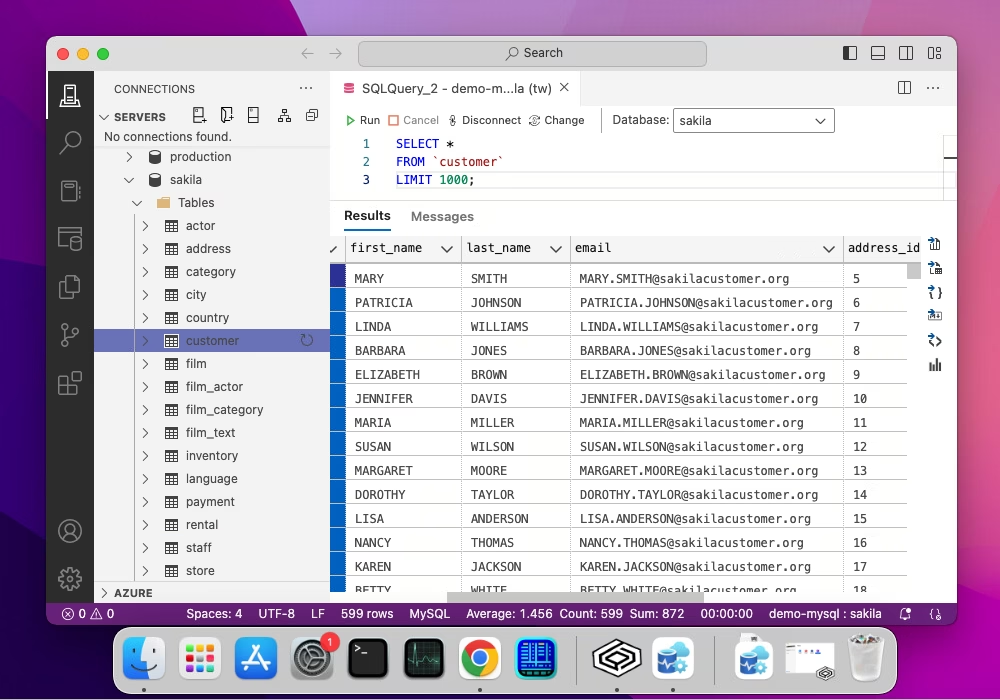
15. Azure Data Studio
Microsoft's Azure Data Studio is a cross-platform tool for data professionals working across on-premises and cloud data platforms, providing a special extension to connect to MySQL databases. It delivers IntelliSense code completion, code snippets, source control integration, an integrated terminal, built-in charting of query result sets, and customizable dashboards.
Best for: SQL developers already in the Microsoft ecosystem who want extensible database management features for MySQL on macOS.
Pros
- Clean and intuitive interface that takes the cue from Microsoft Visual Studio
- Seamless integration with Azure data services
- Extensibility via plugins
- Full documentation
Cons
- Insufficient functionality in comparison to some other advanced IDEs
- Azure Data Studio was officially retired on February 28, 2026
Key features
- SQL Editor with IntelliSense, keyword suggestions, and code snippets
- Integrated Source Control (Git)
- Integrated Terminal for accessing CLI tools from the SQL editor
- Data visualization (charts)
- Data export (support for CSV, JSON, Excel, and Markdown)
- Server monitoring and management
- Backup and recovery features (basic)
Compatibility
Windows, macOS, Linux
Price
Free
Download Azure Data Studio
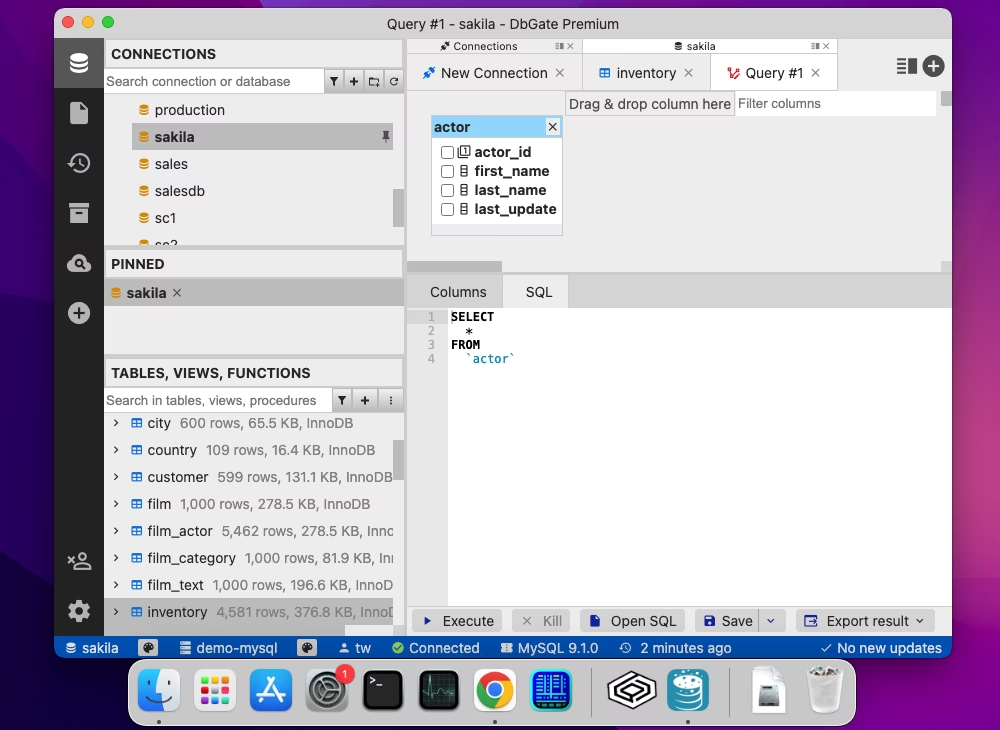
16. DbGate
DbGate is a cross-platform GUI client that covers both SQL-based and NoSQL systems. The tool is meant for users who need to connect to multiple databases, browsing and editing table schemas and actual data, writing SQL queries with autocompletion, building queries visually, as well as creating ER diagrams, charts, and maps. Though its functionality is not as robust as that of more advanced tools, it offers a straightforward database manager for macOS users whose requirements stick to the basics.
Best for: users who want a lightweight and flexible GUI for database management across engines.
Pros
- Available as a desktop and web application
- Smart and customizable UI with multiple tabs
- Multilingual localization
- Extensibility with plugins
- AI-powered database chat
- Advanced data tools
Cons
- Advanced features are available only in paid editions
Key features
- SQL and NoSQL code editor with DDL generation
- Connection manager for multiple database connections
- Data browser and editor with filtering and grouping data
- Data import and export (support for popular data formats)
- Visual database design and query building
- Data visualization with charts
- User manager
Compatibility
Windows, macOS, Linux
Price
Free: Community (limited functionality)
Paid: Subscription-based license (from $12 per month)
Free trial: 30 days
Download DbGate
Comparison table of MySQL GUI clients for macOS
Have a look at the comparison of popular MySQL GUI client applications available for macOS. The table highlights key features such as the availability of a free version, multiplatform availability, quality of customer support, and a user-friendly interface, helping you quickly evaluate which client best suits your needs.
Before proceeding to the detailed comparison of all tools, note the top 5 picks from the comparison table.
- dbForge Studio for MySQL: the best all-round pick. It has a 30-day trial, flexible pricing model, and vendor support.
- MySQL Workbench: the best free official tool. It has no licensing cost, works across different platforms, and has a GUI.
- DBeaver: the best open-source pick. It offers strong community support and diverse pricing plans if you need more.
- Beekeeper Studio: the best budget commercial SQL editor. It has a free version, a 14-day trial, and proper support.
- TablePlus: the best pick for trying before you buy. It has a free version and a trial with limited features but no time limit.
| Client |
License |
Free trial |
Free version |
Cross-platform |
Customer support |
GUI |
 dbForge Studio for MySQL |
Commercial, from $9.95/month |
30 days |
Yes |
Yes |
Yes |
Yes |
 dbForge Edge |
Commercial, from $749.95/year |
30 days |
Yes |
Yes |
Yes |
Yes |
 MySQL Workbench |
Free |
N/A |
Yes |
Yes |
Yes |
Yes |
 SQLPro for MySQL |
Commercial, from $7.19/month |
7 days |
Yes (for students) |
No |
Yes |
Yes |
 Sequel Pro |
Free (open-source) |
N/A |
Yes |
No |
No |
Yes |
 Valentina Studio |
Commercial, from $79.99 |
N/A |
Yes |
Yes |
Yes |
Yes |
 DBeaver |
Free (open-source) and paid (from $12/month) |
14 days |
Yes |
Yes |
Yes |
Yes |
 Querious |
Commercial, from $50 |
30 days |
No |
No |
Yes |
Yes |
 TablePlus |
Commercial, from $99/user |
Limited options |
Yes |
Yes |
Yes |
Yes |
 RazorSQL |
Commercial, $129/user |
30 days |
No |
Yes |
Yes |
Yes |
 Navicat for MySQL |
Commercial, from $9.99/month |
14 days |
Yes |
Yes |
Yes |
Yes |
 DataGrip |
Commercial, from $10.90/month |
30 days |
Yes |
Yes |
Yes |
Yes |
 Beekeeper Studio |
Commercial, from $9/month |
14 days |
Yes |
Yes |
Yes |
Yes |
 DbVisualizer |
Commercial, from $199 |
21 days |
Yes |
Yes |
Yes |
Yes |
 Azure Data Studio |
Discontinued (retired February 28, 2026) |
N/A |
Yes |
Yes |
No |
Yes |
 DbGate |
Free (open-source) and paid (from $12/month) |
N/A |
Yes |
Yes |
Yes |
Yes |
GUI vs command-line MySQL clients on Mac
When working with MySQL databases on macOS, users can choose between GUI tools and command-line solutions. Each approach has distinct advantages. For GUI tools, it is worth mentioning ease of use and visual clarity, while command-line solutions offer great flexibility and performance efficiency and are necessary for automation. Have a look at the table below with the conceptual comparison of these two approaches.
| Aspect |
GUI tools |
CLI solutions |
| Ease of use |
Intuitive, user-friendly interface with visual menus and forms, ideal for beginners |
Requires familiarity with SQL and terminal navigation |
| Speed |
Fast for browsing tables, running queries, and making basic edits visually |
Slightly slower for simple tasks due to manual command typing |
| Automation & scripting |
Some advanced GUIs support CLI-based automation, but most offer very limited automation capabilities |
Supports batch operations, scheduled scripts, and integration with shell tools |
| Error visibility |
Errors are often displayed in dialogs with explanations, making troubleshooting easier |
Errors appear directly in the terminal, requiring a deeper understanding |
| Resource usage |
Consumes more memory and system resources |
Lightweight and runs with minimal resources |
| Platform integration |
Limited to the features provided by the application |
Integrates with macOS Terminal, scripts, and other tools |
Each class of MySQL client has its strengths, and the right choice often depends on your workflow, comfort with the command line, and platform expectations.
GUI tools are best suited for beginners, as they simplify tasks like table management, query execution, and data visualization. Such solutions as Navicat for MySQL, DBeaver, or the default MySQL Workbench offer native macOS versions. dbForge Studio for MySQL and dbForge Edge are more powerful than these tools, but they require compatibility solutions to run on Mac.
CLI tools are mostly adopted by advanced users, especially those who focus on DevOps configuration and automation. Such utilities as mysql and mysqldump provide flexibility, control, and
scripting capabilities.
The hybrid approach is also popular among many professionals. They use GUI tools for exploration and visualization, and command-line tools for repetitive tasks, automation, or complex queries.
How to choose the best MySQL client for Mac
When selecting GUI database tools, macOS devotees have certain considerations, such as integrated UNIX-based terminal capabilities, a different file system structure, and stricter security and permission settings. These factors affect performance and workflow. Thus, consider the following criteria for your MySQL client for macOS.
Type of work you do
Your daily tasks influence which GUI is the best fit. For database design and schema management, data backup, and data migration tasks, you might consider MySQL Workbench, dbForge Studio, or DBeaver. If you only need basic functionality like data browsing, editing, and SQL querying, lightweight apps like TablePlus are suitable.
GUI vs command-line preference
Your knowledge of SQL and the command line is important when considering different MySQL GUI tools for Mac. GUI-focused users benefit from intuitive drag-and-drop interfaces, visual query builders, and inline editing. Users who feel comfortable with SQL typically require tools with an integrated query console for running custom scripts.
Feature requirements
Functionality is always the key consideration. Consider your daily routines and determine whether you need advanced features like database comparison and synchronization or database administration. Also, what are the data analysis and reporting requirements? Is visualization necessary in your work? Then you can pick a suitable tool.
Performance and scalability
macOS GUI tools differ in how they handle large datasets and multiple connections. Lightweight GUIs generally load faster and consume less memory, which is ideal for day-to-day data edits. Full-featured tools may offer extensive features but can lag when handling very large tables or multiple concurrent connections, so consider your typical database size and workflow.
Budget and licensing
Free and open-source options like DBeaver Community or MySQL Workbench provide essential functionality. Paid solutions like dbForge Studio for MySQL include advanced features and better support. Also, consider licensing terms, as some tools offer perpetual licenses, while others require subscriptions, which may affect long-term project costs.
In any case, choosing a GUI tool for MySQL on macOS is about matching your workflow, technical comfort, and project requirements with a tool that works smoothly in the macOS environment.
See also: MySQL management tools for Windows
Best Mac MySQL client for each task
The tasks you need to perform are the most important factor when choosing the right tool for your work. The table below highlights common tasks and the tools best suited to them, helping you identify the application that fits your workflow.
| Task |
Best macOS clients |
Why they suit |
| Managing multiple databases / switching sessions |
1. DBeaver
2. dbForge Edge
3. DbGate |
Handling multiple connections and databases in one place. |
| Data manipulation and schema browsing |
1. TablePlus
2. dbForge Studio for MySQL
3. Querious |
Direct data editing in a grid and quick object browsing. |
| Importing/exporting data into CSV and Excel |
1. dbForge Studio for MySQL
2. RazorSQL
3. Beekeeper Studio |
Built-in data import and export into CSV and XLS (dbForge Studio and RazorSQL also enable task automation). |
| Lightweight, quick connections |
1. TablePlus
2. SQLPro for MySQL
3. Querious |
Quick launch, modest resource consumption, and little setup. |
| Autocomplete and SQL formatting |
1. dbForge Studio for MySQL
2. DataGrip
3. DBeaver |
Context-aware autocompletion, code formatting, syntax validation, and AI-powered SQL code generation and optimization. |
| Large databases and performance |
1. dbForge Studio for MySQL
2. MySQL Workbench
3. DBeaver |
Providing specialized tools to handle large databases and diagnose and tune query performance. |
| Index management and visual table inspection |
1. dbForge Studio for MySQL
2. MySQL Workbench
3. DbVisualizer |
Viewing the table structure, keys, and indexes and editing them visually. |
Conclusion
Still unsure which client is the most suitable for you? That's all right. At least now you can outline your needs and requirements more precisely and take note of the pros and cons that can determine your final choice. Whether you are a MySQL newcomer or a seasoned expert, let us reiterate the importance of comprehensive documentation, active community, reliable technical support, and the availability of extra materials that will teach you how to deal with basic tasks most effectively.
FAQ
What is the best MySQL GUI client for Mac in 2026?
The best MySQL GUI clients for Mac in 2026 are dbForge Studio for MySQL (best for advanced development and automation), DBeaver (best free cross-platform tool), and TablePlus (best native lightweight client). Among them, dbForge Studio for MySQL provides the richest functionality, while TablePlus is a common choice for users who prefer a smart modern interface. DBeaver is a popular alternative for those needing a multidatabase solution. Still, the final choice depends on your specific workflows.
Is there a free MySQL client for macOS?
There are several free MySQL clients for macOS: dbForge Studio for MySQL (Express), MySQL Workbench, DBeaver (Community Edition), and Beekeeper Studio (free version). Also, built-in MySQL Shell (CLI) and the classic mysql client are free command-line tools.
Which MySQL clients for macOS include an AI assistant?
Integrated AI-powered features are available in dbForge Studio for MySQL, DBeaver, Navicat for MySQL, DataGrip, and other modern IDEs.
Which MySQL client for Mac supports automation and backups?
MySQL Shell supports scripting and can be integrated into automated workflows. Some GUI clients (for example, dbForge Studio for MySQL) include database backup and recovery tools, as well as scripting capabilities through CLI or internal automation features.
Which Mac MySQL client is best for managing multiple databases?
dbForge Studio for MySQL is a great choice for MySQL-focused development that requires schema comparison, synchronization, advanced SQL editing, and automation, and it allows managing multiple databases across different environments, on-premises and in the cloud. Other notable multidatabase solutions are DBeaver, DataGrip, and DbVisualizer.
Which macOS MySQL clients have the best import/export to CSV and Excel?
dbForge Studio for MySQL provides the best functionality for data import and export into CSV and Excel, especially for frequent data transfers. It offers configurable import/export wizards and support for CSV, XLS, XLSX, JSON, and other data formats. DBeaver is another decent option for data-transfer tasks.
What MySQL client is best for large databases on Mac?
Several clients fit this description: dbForge Studio for MySQL, MySQL Workbench, and DBeaver. All these tools provide the functionality needed to manage large, complex databases on macOS. dbForge Studio for MySQL offers a comprehensive toolset for the full database lifecycle. MySQL Workbench is the official MySQL GUI tool with design and administration features. DBeaver is a robust multidatabase tool with a powerful SQL editor and visualization features.
What is the best lightweight MySQL client for macOS?
Beekeeper Studio, TablePlus, or DBeaver Community are popular lightweight options for Mac users who primarily work with MySQL. However, lightweight clients usually do not deliver advanced functionality for more complex, professional workflows.
What is the difference between MySQL Shell and GUI clients?
MySQL Shell is a command-line client with advanced scripting support for SQL, JavaScript, and Python. GUI clients (like MySQL Workbench, dbForge Studio for MySQL, etc.) provide a graphical interface for browsing schemas, running queries, editing data, and managing databases visually. They are often easier for interactive use and for those less comfortable with the command line.
Do I need a GUI or command-line MySQL client on macOS?
It depends on your workflow. A command-line client (like MySQL Shell) suits users who prefer scripting, automation, or working without a GUI and is essential for server environments. A GUI client is the best choice if you prefer visual database browsing, interactive data editing, and easier query construction. For many developers, combining both gives the best productivity.
Is dbForge better than free MySQL clients for Mac?
dbForge Studio for MySQL offers much more robust functionality than free clients. It is a professional IDE with advanced SQL editing, visual tools, backup and restore, and automation options. Free clients like MySQL Workbench are suitable for many use cases but lack advanced features available in dbForge Studio, such as database comparison and synchronization.
Is dbForge suitable for professional MySQL work on Mac?
Yes, dbForge Studio for MySQL suits professionals' needs excellently. It delivers extensive features such as a visual query builder, backups, data comparison, and automation support. However, it is a native Windows application and requires a compatibility layer like CrossOver to run on macOS.


