The management of SQL Server databases involves multiple tasks: writing and troubleshooting SQL queries, performance tuning, database administration,
schema and data comparison, DevOps automation, and more. SQL Server management tools available on the market today range from simpler solutions
focusing on a single task to comprehensive IDEs supporting the entire database management lifecycle within a unified environment.
Choosing the right solution for your team depends on multiple factors: your established workflows, application requirements, and team roles.
This comparison reviews the best SQL Server management tools, highlighting their strengths, key features, and ideal use cases to help you
select the solution that best fits your needs.
List of the best SQL Server management tools
Use the list below to jump straight to the tool you want to learn more about.
dbForge SQL Tools
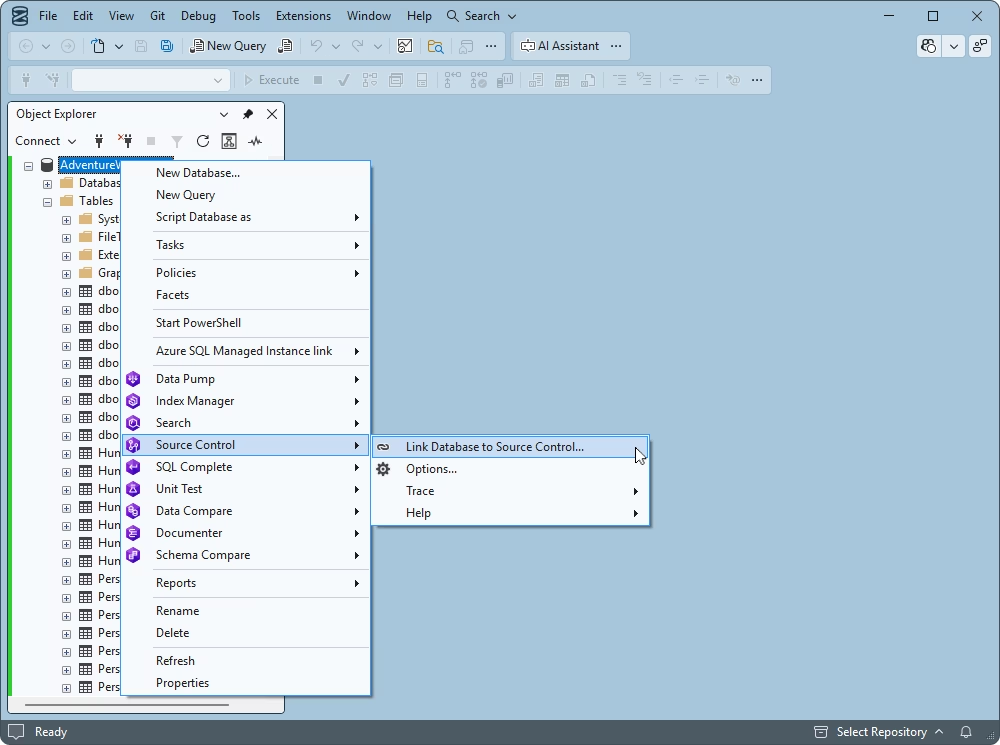
dbForge SQL Tools is a suite of standalone products and add-ins for SQL Server Management Studio that covers SQL development, database comparison, documentation, testing, and administration.
The add-ins integrate directly into SSMS, so teams get an extended toolset without switching to a separate IDE.
Pros
- AI Assistant for SQL generation and code completion
- Deep integration with SSMS
- Database comparison and synchronization
- CLI-powered automation for CI/CD pipelines
Cons
- Some tools require SSMS as a host environment
- Windows-focused, installation on macOS and Linux requires using CrossOver or Wine
Features
- Intelligent SQL completion
- Database schema and data comparison and synchronization
- Database import and export
- Index management
- Source control integration
Best for
SQL Server teams that want to extend SSMS with development, comparison, documentation, and testing capabilities.
Compatibility
Price
- Paid: Individual tools offered separately or a bundled suite starting from $469.95 per year.
- Free trial: 30 days
dbForge SQL Tools
A comprehensive bundle of 15 SSMS add-ins and standalone applications that help you cover a rich variety of database development, management, and administration tasks
SQL Server Management Studio
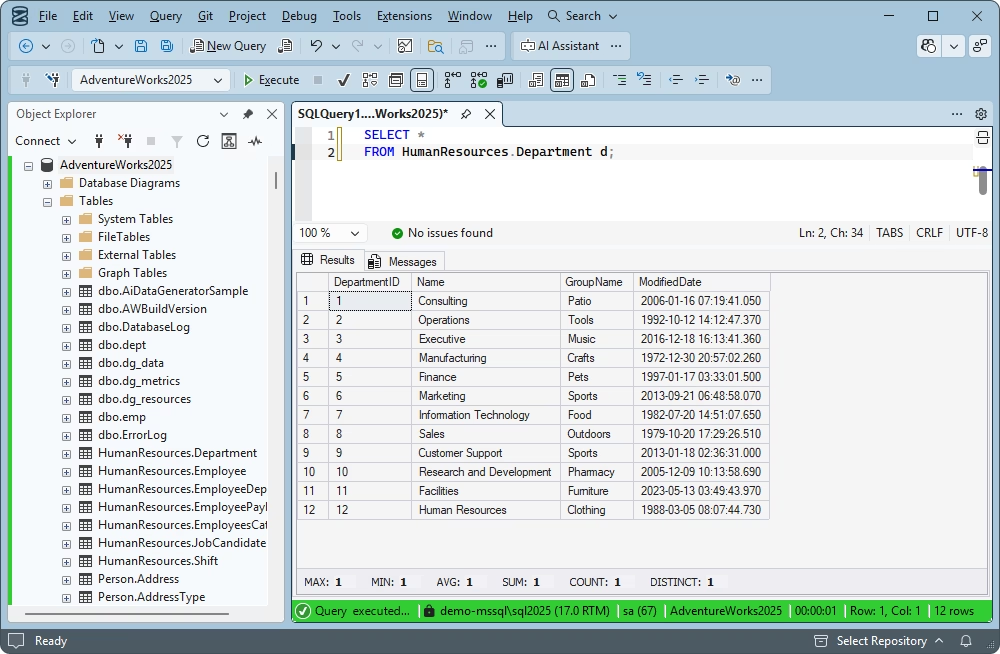
SQL Server Management Studio (SSMS) is Microsoft's native,
free tool for configuring, monitoring, and administering SQL Server instances. It provides a comprehensive set of tools for database administration,
SQL development, configuration, backup and recovery, security management, and performance monitoring. One of the advantages of SSMS is that it supports various add-ins and extensions that enhance its
core functionality and allow you to use the necessary features within the familiar SSMS environment.
Pros
- Free, official Microsoft tool
- Deep native integration with SQL Server
- Comprehensive database management and administration functionality
- Regular updates alongside SQL Server releases
Cons
- Windows-only tool
- Database support limited to SQL Server and Azure SQL products
Features
- Object Explorer for browsing databases and server objects
- Query editor with IntelliSense
- Backup and recovery
- Security and permissions management
- Basic Activity Monitor for performance
Best for
Core SQL Server administration.
Compatibility
- Windows 10
- Windows 11
- Windows Server
Price
MSSQL extension for Visual Studio Code
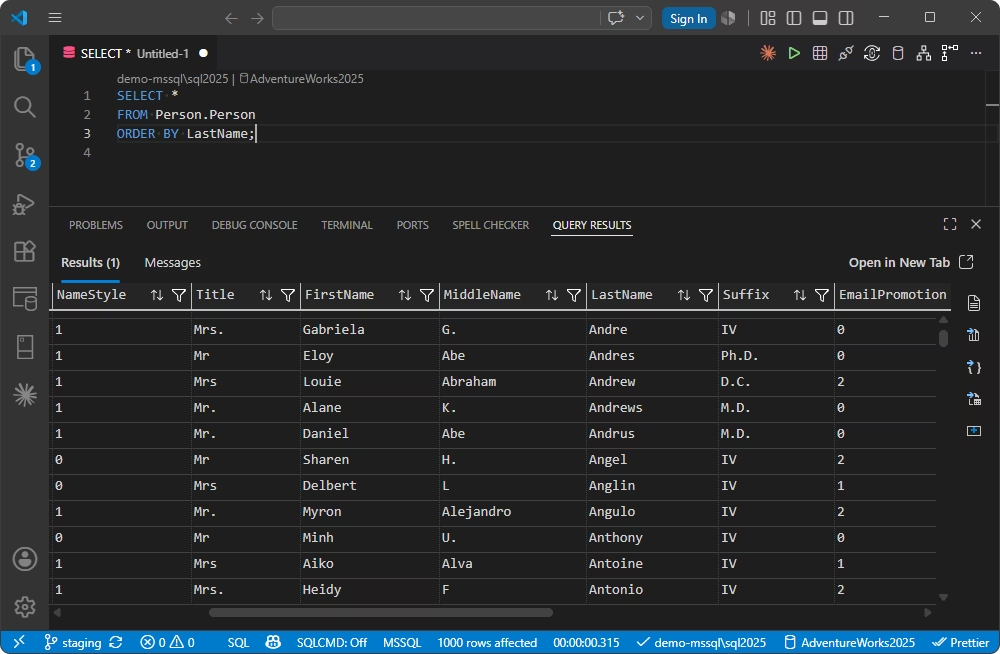
Visual Studio Code isn't inherently suitable for writing SQL and managing SQL Server databases. However, with the
MSSQL extension, this
lightweight, cross-platform editor acquires the features of a SQL management tool: SQL Server query execution, IntelliSense, schema browsing, and more. It fits naturally into Git-based development workflows
and is a free option for developers who prefer VS Code over a dedicated database IDE.
Pros
- Free and lightweight
- Cross-platform (Windows, macOS, Linux)
- IntelliSense and query execution for SQL Server
- Fits naturally into Git-based workflows
Cons
- Fewer administration features than SSMS or dedicated IDEs
- Lack of built-in schema comparison and data comparison features
- Lack of visual database design tools
- Limited performance analysis and profiling functionality
Features
- SQL Server and Azure SQL connectivity
- IntelliSense and syntax highlighting
- Object Explorer for browsing databases and objects
- Git integration via Visual Studio Code
Best for
Developers who prefer Visual Studio Code over a dedicated SQL Server IDE.
Compatibility
Price
Redgate SQL Toolbelt Essentials
Redgate SQL Toolbelt Essentials
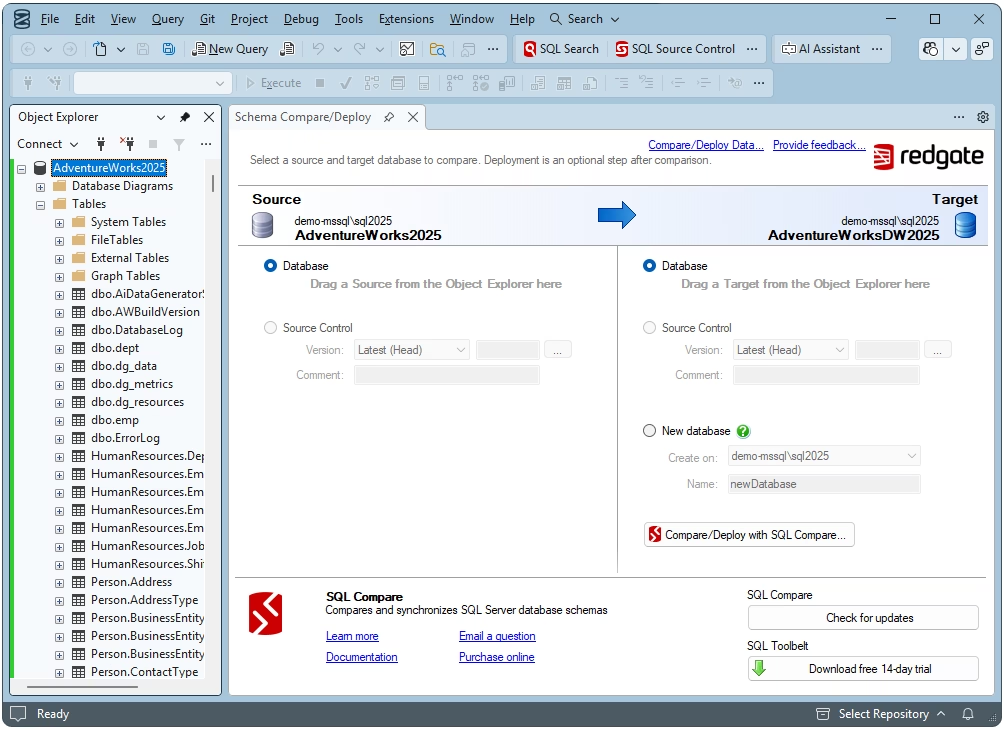
bundles several Redgate tools for SQL coding standards, source control integration, and deployment automation.
Each of them can be used as a standalone tool for database management or as an add-in for SSMS, in which case you can enhance SSMS functionality with the
capabilities provided by Redgate while continuing to work in the familiar SSMS environment.
Pros
- Multiple Redgate tools bundled under one license
- Strong SQL source control and deployment automation
- SQL code formatting
- Established support and documentation
Cons
- Paid license required
- Feature set spread across multiple individual tools
- Primarily Windows/SSMS-oriented; no native macOS or Linux support
Features
- SQL Source Control for version control integration
- SQL Compare for schema comparison
- SQL Data Compare for data comparison
- SQL Prompt for code completion and formatting
Best for
Development teams standardizing SQL coding and deployment practices.
Compatibility
Price
- Paid: From $1,410 per user/year
- Free trial: 14 days
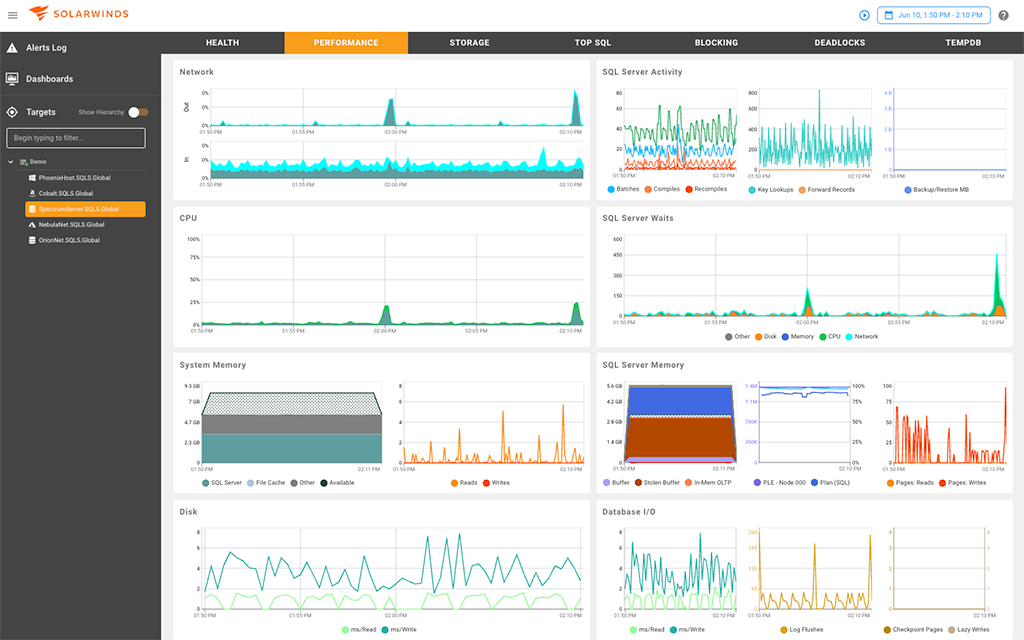
SolarWinds SQL Sentry
SolarWinds SQL Sentry focuses on performance monitoring
and diagnostics for SQL Server environments. It gives DBAs and operations teams visibility into query performance, blocking, deadlocks,
and resource usage across instances.
Pros
- Deep performance monitoring and diagnostics
- Historical trend analysis for troubleshooting
- Alerts for blocking, deadlocks, and resource issues
- Support for multiple SQL Server instances
Cons
- Not focused on development or coding tasks
- No SSMS integration
- Paid license required
- Windows-only availability
Features
- Query performance monitoring
- Deadlock and blocking analysis
- Resource utilization tracking
- Historical performance trends and alerting
Best for
DBAs and operations teams monitoring production SQL Server environments.
Compatibility
- Windows 10
- Windows 11
- Windows Server 2016 and higher
- Azure SQL services
Price
- Paid: From €1,629 per license
- Free trial: 14 days
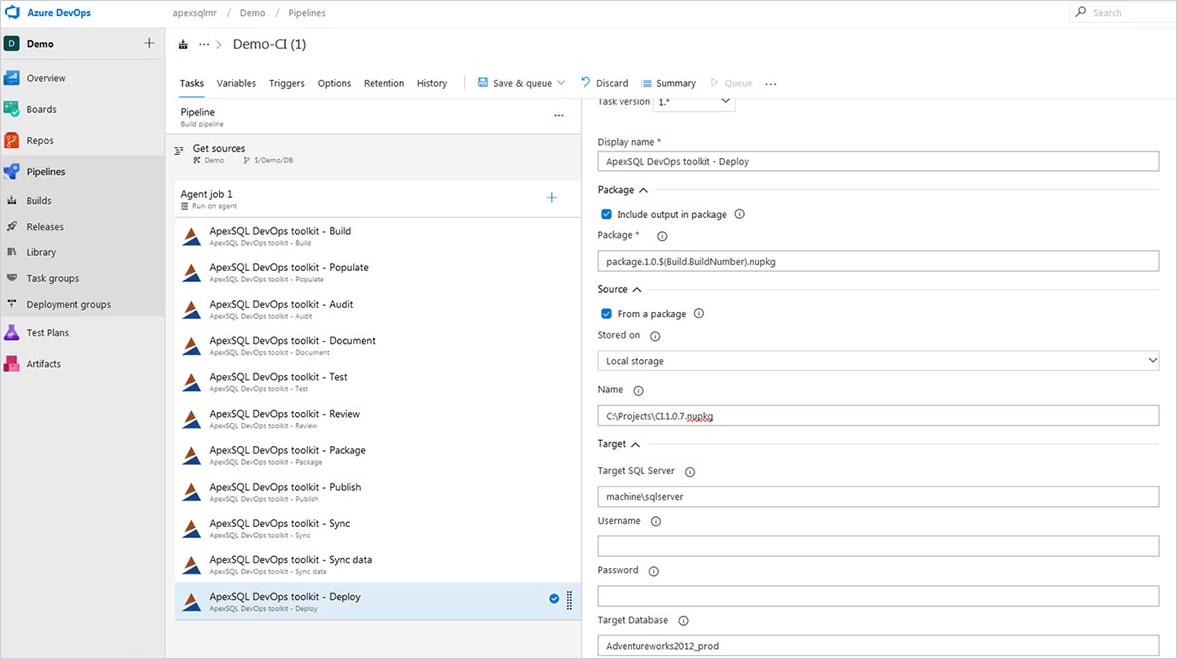
ApexSQL DevOps Toolkit
The ApexSQL DevOps Toolkit combines tools for database
change management, testing, and deployment automation. It supports CI/CD pipelines for SQL Server databases, helping teams version, test, and release schema
changes alongside application releases.
Pros
- Support for database CI/CD from change tracking to deployment
- Automated testing of database changes
- Compatibility with common CI/CD platforms
- Modular toolset covering multiple DevOps stages
Cons
- Feature set varies by individual tool in the toolkit
- Paid license required
- Setup can require more configuration than single-purpose tools
Features
- Database schema and data comparison
- Automated deployment scripting
- Database unit testing
- Change tracking and version control integration
Best for
Teams building CI/CD pipelines for SQL Server database changes.
Compatibility
- Windows 10
- Windows 11
- Windows Server 2008 R2 SP1 and higher
Price
- Paid: From $1,359 per year
- Free trial: Available
JetBrains DataGrip
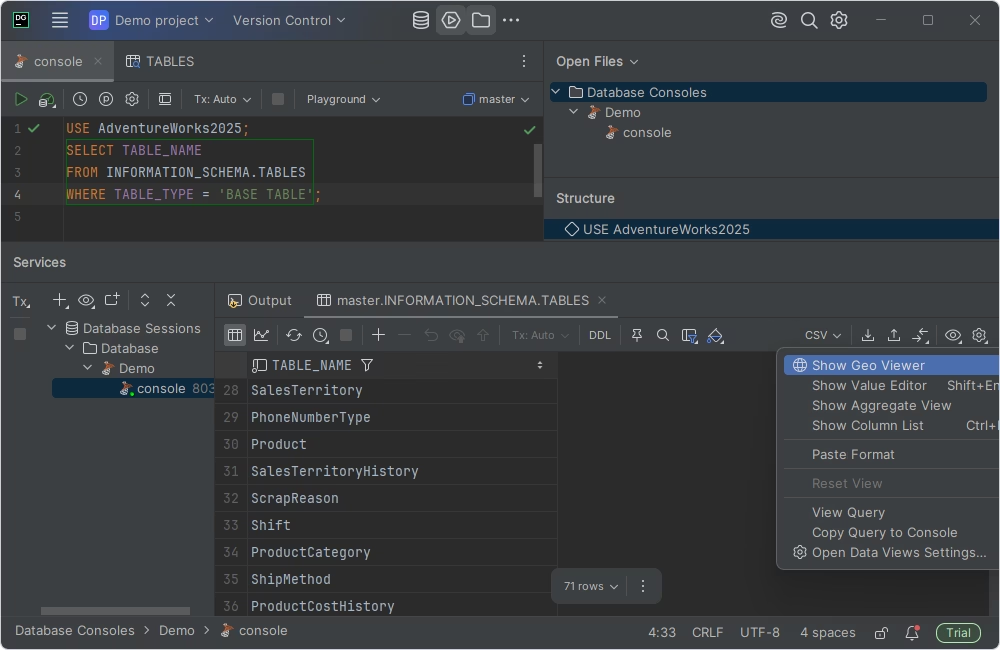
DataGrip is a smart cross-platform IDE with AI-powered tools
for relational and non-relational databases. It provides efficient query management, SQL coding assistance,
and support for complex database structures. Its default functionality can be extended using dedicated plugins.
Pros
- AI Assistant for improved SQL coding
- Smart UI with customizable themes
- Excellent code navigation, search, and refactoring tools
- Wide range of supported relational and NoSQL databases
- Git version control integration
- Visual schema management
- Data reporting with charts
- Regular updates with support for new database versions and features
Cons
- High resource consumption
- Limited functionality compared to other IDEs
- Lack of built-in schema and data comparison features
- Complex UI that requires time to master
Features
- SQL coding assistance with completion, debugging, and refactoring
- AI-driven code suggestions
- Smart query console with local history
- Database diagrams and object dependencies
- Query execution with editable result sets
- Advanced data editor
- Multiple connectors for various data sources
- Integrations via the JetBrains plugin ecosystem
Best for
Working with multiple database systems in a cross-platform SQL IDE.
Compatibility
Price
- Free: Non-commercial use
- Paid: Subscription-based from $10.90 per month
- Free trial: 30 days
DBeaver
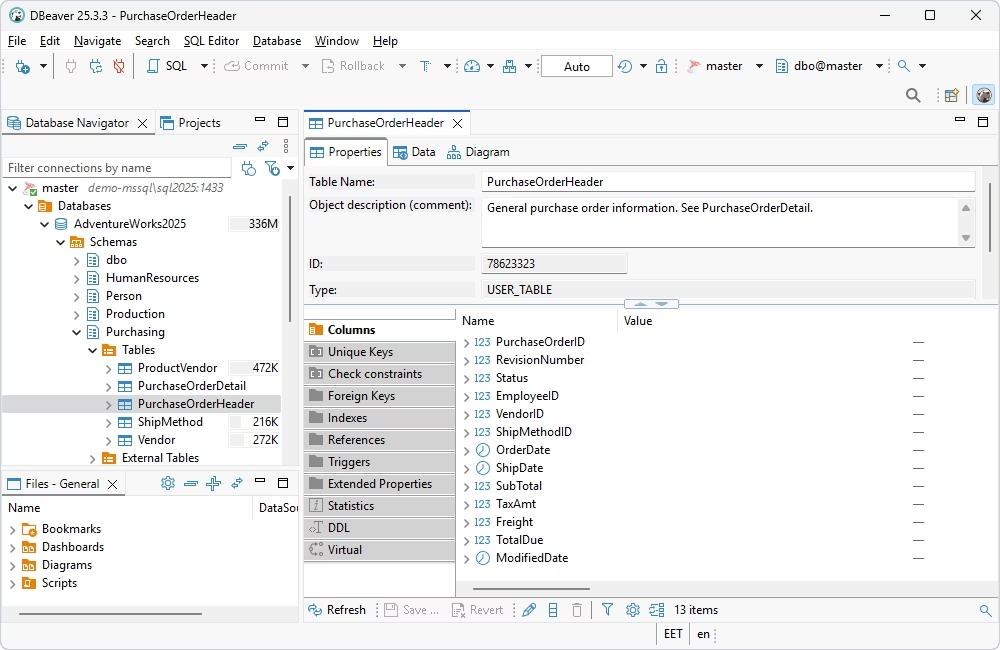
DBeaver is a popular open-source IDE supporting major databases
and cloud platforms. It offers flexible customization and is widely used by developers, DBAs, and data analysts.
Pros
- Free, open-source edition
- Cross-platform tool
- Wide range of supported databases
- Advanced SQL editor
- Intuitive interface with customizable layouts and themes
- Active community and regular updates
Cons
- Limited functionality in the free edition
- Limited built-in database comparison and synchronization capabilities
- Poor performance when working with large schemas or multiple simultaneous connections
Features
- SQL editor with syntax highlighting, code completion, and formatting
- Database object explorer
- Visual Query Builder
- Data import and export
- Data backup and recovery
- SSH tunneling and SSL/TLS connections
- AI assistant
Best for
Cross-database management with broad SQL Server support using a free, open-source tool.
Compatibility
Price
- Free: Community edition
- Paid: Subscription-based (from $113 per year)
- Free trial: 14 days
SQL Server management tools: A comparison table
The table below compares the SQL Server management tools covered in this article across the criteria that matter
most to database development and administration teams: primary use case, key strength, AI capabilities, SSMS integration, monitoring depth,
and DevOps/source control support.
| Tool |
Best for |
Key strength |
AI features |
SSMS integration |
Monitoring |
DevOps/
source control |
|

dbForge SQL Tools
|
SQL Server teams using SSMS |
Development, comparison, documentation, testing |
Yes |
Yes |
Moderate |
Strong |
|

SSMS
|
Core SQL Server administration |
Native Microsoft management |
Yes, depending on version/
features |
Native |
Basic performance tools |
Limited |
|

MSSQL extension for VS Code
|
VS Code users |
Query work, schema, Git workflows |
Yes |
No |
Limited |
Yes |
|

Redgate SQL Toolbelt Essentials
|
Development teams |
SQL standards, source control, deployment |
Yes |
Yes |
Limited |
Strong |
|

SolarWinds SQL Sentry
|
DBAs and operations |
Monitoring and diagnostics |
Not a primary angle |
No |
Strong |
Limited |
|

ApexSQL DevOps Toolkit
|
Database DevOps |
CI/CD, testing, deployment |
Not a primary angle |
Varies by tool |
Limited |
Strong |
|

DataGrip
|
Multi-database developers |
Cross-platform IDE |
Varies by JetBrains AI setup |
No |
Limited |
Git workflow support |
|

DBeaver
|
Mixed database teams |
Broad database support |
Available in selected editions |
No |
Limited |
Limited/
moderate |
How to choose the right SQL Server management tool
Once you've compared the available tools, the next step is matching a tool, or a combination of tools, to your team's needs. The sections below break the decision
down into practical criteria for DBAs, developers, analysts, and engineering managers.
Choose by role: DBA, developer, analyst, or engineering manager
DBAs generally prioritize tools with strong monitoring, backup and recovery, and security management capabilities. Developers look for SQL coding features such
as IntelliSense, refactoring, and debugging, along with source control integration. Analysts value fast querying and clear result visualization over deep administration
features. Engineering managers weigh all of the above against cost, licensing, and how many separate tools a team currently relies on.
Check SQL Server and Azure SQL compatibility
Before committing to a tool, confirm which SQL Server versions it supports, along with Azure SQL Database and Azure SQL Managed Instance, if your organization uses them.
Check the supported authentication methods, required drivers, and whether the tool works with both cloud and on-premises setups, since gaps here can block adoption.
Decide whether you need SSMS add-ins or a standalone tool
Some SQL Server management tools extend SSMS with add-ins, while others are standalone IDEs that replace it entirely. Teams already comfortable in SSMS often prefer
add-ins like dbForge SQL Tools, which bring development, comparison, documentation, and administration features directly into the environment they already use. Teams that want a single cross-platform interface, or that work across multiple database systems, may lean toward a standalone IDE instead.
Evaluate AI features for SQL Server management
Many SQL Server database management tools now include AI features for generating SQL, explaining queries, interpreting errors, and suggesting code improvements. These features can speed up everyday work, but generated output still needs review for correctness, security, and performance impact before it reaches production.
Compare pricing, licensing, and team adoption
Free tools can cover basic needs, but a paid suite may be justified when it replaces several separate utilities with one licensed product. When comparing pricing, look at the licensing model, trial length, team plans, support terms, and upgrade policies, and weigh these against the total number of tools your team would otherwise need to maintain.
Recommended SQL Server management tool by use case
If you want a quick recommendation rather than a full comparison, use the table below to match your primary use
case to a tool.
| Use case |
Recommended tool |
| Best all-around SQL Server toolset for SSMS users |
dbForge SQL Tools |
| Best free Microsoft tool |
SQL Server Management Studio |
| Best for VS Code users |
MSSQL extension for Visual Studio Code |
| Best for SQL Server delivery workflows |
Redgate SQL Toolbelt Essentials or ApexSQL DevOps Toolkit |
| Best for production monitoring |
SolarWinds SQL Sentry |
| Best for cross-platform database work |
DataGrip |
| Best free/open-source multi-database option |
DBeaver |
Which SQL Server management tool should you choose?
There's no single best SQL Server management tool for every team. SSMS remains a core, free Microsoft option for basic administration,
while dbForge SQL Server management tools are a strong choice for SQL Server teams that need a broader SSMS-based toolset for development, comparison, documentation, testing, and database change workflows.
Match your choice to your role, required compatibility, and budget. If you are looking for a comprehensive set of SQL Server management tools,
download Devart's bundle of 15 SQL tools and try them in action.
FAQ
What are the best SQL Server management tools?
The best SQL Server management tools depend on the job at hand. dbForge SQL Tools is a strong all-around choice for teams already using SSMS.
SQL Server Management Studio remains the standard free option for core administration. Tools such as Redgate SQL Toolbelt Essentials, SolarWinds SQL Sentry,
and ApexSQL DevOps Toolkit cover development, monitoring, and DevOps needs, respectively.
What is the best SQL Server Management Studio toolset?
For teams that want to keep working in SSMS but need more capability, dbForge SQL Tools is the most complete bundle for SSMS, adding database comparison, documentation, testing, and development features directly inside the SSMS environment.
Which SQL Server management tool is best for DBAs?
DBAs typically get the most value from tools with strong monitoring and diagnostics, such as SolarWinds SQL Sentry, alongside SSMS for core administration tasks like backup, restore, and security management. Teams that also need schema comparison and documentation often add dbForge SQL Tools to their SSMS setup.
What are the best AI tools for SQL Server management?
Several SQL Server management tools now include AI features for generating SQL, explaining queries, and suggesting fixes. dbForge SQL Tools, SSMS (depending on version and add-ins), the MSSQL extension for Visual Studio Code, Redgate SQL Toolbelt Essentials, and JetBrains DataGrip all offer AI assistance to speed up everyday SQL work.