SQL Server Management Studio (SSMS) is a free application developed by Microsoft for configuring, managing, and administering Microsoft SQL Server, Azure SQL, and related database platforms. For many SQL Server professionals, it remains the default choice thanks to its set of built-in tools and reliable performance. As an official Microsoft product, SSMS provides everything needed to handle day-to-day database development and administration tasks.
However, SSMS is not the only option available. Several alternatives offer a broader feature set, advanced usability, and enhanced workflows. One such solution is dbForge Studio for SQL Server—a powerful, all-in-one IDE that combines advanced functionality with an intuitive user interface, making it a strong alternative to SQL Server Management Studio.
What is dbForge Studio for SQL Server?
dbForge Studio for SQL Server is a comprehensive IDE designed for developers, database administrators, data architects, analysts, and anyone working extensively with SQL Server databases. As an alternative to SSMS, it provides a rich set of tools for writing and optimizing SQL code, designing databases, comparing and synchronizing schemas and data, administering databases, generating test data, and managing database changes through version control.
The Studio is built to simplify and accelerate SQL Server development, administration, and maintenance tasks. A wide range of capabilities in a single environment helps users improve productivity, reduce manual effort, and work more efficiently with SQL Server databases while staying in the familiar SSMS-like interface.
dbForge Studio for SQL Server offers extensive compatibility across both on-premises and cloud environments. It supports all active SQL Server versions, Azure SQL, Azure SQL Managed Instance (SQL MI), Azure Synapse Analytics, Microsoft Fabric, Microsoft Fabric Data Warehouse, and Microsoft Fabric OneLake. In addition, the Studio provides full support for SQL Server databases hosted in Amazon RDS, Heroku Cloud, and ApsaraDB RDS.
dbForge Studio for SQL Server
A powerful, all-in-one IDE that helps SQL Server professionals design, develop, manage, and optimize databases faster and with confidence
dbForge Studio vs SSMS: Feature comparison table
Let us compare the functionality of dbForge Studio for SQL Server and SSMS in detail. We have compiled a comparison table with the comprehensive information on all essential features that are available in these solutions.
Database development & design
Data analysis & reporting
Key advantages of dbForge Studio for SQL Server
Let's take a closer look at the key features that make dbForge Studio for SQL Server a compelling alternative to SQL Server Management Studio.
Reinvent your SQL development with dbForge AI Assistant
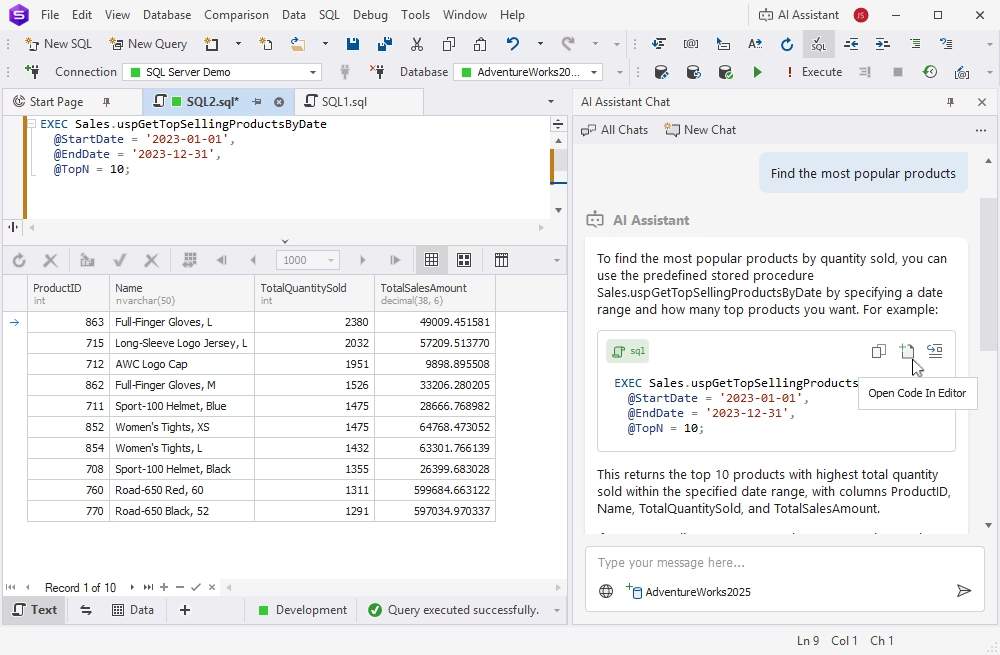
dbForge AI Assistant is an integrated AI-powered tool that generates, analyses, troubleshoots, and optimizes SQL queries. Furthermore, the database context-aware AI chat allows you to obtain real-time guidance on everything related to SQL, databases, and tools available in dbForge Studio for SQL Server.
Learn more about dbForge AI Assistant
Write SQL faster with IntelliSense-like completion
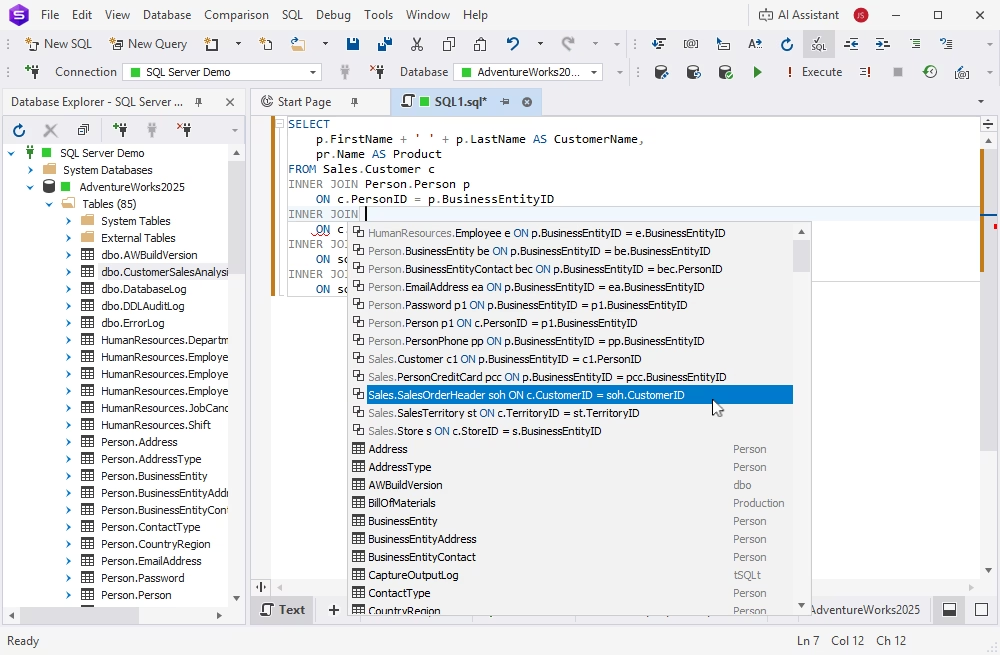
dbForge Studio for SQL Server provides a range of advanced built-in tools that improve your agility and productivity, such as IntelliSense-like code autocompletion, a unique full join suggestion feature, code formatting, refactoring, syntax validation, code analysis, and more.
You can write complex and accurate SQL code faster and focus on how it actually works.
Learn more about IntelliSense-like features
Handle schema and data diffs with minimum effort
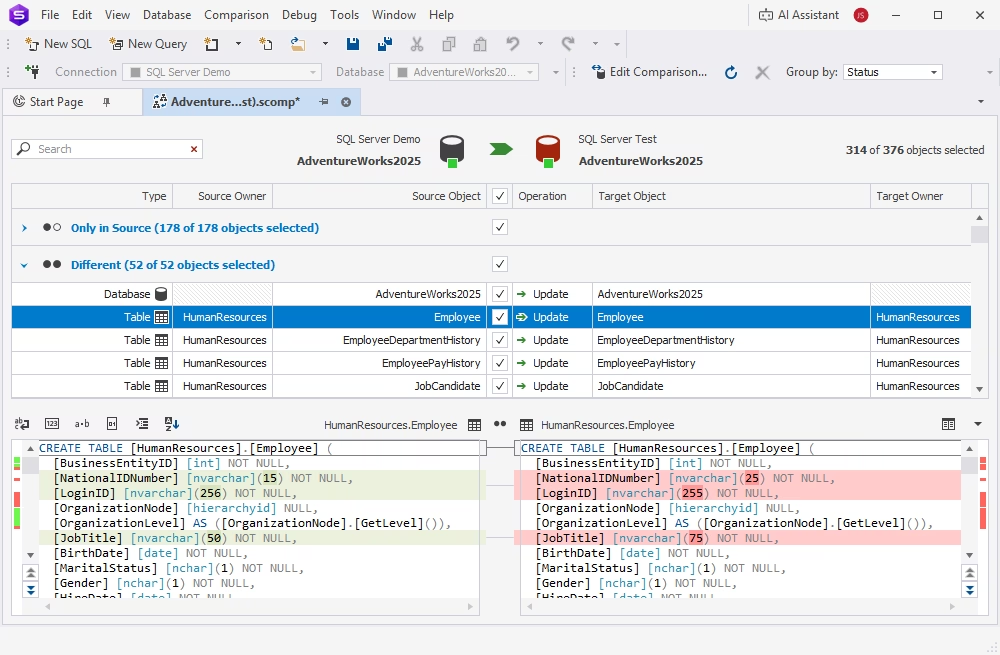
dbForge Studio for SQL Server allows comparing and deploying database schemas on different SQL Server instances. You can use databases, native backups, snapshots, scripts folders, and schemas as a source and a target.
The tool works best when you need to detect and analyze differences in SQL Server databases, identify and fix errors, generate a comparison results report (in HTML, Excel, or XML formats), and flawless, customizable schema synchronization scripts for later use.
Learn more about Schema Compare
Version-control database changes
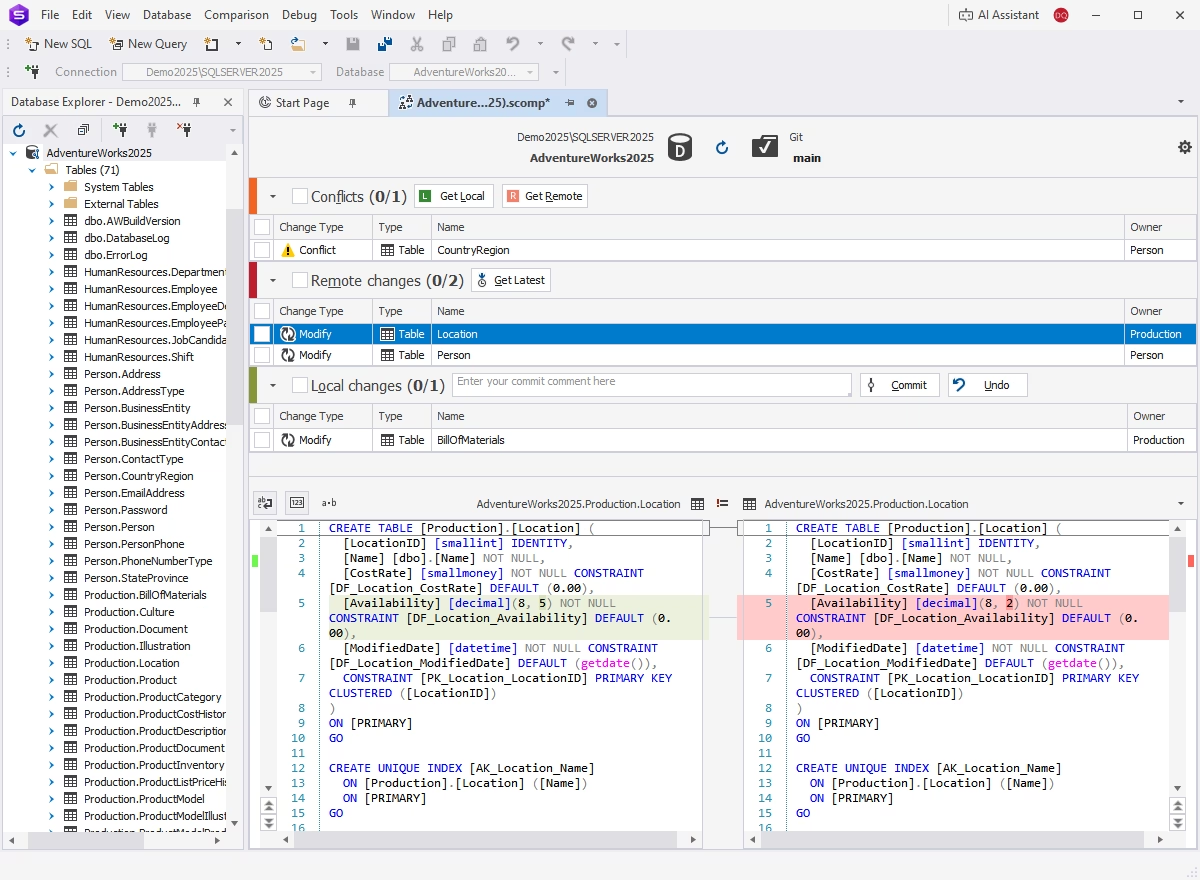
dbForge Studio for SQL Server provides support for widely used version control systems such as Git (including GitHub, GitLab, Azure DevOps, BitBucket), Subversion (SVN), Team Foundation Server (including TFS Cloud), Perforce (P4), Mercurial, and SourceGear Vault.
With the Studio, you and your teammates can easily track, commit, and handle database changes, view changes history, work on multiple database copies locally or share the same copy, navigate between different revisions, securely revert changes to prevent data loss or errors, compare copies to identify the changes and securely resolve conflicts.
Learn more about Source Control
Get rid of index fragmentation
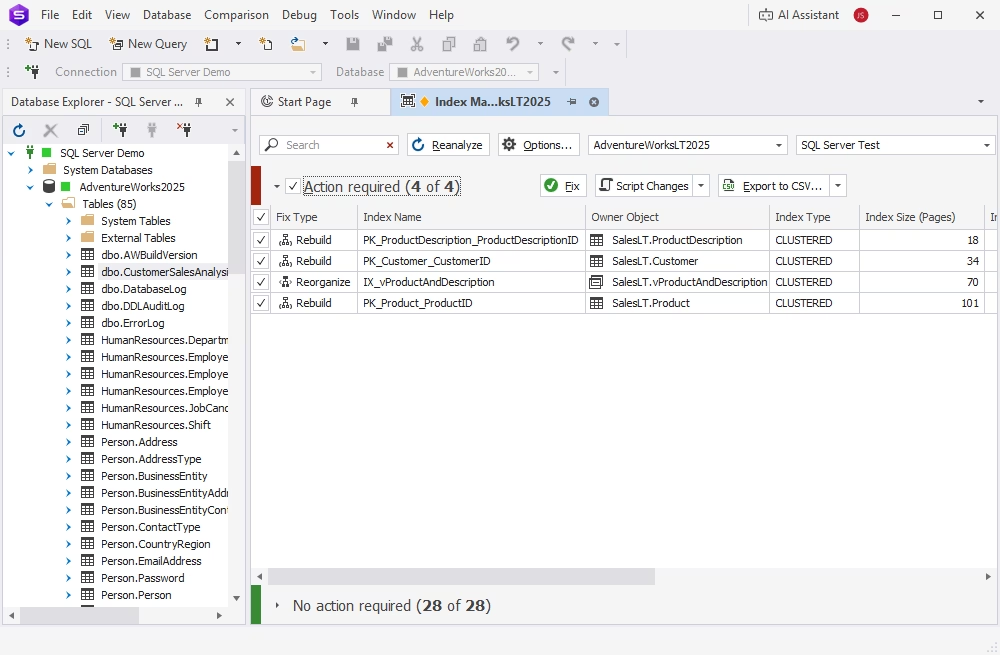
Quickly scan multiple databases, collect, and analyze index fragmentation statistics in order to detect databases that require maintenance and determine the status of indexes. With the integrated Index Manager, you can rebuild and rearrange SQL indexes visually or export the results to a report in the CSV format.
Index Manager helps you analyze the corrupted indexes based on the deep analysis and priority. After that, it automatically generates SQL scripts that can be reused later.
Learn more about Index Manager
Implement automated database unit testing
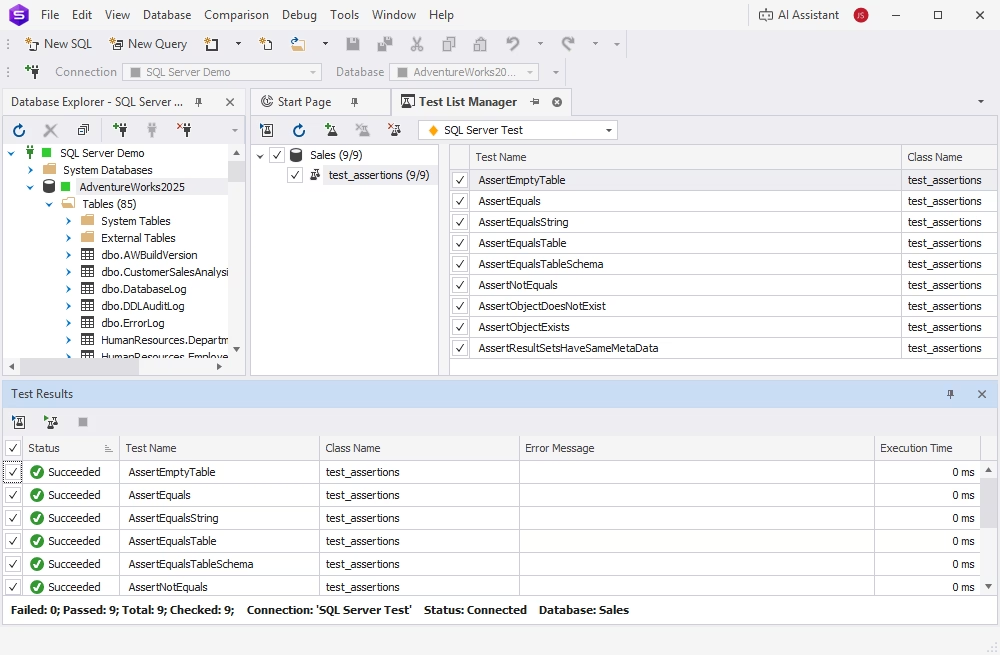
Unit Test is an integrated tool designed to make sure that the existing functionality meets the requirements and keeps working as expected in case of any changes applied. This tool is based on the tSQLt framework and allows writing tests in T-SQL. With its help, you can run object tests in isolation from other database objects that won't impact the database and won't require cleanup in the code.
Use Unit Test to significantly reduce expenses and minimize the number of errors in the code due to the fact that bugs can be found and fixed within the development cycle before the product release.
Learn more about Unit Test
Generate meaningful test data in a few clicks
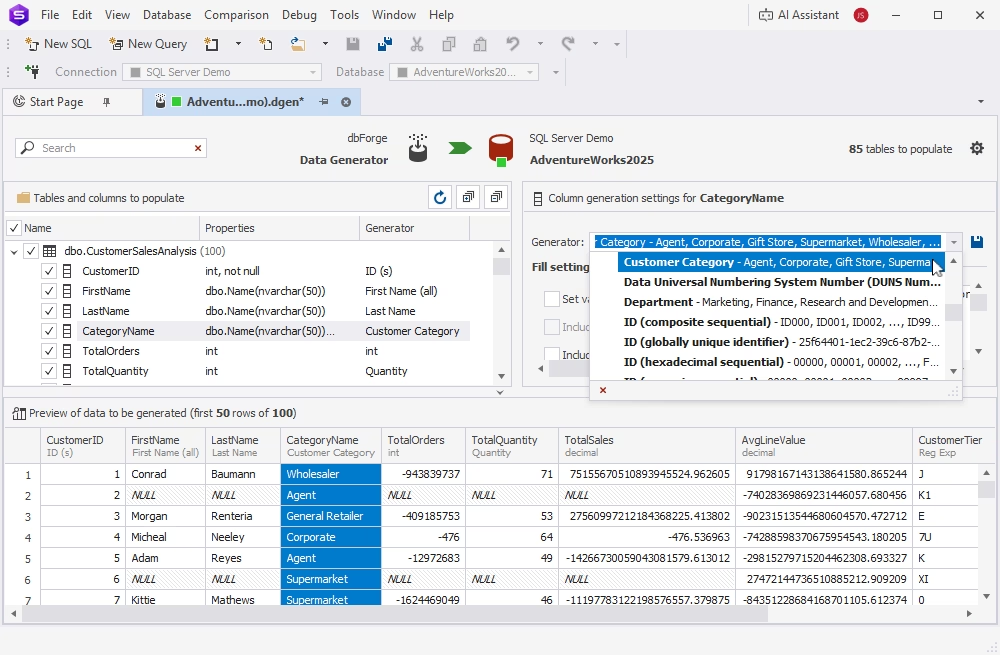
The built-in Data Generator is a powerful visual tool that considerably saves your time and effort when generating SQL database tables with random realistic data. The tool provides multiple pre-defined customizable data generators that can be automatically assigned to table columns according to different data types.
Data Generator provides RegExp and Python support and can easily maintain database integrity and data consistency across different tables.
Learn more about Data Generator
Build complex queries visually
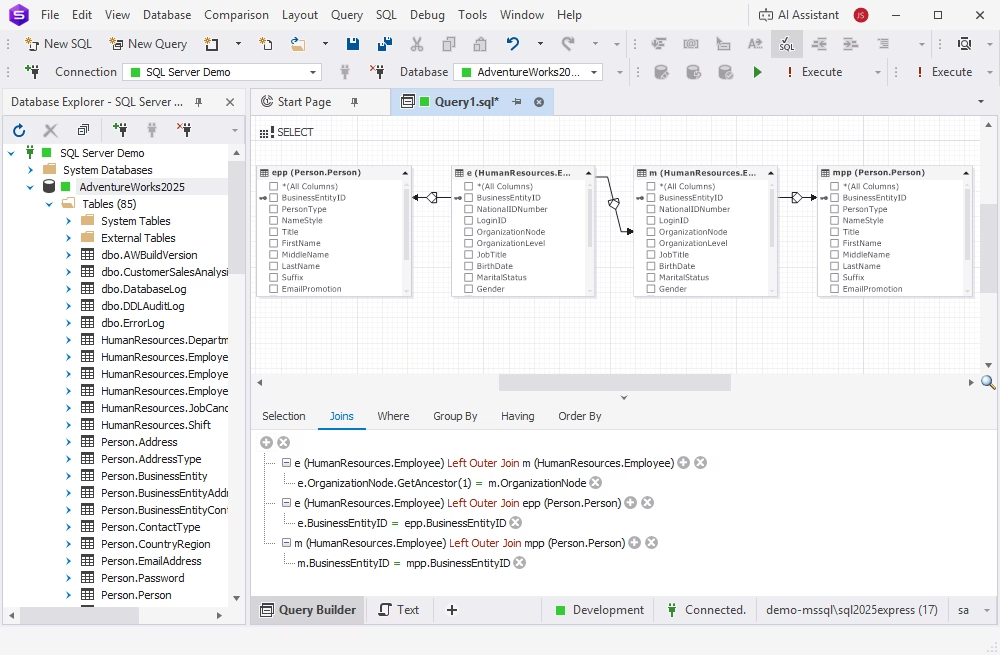
With dbForge Studio for SQL Server, you can visually create complex and logical SELECT, INSERT RESULTS, INSERT VALUES, UPDATE, and DELETE statements without manually typing the code. The integrated Query Builder can build multiple tables, establish JOINs, set up filtering conditions, and work with subqueries using the visual condition editor.
You can navigate through tables and connections on a diagram, filter, and find the query you want to modify.
Learn more about Query Builder
Import and export data
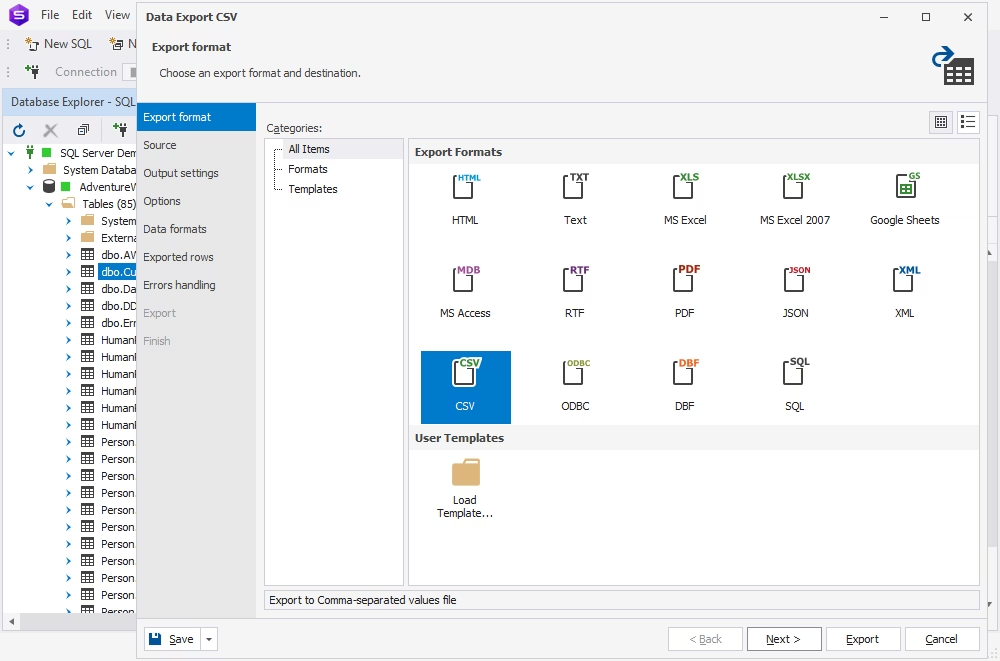
You can import and export your data using up to 14 most popular data formats such as TXT, CSV, XLSX, XML, JSON, DBF, etc. You can automate export/import operations for recurring scenarios, set up error processing behavior, and make the data import/export process easier and more efficient.
Additionally, you can create custom export and import templates using the command-line interface, customize import/export options, set up data formats and column mapping, manage output options, and generate a log file with import/export session details.
Learn more about data import and export
Work in a familiar UI
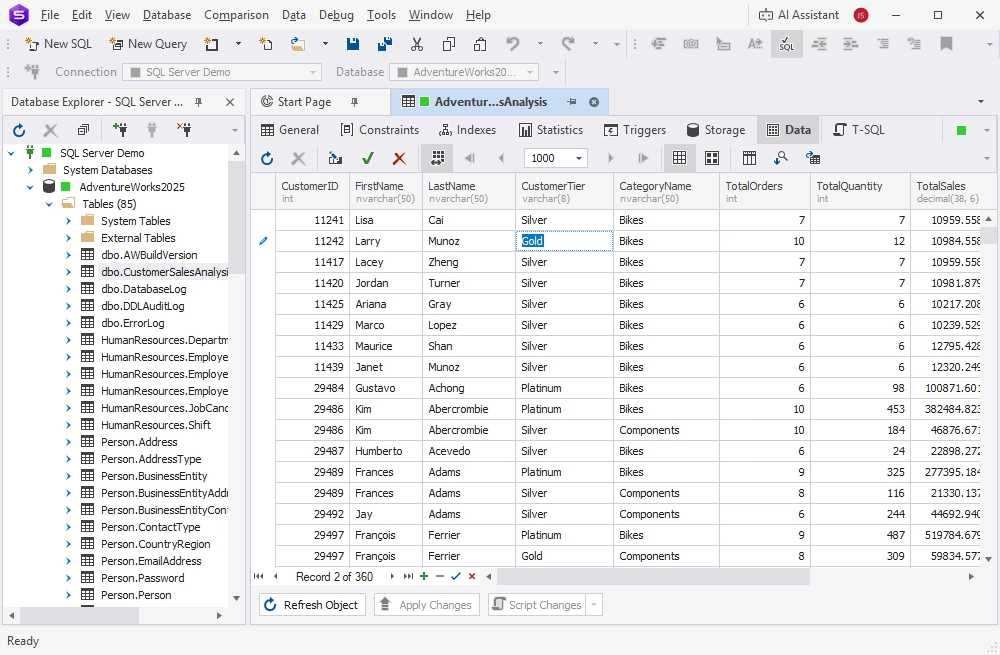
The UI of dbForge Studio for SQL Server is rather similar to that of SQL Server Management Studio. It makes your interactions with databases as easy and effective as possible, ensuring quick access to the required features and capabilities with next to no effort.
dbForge Studio for SQL Server
A powerful, all-in-one IDE that helps SQL Server professionals design, develop, manage, and optimize databases faster and with confidence