dbForge Studio for SQL Server Features

Documentation
Find technical information on product installation, activation, and utilization

Release Notes
Discover the latest product launches, enhancements, and bug fixes
AI Assistant
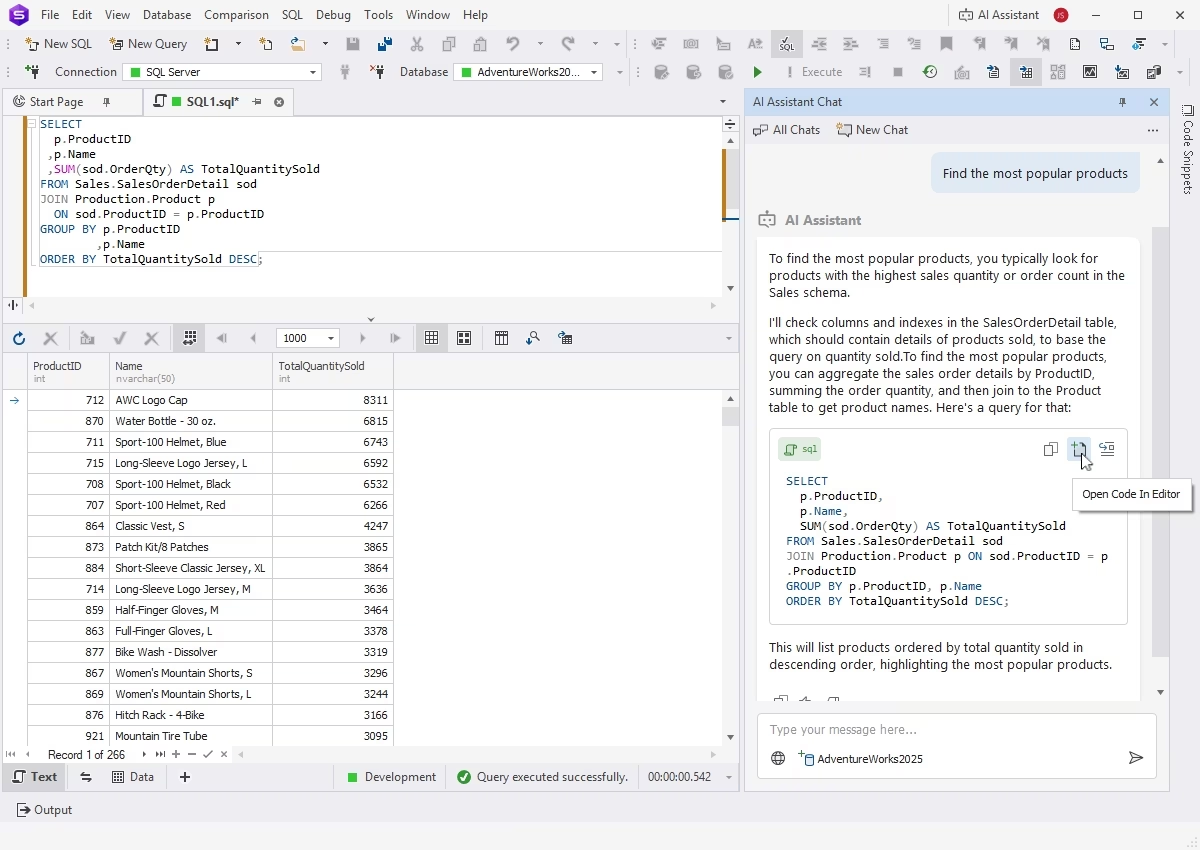
dbForge AI Assistant is an integrated copilot that generates error-free SQL queries based on the context of your databases, identifies and troubleshoots issues in pre-written queries, explains parts of SQL code, and provides you with helpful consultations on everything related to SQL and databases in real time.
Query writing and editing
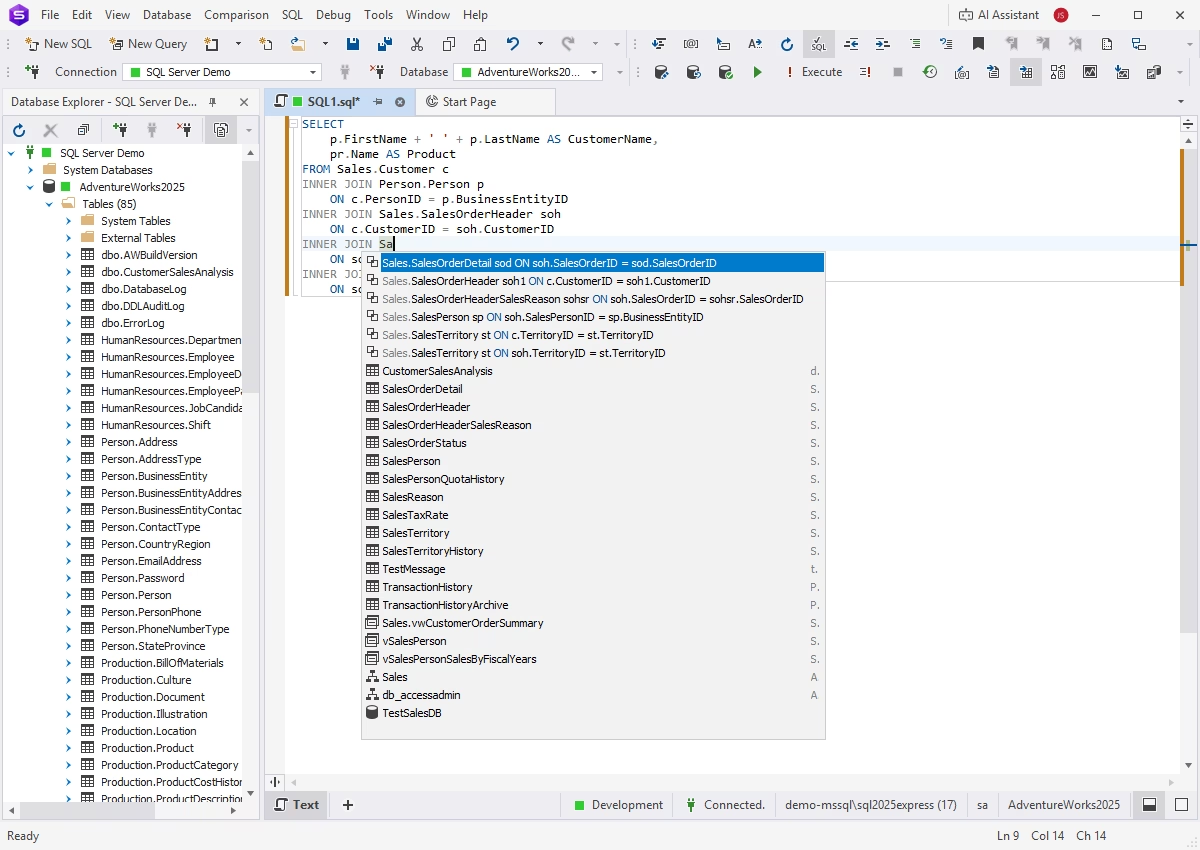
SQL Editor with smart code completion
dbForge Studio provides context-aware IntelliSense-like code completion with the most relevant keyword and object suggestions in real time, helping you write clean and consistent code up to 4 times faster.
SQL code formatting
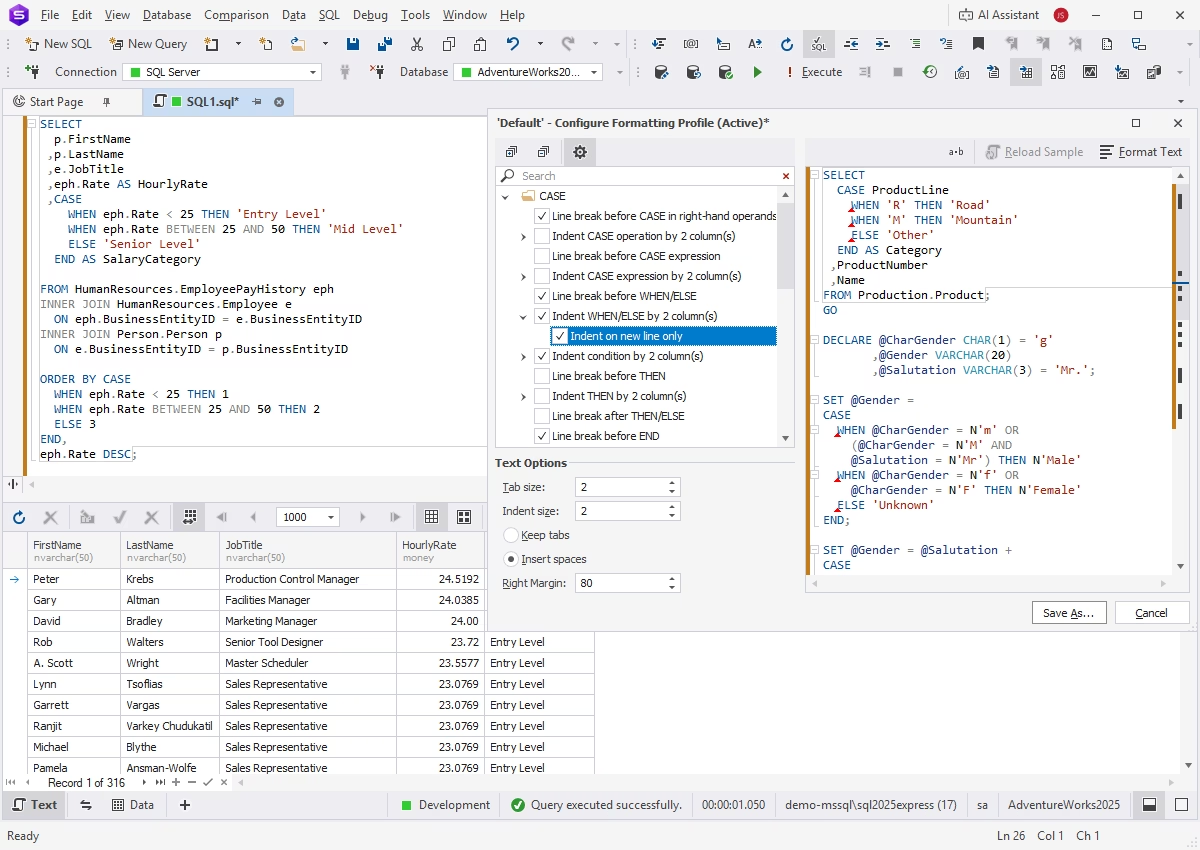
dbForge Studio improves the readability, consistency, and standardization of your SQL code with its advanced formatting capabilities, which include a handy library of predefined and custom formatting profiles.
SQL code snippets
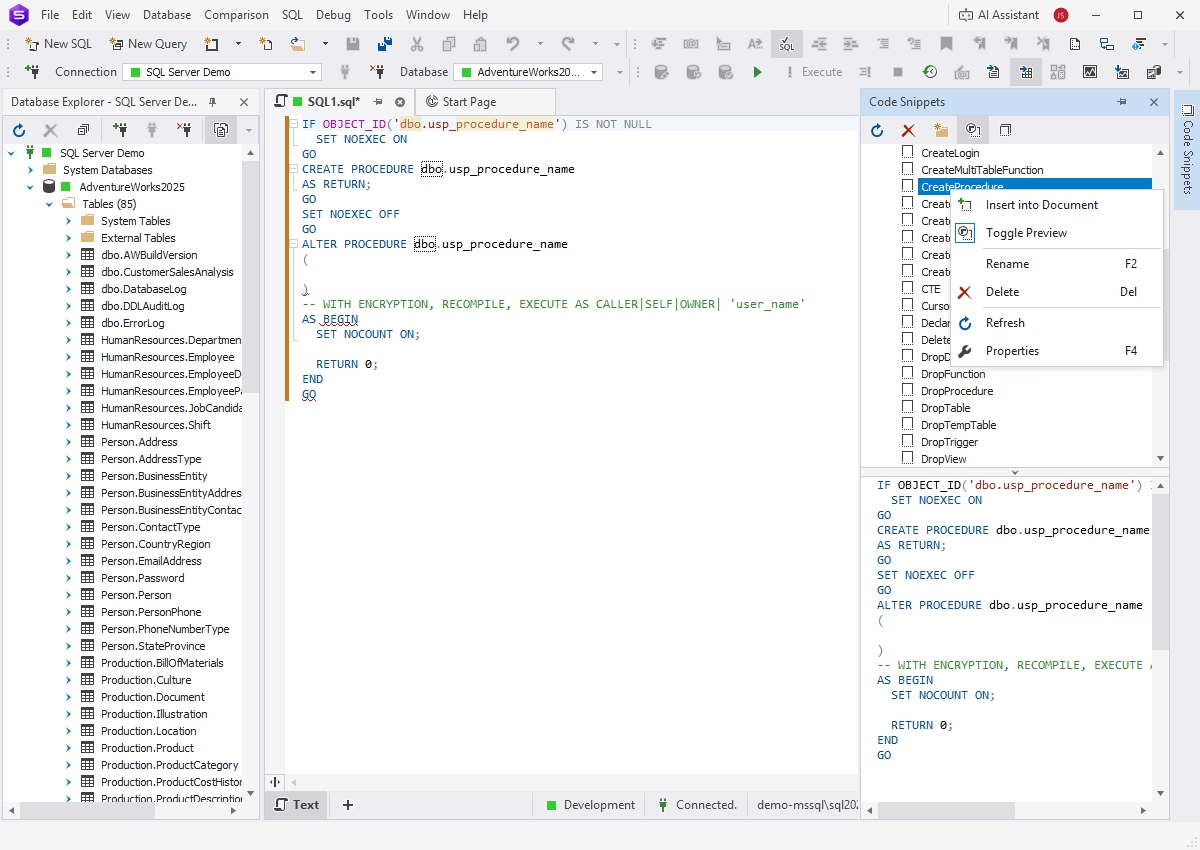
SQL code snippets are reusable code fragments that can contain individual statements or groups of statements for specific operations. dbForge Studio delivers a library of snippets that can be easily expanded and customized. Inserting snippets into code requires only a few clicks.
SQL refactoring
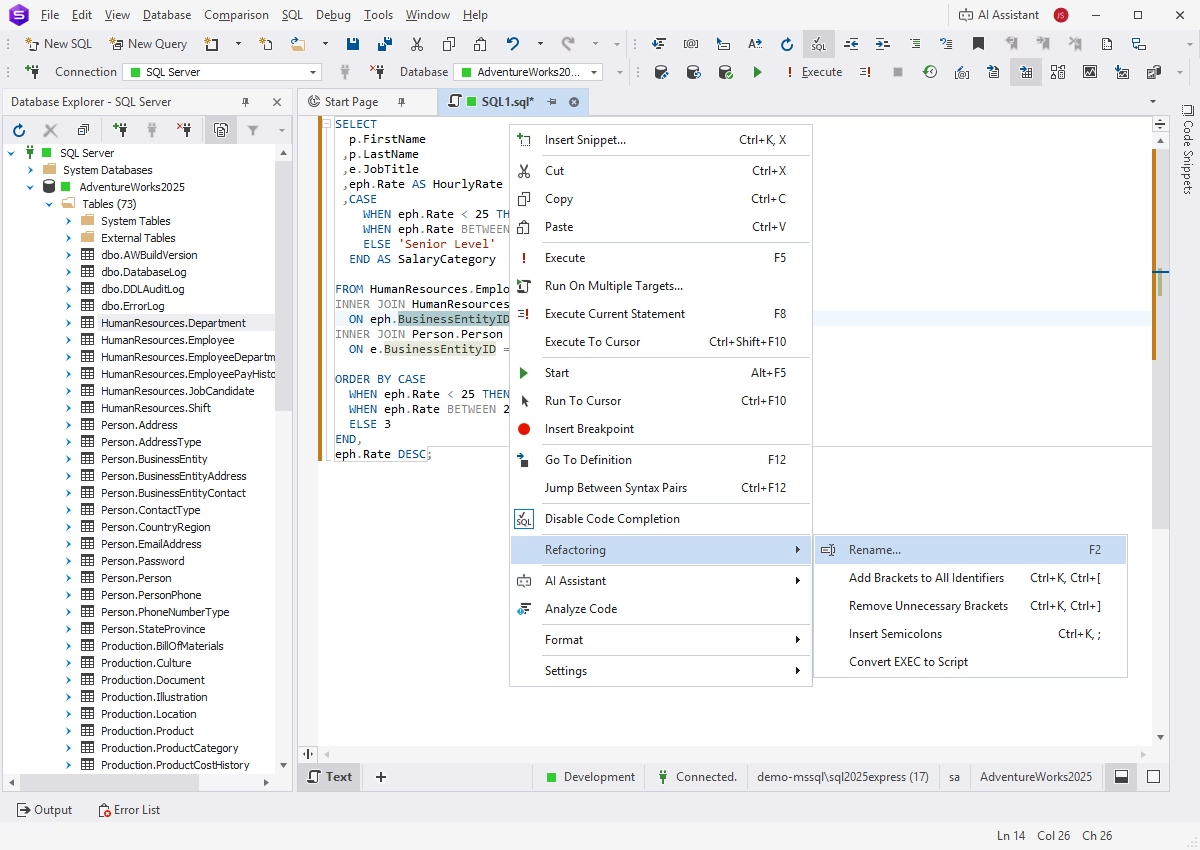
The Studio's code refactoring capabilities enable fast and accurate renaming of database objects and their aliases, with automatic updates applied to all related references. A preview feature allows reviewing changes before applying them.
T-SQL Debugger
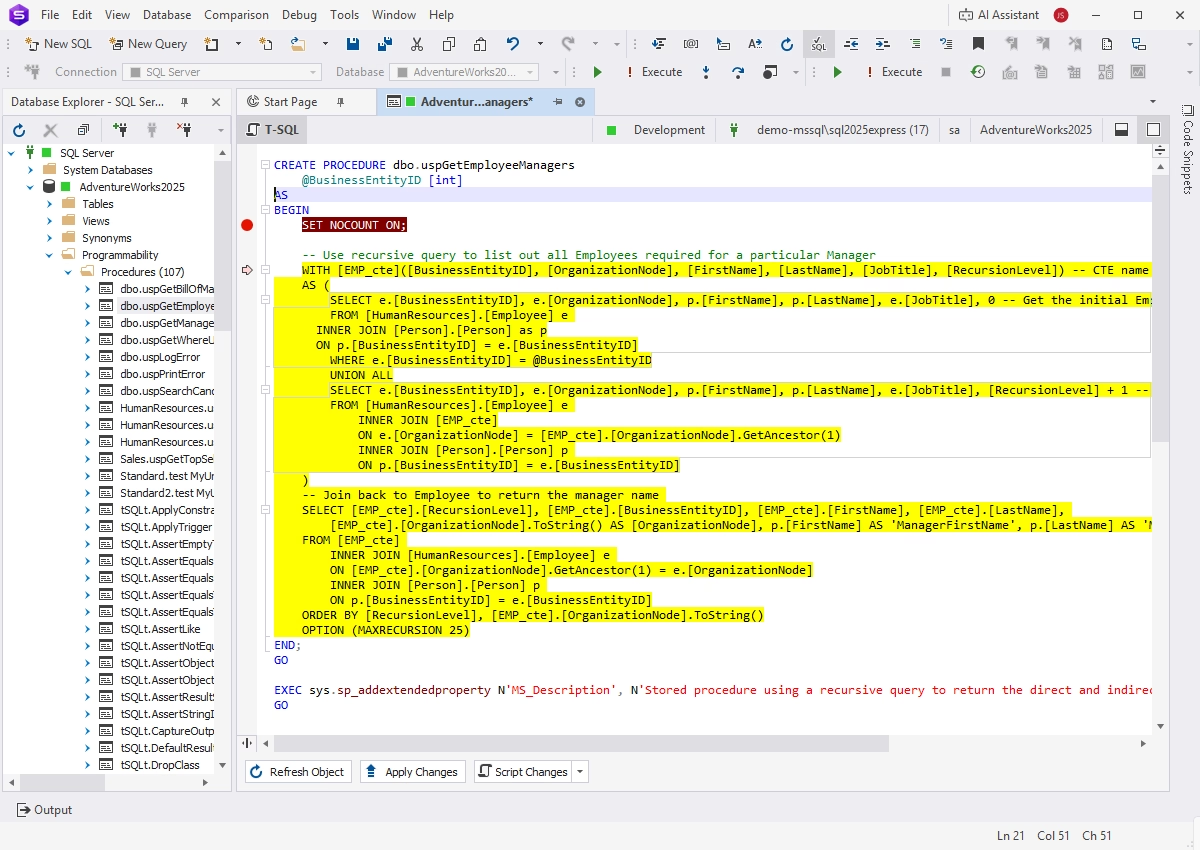
The integrated Debugger helps you analyze the runtime behavior of database objects and identify logic errors. It provides step-by-step code execution, call stack browsing, breakpoints, and watches to debug stored procedures, functions, triggers, and T-SQL scripts most effectively.
T-SQL code analysis
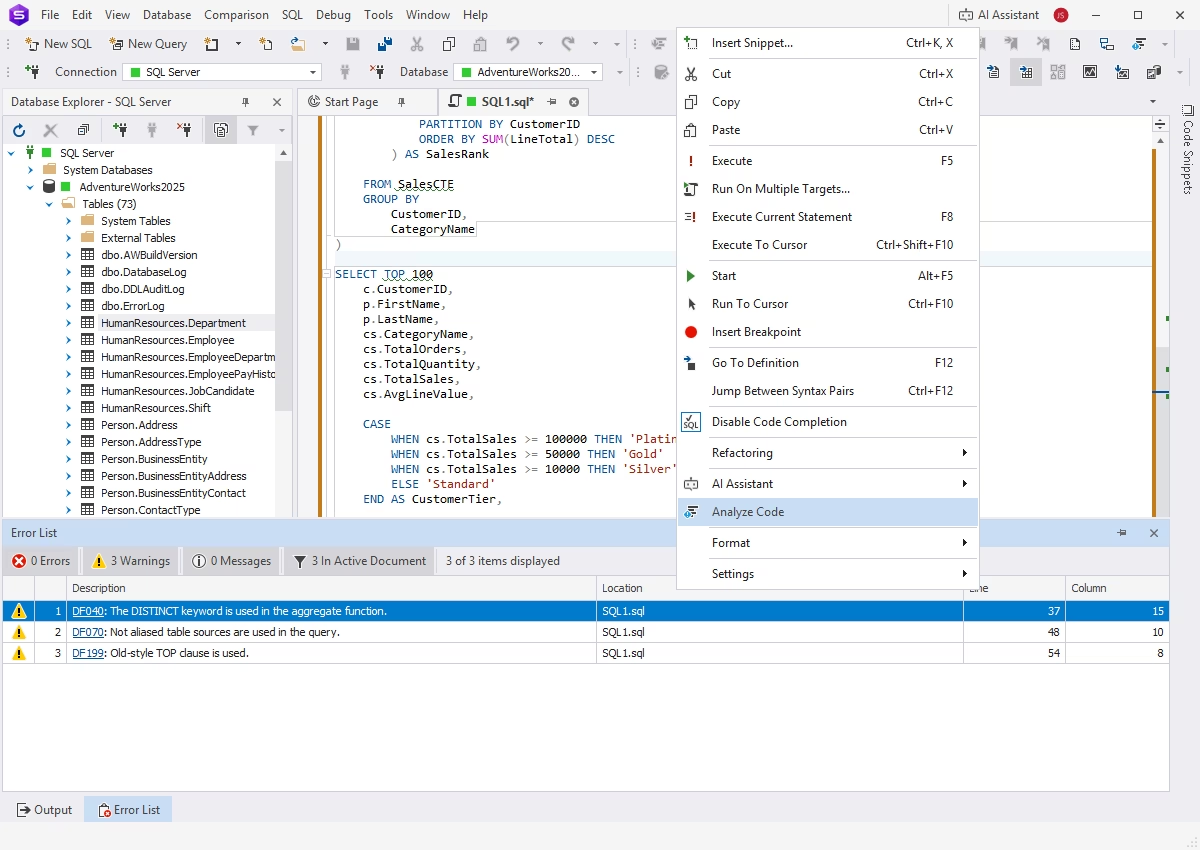
T-SQL Code Analyzer helps identify potential design and naming issues in your code, allowing you to avoid common performance pitfalls. It detects possible defects, outdated or deprecated T-SQL keywords and syntax, and verifies compliance with a set of coding standards and best practices.
Data management
Data Editor
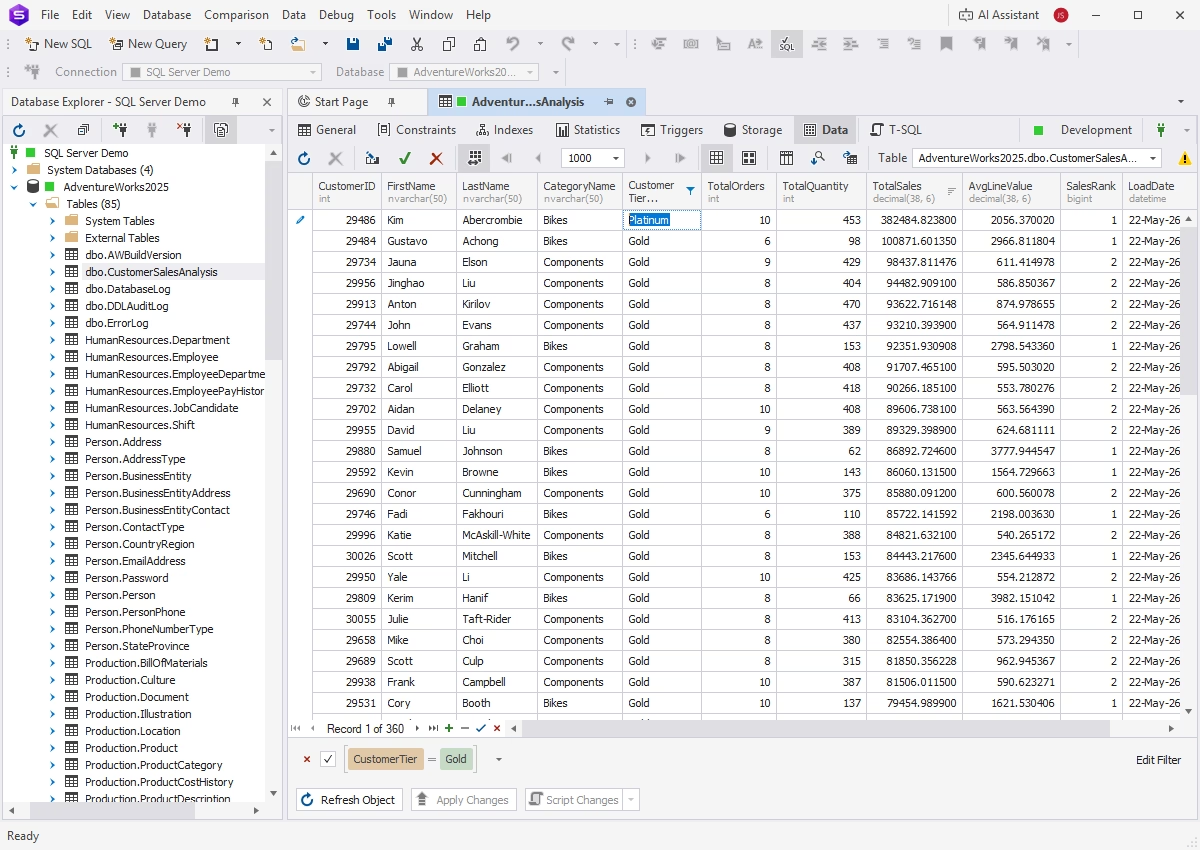
A visual Data Editor allows users to view, search, and modify data directly in a table without writing SQL queries.
- Data viewing and editing in the Grid and Card View modes
- Data sorting, grouping, and filtering
- Pagination
- Data copying from the results grid
- Generation of SQL scripts from the results grid
Data export and import
Using dbForge Studio, you can transfer data to and from database tables with next to no effort.
- Support for 14 most popular data formats
- Smart wizards with flexible settings
- Templates for recurring operations
- CLI-powered automation
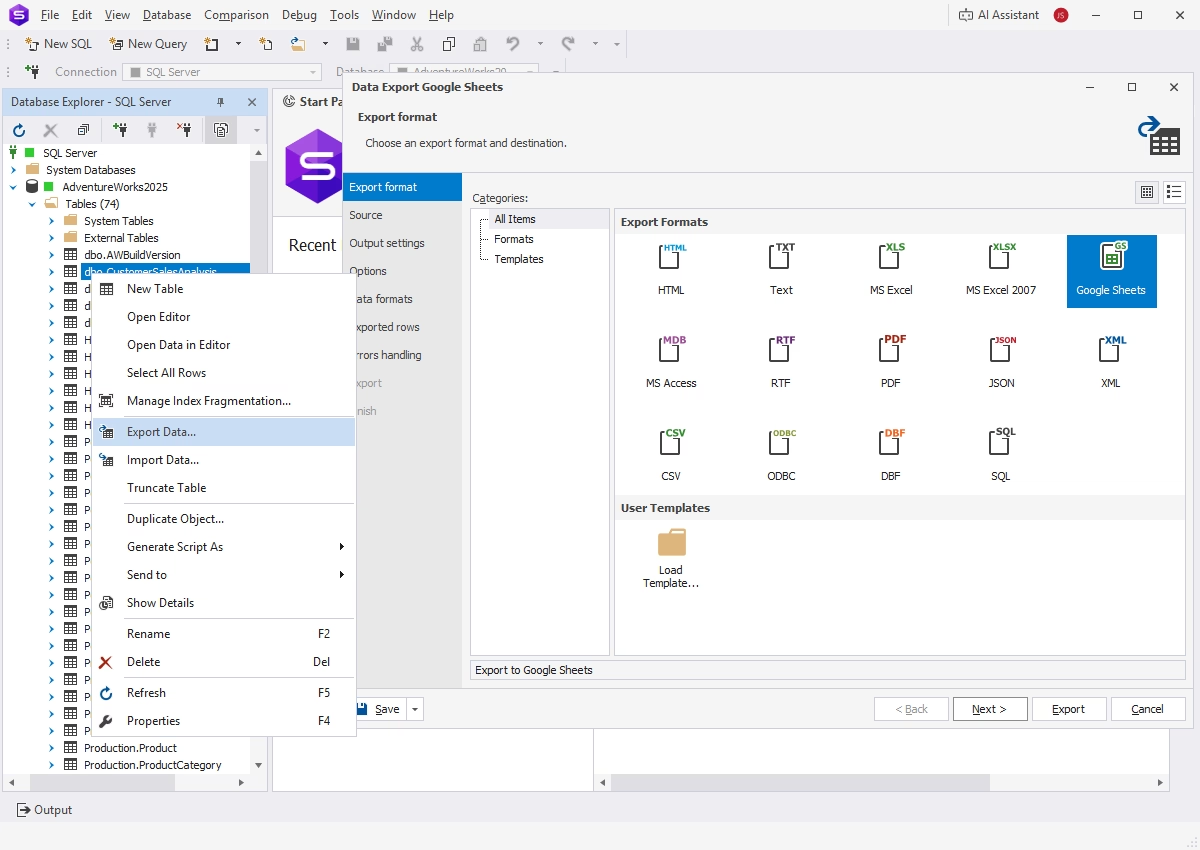
Data search
It has never been easier to locate table data. dbForge Studio for SQL Server provides tools for managing search results, including sorting and filtering options. You can apply predefined filters, customize them, or create your own.
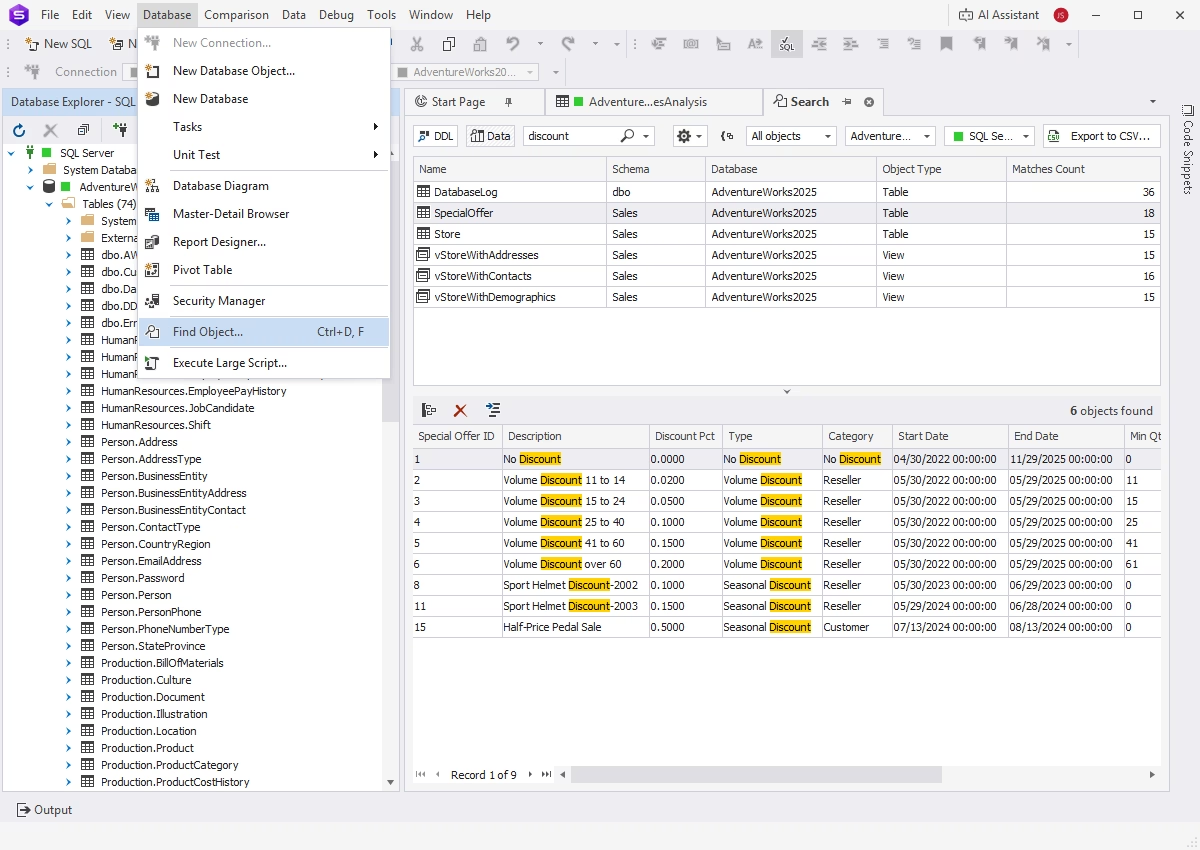
Data migration
dbForge Studio for SQL Server includes flexible tools for moving data between servers and databases, both on-premises and in the cloud.
- Quick selection of data for migration
- Wizards with flexible configuration options
- Automation of recurring tasks
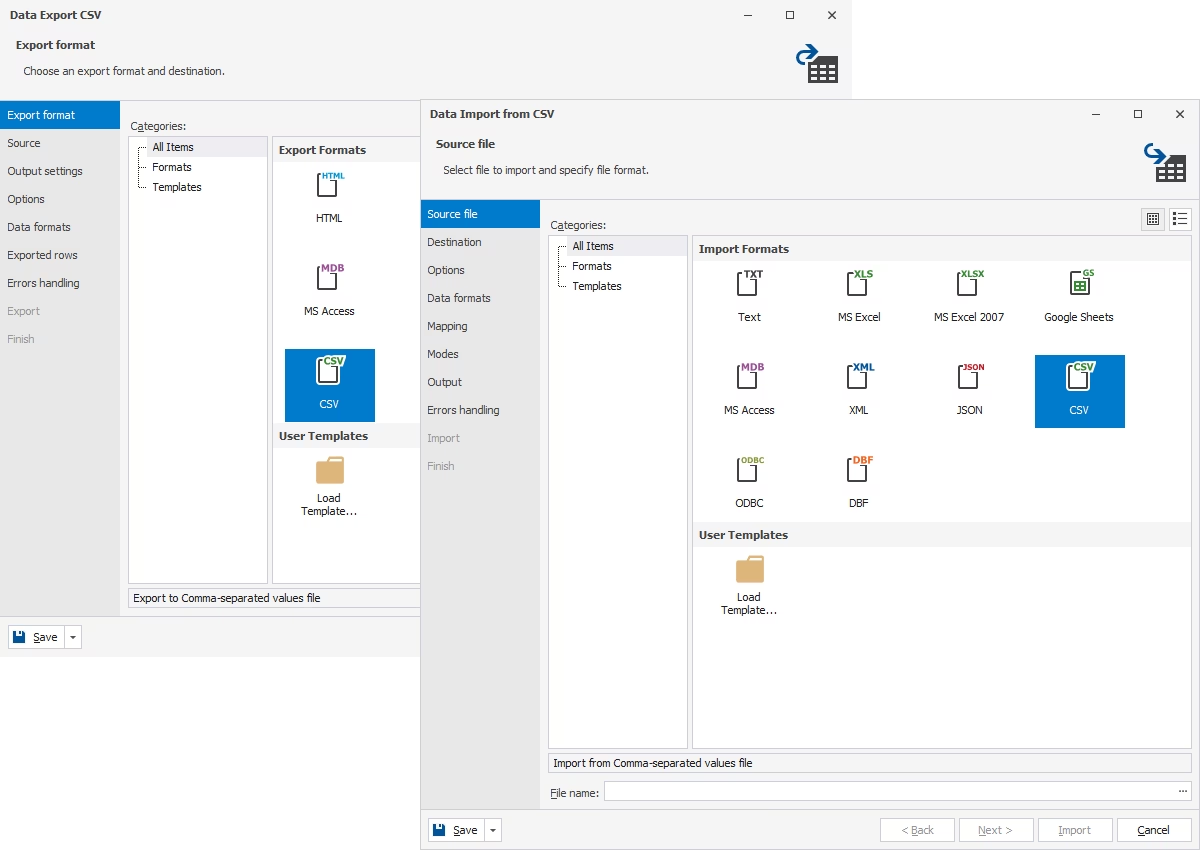
Database operations and maintenance
Backup and recovery
Set up CLI-powered automated backups and disaster recovery to keep your databases safe at all times. Backups may include database schemas, data, or both.
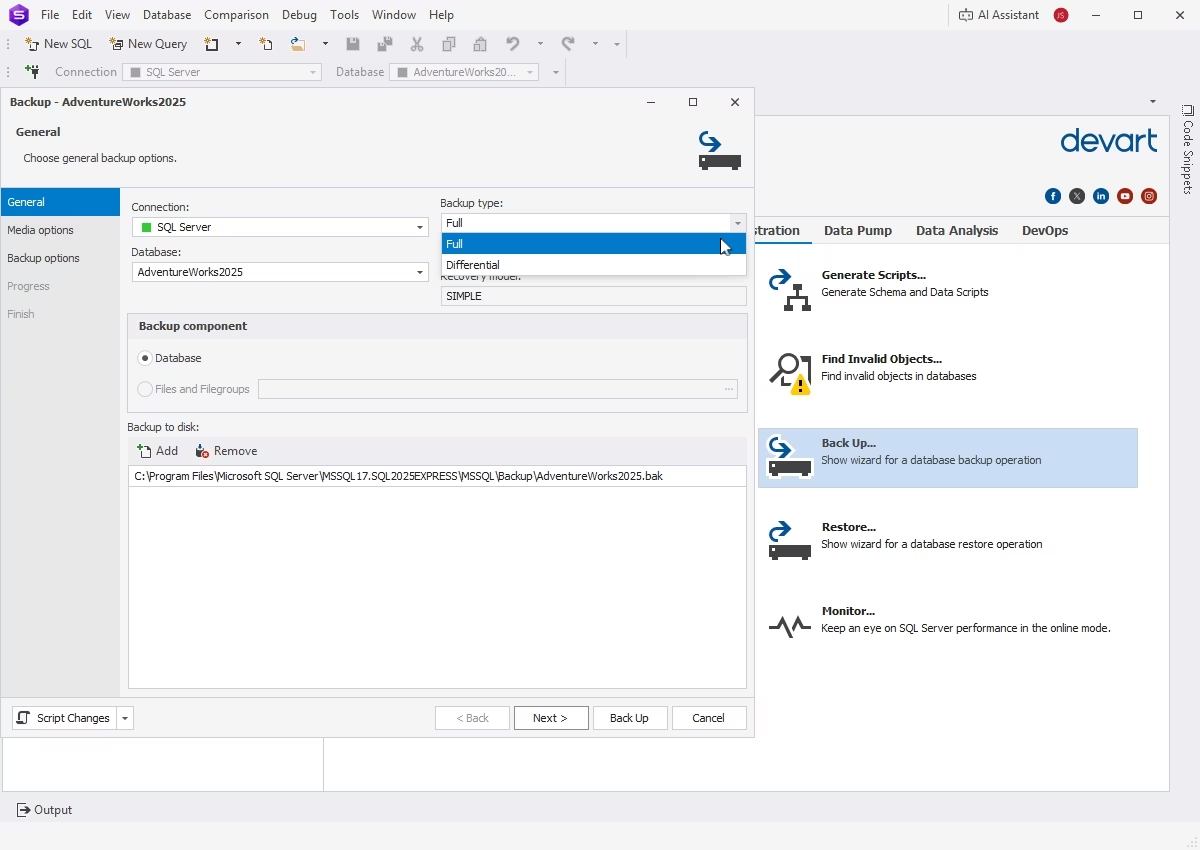
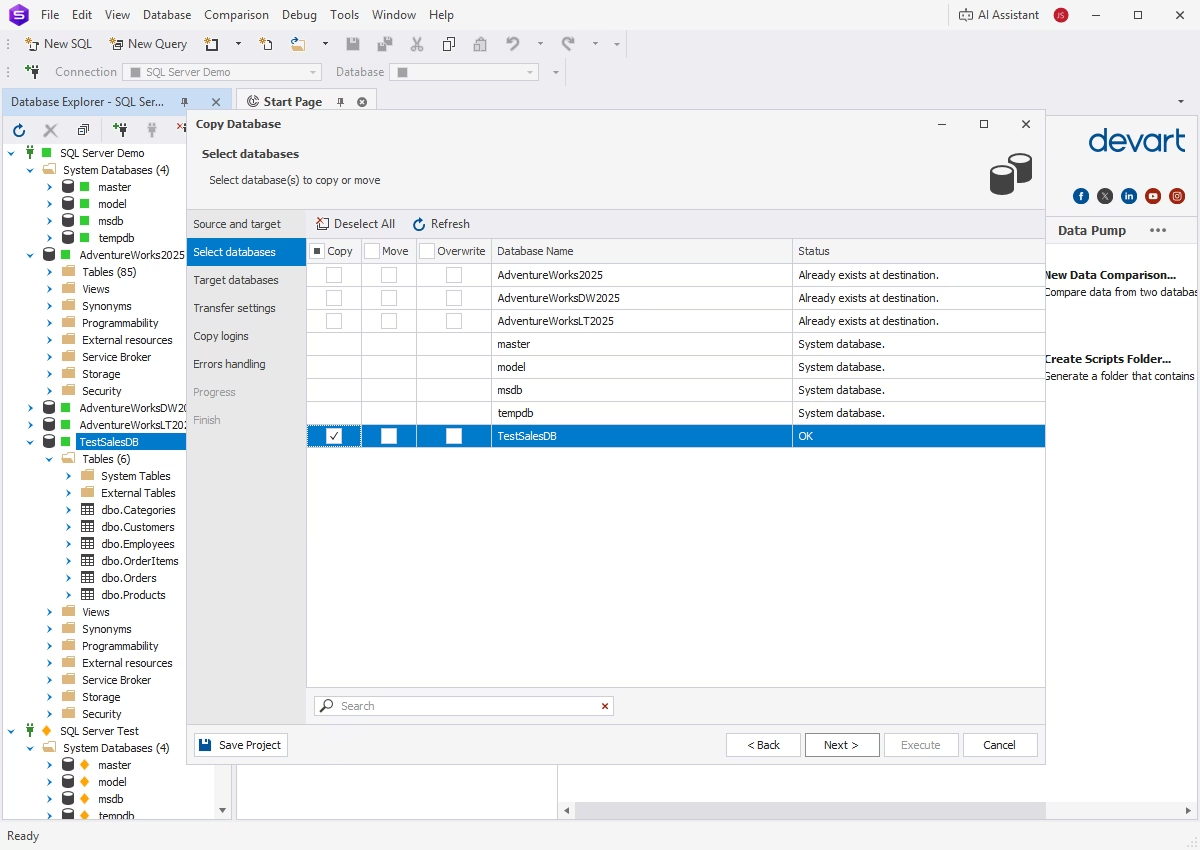
Copy Database
The Copy Database feature allows you to transfer databases from one server to another using an intuitive visual interface. Key features include a rich variety of settings, smart error handling, and reusable projects.
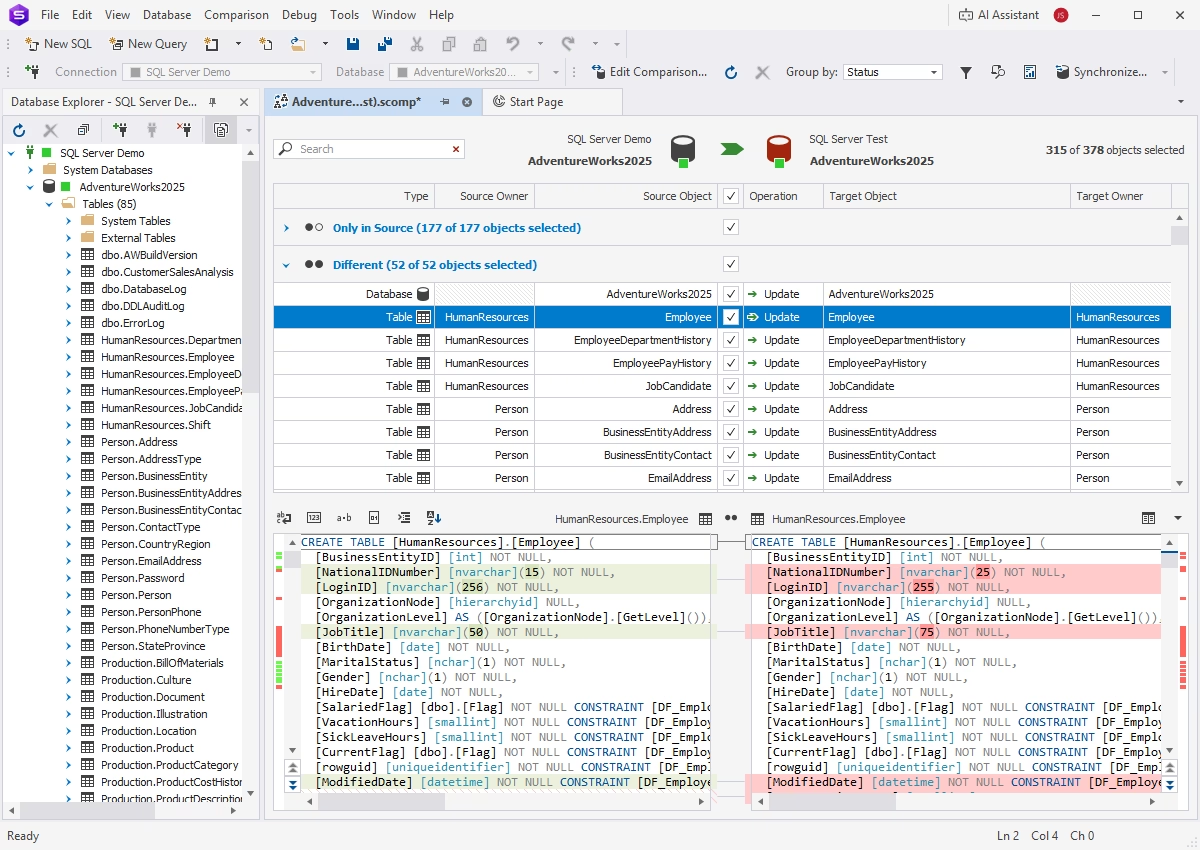
Schema Compare
Schema Compare is designed to accurately compare and synchronize database schemas across databases, servers, and environments. Its capabilities include:
- Simple task configuration through guided wizards
- Synchronization of schemas with complex object dependencies
- Automated generation of deployment scripts
- CLI support for DevOps workflows
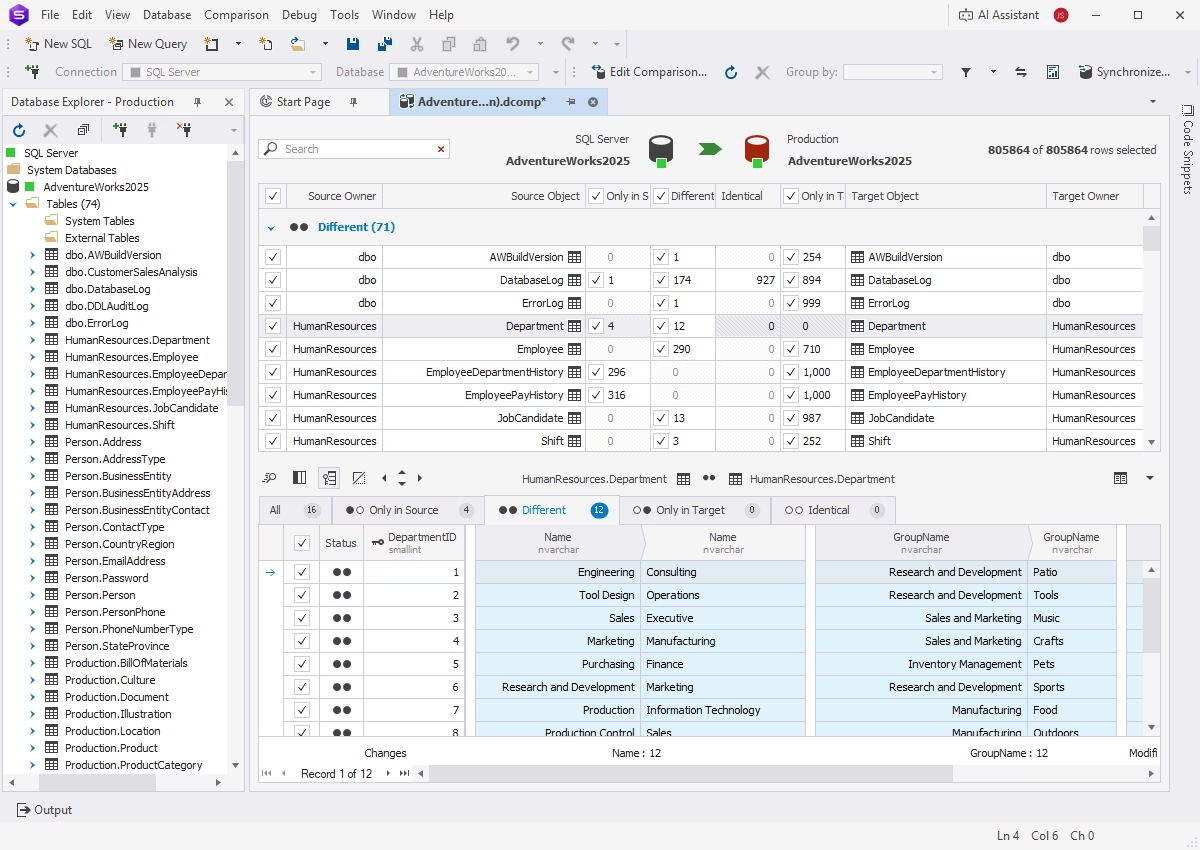
Data Compare
Similarly, Data Compare identifies and synchronizes differences in table data. Key features include:
- Comparison of databases with different structures
- Generation of comparison reports
- Synchronization of table data between servers
- Scheduling of regular data synchronization tasks
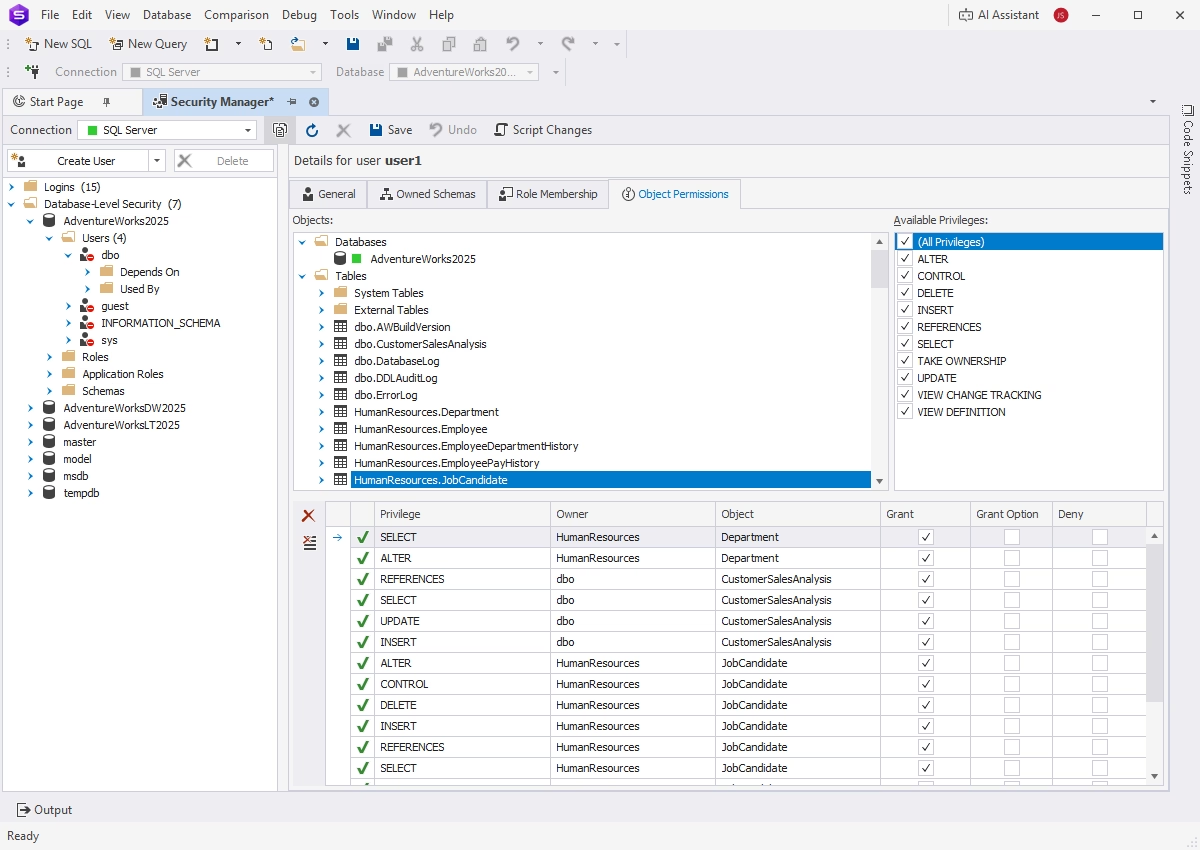
Security Manager
Security Manager is an invaluable assistant that helps create and manage user accounts, roles, and privileges.
Monitor
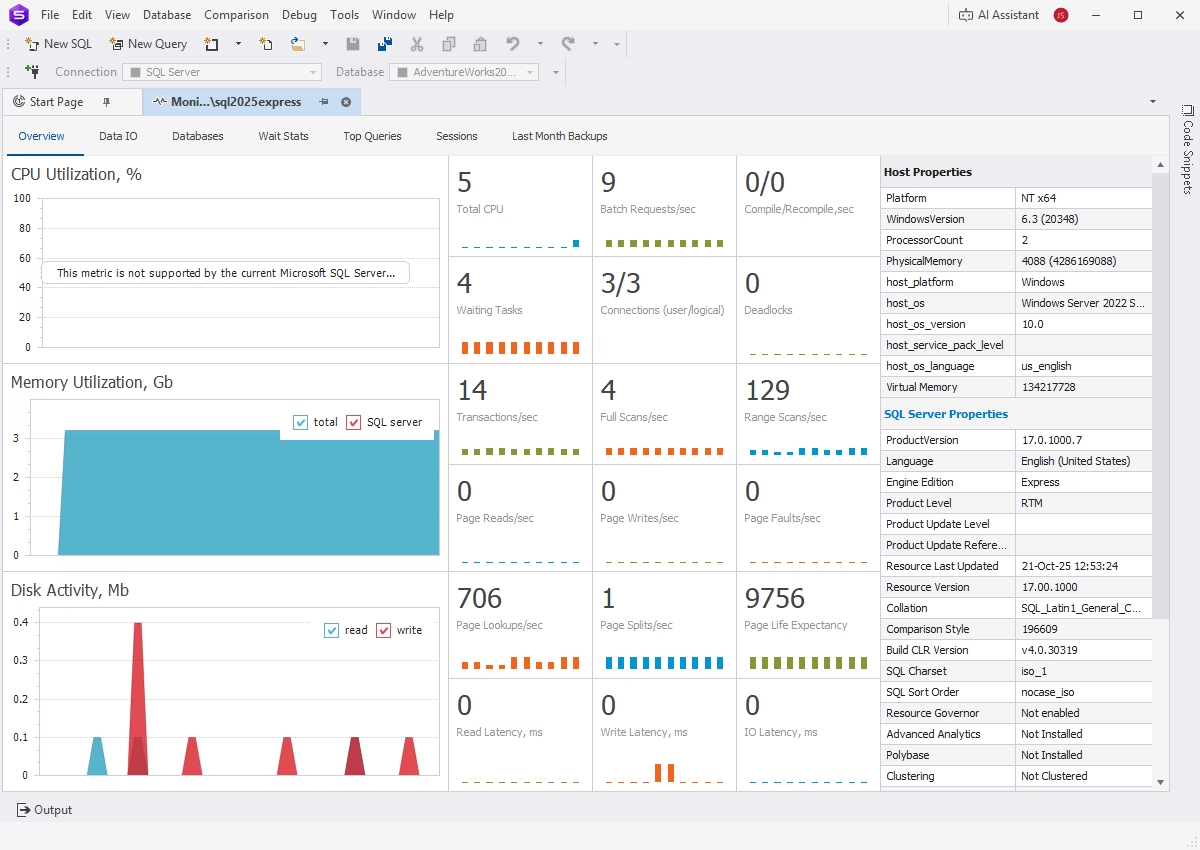
Monitor is a dedicated tool for tracking and analyzing SQL Server activity. It provides the following capabilities:
- Monitoring of server, database, and user activity
- Collection of input/output statistics
- Viewing and analysis of database performance metrics
- Analysis of SQL Server and query wait statistics
Event Profiler
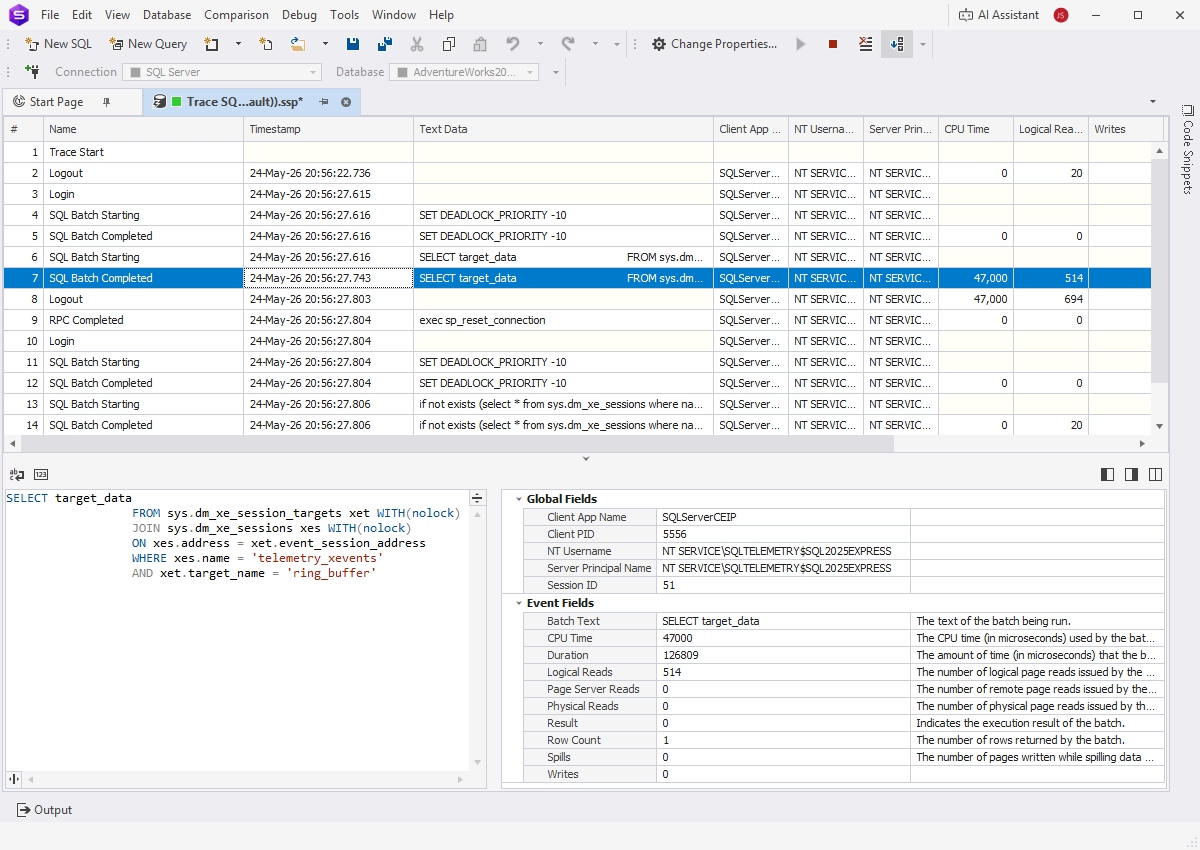
Event Profiler is designed to capture events on database instances and trace server activity. Key features include:
- Capturing and analyzing SQL Server events
- Detection and tuning of resource-intensive queries
- Troubleshooting of performance and operational issues
- Monitoring and control of resource consumption
- Multiple event profiling templates
Index Manager
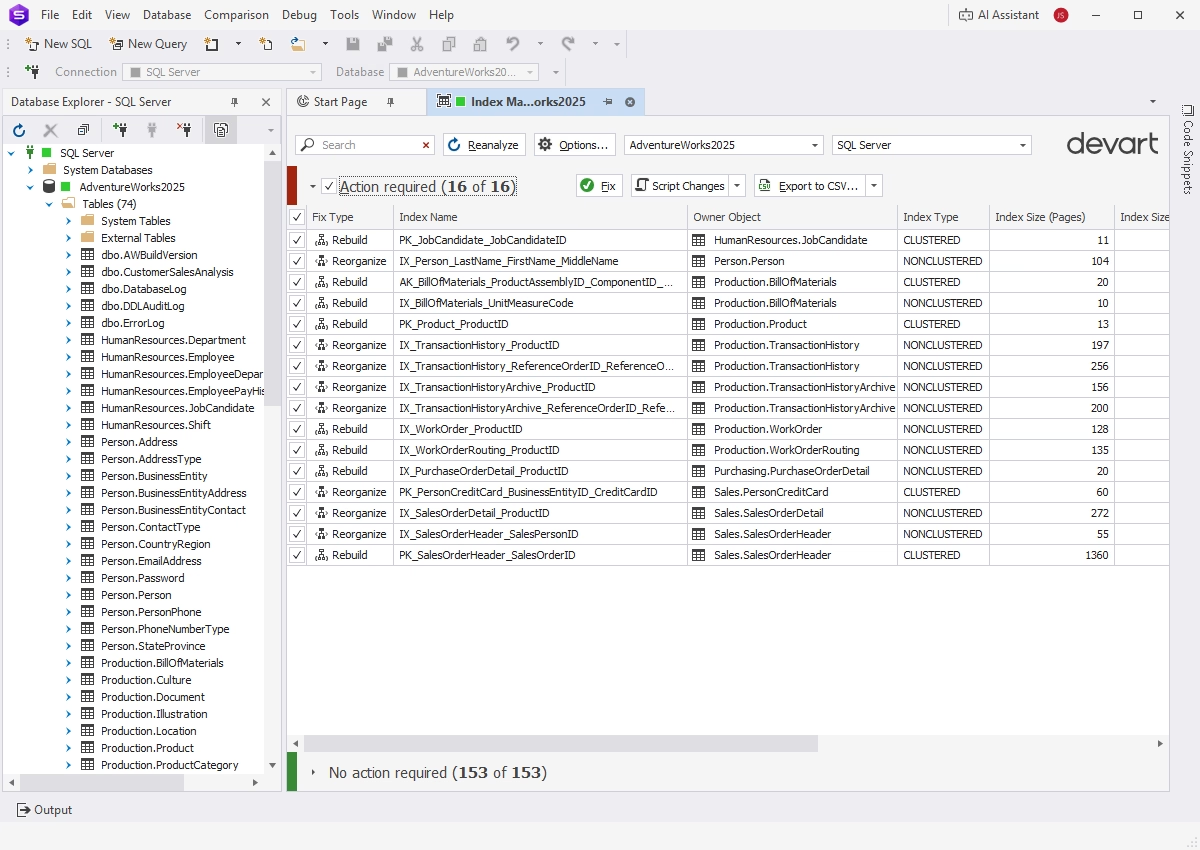
Index Manager helps analyze SQL index health and resolve index fragmentation issues. Its capabilities include:
- Collection of index fragmentation statistics
- Detection of databases that require maintenance
- Instant rebuilding and reorganization of SQL indexes
- Visual issue identification and resolution
- Generation of reusable SQL scripts
Database design and development
Visual object editors
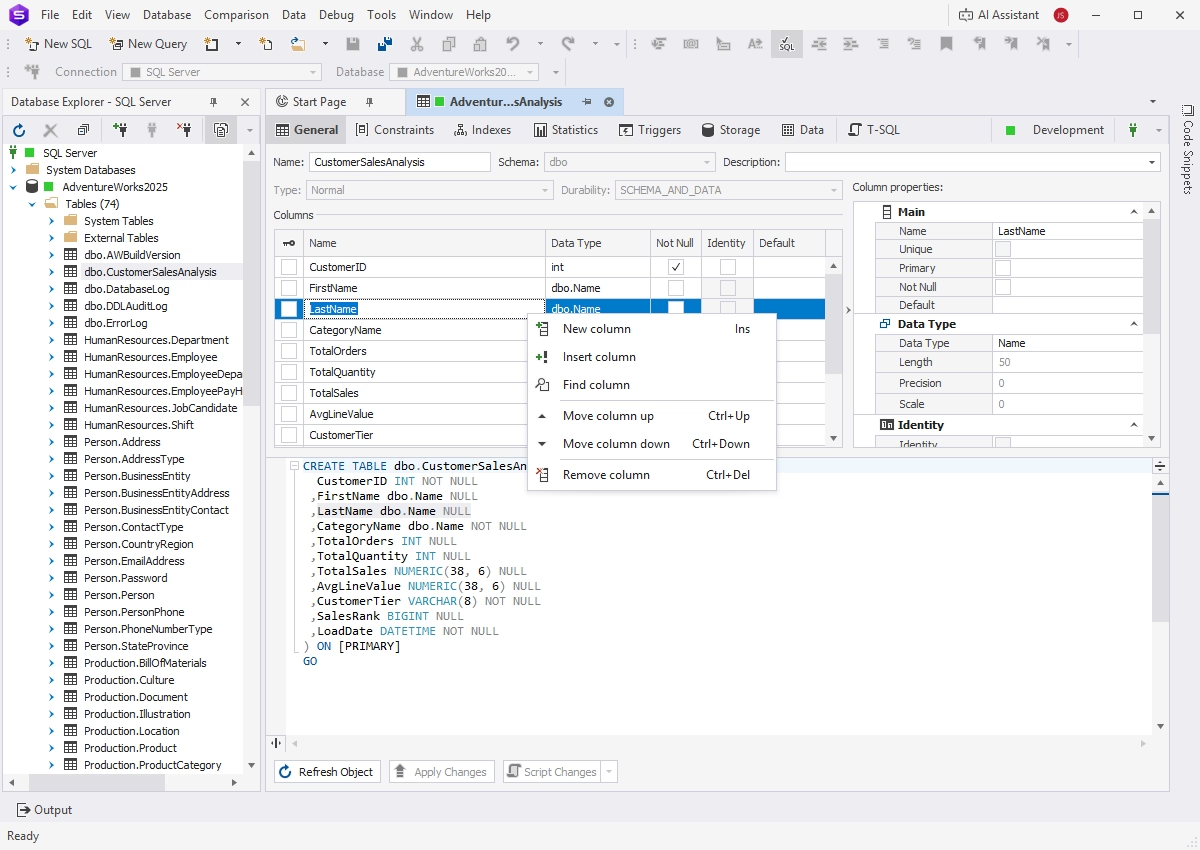
dbForge Studio provides quick access to database objects, allowing you to create, edit, and manage them through intuitive visual editors. It supports all major SQL Server object types, including tables, views, stored procedures, functions, triggers, and sequences.
Database Designer
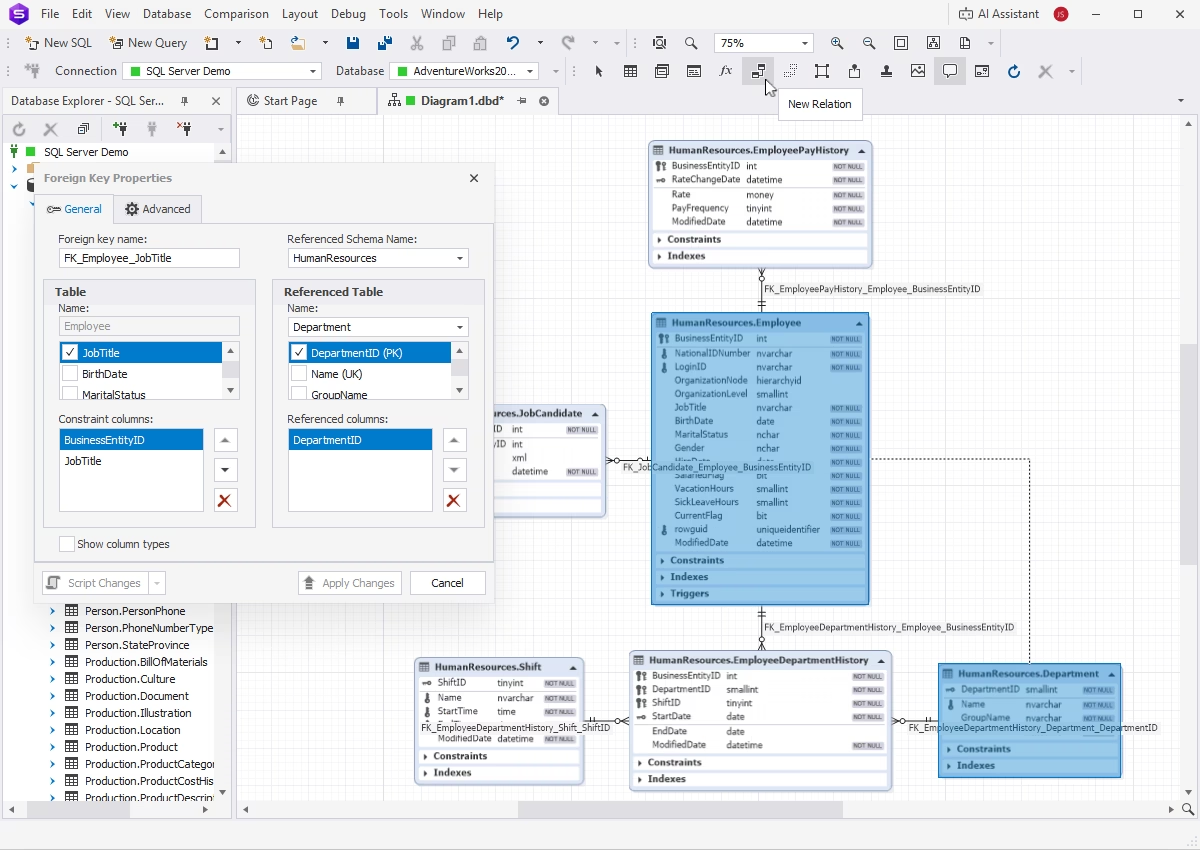
Database Designer is a visual tool for creating and editing SQL Server databases using ER diagrams, without writing any SQL code. Key features include:
- Visualization and editing of database objects and relationships
- Generation of scripts that create databases based on diagrams
- Reverse engineering
Query Builder
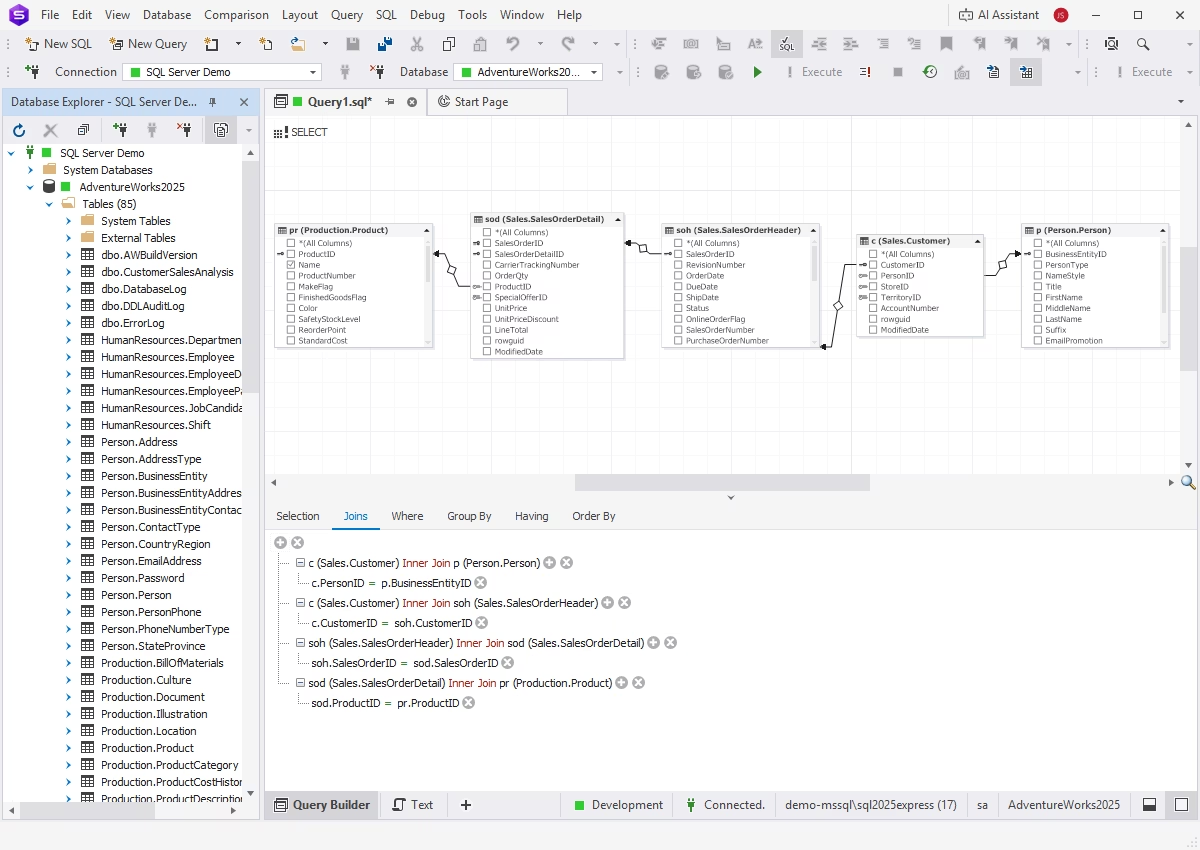
dbForge Studio delivers a Query Builder that helps create complex SQL queries without manual coding. Queries are constructed using visual blocks, with dedicated editors for each clause. The Builder supports subqueries and visual editing of INSERT, UPDATE, and DELETE statements.
Visual query designs are automatically converted into executable SQL code.
Query Profiler
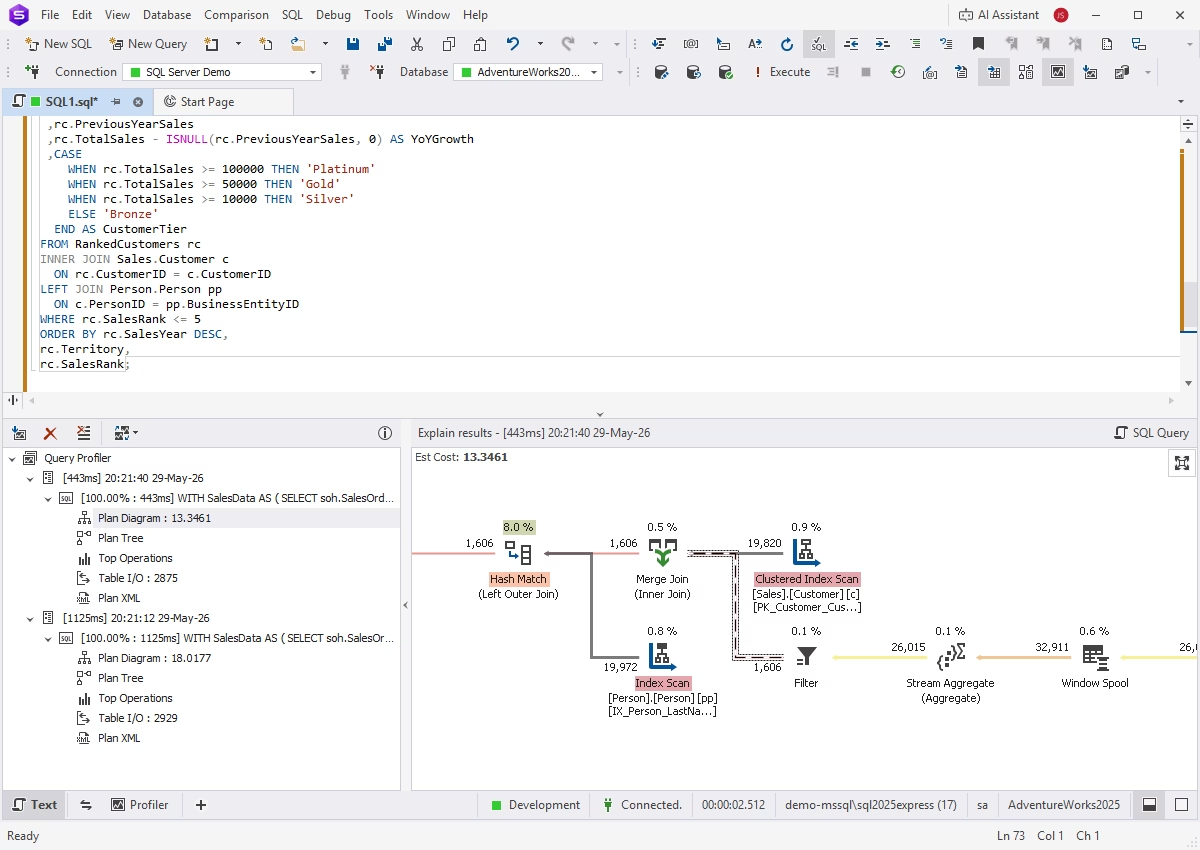
Query Profiler provides a detailed performance analysis of SQL queries, helping you troubleshoot and optimize query execution. Its capabilities include:
- Visualization of execution (EXPLAIN) plans
- Comparison of profiling results
- Monitoring of session statistics
- Detailed query history
- Integration with dbForge AI Assistant
Object search
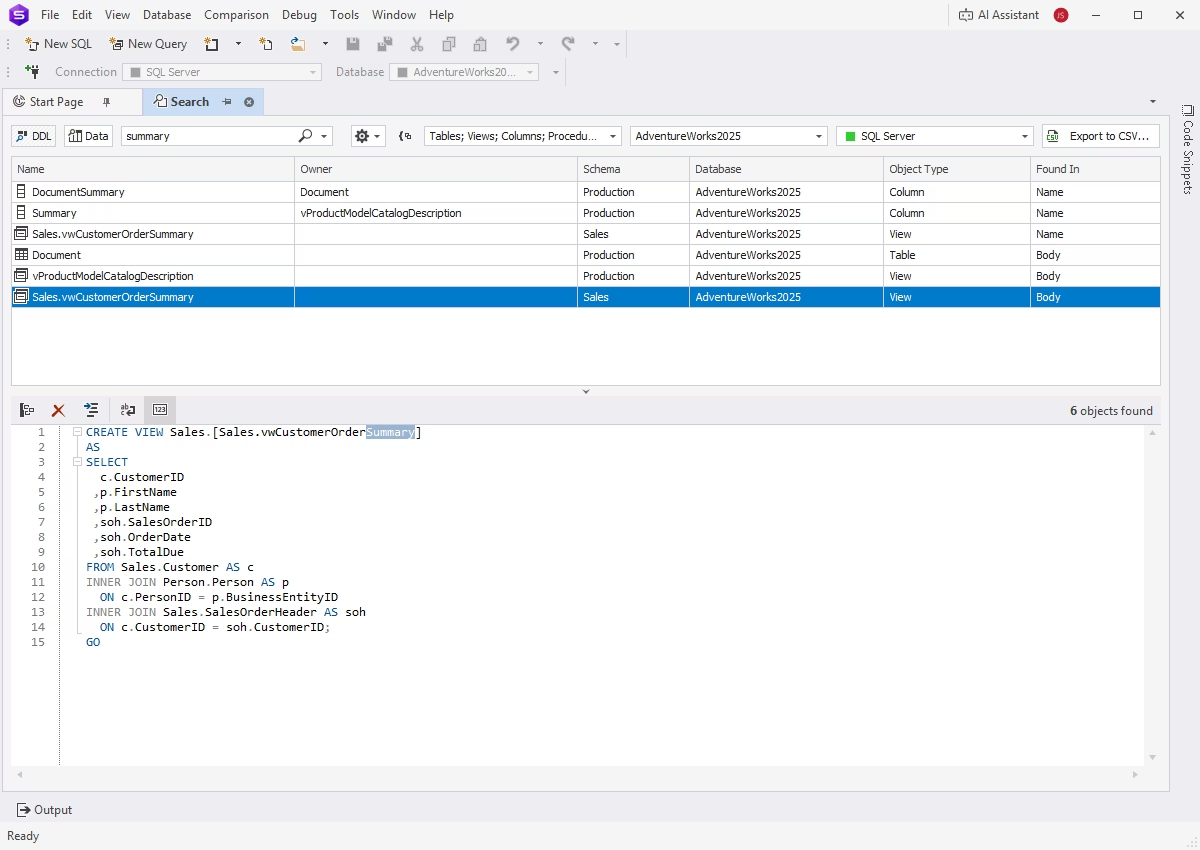
This feature helps quickly locate database objects across the entire instance. Search results can be sorted and filtered for easier identification of the required objects.
Find Invalid Objects
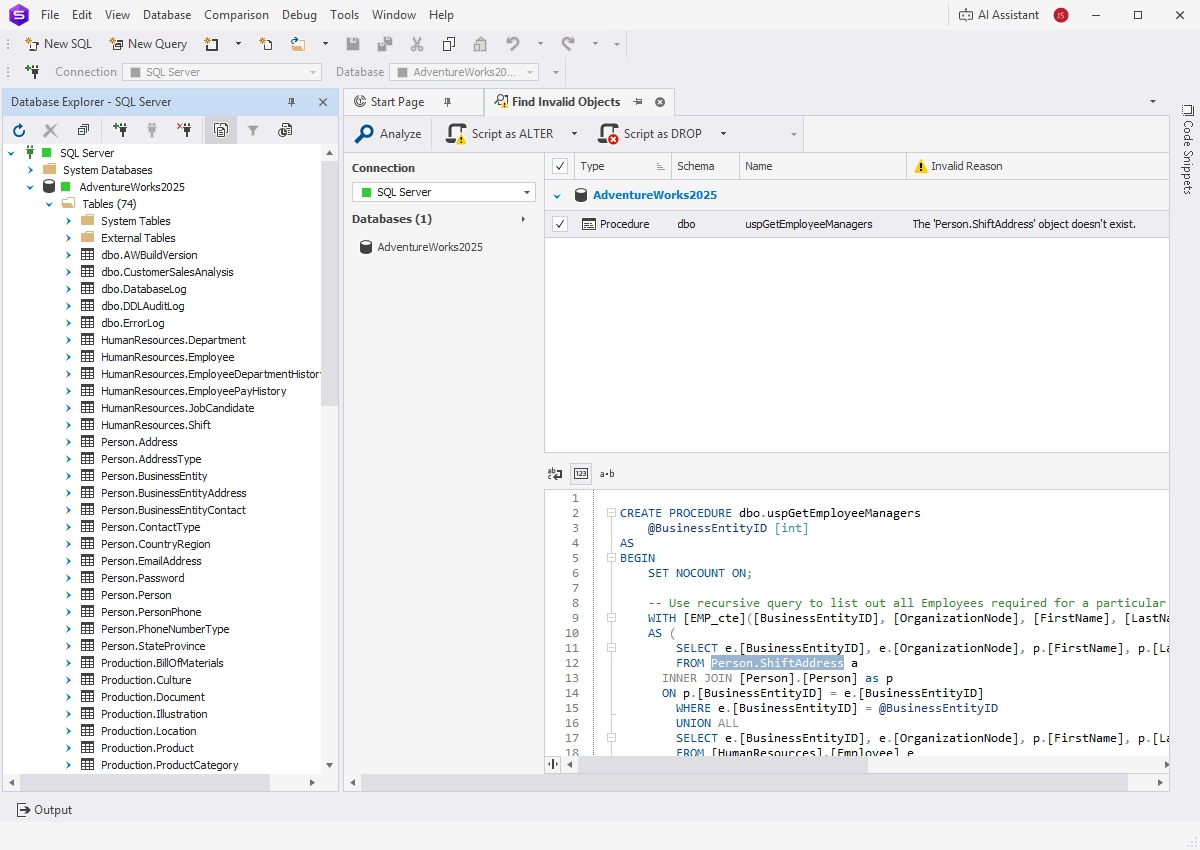
This feature helps identify invalid objects across multiple databases, including references to objects that no longer exist or have been modified.
- Search for invalid objects
- Analysis of search results
- ALTER and DROP commands for invalid objects
- CLI-powered automation
Collaboration
Source Control
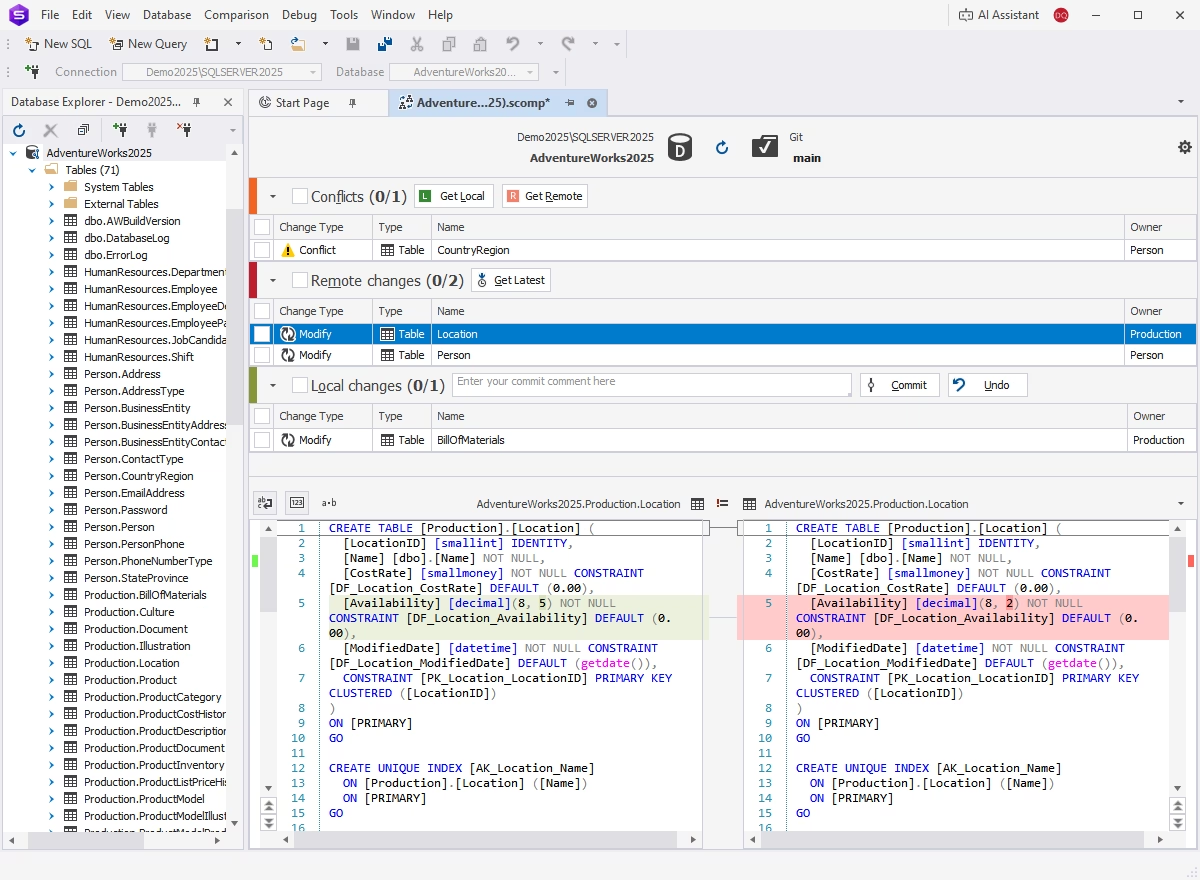
Using dbForge Studio, you can set up and streamline effective version control of database schemas and static table data.
- Integration with all popular version control systems
- Commit and rollback operations
- Conflict detection and resolution
- Detailed history of changes
Unit Test
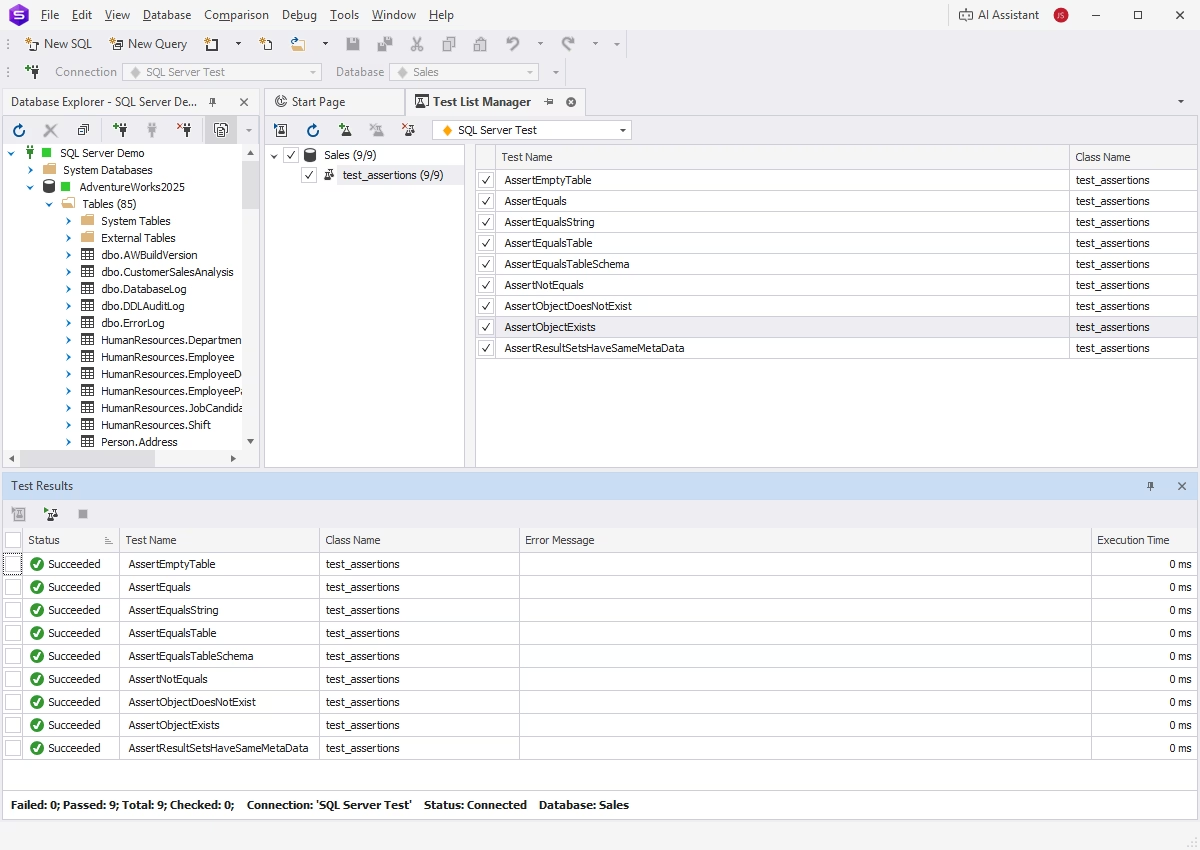
Unit Test is an intuitive tool for creating and automating database unit tests. Built on the open-source tSQLt framework, this feature enables you to write unit tests using standard T-SQL.
Data Generator
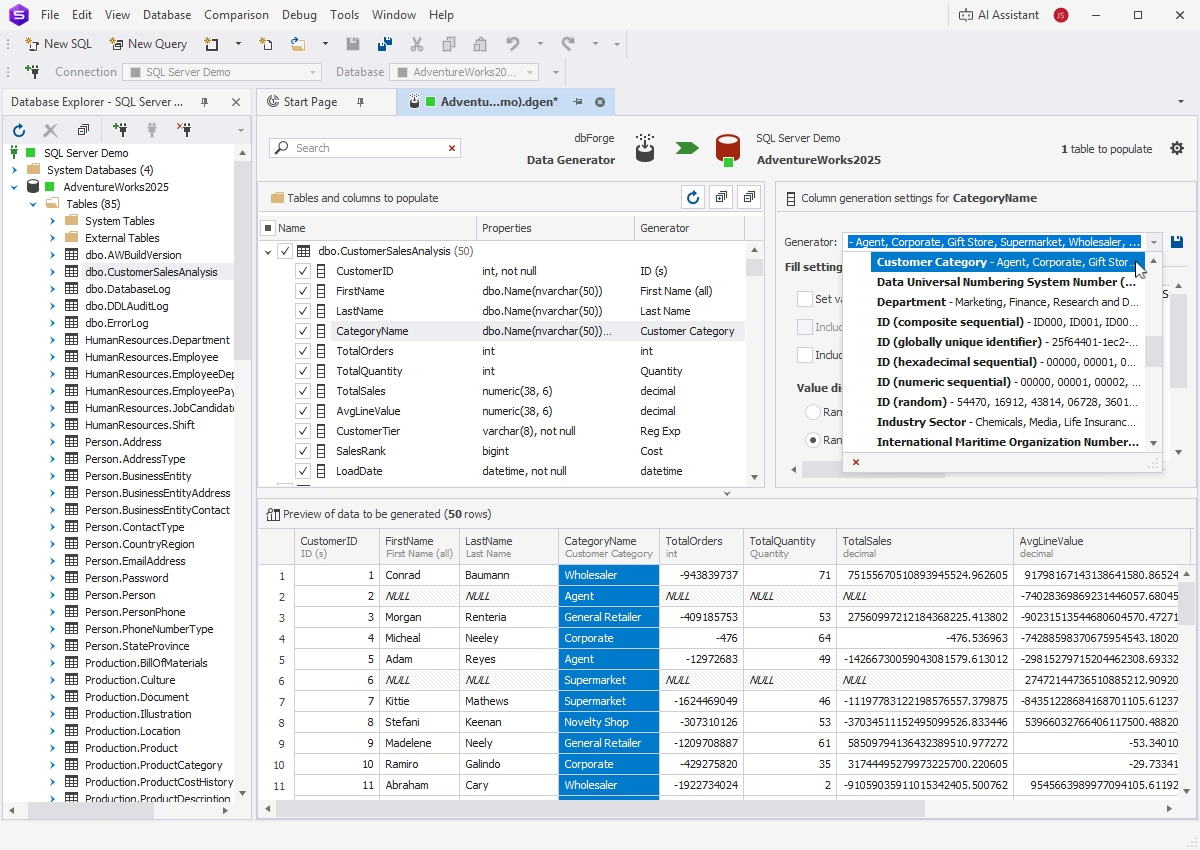
Data Generator populates your databases with any volume of realistic, column-intelligent test data.
- More than 200 built-in generators
- Extensive customization
- CLI-powered automation
Documenter
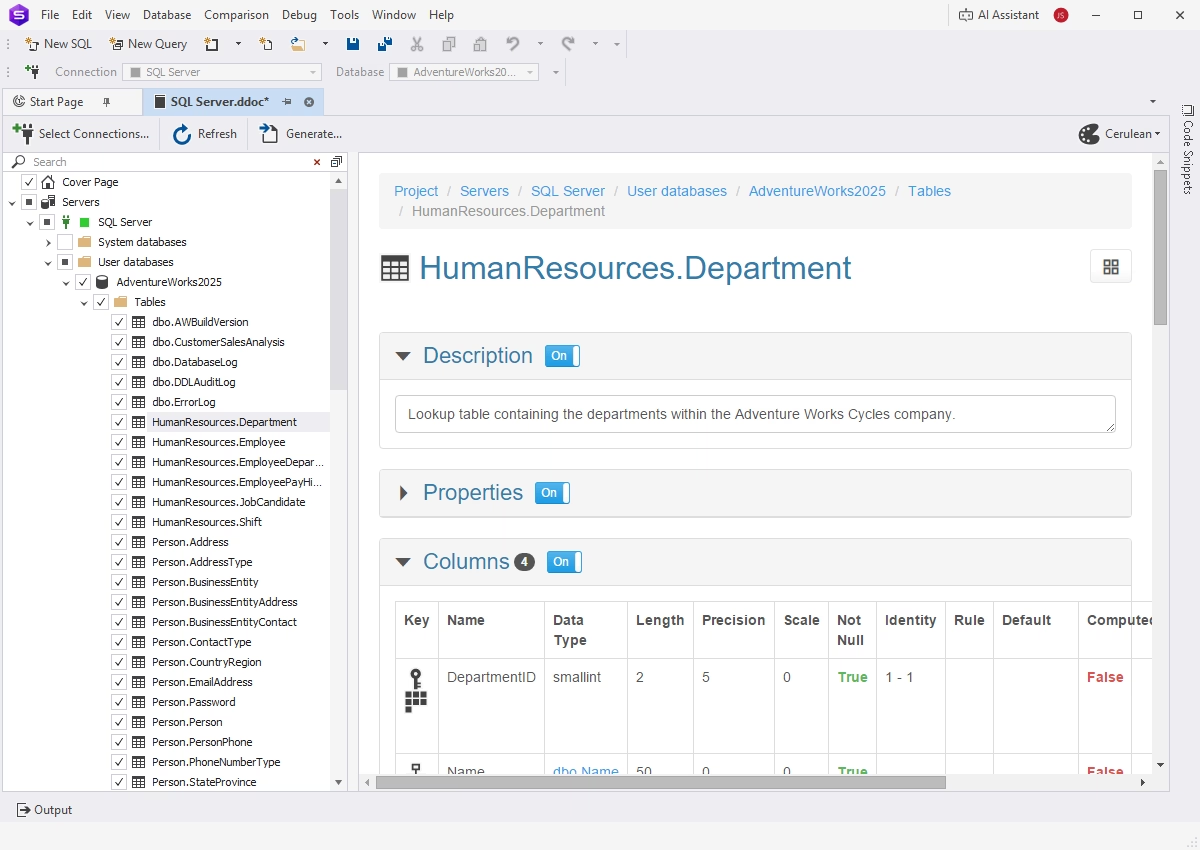
Documenter automates the creation of comprehensive database documentation, helping maintain clear and up-to-date technical references. Key features include:
- Customizable document layouts
- In-depth database analysis and scanning
- Self-documenting SQL objects
- Support for HTML, PDF, and Markdown output formats
- CLI-powered automation
Automation
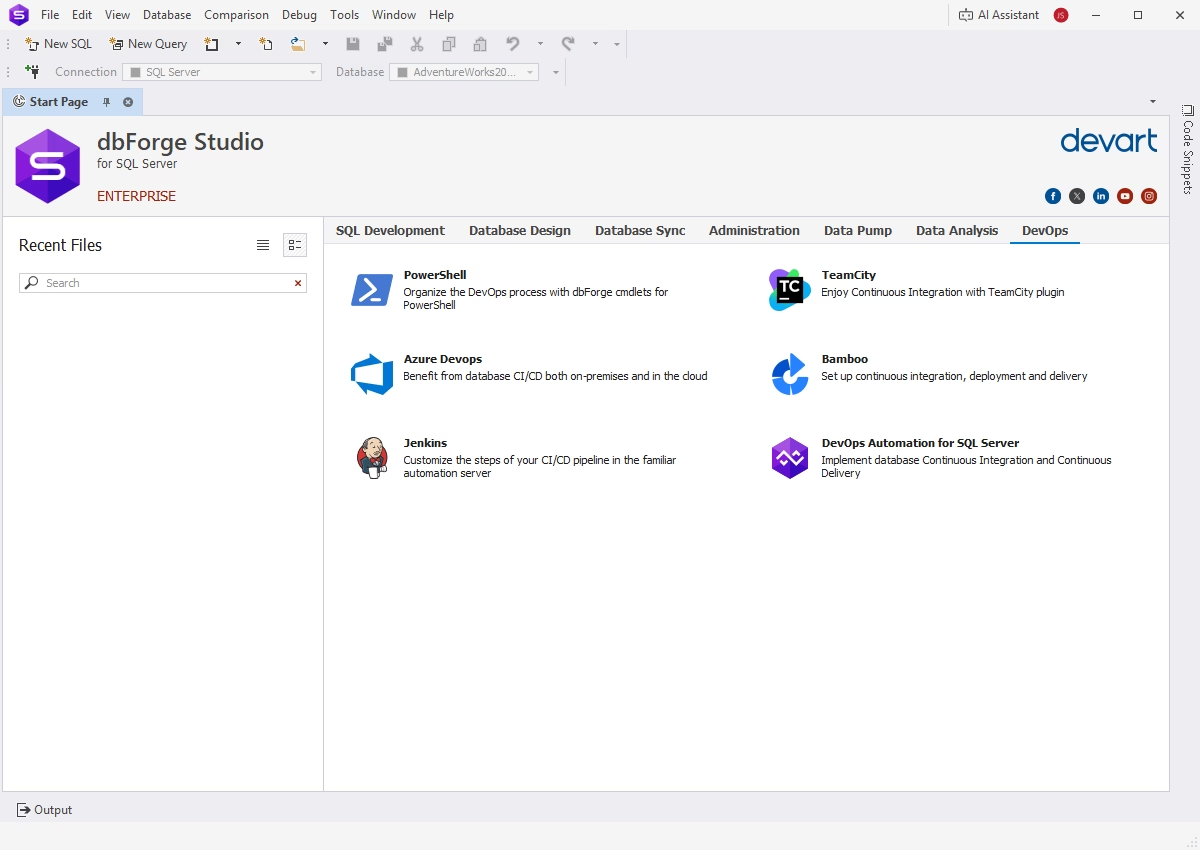
DevOps automation via plugins and cmdlets
You can take conventional database development and deployment to a whole new level by building an effective DevOps cycle with dbForge Studio for SQL Server.
- Rich collection of PowerShell cmdlets
- Plugins for Azure DevOps, Jenkins, TeamCity, and Bamboo
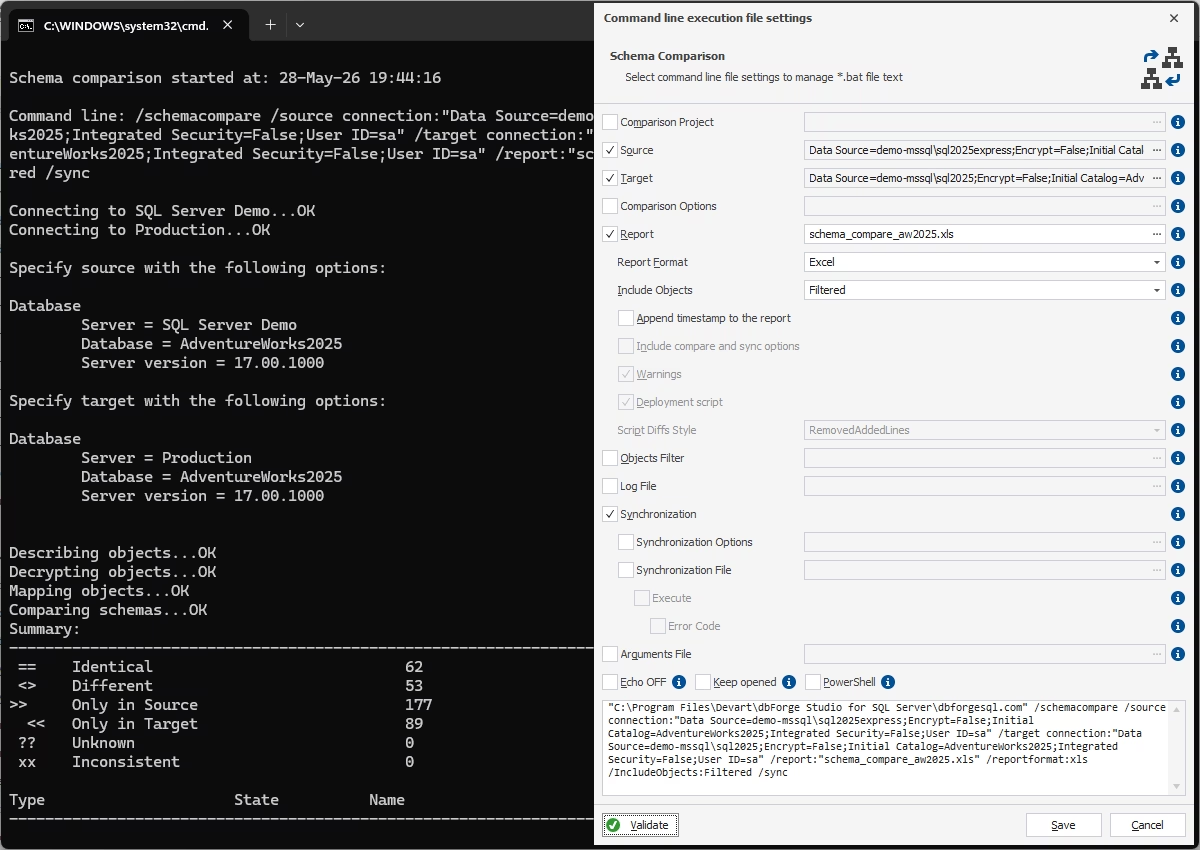
CLI-powered Schema Compare
dbForge Studio helps you ensure deployment consistency by providing script-based schema comparison and synchronization. You can execute these operations from the command line and integrate them into CI/CD pipelines.
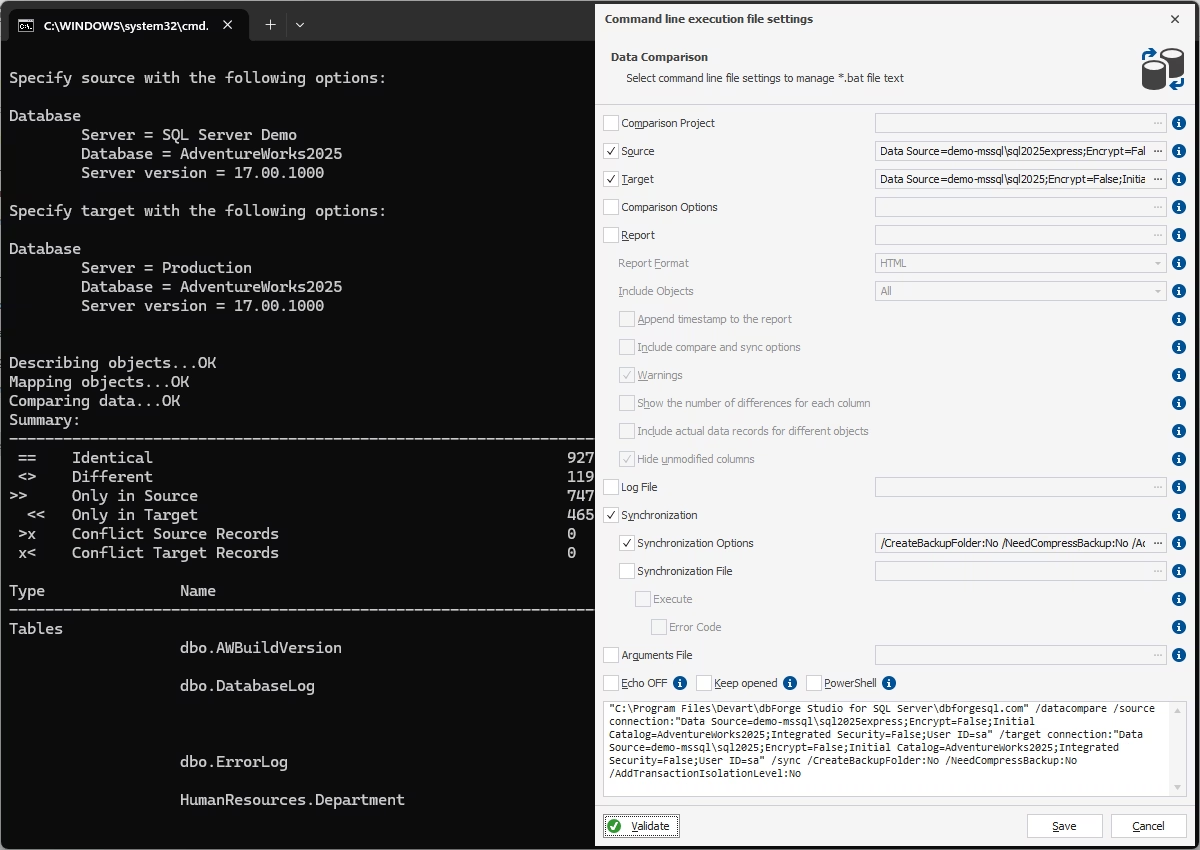
CLI-powered Data Compare
Data comparison and synchronization can also be incorporated into your deployment workflows to validate data integrity. Data Compare generates command-line scripts that automate the tasks.
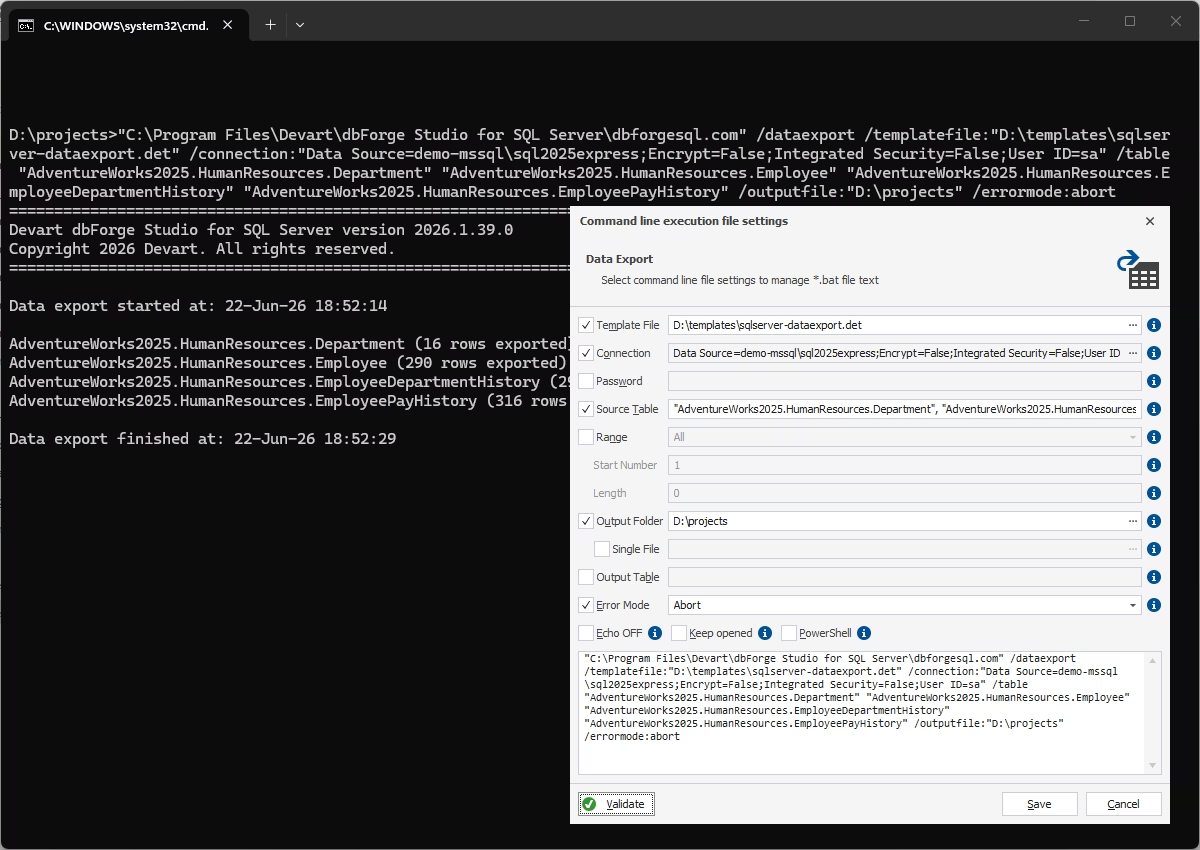
CLI-powered data import & export
To optimize regular data migration processes, dbForge Studio delivers automated data export and import that you can include as part of your deployment pipelines. dbForge Studio generates command-line scripts for exporting and importing data in up to 14 predefined formats, allowing you to run these tasks on demand or according to a schedule.
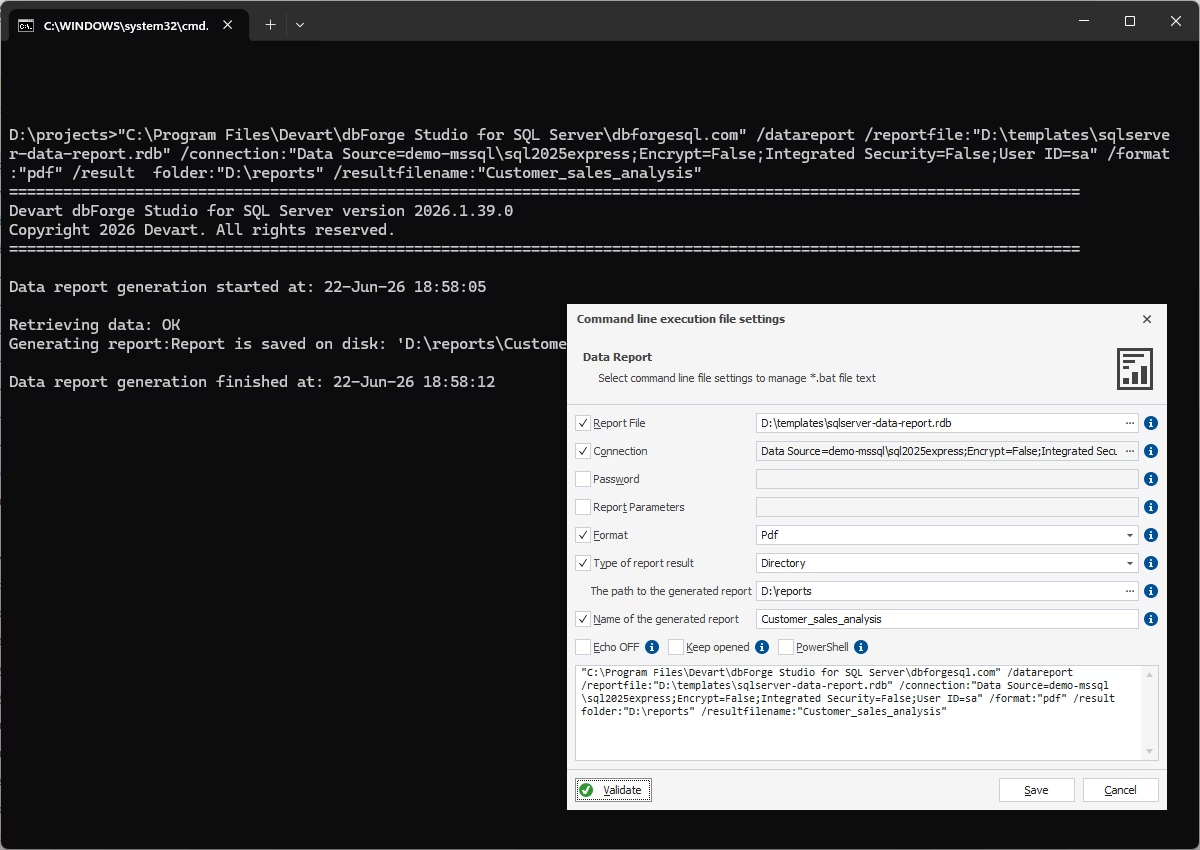
CLI-powered data reports
dbForge Studio lets you automatically generate and distribute professional data reports through the command-line interface. Reporting tasks can be scheduled and integrated into your existing automation workflows.
Analysis and reporting
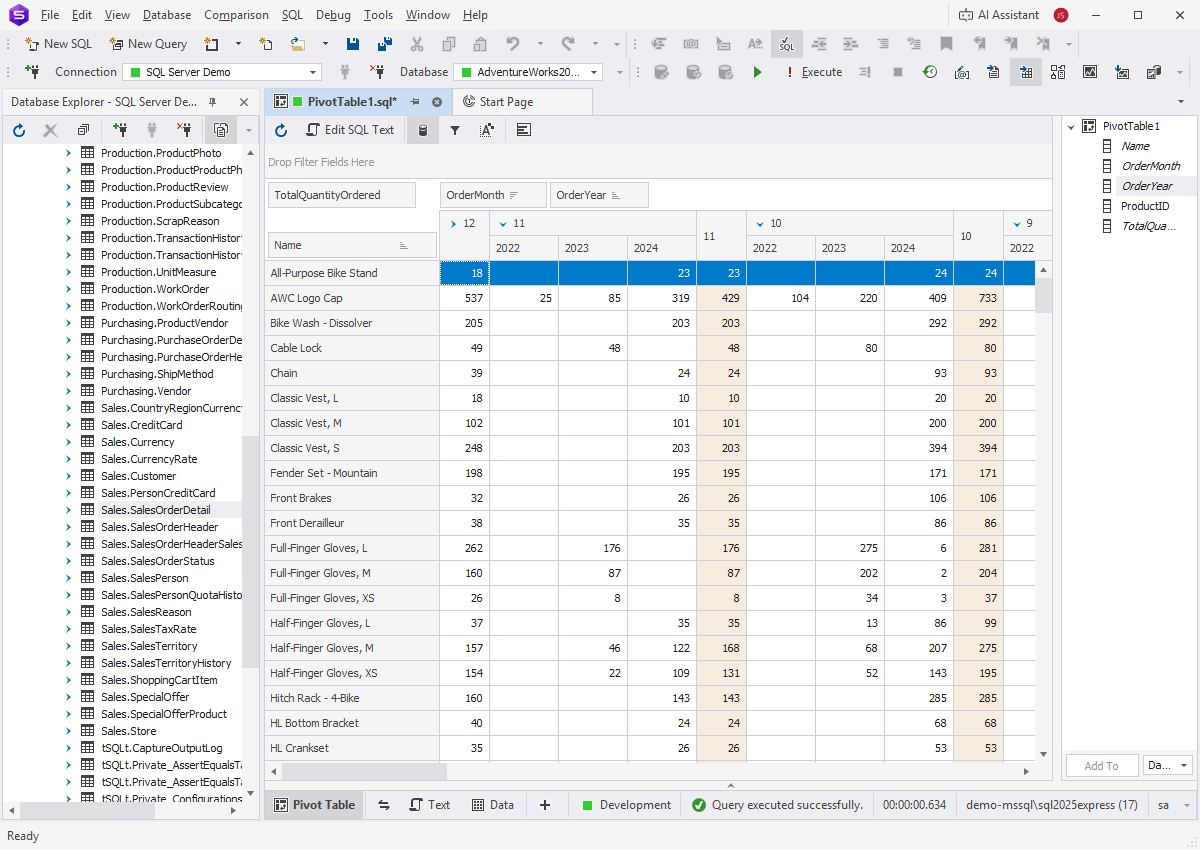
Pivot tables
If you need to aggregate, rearrange, summarize, and analyze large amounts of data without writing overcomplicated queries, pivot tables are the perfect solution. It is also worth noting that you can effortlessly visualize data dependencies and compare them by viewing your pivot data as a chart.
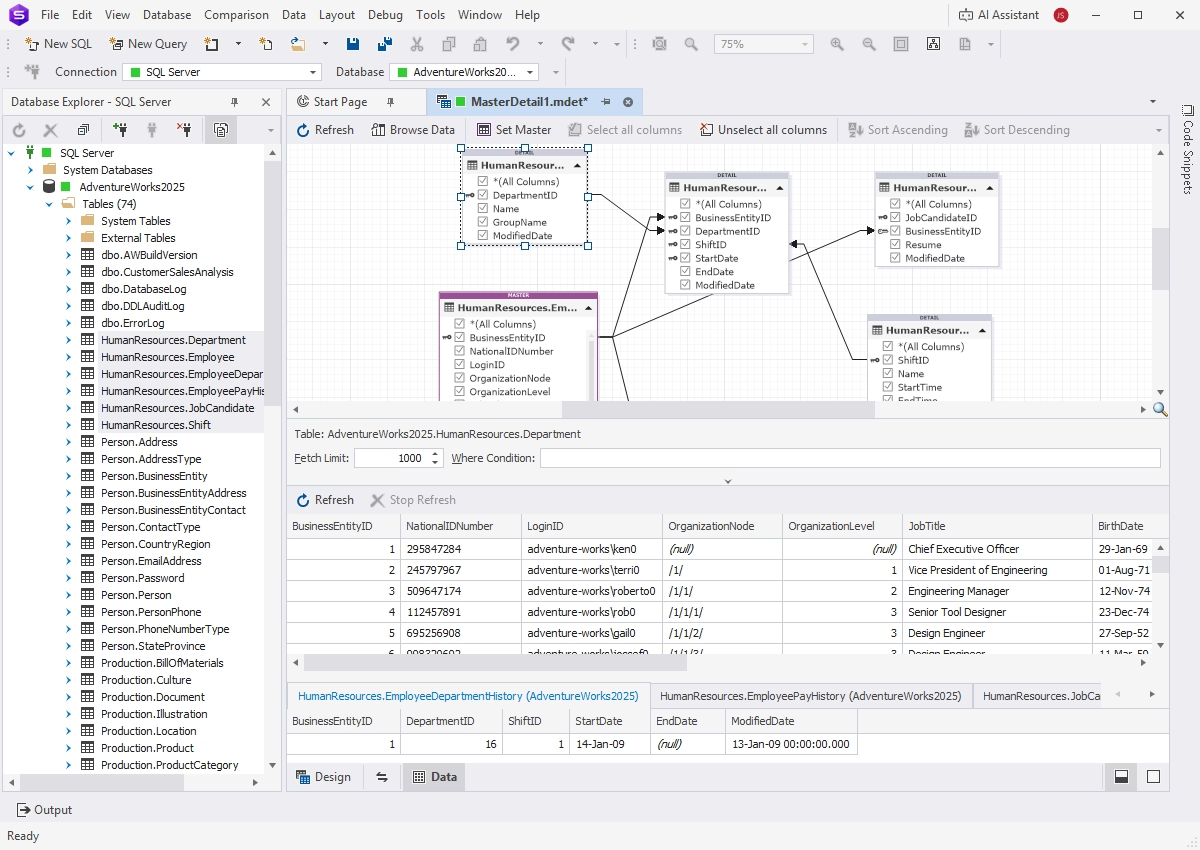
Master-Detail Browser
Master-Detail Browser helps you view and analyze related SQL Server data in parent tables or views, related child tables or views, and self-referencing tables. Drag and drop tables and views from Database Explorer onto the master-detail document, sort and filter your data, and examine the relationships with convenience.
Data reporting
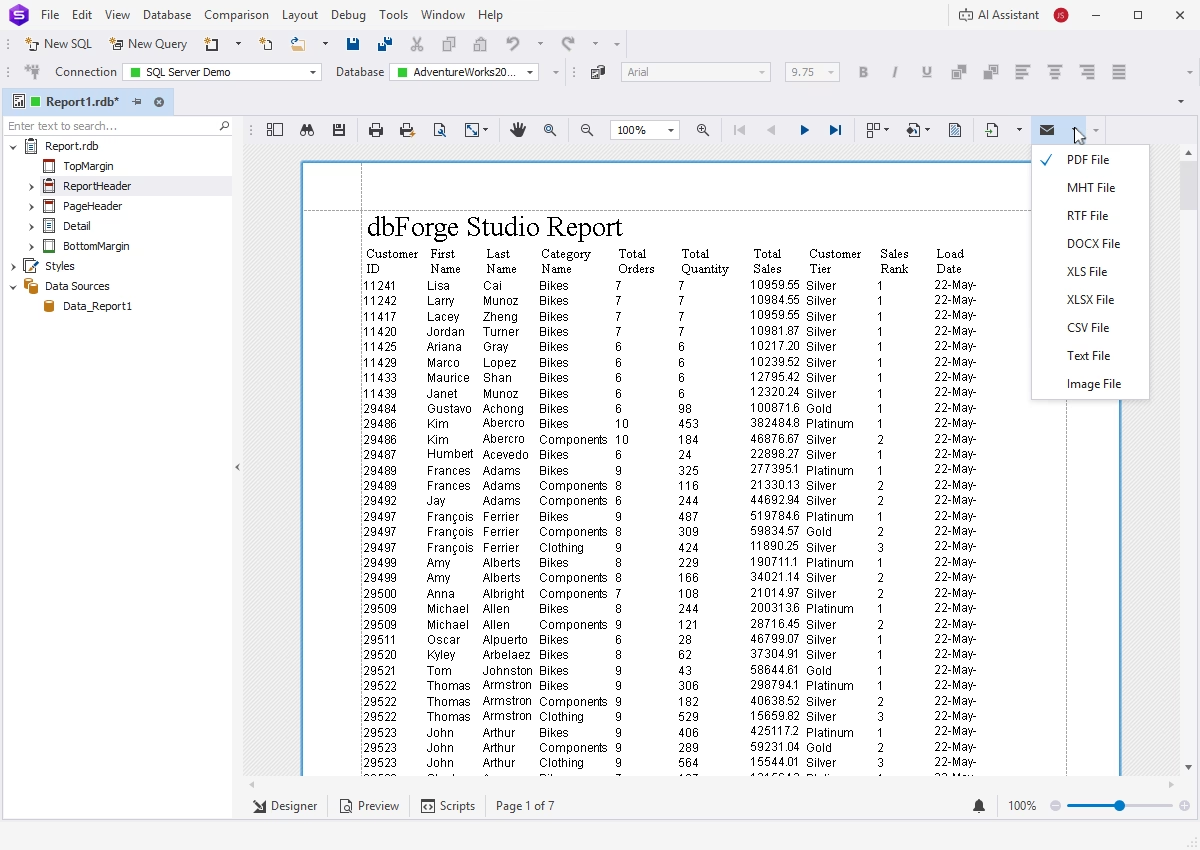
The Studio's integrated Report Designer allows you to create data reports and fill them with static text, images, shapes, and other elements. The contents of your reports can be modified and stylized in order to enhance their readability and aesthetic cohesiveness. Note that you can easily preview the results of your efforts at any given moment.
Compatibility
Below is the complete list of supported databases and cloud platforms.
- SQL Server 2025
- SQL Server 2022
- SQL Server 2019-2012, LocalDB
- SQL Server 2008, 2008R2 (including Express edition)
- SQL Server 2005 (including Express edition)
- SQL Server 2000 (limited support)
- SQL Server installed on Linux
- SQL Server on Amazon RDS
- Microsoft Fabric (SQL Database, Data Warehouse, OneLake)
- Azure SQL Database (SQL DB)
- Azure Synapse Analytics Dedicated SQL pools
- Azure Synapse Analytics Serverless
- Azure SQL Managed Instance (SQL MI)
- Microsoft Entra ID (formerly Azure AD) multi-factor authentication (MFA)
- Azure Private Link for Azure SQL Database
- Heroku Cloud
- ApsaraDB RDS