SQL Server REPLACE() Function
In SQL Server, the REPLACE() function allows you to search for a specific sequence of characters within a string and substitute it with another sequence. It is a powerful tool for managing and cleaning text data in your database.
You can use REPLACE() to dynamically adjust content, such as updating placeholders in message templates or converting abbreviations into consistent terminology. In short, it helps simplify text handling while keeping your data accurate and uniform.
This tutorial will walk you through how to use the SQL Server REPLACE() function in a variety of practical scenarios.
What is the REPLACE() function?
The REPLACE() function in SQL Server is a tool that enables you to search for a particular string of characters and replace it with another string. It takes three inputs: the original string, the substring to locate, and the replacement substring, and returns a new string with all matches replaced.
Because this function outputs a modified string instead of altering the source directly, it can be used safely in both SELECT queries for previewing changes and in UPDATE statements for applying them to table data. One of the most common use cases for REPLACE() is bulk updating when you need to replace one or more characters within a line of text using a single statement.
Have a look at the example below:
SELECT REPLACE('SQL Tutorial', 'SQL', 'T-SQL');The command returns a new string with SQL replaced by T-SQL as T-SQL Tutorial.
In the next example, we want to remove dashes from the phone number using the command below:
SELECT REPLACE('123-456-7890', '-', '');The output is 1234567890.
The REPLACE() function is a standard tool for tasks like correcting typos, formatting values, or standardizing text data. It is a core tool in SQL Server data management.
Syntax of the REPLACE() function
The basic syntax of the REPLACE() function is as follows:
REPLACE (string_expression, string_pattern, string_replacement)The REPLACE() function accepts three parameters that control the substitution process:
| Parameter | Description | Example |
| string_expression | The text (or column) to scan and modify. | SELECT REPLACE('Hello World', 'World', 'SQL'); -- Hello SQL |
| string_pattern | The substring to find and replace. | SELECT REPLACE('123-456-7890', '-', ' '); -- 123 456 7890 |
| string_replacement | The substring that replaces each match of string_pattern. | SELECT REPLACE('SQL 2019', '2019', '2022'); -- SQL 2022 |
Now, let us have a closer look at the correct and incorrect usage of this function.
Correct usage
SELECT REPLACE('Database', 'base', 'server');The string_expression base exists in the original string, and the replacement works as expected. The output is Dataserver.
Incorrect usage
SELECT REPLACE('Database', 'cloud', 'server');Since the string_pattern cloud does not appear in the original string, no replacement takes place. The output remains Database. Quite frequently, it becomes the cause of errors, as the search value is mistyped or not present in the original string.
A real-world example: How to update job titles with REPLACE()
We have clarified how REPLACE() works at the character level within a single line of text. In practice, however, we use this function more often inside an UPDATE statement to apply the character replacements across multiple rows of a table. It allows us to standardize values in bulk while still operating at the substring level within each line.
Let us explore how this function works with real-world examples. Note that here and further, we will utilize dbForge Studio for SQL Server to illustrate our use cases. The Studio is a robust IDE for SQL Server databases, more powerful and user-friendly than the default SSMS.
In the example below, we have a test EmployeeInfo table with sample job titles that contain the abbreviation Mgr.

Next, we apply REPLACE() in an UPDATE statement to substitute Mgr with Manager in the JobTitle column.
UPDATE EmployeeInfo
SET JobTitle = REPLACE(JobTitle, 'Mgr', 'Manager');
All rows containing Mgr have been updated consistently. The substring change happens within each line of text (JobTitle values), but SQL Server executes it across multiple records at once.

This example demonstrates how REPLACE() combines its character-level replacement logic with the set-based processing in SQL, making it a powerful tool for cleaning and standardizing data.
Using REPLACE() in different scenarios
We can use the REPLACE() function with a SELECT command to modify the output without changing the actual data in the database. Let us illustrate some cases, such as data formatting, bulk updates, or dynamic content management.
Scenario 1: The DemoCustomers table stores phone numbers with dashes (-) separating the parts.

We want to format the phone numbers to use spaces instead of dashes. For that, let us execute the following SELECT query:
SELECT
  CustomerID,
  FirstName,
  LastName,
  REPLACE(PhoneNumber, '-', ' ') AS FormattedPhoneNumber
FROM DemoCustomers;
The result is:

Scenario 2: The DemoProducts table contains the product codes. Those starting with the prefix 'NEW' have become outdated, so we need to update them throughout the table.

To change the product codes from 'NEW' to 'OLD', execute the UPDATE query with the REPLACE() function:
UPDATE DemoProducts
SET ProductCode = REPLACE(ProductCode, 'NEW', 'OLD');
Then, run the SELECT query to retrieve the data to check the updated results:

Scenario 3: The Messages table uses placeholders, such as {UserName}, in message templates. We want to replace this placeholder with actual user names dynamically.

Let us run the SELECT query to replace username with the actual customer's name:
SELECT
  c.FirstName + ' ' + c.LastName AS CustomerName,
  REPLACE(m.TemplateText, '{UserName}', c.FirstName + ' ' + c.LastName) AS PersonalizedMessage
FROM dbo.Messages m
CROSS JOIN dbo.DemoCustomers c;

As you can see, we can apply the REPLACE() function efficiently in different practical scenarios for manipulating data.
Emulating the REPLACE() function in SQL Server
Database specialists frequently face situations where the REPLACE() function alone cannot solve the problem, like replacing only the first occurrence of a substring rather than every occurrence, or working with string positions directly. In such cases, SQL Server offers other string functions (STUFF(), CHARINDEX(), and LEN()) that allow us to achieve the desired results.
STUFF() function
The STUFF() function inserts a new string into another string at a specified position. First, it removes the given number of characters, starting at the position you choose, and then inserts the replacement string.
The syntax of the function is:
STUFF(string_expression, start, length, new_string)| Parameter | Description |
| string_expression | The original string to be modified. |
| start | The position where characters get removed and insertion begins. |
| length | The number of characters to remove. |
| new_string | The substring that will be inserted. |
Assume we want to change the product codes in the DemoProducts table and replace the OLD prefix with the NEW prefix. We use the STUFF() function for that:
SELECT
  ProductID,
  ProductName AS OriginalProductName,
  ProductCode AS OriginalProductCode,
  STUFF(ProductCode, 1, 3, 'NEW') AS ModifiedProductCode
FROM dbo.DemoProducts
WHERE ProductCode LIKE 'OLD%';
This example removes three characters starting at position one (OLD) and replaces them with (NEW).

CHARINDEX() function
The CHARINDEX() function returns the position of the first occurrence of a substring within a string. If the substring is not found, it returns 0.
The syntax of the function is:
CHARINDEX(substring, string_expression [, start_location])| Parameter | Description |
| substring | The characters you want to search for. |
| string_expression | The string to search in. |
| start_location (optional) | The position where the search should begin. |
Let us find the position of the substring Bike in a product name:
SELECT
  ProductID,
  Name AS ProductName,
  CHARINDEX('Bike', Name) AS PositionOfSubstring
FROM Production.Product
WHERE ProductID < 1000;   -- Any valid product works
You can see the output. The command brought the results for all products with the Bike substring in their names and returned 0 for products where Bike is not present in the product name.

LEN() function
The LEN() function returns the number of characters in a string, excluding trailing spaces. It is often used with STUFF() and CHARINDEX() to calculate precisely how many characters to remove.
The syntax of the function is:
LEN(string)Assume we want to know the lengths of product names:
SELECT
  ProductID,
  Name AS ProductName,
  LEN(Name) AS NameLength
FROM Production.Product
WHERE ProductID < 100;   -- Any valid ProductID works

When we know the length of the string, we can dynamically manage replacements in substrings that vary in size.
Combination of functions: How to replace only the first substring in SQL Server?
Assume that our work scenario demands replacing only the first occurrence of a substring. We can achieve it with the help of all three functions in combination: STUFF(), LEN(), and CHARINDEX().
Let us replace only the first occurrence of 'OLD' with 'NEW' in the ProductCode column in the DemoProducts table. Run the following query:
SELECT
  ProductID,
  ProductName,
  ProductCode,
  STUFF(ProductCode,
        CHARINDEX('OLD', ProductCode),
        LEN('OLD'),
        'NEW') AS UpdatedProductCode
FROM DemoProducts dp;
In this query:
- CHARINDEX('OLD', ProductCode) finds the position of the first 'OLD'.
- LEN('OLD') tells SQL how many characters to remove.
- STUFF() replaces those characters with 'NEW'.

As you can see, products with IDs 103, 105, and 108 are updated correctly. Other products display NULLs in the UpdatedProductCode column because the substring 'OLD' was not found.
This way, STUFF(), CHARINDEX(), and LEN() in combination allow us to achieve our goal. This combination also offers greater control than REPLACE(), but it can make queries more complex and more challenging to maintain on large datasets.
Is SQL Server REPLACE() case-sensitive?
By default, SQL Server REPLACE() is not case-sensitive unless the database or column uses a case-sensitive collation. In most standard installations, the function treats 'World', 'world', and 'WORLD' as identical values, replacing them all.
However, collation settings can change this behavior. Assume we want to execute the query below under SQL_Latin1_General_CP1_CS_AS (CS = Case Sensitive):
SELECT REPLACE('Hello World', 'world', 'Earth');
-- Output: Hello World
This command won't perform the replacement because world does not match World. In some environments where consistent capitalization matters (e.g., product codes or case-sensitive identifiers), this distinction can produce different query results. Always verify collation settings when working with REPLACE() in mixed-case data.
Common pitfalls
Let us consider some pitfalls we can encounter when working with the REPLACE() function in SQL Server.
It is essential to note that if any of the arguments of the REPLACE() function is NULL, the function will return NULL. For example:
SELECT REPLACE(NULL, 'a', 'b'); -- Returns NULL
SELECT REPLACE('Hello', NULL, 'b'); -- Returns NULL
SELECT REPLACE('Hello', 'a', NULL); -- Returns NULL
One more issue you should be aware of is that using this function in queries that need to scan and modify millions of rows can affect database performance. Moreover, applying the function to a column that is part of an index can make the index less efficient and slow down query performance. It happens because the REPLACE() function must process all column values before any comparisons or index operations can occur. Therefore, you should be careful when using REPLACE() in massive databases.
Try it yourself with dbForge Studio
We used dbForge Studio for SQL Server to illustrate our test cases earlier. This IDE includes a smart SQL Editor where you can write T-SQL code and execute it instantly against the necessary database. The Editor offers robust coding assistance functionality with code auto-completion, syntax validation, code formatting, analysis, and refactoring options.
However, besides SQL coding, dbForge Studio for SQL Server provides more tools and options to let you work with your databases. In particular, such features are worth mentioning when considering the string replacement:
- Data Editor allows viewing and editing data directly in SQL tables. You can filter data to display only rows with a specified value and then perform a bulk update.
- Find and Replace allows searching for specific text within all database objects. Open the Find and Replace dialog, specify the text to find and what to replace it with, and then apply the changes to the database objects.
- Data Generator can populate tables with newly generated test data based on specific patterns or rules.
- SQL refactoring allows you to rename or replace identifiers in the database schema, such as table names, column names, or variable names. While it is more about schema changes than data changes, it offers a way to update all references in your SQL code automatically.
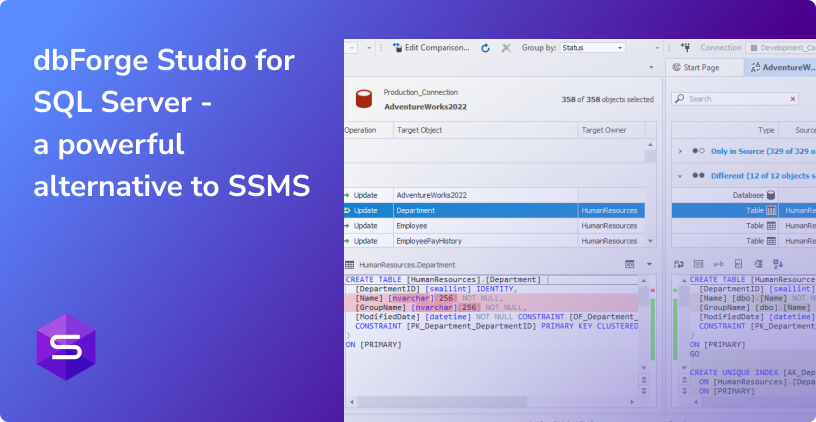
In addition, dbForge Studio helps you boost your overall productivity by offering smart, user-friendly wizards for tasks such as database and table design, schema and data comparison and synchronization, data generation, data migration, and so on.
Watch this video to learn more about the versatile features of dbForge Studio and how it can simplify and improve your SQL development and management.
Further learning
To effectively master dbForge Studio for SQL Server and leverage its capabilities for your database tasks, refer to the following learning resources:
Conclusion
This article explored the REPLACE() function in SQL Server, covering its basic syntax and a range of practical use cases, such as manipulating string data, updating values in bulk, formatting text, and performing data cleansing. We also discussed when the REPLACE() function is the best choice and when alternatives like STUFF() or CHARINDEX() may be more suitable. Given how frequently this function appears in real-world SQL tasks, mastering it is an important skill for any SQL Server professional.
Additionally, tools like dbForge Studio for SQL Server can optimize your workflow significantly. dbForge Studio for SQL Server helps you write SQL commands more quickly and accurately and allows you to execute them instantly within a user-friendly GUI. With its many more powerful and comprehensive features, the Studio equips you to efficiently manage a wide variety of database tasks, whether you are working on-premises or in the cloud.