Devart’s Birthday Sale Is On — 20% Off All Products
ends in   {{days}}
Days
{{timeFormat.hours}}
:
{{timeFormat.minutes}}
:
{{timeFormat.seconds}}

ODBC Driver for NetSuite

Devart ODBC Driver for NetSuite provides developers and data analysts with a high-performance way to connect NetSuite ERP and CRM data to the BI, reporting, analytics, and ETL tools they already use. With direct access from ODBC-compliant applications on both 32-bit and 64-bit Windows, the Driver makes live NetSuite data available across the data stack. Built-in OAuth 2.0 and token-based authentication provide secure HTTPS connectivity, helping teams integrate ERP and CRM data into their workflows without the complexity of registering additional applications.

  • Verified compatibility with multiple BI and ETL tools
  • Simple installation on several computers
  • Easy access to live data from anywhere
  • Fast data transmission
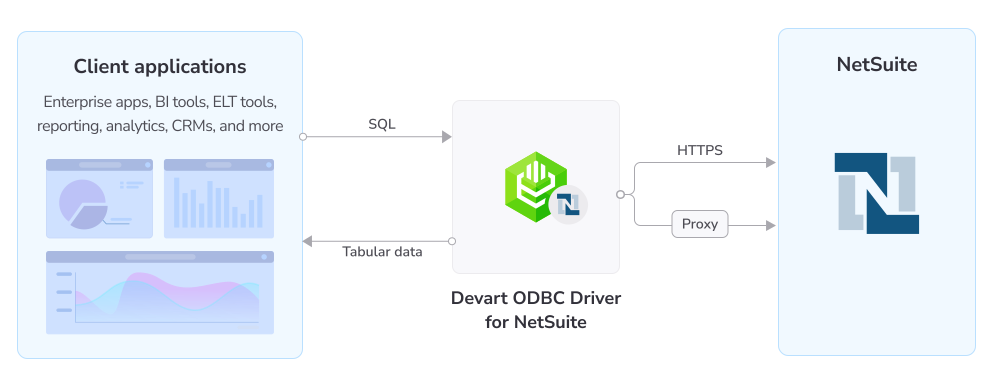
How ODBC Driver for NetSuite works

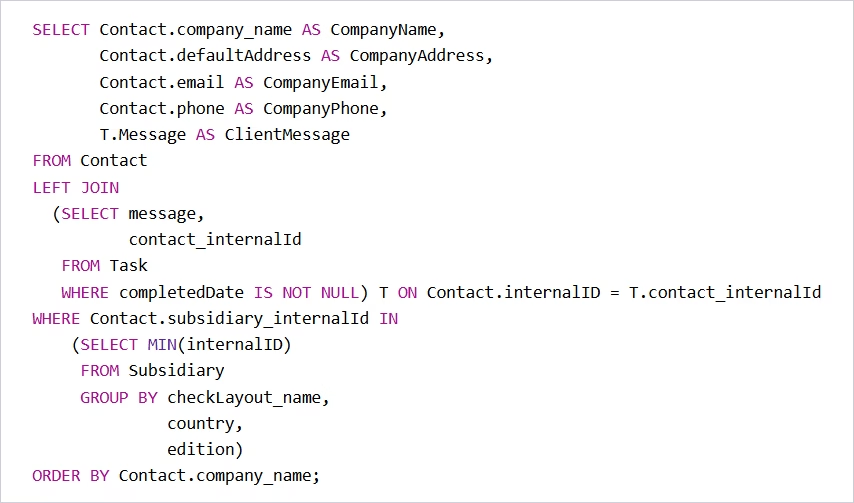
Advanced SQL query engine

Our ODBC Driver allows you to work with NetSuite objects just as with SQL tables. The extended SQL syntax supports all SQL-92-compatible statements, functions, and operations:

  • Complex JOINs
  • WHERE conditions
  • Subqueries
  • GROUP clauses
  • Aggregation functions
  • ORDER clauses
  • ...and many more
NetSuite standard SQL

Features

Advanced authentication

With OAuth 2.0 and token-based authentication, the Driver supports secure connections over HTTPS using only your credentials with no need to register integration applications.

Real-time NetSuite connectivity

The Driver provides instant access to live NetSuite data from any ODBC-compatible analytics, BI, or ETL tool over HTTPS or via a proxy server where no direct HTTPS access is available.

DML and bulk operations

You can modify NetSuite data with standard INSERT, UPDATE, and DELETE operations and combine SQL statements into batches for fast, high-volume changes.

NetSuite compatibility

Devart's ODBC Driver fully supports all NetSuite field data types and is compatible with the NetSuite API, enabling seamless connectivity between NetSuite data and the SQL ecosystem.

Advanced data conversion

The Driver supports bidirectional mapping between NetSuite and ODBC data types, with full Unicode support for multilingual data (Latin, Cyrillic, Chinese, and more).

High performance

Our ODBC Driver enables local data caching and connection pooling, which make every operation with NetSuite data significantly faster.

Full ODBC conformance

The Driver supports the ODBC API, data types, and advanced connection-string parameters, so any ODBC-aware desktop or web app can work with NetSuite.

Cost-effective deployment

A single standalone installer, with no client software or vendor library to deploy, keeps deployment costs low across large organizations.

Pricing

ODBC Driver for NetSuite

Starts from

$179.95
per year
Try the Driver

Key features:

  • Simple installation in a few clicks (no additional software required)
  • Integration with 200+ tools
  • OEM licensing model
  • Read and write (DML) capabilities with extended SQL-92 syntax
  • Secure OAuth 2.0, token-based, and basic authentication

ODBC Drivers Universal Bundle

Starts from

$499.95
per year
Try the Universal Bundle

Key features:

  • Support for all 92 ODBC Drivers
  • Easy access to live data from anywhere
  • Full support for standard ODBC API functions and data types
  • No need for database client libraries
  • Support for ODBC-compliant reporting, analytics, BI, and ETL tools
  • Secure connections via SSL, SSH, and HTTPS tunneling

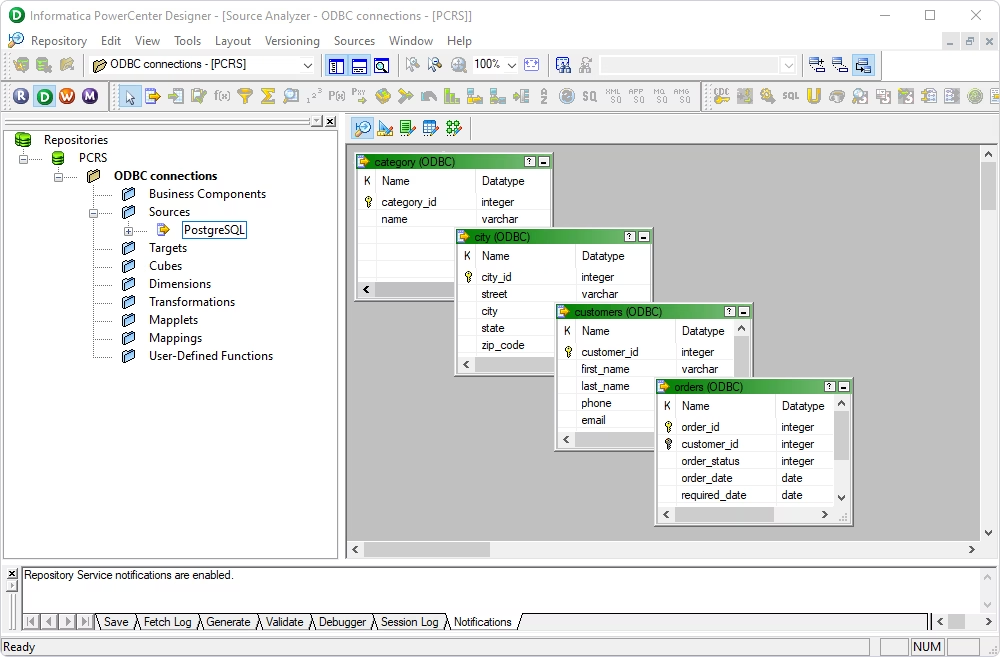
Verified compatibility with 200+ tools

Devart ODBC Drivers are verified to be compatible with leading analytics and reporting tools, various IDEs and programming languages. Get fast and secure access to your data in any application using our ODBC Drivers!

Roles

IT & data teams

Integrate NetSuite directly into ETL/ELT pipelines through standardized ODBC connectivity on Windows.

People working in an office

Developers

Build data-driven applications, internal tools, and automated reporting on NetSuite using a consistent ODBC interface and standard SQL.

Hands typing on the keyboard

ODBC Universal Bundle

Get high-performance ODBC Drivers for 92 databases and cloud services in a single Universal Bundle with a 95% discount

Ready to get started?

Get a 30-day free trial now

Get a 30-day free trial now

You can download our ODBC Driver for a free 30-day trial. It is a great way to see the Driver in action at your own pace.

Enjoy bulk discounts

Enjoy bulk discounts

We offer flexible options to meet your budget in the optimal way. You can get bulk discounts for multiple purchases.

Need a hand?

Need a hand?

If you need any help or have questions about our connectivity solutions or purchasing options, feel free to get in touch.

FAQ

What is the NetSuite ODBC Driver?

The ODBC Driver for NetSuite is a standards-compliant ODBC connector that exposes NetSuite (ERP/CRM) objects as SQL tables, letting any ODBC-aware application read and write live NetSuite data over HTTPS on 32-bit and 64-bit Windows without the SuiteAnalytics Connect add-on.

How do I connect to NetSuite using ODBC?

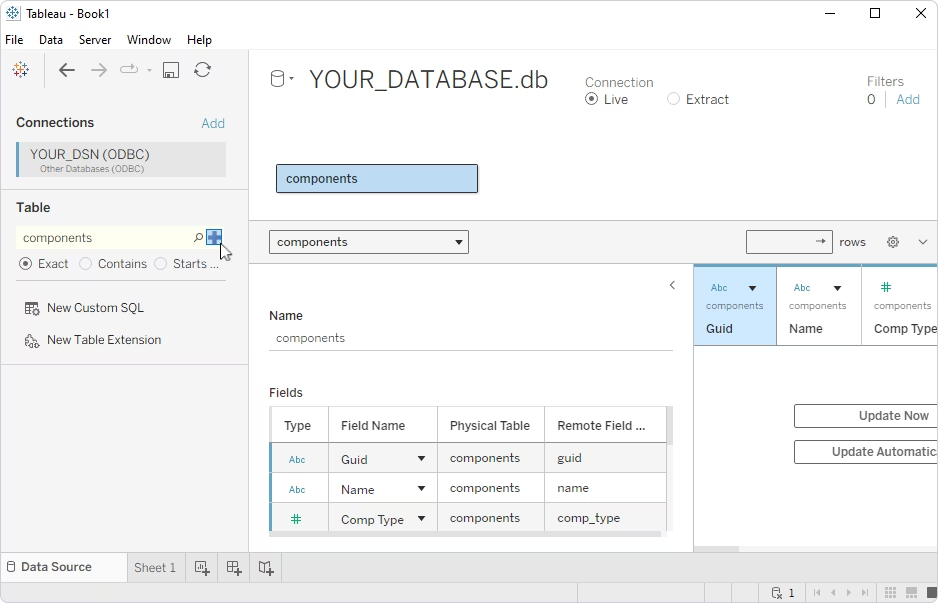
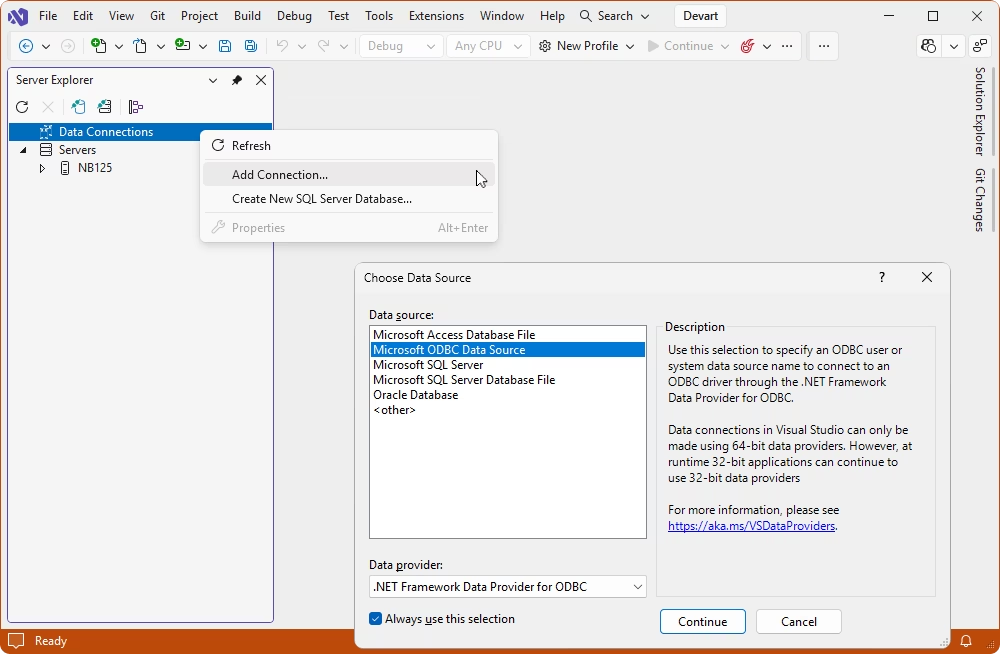
To connect to NetSuite using ODBC, you can use Devart ODBC Driver. Download the Driver and install it following the wizard's instructions. Create a DSN with your NetSuite Account ID, Application ID, and credentials, and point any ODBC-compliant tool (Power BI, Tableau, Excel, and others) at that DSN.

What does a NetSuite ODBC connection string look like?

A basic authentication connection string that you can use for DSN-less connection to NetSuite is as follows: DRIVER={Devart ODBC Driver for NetSuite};User ID=myUser;Password=myPassword;Account ID=myAccountId;Application ID=myAppId. For token-based authentication, add Authentication Type=TokenBased with your Consumer Key/Secret and Token Id/Secret. For OAuth 2.0, use your Client ID/Secret and a Refresh Token.

Which authentication methods are supported?

The ODBC Driver supports the following authentication modes:

  • Basic (User ID/Password)
  • Token-based (the default method)
  • OAuth 2.0

Tokens, secrets, and passwords are stored encrypted in the DSN.

Do I need NetSuite SuiteAnalytics Connect?

No. Devart ODBC Driver connects to NetSuite through the standard NetSuite SuiteTalk API over HTTPS, so you don't need to enable the SuiteAnalytics Connect add-on. The Driver also supports writing data using the INSERT, UPDATE, and DELETE operations, whereas SuiteAnalytics Connect is read-only.

Can I connect NetSuite to Excel with this ODBC Driver?

Yes. Devart ODBC Driver enables direct connectivity to NetSuite from Microsoft Excel. Create a DSN, then use it to configure the data source in Excel, and display and manage live NetSuite data in worksheets, pivot tables, and refreshable reports.

Which operating systems are supported?

The Driver runs on 32-bit and 64-bit Windows (Windows Vista and later; .NET Framework 4.5+ is required).

Does the Driver support writing data back to NetSuite?

Yes. In addition to SQL-92 SELECT queries, it supports standard DML operations—INSERT, UPDATE, and DELETE—so you can modify NetSuite data the same way as in a SQL database.

Where can I download the NetSuite ODBC Driver?

You can download a fully functional trial version of the NetSuite ODBC Driver for Windows (32-bit and 64-bit) from the Download page. The same installer can be activated with a license key after purchase.