Save Big on Cyber Monday! Up to 40% Off
ends in   {{days}}
Days
{{timeFormat.hours}}
:
{{timeFormat.minutes}}
:
{{timeFormat.seconds}}

Compare SQL Server Schemas

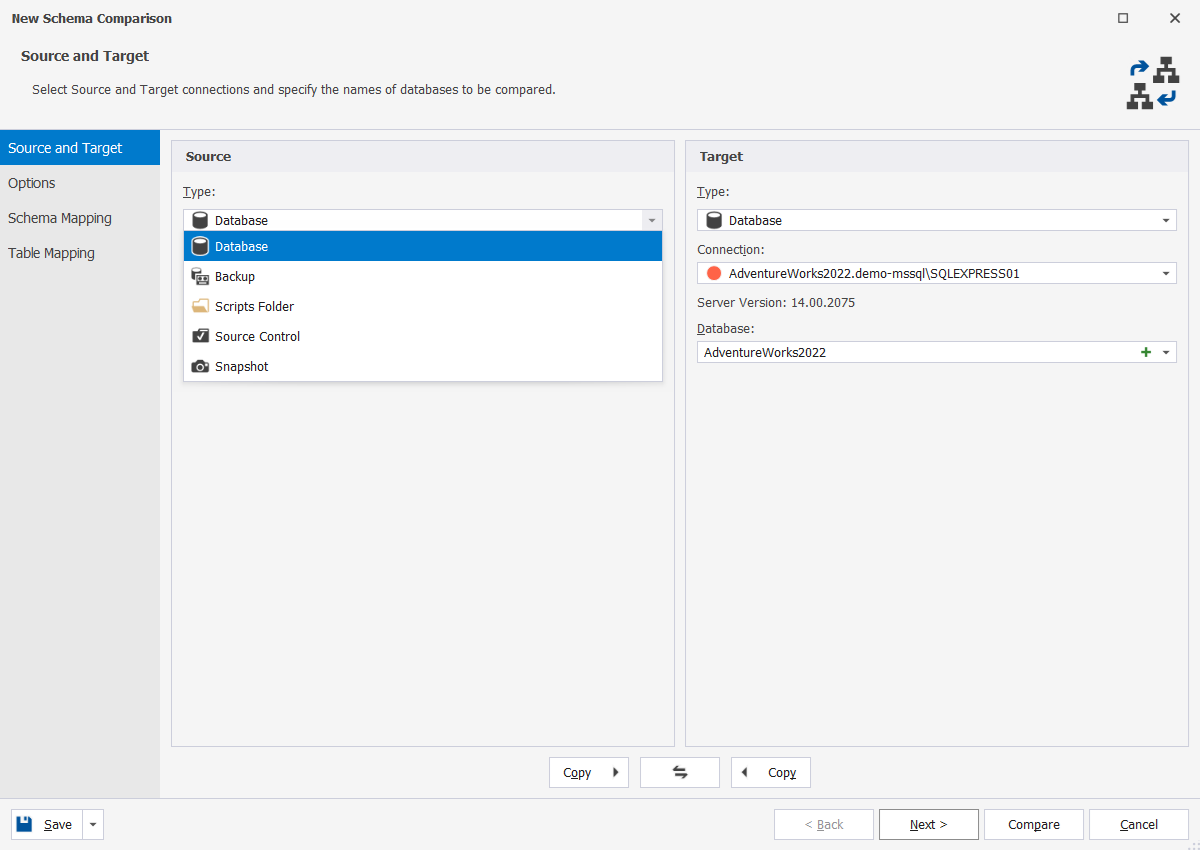
dbForge Schema Compare for SQL Server is a reliable database schema comparison tool that saves you time and effort when comparing and synchronizing SQL Server databases. Schema Compare allows you to work with live SQL Server databases, snapshots, script folders, and native backups.

You can compare your SQL Server databases, analyze differences, and perform error-free schema synchronization using generated SQL scripts. Besides, you can automate schema synchronization using the internal feature. The SQL diff tool integrates with SQL Server Management Studio.

  • Compare live databases, native SQL Server backups or script folders
  • Sync staging or production databases with development databases
  • Generate concise and accurate database deployment T-SQL scripts
  • Restore functions and procedures from SQL Server native backups
  • Automate routine synchronization tasks from the command line
  • Deploy to SQL Server, Azure SQL, and SQL Server on Amazon RDS
  • Export schema comparison results to HTML, Excel, and XML

Killer feature of dbForge Schema Compare

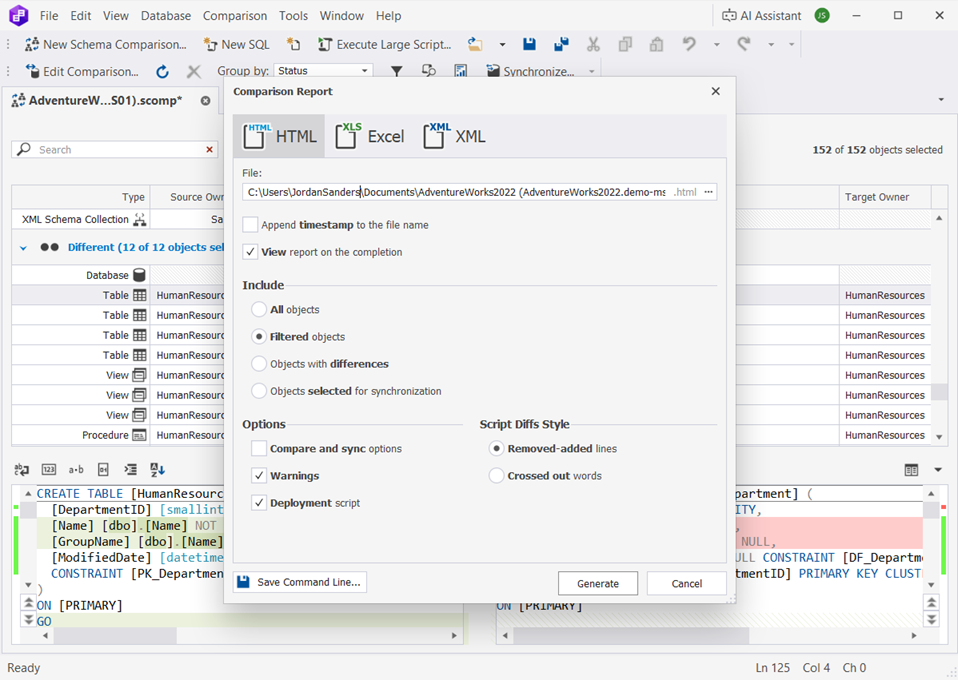
Interactive object comparison report in HTML

  • Generate a detailed report with comparison results
  • Navigate through a read-only HTML report
  • Keep track of the changes applied
  • Make an analysis of DDL differences between objects
  • View a deployment script

Explore how to easily generate an interactive HTML comparison report.

Features

Supported data sources

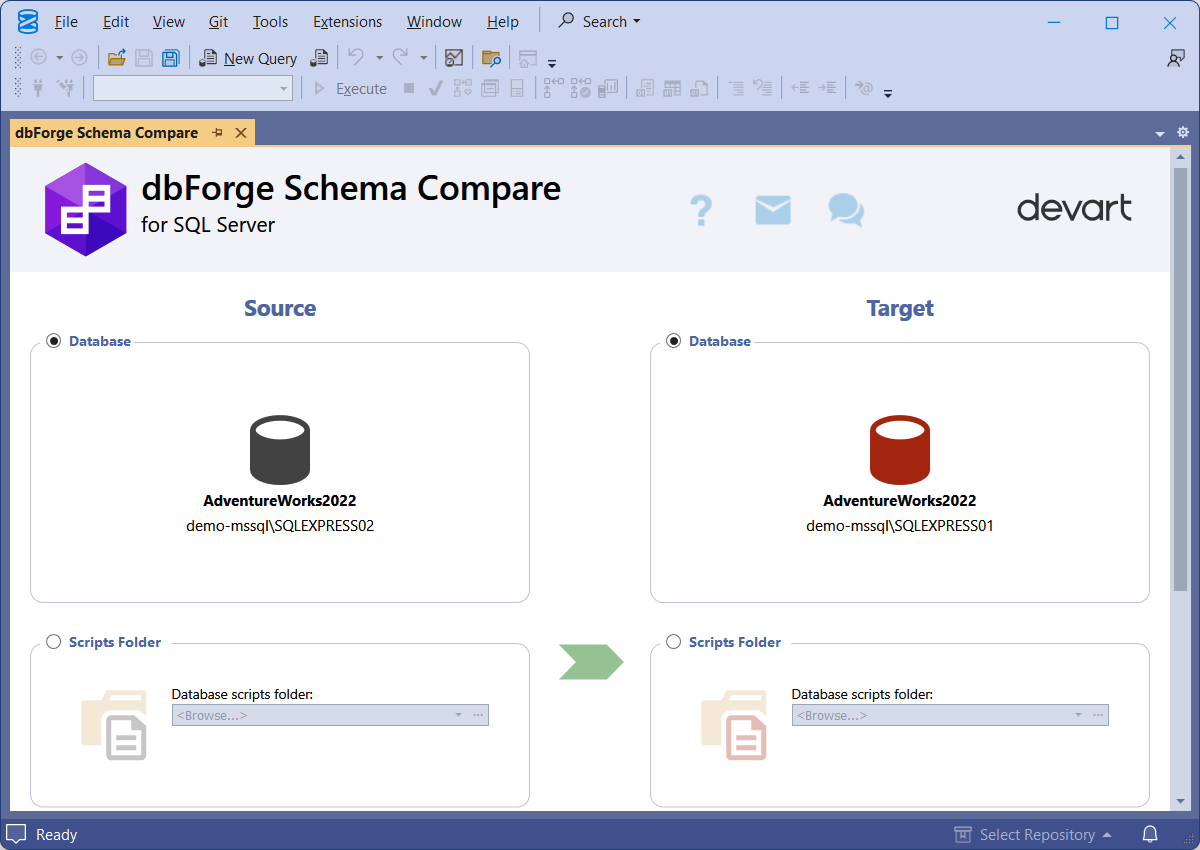
You can use the following objects as Source and Target for schema comparison and synchronization:

  • SQL Server databases
  • Native SQL Server backups
  • Database snapshots
  • Custom mapped tables
  • SQL Server script folders
  • Azure SQL Cloud objects
  • SQL Server installed on Linux
  • Source control revisions
Get free trial

Manage schema comparison results

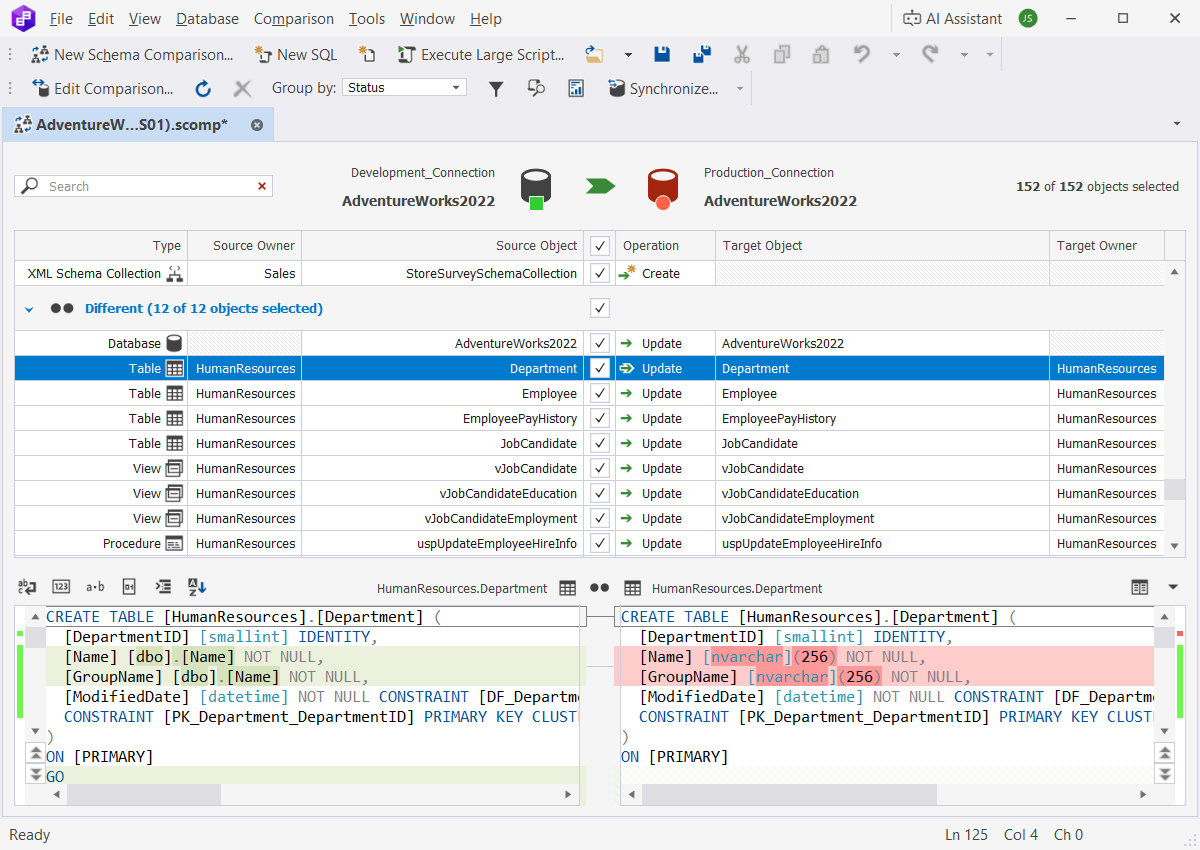
Schema comparison results are displayed with a detailed breakdown of all the identified differences and provide multiple management options:

  • Edit comparison by modifying the initial settings
  • Group comparison results by different criteria
  • Search and filter comparison results
  • View SQL differences
  • Customize differences view
Get free trial

Customize schema comparison

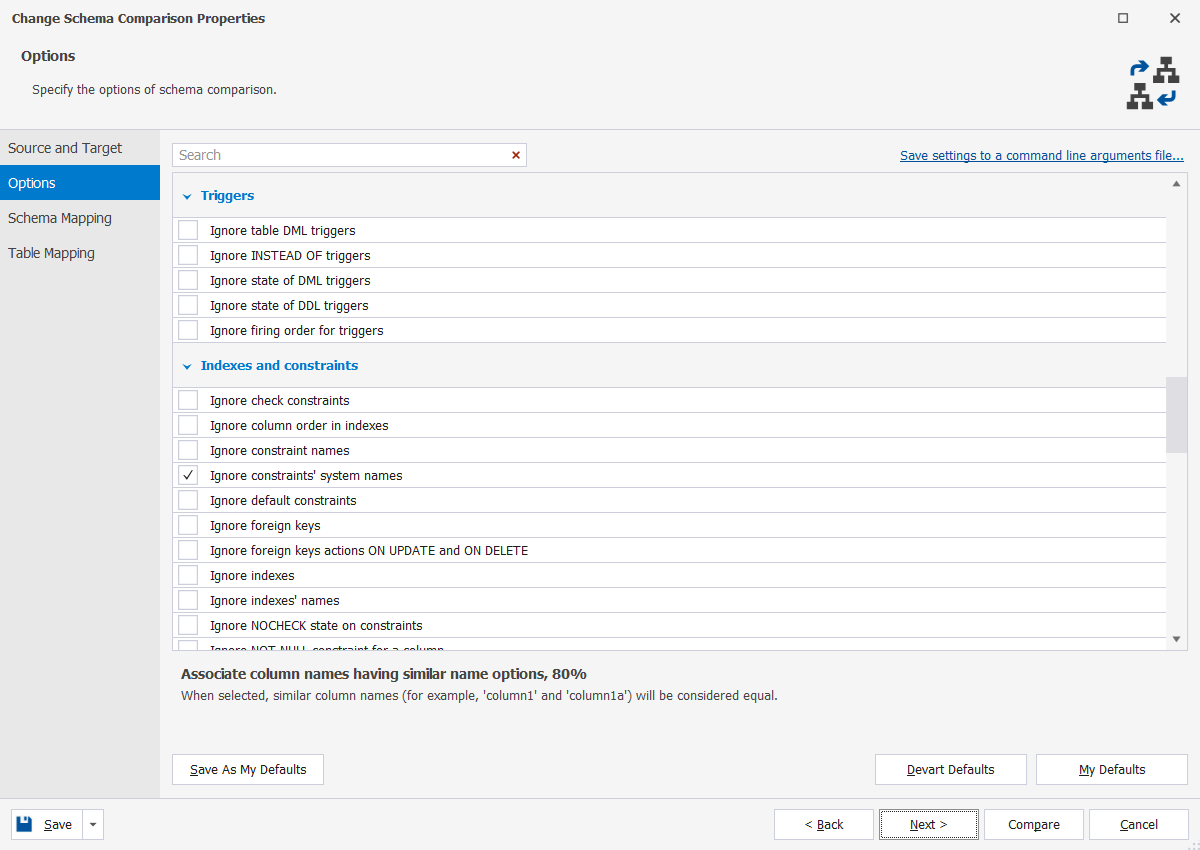
Choose from the long list of available schema comparison options to set up a comparison process to meet your specific needs. You can include or ignore various schema and non-schema objects to obtain the exact results you want to check:

  • Triggers
  • Indexes and constraints
  • Table properties
  • Sequences
  • Replications
  • Script objects
Get free trial

Synchronize databases after schema comparison

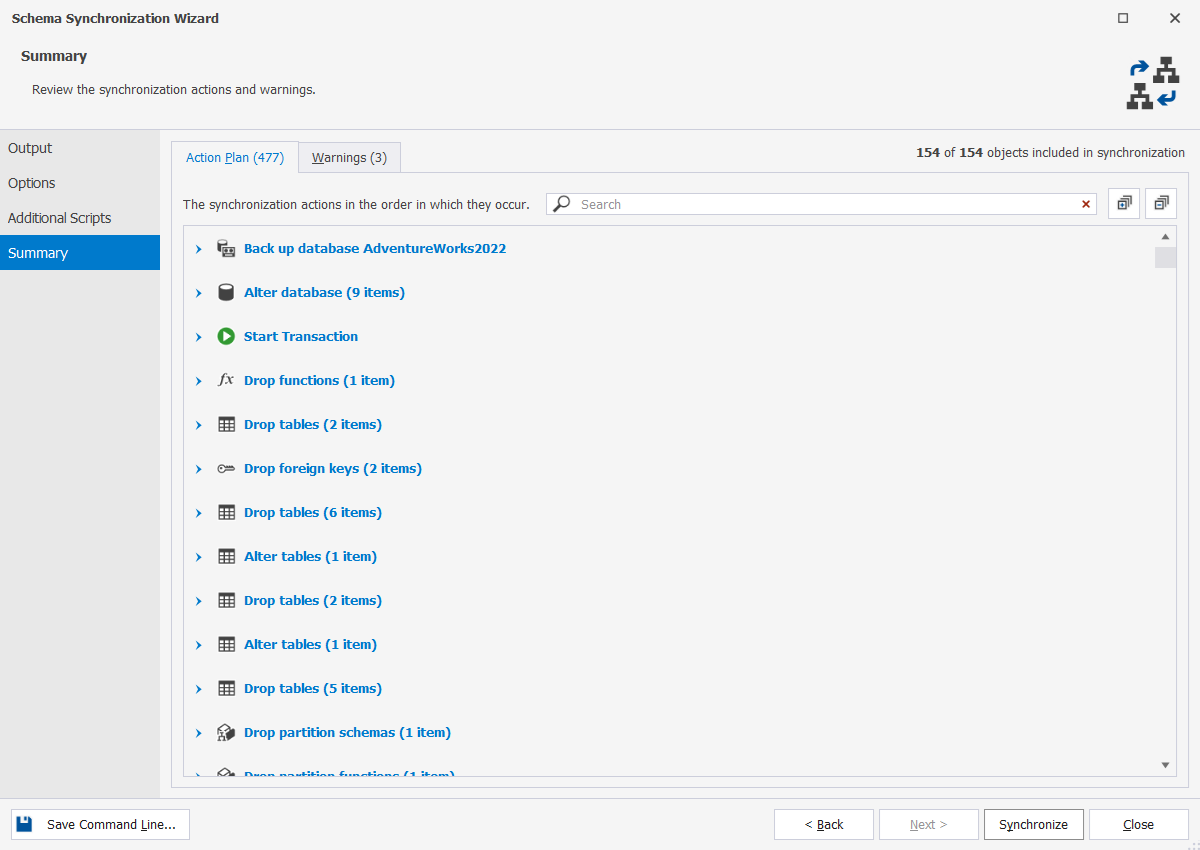
Use the comparison results to update the target data source in an intuitive wizard-assisted process. A flexible selection of synchronization options allows you to customize the output according to your needs.

  • Select objects for synchronization
  • Configure synchronization options
  • Create custom synchronization scripts
  • Back up the target database for safe synchronization
Get free trial

Export schema comparison reports

Export comparison reports in the Excel, HTML, and CSV file formats, customizing the output as necessary.

  • Select objects to include in the report
  • Choose the comparison options to be mentioned in the report
  • Customize the script diff style
Get free trial

Automate recurring tasks

Leverage the automation features of dbForge Schema Compare for SQL Server to set up routine workflows. You can automate various operations from the command line, saving time and resources and reducing errors.

  • Use the command-line interface to run schema comparisons
  • Configure automated email notifications
  • Set up automated tracking of schema changes
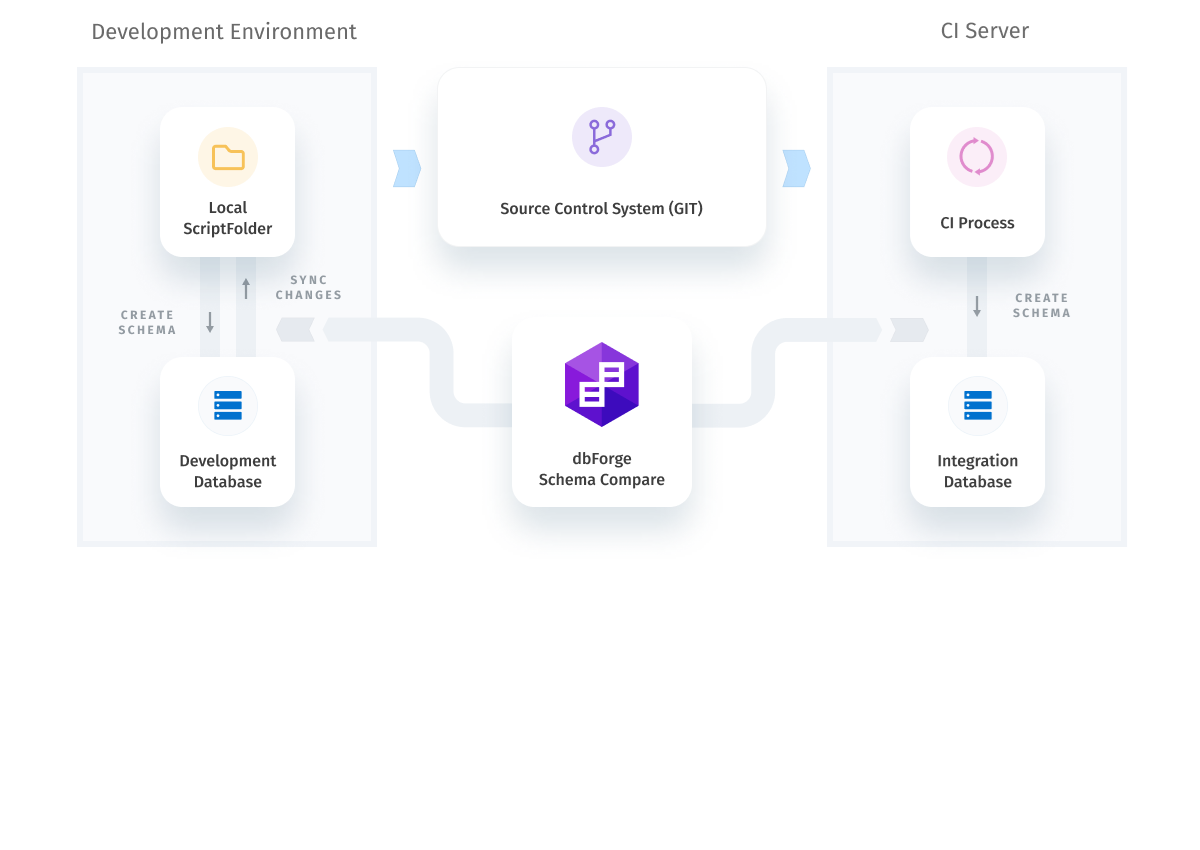
  • Run schema comparisons in automated DevOps pipelines
Get free trial

Integrate Schema Compare into SSMS

dbForge Schema Compare is available both as a standalone application and as an add-in for SQL Server Management Studio. If SSMS is your SQL environment of choice, you can integrate Schema Compare into it and perform your comparisons and synchronizations within the same IDE.

Get free trial

dbForge Compare Bundle for SQL Server

Keep your SQL schemas and data in sync to deploy database changes effortlessly
SAVE UP TO $449.95

Leading companies choose dbForge Schema Compare for SQL Server

Success stories from our customers

Comparison tools

Need a comparison tool for other databases?

Whether you're working with MySQL, MariaDB, Oracle Database, or PostgreSQL, we've got what you need!

Ready to get started?

Get started with dbForge Schema Compare at no cost

Get started with dbForge Schema Compare at no cost

Download a FREE 30-day trial and make your routine database comparison and sync operations twice as fast and effective today.

Buy multiple licenses with a substantial discount

Buy multiple licenses with a substantial discount

We provide flexible purchase options, including bulk discounts, to meet the budget of each and every customer.

Try SQL tools with Schema Compare included

Try SQL Tools with Schema Compare included

Sync schemas, deploy from version control, write SQL, and more with our mega pack of SQL Server tools.