Get Started With the SQL ORDER BY Clause
The SELECT statement is one of the most frequently used commands in SQL Server, which allows you to retrieve data from your database. However, on its own, it lacks the depth and functionality often required for more complex queries. Subqueries, filters, and sorting options enhance its power significantly. Today, we are going to talk about the ORDER BY clause, which organizes and sorts the results of your SELECT queries, making your data easier to analyze and present.
What is the SQL ORDER BY clause?
As mentioned earlier, ORDER BY allows you to sort and organize the data retrieved by the SELECT statement, in either ascending or descending order. By default, the sorting is done in ascending order, if not specified otherwise.
The clause can be used in many different scenarios, including:
- Sorting by date: Display the most recent entries first, like showing the latest orders or activities.
- Alphabetical sorting: List the customer names from A to Z.
- Sorting by multiple columns: Sort the data by one column first and then, within that, by another column.
- Sorting by numeric values: Order products by price from highest to lowest.
- Custom sort order: Sort by specific values, such as categorizing data by status (for example, sort completed tasks first, followed by pending ones).
General syntax
First and foremost, we need to prepare a test environment to better demonstrate all the examples we are about to provide. For these purposes, let us use dbForge Studio for SQL Server as a management tool and BicycleStore as a test database. The latter contains six tables:
- Customers
- Employees
- OrderDetails
- Orders
- Products
- Sales
To begin getting familiar with the practical side of using ORDER BY in SQL Server, let us take a look at its basic syntax:
ORDER BY order_by_expression
    [ COLLATE collation_name ]
    [ ASC | DESC ]
    [ , ...n ]
[ <offset_fetch> ]

<offset_fetch> ::=
{
    OFFSET { integer_constant | offset_row_count_expression } { ROW | ROWS }
    [
      FETCH { FIRST | NEXT } { integer_constant | fetch_row_count_expression } { ROW | ROWS } ONLY
    ]
}
Parameter descriptions
In the syntax above:
- order_by_expression indicates the column(s) or expression(s) you wish to sort the results by.
- COLLATE collation_name specifies the collation to use for sorting character data.
- ASC sorts the data from the lowest value to the highest (A-Z, 0-9). If no order is specified, SQL assumes ascending as the default.
- DESC sorts the data from the highest value to the lowest (Z-A, 9-0).
- OFFSET skips a specified number of rows before returning results.
- FETCH limits the number of rows returned after the offset.
Simple examples
In real life, the syntax can alternate to suit certain conditions and solve different tasks. For instance, here's how you sort customers by their last names in ascending order (the default):
SELECT LastName
FROM Customers
ORDER BY LastName;
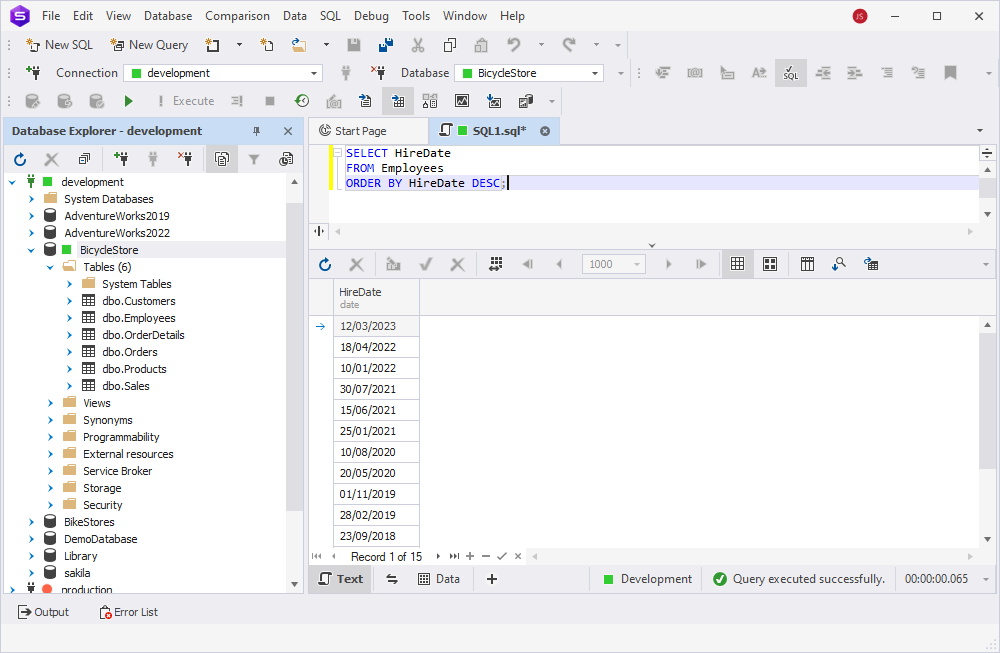
And here's how you sort employees by their hire dates in descending order:
SELECT HireDate
FROM Employees
ORDER BY HireDate DESC;
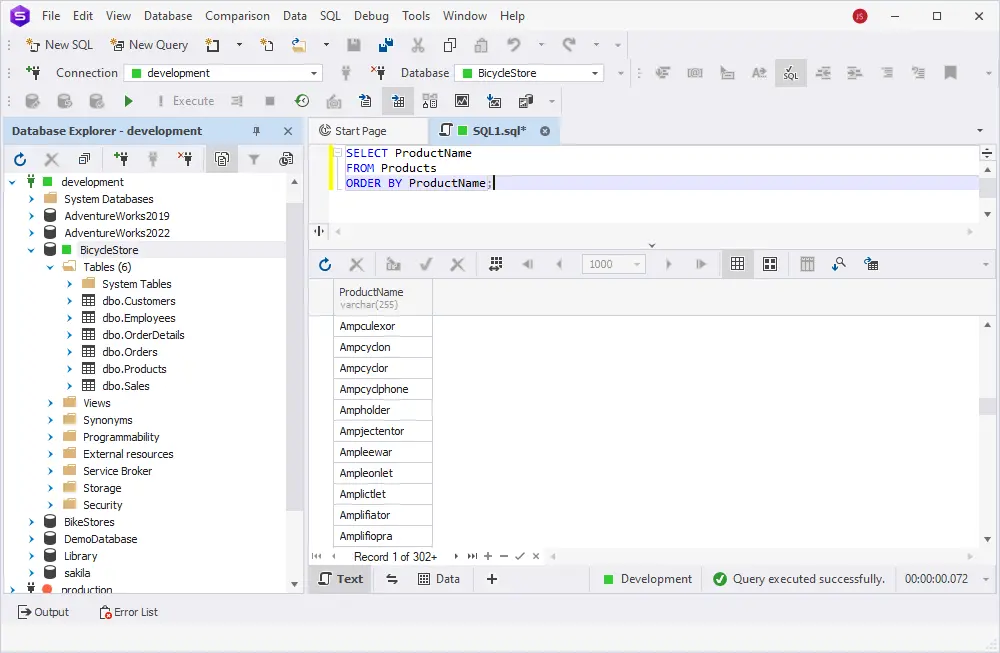
This is how you can sort products by their names in ascending order:
SELECT ProductName
FROM Products
ORDER BY ProductName;
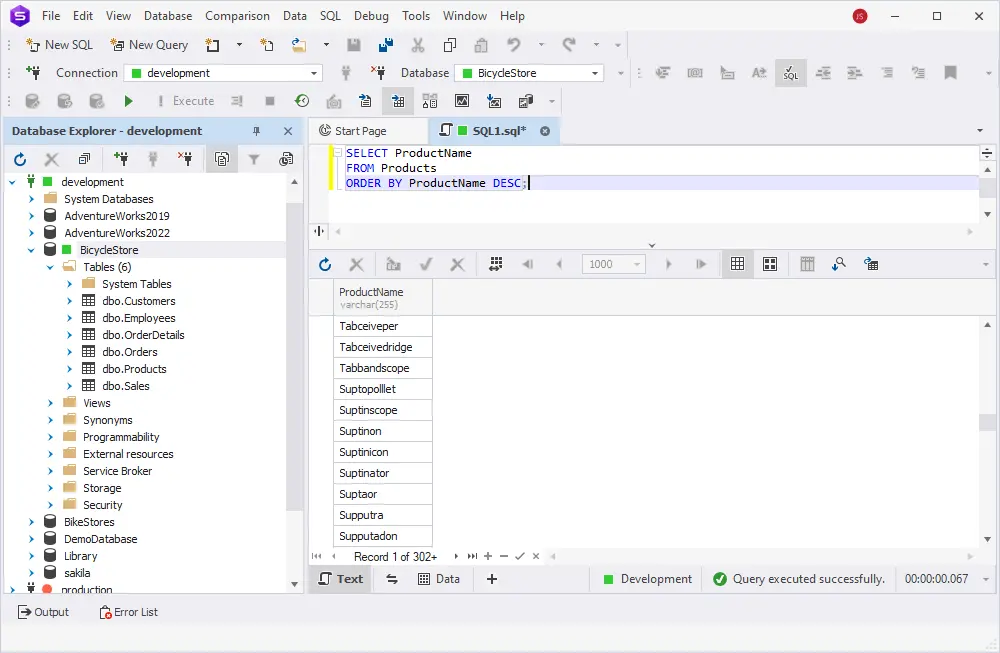
And this is how you can specify DESC for reverse alphabetical order:
SELECT ProductName
FROM Products
ORDER BY ProductName DESC;
Using ORDER BY with multiple columns
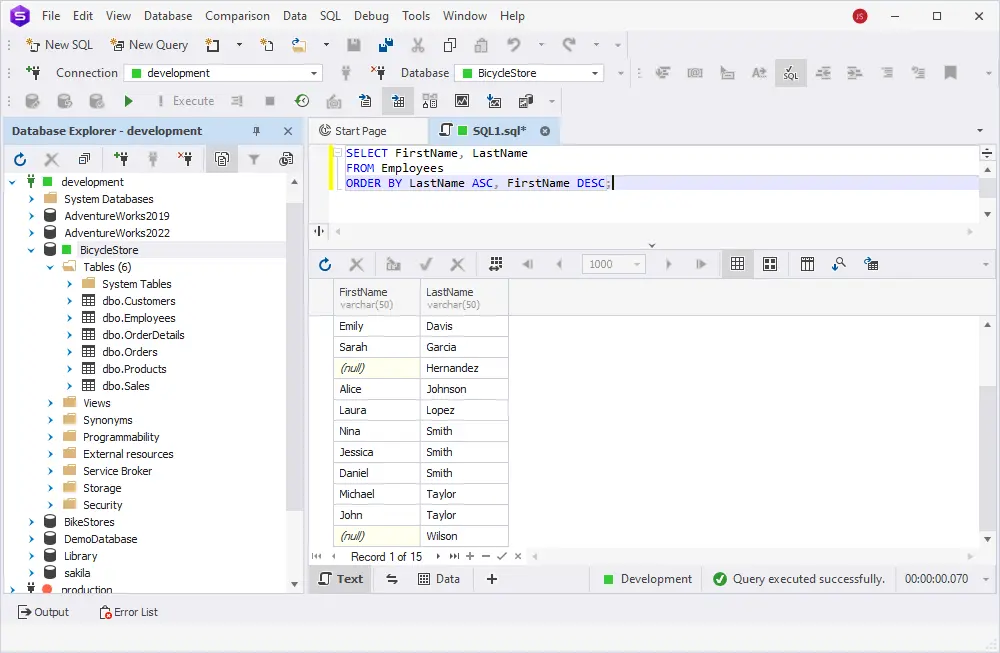
In the previous section, we talked about the ORDER BY syntax for a single column. Now, let us take a step forward and sort our data by two columns at the same time:
SELECT FirstName, LastName
FROM Employees
ORDER BY LastName ASC, FirstName DESC;
In the query above, the primary sorting is done by the LastName column in ascending order. For employees who have the same last name, the results are further sorted by the FirstName column in descending order.
Try it yourself with dbForge Studio
Even though SQL Server Management Studio (SSMS) is the most popular and familiar tool that allows you to work with SQL Server databases, it is not the only one. Moreover, in the continuously evolving world of database development, administration, and management, new GUIs keep appearing like mushrooms after the rain.
How do you choose the tool that is perfect for you among all this variety?
Let's take dbForge Studio for SQL Server and compare it with SSMS so that you can make a proper decision on which solution best aligns with your daily requirements.
| Feature |
dbForge Studio for SQL Server |
SQL Server Management Studio |
| User-friendly interface |
Boasts an intuitive and user-friendly interface, providing a smooth user experience to beginners and experienced developers alike |
While powerful, SSMS can have a steeper learning curve, particularly for those new to SQL Server |
| Advanced functionality |
Offers a wide range of advanced features, including a visual query builder, data and schema comparison tools, and advanced SQL editing capabilities |
Provides the essentials but may lack some of the advanced features available in dbForge Studio |
| Integrated tools |
Comes with integrated tools for schema and data comparison, enabling seamless data synchronization and database management out of the box |
While offering basic tools, SSMS may require extra add-ins delivering advanced features |
| Data generation |
Provides a powerful data generation tool that creates column-intelligent, realistic test data with customizable parameters and populates databases with it in no time |
Incorporates fundamental data generation features but may necessitate additional scripts or tools for advanced and specific data generation requirements |
Take advantage of dbForge Studio for SQL Server by downloading a free, comprehensive 30-day trial version and installing it on your computer. With a huge pack of advanced features and an intuitive GUI, this all-in-one tool can maximize your productivity and make SQL Server database development, administration, and management process efficient.
For a more detailed comparison of the two solutions, watch the SSMS vs. dbForge Studio for SQL Server - Features Comparison video on our YouTube channel.
Handling NULL values
In SQL, NULL is considered the lowest possible value when sorting. Therefore, NULLs appear at the top of the result set when you sort the results in ascending order. Conversely, when sorting in descending order, they will appear at the bottom of the result set.
SELECT FirstName, LastName
FROM Employees
ORDER BY LastName;
Practically, the NULL value for LastName appears first because it is treated as the lowest possible value when sorted in ascending order.
Advanced usage
As we are now done with the basics, it is time to go even further and explore the advanced use cases for ORDER BY. In this section, we will talk
about the COLLATE clause, OFFSET and FETCH for paginated queries, as well as the CASE statement. Let's get on with it!
The COLLATE clause for sorting with a specific collation
In SQL Server, values in ORDER BY can also be case-sensitive, depending on the applied collation. By default, if the collation is case-sensitive, SQL Server will treat values with different cases as distinct and sort them accordingly. This may impact the order of your results.
To ensure case-insensitive sorting, you can explicitly specify a case-insensitive collation using the COLLATE clause:
SELECT
  FirstName, LastName, Email
FROM Customers
ORDER BY Email COLLATE Latin1_General_CI_AS;
In this example, Latin1_General_CI_AS specifies the collation, where CI stands for Case Insensitive, and AS stands for Accent Sensitive.
This will treat 'A' and 'a' the same but differentiate between characters with and without accents.
OFFSET and FETCH for paginated queries
OFFSET and FETCH are used together to limit the number of rows a query returns, typically for paginated results. OFFSET specifies how many rows to skip, and FETCH specifies how many rows to return after skipping the offset.
This helps implement pagination in SQL queries.
SELECT FirstName, LastName
FROM Employees
ORDER BY HireDate
OFFSET 5 ROWS
FETCH NEXT 5 ROWS ONLY;
In the query above:
- OFFSET 5 ROWS skips the first five rows in the result set.
- FETCH NEXT 5 ROWS ONLY retrieves the next five rows starting from the sixth row.
CASE statements for conditional sorting
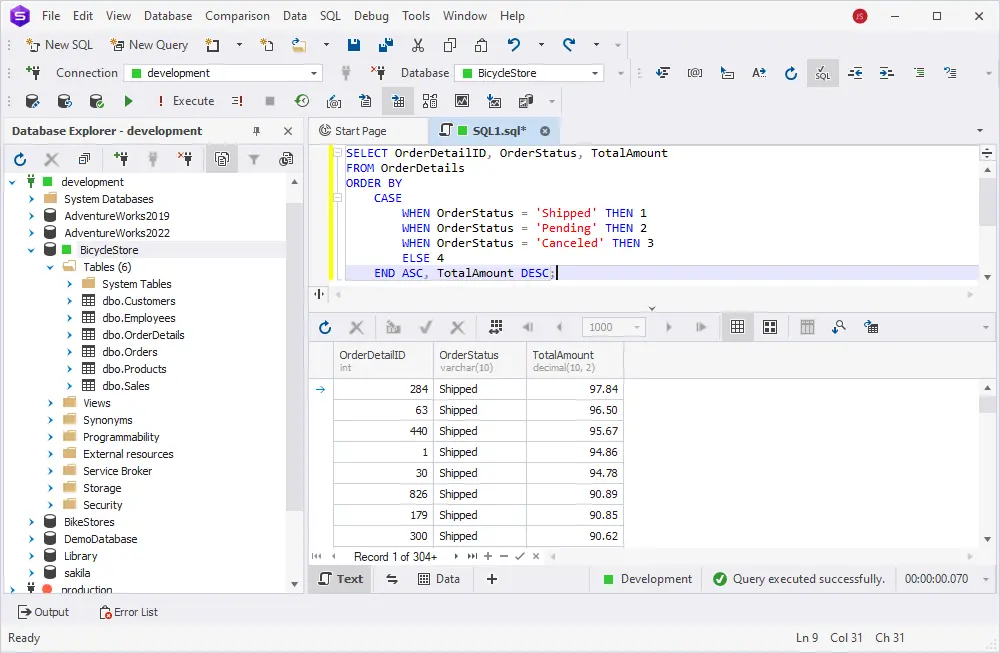
The CASE statement allows you to introduce conditional logic in SQL. You can use CASE within the ORDER BY clause to sort the results differently based on conditions.
SELECT OrderDetailID, OrderStatus, TotalAmount
FROM OrderDetails
ORDER BY
    CASE
        WHEN OrderStatus = 'Shipped' THEN 1
        WHEN OrderStatus = 'Pending' THEN 2
        WHEN OrderStatus = 'Canceled' THEN 3
        ELSE 4
    END ASC, TotalAmount DESC;
In this example:
- The CASE statement assigns a numeric value to each OrderStatus, so the rows with the Shipped status will be sorted first, followed by Pending, then Canceled. All other statuses come last.
- After sorting by OrderStatus, the results are further sorted by TotalAmount in descending order.
Expression as the sort column
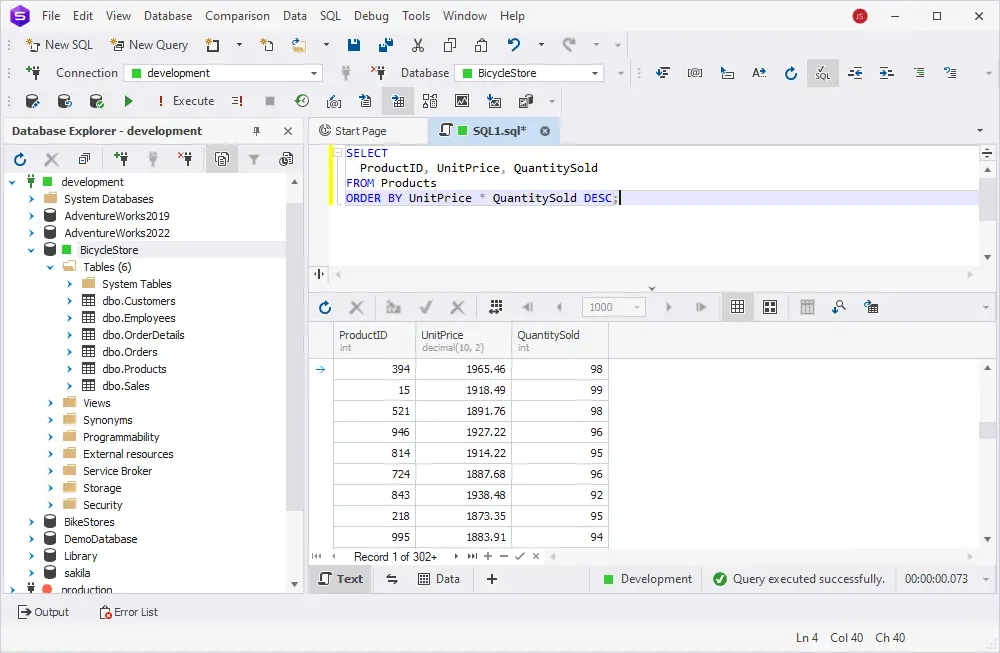
You can sort a result based on an expression that calculates values from existing columns. For example, if you want to sort based on the sum of two columns, you can do the following:
SELECT
  ProductID, UnitPrice, QuantitySold
FROM Products
ORDER BY UnitPrice * QuantitySold DESC;
This query retrieves the product ID, unit price, and quantity sold from the Products table and sorts the results based on the product of UnitPrice and QuantityInStock in descending order.
Comparing ORDER BY with other sorting methods
Besides ORDER BY, there is another way to organize data in SQL Server, and it is GROUP BY. Despite their similarities, these clauses are different.
| ORDER BY |
GROUP BY |
| Controls the presentation of the query results by sorting |
Aggregates data into groups based on column values |
| Does not aggregate data |
Is often used with aggregate functions like COUNT(), SUM(), etc. |
| Returns the entire result set sorted |
Returns one row per group |
In SQL Server, when ORDER BY is used in subqueries or derived tables, it has some specific behavior. Let's take a closer look.
Subqueries
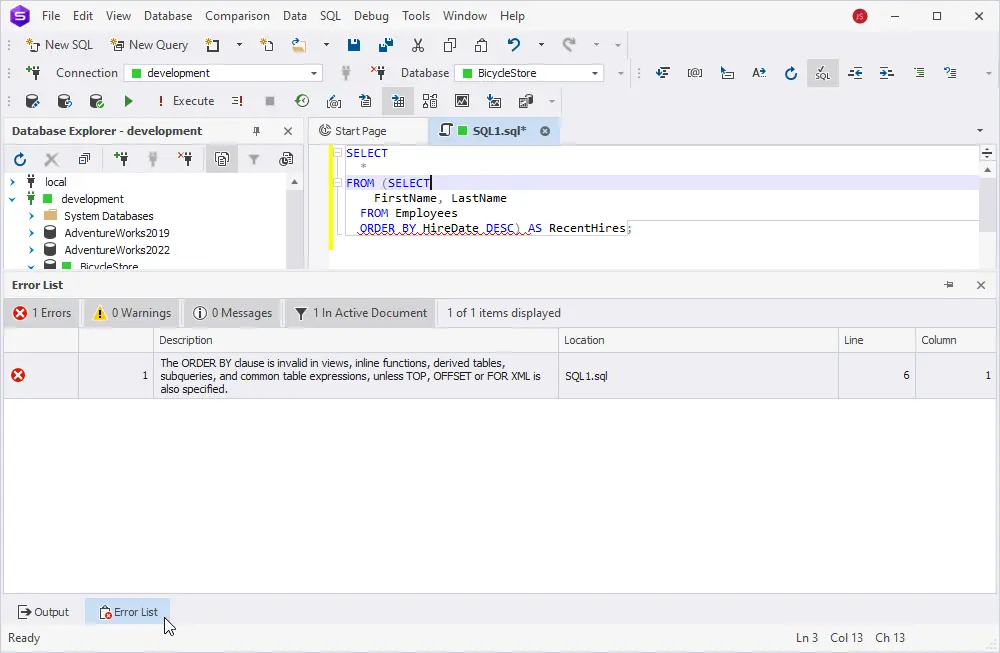
Normally, you cannot use ORDER BY in a subquery unless combined with TOP or used within a window function. SQL Server will return an error if you try to use ORDER BY alone inside a subquery without TOP.
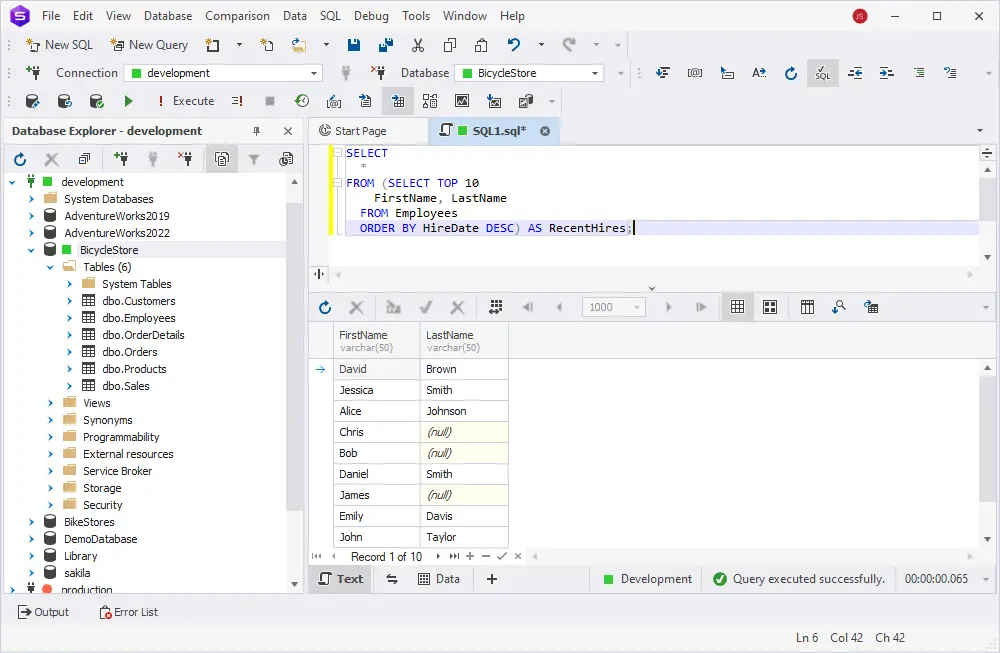
SELECT
  *
FROM (SELECT TOP 10
    FirstName, LastName
  FROM Employees
  ORDER BY HireDate DESC) AS RecentHires;
In this case, we are using TOP 10 along with ORDER BY to get the ten most recently hired employees, and then the outer query selects from that ordered subquery.
Derived tables
Derived tables (or inline views) are subqueries used in the FROM clause of a query. When you use ORDER BY inside a derived table, it must be combined with TOP or a similar construct, as ordering without TOP inside derived tables is generally not allowed.
SELECT
  *
FROM (SELECT TOP 5
    ProductID, ProductName, UnitPrice
  FROM Products
  ORDER BY UnitPrice DESC) AS TopProducts;
In this query, ORDER BY is used inside the derived table along with TOP 5 to select the top five products with the highest prices.
Final sorting outside derived tables
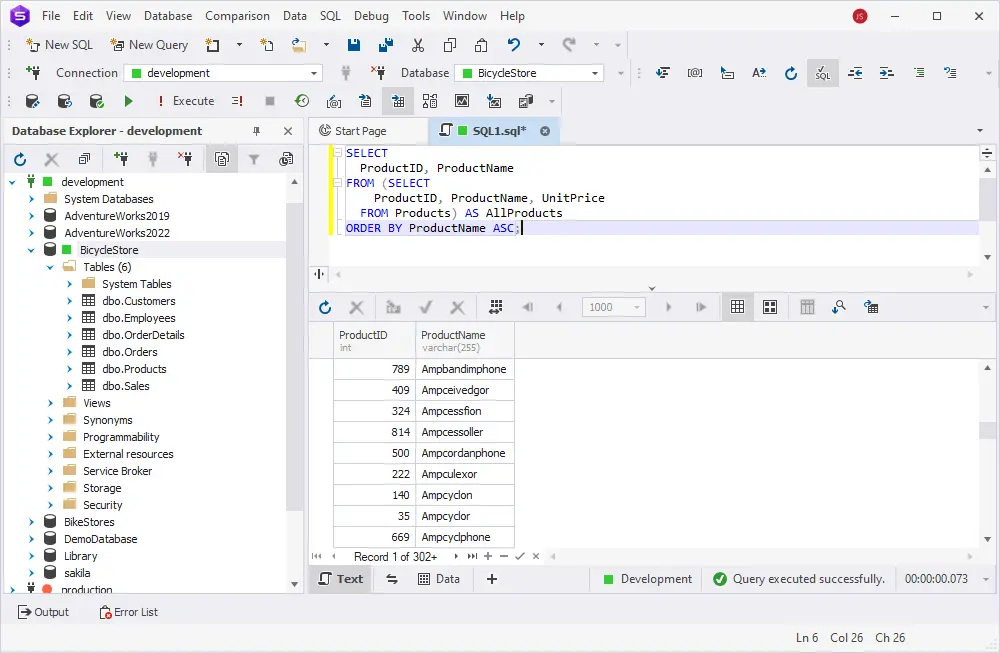
If you wish to order the final result set, you can apply ORDER BY outside the derived table or subquery. This is often the cleanest approach when you need a specific order in your final results.
SELECT
  ProductID, ProductName
FROM (SELECT
    ProductID, ProductName, UnitPrice
  FROM Products) AS AllProducts
ORDER BY ProductName ASC;
Here, the derived table AllProducts retrieves data from the Products table, and the outer query applies ORDER BY to sort the result by ProductName.
Further learning
The following guides can be helpful when working with SQL queries: