Connect your AI tools to live Microsoft Access data

MCP Server for Microsoft Access is a free, self-hosted solution that gives AI tools access to live Access data. It provides a natural-language interface for finding information and navigating database structures without building a custom AI-to-database integration.

  • Explore tables, saved queries, and relationships
  • Understand linked tables across Access files
  • Find the data you need faster
  • Keep AI access private and self-hosted

What is Devart MCP Server for Microsoft Access?

Devart MCP Server for Microsoft Access lets MCP-compatible AI assistants work with information stored in Access databases. Hosted in your environment, it makes data from .accdb and .mdb files available for natural-language questions, including records, tables, saved queries, relationships, and other accessible database content.

Devart ODBC Driver for Microsoft Access provides the connection to Access database files. MCP Server uses the driver to read data and metadata and carry out database operations requested through MCP tools. This allows AI applications to work with Access without requiring a separate integration built for the database format.

How Devart MCP Server for Microsoft Access works

Why connect AI to Microsoft Access data through MCP?

Connecting AI to Microsoft Access through MCP turns a conventional AI chat into a practical way of working with live data. It is much faster than manual data export or SQL querying.

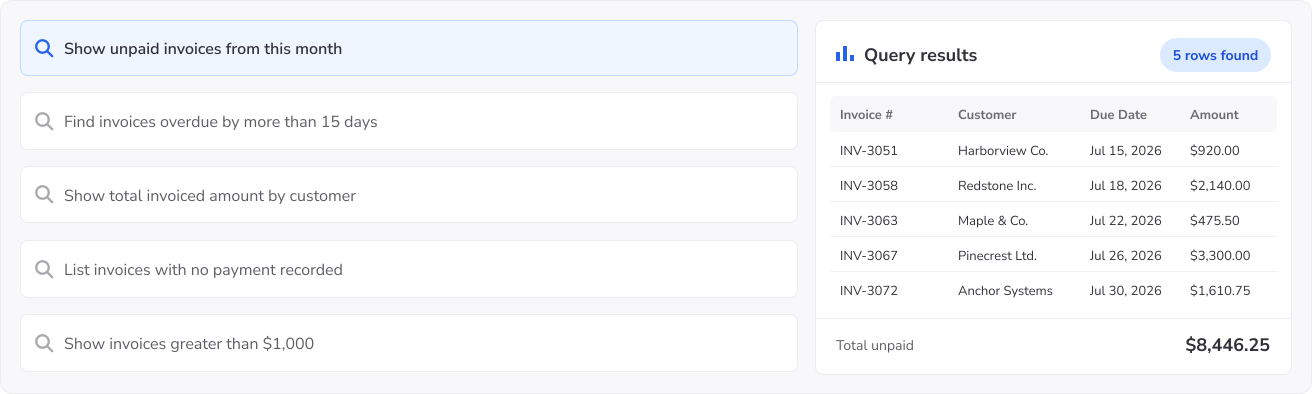
Ask Microsoft Access in plain language

Retrieve data, inspect tables, and investigate issues in the most natural and convenient way.

Ask Microsoft Access in plain language

Built for teams working with Microsoft Access

MCP Server for Microsoft Access gives teams a natural-language interface to Access data for analysis, development, troubleshooting, validation, and controlled AI access.

Team
Request
Devart MCP Server for Microsoft Access How MCP Server for Microsoft Access helps
Analysts & BI teams
Show sales by channel for this year.
Queries the Access database and returns sales grouped by channel, without requiring users to open Access and build a query manually.
Developers & Access maintainers
What does this saved query return?
Examines saved queries, tables, fields, and relationships to help teams understand and maintain existing Access databases.
QA, support & operations teams
Find the data related to ticket #330715.
Retrieves related records from the Access database to help teams investigate and verify issues without searching through forms and reports.
Platform & security teams
How can we give teams AI access to an Access database without sharing the file directly?
Provides a self-hosted layer for controlled AI access to Microsoft Access while keeping database connectivity within your environment.

Built for simpler, safer Microsoft Access AI access

Devart MCP Server for Microsoft Access gives teams a more practical way to bring AI into data workflows — with secure deployment, easier setup, and less custom integration work.

Self-hosted deployment

Self-hosted and controlled

Keep AI-to-data access inside your environment with a secure, controlled Microsoft Access MCP layer.

Fast setup

Fast setup in a few clicks

Start faster with a ready MCP Server instead of building and maintaining a custom integration from scratch.

Compatibility with AI tools

Easy AI tool integration

Connect Claude, VS Code, Cursor, Codex, and other MCP-compatible tools to Microsoft Access with less friction.

Free to use

Free to use

The MCP Server is free — no license key, no activation, no expiry. It connects through Devart ODBC Driver for Microsoft Access, which is licensed separately.

Browser window showing a connected workflow diagram

Built for real Microsoft Access workflows

Support analysis, troubleshooting, investigation, and plain-language access across everyday data work.

Responsive support

Backed by support

Adopt Microsoft Access AI workflows with expert product guidance and dedicated support throughout setup and rollout.

How to get started with an MCP Server for Microsoft Access

1

Download MCP Server

Install the self-hosted server and open the setup.

2

Access your Microsoft Access

Use an existing DSN or create a custom Microsoft Access connection.

3

Connect your AI tool

Integrate Claude, VS Code, Cursor, Codex, or another compatible MCP tool.

4

Ask in plain language

Begin querying your Microsoft Access data in natural language through the MCP layer.

Devart MCP Server for Microsoft Access

Get started with MCP Server for Microsoft Access

Download and set up the free, self-hosted MCP Server to securely connect your AI tools to Microsoft Access and start asking questions in plain language.

Who benefits from Devart MCP Server for Microsoft Access?

Technical teams

Developers, database specialists, and teams that maintain existing Access databases and need to understand their structure and logic without opening Access for every question. They can use natural-language queries to explore tables, fields, relationships, saved queries, and linked tables, retrieve relevant records, investigate dependencies, validate data, and troubleshoot issues in existing Access databases.

Business teams

Operations, finance, sales, and administrative teams that rely on Access databases day to day and need answers in plain language, without building queries or exporting data to Excel.

AI and automation teams

Teams creating internal assistants or automated workflows that need information held in Access databases. MCP gives those applications a reusable way to work with .accdb and .mdb data, including tables and saved queries, without building a dedicated Access integration for each AI client.

Need an MCP Server for multiple data sources?

A single MCP layer for all your databases and cloud services.

Frequently asked questions

What is MCP Server for Microsoft Access?

MCP Server for Microsoft Access adds an AI interface to .accdb and .mdb databases through the Model Context Protocol (MCP). Users can ask questions about records and database structures, inspect saved queries, and work with other available Access content from an MCP-capable AI client.

How does MCP Server connect AI to Microsoft Access?

When an AI client invokes an MCP tool, the server works with the configured Access database through Devart ODBC Driver for Microsoft Access. The driver provides access to the file and its available data and metadata, and MCP Server passes the resulting information back to the client.

Can AI query live Microsoft Access data through MCP?

Yes. Requests are made against the Access database file configured in MCP Server. AI can therefore retrieve its current records and examine available tables, relationships, and saved queries without first copying the database content into another system.

Is MCP Server for Microsoft Access secure?

You choose which Access databases are configured for MCP Server and therefore which .accdb or .mdb files can be reached through AI tools. Access is limited to those configured data sources and the database access available through their connections.

Is MCP Server for Microsoft Access free?

Yes. There is no charge for MCP Server for Microsoft Access, and its use does not require activation or expire. Access to .accdb and .mdb files is provided by Devart ODBC Driver for Microsoft Access, which is licensed independently and offers a 30-day trial.

What can AI assistants do with Microsoft Access through MCP?

AI can find records, examine table relationships, interpret saved queries, work with accessible linked tables, and investigate data used by reports or business processes. It can also answer ad-hoc questions about information contained in an Access database.

Can AI explain saved queries in a Microsoft Access database?

Yes. Available saved queries can be examined to describe what they do and how they work. This includes select, append, update, crosstab, and other query types exposed through the configured Access connection.

Can AI work with linked tables in Access?

Yes, when those tables are accessible through the configured Access database. AI can use local and linked table data together when answering questions, allowing it to follow relationships that extend beyond data physically stored in the Access file.

Do I need to build a custom API integration to connect Microsoft Access to AI?

No. Access databases can be made available through MCP without creating an API around the .accdb or .mdb file. Configure the database in MCP Server and add the server to your AI client; Devart ODBC Driver for Microsoft Access provides the database connectivity needed behind that interface.

Which AI tools work with MCP Server for Microsoft Access?

Claude, Visual Studio Code, Cursor, Codex, Windsurf, Cline, and Zed are examples of clients that can work with MCP Server for Microsoft Access. Because the database is exposed through MCP, the same Access configuration can also be used by other clients that implement the protocol.