Save Big on Black Friday! Up to 40% Off
ends in   {{days}}
Days
{{timeFormat.hours}}
:
{{timeFormat.minutes}}
:
{{timeFormat.seconds}}

ODBC Driver for Microsoft Access

Devart ODBC Driver for Microsoft Access is a high-performance connectivity solution that enables direct SQL connections from 200+ ODBC-compliant reporting, analytics, BI, ETL, and database tools to Microsoft Access data.

The Driver allows you to directly read and modify Microsoft Access files using your preferred tools and applications. For teams that need fast, cross-platform, installation-free connectivity to Microsoft Access databases, Devart ODBC Driver delivers a simple and efficient solution.

  • Verified compatibility with multiple BI and ETL tools
  • Simple installation on multiple computers
  • Easy access to your data from anywhere
  • Direct, installation-free connection to Microsoft Access files
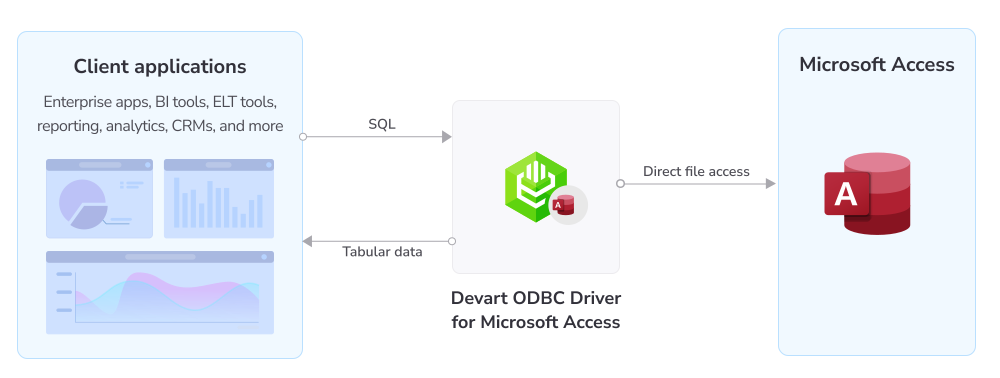
How ODBC Driver for Microsoft Access works

Direct access to .mdb and .accdb files with no Microsoft Access installation

The Driver reads and writes Microsoft Access database files directly, allowing you to work with Access data even on machines (and operating systems) that don't have Access installed.

  • Support for both .mdb and .accdb files (up to Access 2021)
  • No need to install Microsoft Access, Microsoft Office, or Access Database Engine (ACE/Jet)
  • Support for 32-bit and 64-bit architectures
  • Single driver for Windows, macOS (including Apple Silicon), and Linux

Features

Direct access to Microsoft Access files

Direct file access

With the Driver, you can connect to .mdb and .accdb files without installing Microsoft Access, Microsoft Office, or Access Database Engine (ACE/Jet).

Access to database structures, schemas, tables, and other metadata

Object and metadata access

The Driver allows you to retrieve tables, columns, indexes, primary keys, and other metadata through standard ODBC functions.

Full support of ODBC functions, data types, and standards

ODBC conformance

Our Driver is fully compliant with the ODBC API and data types, as well as with SQL-92, allowing any ODBC-aware application to work with your Access data.

Bidirectional mapping between Microsoft Access and ODBC data formats

Advanced data conversion

The Driver supports full bidirectional mapping of all Microsoft Access data types, including AutoNumber and Replication ID, with Unicode support.

Advanced caching which accelerates performance

High performance

The ODBC Driver speeds up reads with caching through CacheLifetime and CacheSize, PartialIndex support, batch updates, connection pooling, and prepared statements.

Multi-application access to the database

Concurrent multi-application access

With SharedMode and SharedTimeout, several applications can read from and write to the same Access database simultaneously.

Support for Windows, macOS, and Linux

Cross-platform connectivity

The Driver supports Windows, macOS (including Apple Silicon), and Linux, in both 32- and 64-bit versions, so you can use Access data even when Microsoft Access is not installed.

Work with Microsoft Access files through standard SQL
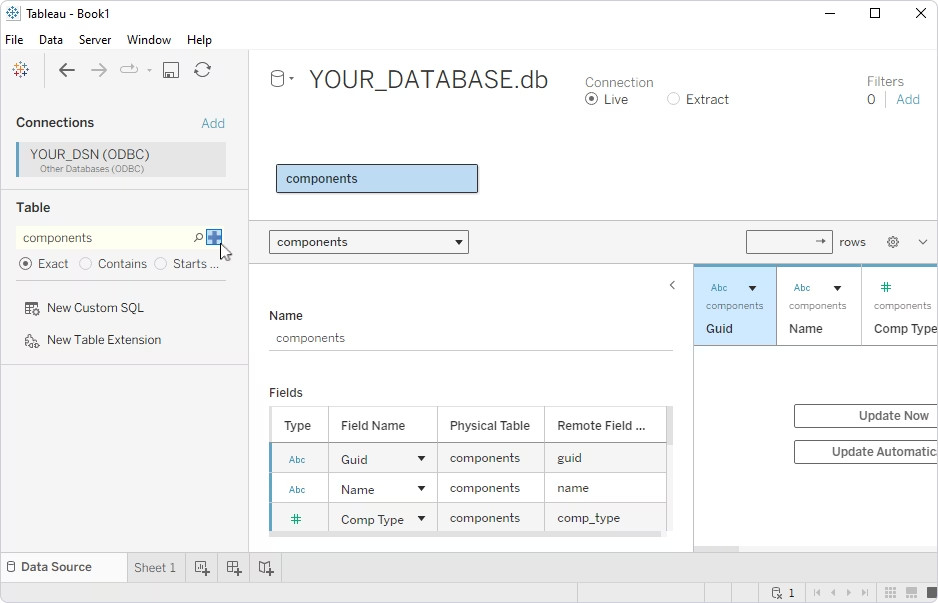
Tables and queries as SQL

Using our ODBC Driver for Microsoft Access, you can work with Access tables and use standard SQL to execute SELECT statements and UNION queries exposed as views.

How does Devart ODBC Driver stack up against the native Microsoft Access (ACE) ODBC driver?

Features
Devart ODBC Driver
Microsoft Access ODBC driver
Platforms
Windows, macOS, Linux
Windows only
32-bit & 64-bit support
Both, side by side, no conflict
Only one architecture per machine; must match the installed Office architecture
Dependencies
Standalone, no Office/ACE/Jet required
Requires the Access Database Engine redistributable; tied to Office (Click-to-Run can block external use)
Behavior stability
Independent, versioned Driver
Office updates can change ACE/OLE DB behavior
Standards
Full ODBC API, ANSI SQL-92, Unicode support
ODBC support via ACE

Pricing

ODBC Driver for Microsoft Access

Starts from

$139.95
per year
Try the Driver

Key features:

  • Direct access to .mdb and .accdb files—no Microsoft Access or Microsoft Office required
  • Cross-platform connectivity: Windows, macOS, and Linux (32- & 64-bit)
  • Access to tables and queries (as views) via standard SQL
  • Concurrent multi-application access
  • Full ODBC API and ANSI SQL-92 support

ODBC Drivers Universal Bundle

Starts from

$499.95
per year
Try the Universal Bundle

Key features:

  • Support for all 92 ODBC Drivers
  • Easy access to live data from anywhere
  • Full support for standard ODBC API functions and data types
  • No need for database client libraries
  • Support for ODBC-compliant reporting, analytics, BI, and ETL tools
  • Secure connections via SSL, SSH, and HTTPS tunneling

Verified compatibility with 200+ tools

Devart ODBC Drivers are verified to be compatible with leading analytics and reporting tools, various IDEs and programming languages. Get fast and secure access to your data in any application using our ODBC Drivers!

Common use cases for the ODBC Driver for Microsoft Access

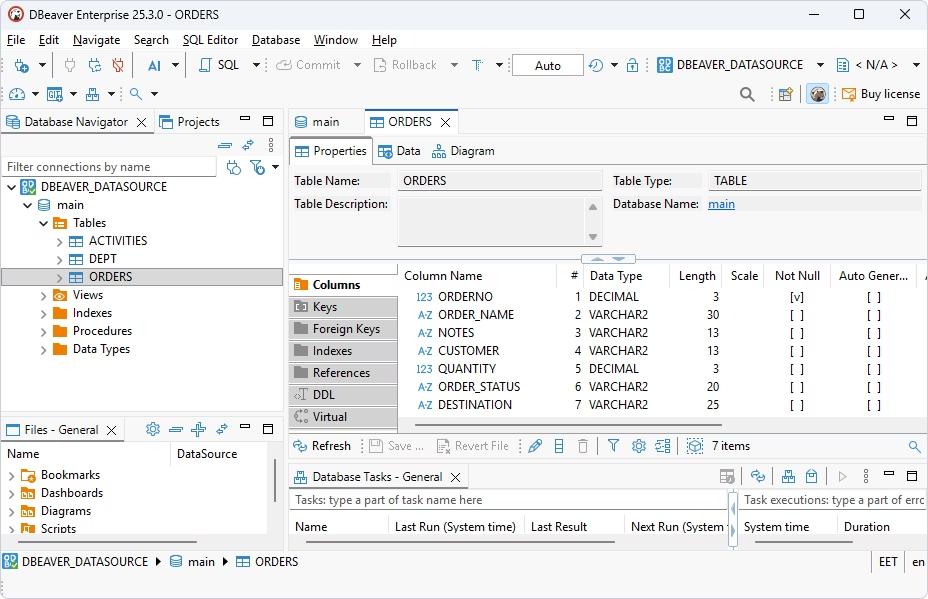
Database developers and administrators can open .mdb and .accdb files as SQL tables directly from the tools they already use, including SQL Server Management Studio through Linked Server, DBeaver, RazorSQL, and Microsoft Access. The Driver makes it possible to query and edit records directly in Access database files without installing the Microsoft Access runtime or the ACE engine, helping integrate legacy and file-based Access data into familiar database management workflows.

Data analysts and BI teams can connect Power BI, Tableau, Qlik, Crystal Reports, or other tools they typically use in their daily workflows directly to .accdb and .mdb files over ODBC and report on Microsoft Access data in real time. The Driver helps bring data stored in standalone MS Access databases into the same dashboards and analytics workflows as data from warehouses, cloud platforms, and SaaS applications, creating integrated environments for efficient business intelligence and analysis.

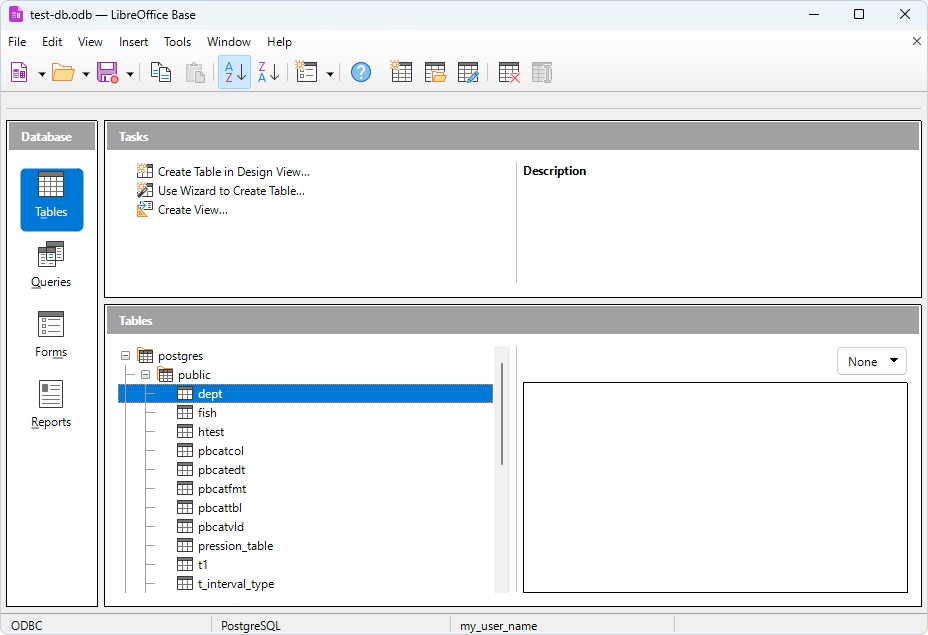
With the Driver, business users and analysts can connect Microsoft Excel, LibreOffice, or other popular office tools directly to .mdb and .accdb files through an ODBC DSN and work with current MS Access data in familiar spreadsheet environments. The Driver supports refreshable queries, pivot tables, and ad hoc reports, helping teams efficiently analyze and share data without relying on manual exports, repeated file imports, or copy-and-paste workflows.

Our ODBC Driver for Microsoft Access allows application developers to use a standard ODBC interface to connect C++, Python, PHP, and Delphi applications directly to Microsoft Access files. The Driver helps maintain and extend legacy Access-based applications, access .mdb and .accdb data across Windows, macOS, and Linux, and move Microsoft Access data into modern databases and data pipelines using familiar SQL-based workflows for migration and ETL.

Roles

Managers and analysts

Pull reports and insights directly from your .accdb and .mdb files into Power BI, Tableau, or Excel—without opening Microsoft Access or waiting for someone to export and send you a spreadsheet. Enjoy faster access to the data you need for reporting, analysis, and decision-making while reducing manual handoffs and keeping reports connected to the original data source.

IT & data teams

Manage Access data across Windows, macOS, and Linux consistently with concurrent access for multiple apps and a smooth workflow in both 32-bit and 64-bit architectures.

Developers

Build and maintain software on top of Access files from C++, Python, PHP, or Delphi through a single ODBC interface and ship it to platforms with no Microsoft Access installed.

ODBC Universal Bundle

Get high-performance ODBC Drivers for 92 databases and cloud services in a single Universal Bundle with a 95% discount

Ready to get started?

Get a 30-day free trial now

Get a free trial now

You can download our ODBC Driver for a free 30-day trial. It is a great way to see the Driver in action with no hurry.

Enjoy bulk discounts

Enjoy bulk discounts

We offer flexible options to meet your budget in the optimal way. You can get bulk discounts for multiple purchases.

Need a hand?

Need a hand?

If you need any help or have questions about our connectivity solutions or purchasing options, feel free to get in touch.

FAQ

What is the Microsoft Access ODBC Driver?

The ODBC Driver for Microsoft Access is a standards-compliant ODBC connector that reads and writes Microsoft Access database files—.mdb and .accdb—as SQL tables, so any ODBC-aware application can query and edit Access data on Windows, macOS, and Linux without installing Microsoft Access or the Access Database Engine.

How do I connect to Microsoft Access using ODBC?

To connect to MS Access, you can use Devart ODBC Driver. Download and install the Driver, create a DSN with the data source pointing to your .mdb or .accdb file, then point any ODBC-compliant tool—Power BI, Excel, Tableau, or others—at that DSN. For step-by-step setup instructions, see the Get started guide.

Do I need Microsoft Access or Office installed?

No. The Driver reads the database file directly and requires no Microsoft Access, Office, or Access Database Engine (ACE/Jet), which also eliminates any Office 32/64-bit architecture conflicts.

Which file formats are supported?

The Driver supports both Microsoft Access formats—.mdb and .accdb—up to Access 2021.

Are there 32-bit and a 64-bit Drivers?

Yes. The Driver is available in both 32-bit and 64-bit builds for each platform; install the build that matches your application's bitness. Unlike the Microsoft engine, the two versions will not conflict with your Office installation.

Which operating systems are supported?

The Driver supports Windows, macOS (including Apple Silicon), and Linux, in both 32-bit and 64-bit versions.

What does a Microsoft Access ODBC connection string look like?

The connection string points the data source at your database file, for example: DRIVER={Devart ODBC Driver for Microsoft Access};Database=C:\data\contacts.accdb. You can also configure the path and options through a DSN.

Where can I download the Microsoft Access ODBC Driver?

You can download the MS Access ODBC Driver for Windows, macOS, and Linux (32-bit and 64-bit) from the Download page, where you can get a free 30-day trial version that can be activated with a license key after purchase.