Devart’s Birthday Sale Is On — 20% Off All Products
ends in   {{days}}
Days
{{timeFormat.hours}}
:
{{timeFormat.minutes}}
:
{{timeFormat.seconds}}

ODBC Driver for MongoDB

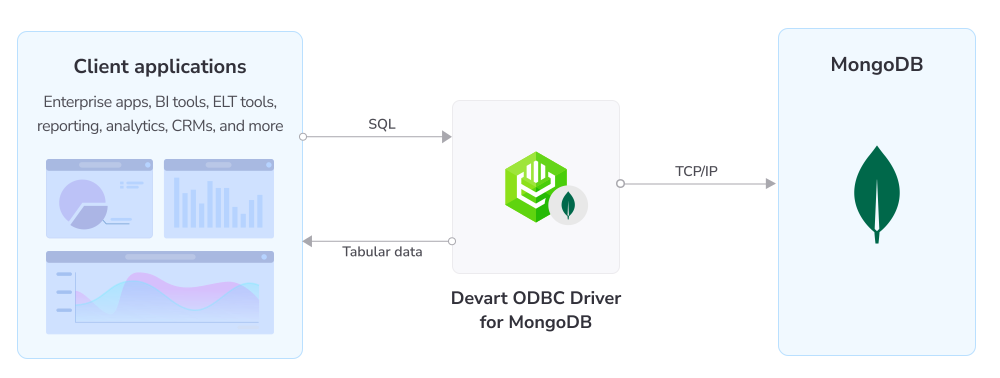
Devart ODBC Driver for MongoDB is a high-performance connectivity solution that exposes MongoDB collections as SQL tables, giving 200+ ODBC-compliant reporting, analytics, BI, and ETL tools SQL access to a document database—from Power BI, Tableau, and Excel to enterprise ETL pipelines. It works on both 32-bit and 64-bit Windows, macOS, and Linux, and fully supports standard ODBC API functions and data types, enabling straightforward and secure access to live MongoDB data from anywhere.

  • Verified compatibility with multiple BI and ETL tools
  • Simple installation on several computers
  • Easy access to live data from anywhere
  • Fast data transmission
How ODBC Driver for MongoDB works

Direct connection to MongoDB

Our data connector enables various ODBC-aware applications to establish a direct connection to MongoDB via TCP/IP without any additional MongoDB libraries or clients—the MongoDB client library is bundled with the Driver. A direct connection increases the speed of data transmission between an external application and MongoDB for real-time analytics. It also simplifies the deployment process since there is no need to distribute any additional libraries or client tools with the Driver.

The Driver enables connections to:
  • MongoDB (self-hosted/replica sets)
  • MongoDB Atlas (via the DNS seed list connection format)

Features

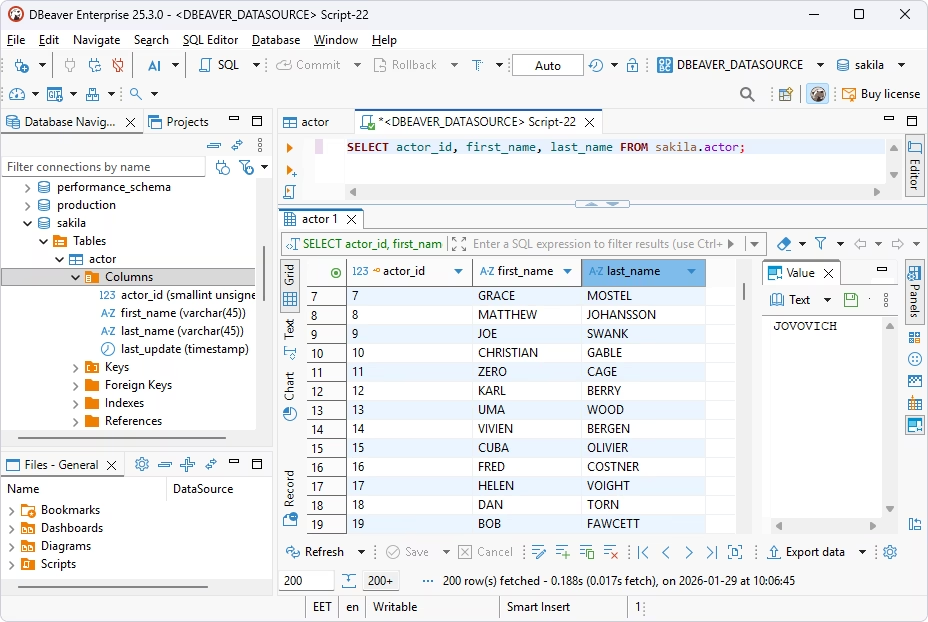
Querying MongoDB collections with standard SQL

Collections as SQL tables

Query MongoDB documents with standard SQL—SELECT, INSERT, UPDATE, and DELETE queries and other SQL operations against collections—without learning the MongoDB query API.

Direct connection to MongoDB databases

Direct connection

The Driver enables direct connections to MongoDB over TCP/IP. The MongoDB client library is bundled with the Driver, which eliminates the need to distribute additional client software or libraries.

Connecting to MongoDB Atlas using the DNS seed list format

MongoDB Atlas & DNS seed list

With our Driver, you can connect to MongoDB Atlas and replica sets using the DNS seed list connection format instead of manually updating the connection string.

Cross-platform Driver with GUI configuration on Windows macOS and Linux

Cross-platform support

Our ODBC Driver runs on both 32-bit and 64-bit Windows, macOS (including Apple Silicon), and Linux with a graphical configurator on all the supported platforms.

Full support of ODBC functions, data types, and standards

ODBC conformance

Our ODBC Driver fully supports the ODBC API and data types, allowing any ODBC-aware application to work with MongoDB.

Bidirectional mapping between MongoDB BSON and ODBC data formats

Advanced data conversion

The Driver supports bidirectional mapping of BSON/document types, including object and array fields and ObjectId, to ODBC types.

Secure encrypted connections using SSL/TLS and SSH tunnels

Secure connections

Protect data with SSL/TLS encryption (including custom certificates) and SSH tunneling; DSN passwords are stored encrypted.

High performance through caching, pooling, and batch updates

High performance

Local data caching, connection pooling, batch updates, and prepared statements make every operation with MongoDB significantly faster.

Pricing

ODBC Driver for MongoDB

Starts from

$139.95
per year
Try the Driver

Key features:

  • Compliance with ODBC 3.52
  • Direct connection to MongoDB without additional client software
  • Full compliance with the ODBC API and data types
  • SQL access to MongoDB collections as tables
  • Verified compatibility with 200+ BI and ETL tools
  • Bulk (batched) data operations

ODBC Drivers Universal Bundle

Starts from

$499.95
per year
Try the Universal Bundle

Key features:

  • Support for all 92 ODBC Drivers
  • Easy access to live data from anywhere
  • Full support for standard ODBC API functions and data types
  • No need for database client libraries
  • Support for ODBC-compliant reporting, analytics, BI, and ETL tools
  • Secure connections via SSL, SSH, and HTTPS tunneling

Verified compatibility with 200+ tools

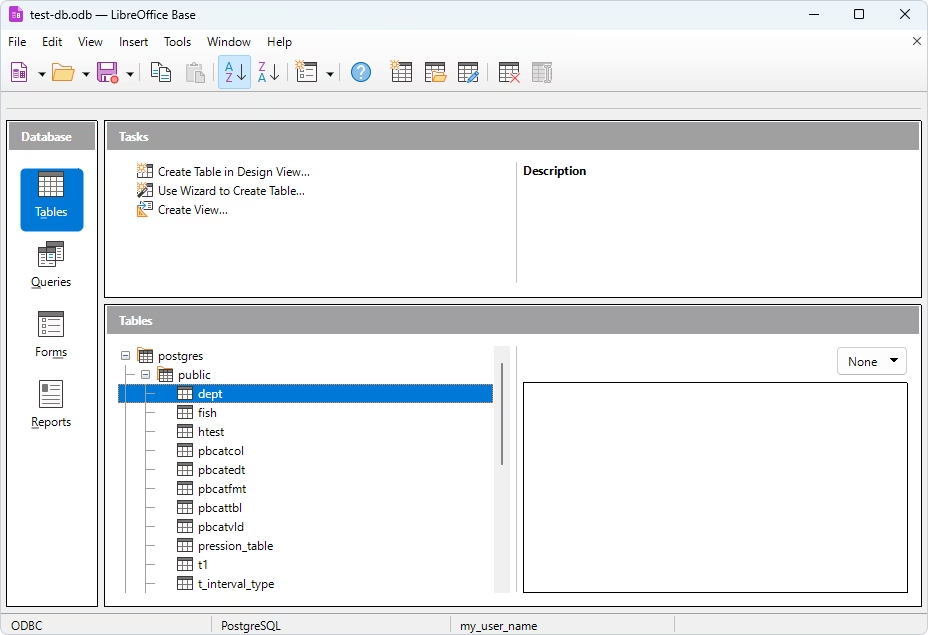
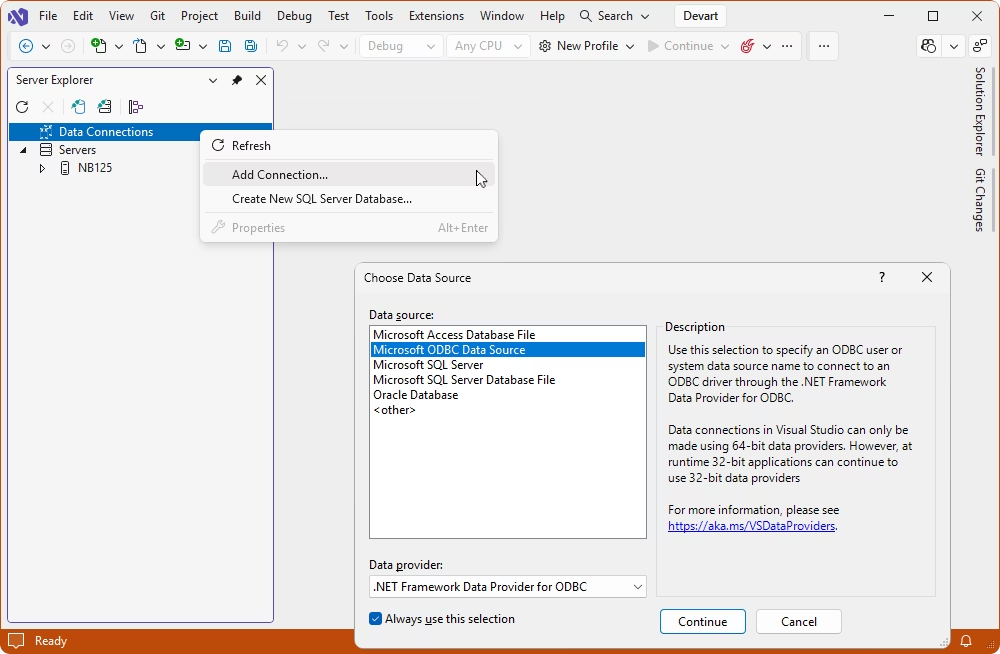
Devart ODBC Drivers are verified to be compatible with leading analytics and reporting tools, various IDEs and programming languages. Get fast and secure access to your data in any application using our ODBC Drivers!

Roles

IT & data teams

Connect MongoDB and MongoDB Atlas to your data pipelines with a consistent, reliable workflow across Windows, macOS, and Linux and integrate live MongoDB data into ETL and ELT processes.

Computer monitor displaying data

Developers

Build data-driven applications, internal tools, and automated reporting on MongoDB using a consistent ODBC interface and standard SQL with no need for native MongoDB APIs.

Person working on a computer

ODBC Universal Bundle

Get high-performance ODBC Drivers for 92 databases and cloud services in a single Universal Bundle with a 95% discount

Ready to get started?

Get a 30-day free trial now

Get a free trial now

Download our ODBC Driver for a free 30-day trial. A great way to see the Driver in action with no hurry.

Enjoy bulk discounts

Enjoy bulk discounts

We offer flexible options to meet your budget in the optimal way. You can get bulk discounts for multiple purchases.

Need a hand?

Need a hand?

If you need any help or have questions about our connectivity solutions or purchasing options, feel free to get in touch.

FAQ

What is the MongoDB ODBC Driver?

The ODBC Driver for MongoDB is a standards-compliant connector that exposes MongoDB collections as SQL tables, letting any ODBC-aware application read and write live MongoDB data over a direct TCP/IP connection on 32-bit and 64-bit Windows, macOS, and Linux.

How to connect to MongoDB using ODBC?

You can use Devart's MongoDB ODBC Driver. Download and install it following the wizard's instructions. Create a DSN with your MongoDB server/host, port (default 27017), database, and credentials. For MongoDB Atlas, use a DNS seed list. Then point any ODBC-compliant tool at that DSN. For detailed instructions, see the documentation.

What does a MongoDB ODBC connection string look like?

A basic DSN-less string is as follows: DRIVER={Devart ODBC Driver for MongoDB};Data Source=myhost;Port=27017;Database=mydb;User ID=myuser;Password=mypassword. For MongoDB Atlas, use the DNS seed list format instead of an explicit host and port. See the documentation for detailed information about the connection parameters.

Does the Driver work with MongoDB Atlas?

Yes. The Driver connects to MongoDB Atlas using the DNS seed list connection format, secured with SSL/TLS.

Which MongoDB versions are supported?

The Driver supports MongoDB 3.2 and higher (libmongoc 1.3.5 and higher), including MongoDB Atlas.

Do I need to install MongoDB client software?

No. The MongoDB client library is bundled with the Driver, so no additional client software is required.

Which authentication and security methods are supported?

The Driver supports user/password authentication over SSL/TLS with custom certificate support, plus SSH tunneling. DSN passwords are stored encrypted.

Can I configure the Driver with a GUI on macOS and Linux?

Yes. The Driver includes a graphical configuration tool for macOS and Linux, in addition to Windows.

Is there a 64-bit MongoDB ODBC Driver? Which operating systems are supported?

The Driver ships in both 32-bit and 64-bit versions for Windows, macOS (including Apple Silicon), and Linux.

Where can I download the MongoDB ODBC Driver?

You can download the MongoDB ODBC Driver for Windows, macOS, and Linux (32-bit and 64-bit) from the Download page and install the fully functional trial version of the Driver. The same installer can be activated with a license key after purchase.