dbForge Studio for MySQL Features

Documentation
Find technical information on product installation, activation, and utilization
Go to documentation center
Release Notes
Discover the latest product launches, enhancements, and bug fixes
View revision historyAI Assistant
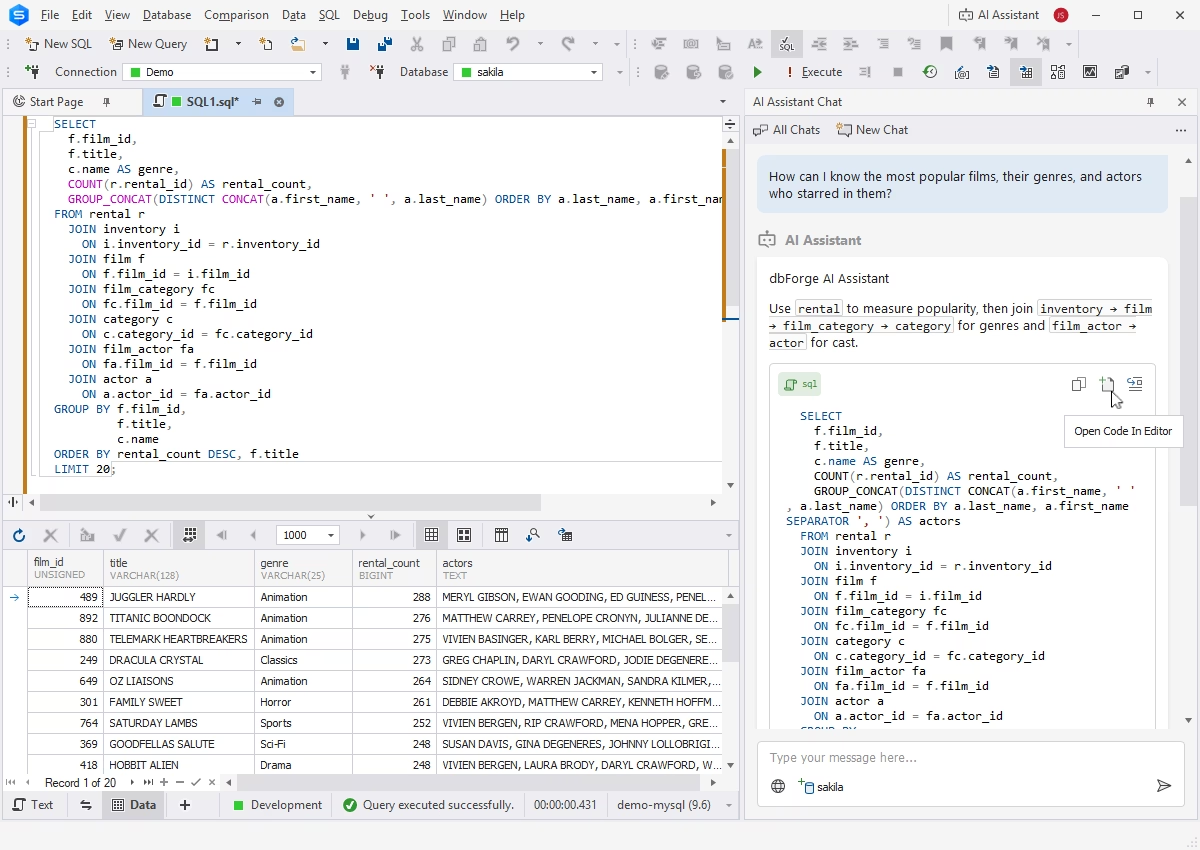
dbForge AI Assistant is an integrated copilot that generates error-free SQL queries based on the context of your databases, identifies and troubleshoots issues in pre-written queries, explains parts of SQL code, and provides you with helpful consultations on everything related to SQL and MySQL/MariaDB databases in real time.
Query writing and editing
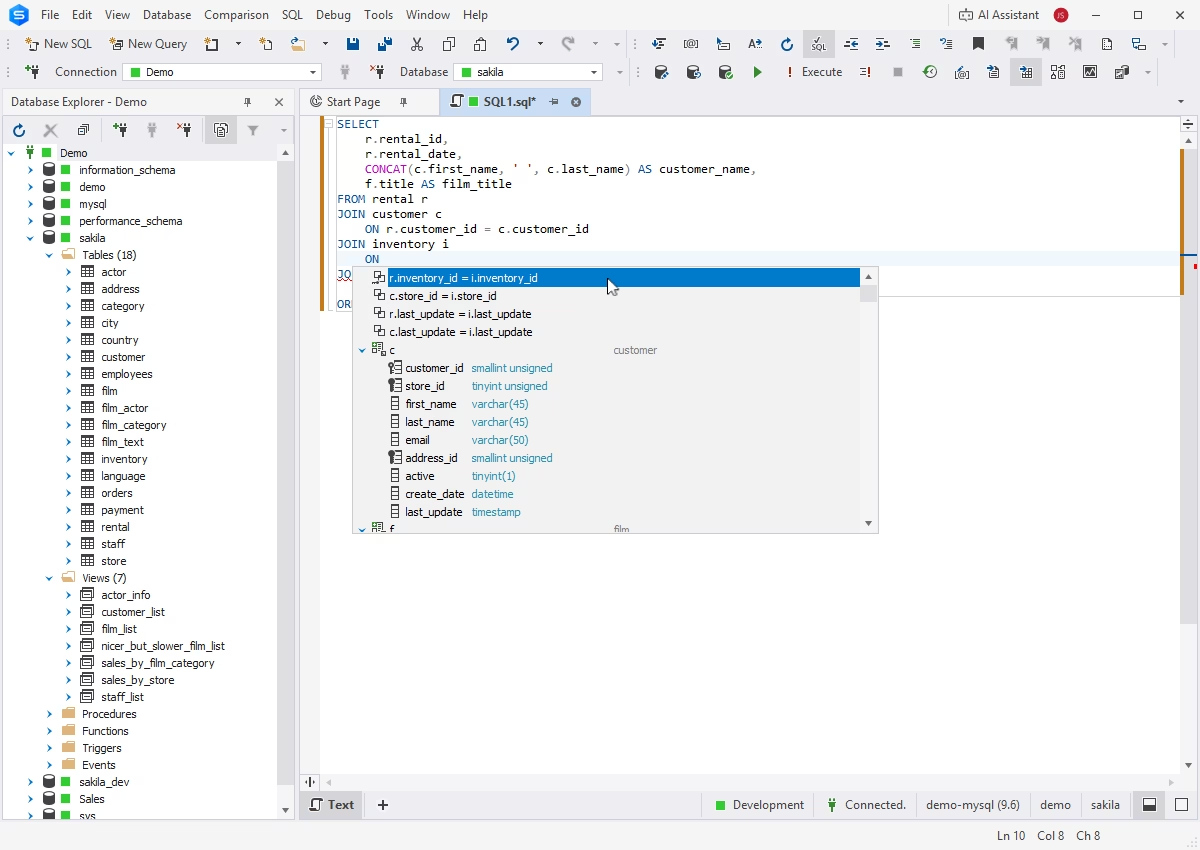
SQL Editor with smart code completion
The Studio's context-aware IntelliSense-like code completion provides as-you-type keyword and object suggestions, helping you write clean and consistent SQL code up to 4 times faster.
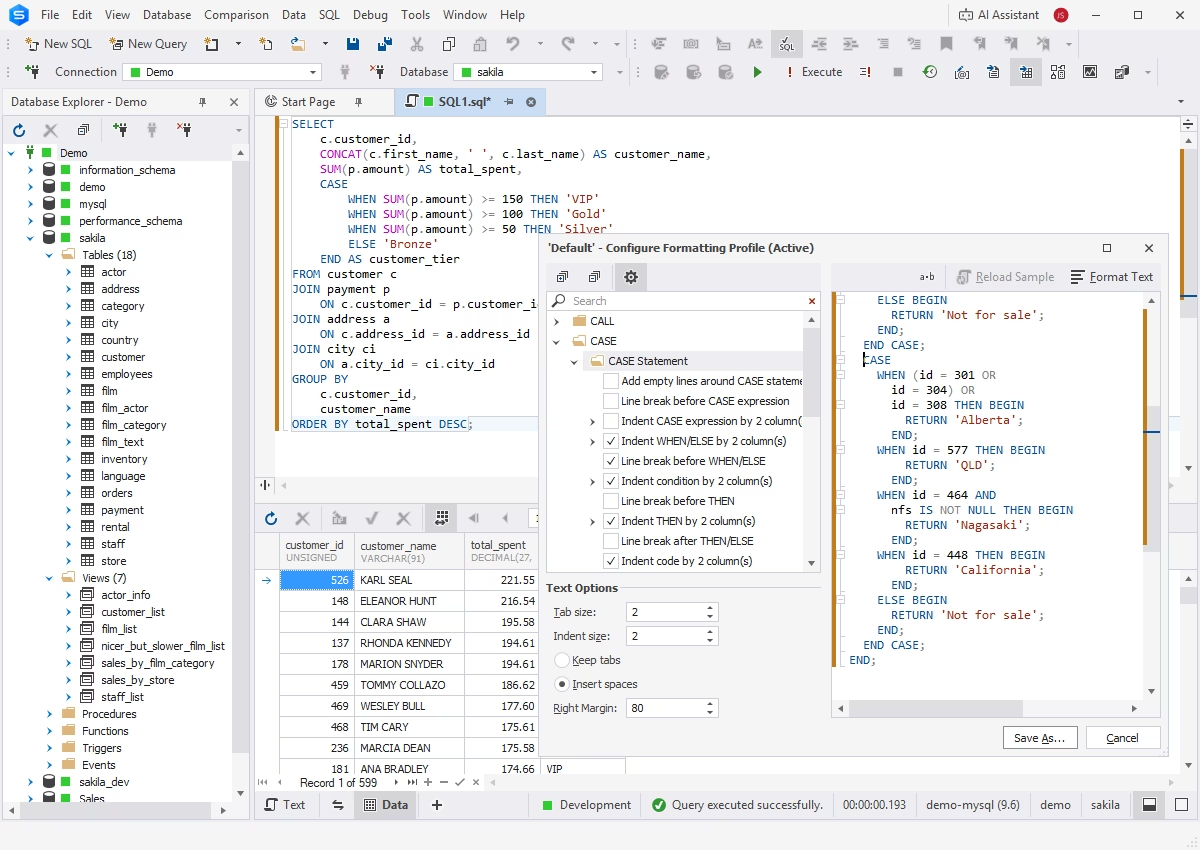
SQL code formatting
Advanced formatting capabilities and a handy library of predefined and custom formatting profiles allow you to improve the readability, consistency, and standardization of your SQL code.
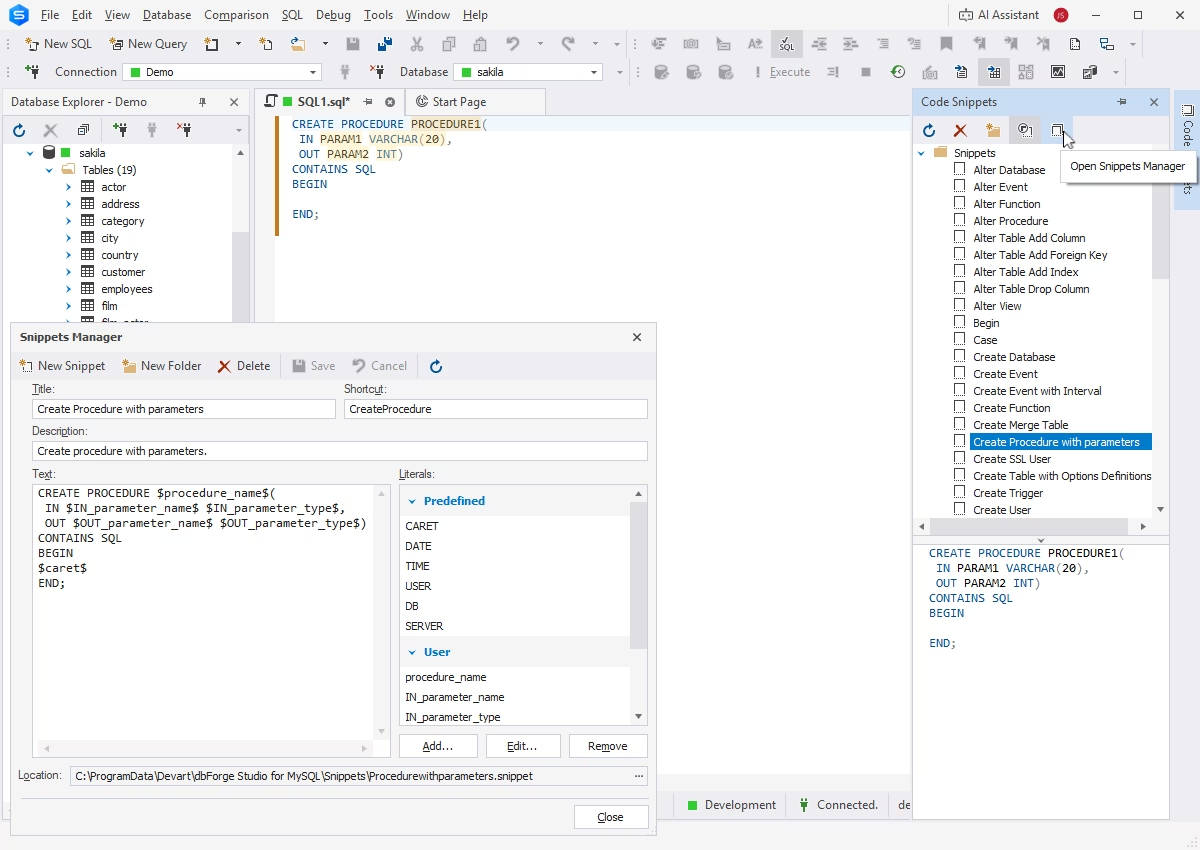
SQL code snippets
SQL code snippets are reusable code fragments that contain individual statements or groups of statements for specific operations. dbForge Studio for MySQL provides a library of snippets that can be easily expanded and customized. Inserting snippets into code requires only a few clicks.
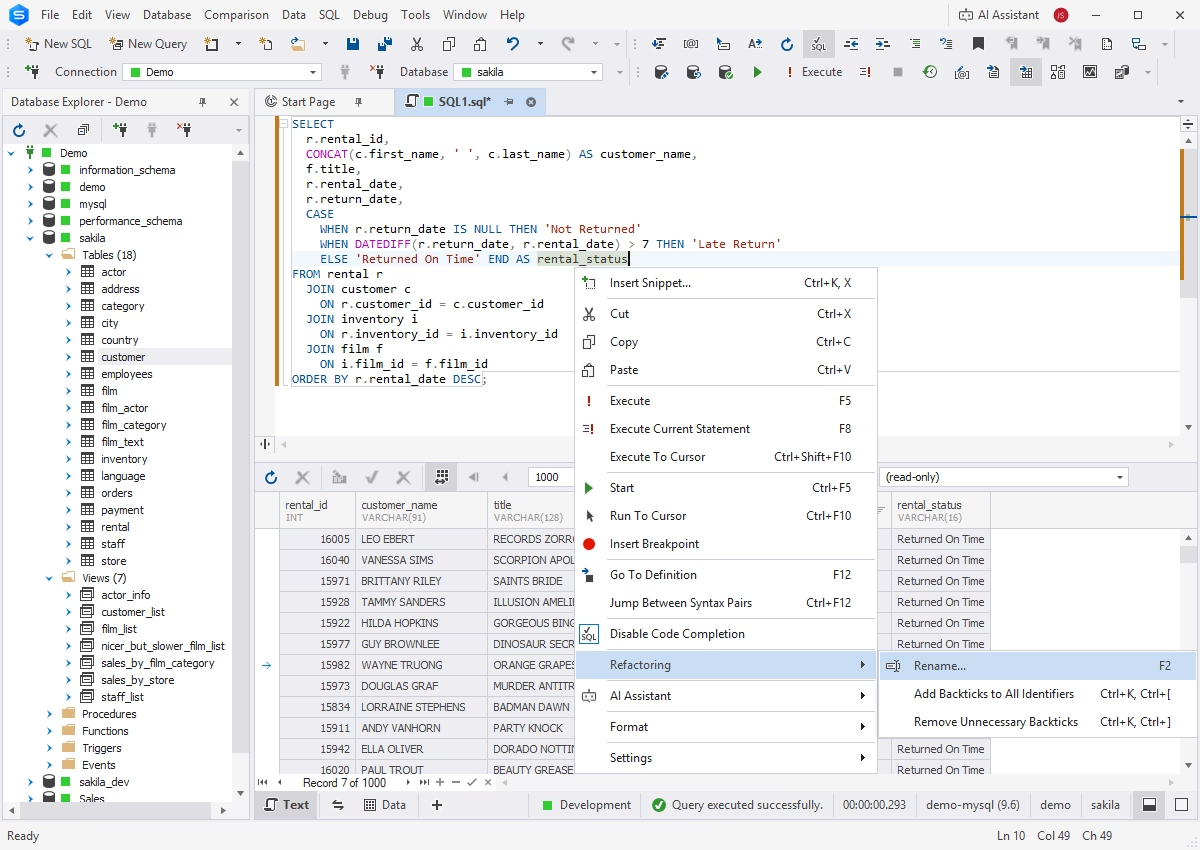
SQL refactoring
The code refactoring feature enables fast and accurate renaming of database objects and their aliases and applying updates to all related references automatically. A preview option ensures that no unnecessary changes will be applied.
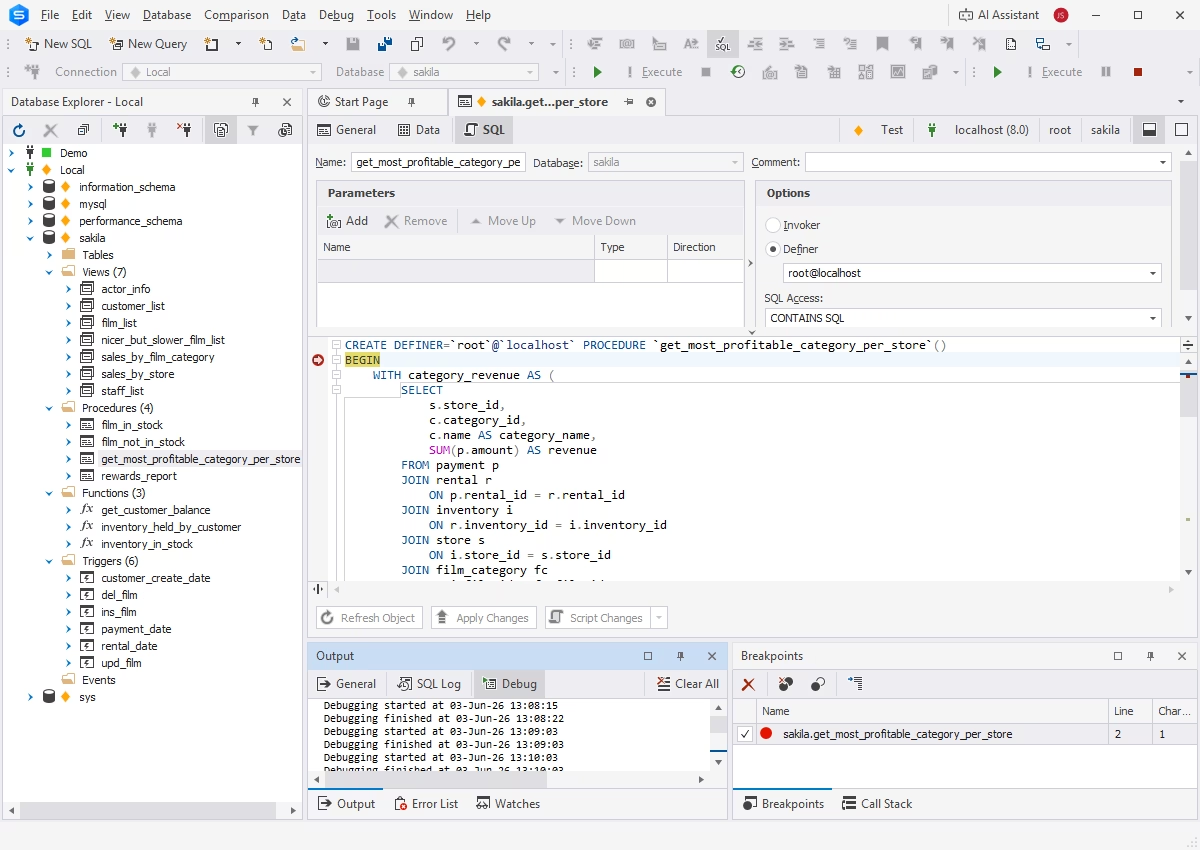
Debugger
The integrated Debugger helps you analyze the runtime behavior of database objects and identify logic errors. It provides step-by-step code execution, call stack browsing, breakpoints, and watches to debug your code.
Data management
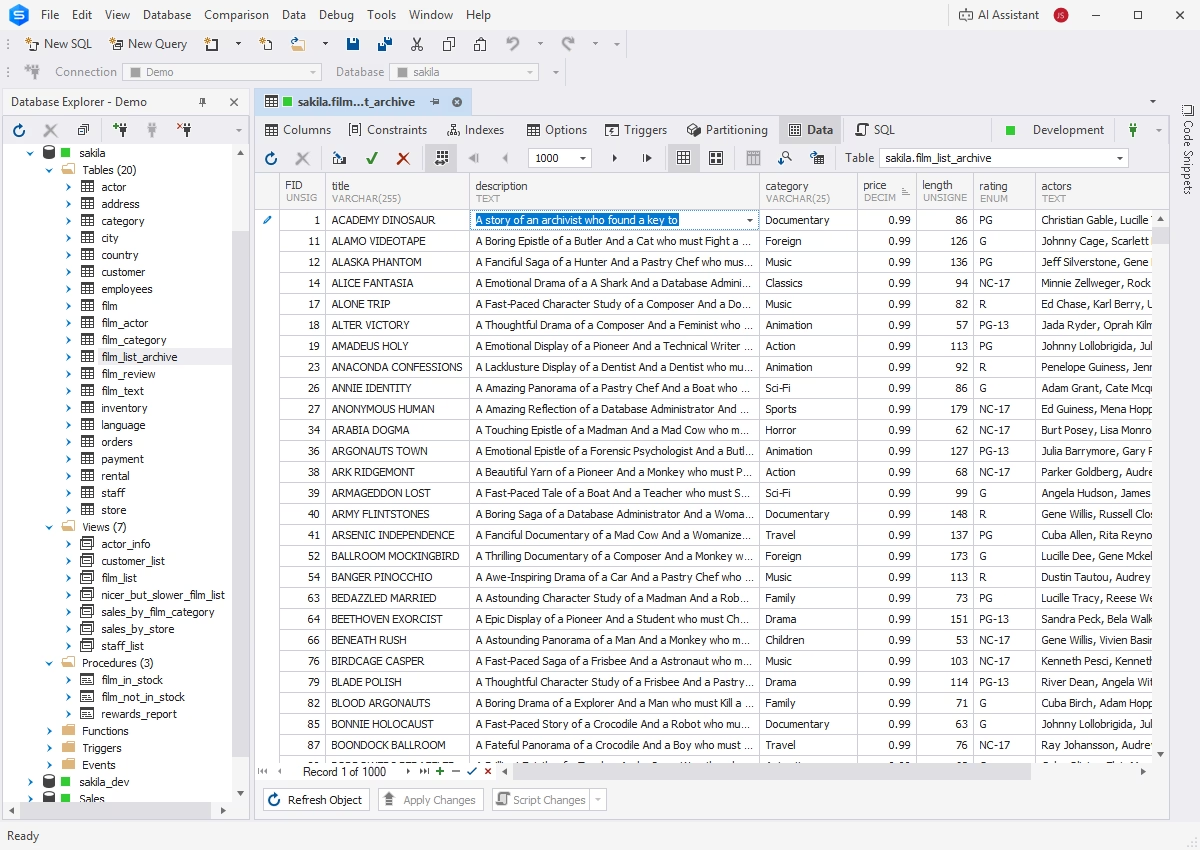
Data Editor
The visual Data Editor allows you to view, search, analyze, and modify data directly in tables without writing SQL queries. The available capabilities are:
- Data viewing and editing in the Grid and Card View modes
- Data sorting, grouping, and filtering
- Data copying from the results grid
- Generation of SQL scripts from the results grid
Data export and import
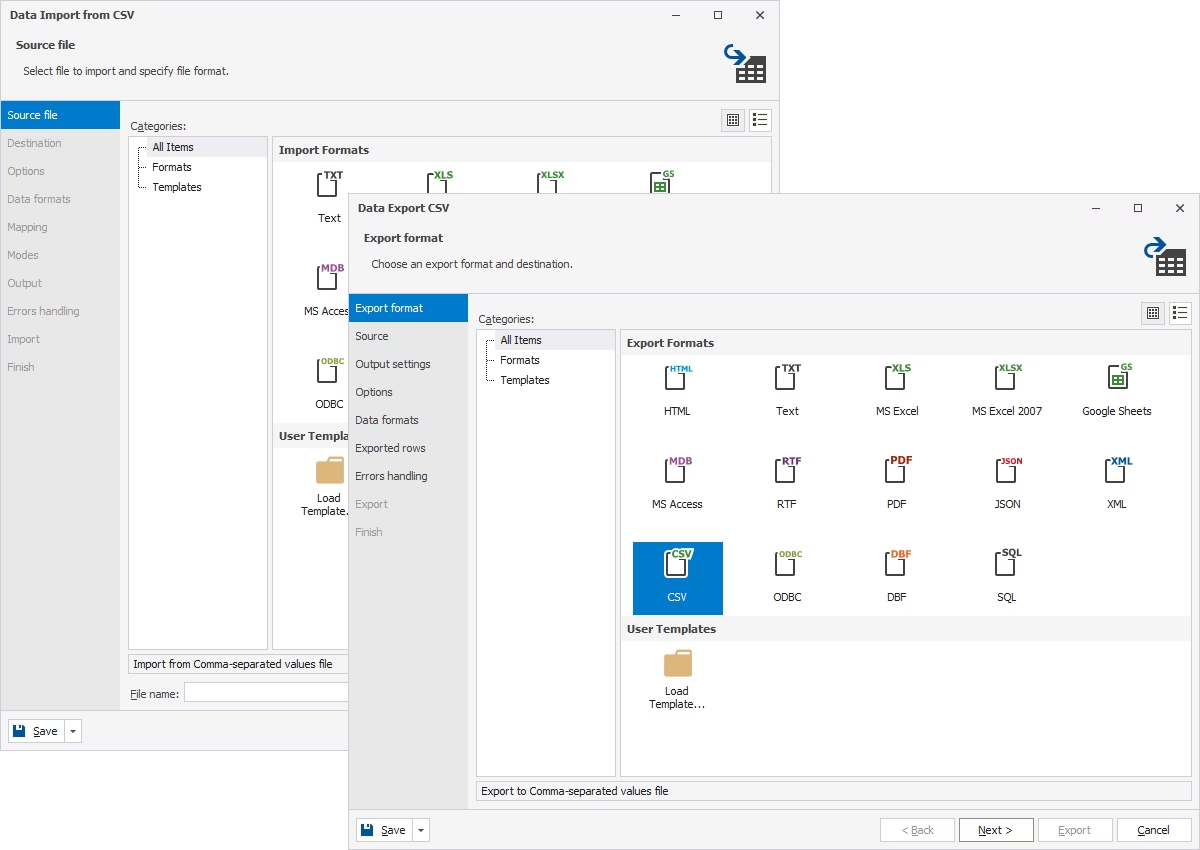
dbForge Studio for MySQL allows transferring data to and from database tables in several clicks.
- Support for 14 most popular data formats
- Task wizards with flexible settings
- Templates for recurring operations
- CLI-powered automation
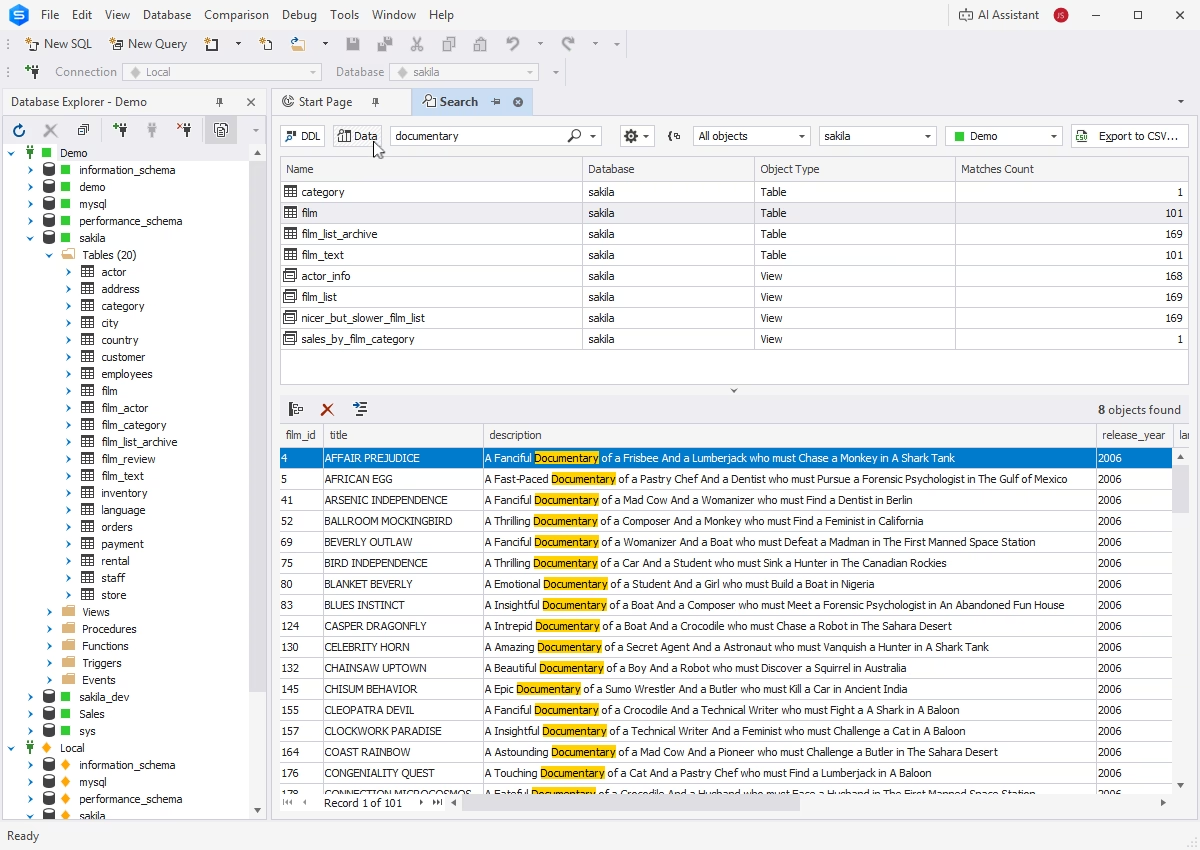
Data search
dbForge Studio for MySQL provides tools for easy data location and management of search results, including sorting and filtering options. You can apply predefined filters, customize them, or create your own.
Data migration
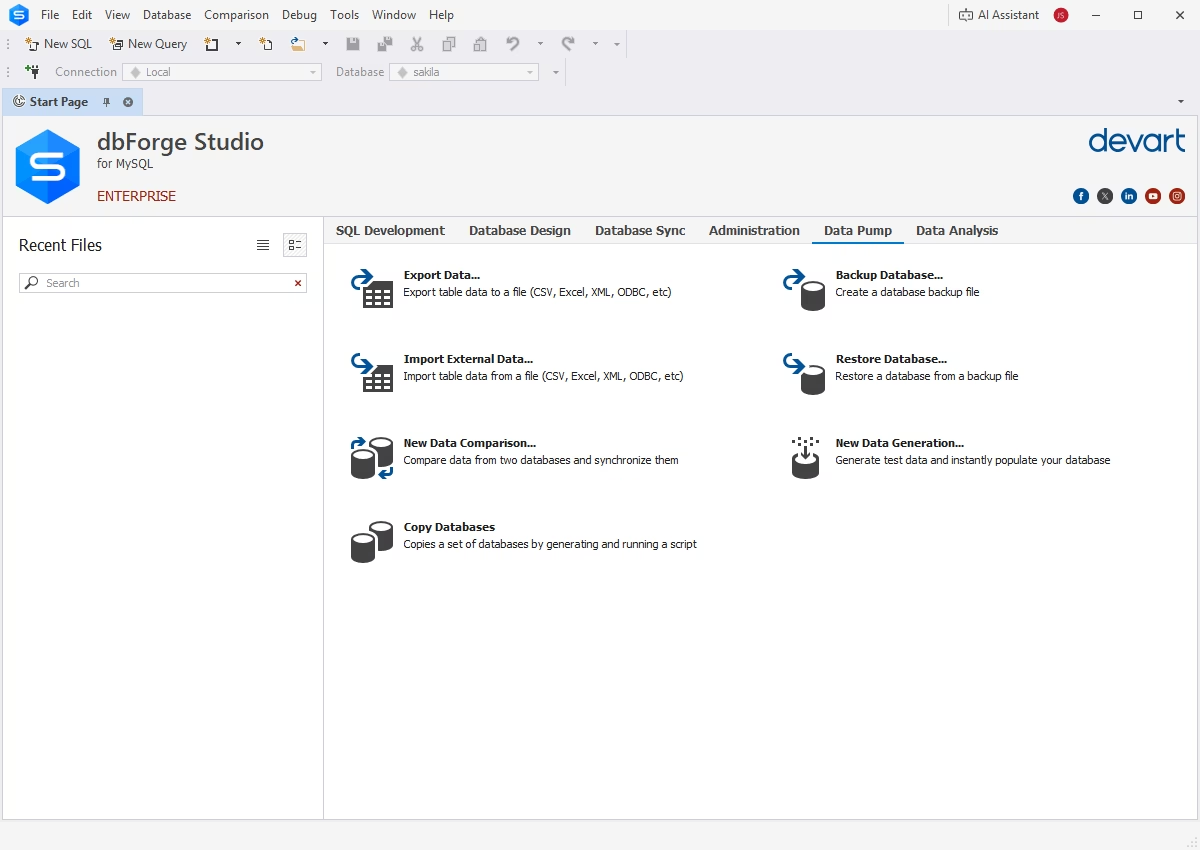
dbForge Studio for MySQL includes dedicated tools for moving data between servers and databases, both on-premises and in the cloud.
- Quick selection of data for migration
- Smart wizards with flexible configuration
- Automation of recurring tasks
Database Explorer
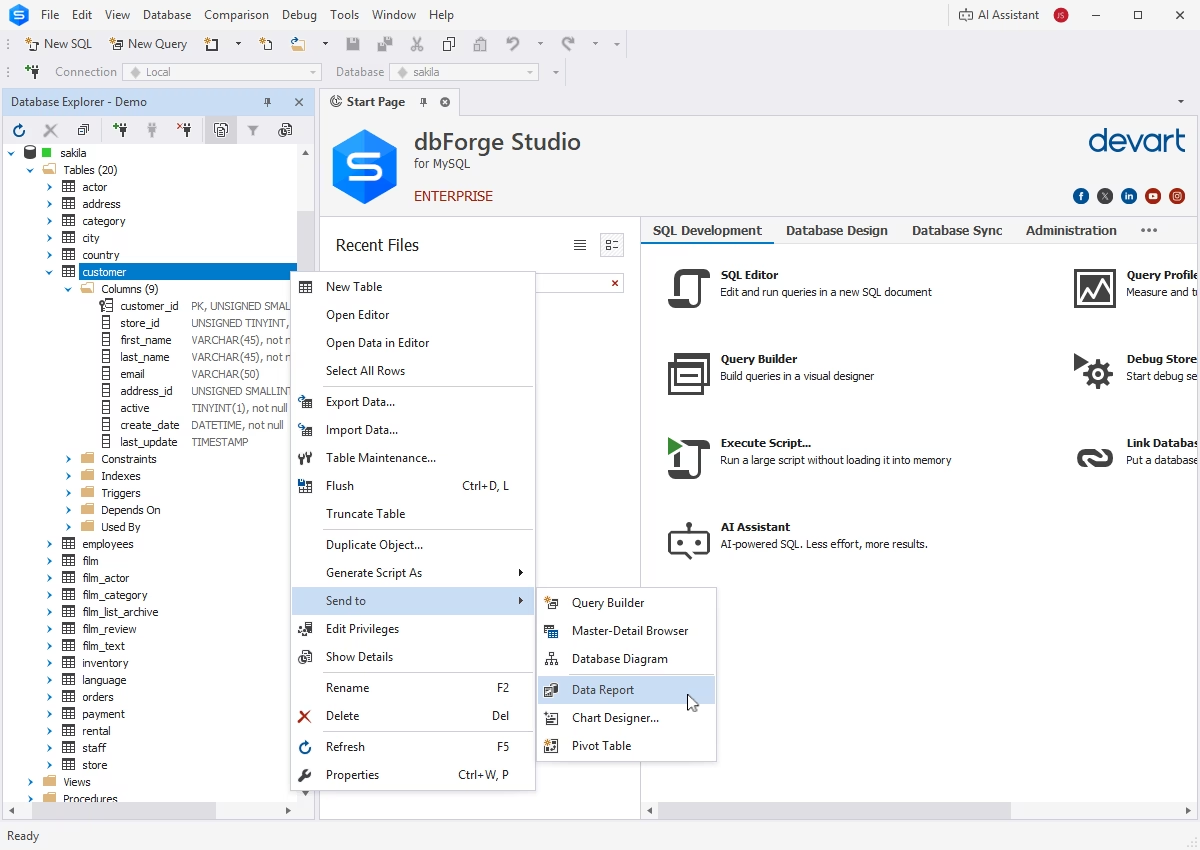
The tree-based Database Explorer provides an easy and intuitive way to work with connected databases.
- Database connection management
- Inspection of database schemas
- Database object search and filtering
- Viewing, editing, copying, and deletion of database objects
- Generation of DDL statements for database objects
Database operations and maintenance
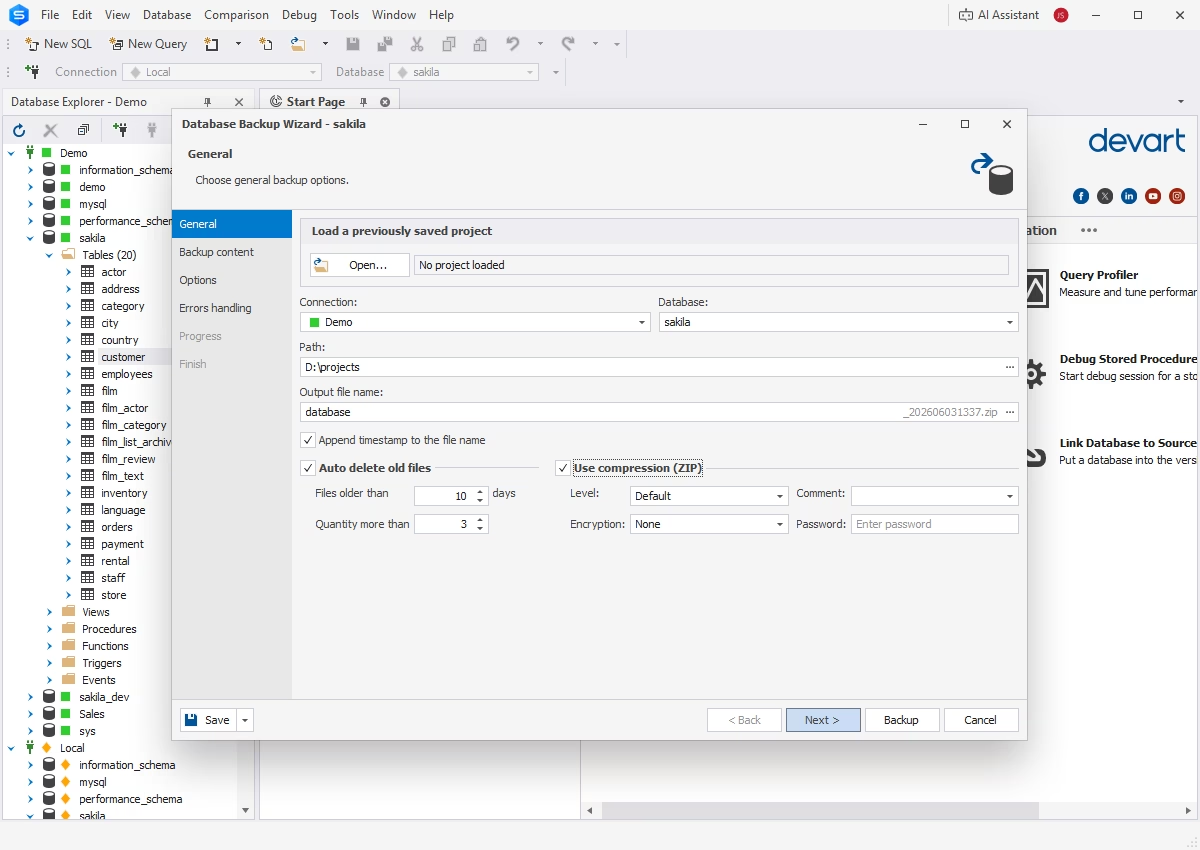
Backup and recovery
Backups and disaster recovery with visual configuration and CLI-based automation help you keep your databases safe. Backups may include database schemas, data, or both.
Copy Database
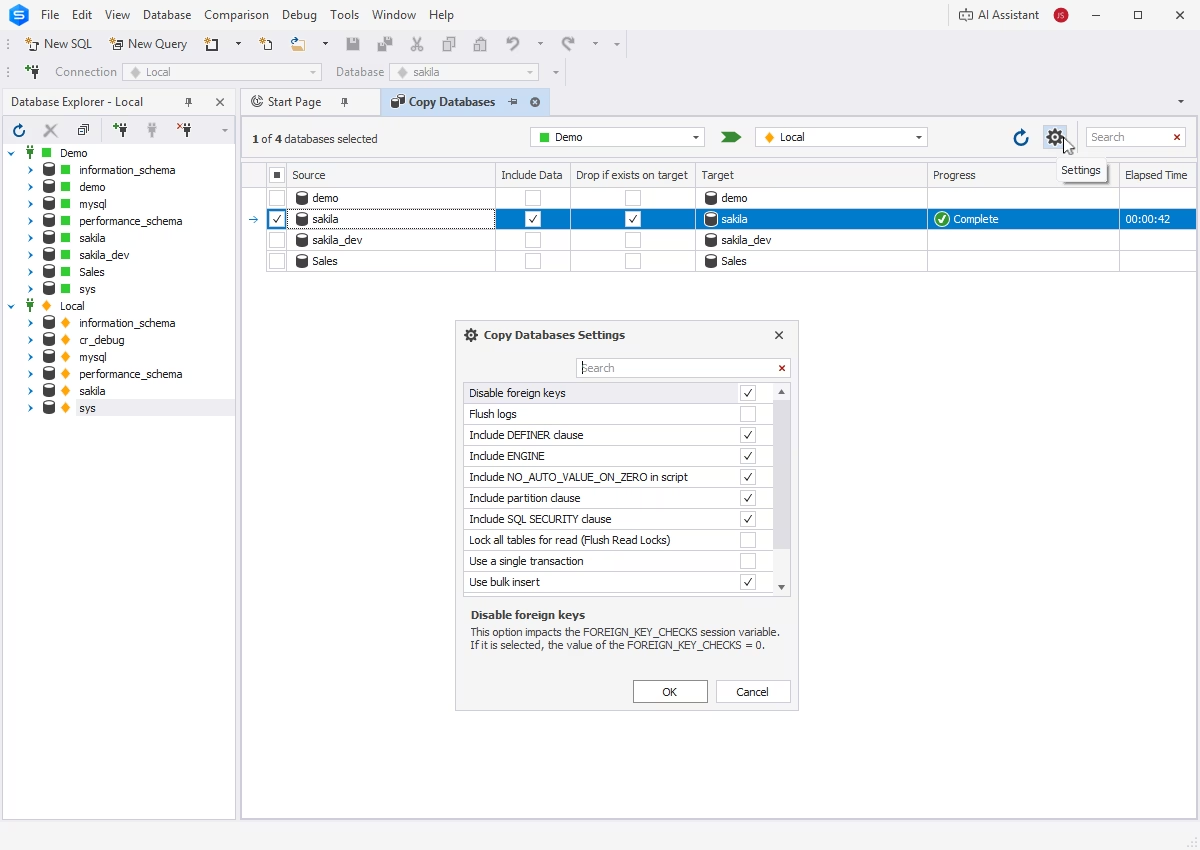
The Copy Database feature allows you to transfer MySQL and MariaDB databases directly from one server to another.
Schema Compare
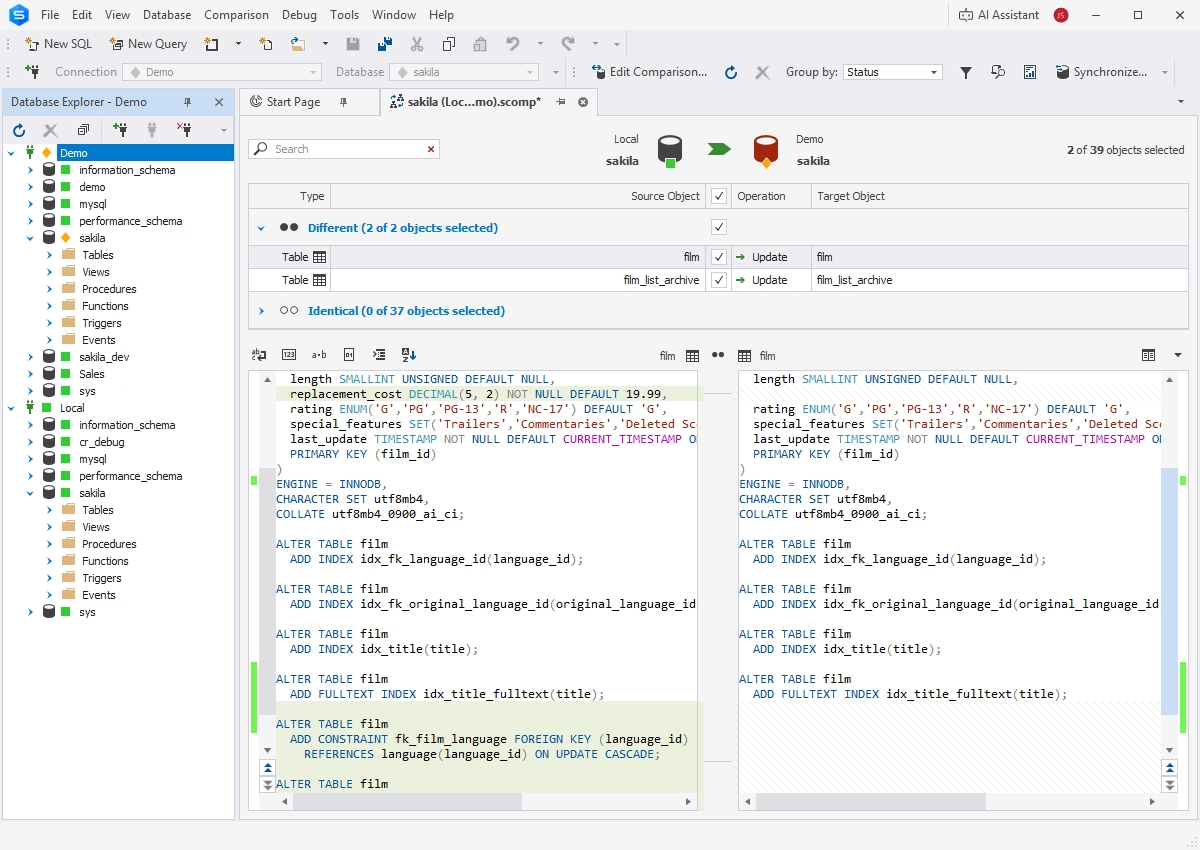
Schema Compare compares and synchronizes database schemas across databases, servers, and environments. Its capabilities include:
- Simple task configuration through smart wizards
- Detailed reports on discrepancies
- Automated generation of deployment scripts
- CLI-powered automation of recurring operations
Data Compare
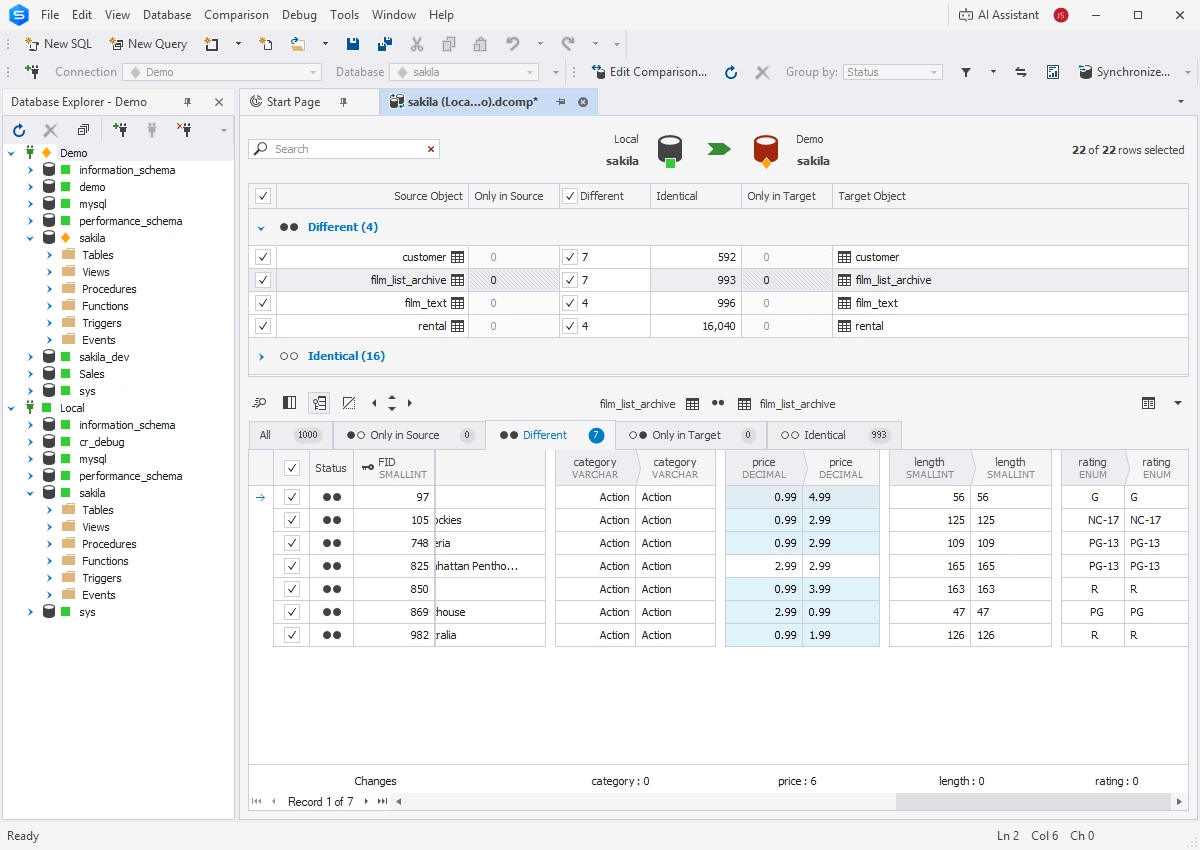
Similarly, Data Compare identifies differences in table data and enables data migration between databases.
- Comparison of databases with different structures
- Generation of comparison reports
- Synchronization of table data between servers
- Scheduling of regular data synchronization tasks
User management
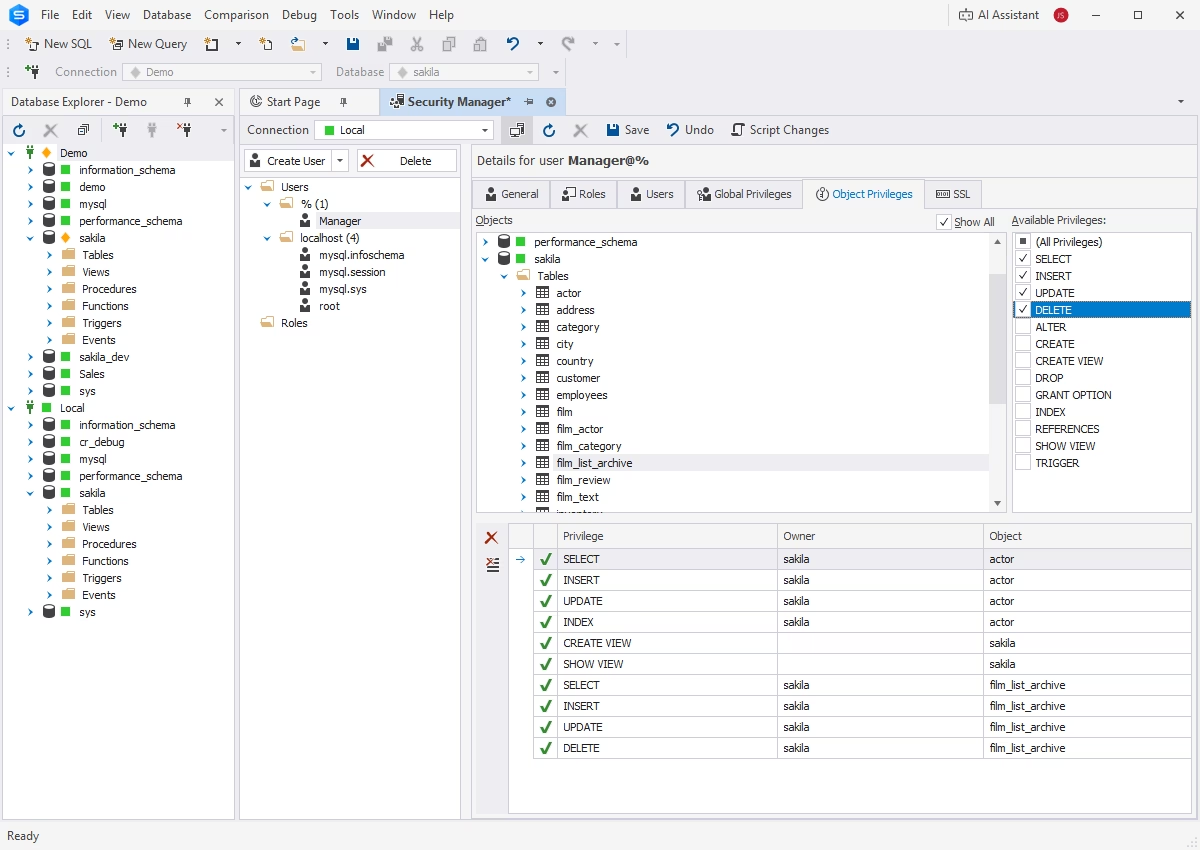
The integrated Security Manager helps you create and manage user accounts, roles, and privileges on different levels for maximum flexibility.
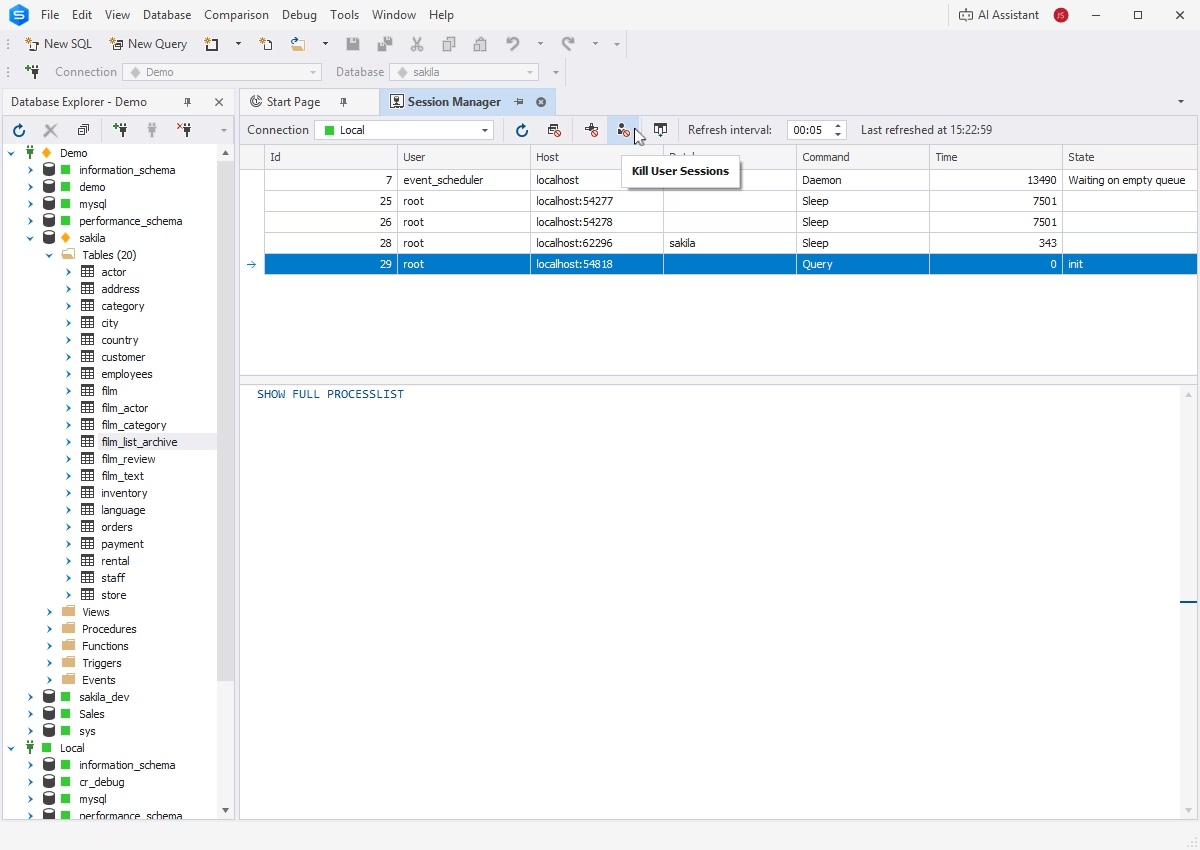
Session management
Session Manager allows you to track and analyze server activity, including the following:
- Tracking of server, database, and user activity
- Analysis of database performance
- Detection and troubleshooting of heavy queries
Database design and development
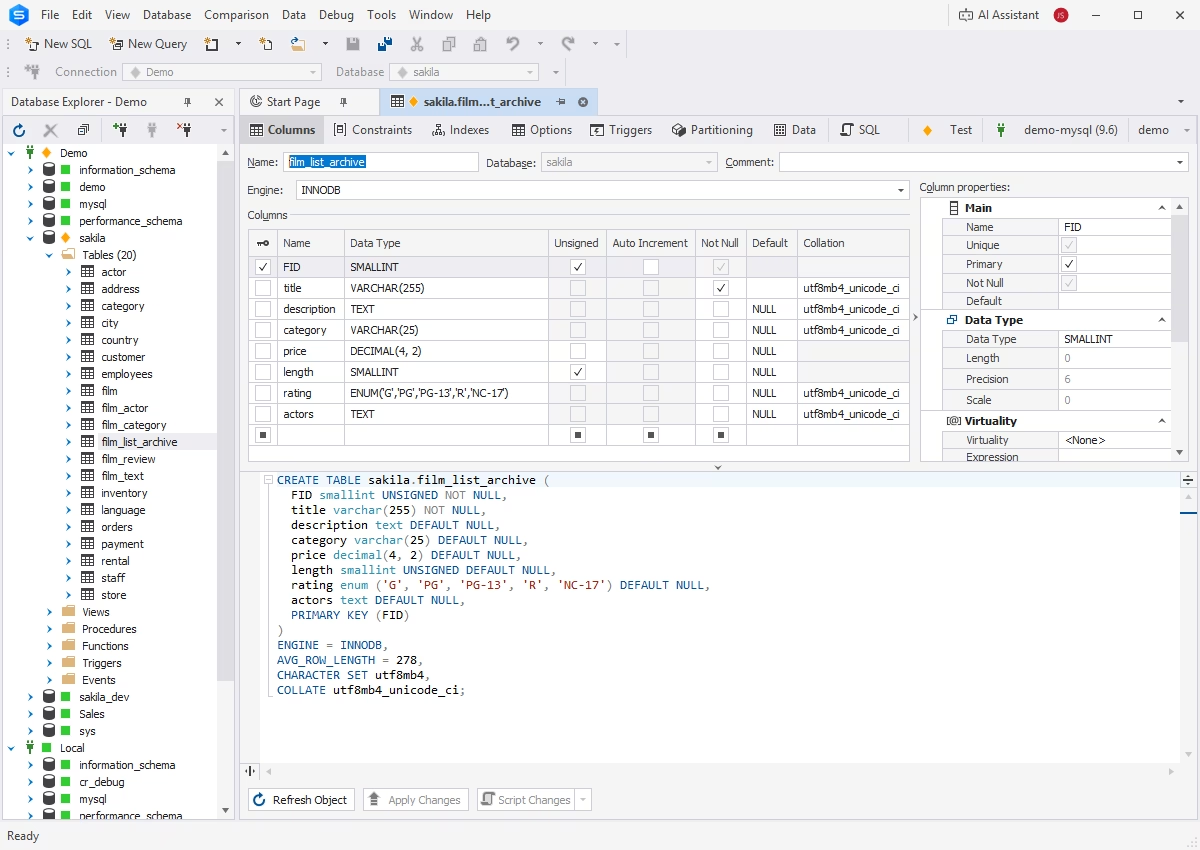
Object editors
dbForge Studio provides quick access to database objects, allowing you to create, edit, and manage them through intuitive visual editors. It supports all major database object types, including tables, views, stored procedures, functions, and triggers.
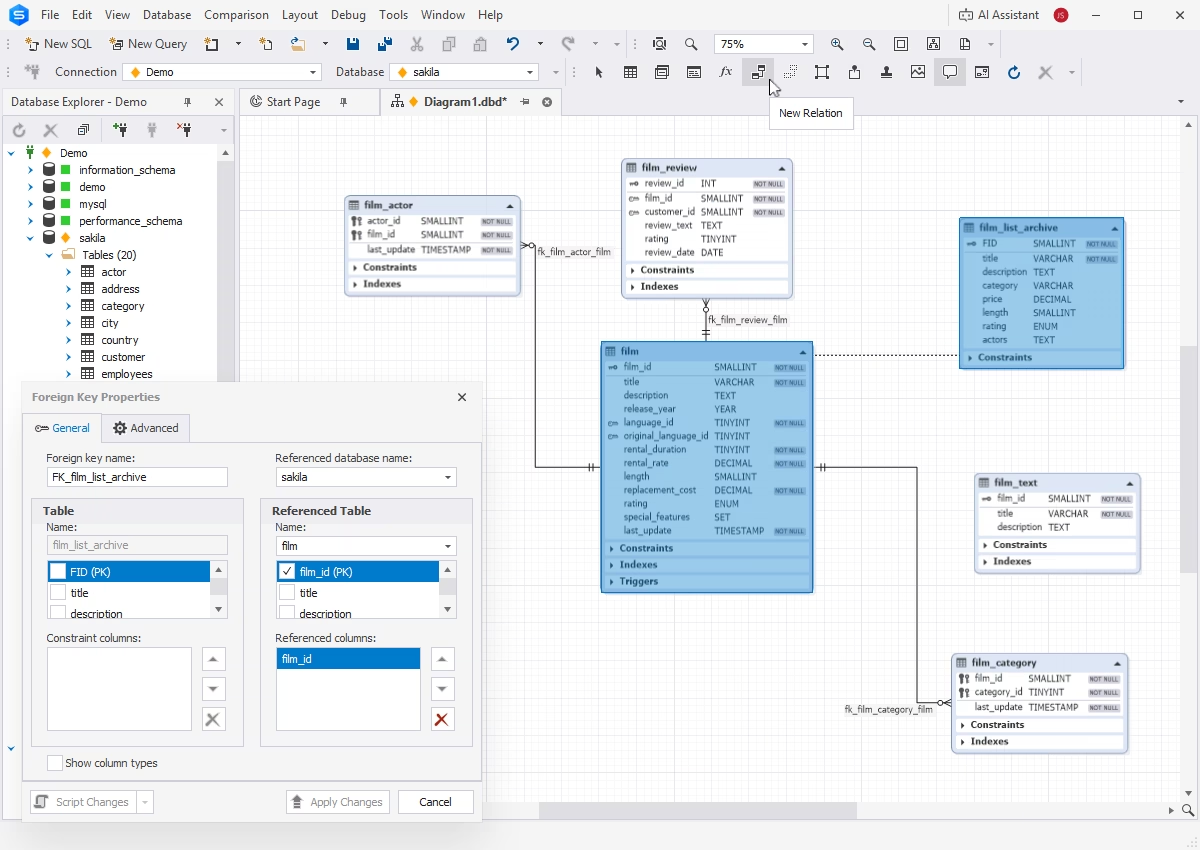
Database Designer
Database Designer is a visual tool for creating and editing MySQL and MariaDB databases using ER diagrams, without writing any code. Key features include:
- Visualization and editing of database objects and relationships
- Generation of scripts that create databases
- Reverse engineering
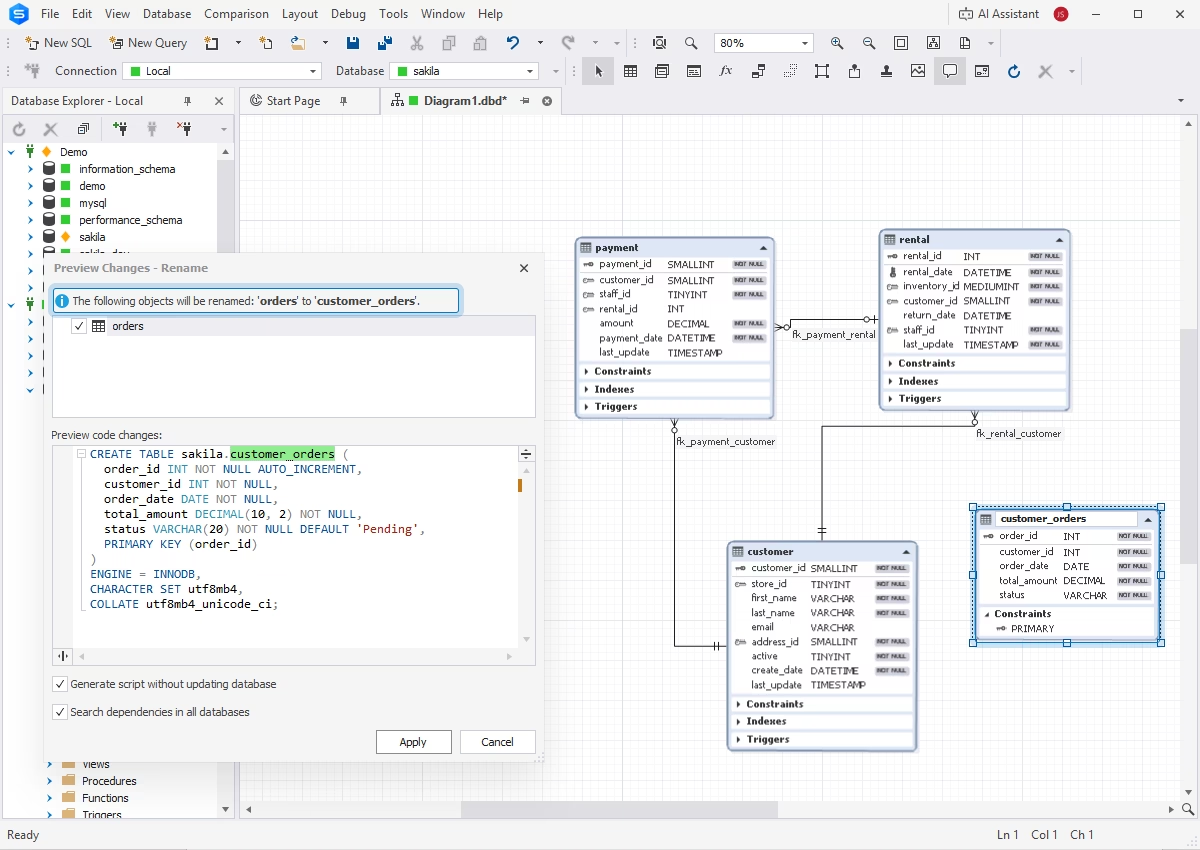
Database refactoring
Visual refactoring capabilities allow you to introduce changes to database schemas through ER diagrams and then apply those changes directly to databases. This approach simplifies schema modifications and improves accuracy.
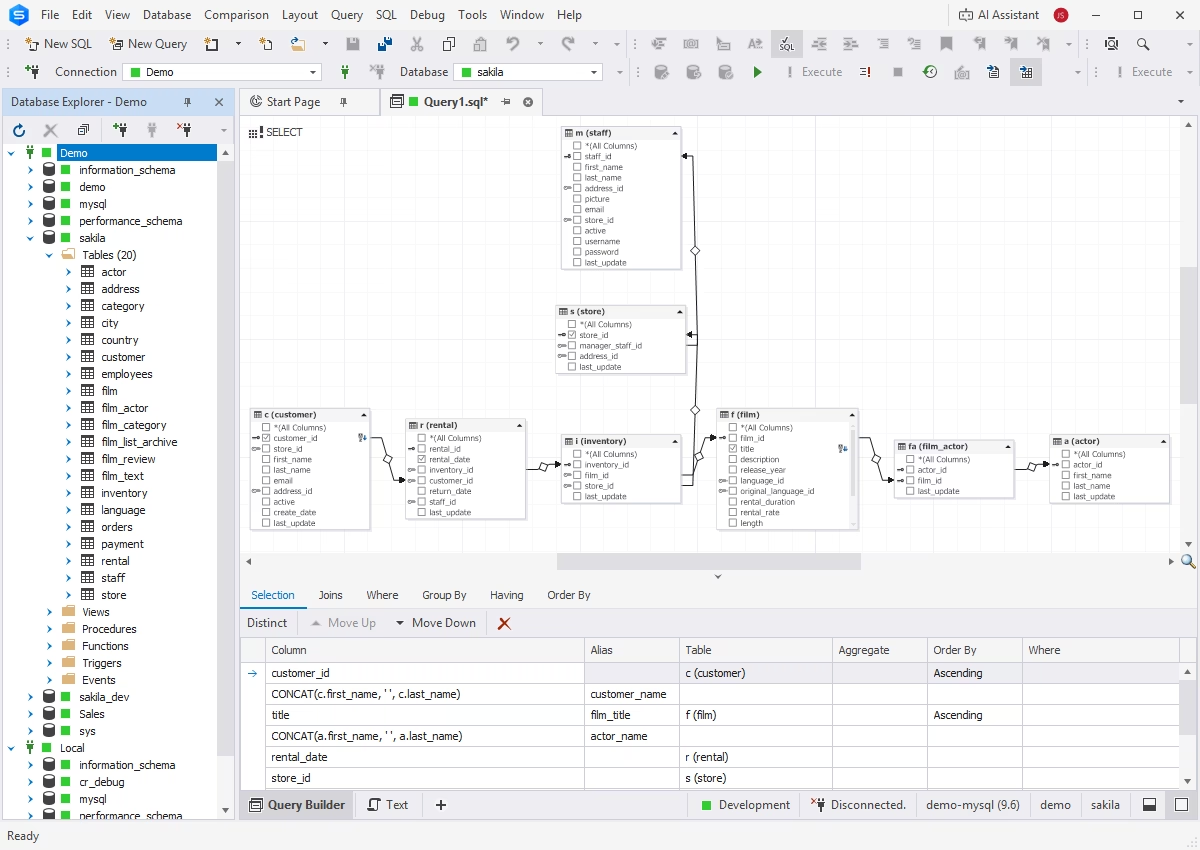
Query Builder
dbForge Studio delivers a Query Builder that helps create complex SQL queries without manual coding, with visual blocks and dedicated editors for each clause. Query Builder supports subqueries and visual editing of INSERT, UPDATE, and DELETE statements.
Visualized queries are automatically converted into executable SQL code.
Query Profiler
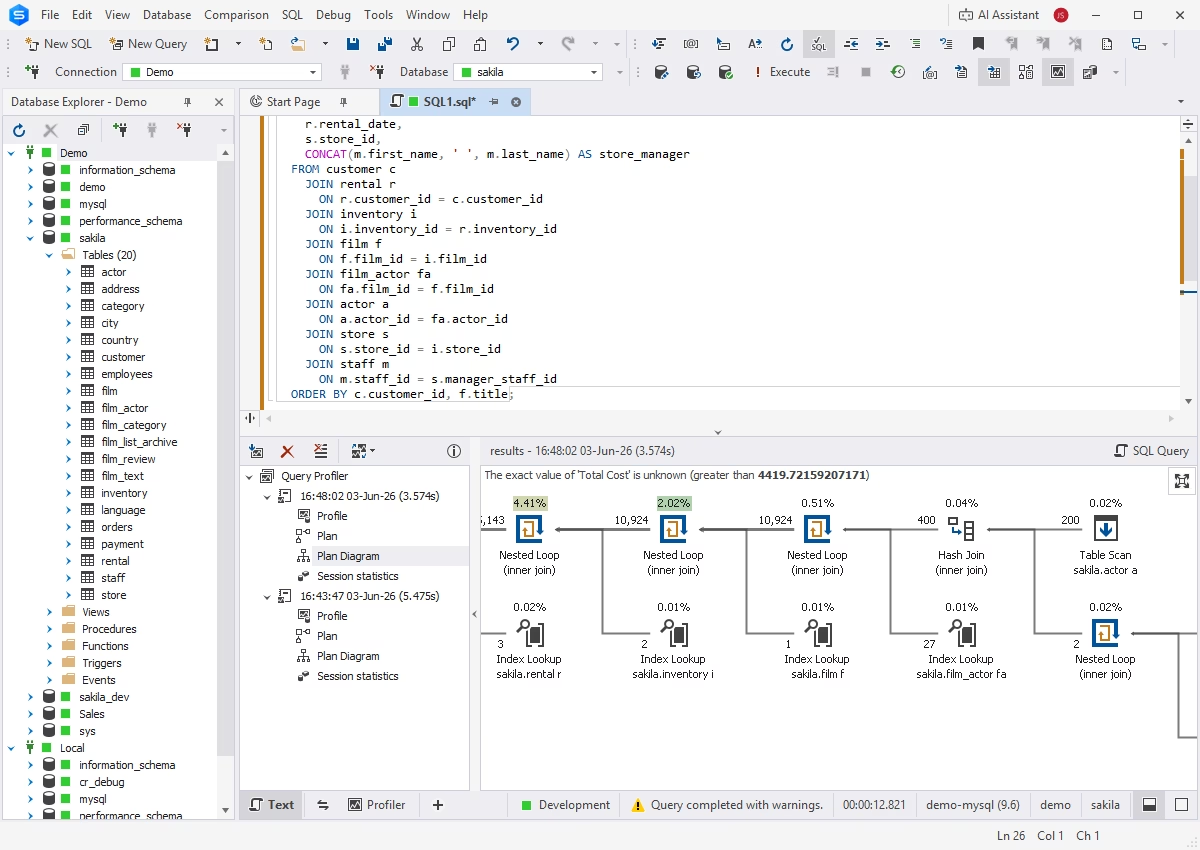
Query Profiler conducts detailed performance analysis of SQL queries, helping you troubleshoot and optimize query execution. Its capabilities include:
- Visualization of execution (EXPLAIN) plans
- Comparison of profiling results
- Detailed query history
- Integration with dbForge AI Assistant
Object search
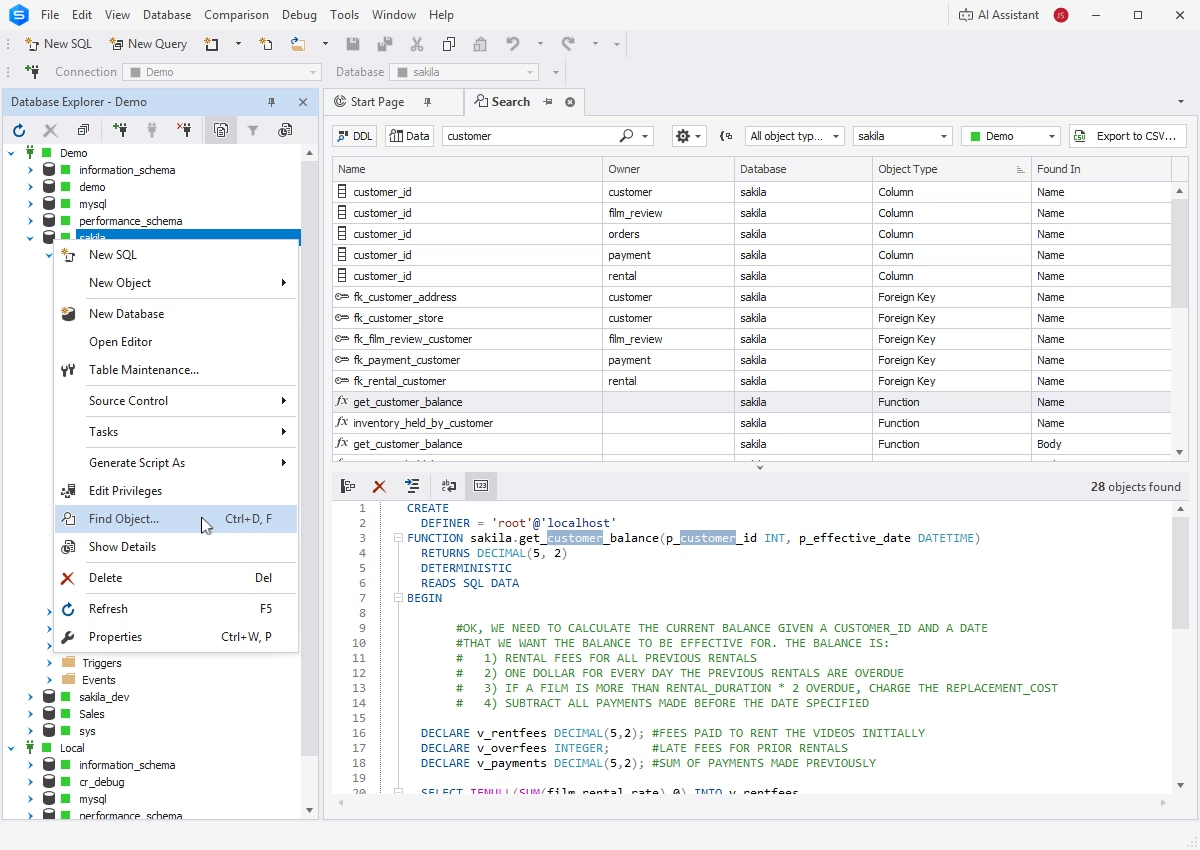
dbForge Studio enables you to quickly locate database objects across the entire instance. Results can be sorted and filtered for easier identification of the searched objects.
Find Invalid Objects
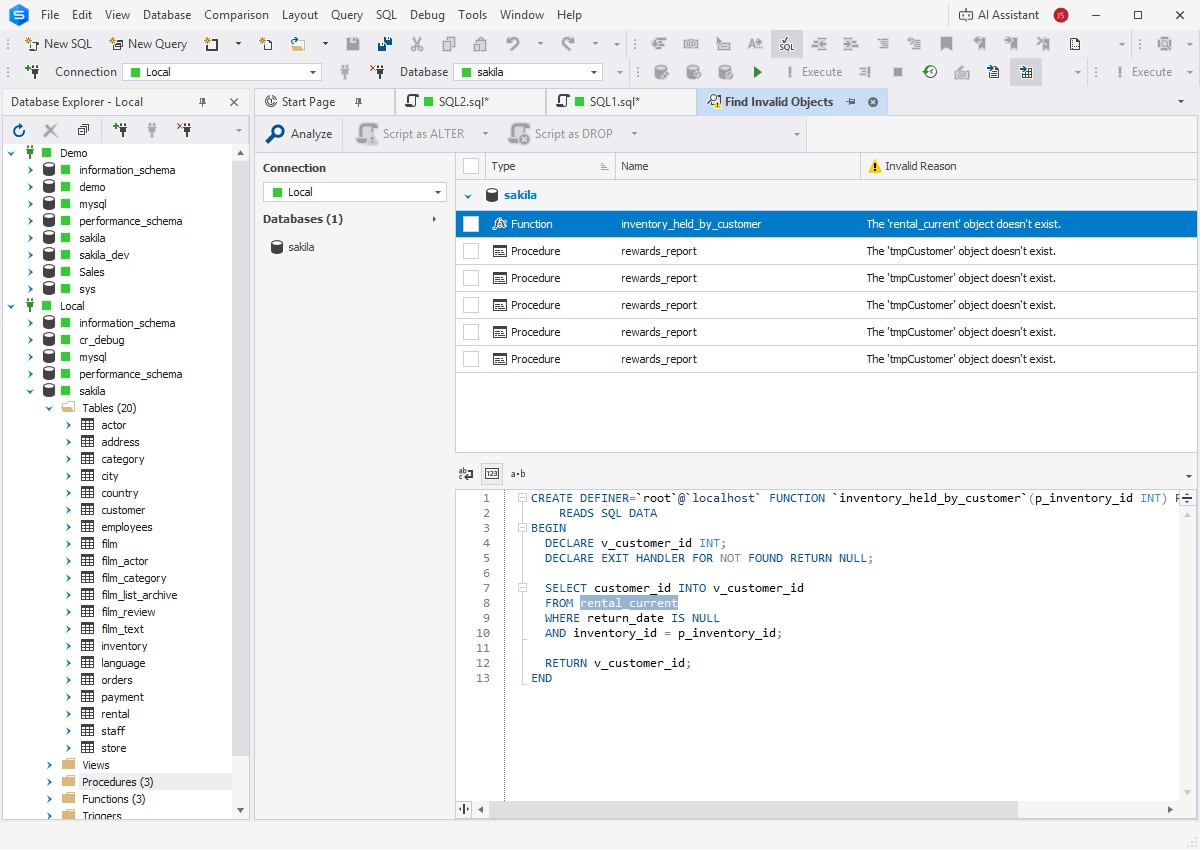
You can easily identify invalid objects across multiple databases, including references to objects that no longer exist or have been modified.
- Search for invalid objects
- Analysis of search results
- ALTER and DROP commands for invalid objects
- CLI-powered automation
Collaboration
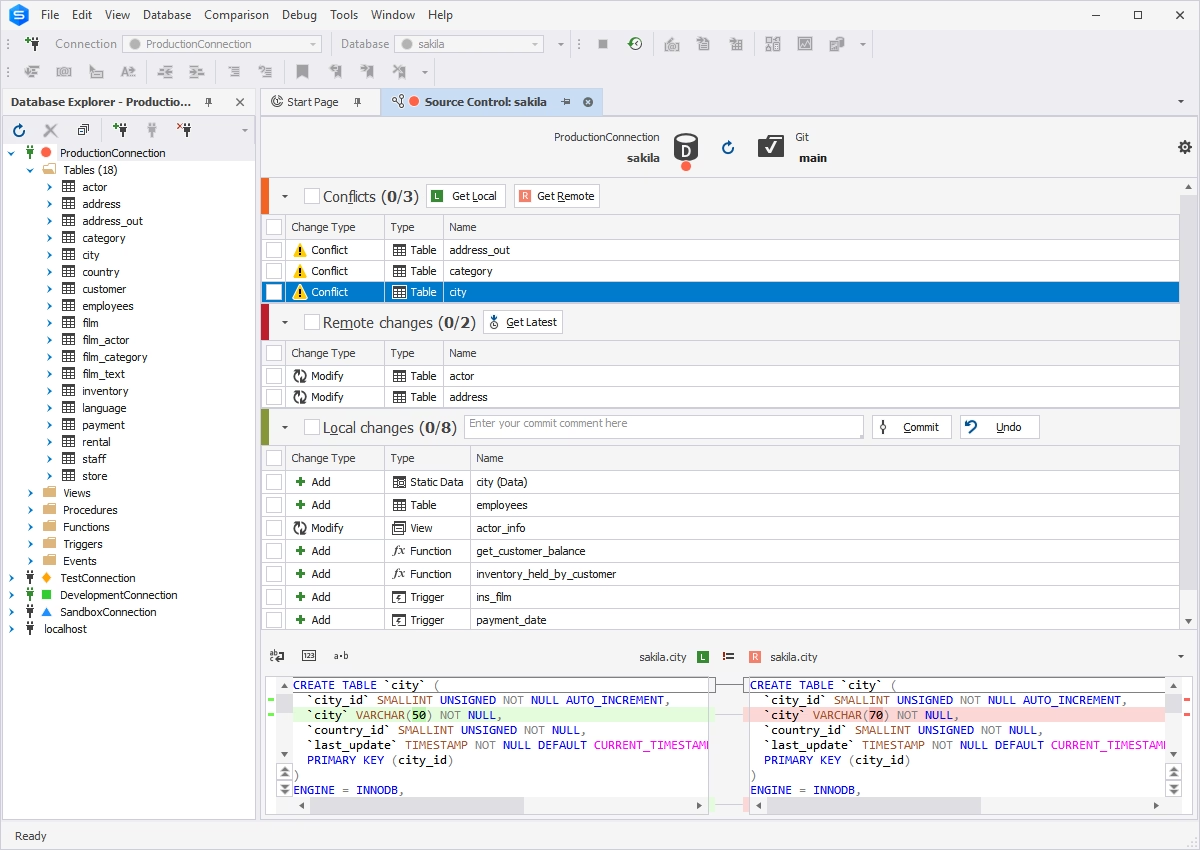
Source Control
dbForge Studio allows you to set up effective version control of database schemas and static table data.
- Integration with all popular version control systems
- Commit and rollback operations
- Conflict detection and resolution
- Detailed history of changes
Data Generator
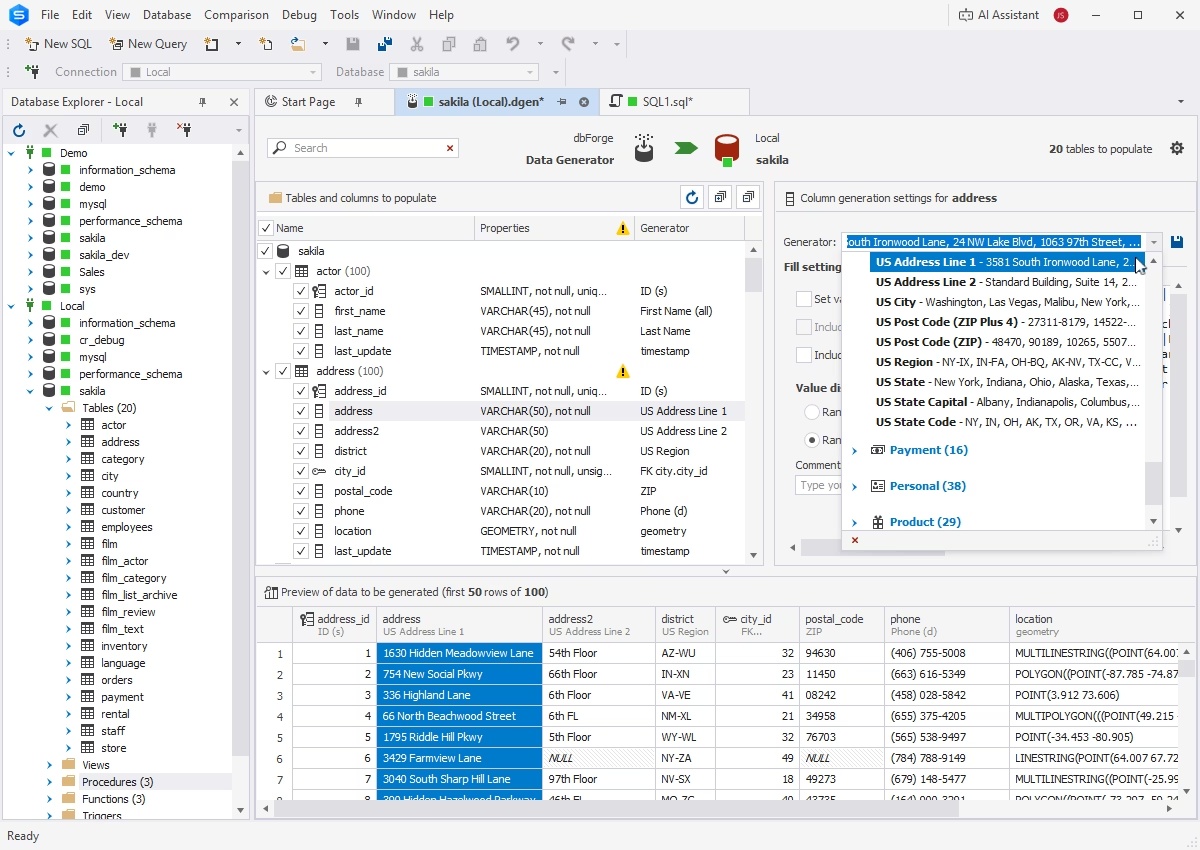
Data Generator populates your databases with any volume of realistic, column-intelligent test data.
- More than 200 built-in generators
- Extensive customization
- CLI-powered automation
Documenter
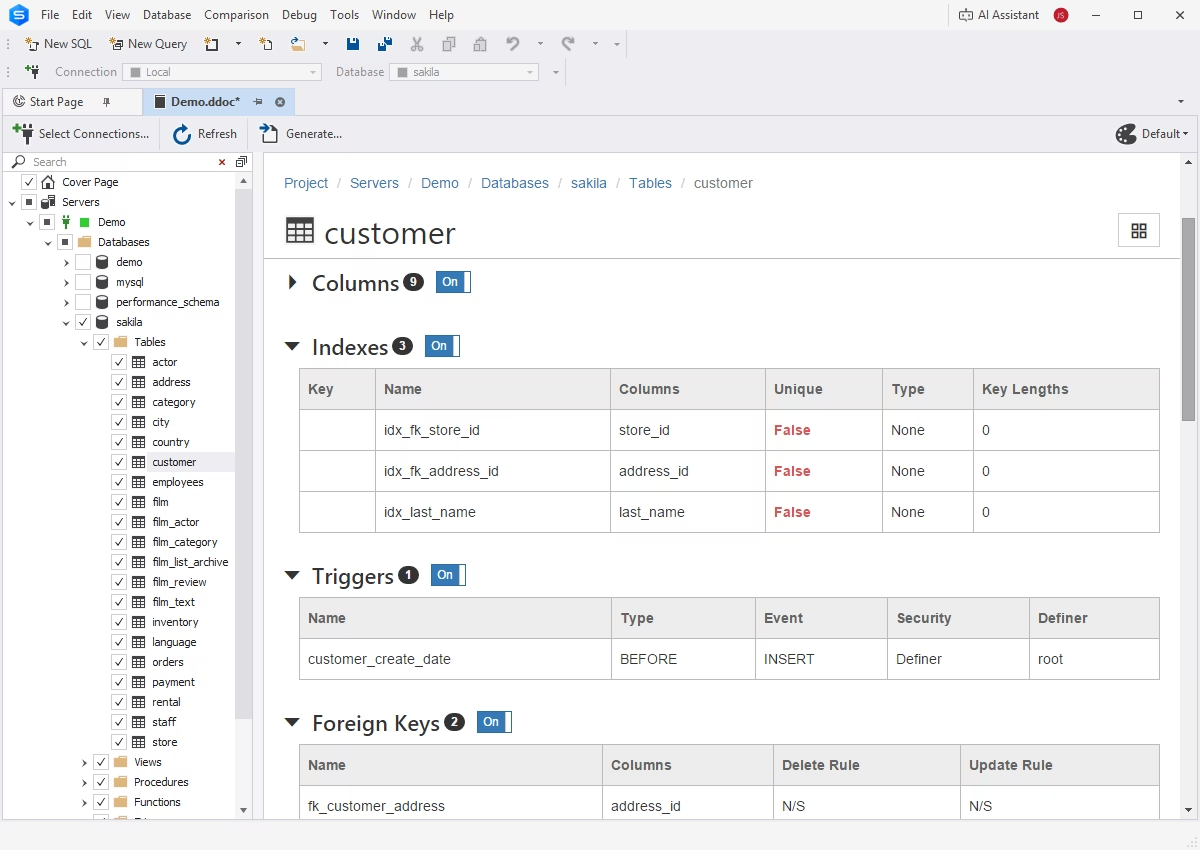
Documenter automates the creation of comprehensive database documentation, helping maintain clear and up-to-date technical references. Key features include:
- HTML, PDF, and Markdown output formats
- Customizable document layouts
- In-depth database analysis and scanning
- Self-documenting SQL objects
- CLI-powered automation
Automation
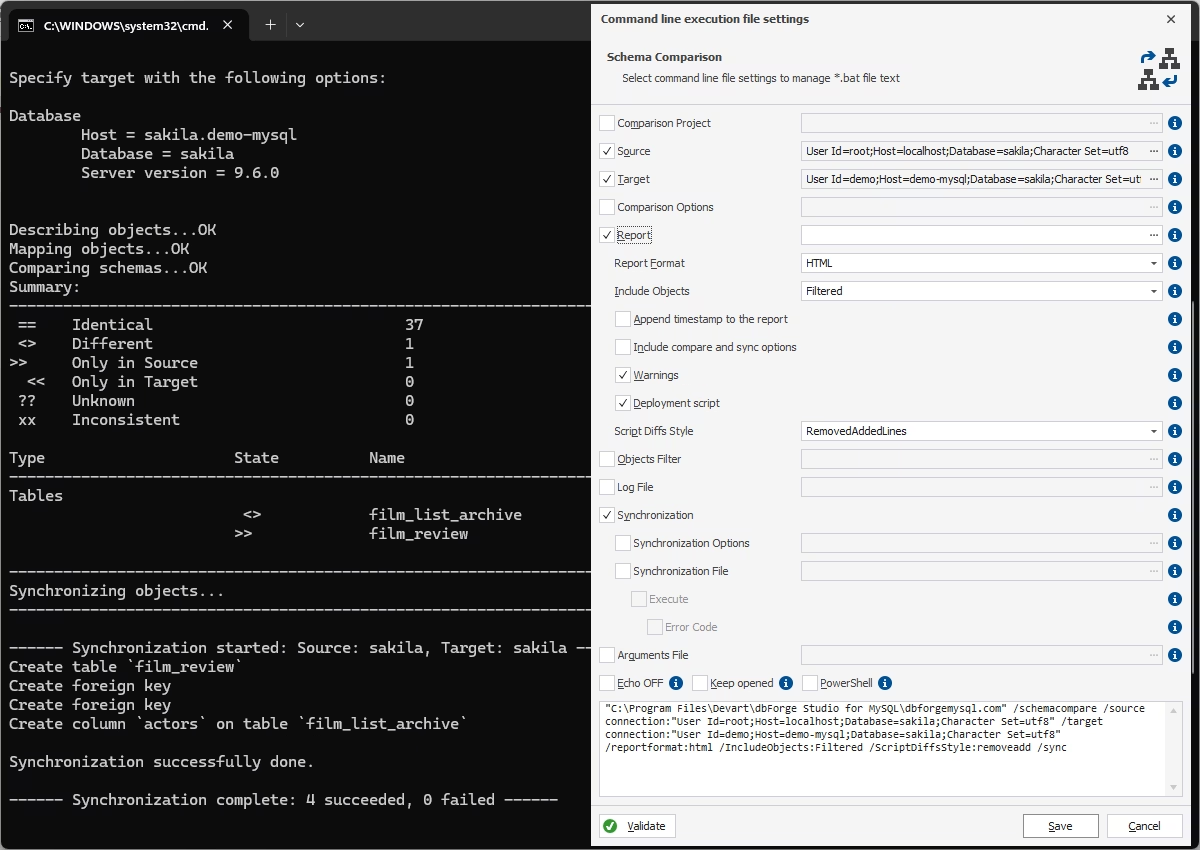
CLI-powered Schema Compare
dbForge Studio helps you ensure deployment consistency by enabling script-based schema comparison and synchronization. These operations can be executed from the command line and integrated into CI/CD workflows.
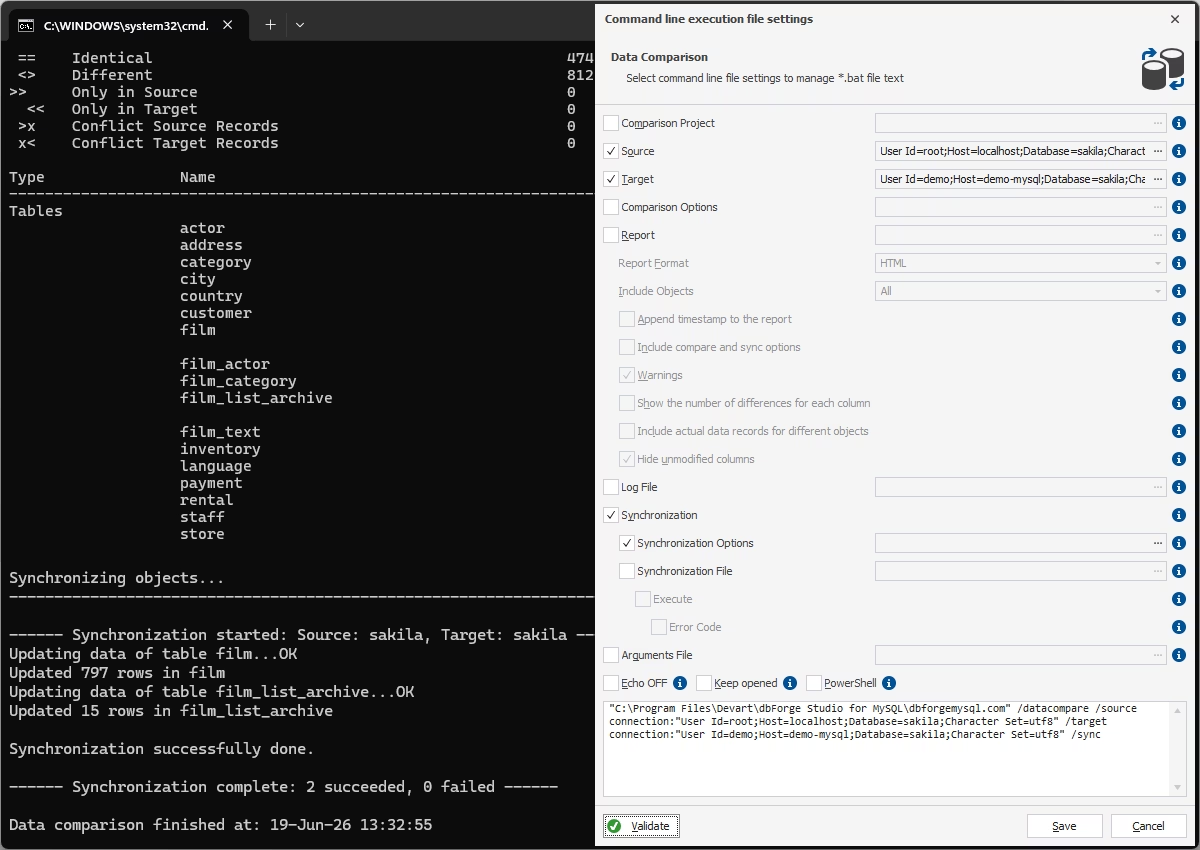
CLI-powered Data Compare
With dbForge Studio, you can easily incorporate data comparison into your deployment pipelines to validate data integrity. Data Compare generates command-line scripts for automated data comparison and synchronization tasks.
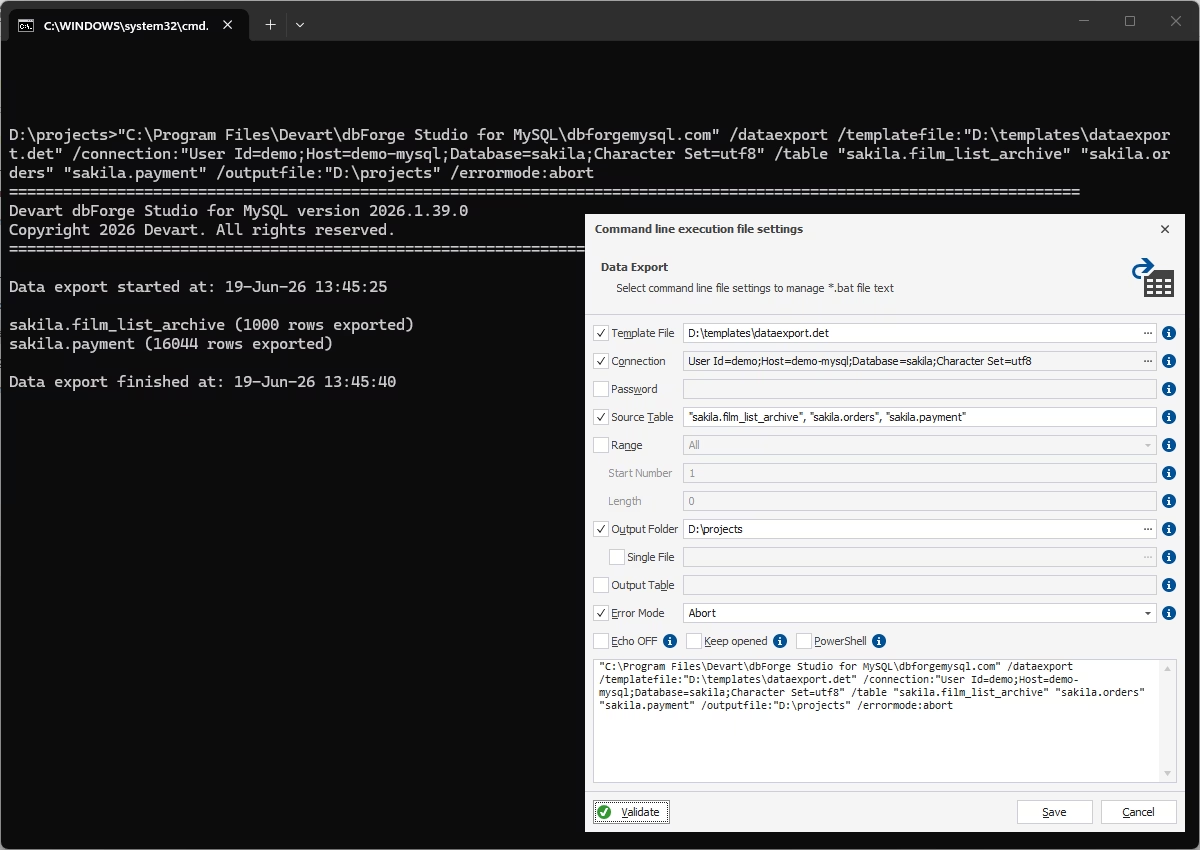
CLI-powered data export and import
You can automate recurring data export and import processes as part of your deployment pipelines. dbForge Studio generates scripts for exporting or importing data in up to 14 predefined formats, allowing you to run them instantly or on a schedule.
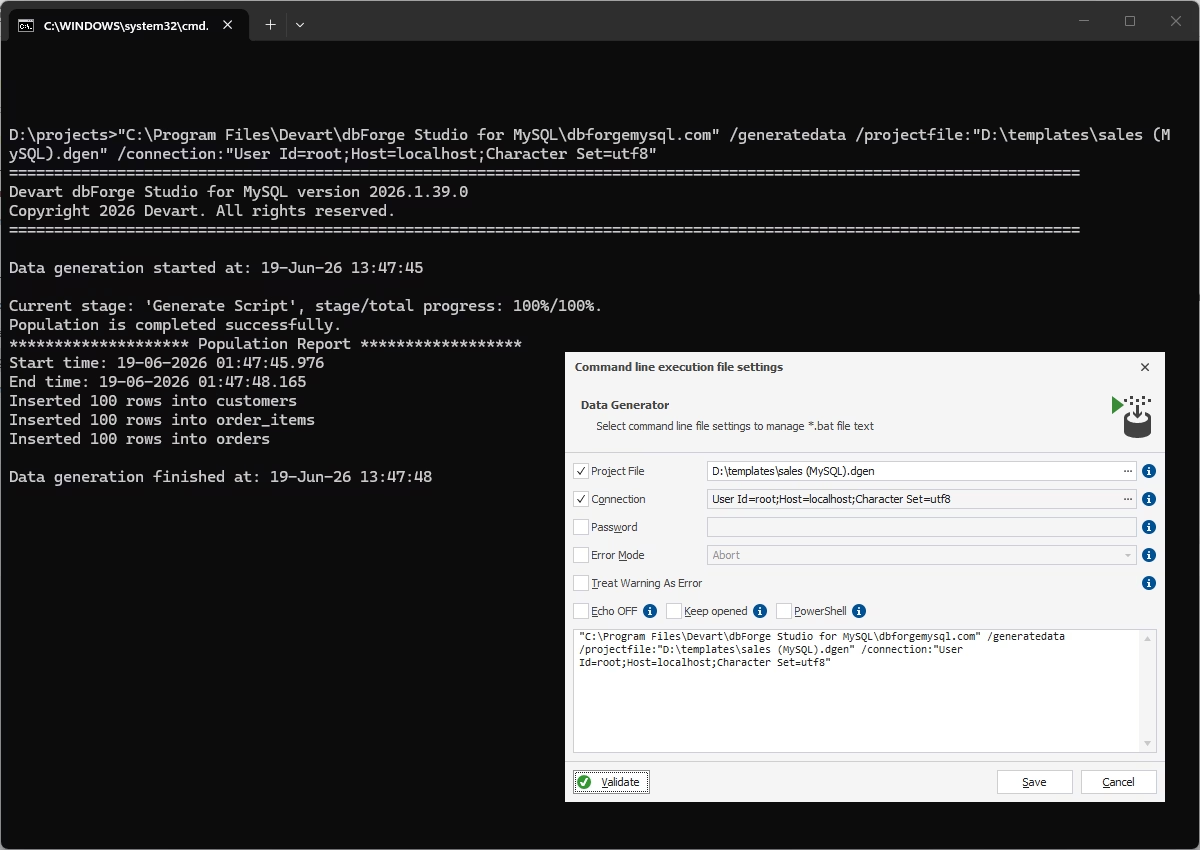
CLI-powered data generation
dbForge Studio for MySQL optimizes data generation by creating scripts that can be run whenever you need to populate databases with realistic test data for development, testing, or QA purposes.
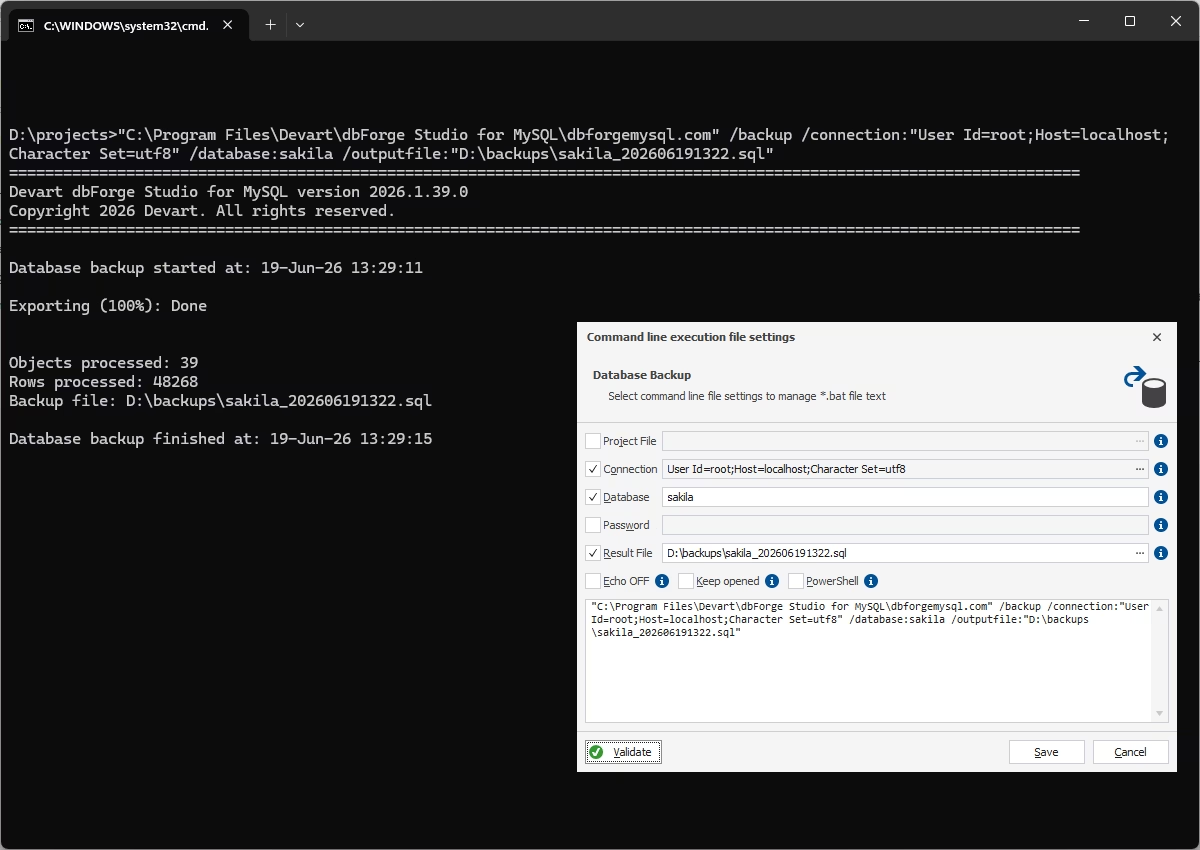
CLI-powered backup and recovery
dbForge Studio enables automated full or partial database backups and allows you to schedule recurring backup jobs for reliable data protection and recovery.
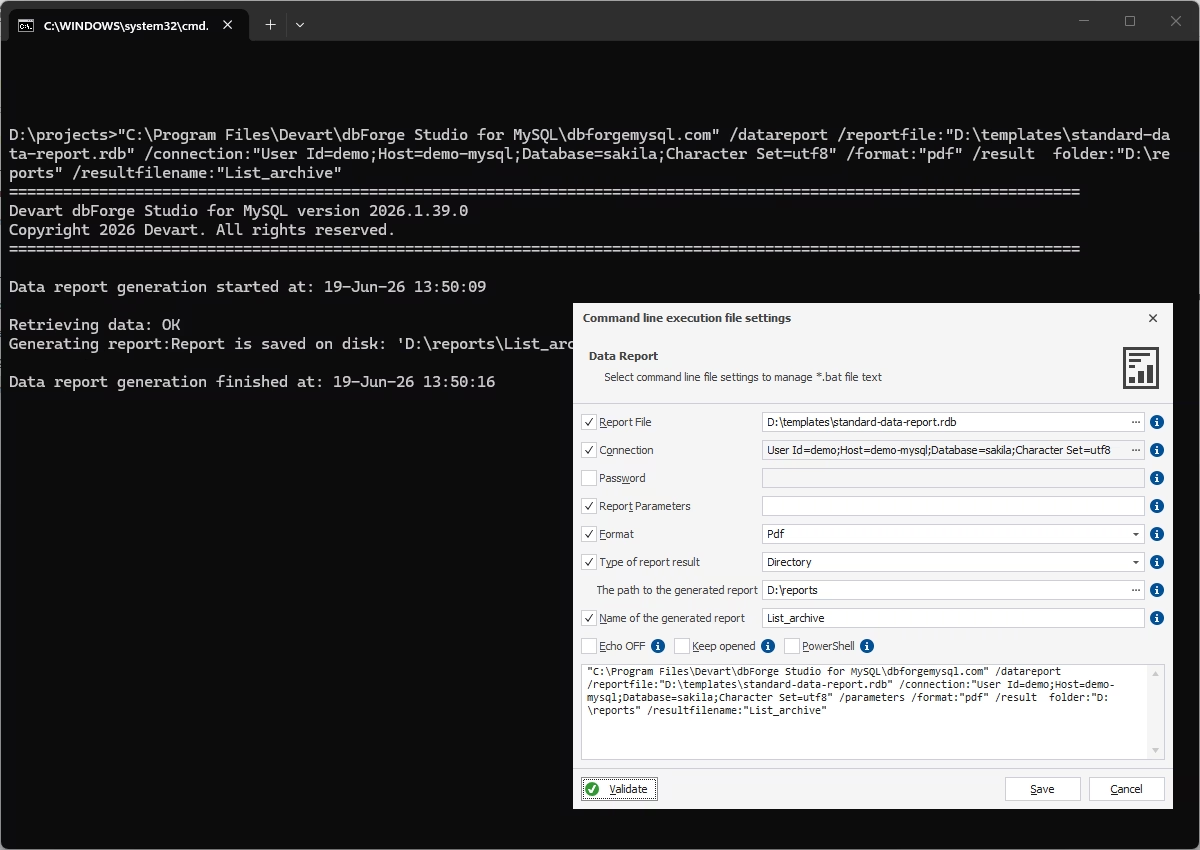
CLI-powered data reporting
You can generate and deliver professional data reports automatically using the command-line interface. Schedule report creation and integrate reporting tasks into your automation workflows.
Analysis and reporting
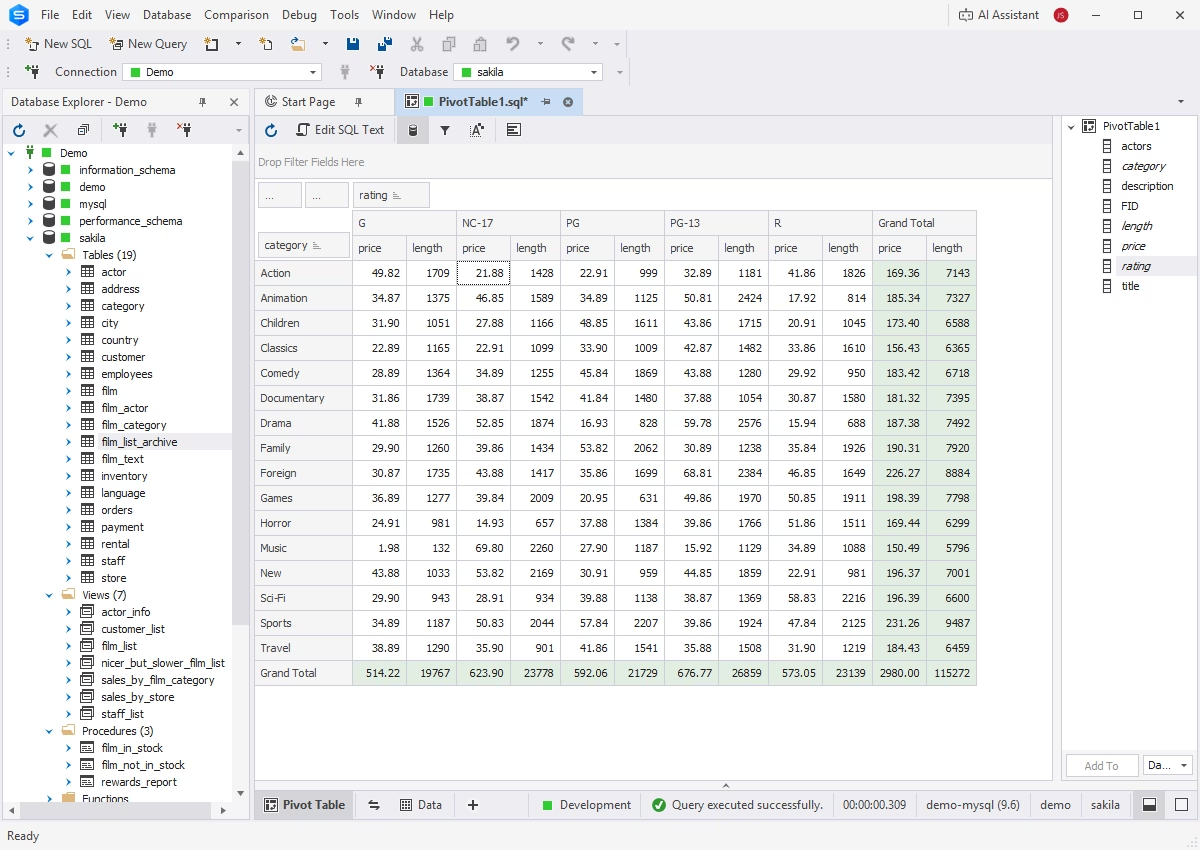
Pivot tables
With pivot tables, you can aggregate, rearrange, summarize, and analyze large amounts of data without writing overcomplicated queries. They help you visualize data dependencies and compare them via charts.
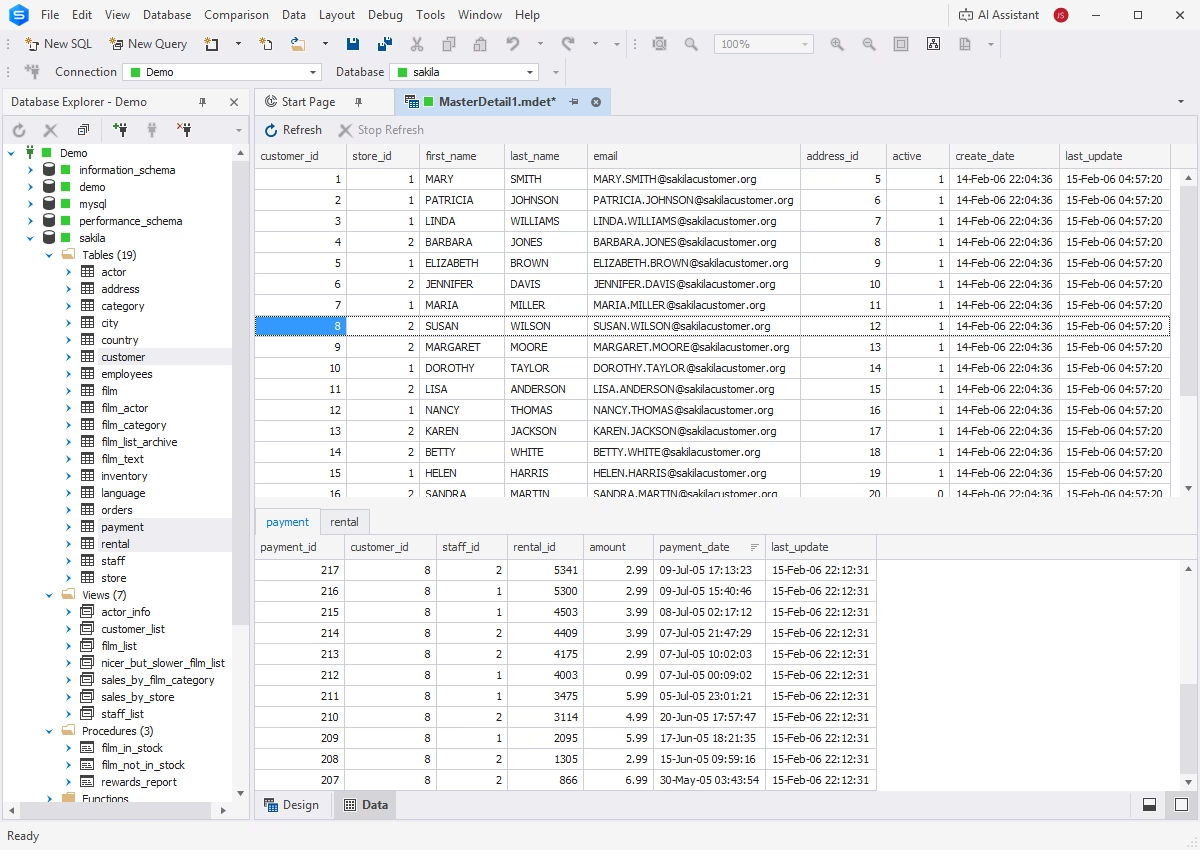
Master-Detail Browser
Master-Detail Browser helps you view and analyze related data in parent tables or views, related child tables or views, and self-referencing tables. You can drag and drop tables and views from Database Explorer onto the master-detail document, sort and filter your data, and examine the relationships with convenience.
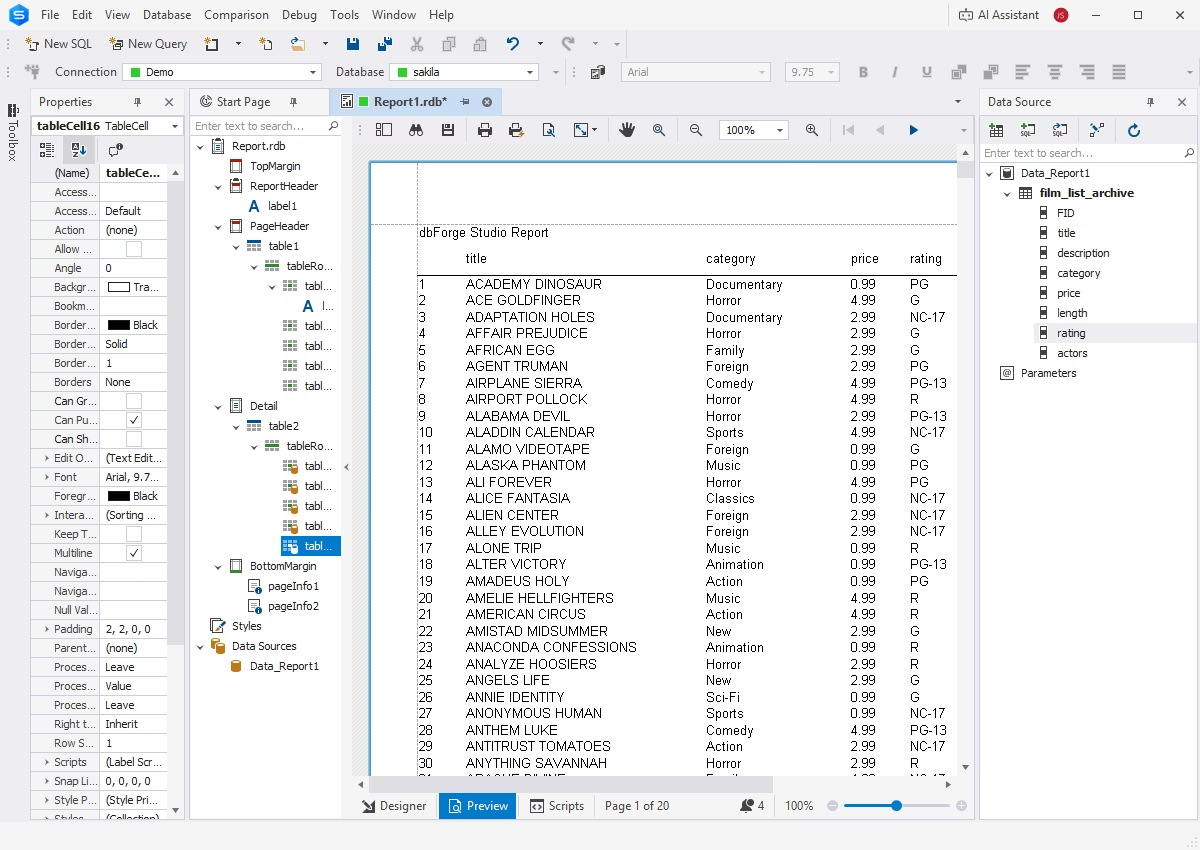
Data reporting
The integrated Report Designer allows you to create data reports and fill them with static text, images, shapes, and other elements. The contents of your reports can be modified and stylized in order to enhance their readability.
Compatibility
dbForge Studio for MySQL fully supports MariaDB, as well as the most widely used cloud databases, services, data warehouses, and search engines compatible with MySQL.
- MySQL: Versions 5.5 to 9.7
- MariaDB: Versions 5.5 to 12.2
- Percona: Versions 5.5 to 8.4
- HeatWave
- Galera Cluster
- Sphinx Search Engine
- Google Cloud Platform
- Azure Database for MySQL
- Amazon RDS
- Amazon Aurora
- Alibaba Cloud
- Tencent Cloud
- Aiven Cloud
- DigitalOcean Managed Database
- Kamatera Performance Cloud