dbForge Studio for MySQL features
AI Assistant
Reinvent your SQL development with the integrated AI Assistant that auto-generates, explains, fixes, and optimizes queries, provides helpful insights and best practices for SQL coding, and effortlessly guides you through every feature of the Studio.
- Context-aware query generation
- Conversion of natural language to SQL
- Query optimization
- SQL explanations
- SQL troubleshooting
- Error analysis and recommendations
- AI chat

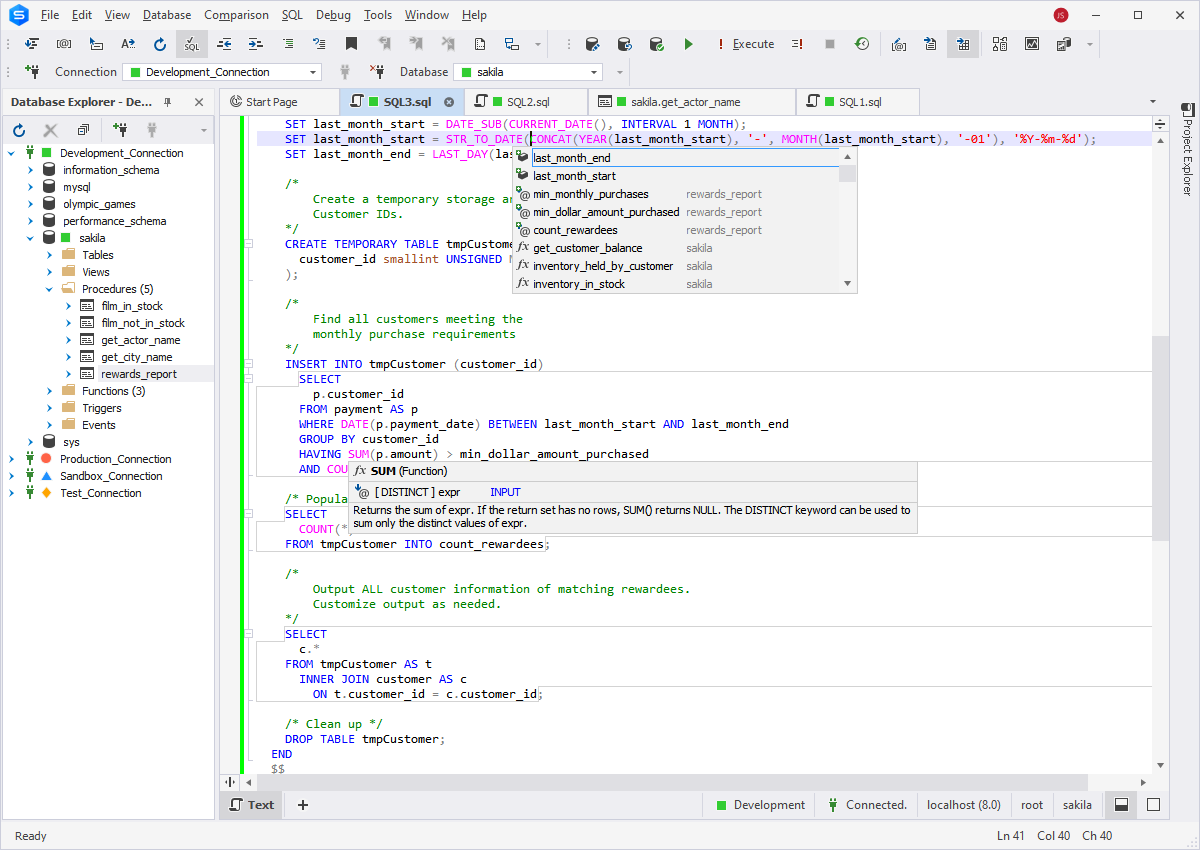
Intelligent SQL Coding
Bring convenience and effectiveness to your daily SQL coding with intelligent code completion, flexible formatting, code snippets, simplified code navigation, quick object information, and instant syntax validation. Using all of these features in the integrated MySQL Code Editor, you can double your regular coding speed in no time.
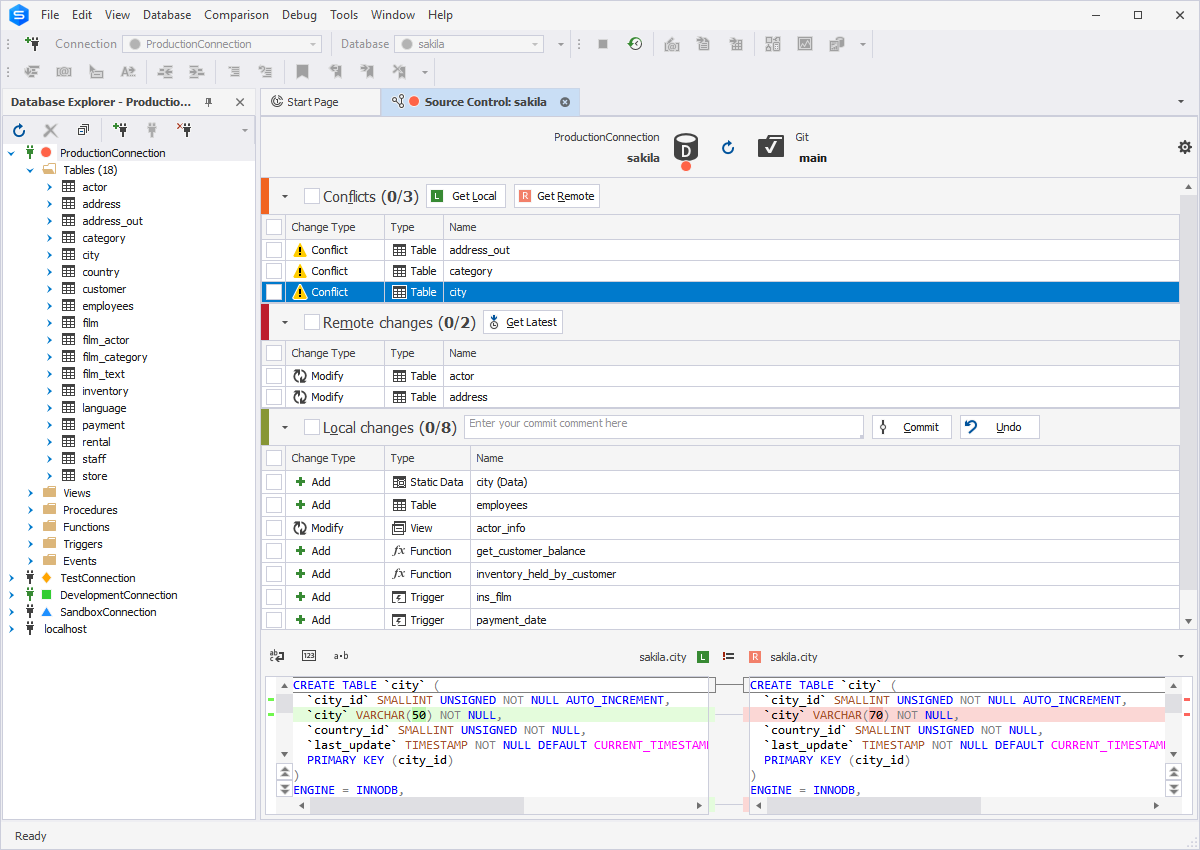
Source Control
Using dbForge Studio for MySQL, you can set up and streamline effective version control of database schemas and static table data.
- Commit and revert changes
- Perform fast comparison of database versions
- View and resolve conflicts
- Scrutinize the history of changes
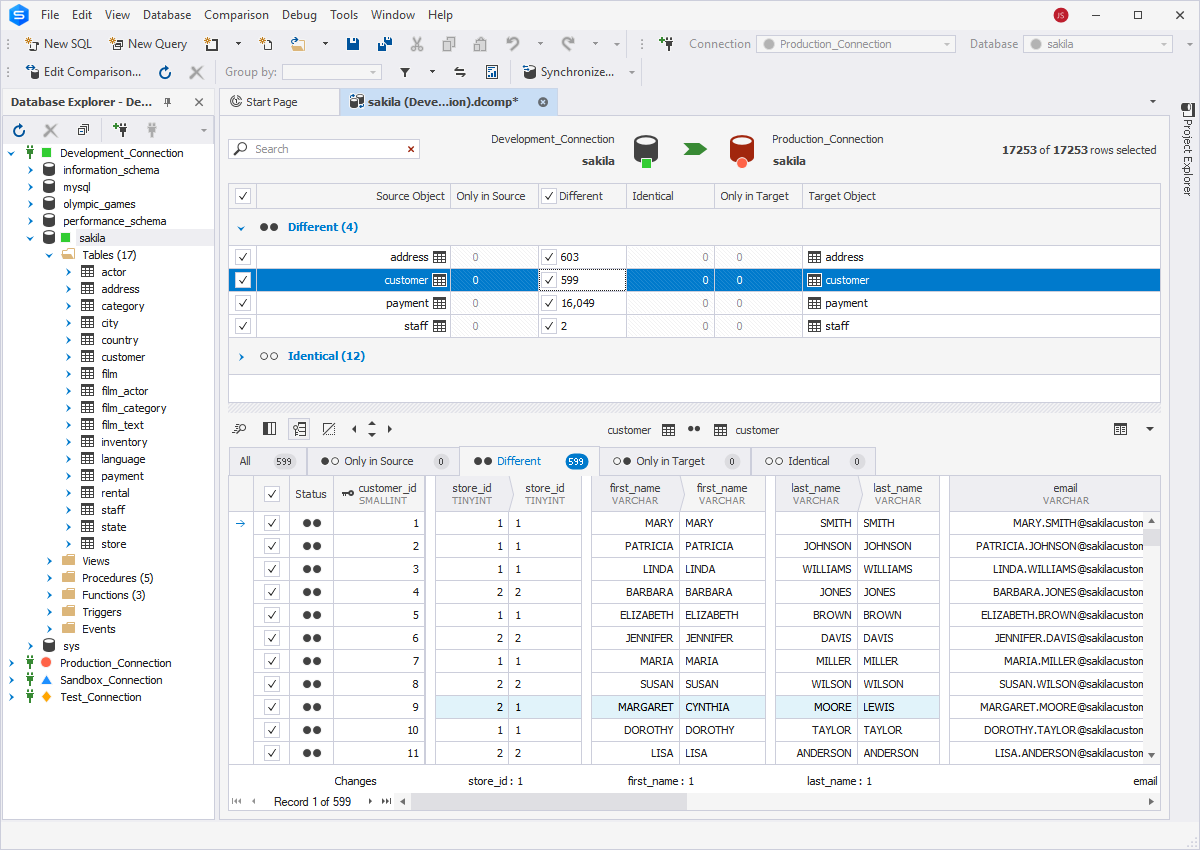
Database Comparison & Sync
It has never been easier to locate, analyze, and synchronize differences between databases.
- Compare and synchronize schemas and table data
- Schedule regular synchronization tasks
- Generate comparison reports
Import/Export Data
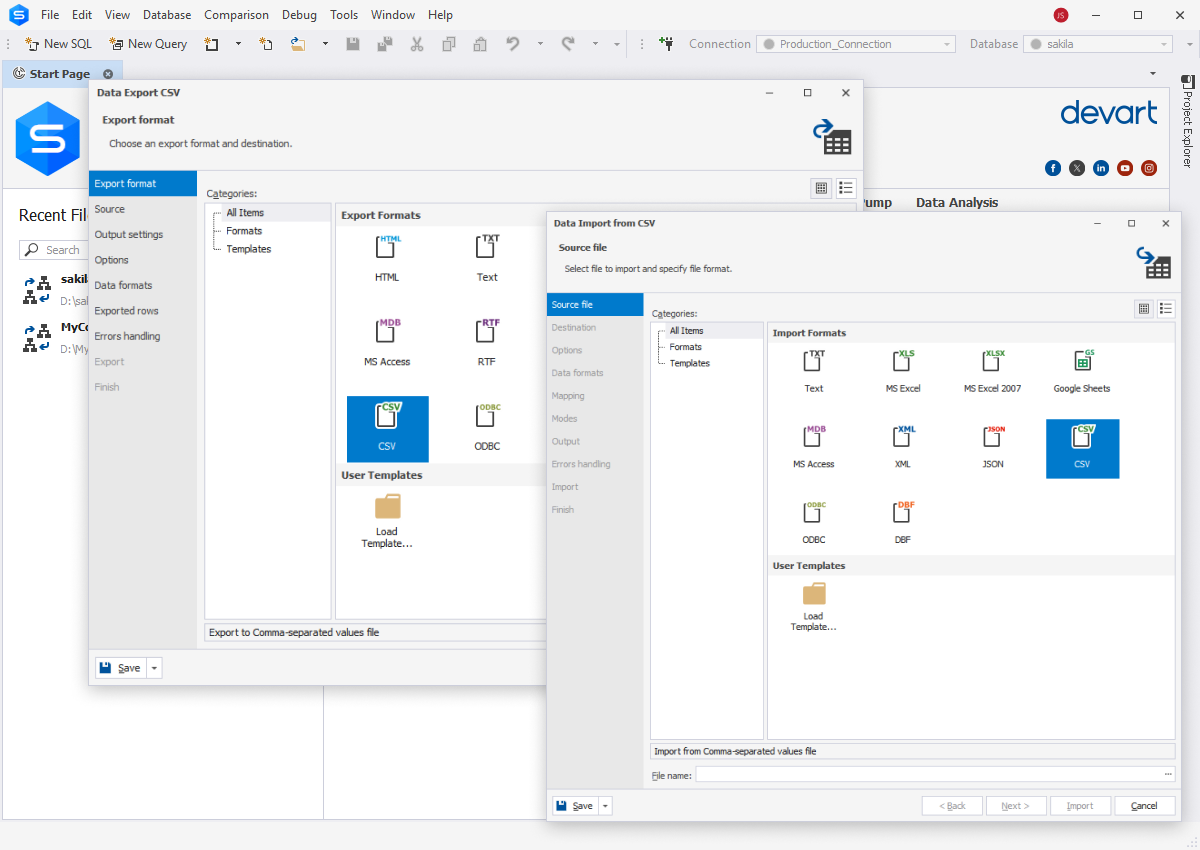
Fill MySQL databases with external data using our export and import tools. They support more than 10 popular data formats and allow customizing the whole process. In addition, you can create and modify handy templates as well as automate recurring data import and data export tasks from the command line.
Copy Databases
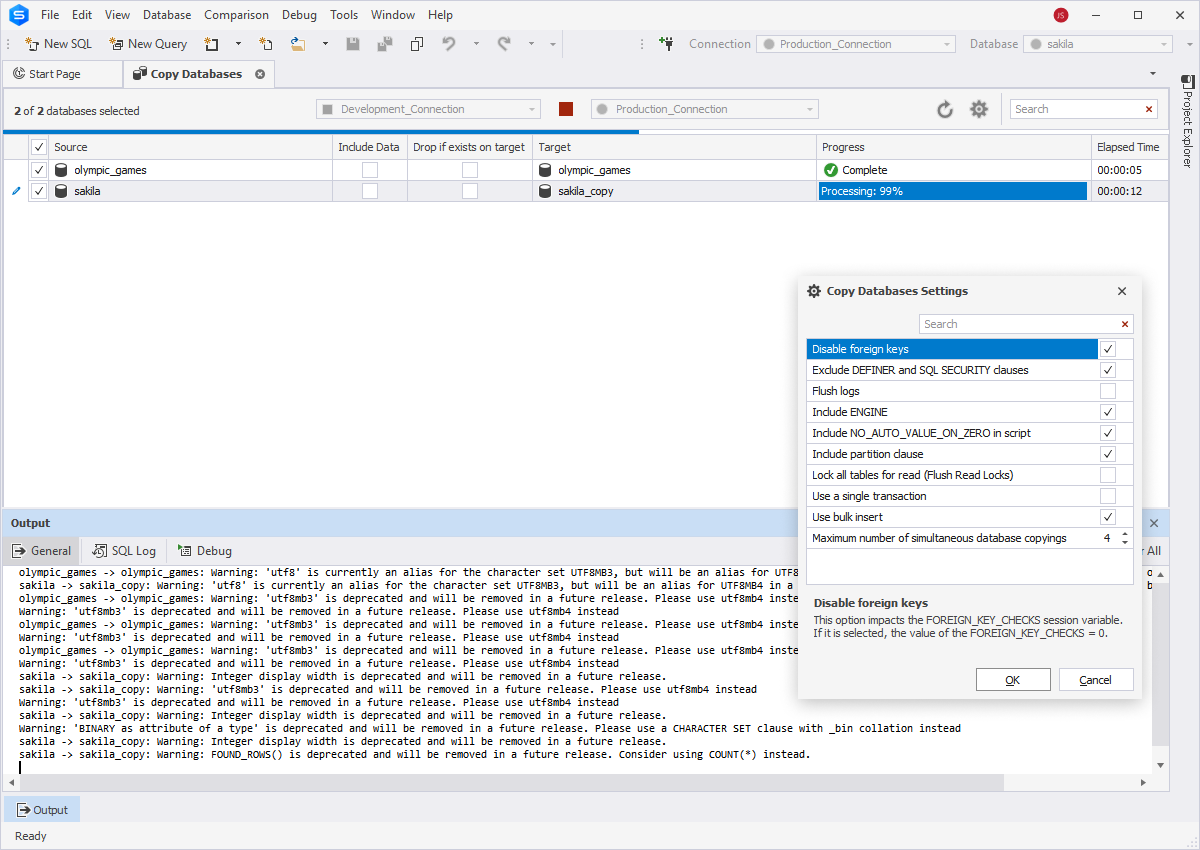
Transfer MySQL Server databases from one server instance to another with a nifty feature called Copy Databases, which helps you do the following:
- Customize copying settings
- Copy databases together with data
- Drop a database if it already exists on the target server
Database Designer
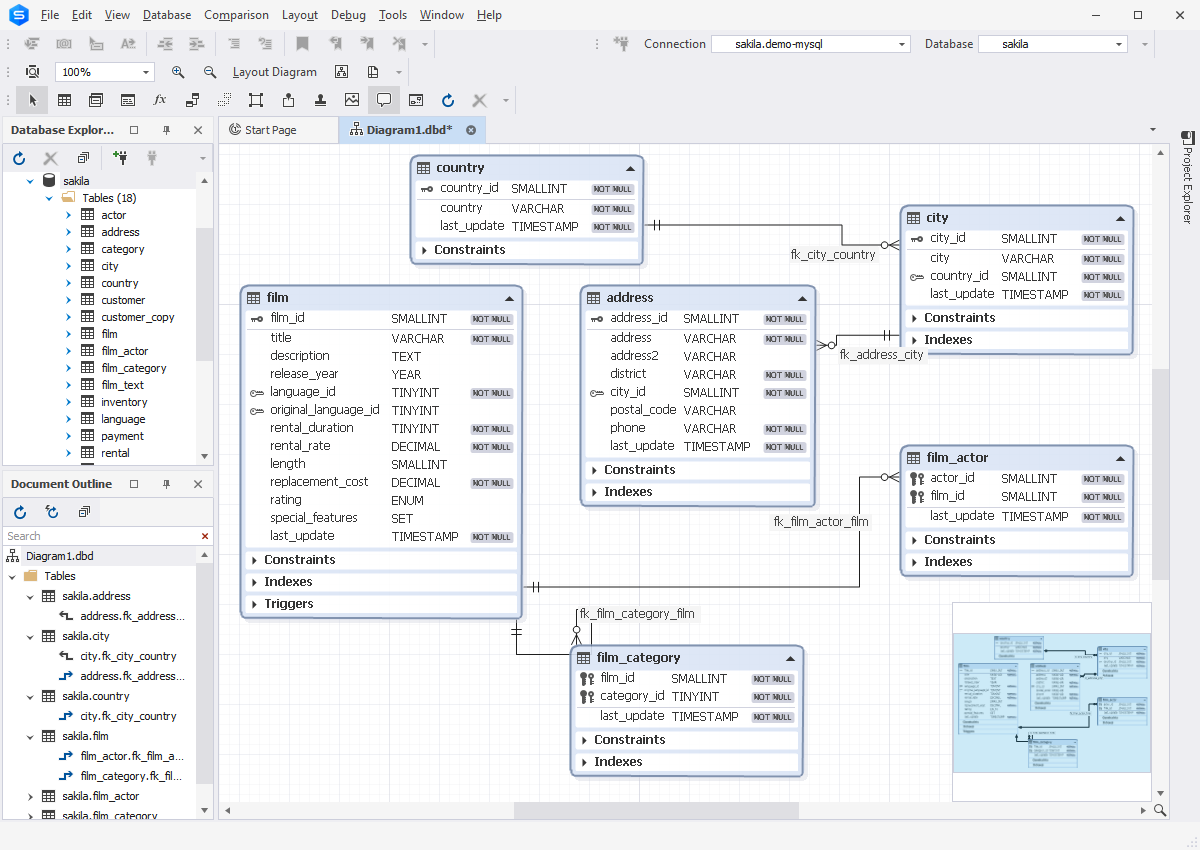
Use convenient database diagrams for creating, analyzing, reverse-engineering, printing, and customizing your MySQL databases.
- View foreign key relations
- Display database objects with their properties
- Execute stored routines
Data Generator
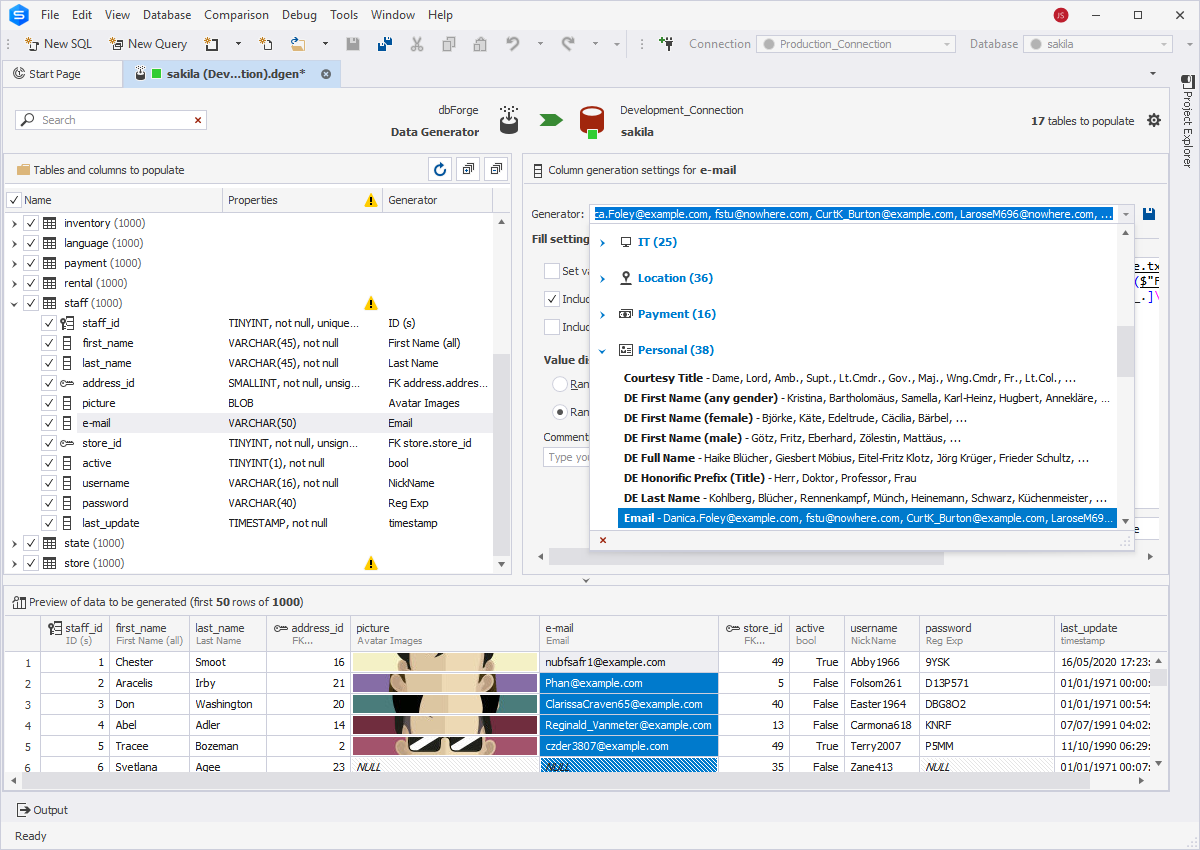
Populate your MySQL tables with thousands of rows of realistic test data. The integrated Data Generator supports all MySQL data types, includes a large number of meaningful generators with customizable settings, and allows generating data from the command line.
Query Profiler
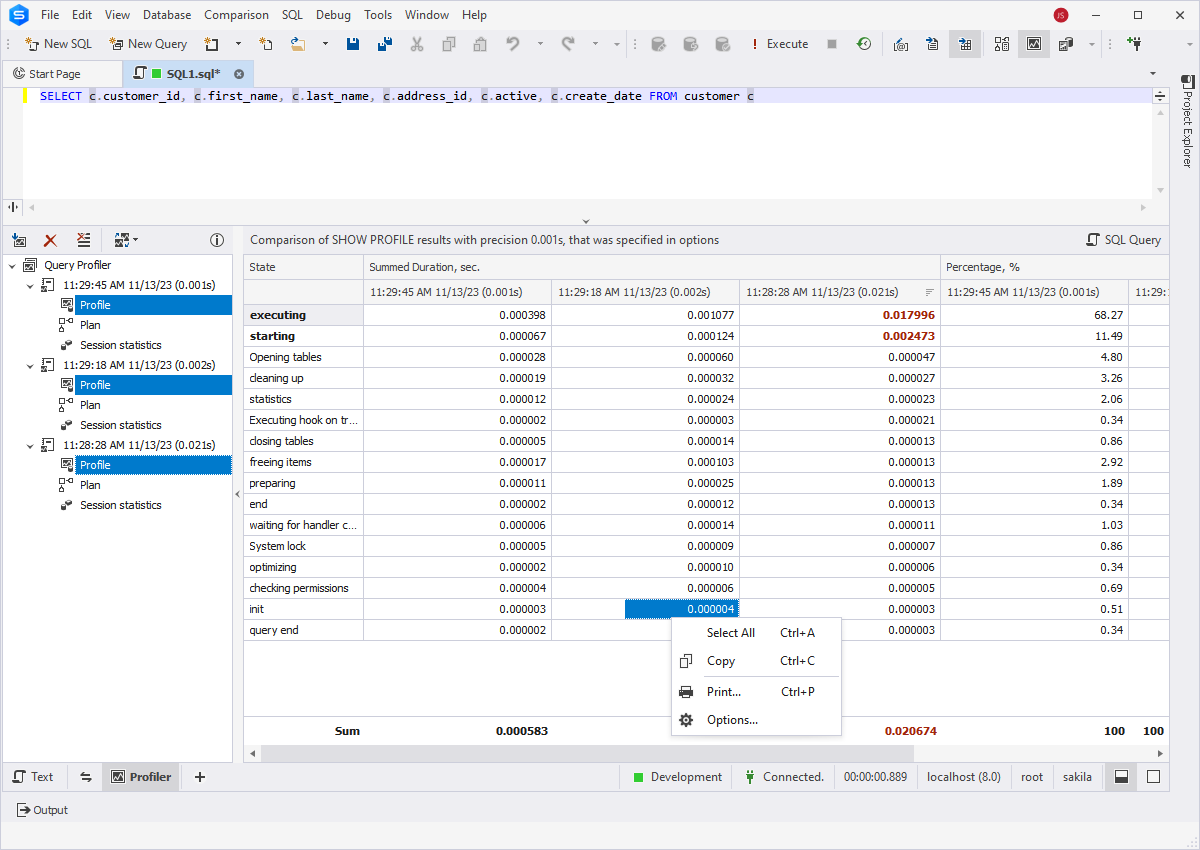
Improve multi-second queries using Query Profiler. This tool helps you detect query performance bottlenecks and speed up your queries.
- Visual query profiling
- Comparison of profiling results
- Effective optimization of query performance
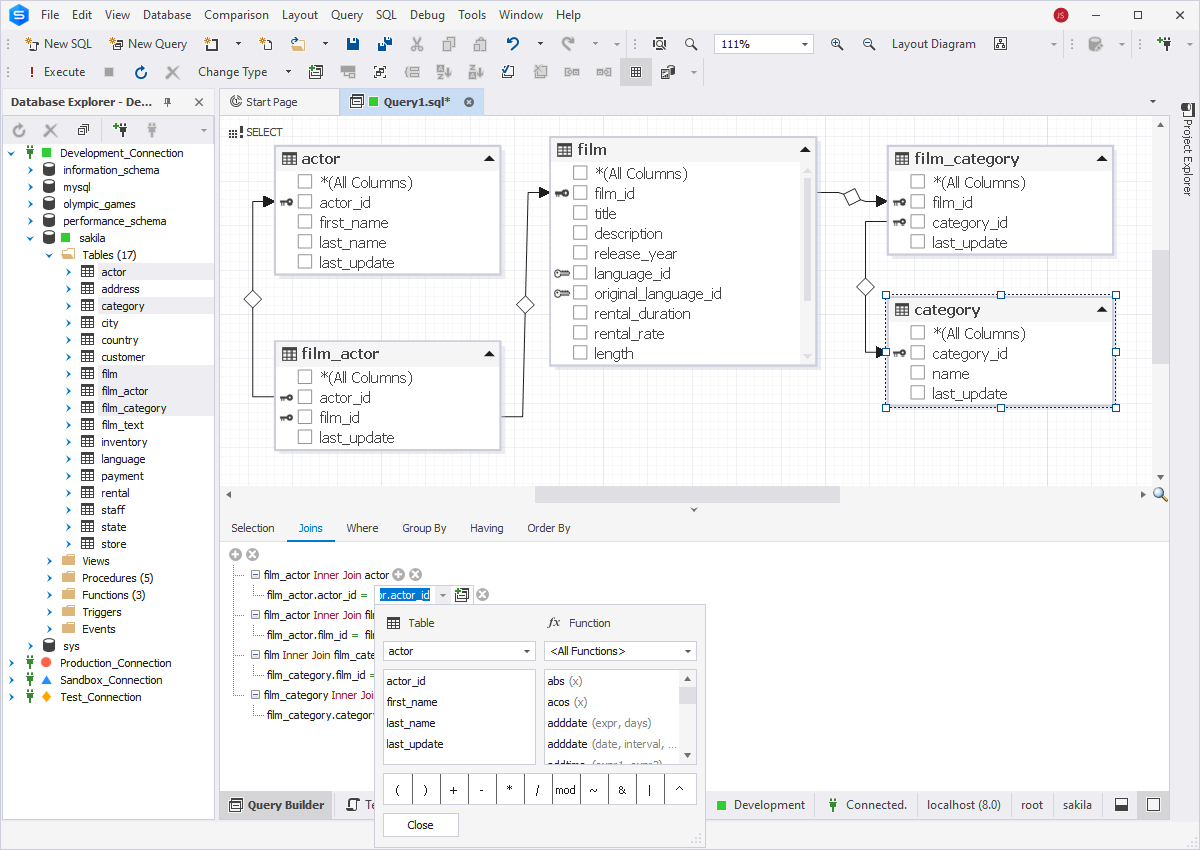
Visual Query Builder
Create queries visually using diagrams and use the expression editor to set query criteria. Queries of any complexity can be created in several seconds. Query Builder automatically adds JOINs between tables and allows working with INSERT, UPDATE, DELETE statements.
MySQL Debugger
The first debugger for MySQL offers step-by-step code execution, breakpoints, watches, a call stack, and a variables evaluation mechanism to automate the debugging of stored procedures and triggers.
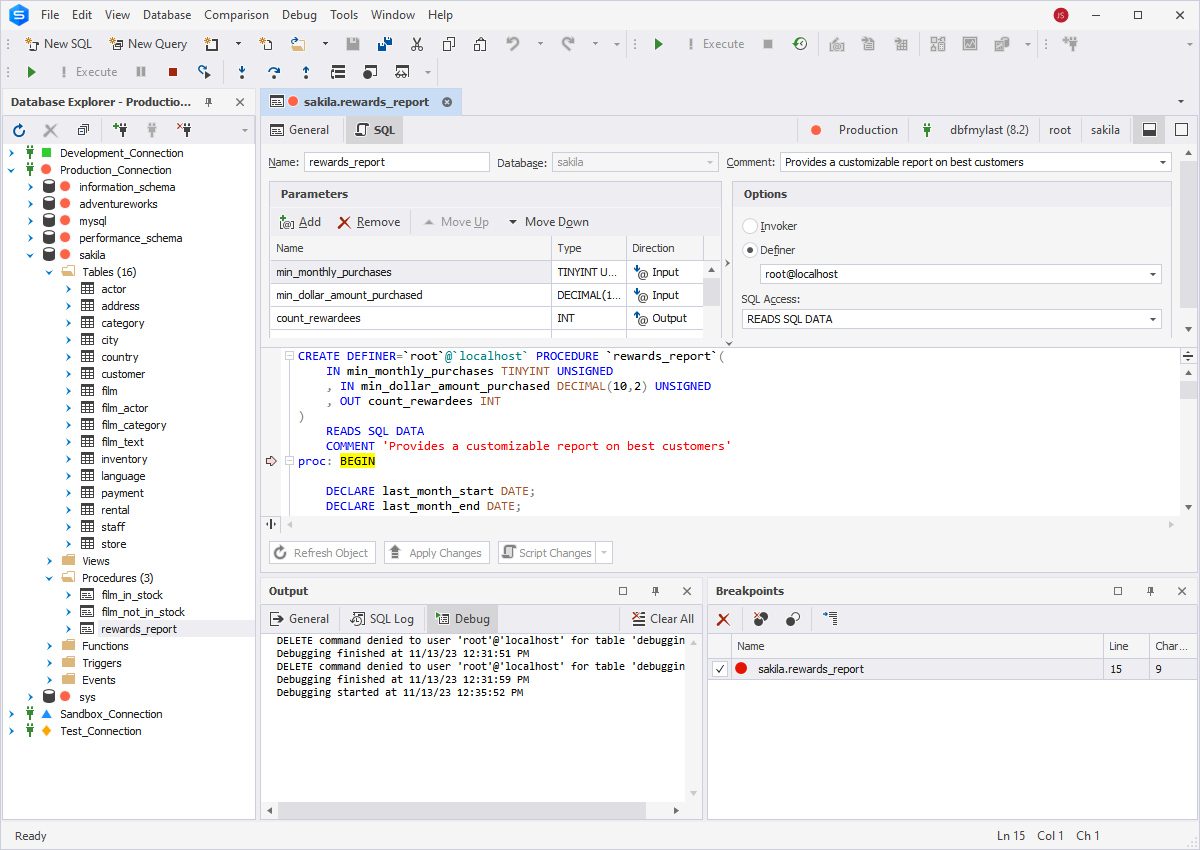
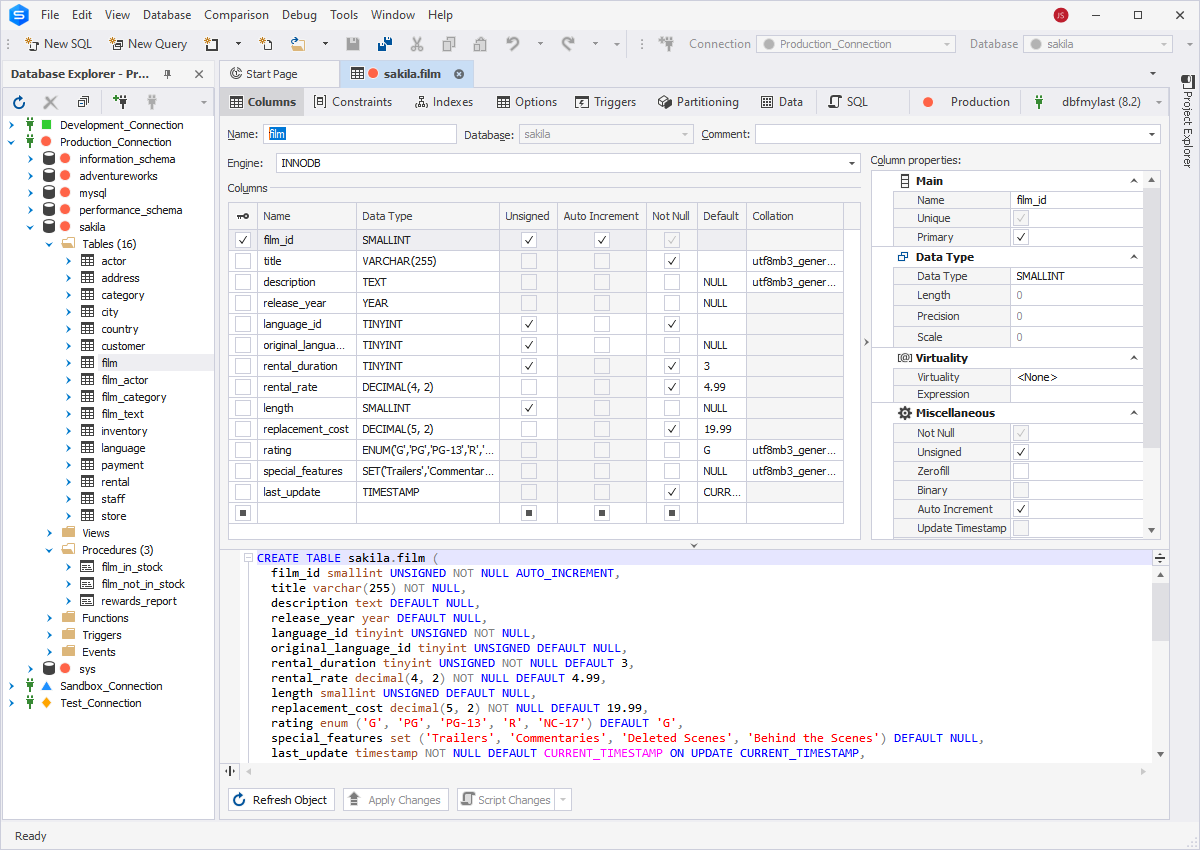
Table Designer
The Studio delivers a visual designer for creating and modifying table structures, indexes, primary keys, defaults, and CHECK constraints. Get full control over the changes you have made. The built-in heuristics feature will suggest a column type on creating a column based on the name you are entering.
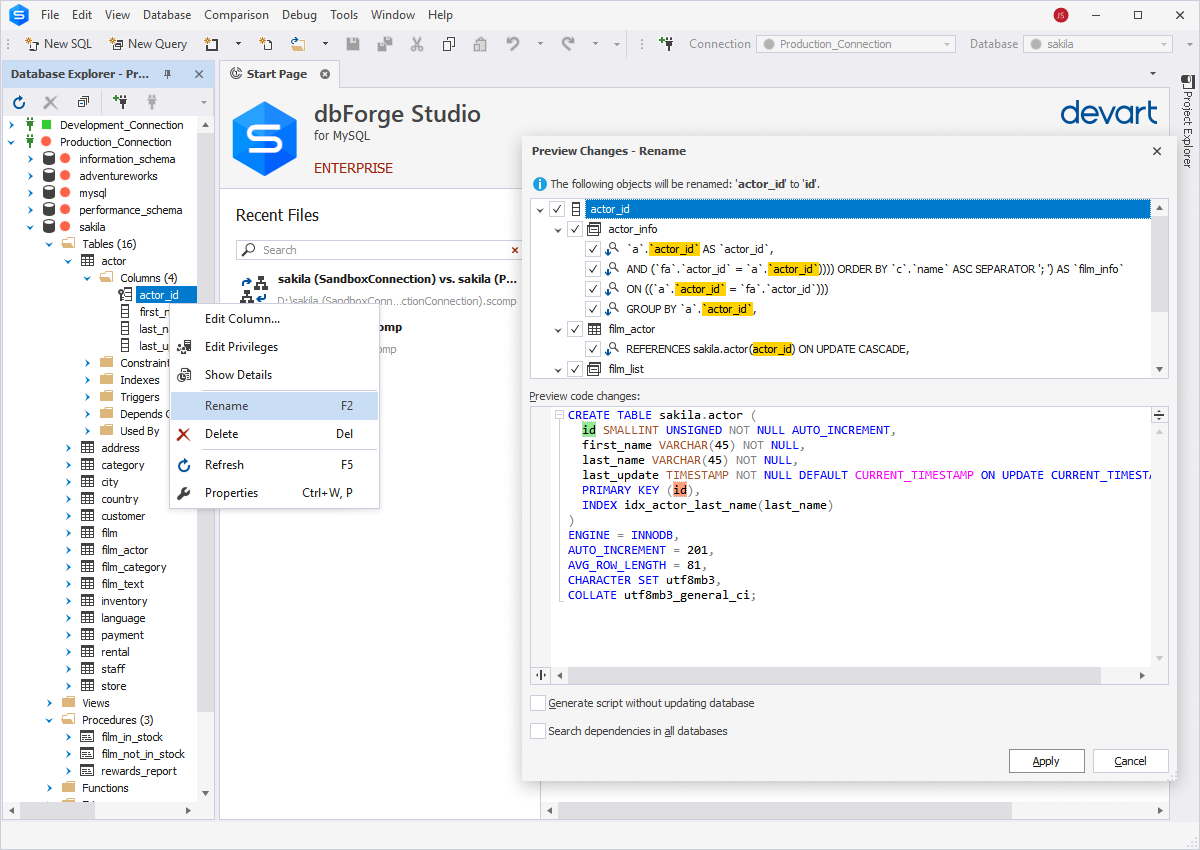
Database Refactoring
Improve MySQL database design by applying small changes. When such changes are performed, they are fully transparent, and the Studio takes care of all dependencies in the database:
- Rename database objects with preview
- Perform script refactoring
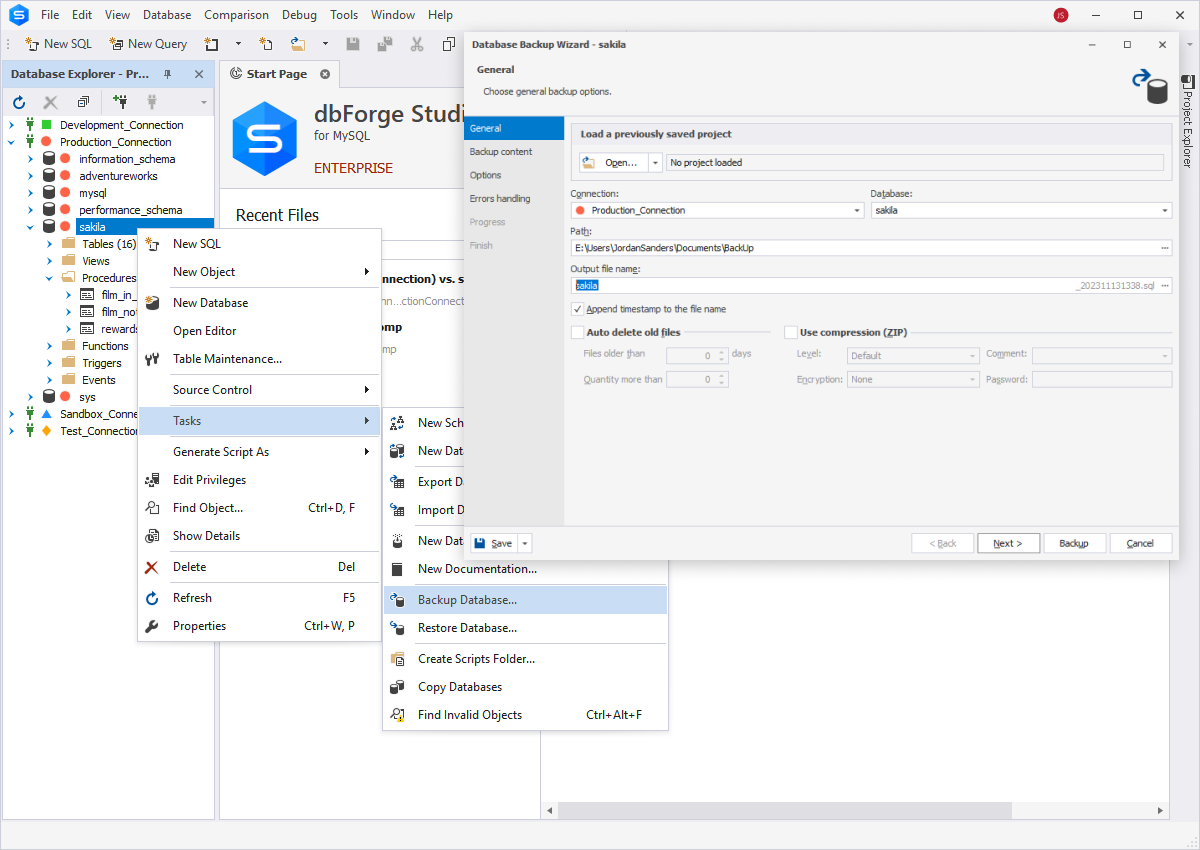
Database Backup
Dump databases in the SQL format and schedule regular database backups. Use 5 levels of file compression and wide set of options to fine-tune your backups. Additionally, you can save your settings and connections as a reusable project.
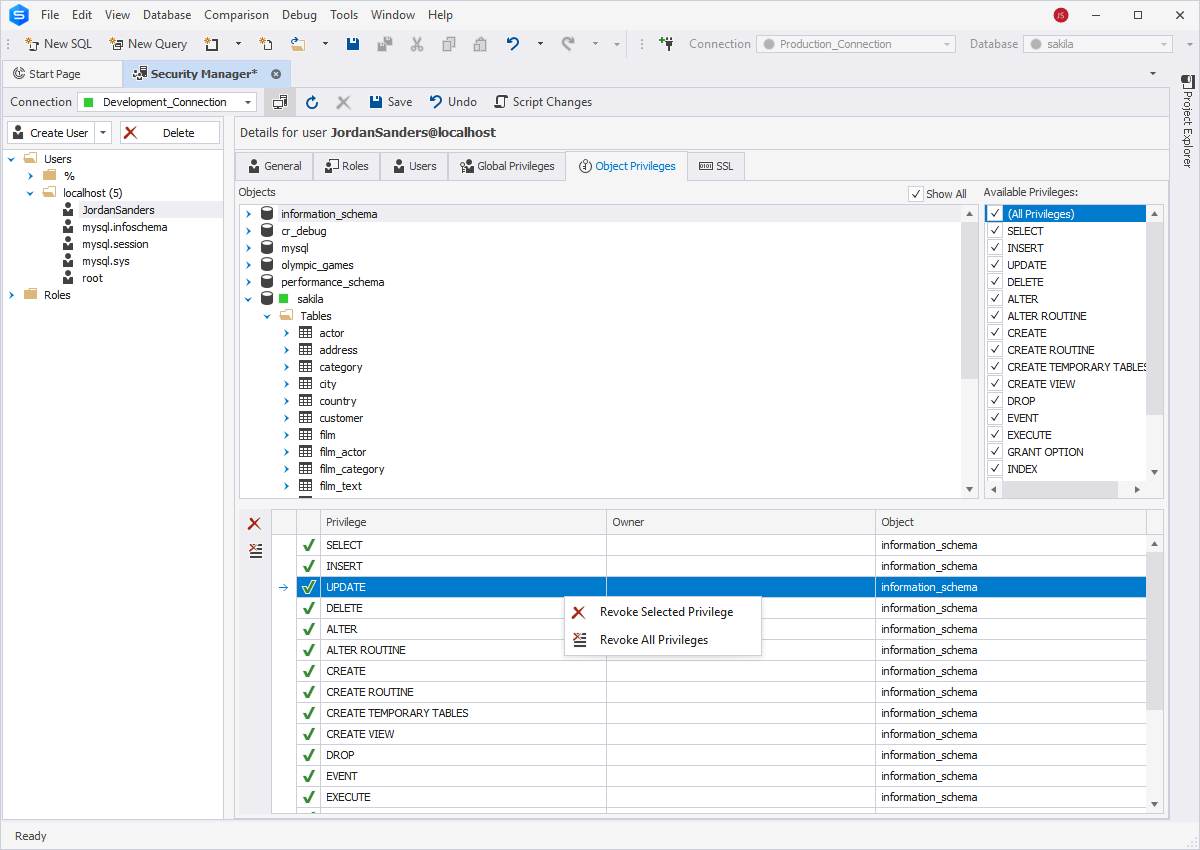
Database Administration
The Studio delivers a set of variegated tools that make MySQL database administration nearly effortless.
- Management of user privileges
- MySQL service control
- Management of server variables
- Table maintenance
- Management of server sessions
- MySQL database security
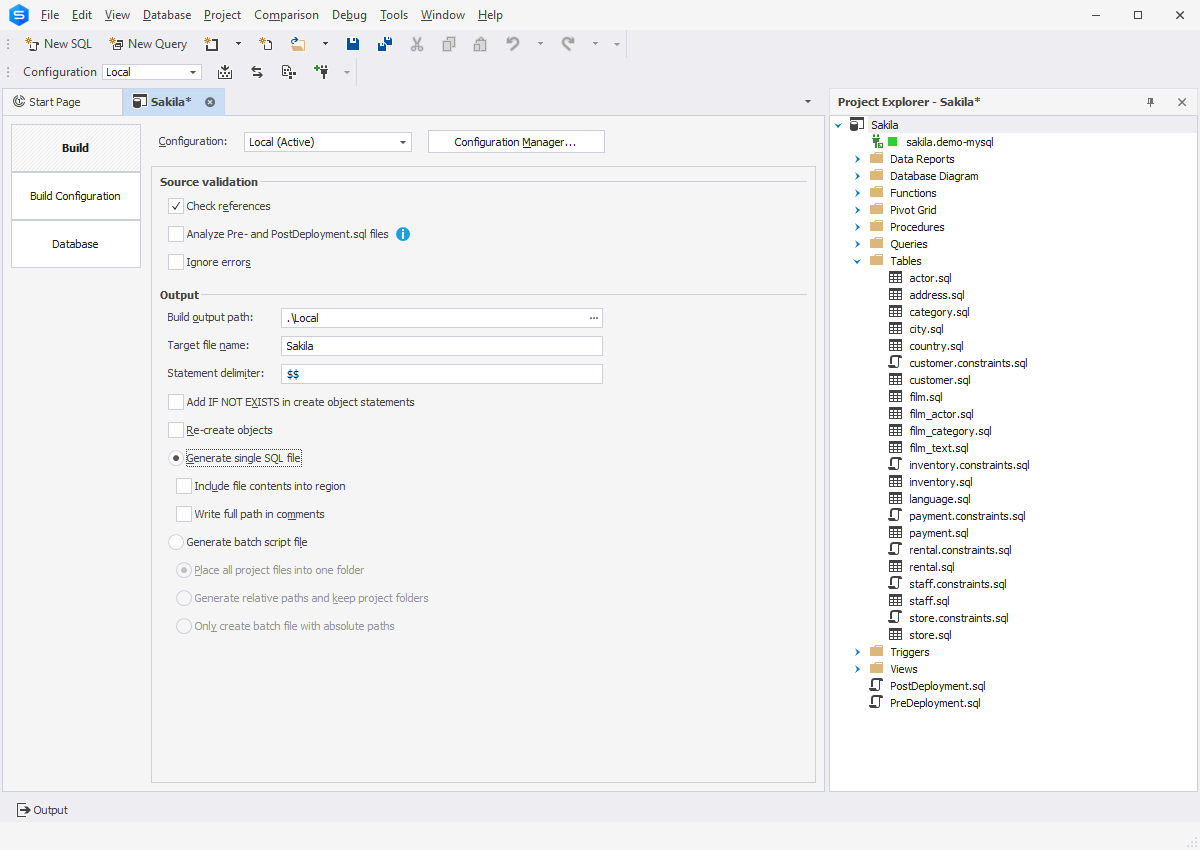
Database Projects
A database project is a collection of logically organized SQL scripts and query files, which are used both to create new databases and to update existing ones. Database projects can be created from scratch or imported from a database. They offer a lot of features that propel quick and convenient database development.
Data Analysis & Reporting
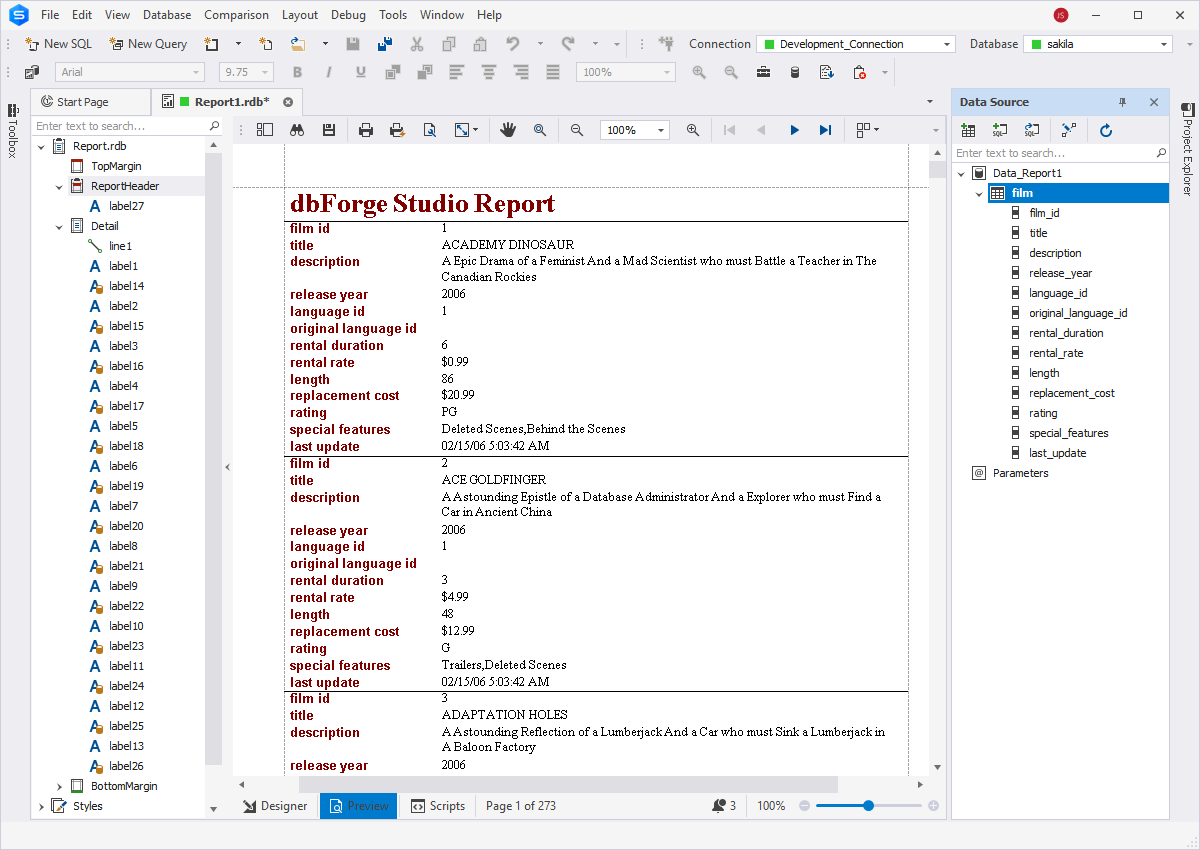
You can group and summarize your data in pivot tables to make it easier to read and understand.
In addition, you can generate compelling data reports with visualized data trends and dependencies. These reports can be exported to 9 file formats.
Documenter
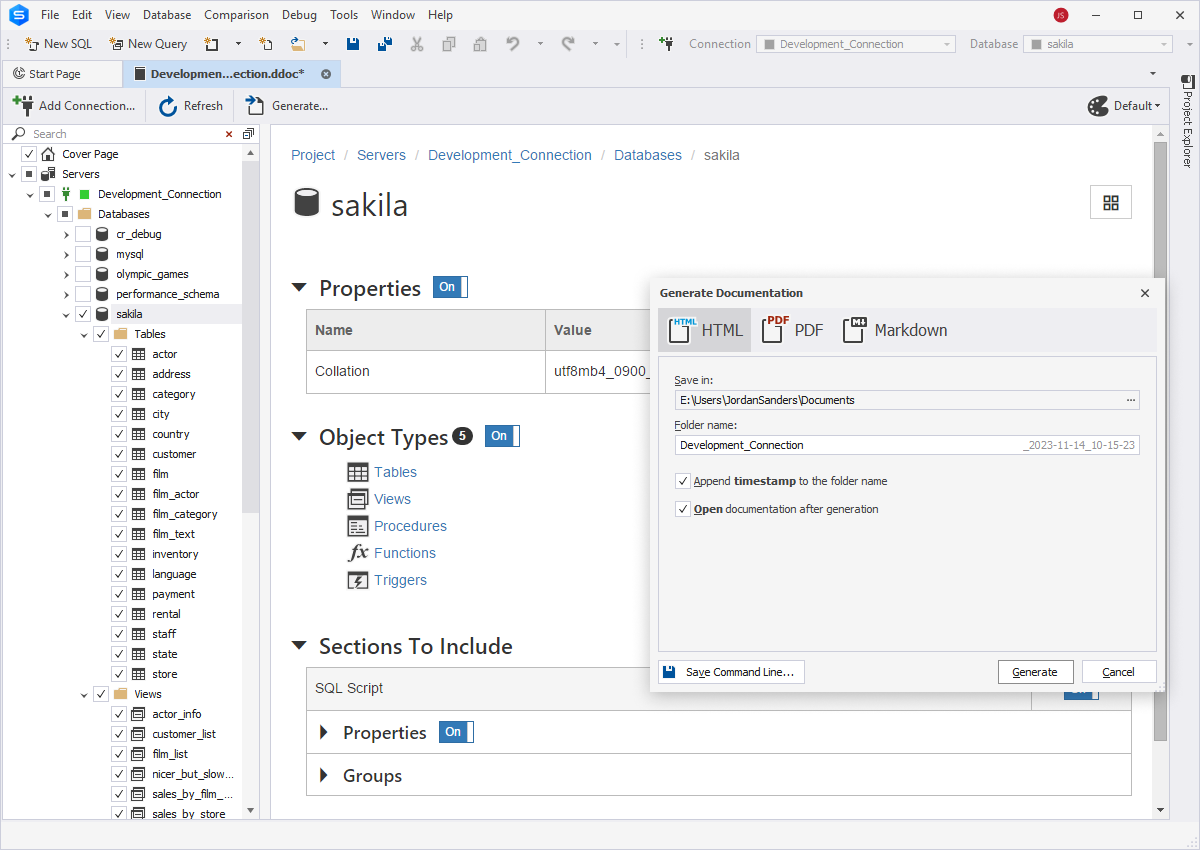
dbForge Studio includes a tool for quick generation of comprehensive database documentation. Here's what you can do with its help:
- Retrieve an overview of the database structure
- View inter-object and inter-database dependencies
- Customize documentation with style templates
- Generate documentation in HTML, PDF and Markdown
Database Migration
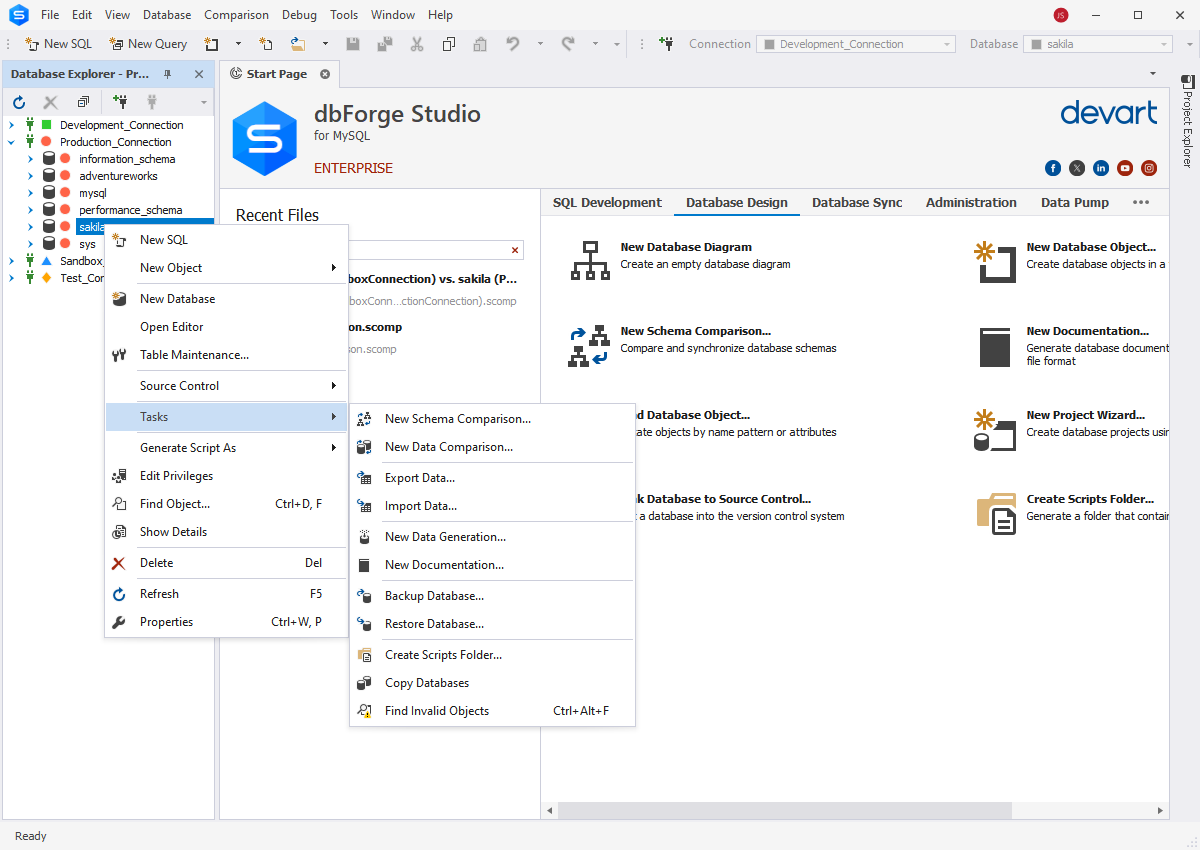
dbForge Studio for MySQL provides several ways to migrate databases either within the same instance or between different instances, including the following:
- Copy databases
- Backup and restore databases
- Import and export data to multiple formats
Broad Compatibility Options
The Studio is compatible with the following:
- MySQL server up to the most recent version
- MariaDB server up to the latest version
- Percona PAM Authentication for MySQL
- Amazon RDS for MariaDB