Best MySQL IDE You Can Find

dbForge Studio for MySQL is a high-end IDE for MySQL and MariaDB, a comprehensive solution designed to make nearly every aspect of your work with databases quick and effortless. With its clean and intuitive GUI, the Studio proved to be a perfect fit for beginners and seasoned pros alike—and the wealth of its features covers quite a few tasks with ease and precision.

  • SQL development
  • Database design
  • Data management
  • Database operations
  • Database administration
  • Data analysis & reporting
  • Automation
  • Version control
Features
dbForge Studio for MySQL
Stock MySQL tools
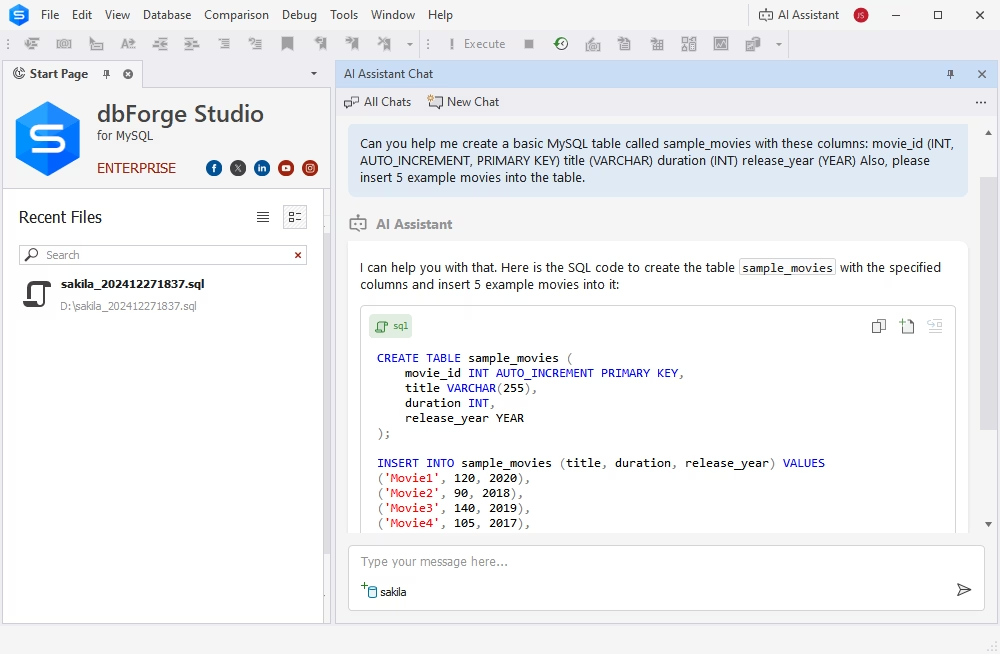
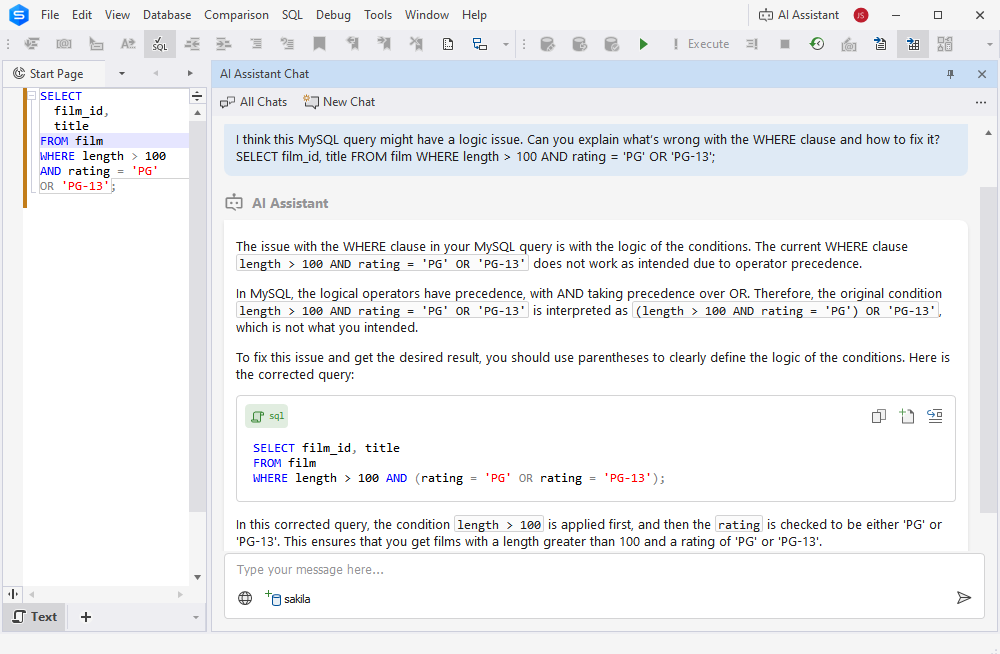
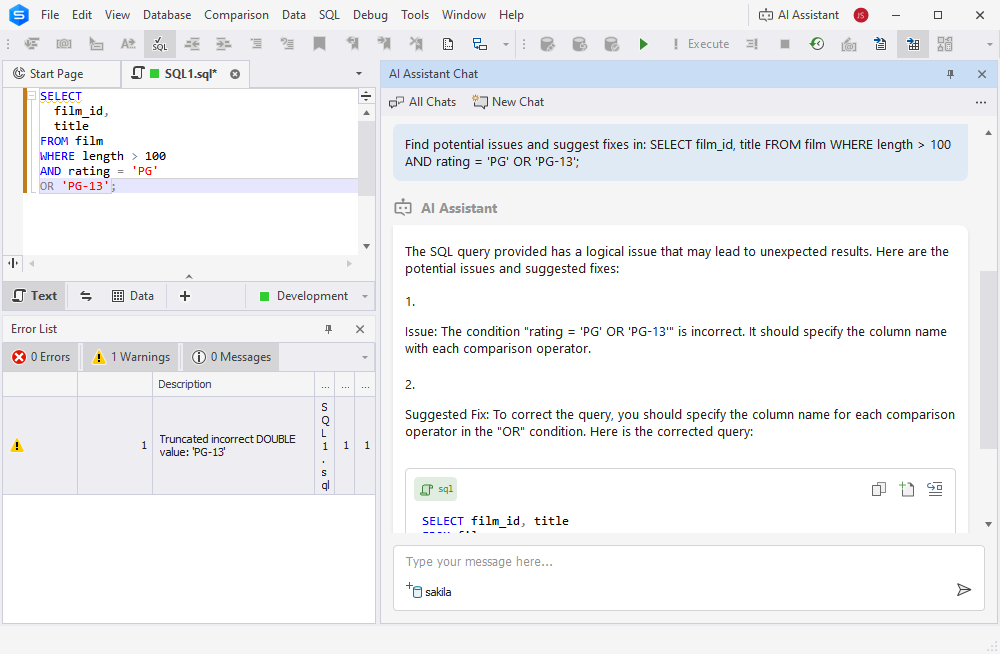
AI Assistant
Included
Not included
Advanced SQL coding assistance
Included
Not included
Data editor
Included
Included
MySQL query debugging
Included
Not included
MySQL version control
Included
Not included
Database comparison and synchronization

Included
Not included
Data export and import using multiple formats
Included
Included
Database backup and recovery

Included
Included
Data analysis and reporting
Included
Not included
dbForge Studio for MySQL offers 67% more features than stock MySQL tools such as MySQL Workbench, phpMyAdmin, etc.

Here's everything you need to work with MySQL databases most effectively

SQL development

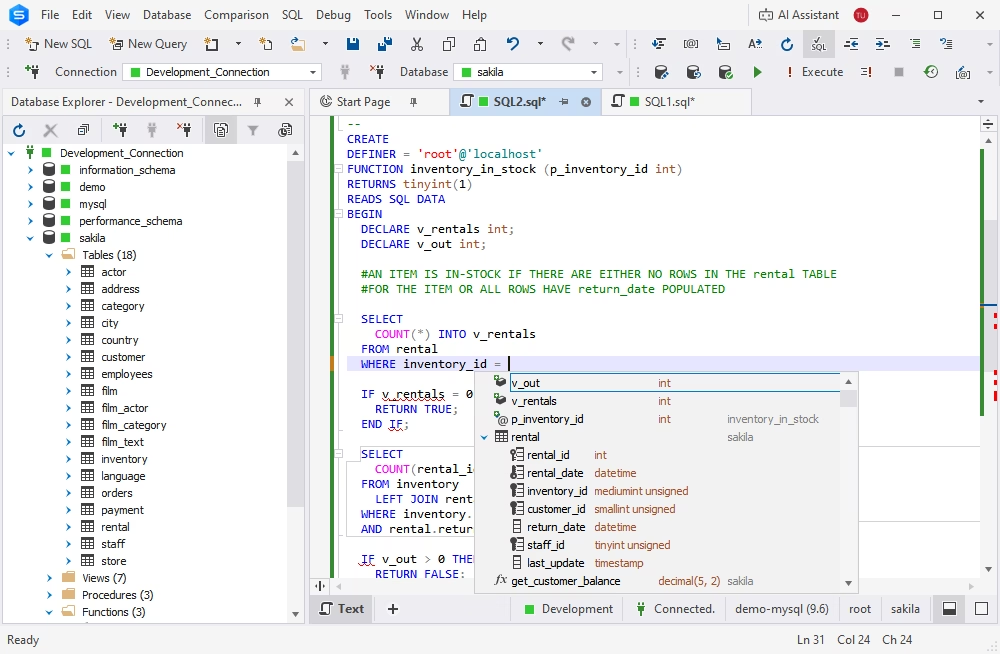
dbForge Studio for MySQL provides you with an exhaustive set of tools to speed up your daily SQL development.

Database design

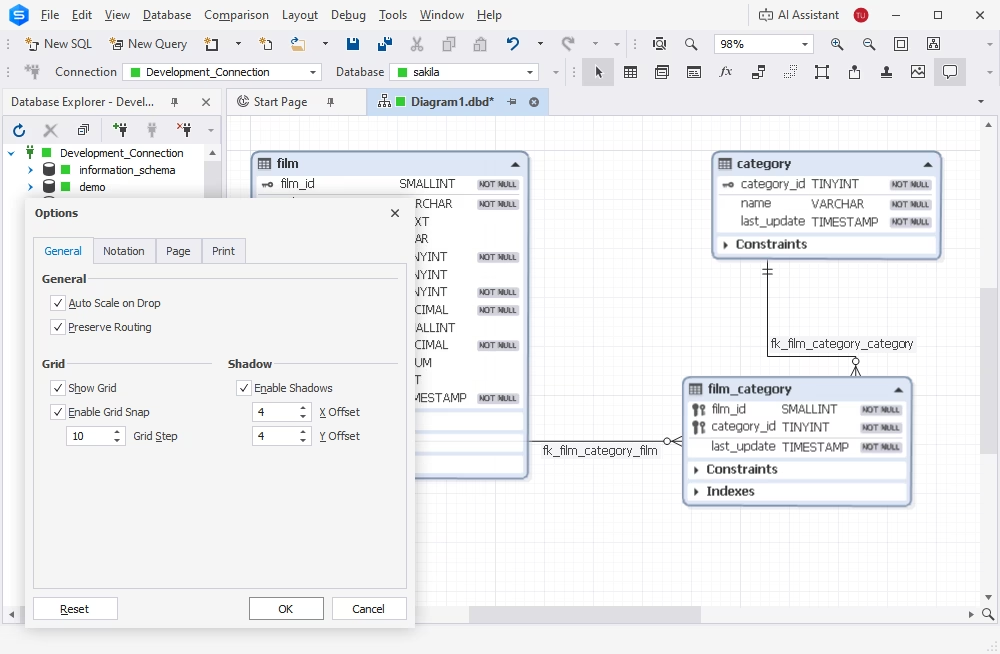
Designing databases for a new project or modifying existing database structures has never been easier. dbForge Studio has everything it takes to help you keep up with the growth of your database-centered software and the ever-evolving requirements for data storage and management.

Data management

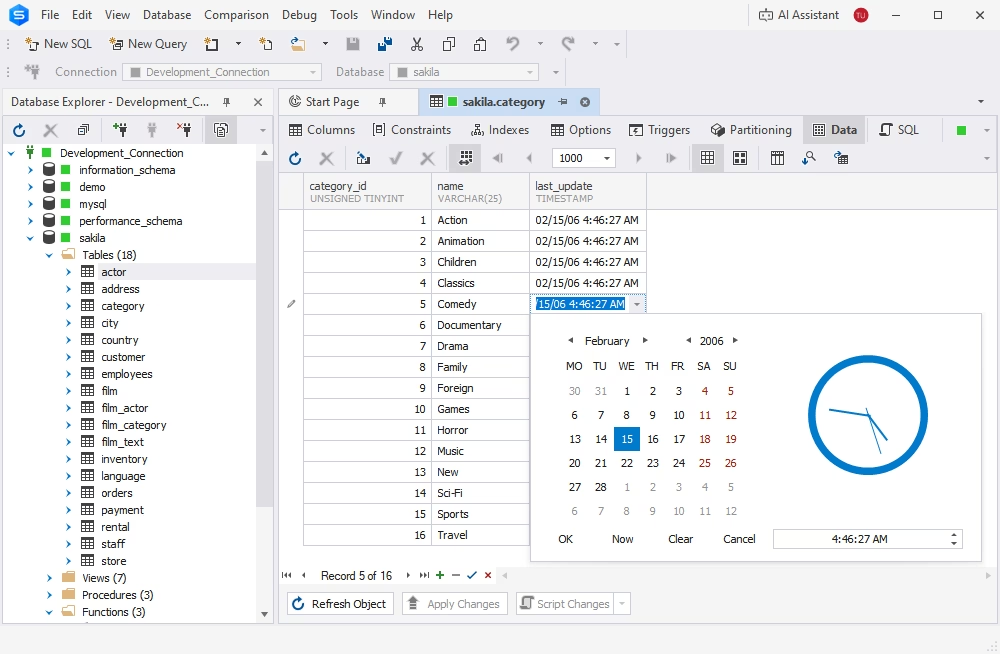
dbForge Studio will easily become the ultimate MySQL viewer for your data, helping you ensure its integrity, security, and accessibility. With the Studio, you get an inclusive set of features aimed at storing, organizing, editing, and migrating datasets of any size with next to no effort.

Database management and operations

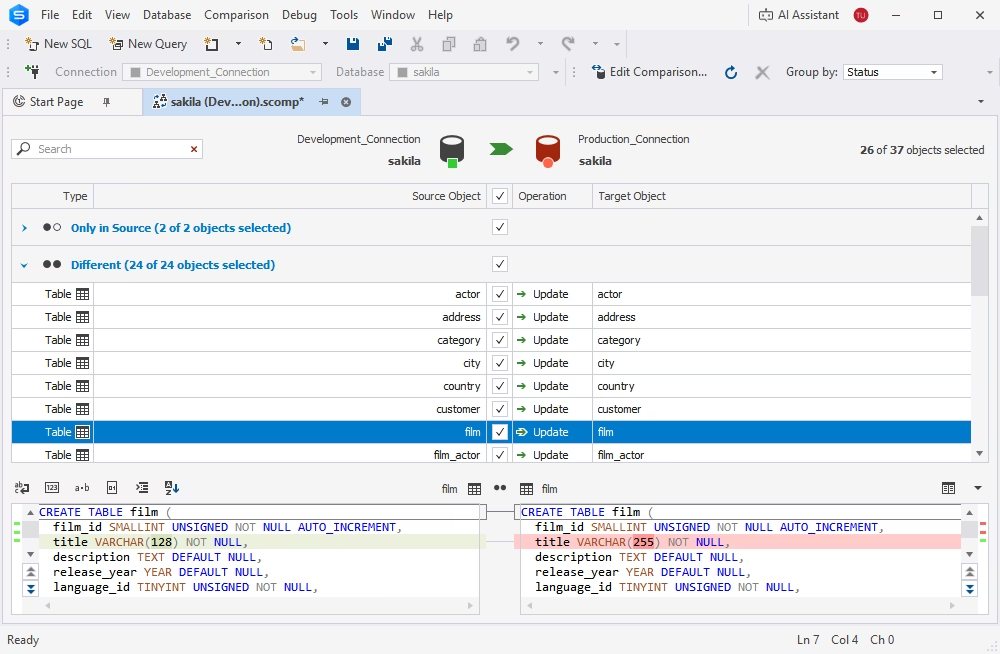
dbForge Studio helps you manage, migrate, and deploy MySQL and MariaDB databases across different environments with ease. Streamlined database operations are one of the most vital steps towards easy optimization and scaling of your entire product development.

Database administration

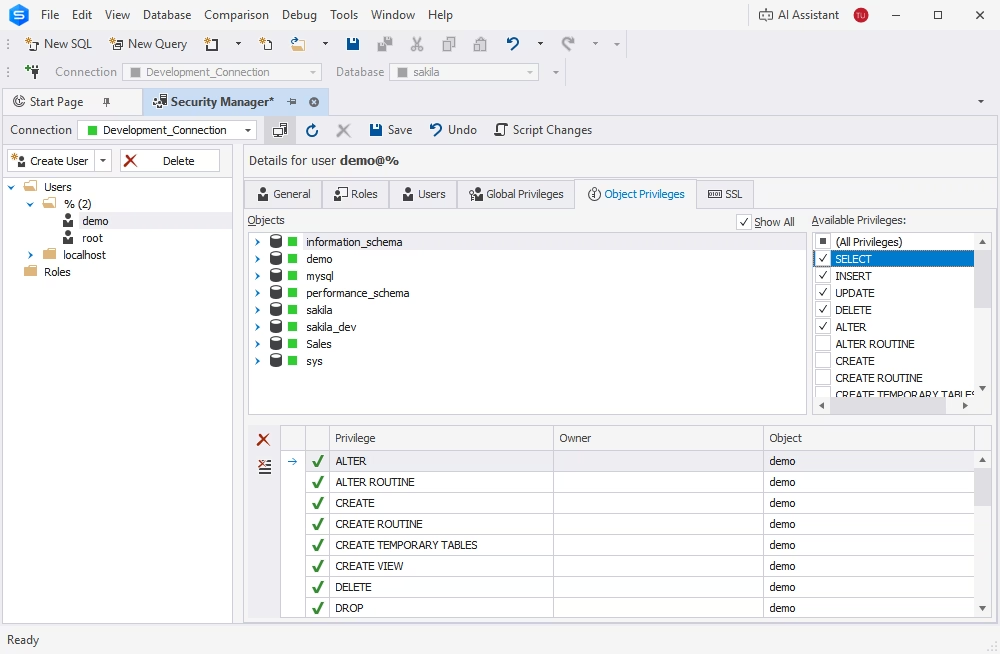
Your routine database administration becomes an extremely easy task with the Studio at hand. Its variegated toolset provides you with full control over server configuration, performance tuning, session monitoring, service management, and table maintenance.

Data analysis and reporting

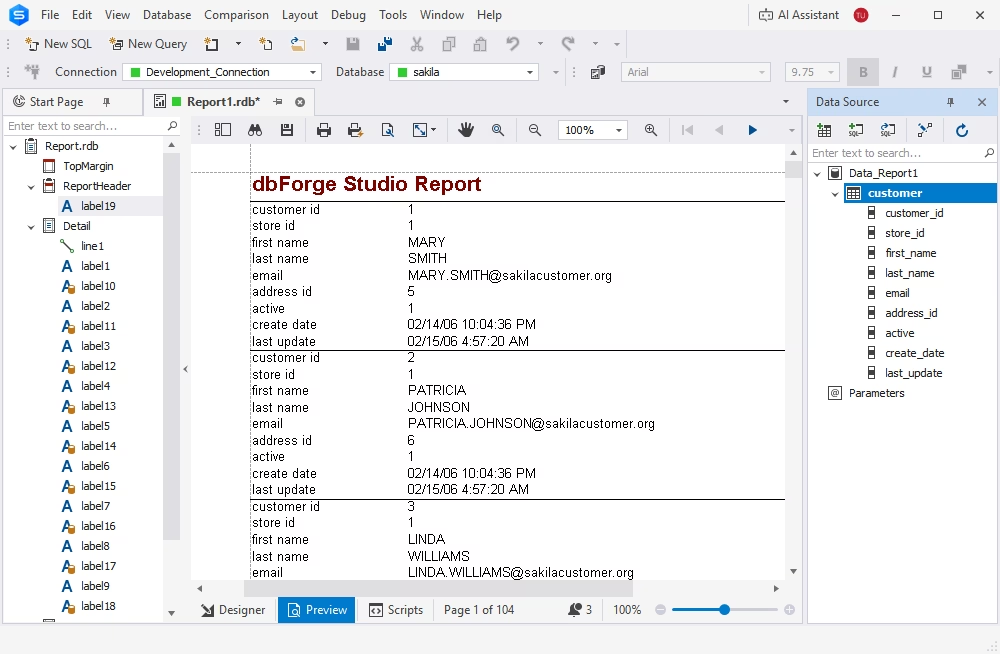
The Studio will help you aggregate any amount of data and scrutinize it to identify trends, patterns, and anomalies. With its assistance, you can get actionable insights that can be translated into compelling data reports.

Automation

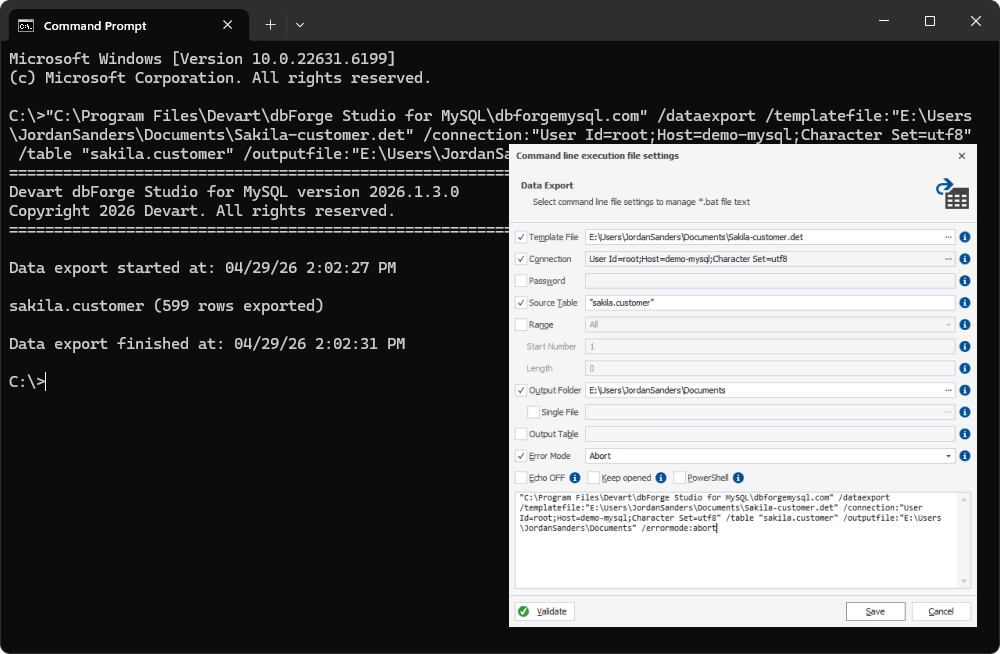
Last but not least, a huge bulk of the Studio's functionality offers extensive automation options. Using the standard command-line interface, you can easily automate recurring database operations to save your precious time and sharpen your focus on things that require your attention the most.

Trusted by thousands of data-driven companies
Assurant
Bristol Myers Squibb
Blackstone
Cardinal Health
Cisco
DXC Technology
Emerson
Expedia
Labcorp
Devart products are trusted by leading companies worldwide
Assurant Bristol Myers Squibb Blackstone Cardinal Health Cisco DXC Technology Emerson Expedia Labcorp

Pricing

Monthly billing Yearly billing

Standard

Starts from
$9.95
$99.95
per year
Buy now
Key features
  • SQL completion & formatting
  • Visual query building
  • Query profiling
  • Database diagrams

  • Data management & migration
  • Backup & recovery

Professional

Starts from
$19.95
$179.95
per year
Buy now
All features from Standard +
  • Schema comparison & sync
  • Data comparison & sync
  • Database projects

  • Database refactoring

  • Data reporting
  • CLI automation

Enterprise

Starts from
$29.95
$229.95
per year
Buy now
All features from Professional +
  • Source control integration
  • Copying databases
  • Test data generation
  • Database documentation
  • Search for invalid objects
  • Comparison of scripts folders
Get started with dbForge Studio at no cost

Get started with dbForge Studio at no cost

Download the Studio for a free 30-day trial and see all of its capabilities in action today!

Work with a wide variety of databases and cloud services

For your convenience, dbForge Studio is fully compatible with the most popular MySQL-based database systems and a number of related cloud services.

MySQL
MySQL
MariaDB
MariaDB
Amazon RDS & Aurora
Amazon RDS & Aurora
HeatWave MySQL
HeatWave MySQL
Percona
Percona
Heroku
Heroku
Galera Cluster
Galera Cluster
Alibaba Cloud
Alibaba Cloud

Your most versatile cross-platform MySQL IDE

+25%

Team performance in data management

dbForge Studio for MySQL is an excellent solution for both individual users and entire teams operating with databases and actual data.

2X-4X

Faster query writing and database design

Everything you need to level up the speed and precision of your SQL coding and database modeling is right here, in an easy-to-use toolkit.

+30%

Productivity in routine database administration

Our users report a minimum 30% productivity growth when it comes to carrying out administration tasks with the Studio at hand.

+100%

Flexibility in database management

The Studio has everything to help you and your teammates create, deploy, manage, and safeguard your MySQL and MariaDB databases with ease.

100%

Accuracy in SQL coding and database design

dbForge Studio for MySQL is your all-encompassing solution for writing clean SQL code and modeling new databases on diagrams.

50%

Time saved on routine database deployment

According to our clients, their database deployment time gets reduced by an average of 50%. We're all about saving your precious time.

100%

Effective administration of databases

The Studio will help you configure MySQL, manage users, track processes in your databases, and perform table maintenance.

+20%

Faster data management and analysis

The Studio's robust productivity features will help you get your routine data-related tasks done much faster and with less effort.

2X+

Faster database design and SQL development

You can speed up your routine SQL coding with context-aware completion, versatile formatting, and syntax validation at your service.

+80%

Daily productivity in database management

dbForge Studio is your easiest and safest way to modify, compare, synchronize, migrate, and back up MySQL and MariaDB databases.

100%

Automation of recurring database-related tasks

You can use the command-line interface to automate database comparison and sync tasks, backups, import and export operations, and much more.

100%

Database integrity with efficient administration

Finally, dbForge Studio will help you manage users and permissions, keep track of server sessions, and perform table maintenance with ease.

2X+

Faster database design and SQL development

dbForge Studio will give your productivity a dramatic boost with its visual database design tools and SQL coding assistance features.

100%

Versatility and security in data management

dbForge Studio is your ultimate MySQL viewer. You can inspect, edit, migrate, back up, and analyze your data in the most effortless way.

100%

Effective disaster recovery features

Speaking of backups, you no longer have to worry about potential data loss. The Studio will help you set up automated backups in no time.

50%

Time saved on database deployment

Our clients say that the Studio helps them cut their database deployment time in half. You can achieve the same results with ease.

2X-4X

Faster construction and effective optimization of SQL queries

dbForge Studio for MySQL delivers a set of powerhouse tools to help you write and optimize SQL queries. These tools include IntelliSense-like code completion, instant syntax validation, and a smart Query Profiler.

+30%

Productivity growth in routine database administration

Actually, 30% is the minimum reported by our clients in their success stories. In quite a few cases, DBAs claimed to get a whopping 150% boost once they adopted the Studio for their daily needs.

100%

Flexible toolset that makes all operations with data much easier

dbForge Studio simplifies data management in every way, from the basic operations like viewing and editing to more complex things like aggregation, analysis, and migration of data to different environments.

+20%

Efficiency in data analysis and reporting

dbForge Studio for MySQL helps you aggregate, process, and scrutinize your data with ease, summing your findings up with compelling visual reports.

1

Complete solution for data management

The Studio has every tool you might need to view, edit, migrate, and analyze MySQL and MariaDB data in the most convenient way.

2X+

Faster SQL coding and visual query building

You can write queries in SQL or design them visually, on diagrams, with no coding whatsoever. Either way, you'll get to do it much faster.

100%

Streamlined operations with databases

The Studio was designed to make database management easier than ever with extensive command-line automation of routine tasks.

1

Integrated solution for all database tasks in MySQL and MariaDB

dbForge Studio for MySQL is a multifeatured IDE that was designed to help you solve nearly every database-related task at hand. The Studio's automation capabilities make it even more special.

100%

Extensive CLI-powered automation of multiple database operations

You can use the command line to automate a wide range of recurring operations, such as database comparison and synchronization, data import and export, generation of test data, and much more.

100%

Reliability, flexibility, and security in routine data management

The Studio will help you ensure 24/7 availability, security, and high performance of your MySQL and MariaDB databases. Everything you might need for data management is also here, always at hand.

Success stories from our customers

G2 Leader Winter 2025
SoftwareSuggest User First Innovation 2025
Crozdesk Quality Choice 2025
Readers' Choice Awards 2024
Capterra Shortlist 2023
GetApp Best Functionality & Features 2023

Ready to get started?

Get your 30-day trial

Get your 30-day trial

Give dbForge Studio a go during a FREE 30-day trial and see all of its versatile import and export capabilities in action.

Enjoy bulk discounts

Enjoy bulk discounts

We offer flexible purchasing options to meet your budget. Also, if you need multiple licenses, you will get a bulk discount.

Need a hand?

Need a hand?

If you need any help or have questions about our tools or purchasing options, feel free to get in touch with our team.

Need a multidatabase solution?

Empower yourself with a vast range of capabilities for the development, management, and administration of SQL Server, MySQL, Oracle, and PostgreSQL databases

Frequently asked questions

How is a MySQL GUI different from a MySQL client or IDE?

A MySQL client is the general concept of a product that allows connecting to a MySQL server and performing basic operations with data. For instance, it helps run SQL queries and view results.

A MySQL GUI is a type of client that has a graphical user interface (as opposed to a command-line client).

Finally, a MySQL database IDE is a more complex solution designed for development workflows, not just simple interactions with data. A full-fledged IDE for MySQL databases is designed to help handle the entire database lifecycle, from design and development to continuous management and routine administration.

That is exactly what dbForge Studio offers. And, although the Studio has powerful CLI-powered automation capabilities, it's still a GUI with visual tools and wizards that simplify your operations with databases.

What features should a modern MySQL GUI include?

A modern MySQL GUI typically provides all the essentials for daily work with databases, including but not limited to the following:

  • SQL editor with code completion and formatting
  • Query debugging and profiling
  • Data management
  • Database comparison and synchronization
  • Database administration
  • Automation of recurring operations

And of course, since we're talking about a GUI, all of these features must be delivered in a user-friendly interface with smart wizards and multiple options, all of which make the said GUI intuitive for users of completely different backgrounds.

Is dbForge Studio a good MySQL GUI for professional developers?

Yes. dbForge Studio includes an advanced set of features that covers the needs of not only professional developers but also DBAs, data architects, analysts, and basically anyone who works with databases and actual data.

Besides the feature set, there's one more vital thing called cross-platform compatibility. Although the Studio is natively a MySQL IDE for Windows, it can be run on other operating systems. For instance, the Studio becomes a great MySQL IDE for Mac with CrossOver, a compatibility solution by CodeWeavers. The Studio also becomes a nice MySQL IDE for Linux with the same CrossOver or Wine, all without compromising on performance.

Can dbForge Studio handle large MySQL schemas and datasets?

Yes, dbForge Studio can handle complex schemas and large datasets perfectly fine. However, processing millions of records may naturally take extra time.

Is dbForge Studio suitable for team-based MySQL development?

Yes. dbForge Studio covers the entire database lifecycle and is perfectly suitable for setting up teamwork. For instance, version control integration helps collaborate on databases and manage data safely. Shareable formatting profiles help enforce consistent SQL coding standards. We can also mention the generation of database documentation; it helps teammates get acquainted with database structures quickly and effectively.

Does dbForge Studio support MySQL and MariaDB?

Yes, dbForge Studio is fully compatible with MySQL, MariaDB, and a variety of related cloud services. For a more detailed overview, refer to Requirements and compatibility.

Can I evaluate dbForge Studio for MySQL before purchasing?

Yes. dbForge Studio for MySQL is available in its top-tier Enterprise edition for a free 30-day trial. You can explore the Studio's interface, evaluate its performance, and see the full variety of its features in action. It's a great way to learn whether the Studio is really the best fit for your daily work with MySQL and MariaDB databases.