Log In
or
Register
Products
News
Forums
Blogs
Company
Shopping cart
Home page
Home
/
Products
/
Database Tools
/
MySQL
/
Studio
/
What's New in 4.00
What's New in dbForge Studio for MySQL 4.00
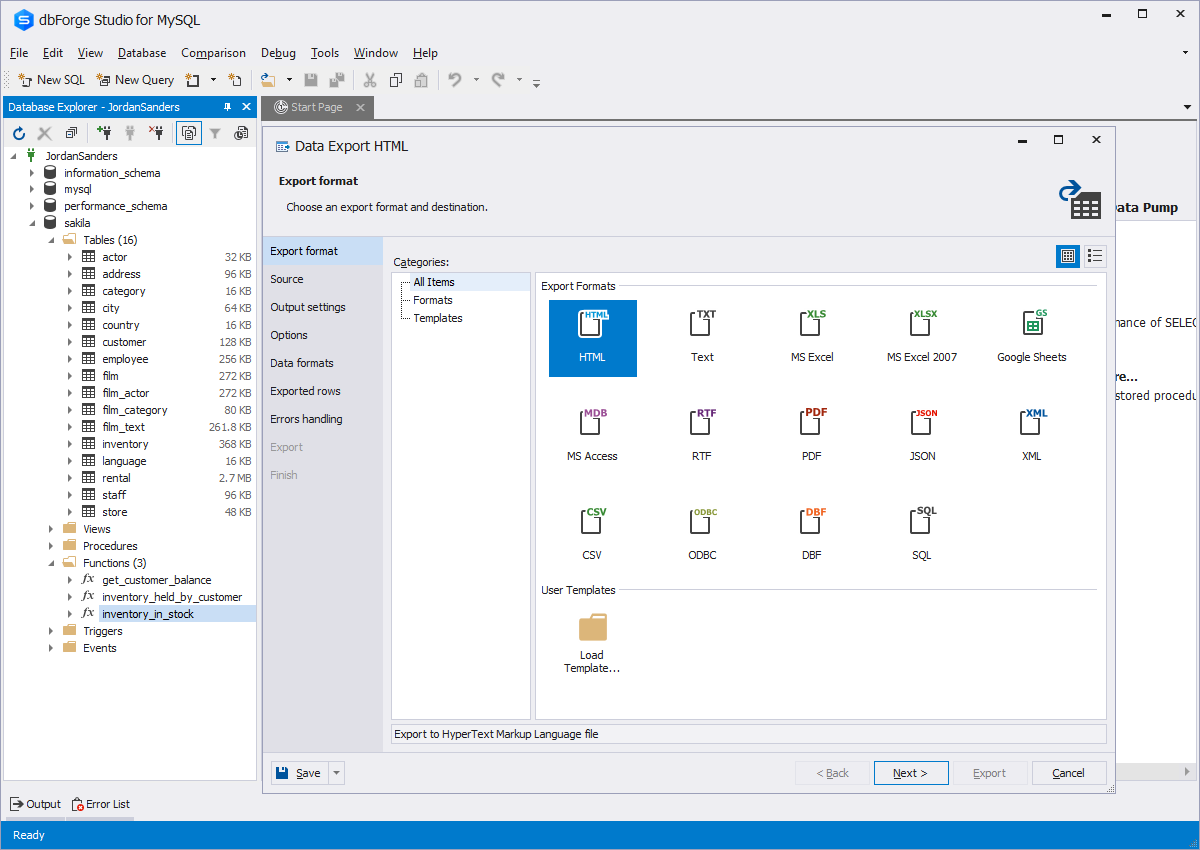
Data Import.
Guided by a click-and-pick wizard, the users can easily import data from seven widely-popular formats (CSV, DBF, MS Access, MS Excel, ODBC, Text, XML) with a multitude of settings to meticulously tune the data.
Improved Data Editor.
Up to 40 improvements were implemented to create quicker, easier, and more delighted ways for data management. The Data Editor spares tens of mouse clicks a day for you saying nothing of tens of frowns.
Pivot Grid.
The users can convert large amounts of data into compact and informative summaries - pivot tables. They can rearrange any obscure data by a simple drag of a mouse to get the layout best for understanding data relations and dependencies.
Data Reports.
Every user can benefit from a modern way of generating reports. Less time and manual work is required – from getting required data from a database, analyzing, to printing it as a smart, clear, and stylish report tuned for each particular case.
Virtual Relations on Database Diagram.
Besides physically existing foreign key relations, dbForge Studio for MySQL allows creating virtual relations. They help create relations between those tables which storage engine do not support foreign keys. Later virtual relations can be easily converted into physical foreign keys.
Command Line Launch for Data and Schema Synchronization Tools.
This gives more freedom for the users who perform repeated synchronizations. It takes only to set a desired time to launch the process and then come back to check the desired result at a proper time.
Schema Comparison Reports.
Keeping records of schema changes is now automated. dbForge Studio for MySQL can generate a clear and attractive comparison reports upon the comparison completion.
Automatic Product Update.
dbForge Studio for MySQL automatically notifies you about any available updates and offers a flexible update process with Product Update Manager. This is a simple and effective way to deliver the new functionality and let you get the maximum of product usage.
Automatic Connection Recovery.
If a database connection is broken, dbForge Studio for MySQL implicitly recovers it without any error generation.
Improvements to Better Serve Specific Users' Needs.
The new version contains many essential improvements that increase the efficiency in working with data. Here are some of them: addition of active database selector to SQL Document, SQL formatting improvements, redesign of stored procedure/function editor and SQL execution parameter editor.
In this section
Overview
What's New in 4.00
Benefits
Editions
Features
Product History
Screenshots
System Requirements
Download
Ordering
Support
Articles
Blog
Testimonials
"Very excited to try the new 4.0 release! From the release notes it looks as almost all of the things I've been waiting for have been included. Most importantly, it looks as if the ability to select a database for easy query execution (so I don't have create a USE clause), as well as a new way to execute stored procedures is in---excellent news!
It's those little things that make my time with SQL easier."
Matthew Grdinic,
owner of nicSoft (web software company)
Read more
Your testimonial
You might be also interested in:
Database tools:
dbForge for MySQL
,
dbForge for SQL Server
,
Database tools for Oracle
MySQL data access with the following technologies:
ADO.NET provider
,
VCL components
,
dbExpress driver