Oracle Database remains a widely used platform for demanding enterprise workloads, but its extensive capabilities and inherent complexity make effective tooling essential for day-to-day database development, management, and administration. Oracle and third-party vendors offer a broad range of Oracle DB tools, including full-featured IDEs, multi-database clients, command-line utilities, and specialized tools for specific tasks.
This article provides an Oracle tools list for SQL and PL/SQL developers, DBAs, and teams working across multiple database systems. It explains the main types of Oracle tools, the criteria used to evaluate them, and which products are best suited to development, administration, data management, and automation.
Best Oracle database tools at a glance
Here are our top Oracle database tools, grouped by their primary use cases.
Choose an Oracle tool by use case
Different Oracle workflows call for different tools. Use this table to narrow down the options based on the task you need to perform.
| Your task |
Recommended options |
| Write and debug SQL and PL/SQL |
dbForge Studio for Oracle, Oracle SQL Developer, PL/SQL Developer |
| Administer Oracle databases |
dbForge Studio for Oracle, Toad for Oracle, Oracle SQL Developer |
| Work with Oracle and other database systems |
dbForge Edge, DBeaver, DataGrip, DbVisualizer |
| Work with Oracle across Windows, macOS, and Linux |
Navicat for Oracle, Oracle SQL Developer, DBeaver |
| Automate deployments and CI/CD workflows |
SQLcl, dbForge Studio for Oracle, dbForge Edge |
| Run existing SQL*Plus scripts and batch jobs |
SQL*Plus, SQLcl |
| Compare and deploy schema changes |
dbForge Schema Compare for Oracle |
| Compare and synchronize data |
dbForge Data Compare for Oracle |
| Generate realistic test data |
dbForge Data Generator for Oracle |
| Generate Oracle database documentation |
dbForge Documenter for Oracle |
Types of Oracle database tools
Oracle database tools are designed for different workflows, so the best choice depends on the tasks you need to perform. Some products focus on SQL and PL/SQL development, while others provide database administration, data management, automation, or cross-platform database access.
Oracle IDEs and GUI tools
Oracle IDEs and GUI clients combine SQL and PL/SQL development with visual database management features. These Oracle database development tools typically provide code completion, debugging, object editors, query builders, execution plans, and data editing.
Examples include dbForge Studio for Oracle, Oracle SQL Developer, Toad for Oracle, and PL/SQL Developer.
Multi-database clients
Multi-database clients are designed for teams that work with Oracle alongside PostgreSQL, MySQL, SQL Server, and other database systems. They provide a consistent workspace for managing connections and working across different platforms, reducing the need to switch between separate applications.
Examples include dbForge Edge, DBeaver, DataGrip, and DbVisualizer.
Oracle DBA and database management tools
Oracle database admin tools focus on operational and administrative tasks such as managing users and privileges, working with sessions, maintaining schema objects, analyzing database activity, and performing routine maintenance.
Administration functionality is often included in broader Oracle IDEs, but its depth varies considerably between products.
Oracle SQL tools
Oracle SQL tools help developers create, edit, execute, debug, and analyze SQL and PL/SQL. Depending on the product, they may include intelligent code completion, formatting, visual query building, execution plan analysis, query profiling, and AI-assisted SQL generation.
These features may be available as part of a full IDE or through lightweight command-line tools such as SQLcl and SQL*Plus.
Specialized Oracle data management tools
Specialized Oracle data management tools focus on specific tasks such as schema comparison, data comparison, test data generation, and database documentation. Examples include dbForge Schema Compare for Oracle, dbForge Data Compare for Oracle, dbForge Data Generator for Oracle, and dbForge Documenter for Oracle.
These tools can complement a full IDE when a team needs deeper functionality for a particular workflow without replacing its primary development environment.
How we evaluated the best Oracle tools
To compare the Oracle tools in this article consistently, we assessed each product against the same set of criteria covering development, administration, automation, platform support, and cost.
| Criterion |
What we evaluated |
| Oracle database support |
Supported Oracle versions, on-premises and Oracle Cloud deployments, and available connection methods |
| SQL and PL/SQL development |
Code completion, formatting, debugging, testing, object navigation, and execution plan analysis |
| Database administration |
User and privilege management, sessions, schema objects, monitoring, and other DBA workflows |
| Schema and data management |
Schema comparison, data comparison, synchronization, import and export, and test data generation |
| Performance analysis |
Query profiling, execution plans, slow SQL analysis, and other performance-tuning capabilities |
| Automation and DevOps |
Command-line support, scripting, repeatable workflows, and CI/CD integration |
| Platform support |
Availability for Windows, macOS, and Linux, including whether support is native or requires a compatibility layer |
| AI assistance |
SQL generation, explanation, optimization, troubleshooting, and use of database context |
| Pricing and licensing |
Subscription and perpetual licensing, entry price, and edition differences |
| Free edition or trial |
Availability and limitations of free editions and evaluation periods |
| Target audience |
Suitability for developers, DBAs, DevOps engineers, analysts, and multi-database teams |
Product capabilities, platform requirements, edition differences, and pricing were reviewed against official vendor documentation and product pages available at the time of publication.
Pricing, licensing, platform support, and edition information are based on vendor information available at the time of review and may change over time.
Key features to look for in Oracle database tools
The most important features depend on how your team uses Oracle. A capability that is essential for one workflow may add little value to another, so compare tools against the tasks you perform most often rather than against the longest feature list.
- SQL and PL/SQL development. Oracle-aware completion, formatting, syntax validation, object navigation, debugging, and testing matter most for developers who spend much of their time maintaining stored program units. A PL/SQL debugger becomes particularly valuable when working with large packages, procedures, functions, and triggers.
- Database administration. Teams responsible for production databases should look beyond basic object browsing. User and privilege management, session management, security administration, performance diagnostics, and routine maintenance become more important as the number and criticality of databases increase.
- Schema comparison and deployment. Schema comparison is especially useful when development, testing, staging, and production environments must remain aligned. Look for dependency handling, selective synchronization, deployment scripts, reporting, and command-line automation if schema changes are part of a repeatable release process.
- Data comparison and synchronization. Data comparison matters when teams need to validate migrations, synchronize reference data, or investigate differences between environments. Check whether the tool can work with complex mappings, filters, different structures, and selective synchronization.
- Performance analysis. Basic execution plans may be sufficient for occasional tuning, but performance-intensive environments may require query profiling, optimizer information, wait-event analysis, slow SQL diagnostics, and other Oracle-specific performance data.
- Automation and CI/CD. For repeatable deployments and scheduled operations, prioritize tools with a command-line interface, reliable exit codes, scriptable configuration, and CI/CD support. Automation becomes more valuable when comparison, deployment, documentation, or test data generation must run without manual interaction.
- Platform support. Cross-platform support matters for teams using Windows, macOS, and Linux. Check whether the application runs natively on each operating system or requires a compatibility layer, because this can affect deployment, support, and standardization across the team.
- Oracle-specific depth versus multi-database coverage. Multi-database tools can reduce tool switching for teams that work across several database platforms, but they may provide less depth for Oracle-specific administration or development. Oracle-focused IDEs are often a better fit when Oracle is the primary platform and advanced database-specific functionality is required.
- AI assistance. AI features are most useful when they are integrated into existing database workflows rather than added as a standalone chat interface. Compare whether the tool can generate, explain, optimize, and troubleshoot SQL and whether it can use schema or database context to improve the relevance of its responses.
- Licensing and edition differences. The lowest advertised price does not necessarily include the capabilities your team needs. Compare the exact edition required for features such as debugging, schema comparison, data comparison, automation, and AI, and consider whether a subscription, perpetual license, free edition, or trial best matches your usage model.
Comparison table of Oracle database tools
Use the following comparison to narrow down your choice of Oracle database development tools, administration solutions, multi-database clients, and command-line utilities before reviewing each product in detail.
| Tool |
Type |
Platforms |
Pricing |
Free option |
Best for |
 dbForge Studio for Oracle
|
Oracle IDE with AI Assistant |
Windows (macOS and Linux via CrossOver or Wine) |
Subscription from $169.95/year, perpetual license from $339.95 |
Express edition, 30-day trial |
Full-cycle Oracle development and administration |
 dbForge Edge
|
Multi-database suite with AI Assistant |
Windows (macOS and Linux via CrossOver or Wine) |
Subscription from $749.95/year, perpetual license from $1,499.95 |
Express editions of the included Studios, 30-day trial |
Teams working with Oracle, SQL Server, MySQL, and PostgreSQL |
 Oracle SQL Developer
|
Official Oracle IDE |
Windows, macOS, Linux |
Free |
Free |
Developers who need the official Oracle client |
 Toad for Oracle
|
Oracle IDE and DBA tool |
Windows, macOS |
Subscription from $861/year |
30-day trial |
Enterprise Oracle development and DBA automation |
 PL/SQL Developer
|
Oracle PL/SQL IDE |
Windows |
Perpetual license from $243 per user |
30-day trial |
PL/SQL-focused development teams |
 DBeaver
|
Multi-database client |
Windows, macOS, Linux |
PRO editions from $113/year |
Community edition (open source), 14-day PRO trial |
Teams working with Oracle and other databases |
 DataGrip
|
Multi-database IDE |
Windows, macOS, Linux |
Subscription from €25.90/month for organizations |
Free for non-commercial use, 30-day trial |
Cross-platform SQL development |
 Navicat for Oracle
|
Oracle GUI client |
Windows, macOS, Linux |
Perpetual license from $849 |
14-day trial |
Cross-platform development and data management |
 DbVisualizer
|
Multi-database client |
Windows, macOS, Linux |
Pro: $199 per user for the first year, $89/year after that |
Free edition, 21-day Pro trial |
Developers and analysts who need a simple cross-platform SQL client |
 SQLcl
SQLcl
|
Oracle command-line tool |
Windows, macOS, Linux (requires Java) |
Free |
Free |
Scripting, CI/CD, and schema change management |
|
SQL*Plus
|
Oracle command-line tool |
Windows, macOS, Linux, and other platforms |
Free |
Free |
DBAs, server-side scripts, and batch jobs |
11 best Oracle database tools
The following Oracle tools list covers IDEs, GUI clients, multi-database environments, and command-line utilities for everyday Oracle development and administration. Each review highlights the product's primary use cases, capabilities, advantages, limitations, pricing model, and target audience.
Overview
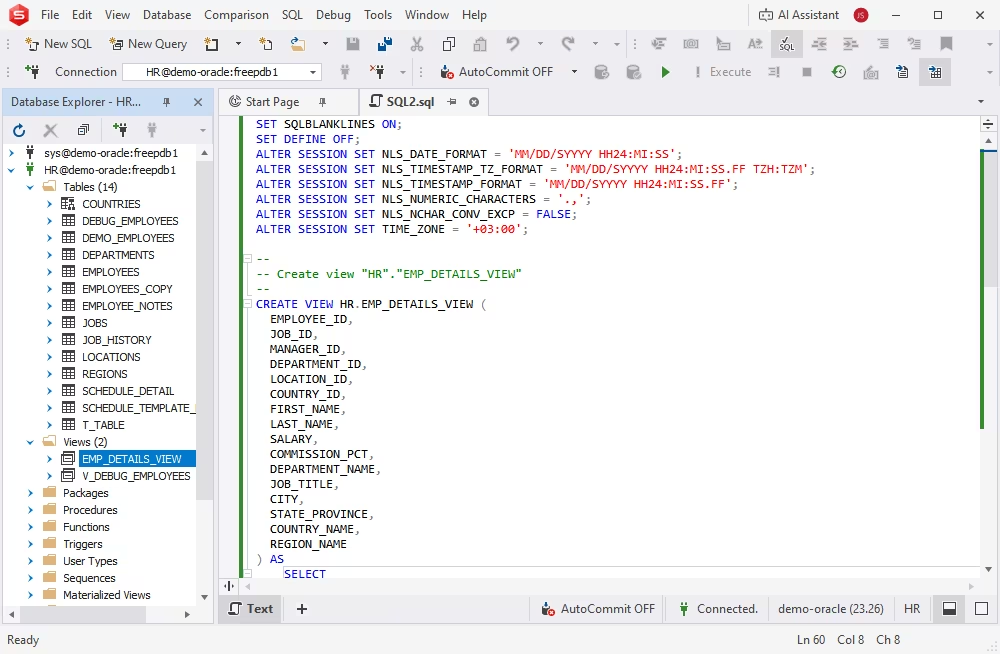
dbForge Studio for Oracle is an IDE for Oracle Database that combines SQL and PL/SQL development, database management, data management, and administration in one application. It supports modern Oracle versions in both on-premises and Oracle Cloud environments and includes an AI Assistant for generating, explaining, optimizing, and troubleshooting SQL with database context.
The Studio combines code-based and visual workflows for common database tasks. Developers and DBAs can work with queries and schema objects, compare schemas and data, manage users and privileges, analyze queries, and automate recurring operations from the command line.
Key features
- PL/SQL coding assistance: code completion, formatting, syntax validation, and a PL/SQL debugger
- Integrated AI Assistant for context-aware query generation, conversion of natural language to SQL, query optimization, SQL explanations, troubleshooting, and AI chat
- Visual Query Builder for creating queries without writing code
- Query Profiler for performance tuning
- Database schema and data comparison and synchronization
- Data import and export in multiple formats
- Test data generation and database documentation
- User and privilege management with Security Manager
- Data reports and data analysis tools
- Task automation via the command-line interface
Pros
- Covers development, comparison, data management, and administration in one IDE
- Integrated AI Assistant with a free plan
- Free Express edition with basic functionality
- CLI automation for recurring tasks
- Comprehensive documentation and video tutorials
Cons
- No native macOS and Linux versions, but available via Wine or CrossOver
- The GUI is available only in English
Pricing
- Free: Express edition with basic functionality
- Free trial: 30 days with full functionality
- Paid: Standard, Professional, and Enterprise editions; subscription from $169.95/year, perpetual license from $339.95
Best for
Oracle developers and DBAs who need one environment for SQL and PL/SQL development, database administration, schema and data comparison, data management, and task automation, with AI assistance available directly in the IDE.
Not ideal for
Teams that require a native macOS or Linux application or only need a lightweight SQL client.
dbForge Studio for Oracle
An Oracle IDE with an integrated AI Assistant for SQL and PL/SQL development, database management, administration, data analysis, and reporting
Overview
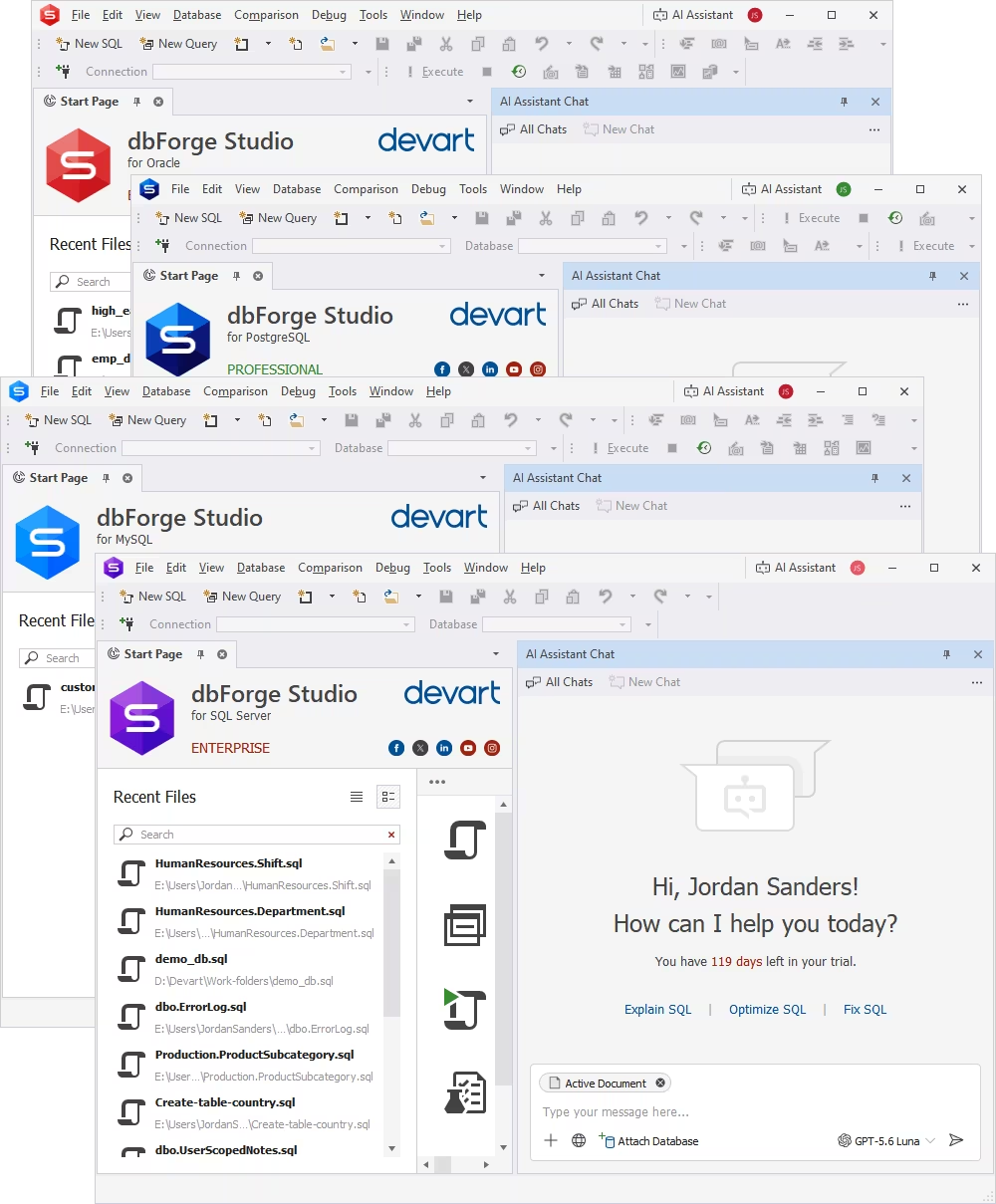
dbForge Edge is a multi-database suite that brings dbForge Studios for Oracle, SQL Server, MySQL, and PostgreSQL together under one license. Each Studio provides tools tailored to its database platform and includes an integrated AI Assistant.
For teams working in mixed database environments, dbForge Edge provides a consistent interface and common workflows for development, database comparison, test data generation, documentation, and automation while retaining database-specific functionality in each Studio.
Key features
- Unified toolset for Oracle, SQL Server, MySQL, and PostgreSQL
- Integrated AI Assistant for SQL generation, optimization, explanations, and troubleshooting
- SQL and PL/SQL development tools
- Schema and data comparison and synchronization
- Test data generation and database documentation
- CLI automation and CI/CD integration
- Centralized licensing and updates
Pros
- One license for four database systems
- Consistent UI and workflows across supported databases
- Integrated AI Assistant in every Studio
- Free Express editions of the included Studios
Cons
- Not intended for teams that work only with Oracle
- No native macOS and Linux versions
Pricing
- Free: Express editions of the Studios included in dbForge Edge
- Free trial: 30 days with full functionality
- Paid: subscription from $749.95/year, perpetual license from $1,499.95
Best for
Teams and consultants that work with Oracle together with SQL Server, MySQL, or PostgreSQL and want dedicated tools for each database platform under a single license.
Not ideal for
Teams that work only with Oracle and do not need tools for SQL Server, MySQL, or PostgreSQL.
dbForge Edge
A multi-database suite with dedicated dbForge Studios and integrated AI assistance for Oracle, SQL Server, MySQL, and PostgreSQL
3. Oracle SQL Developer
Overview
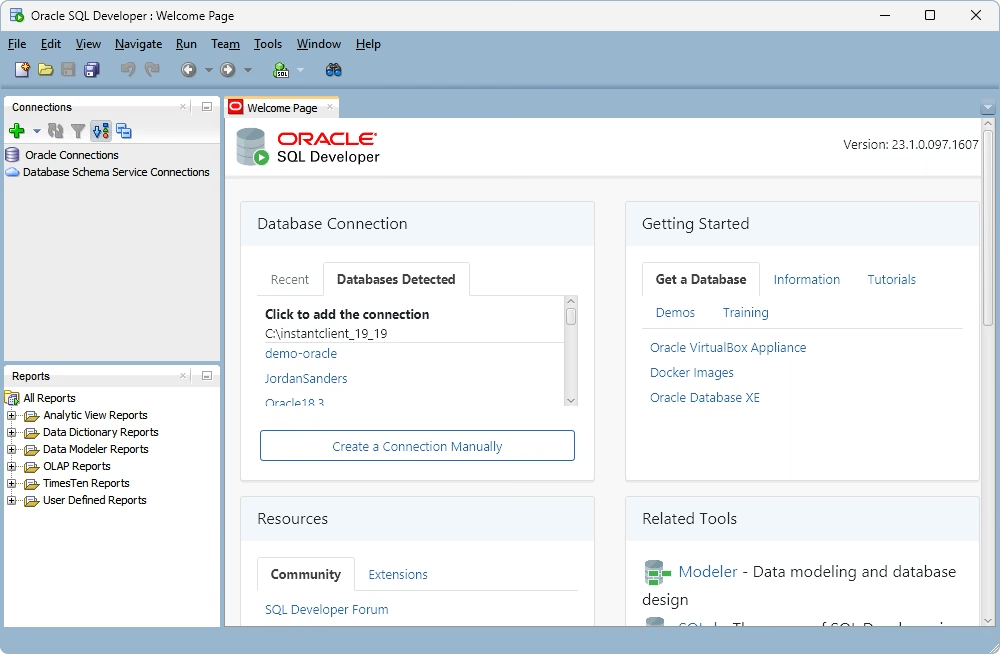
Oracle SQL Developer is Oracle's database development environment for working with Oracle Database. It supports on-premises and cloud deployments and provides tools for SQL and PL/SQL development, database administration, data migration, reporting, and database design.
The application runs on Windows, macOS, and Linux and is available free of charge, making it a practical option for developers and DBAs who prefer an Oracle-provided tool.
Key features
- Context-aware code completion
- Unit testing for PL/SQL entities
- Reverse and forward engineering
- Version control integration
- Data reporting
- User management and performance monitoring
- Migration of third-party databases to Oracle
Pros
- Free, official tool from Oracle
- Cross-platform: Windows, macOS, and Linux
- Multi-language graphical user interface
Cons
- Support ends in April 2027
- Can require substantial system resources
- Offers fewer built-in productivity features for tasks such as schema and data comparison than some commercial Oracle IDEs
Pricing
Best for
Developers and DBAs who need a free, Oracle-provided, cross-platform environment for everyday SQL and PL/SQL development and basic database administration.
Not ideal for
Teams that need advanced built-in schema and data comparison or broader commercial productivity tooling.
4. Toad for Oracle
Overview
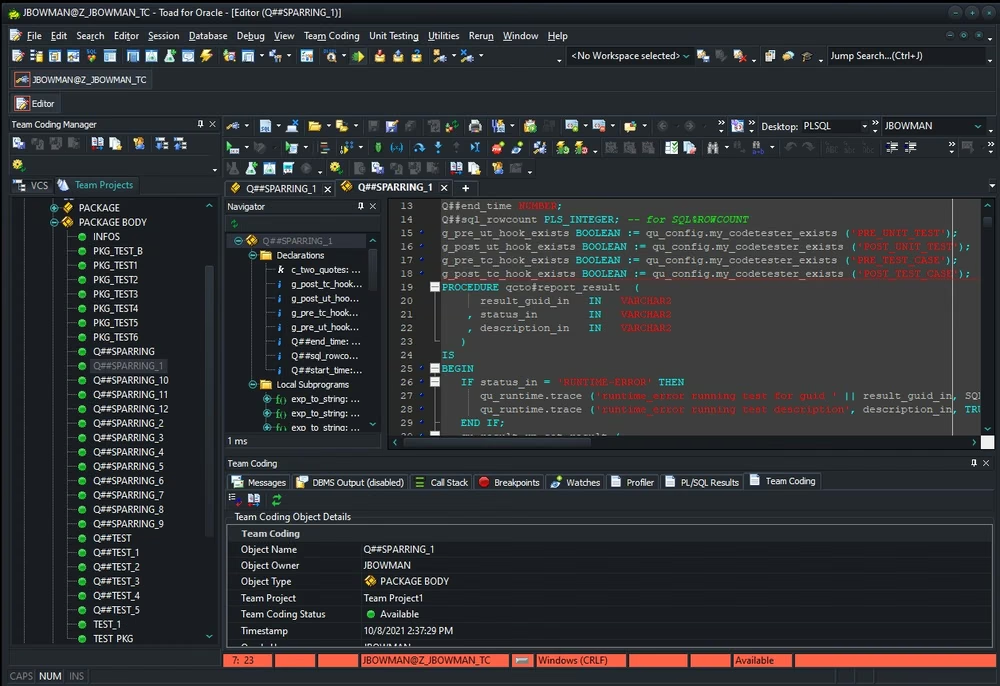
Toad for Oracle by Quest Software is an Oracle development and database administration environment aimed at developers, DBAs, and other technical users. It combines SQL and PL/SQL development, code quality tools, database administration, comparison, testing, automation, and DevOps-related functionality.
Key features
- Coding assistance, including code analysis, debugging, and snippets
- Visual query building, analysis, and optimization
- Code review
- Database schema and data comparison and synchronization
- Data modeling with reverse engineering
- Automated PL/SQL unit testing
- Source control integration
- Database administration and task automation
- AI features for subscription users, including Toad Chat and AI-based code explanation
Pros
- Broad feature set for development and administration
- Code quality and code review tools
- Long history in enterprise Oracle environments
Cons
- More expensive than many alternatives in this comparison
- Broad feature set can require additional time to learn
- No native Linux version
Pricing
- Free trial: 30 days
- Paid: subscription from $861/year
Best for
Enterprise teams that need extensive Oracle development, code quality, database administration, testing, and automation capabilities in a Windows environment.
Not ideal for
Teams looking for a lower-cost or cross-platform Oracle solution.
5. PL/SQL Developer
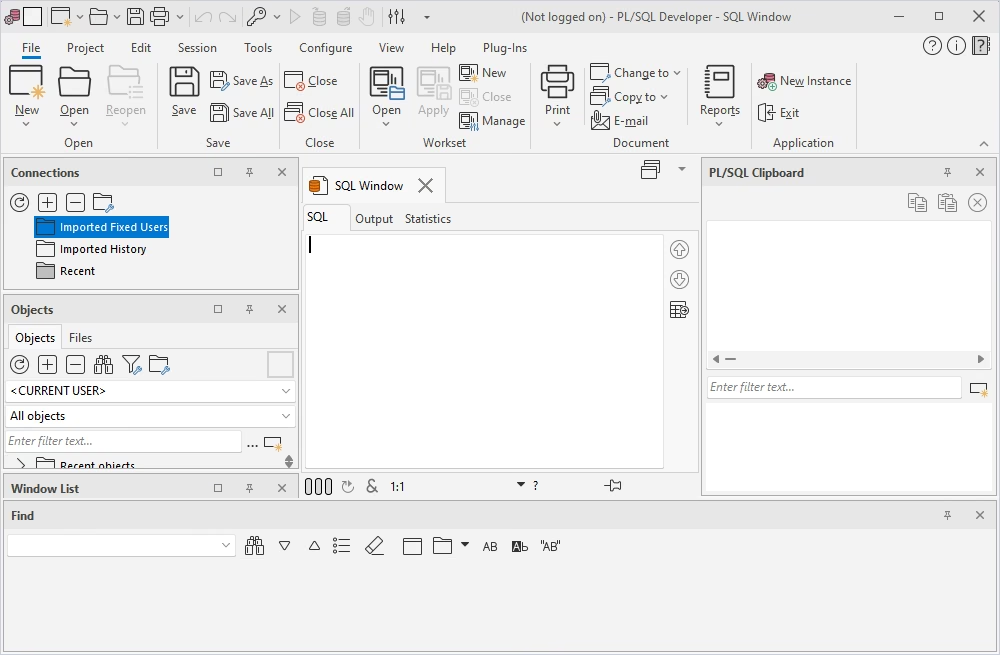
Overview
PL/SQL Developer by Allround Automations is a Windows IDE focused on developing, testing, and debugging Oracle stored program units, including packages, procedures, functions, and triggers. It combines a dedicated PL/SQL editor with debugging, testing, query building, reporting, and schema comparison tools.
Key features
- Unicode-compliant PL/SQL editor
- Integrated debugger and code formatter
- Test Manager for regression testing
- Object Browser for accessing object information
- Graphical Query Builder
- SQL and PL/SQL performance optimization tools
- Built-in data reporting
- Database schema comparison and synchronization
- AI functions that work with your own AI provider key
Pros
- Focused on PL/SQL development and testing
- Perpetual licensing
- Management of multiple connections
Cons
- Requires an additional plugin for version control
- Windows only
Pricing
- Free trial: 30 days with full functionality
- Paid: perpetual license from $243 per user
Best for
Development teams whose work is centered on Oracle PL/SQL and that need dedicated tools for editing, debugging, testing, and maintaining packages, procedures, functions, and triggers.
Not ideal for
Teams that need native macOS or Linux support or broader multi-database functionality.
6. DBeaver
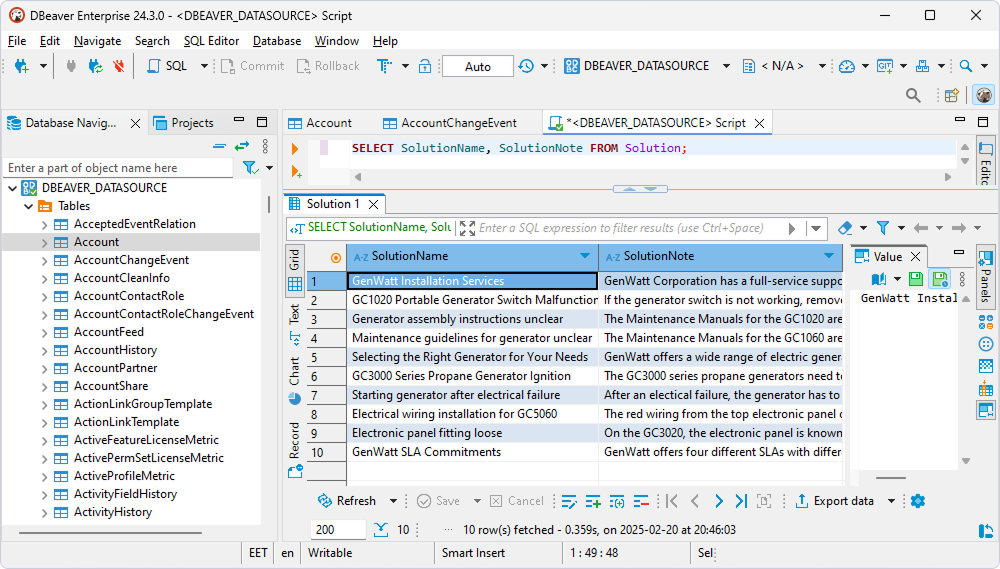
Overview
DBeaver is a cross-platform database tool based on JDBC that supports Oracle and many other database systems. The Community edition is free and open source, while the commercial PRO editions add additional development, administration, and collaboration capabilities.
Schema and data comparison, mock data generation, and task scheduling are available in the Enterprise and Ultimate editions.
Key features
- Editing of PL/SQL procedures and functions
- Script execution with SQL*Plus syntax
- Oracle execution plans and performance reports
- Management of users, roles, profiles, and permissions
- Session manager, data import and export, and ER diagrams
- Schema and data comparison, mock data generation, and task scheduler (Enterprise and Ultimate editions)
- AI Assistant with a choice of AI providers
Pros
- Free, open-source Community edition
- Cross-platform: Windows, macOS, and Linux
- One tool for Oracle and many other database systems
Cons
- No PL/SQL debugger
- Schema and data comparison are not available in the Community and Lite editions
Pricing
- Free: Community edition
- Free trial: 14 days for PRO editions
- Paid: PRO editions from $113/year (Lite), $255/year (Enterprise), and $510/year (Ultimate)
Best for
Teams that work with Oracle alongside other database systems and want a cross-platform database client with a free Community edition and optional commercial functionality.
Not ideal for
Teams that need a PL/SQL debugger or advanced Oracle comparison features in the free or Lite editions.
7. DataGrip
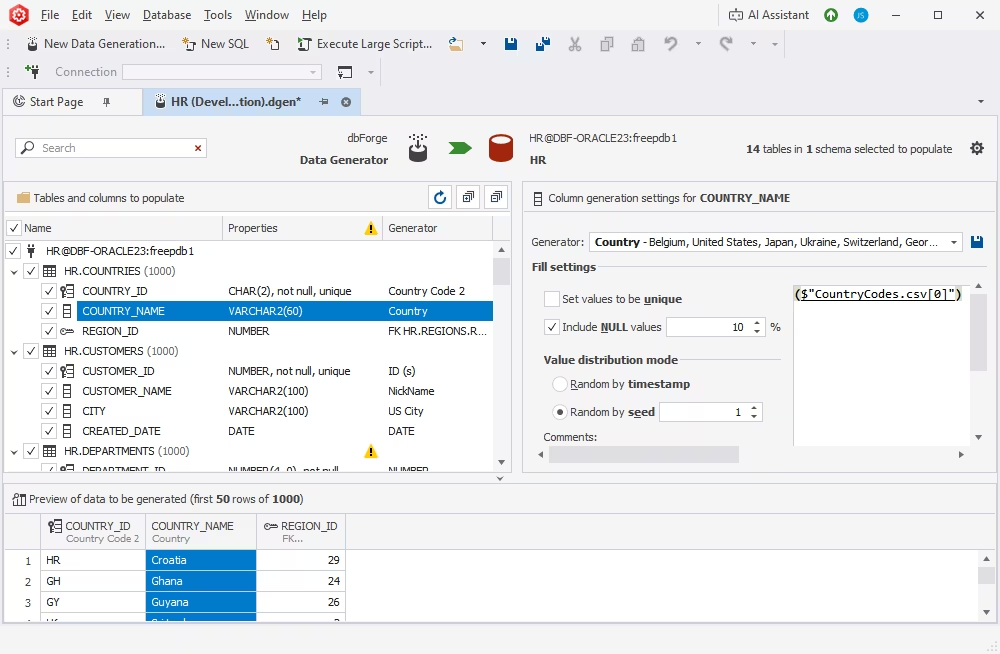
Overview
DataGrip by JetBrains is a cross-platform database IDE that supports Oracle and many other database systems. It focuses on SQL development, code intelligence, database object navigation, data editing, and a customizable development environment.
Key features
- Advanced SQL code completion and code editing
- Visual database designer for tables and views
- Visual query analysis and optimization
- Data viewing and editing
- User management
- Plugins for extended functionality
- JetBrains AI with a choice of AI models
Pros
- Cross-platform: Windows, macOS, and Linux
- One IDE for multiple database systems
- Comprehensive documentation with tutorials
Cons
- Few Oracle-specific administration features
- High resource consumption
Pricing
- Free: for non-commercial use
- Free trial: 30 days
- Paid: subscription for organizations from €25.90/month
Best for
Developers who work with SQL across multiple database systems and prioritize cross-platform support and advanced code editing over Oracle-specific DBA functionality.
Not ideal for
Teams that need deep Oracle-specific administration, schema comparison, or data comparison capabilities.
8. Navicat for Oracle
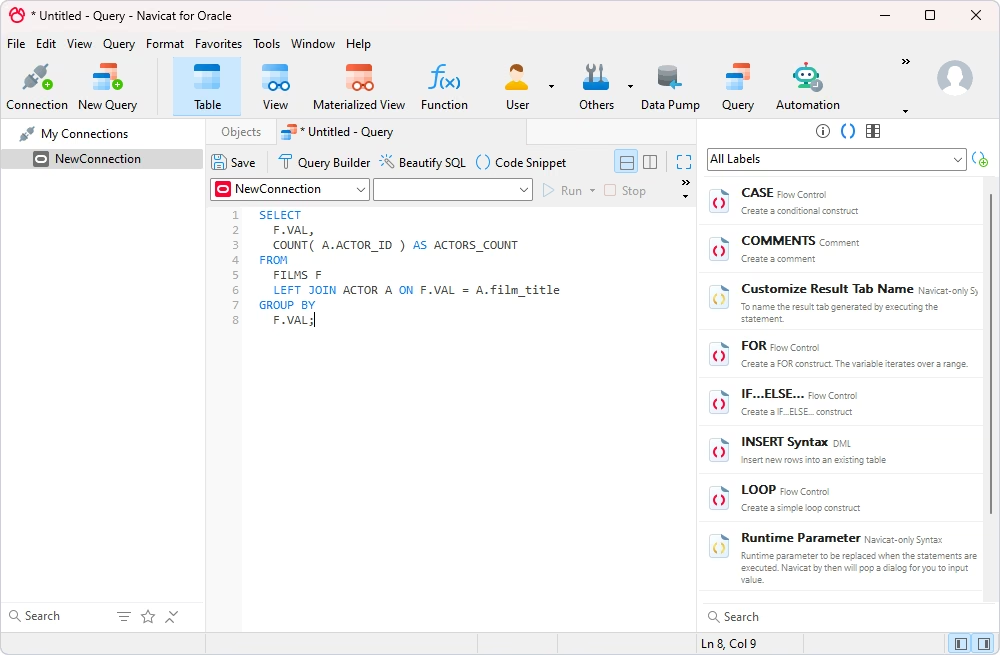
Overview
Navicat for Oracle is a cross-platform GUI client designed specifically for Oracle database development and administration. It supports on-premises and cloud environments and includes tools for SQL development, data management, database modeling, data transfer, comparison and synchronization, and task automation.
Key features
- SQL coding and editing
- Connection management and synchronization of connection settings and queries
- Data modeling
- Data transfer across databases
- Data analysis with charts and dashboards
- Server security management
- Test data generation
- Automated task scheduling
- AI assistants
Pros
- Cross-platform: Windows, macOS, and Linux
- Collaboration tools for teamwork
- Intuitive data modeling
Cons
- Limited functionality in Query Builder
- Limited features in lower editions
- Short trial period
Pricing
- Free trial: 14 days
- Paid: perpetual license from $849 (Standard edition)
Best for
Developers and data specialists who need a cross-platform Oracle client for SQL development, data management, database modeling, migration, and scheduled database tasks.
Not ideal for
Teams that need a free edition, a longer evaluation period, or more advanced query-building functionality.
9. DbVisualizer
Overview
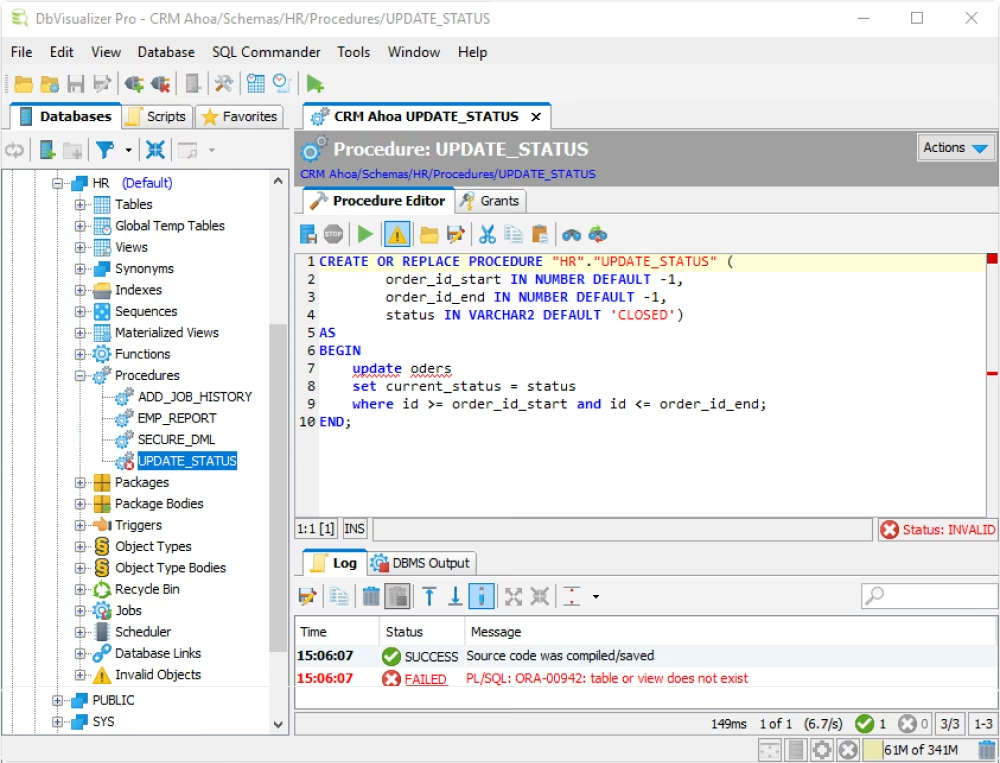
DbVisualizer is a cross-platform SQL client for Oracle and many other database systems. It provides a Free edition for core database work and a Pro edition with additional features such as visual query building, execution plans, data export, and command-line functionality.
Key features
- Support for Oracle-specific object types, including triggers, procedures, and sequences
- Oracle-aware SQL editor with code completion
- Visual query builder (Pro)
- Explain plan (Pro)
- Automatically generated ER diagrams
- Oracle Scheduler support
- Data export, charts, and command-line interface (Pro)
- Opt-in AI Assistant for questions, error explanations, and code analysis
Pros
- Cross-platform: Windows, macOS, and Linux
- Free edition allowed for commercial use
- Long trial period for the Pro edition
Cons
- The Free edition has no explain plan, query builder, import and export, or editing of procedures, functions, and packages
- Oracle support is officially tested for versions 8i–21c
Pricing
- Free: Free edition
- Free trial: 21 days for the Pro edition
- Paid: Pro edition – $199 per user for the first year, $89 per year after that
Best for
Developers and analysts who need a straightforward cross-platform SQL client for Oracle alongside other database systems.
Not ideal for
Teams that need advanced Oracle development features in the free edition or support beyond the Oracle versions officially tested by the vendor.
10. SQLcl
Overview
SQLcl, or SQL Developer Command Line, is Oracle's free command-line interface for Oracle Database. It supports existing SQL*Plus scripts while adding modern command-line editing, Liquibase integration, schema change workflows, and CI/CD-oriented functionality.
SQLcl is Java-based and runs on Windows, macOS, and Linux.
Key features
- Inline editing, tab completion, command history, and syntax highlighting
- Projects for CI/CD with Git, including diffs and deployable artifacts
- Liquibase integration for schema change management
- AWR, Data Pump, and Data Guard commands
- Data loading from CSV and Excel
- Output formatting to CSV, JSON, XML, INSERT statements, and HTML
- MCP server that lets AI assistants connect to Oracle and run SQL
Pros
- Free tool from Oracle
- Compatible with existing SQL*Plus scripts
- Built for automation and CI/CD pipelines
Cons
- No graphical interface for diagrams or execution plans
- Requires a Java runtime
Pricing
Best for
Developers, DBAs, and DevOps engineers who need a scriptable Oracle command-line environment for deployments, schema changes, automation, and CI/CD pipelines.
Not ideal for
Users who need a graphical interface for database design, visual query building, or execution plan exploration.
11. SQL*Plus
Overview
SQL*Plus is Oracle's traditional interactive and batch command-line interface for Oracle Database. It is installed with Oracle Database and is also available through Oracle Instant Client.
It can execute SQL, PL/SQL, SQL*Plus commands, and operating system commands and remains widely used for administration scripts and batch processing.
Key features
- Execution of SQL, PL/SQL, SQL*Plus, and operating system commands
- Formatting and calculation of query results
- Object descriptions with the DESCRIBE command
- Batch script execution
- Database administration
- Reports to text, screen, or HTML
Pros
- Free and available with every Oracle Database installation
- Available for a wide range of platforms
- Standard tool for existing scripts and batch jobs
Cons
- Command line only: no diagrams, data comparison, or visual debugging
- Fewer editing features than SQLcl, such as completion and history
Pricing
Best for
DBAs and developers who maintain existing SQL*Plus scripts, run database operations from the command line, or execute scripts in server-side and batch environments.
Not ideal for
Users who need modern code completion, visual tools, advanced editing, or integrated development workflows.
Specialized Oracle database tools
Specialized Oracle tools focus on individual tasks such as schema comparison, data comparison, test data generation, and database documentation. These products are useful when general-purpose Oracle data management tools do not provide enough depth for a particular workflow.
They are intended to complement a broader database development environment rather than replace it, so they are considered separately from the full IDEs and database clients above.
The dbForge tools in this section are also included in selected editions of dbForge Studio for Oracle: Schema Compare and Data Compare are available in the Professional edition, while Data Generator and Documenter are included in the Enterprise edition.
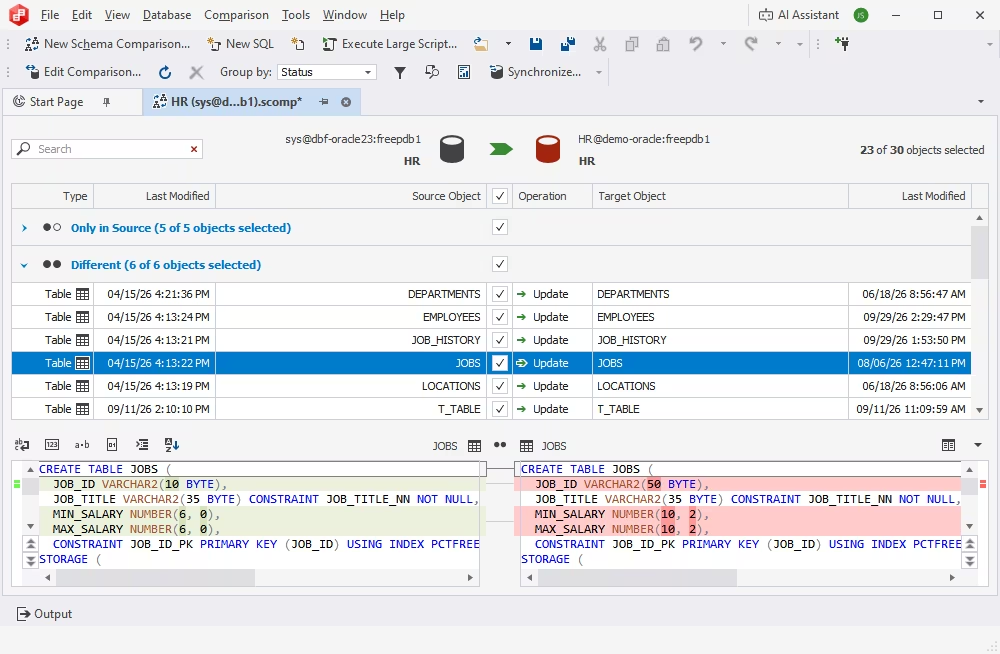
dbForge Schema Compare for Oracle compares Oracle database schemas, identifies structural differences, and helps deploy selected changes between environments. It can work with live databases, script folders, snapshots, and backups and can generate synchronization scripts and comparison reports.
Command-line support allows comparison and synchronization workflows to be incorporated into repeatable deployment processes.
Key features
- Comparison of Oracle table structures and other schema objects
- Manual or automated schema synchronization
- Synchronization of single differences, groups, or all discrepancies
- Reusable synchronization scripts
- Discrepancy reports in HTML and Excel
- Automation via the command line
Pricing
- Free trial: 30 days
- Paid: Standard and Professional editions; subscription from $119.95/year, perpetual license from $229.95
Best for
Teams that need to review and deploy schema changes between development, testing, staging, and production environments.
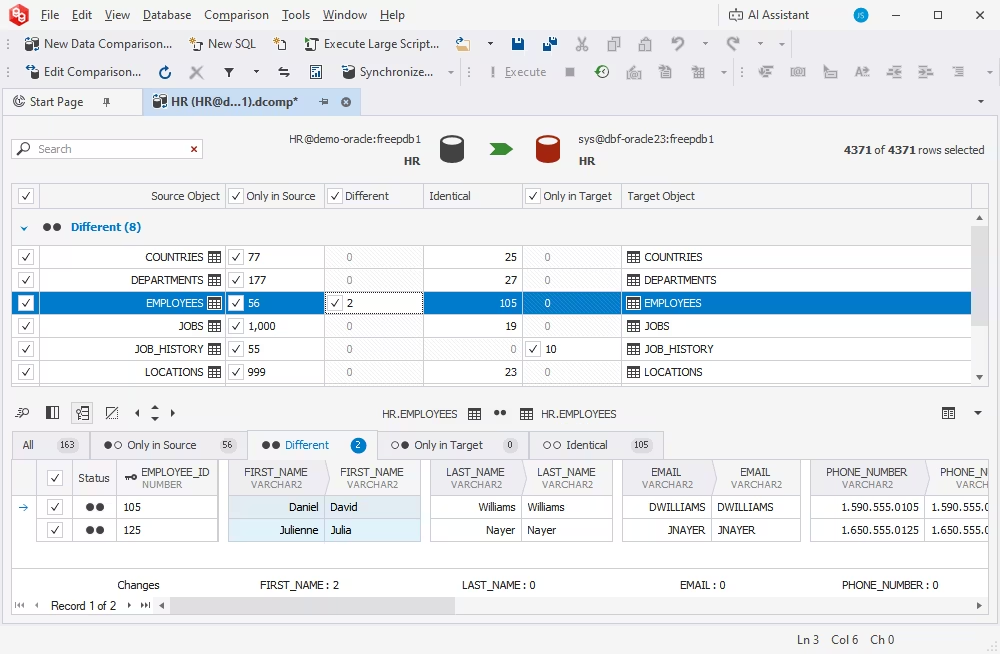
dbForge Data Compare for Oracle compares data across Oracle tables and other supported data sources and helps synchronize selected differences between databases. It supports tables, views, materialized views, and custom queries and can be used even when the compared database structures are not identical.
Comparison and synchronization workflows can also be automated from the command line.
Key features
- Flexible comparison settings with exclusion of objects individually or by mask
- Detailed analysis of data differences
- Deployment of individual changes, groups of changes, or all changes at once
- Generation and reuse of synchronization scripts
- Reports in HTML and Excel formats
- CLI-based automation
Pricing
- Free trial: 30 days
- Paid: subscription from $119.95/year, perpetual license from $229.95
Best for
Teams that need to keep reference data consistent across environments, migrate data changes, or validate data after deployments and migrations.
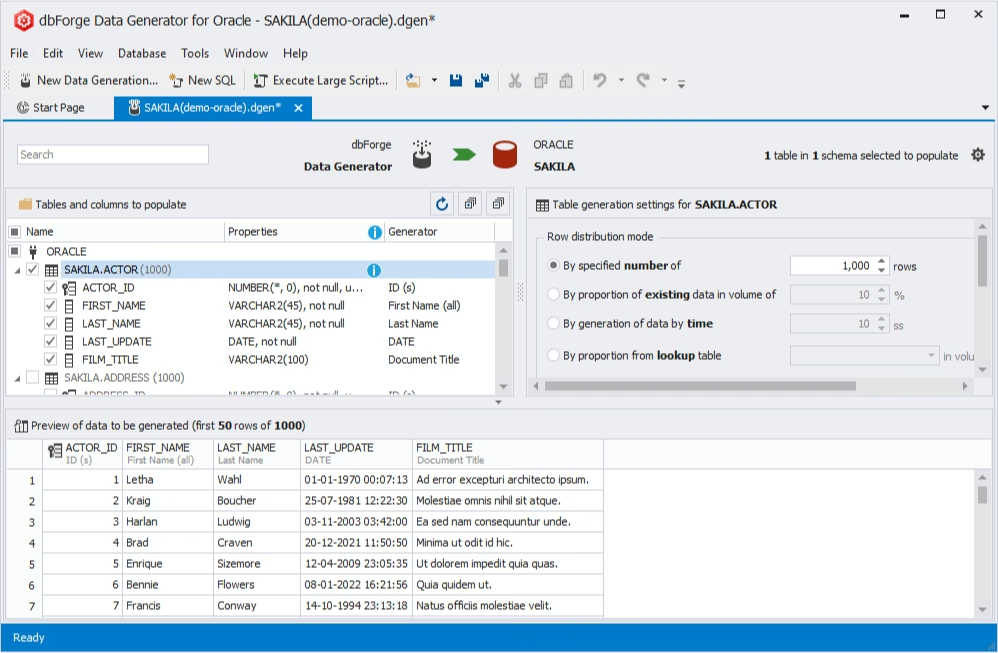
dbForge Data Generator for Oracle creates realistic test data for Oracle tables based on the required data types, relationships, and volume. It supports foreign keys, triggers, and check constraints to help preserve data consistency, and generation workflows can be automated from the command line.
Key features
- Over 200 predefined data generators
- Custom generators
- Inter-column dependency support
- Editable data generation templates
- Command-line automation
Pricing
- Free trial: 30 days
- Paid: subscription from $169.95/year, perpetual license from $329.95
Best for
Developers and QA engineers who need realistic data sets for development, functional testing, and load testing.
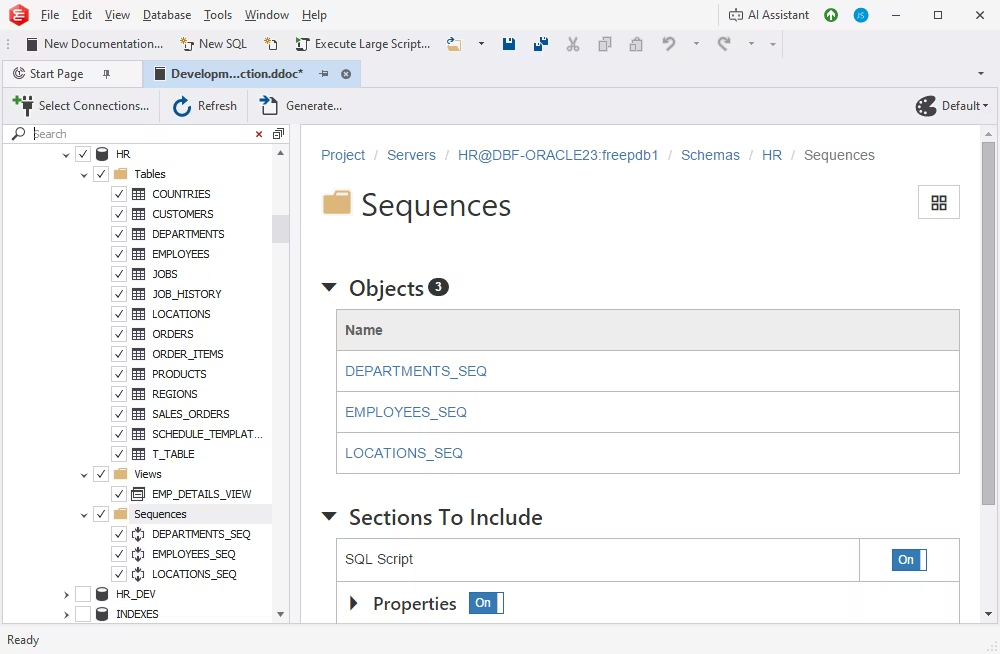
dbForge Documenter for Oracle generates database documentation in HTML, PDF, and Markdown formats. It documents Oracle schema objects, their properties, dependencies, and SQL scripts and provides templates for customizing the generated output.
Documentation generation can also be automated from the command line.
Key features
- Inclusion or exclusion of specific objects or object groups
- Adding and editing descriptions for Oracle schema objects
- Quick object search
- Automated generation via the command line
Pricing
- Free trial: 30 days
- Paid: subscription from $84.95/year, perpetual license from $169.95
Best for
Teams that need current Oracle database documentation for onboarding, audits, maintenance, or internal knowledge sharing.
How to choose the right Oracle tool for your needs
The right Oracle tool depends not only on the tasks you perform, but also on your database environment, operating systems, automation requirements, and budget. Before choosing a product, evaluate the areas below against your actual workflow.
For SQL and PL/SQL development, prioritize coding and debugging depth
Look for Oracle-aware code completion, formatting, syntax validation, object navigation, PL/SQL debugging, testing, and execution plan analysis. If your team maintains large packages, procedures, functions, and triggers, debugging and testing support should carry more weight than general-purpose database features.
For database administration, check the depth of DBA functionality
When comparing Oracle database administration tools, review how they handle users and privileges, sessions, schema objects, security, monitoring, and routine maintenance. Some multi-database clients provide basic administration features, while Oracle-focused IDEs usually offer broader DBA capabilities.
For mixed database environments, compare consistency across platforms
If your team works with Oracle alongside SQL Server, MySQL, PostgreSQL, or other systems, check whether the product provides a consistent interface, shared workflows, and centralized licensing across databases. Also consider how much Oracle-specific functionality is retained in a multi-database environment.
For automation and DevOps, evaluate CLI and CI/CD support
Look for command-line interfaces, reusable scripts, non-interactive execution, exit codes, and integration with CI/CD pipelines. For deployment workflows, also check whether schema comparison, data synchronization, documentation, or test data generation can be automated.
For performance work, verify Oracle-specific analysis features
Execution plans alone may not be enough for performance-sensitive environments. Check whether the tool supports query profiling, optimizer information, wait events, slow SQL analysis, and other Oracle-specific diagnostics relevant to your workloads.
For schema and data management, check how deeply comparison workflows are supported
If you regularly move changes between development, testing, staging, and production, evaluate schema comparison, data comparison, synchronization options, deployment scripts, reporting, and support for complex Oracle objects and dependencies.
For cross-platform teams, confirm native platform support
Check whether the application runs natively on Windows, macOS, and Linux or requires a compatibility layer. This can affect deployment, support, performance, and how easily the tool can be standardized across a team.
For AI-assisted workflows, check how database context is used
AI features vary widely. Compare whether the tool can generate, explain, optimize, and troubleshoot SQL, whether it can use schema or database context, and how AI access is licensed or limited.
For licensing and budget, compare the full cost of the required edition
Do not compare products only by the lowest advertised price. Check which edition includes the features you actually need, whether licensing is subscription-based or perpetual, whether upgrades are included, and whether a free edition or trial is sufficient for evaluation.
For long-term adoption, consider support, documentation, and team fit
A tool should match both the technical requirements and the way your team works. Review documentation quality, learning resources, update frequency, vendor support, and how easily developers, DBAs, and DevOps engineers can adopt the product.
Conclusion
The best Oracle tool depends on whether your priority is development, administration, data management, automation, or support for multiple database systems. Full IDEs combine development and administration, multi-database clients are useful for mixed environments, command-line utilities support scripting and automation, and specialized products focus on tasks such as comparison, test data generation, and documentation.
For Oracle-focused development and administration, dbForge Studio for Oracle combines SQL and PL/SQL development, schema and data comparison, data management, administration, automation, and an integrated AI Assistant in one environment. Teams that also work with SQL Server, MySQL, or PostgreSQL can use dbForge Edge to access the corresponding dbForge Studios under a single license.
Both products offer a fully functional 30-day trial, allowing teams to evaluate their workflows against their own databases before choosing an edition.
FAQ
What is the best Oracle database tool for developers?
The best choice depends on the type of development work you do. dbForge Studio for Oracle is a strong all-around option for developers who need SQL and PL/SQL coding, debugging, query building, schema and data comparison, and automation in one IDE. Oracle SQL Developer is a good free alternative, while PL/SQL Developer is better suited to teams focused primarily on PL/SQL development.
What is the best free Oracle database tool?
Oracle SQL Developer is one of the best free options for everyday Oracle development and basic database administration. Oracle also provides SQLcl for command-line automation and CI/CD workflows and SQL*Plus for existing scripts and batch operations. DBeaver Community Edition is another free option for teams that work with Oracle alongside other database systems.
Which Oracle database tools work on macOS and Linux?
Several Oracle tools provide native support for both macOS and Linux, including Oracle SQL Developer, DBeaver, DataGrip, Navicat for Oracle, DbVisualizer, SQLcl, and SQL*Plus. dbForge Studio for Oracle and dbForge Edge are Windows applications but can also be used on macOS and Linux through compatibility solutions such as CrossOver or Wine.
Which Oracle tools support both on-premises and Oracle Cloud environments?
dbForge Studio for Oracle, dbForge Edge, Oracle SQL Developer, Navicat for Oracle, DataGrip, and Toad for Oracle can be used with both on-premises Oracle databases and Oracle Cloud environments. Exact connection options and supported Oracle versions vary by product, so check the requirements for your specific deployment.
What is the difference between Oracle database development tools and administration tools?
Oracle database development tools focus primarily on SQL and PL/SQL coding, debugging, testing, query analysis, and database object development. Oracle database admin tools focus more on users, privileges, sessions, schema management, monitoring, and maintenance.
Many full Oracle IDEs combine both types of functionality in the same product.
What is the difference between an Oracle IDE and a specialized Oracle tool?
An Oracle IDE covers everyday development and administration: writing and debugging SQL and PL/SQL, managing objects and users, and analyzing performance. A specialized tool solves one task, such as schema comparison, data comparison, test data generation, or documentation. Specialized tools complement an IDE rather than replace it.
How do AI and automation improve modern database tools for Oracle?
AI and automation can reduce repetitive work by generating and explaining SQL, helping troubleshoot errors, creating repeatable workflows, and assisting with query analysis.
For example, the AI Assistant in dbForge Studio for Oracle can convert natural-language requests into SQL, explain and optimize queries, troubleshoot SQL issues, and answer database-related questions in an AI chat. Command-line automation can also help teams standardize recurring operations and database deployment workflows.
How does dbForge Studio for Oracle simplify SQL query building and debugging?
dbForge Studio for Oracle combines code completion, syntax validation, visual query building, PL/SQL debugging with breakpoints and step-by-step execution, and execution plan analysis.
These tools help developers write SQL and PL/SQL, investigate errors, and analyze query behavior without switching between separate applications.
What Oracle versions are supported by dbForge Studio for Oracle?
dbForge Studio for Oracle supports modern Oracle releases, including 11g, 12c, 18c, 19c, 21c, 23ai, and 26ai, across both on-premises and cloud environments.
Where can I download a free trial of dbForge Studio for Oracle?
A fully functional 30-day free trial is available on the dbForge Studio for Oracle download page. It includes all development, comparison, management, and automation capabilities.