Save Big on Cyber Monday! Up to 40% Off
ends in   {{days}}
Days
{{timeFormat.hours}}
:
{{timeFormat.minutes}}
:
{{timeFormat.seconds}}

Best MariaDB GUI
Client and Management Tool


Readers' Choice 2024 G2 Grid Leader Spring 2025 Capterra Shortlist 2025

dbForge Studio for MySQL is a powerful all-in-one IDE designed for developers, database architects, administrators, data analysts, and anyone working with MySQL and MariaDB.

You can write high-quality code, optimize complex queries, visually design databases and their objects, compare and synchronize schemas and data, generate test data, manage multiple databases and users, and build CI/CD pipelines to streamline development processes, all within a single IDE.

  • Design MariaDB databases
  • Generate database scripts
  • Copy databases
  • Export/import table data
  • Track sessions and users
  • Generate meaningful test data
  • Back up and restore databases
  • Document databases automatically
  • Compare and sync databases
  • Version-control database changes
MariaDB client for intelligent
SQL coding

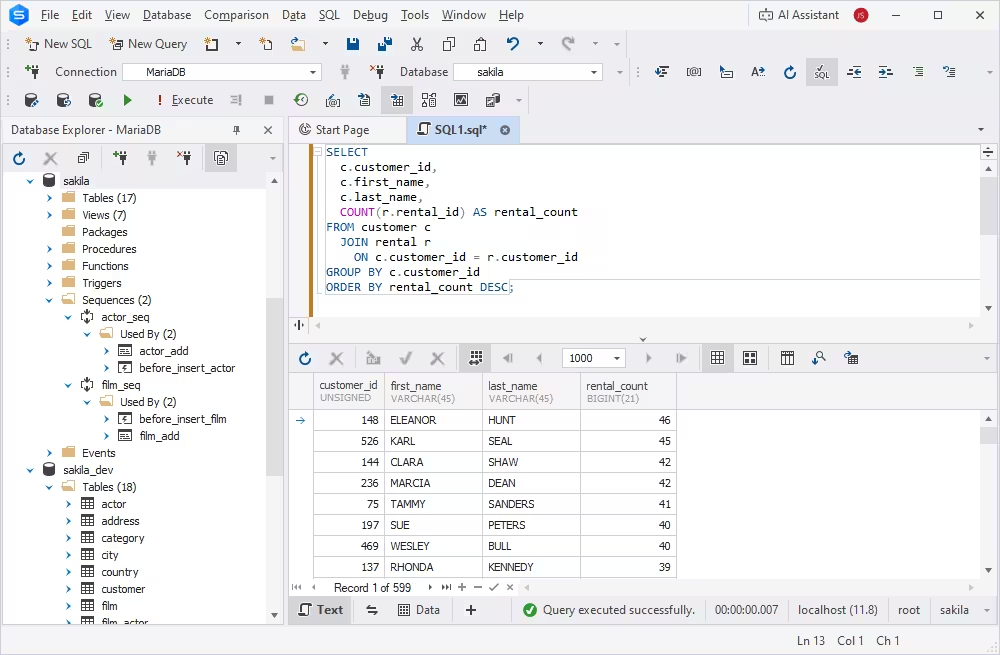
Write high-quality code for MariaDB with full awareness of the database's specific features and behavior. dbForge Studio for MySQL is the best MariaDB client that allows you to level up query development.

Capabilities:

  • Write SQL code faster with autocompletion
  • Work with packages and sequences
  • Validate SQL syntax in real time
  • Format code with flexible rules
  • Refactor SQL code automatically
  • Generate CRUD statements
More on database development
Install MariaDB developer tool - intelligent SQL coding

MariaDB database comparison & sync

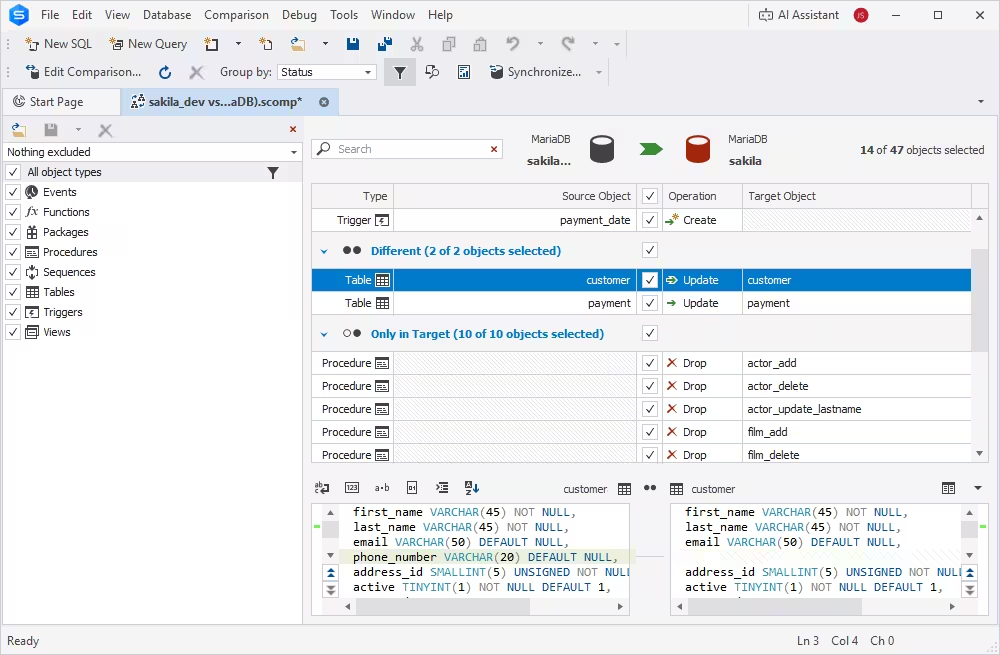
Compare database objects and table records with this MariaDB management studio, identify all differences, analyze them, and synchronize the databases by deploying changes to the target platforms on-premise and in the cloud.

Capabilities:

  • Compare live MariaDB databases and script folders
  • Visualize and analyze differences in a user-friendly interface
  • Create comparison reports in multiple formats
  • Generate accurate synchronization scripts
  • Schedule and run tasks automatically
More on database comparison & sync
MariaDB client - MariaDB database comparison and synchronization

MariaDB Query Profiler

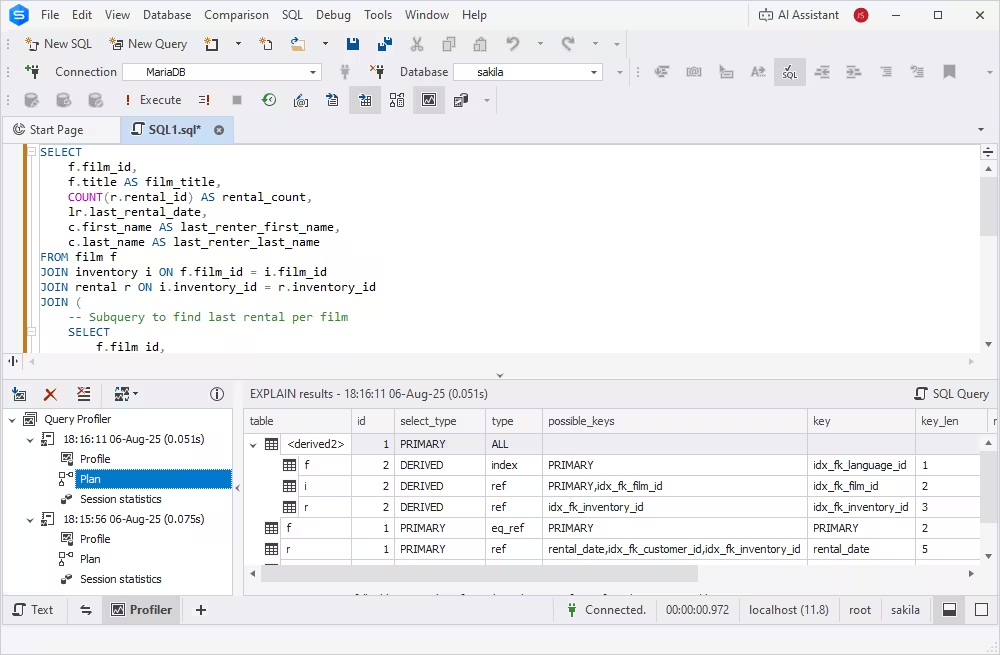
Analyze and optimize query performance in MariaDB databases with Query Profiler. Gain detailed statistics for executed queries to identify bottlenecks, troubleshoot issues, and fine-tune slow queries.

Capabilities:

  • Retrieve comprehensive query execution statistics
  • View and analyze time delays across execution stages
  • Diagnose performance issues
  • Compare query profiling results visually
  • Optimize MariaDB queries
More on query profiling
Install MariaDB tool - Query Profiler for MariaDB queries

MariaDB Database Designer

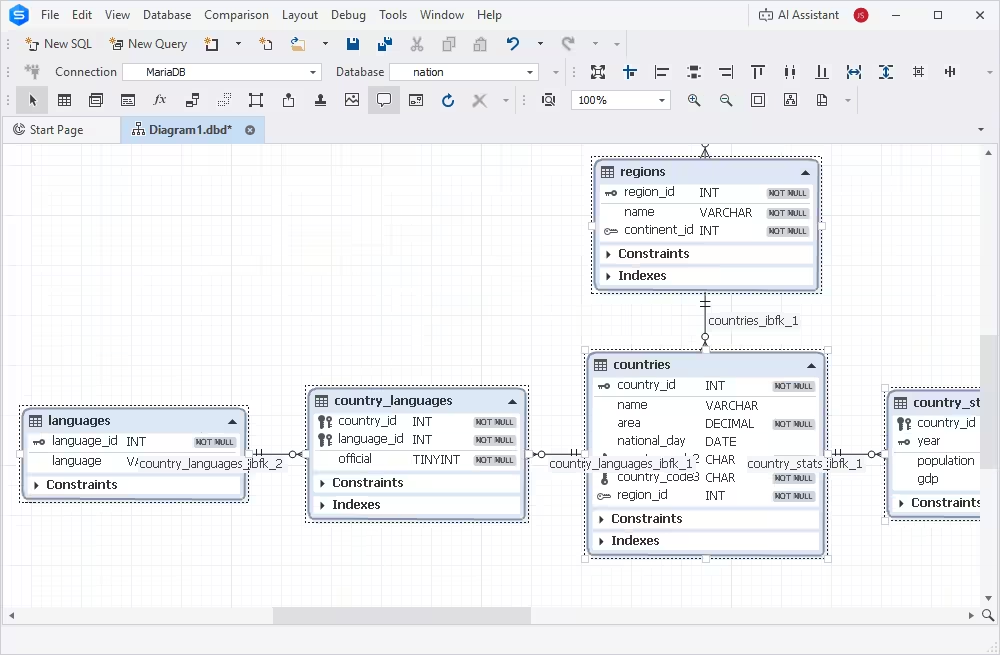
Design MariaDB databases visually using ER diagrams. Create table relationships, define database objects without writing code, and instantly convert visual models into SQL scripts.

Capabilities:

  • Design and edit database structures visually
  • Define and manage key relationships
  • Display database objects and their properties
  • Convert visual models into SQL code
  • Reverse-engineer existing MariaDB databases
More on visual database design
MariaDB client - design MariaDB databases visually

MariaDB data import/export

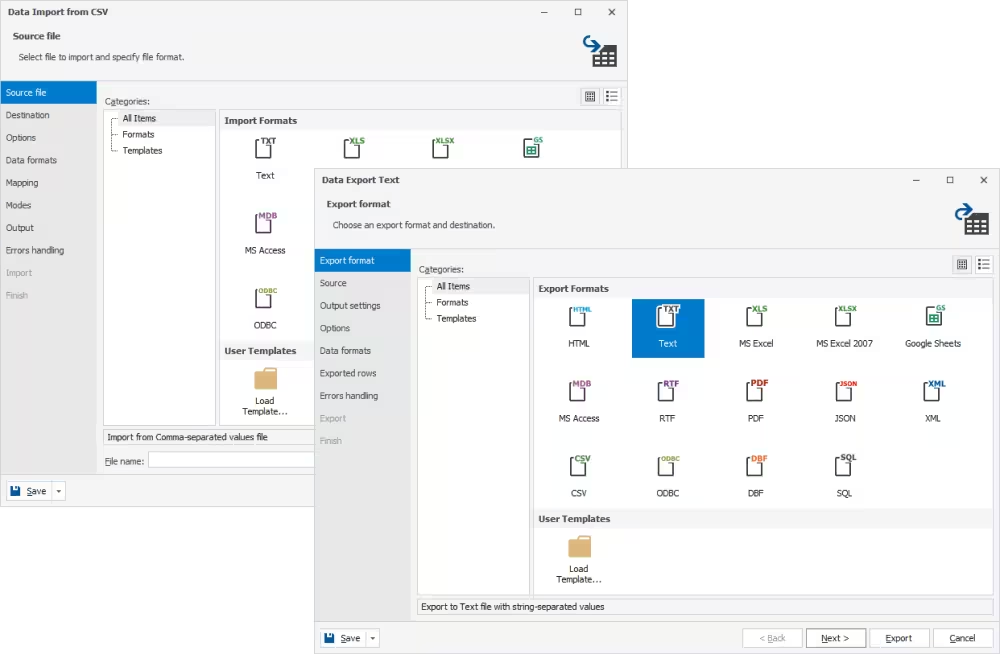
Easily export data from MariaDB databases to all major file formats, or import data directly into database tables from external sources with the professional MariaDB GUI client.

Capabilities:

  • Export MariaDB data to 14 popular formats
  • Import data into MariaDB tables from 10 formats
  • Configure export/import tasks visually
  • Customize data migration settings
  • Save templates for recurring scenarios
  • Automate import/export operations via CLI
More on data import/export
MariaDB Windows Client - data import and export

MariaDB backup tool

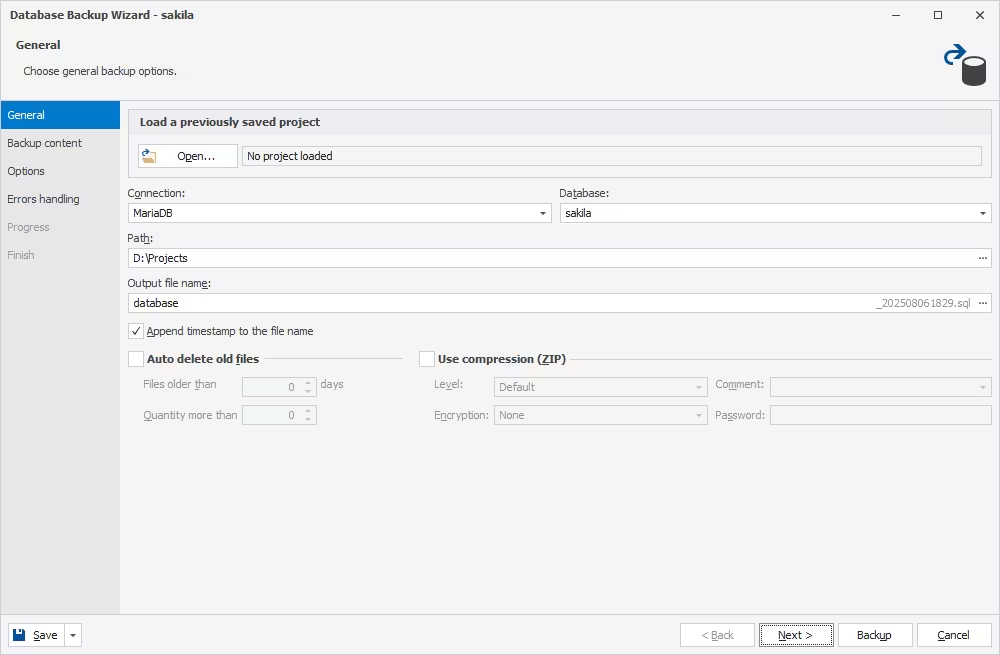
Quickly and easily backup and restore MariaDB databases using the built-in MariaDB backup tool. Automate regular backup tasks and schedule them to save time, minimize manual effort, and reduce the risk of data loss.

Capabilities:

  • Backup and restore databases on demand
  • Automate routine backup and recovery tasks
  • Schedule backup and restore operations
  • Run backup and recovery from the command line
  • Back up both database schema and data
  • Create selective backups of specific objects or datasets
More on database backups
MariaDB client - backup and restore data

MariaDB data analysis & reporting

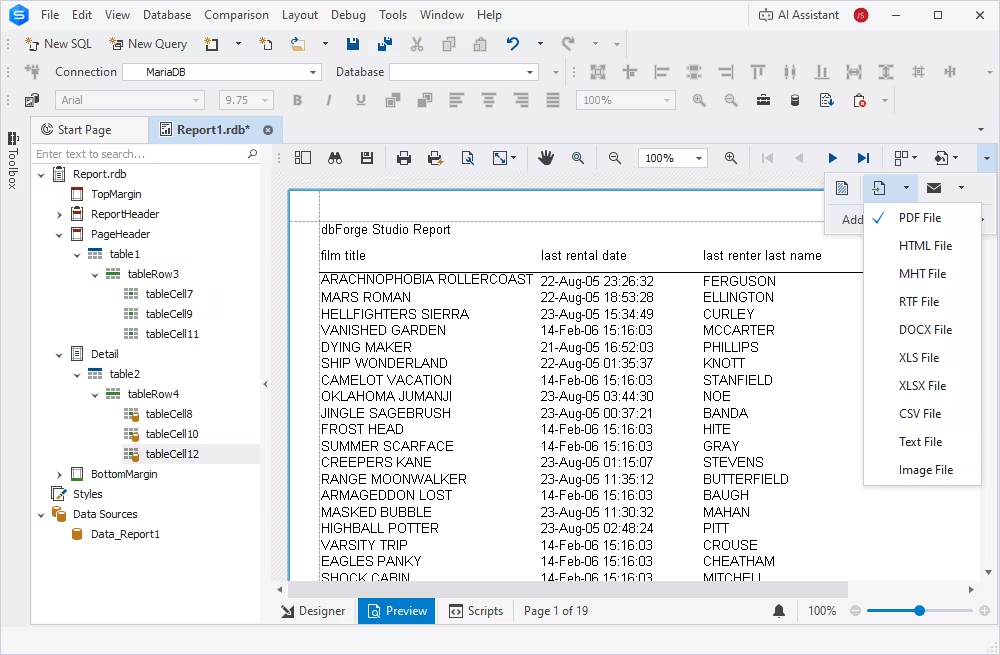
Use built-in tools to design reports with parameters, summaries, and custom formatting. Make your data analysis and reporting processes more efficient and less time-consuming using this MariaDB GUI for Windows.

Capabilities:

  • Data Report Wizard
  • Report Designer
  • Chart Designer
  • Pivot tables
  • 10 formats for ready reports
  • Task automation via CLI
More on data analysis and reporting
MariaDB Client - analyze and report data

MariaDB administration tool

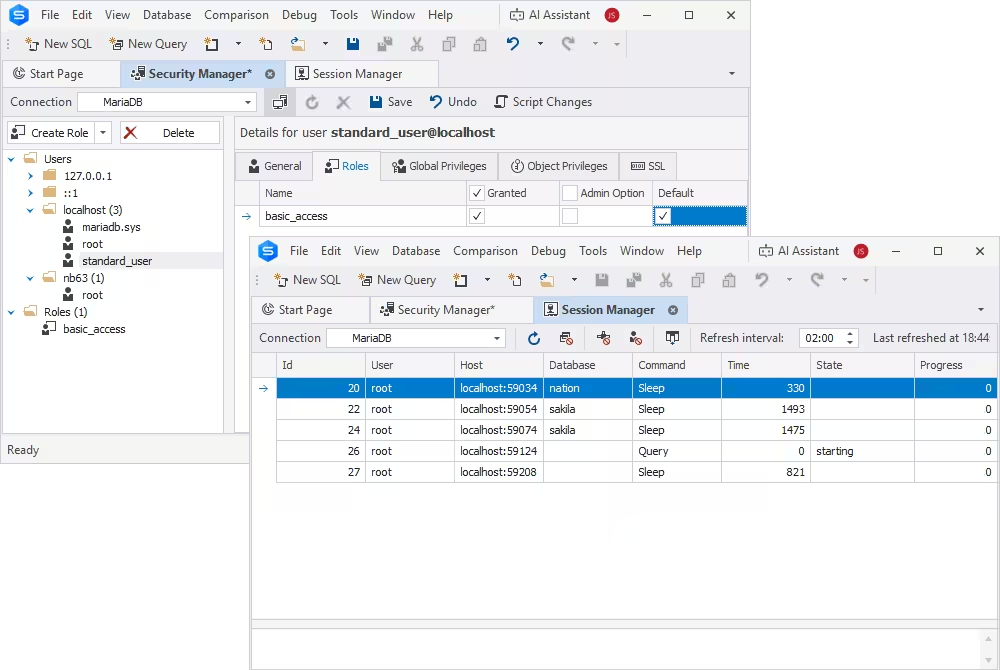
A powerful MariaDB admin tool allows you to connect to MariaDB databases and maintain them. Create and manage user roles and privileges, track session statistics, and perform other jobs with this intuitive MariaDB GUI manager.

Capabilities:

  • Configure user accounts and permissions
  • Copy or transfer databases
  • Perform table maintenance
  • Generate database scripts
  • Locate and resolve database index fragmentation issues
More on database administration
MariaDB client - database administration tool

DevOps integration

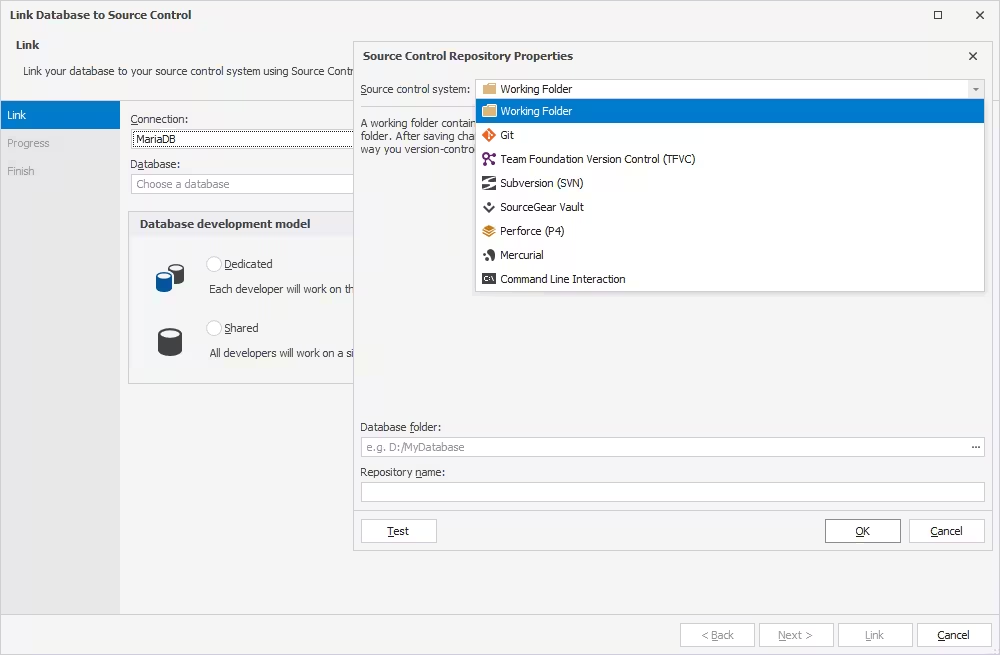
dbForge Studio is a powerful and reliable IDE for developers who adopt DevOps practices. With integrated Source Control that supports all major version control systems and robust automation tools, the Studio enables developers to automate every stage of their CI/CD pipelines.

Capabilities:

  • Version-control schemas and table data
  • Work in shared or dedicated mode
  • Commit and revert changes within the Studio
  • Resolve conflicts without leaving the IDE
  • Deploy changes automatically
More on version control
MariaDB IDE with integrated version control
View all features

dbForge Studio vs CLI

Category CLI GUI (dbForge Studio for MySQL)
Ease of use Requires knowledge of commands. User-friendly interface, suitable for beginners.
Error handling Less visual with error messages. More intuitive with inline messages and hints.
Visual representation Text-based - no visual representation. Visual tools for task configuration and performance.
Learning resources Requires documentation or guides. Interactive elements help with learning.
Version control integration Can be integrated with Git using scripts. Integrates with all popular VCSs.
Customization Customizable with scripts. Customization based on built-in features.
Debugging & profiling Manual debugging using logs and queries. Built-in query profiling and execution plan tools.
Resource consumption Minimal system resources. May consume more system resources.
Cross-platform availability Consistent across platforms and environments. Runs on Windows (natively), macOS, and Linux (via CrossOver or Wine).

Run dbForge Studio for MySQL on Windows, macOS, and Linux

Windows

Windows

dbForge Studio for MySQL is a native Windows app that runs smoothly on Microsoft Windows versions 7/8/8.1/10/11.

Learn more

macOS

macOS

The Studio runs on macOS through the CrossOver application, which acts as a compatibility layer for running Windows software.

Learn more

Linux

Linux

dbForge Studio can run on Linux distributions like Ubuntu, Debian, Fedora, and Red Hat Enterprise Linux (RHEL) through CrossOver or Wine.

Learn more

A few words from our users

"...It never breaks. The import, export wizards save a lot of time. The query autocomplete and error detection functionality saves a lot of time debugging. Every advanced storage engine for MariaDB works with dbForge Studio for MySQL without any errors..."
Nicholas N.,
Principal
"...This product is great, it's not as intuitive as the old MySQL GUI from years past, but it works and accomplishes everything I need. It does everything I need for a GUI interface to MariaDB. Old was free but no longer supported the new MariaDB..."
Shawn L.,
Network Admin
"...I really do like this a lot – stuff that is a pain to do in MySQL Workbench is much simpler and quicker in dbForge, which is moving swiftly towards being one of my 'don't want to be without it tools'… much better, faster and more intuitive…"
Steve J.,
Consultant/Developer

dbForge Studio for MySQL

The most intelligent IDE for MySQL and MariaDB