ODBC Driver for Oracle

Devart ODBC Driver for Oracle is a high-performance connectivity solution with enterprise-level features for accessing Oracle Database. It is compatible with 200+ ODBC-compliant reporting, analytics, BI, and ETL tools and works on both 32-bit and 64-bit Windows, macOS, and Linux.

  • Direct connection with no need for Oracle Client
  • Quick access to real-time data
  • Bulk operations for improved efficiency
  • Regular updates and comprehensive documentation
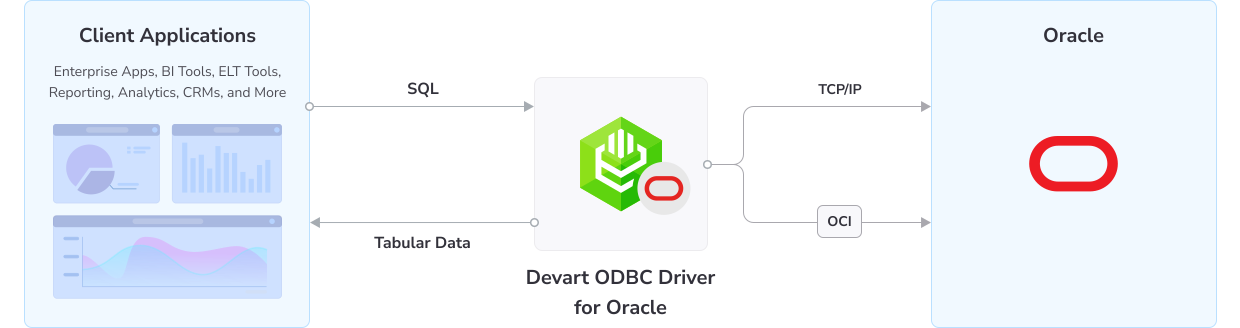
How ODBC Driver for Oracle works

Direct connection

This Driver enables direct connections to Oracle Database in your ODBC-aware applications. The connections are established via TCP/IP without any need for Oracle Client; however, you can also connect via the native Oracle Client library. As a result, you get faster data transmissions and a streamlined deployment process, since there is no need to distribute any additional libraries or client tools with the Devart ODBC Driver at hand.

The Driver supports the following Oracle versions:
  • Oracle Server: 21c, 19c, 18c, 12c, 11g, 10g, 9i, 8i, 8.0, including the Express Editions of 18c, 11g, and 10g
  • Oracle Client: 21c, 19c, 18c, 12c, 11g, 10g, 9i, 8i, 8.0, Oracle Instant Client
  • Oracle Cloud

Features

Secure encrypted connections using SSL TLS SSH and HTTPS tunnels

Secure connections

Your data is duly protected with enterprise-grade encryption, SSL/TLS, SSH, and HTTPS tunneling.

Access to database structures schemas tables and procedures

Flexible access

You can easily access all Oracle objects, including but not limited to schemas, tables, views, and metadata.

Compatibility with multiple Oracle database versions and editions

Oracle compatibility

The Driver supports all major Oracle versions, including 21c–8.0, Express, Instant, and Cloud editions.

Optimized database operations with caching and connection pooling

High performance

Superior performance is achieved through local caching, connection pooling, and other optimizations.

Working with clustered Oracle databases across multiple servers

Support for RAC

The Driver supports Oracle RAC, enabling convenient work with multiple servers as a single system.

Executing batch SQL operations for large data changes

Bulk updates

You can modify large amounts of data effortlessly with bulk updates, carried out by executing SQL queries.

Full support of ODBC functions data types and standards

ODBC conformance

The Driver fully supports the ODBC interface, functions, and data types across all platforms.

Bidirectional mapping between Oracle and ODBC data formats

Advanced data conversion

The Driver provides advanced bidirectional mapping between Oracle and ODBC data types.

How does Devart ODBC Driver stack up against standard database vendor drivers?

Features
Devart ODBC Driver
Database vendor driver
Direct connections to data sources without client software
Included
Not included
Compliance with ODBC 3.52
Included
Included
Compliance with the ODBC API and data types
Included
Not included
Compatibility with the latest server versions
Included
Included
Verified compatibility with 200+ BI and ETL tools
Included
Not included
Fast parallel bulk data loading
Included
Included
Auto-installation in a few clicks
Included
Not included
Support for 32-bit and 64-bit applications
Included
Included
Availability on Windows, Linux, and macOS
Included
Included
Unicode support: different languages and data types
Included
Included
Nightly builds with the most recent changes and hotfixes
Included
Not included
Dedicated support team of software engineers
Included
Not included
Active community
Included
Not included
Data encryption and integrity
Included
Included
ODBC 2.x behavior emulation
Included
Not included
Support for popular programming languages
Included
Included

Pricing

ODBC Driver for Oracle

Starts from

$179.95
per year
Try the Driver

Key features:

  • Compliance with ODBC 3.52
  • Direct connections to data sources without client software
  • Full compliance with the ODBC API and data types
  • Compatibility with the latest server versions
  • Verified compatibility with 200+ BI and ETL tools
  • Fast parallel bulk data loading

ODBC Drivers Universal Bundle

Starts from

$499.95
per year
Try the Universal Bundle

Key features:

  • Support for all 92 ODBC Drivers
  • Easy access to live data from anywhere
  • Full support for standard ODBC API functions and data types
  • No need for database client libraries
  • Support for ODBC-compliant reporting, analytics, BI, and ETL tools
  • Secure connections via SSL, SSH, and HTTPS tunneling

Verified compatibility with 200+ tools

Devart ODBC Drivers are verified to be compatible with leading analytics and reporting tools, various IDEs and programming languages. Get fast and secure access to your data in any application using our ODBC Drivers!

Top use cases for Devart ODBC Drivers

Team meeting with presenter at whiteboard

Business intelligence and analytics

ODBC Drivers are frequently used to connect tools like Microsoft Power BI, Tableau, and QlikView to various databases. This allows analysts to aggregate data from multiple sources and helps them create insightful dashboards, reports, and visualizations without custom integrations.

Data migration & ETL pipelines

ODBC is commonly used in Extract, Transform, Load workflows—for instance, to migrate data between systems.

Custom software products

Developers use ODBC Drivers to build custom software that requires access to data from a variety of sources.

ODBC Universal Bundle

Get high-performance ODBC Drivers for 92 databases and cloud services in a single Universal Bundle with a 95% discount

Ready to get started?

Get a 30-day free trial now

Get a 30-day free trial now

You can download our ODBC Driver for a free 30-day trial. It is a great way to see the Driver in action with no hurry.

Enjoy bulk discounts

Enjoy bulk discounts

We offer flexible options to meet your budget in the optimal way. You can get bulk discounts for multiple purchases.

Need a hand?

Need a hand?

If you need any help or have questions about our connectivity solutions or purchasing options, feel free to get in touch.

FAQ

What is Devart ODBC Driver for Oracle?

Devart ODBC Driver for Oracle is a connectivity solution that serves as an interface between an external application or a programming language and an ODBC data source. The Driver uses the Open Database Connectivity interface to access Oracle data using SQL as the query language. The Driver processes ODBC function calls, sends SQL statements to the data source, and returns results to the application.

How do I download a Devart ODBC Driver for a free trial?

Go to the official download page and get the required version of the Driver, whether you want it on Windows, Linux, or macOS.

Is a registration or email required to download a Devart ODBC Driver?

Before downloading any Devart product from the official website, you need to create a Devart account—or sign in, if you already have one. The registration is very simple and takes just a minute or two. The resulting account is required to store your licenses and activation keys.

Where do I find the documentation for Devart ODBC Drivers?

Here is the comprehensive documentation for Devart ODBC Driver for Oracle. Devart maintains a regularly updated documentation center for all of its products.

Can I download and use the Oracle ODBC Driver without installing Oracle Client?

Yes. One of the primary benefits of Devart ODBC Driver is that you don't need any other clients or libraries to get started.

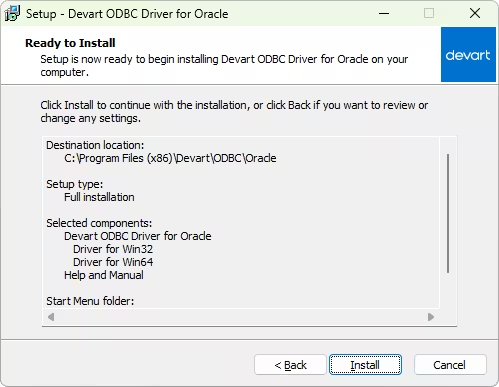
How do I install ODBC Driver for Oracle on Windows?

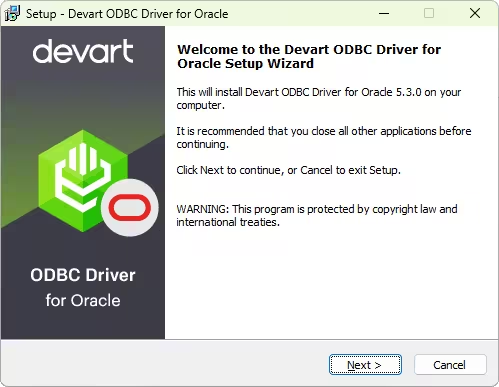
It is recommended to first delete an older version of the Driver if you have one installed. To install ODBC Driver for Oracle on Windows:

  1. Run the downloaded installer file.
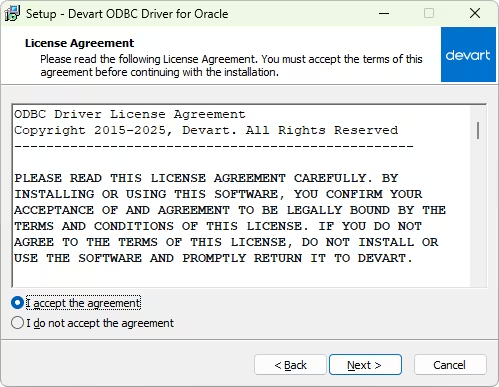
  2. Read and accept the license agreement. Click Next.
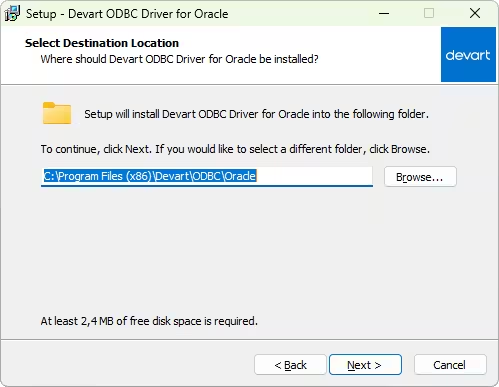
  3. Select the installation directory for the Driver. Click Next.
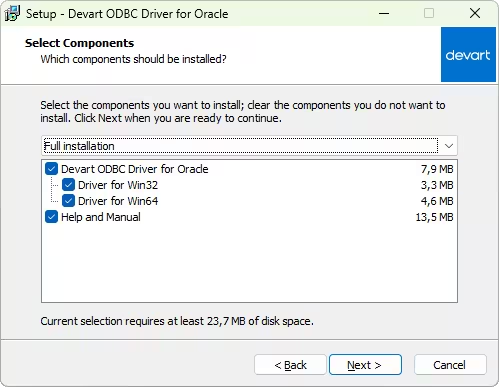
  4. On the Select Components tab, select which version of the Driver to install (64-bit/32-bit).
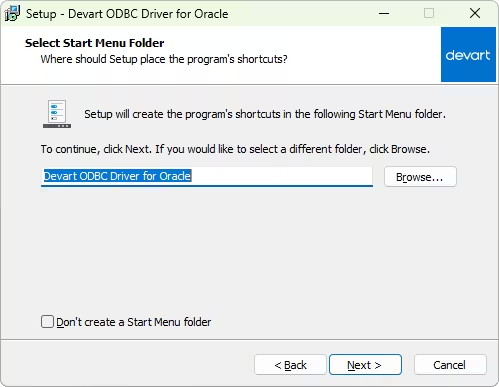
  5. Confirm or change the Start Menu Folder and click Next.
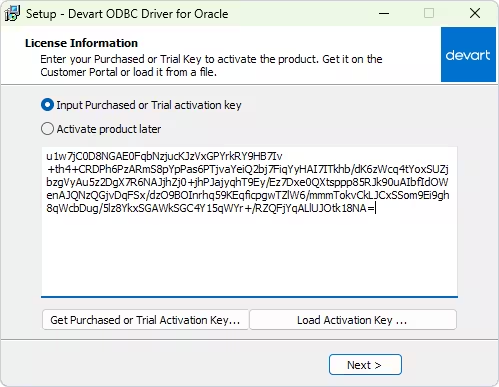
  6. Input your activation key or choose to install a trial version.
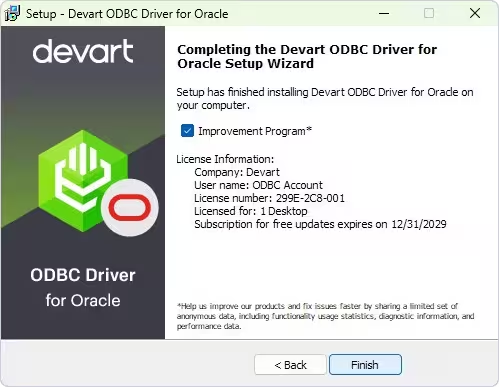
  7. After the installation is complete, click Finish.