


We are excited to introduce dotConnect for Google BigQuery, a brand-new ADO.NET data provider that brings Google BigQuery connectivity to .NET applications through familiar data access interfaces.
With dotConnect for Google BigQuery, developers can execute GoogleSQL queries, integrate analytical data using Entity Framework Core, and load large datasets efficiently. The provider supports standard ADO.NET components, including connections, commands, and data readers, without requiring native client libraries.
Here is how little code it takes to query BigQuery:
using BigQueryConnection connection = new(
  "Authentication Type=ServiceAccount;" +
  "Project Id=your_project_id;" +
  "DataSet Id=your_dataset_id;" +
  "ServiceAccount Json=path_to_key.json;" +
  "License Key=your_license_key");
connection.Open();

using BigQueryCommand command = new("SELECT name, city FROM customers LIMIT 10", connection);
using BigQueryDataReader reader = command.ExecuteReader();
while (reader.Read())
  Console.WriteLine($"{reader["name"]}, {reader["city"]}");
dotConnect for Google BigQuery: What’s under the hood?
Flexible and secure connectivity
Performance for analytical workloads
Powerful SQL and data type support
Familiar .NET development experience
Flexible and secure connectivity
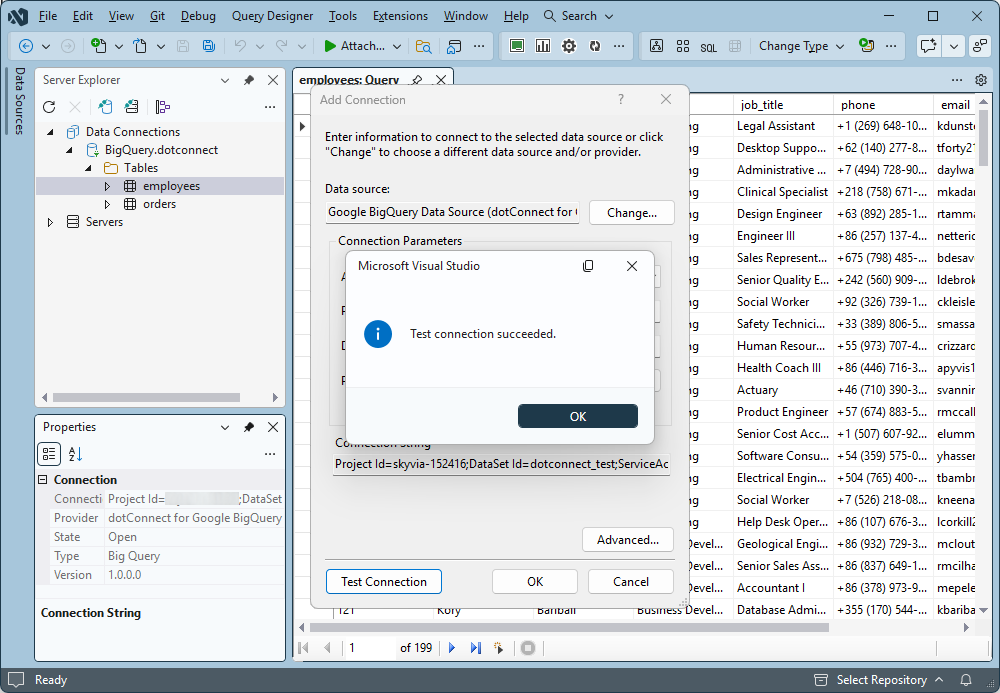
- Multiple authentication methods. Connect with a Google Cloud service account, OAuth 2.0 refresh token, or interactive browser-based sign-in.
- Flexible credential configuration. Supply a service account key as JSON content or a path to the key file.
- HTTPS and proxy support. Connect securely to BigQuery, including from corporate networks that require proxy access.
- Cross-project queries. Set a default dataset and access tables in other datasets or projects using fully qualified names.
Performance for analytical workloads
- Automatic pagination. Retrieve large query results without implementing custom paging logic.
- Bulk data loading. Use BigQueryLoader to transfer data through Google Cloud Storage and execute BigQuery load jobs.
BigQueryLoader loader = new("orders", connection);
loader.CreateColumns();
loader.Open();
foreach (var order in orders)
{
  loader.SetValue("id", order.Id);
  loader.SetValue("name", order.Name);
  loader.NextRow();
}
loader.Close();- Asynchronous operations. Keep applications responsive with
OpenAsync,ExecuteReaderAsync,ExecuteNonQueryAsync, andExecuteScalarAsync. - Connection pooling. Reuse connection resources and reduce the overhead of repeated connection operations.
- Automatic retries. Handle transient network and service failures with built-in command retry support.
Powerful SQL and data type support
- Work with GoogleSQL. Run GoogleSQL queries natively, including SELECT, INSERT, UPDATE, DELETE, and DDL statements, with optional Legacy SQL support.
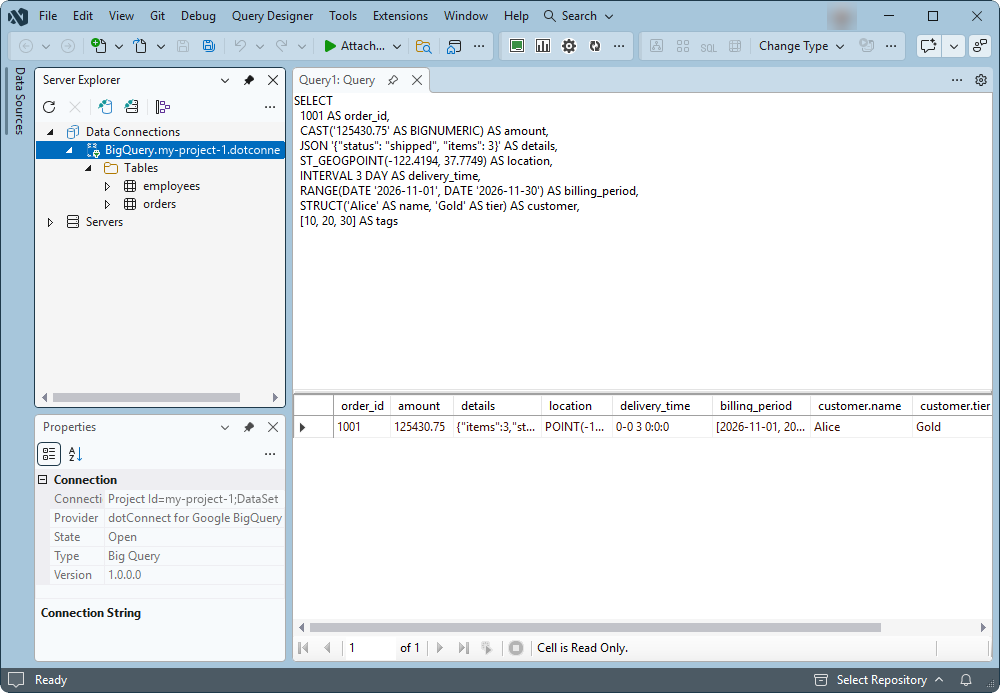
- Handle complex data types. Work with BIGNUMERIC, JSON, GEOGRAPHY, INTERVAL, RANGE, and STRUCT values, with ARRAY values available as JSON text.
- Manage transactions. Use BigQueryTransaction or TransactionScope for server-side transactions based on BigQuery sessions.
Familiar .NET development experience
- Use standard ADO.NET components. Work with BigQueryConnection, BigQueryCommand, BigQueryDataReader, BigQueryDataAdapter, and BigQueryCommandBuilder.
- Manage disconnected data. Use DataSet and DataTable components for in-memory data processing and data binding.
- Build with Entity Framework Core. Support for EF Core 3.1 and 8–11, Database-First and Code-First approaches, and migrations.
- Design models visually. Generate an EF Core model from your BigQuery dataset in Entity Developer, edit it on a diagram, and get ready-to-use DbContext and entity classes.
- Work in Visual Studio. Explore BigQuery objects in Server Explorer and configure components using integrated design-time tools.
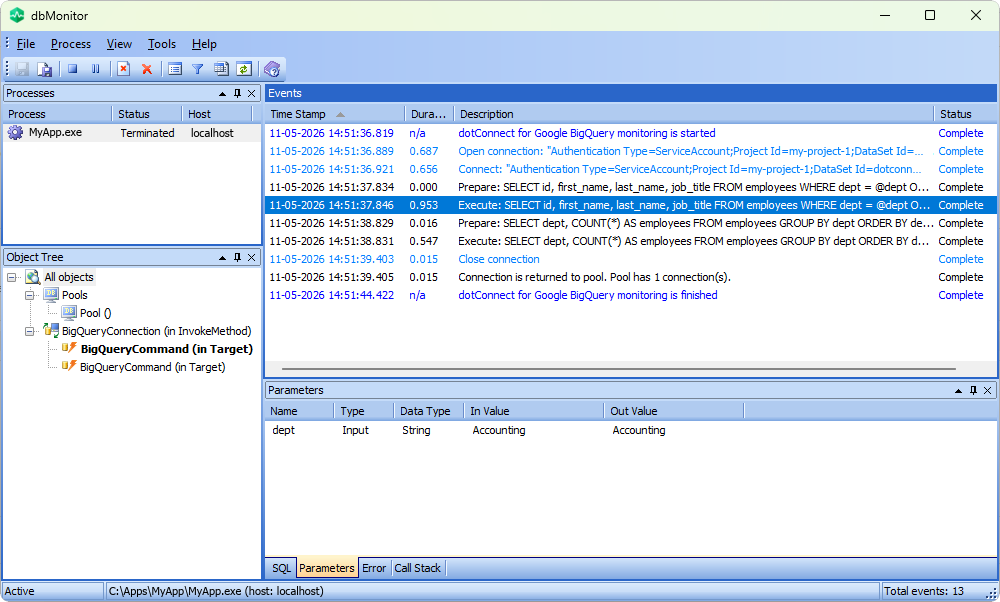
- Monitor database activity. Trace SQL execution with BigQueryMonitor and dbMonitor, and handle errors through BigQueryException.
Get started with dotConnect for Google BigQuery
Ready to bring Google BigQuery into your .NET applications?
dotConnect for Google BigQuery supports .NET 5–11, .NET Framework 4.6.1–4.8, and .NET Standard 2.0, making it suitable for both new and existing .NET projects. Start your free 30-day trial and explore BigQuery connectivity, SQL querying, bulk loading, and EF Core integration with familiar ADO.NET tools.