


Meet dotConnect for MongoDB, an ADO.NET provider that lets .NET applications work with MongoDB collections through plain SQL and the standard ADO.NET classes.
You can run SELECT queries with JOIN and GROUP BY, change data with INSERT, UPDATE, and DELETE, and rely on Entity Framework Core for object-oriented access. Native MongoDB commands in JSON are there when you need them, and the provider includes the MongoDB client libraries for Windows, so there is nothing else to install.
Querying a MongoDB collection from C# takes just a few lines:
using MongoDBConnection connection = new(
  "Host=localhost;" +
  "Port=27017;" +
  "User Id=your_username;" +
  "Password=your_password;" +
  "Database=your_database;" +
  "License Key=your_license_key");
connection.Open();

using MongoDBCommand command = new("SELECT id, name FROM orders", connection);
using MongoDBDataReader reader = command.ExecuteReader();
while (reader.Read())
  Console.WriteLine(reader["name"]);
dotConnect for MongoDB: Key features at a glance
Secure connectivity for any MongoDB setup
High performance for data-intensive applications
Rich SQL and data type support for collections
Convenient tooling for everyday .NET development
Secure connectivity for any MongoDB setup
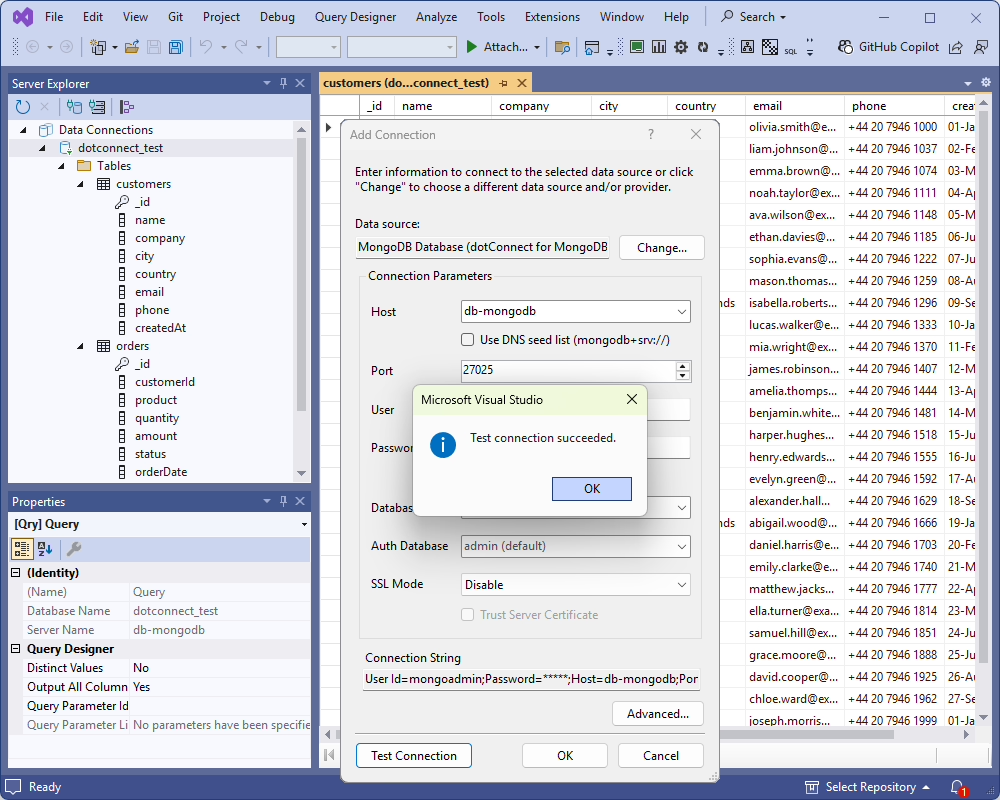
- Authentication with a separate database. Sign in with a username and password, and specify an authentication database when your users are defined outside the working one.
- SSL/TLS encryption. Protect connections with a CA certificate and a client certificate.
- Replica sets and seed lists. Connect to replica sets and additional servers using
mongodb://ormongodb+srv://(DNS seed list) connection strings. - No extra client libraries. The provider has everything it needs, so you only specify the server, database, and credentials.
High performance for data-intensive applications
- Automatic result batching. Retrieve large query results without writing custom paging logic.
- Fast bulk inserts. Load rows with the
MongoDBLoadercomponent, which sends them to the server in batches of up to 1,000.
MongoDBLoader loader = new("orders", connection);
loader.Open();
for (int i = 1; i <= 100; i++)
{
  loader.SetValue("id", i);
  loader.SetValue("name", "Order " + i);
  loader.SetValue("amount", i * 10.5);
  loader.NextRow();
}
loader.Close();- Non-blocking calls. Keep your UI and services responsive using
OpenAsync,ExecuteReaderAsync,ExecuteNonQueryAsync, andExecuteScalarAsync. - Pooled connections. Open connections are kept and reused, and you can tune pooling right in the connection string.
Rich SQL and data type support for collections
- Query collections as tables. Run SELECT (including JOIN and GROUP BY), INSERT, UPDATE, and DELETE statements through the built-in SQL engine.
- Manage structure with DDL. Use CREATE TABLE with columns and a schema validator, DROP TABLE, CREATE INDEX, CREATE UNIQUE INDEX, and DROP INDEX.
- Switch to native commands. Turn off the
Sql Engineoption to send MongoDB commands in JSON. - Work with documents and arrays. Nested fields of embedded documents and arrays show up as separate columns, or you can get whole documents and arrays as JSON strings with the
Complex As Stringoption. - Keep Decimal128 precise. Read Decimal128 values without losing precision, or map them to Decimal or Double when that fits you better.
- Configure type mapping. Read UUID values as
Guidand choose howDateTimeOffsetvalues are stored. - Run transactions.
BeginTransactionandTransactionScopeare available on replica sets and sharded clusters.
Convenient tooling for everyday .NET development
- Standard ADO.NET classes.
MongoDBConnection,MongoDBCommand,MongoDBDataReader,MongoDBDataAdapter, andMongoDBCommandBuilderwork the way you’d expect. - Beyond the basics. Build connection strings with
MongoDBConnectionStringBuilder, get provider instances fromMongoDBProviderFactory, retrieve metadata withGetSchema, and useMongoDBScriptandMongoDBDumpfor scripts and for backing up and restoring collections. - Disconnected data.
MongoDBDataSetandMongoDBDataTablesupport in-memory processing and data binding. - Entity Framework Core. Supports EF Core 3.1 and 8–11, with Database-First and Code-First approaches, migrations, and embedded documents mapped to owned types.
- Dapper and NHibernate. Both are supported alongside EF Core, so you can keep the data access approach your project already uses.
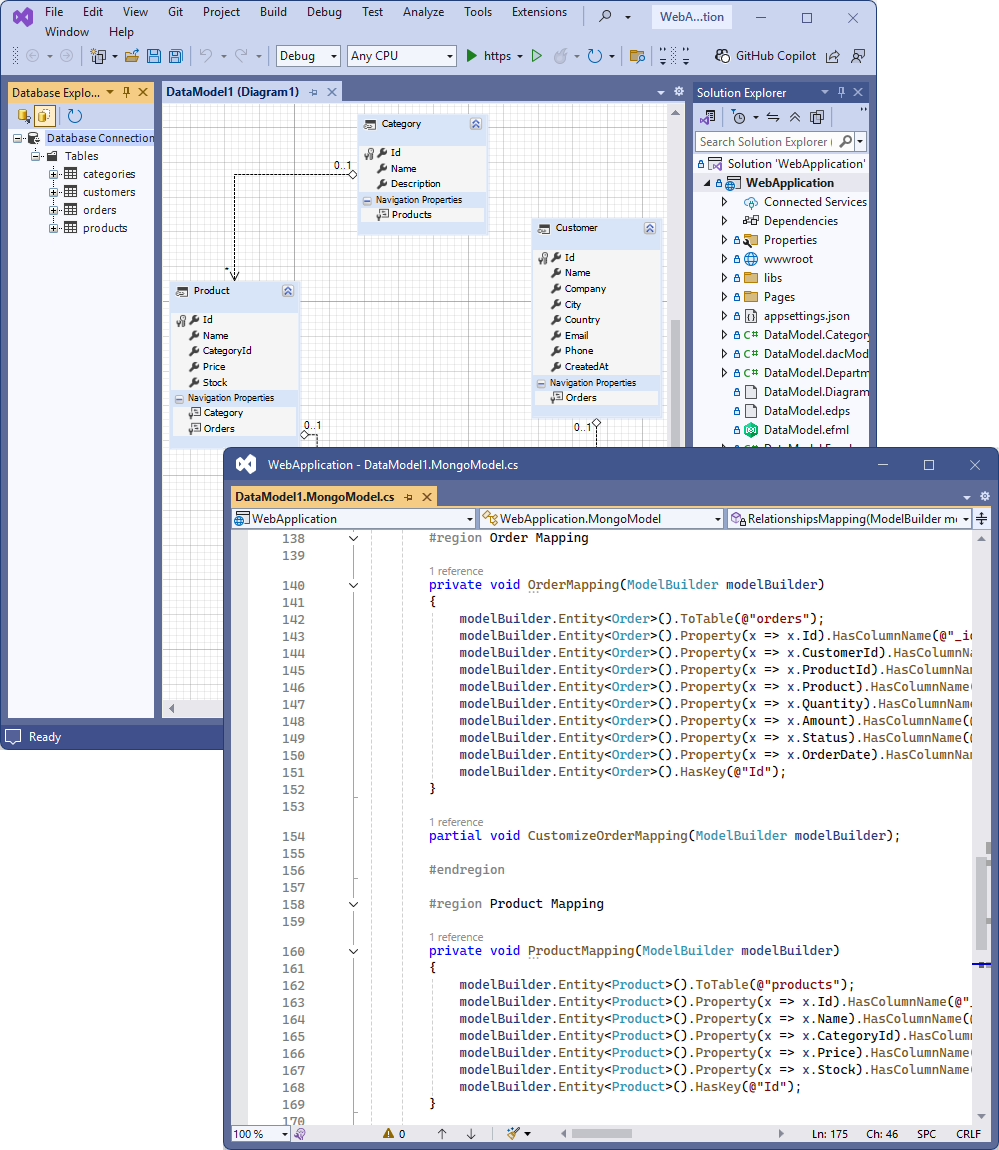
- Visual modeling. Create an EF Core model from your MongoDB collections in Entity Developer, adjust it on a diagram, and generate the
DbContextand entity classes automatically. - Visual Studio integration. In Visual Studio 2017–2026, add MongoDB connections in Server Explorer and set up components with design-time editors and the DataSet Generator.
- Activity tracing. Follow SQL execution with
MongoDBMonitorand dbMonitor, and catch errors throughMongoDBException.
Try dotConnect for MongoDB
Want to use MongoDB in your .NET applications through SQL and ADO.NET?
The provider works on Windows (x86 and x64) with .NET 5–11, .NET Core 2.0–3.1, .NET Framework 4.5.1–4.8, and .NET Standard 2.0, and connects to MongoDB 3.6 and later. Linux and macOS support is planned. Download a free 30-day trial to check out SQL querying, bulk loading, and EF Core support in your own project. You can also browse all features and compatibility details or follow the Getting started guide to run your first query.