


PostgreSQL went from a platform developers respected to the one they reach for first. Today, it’s used by over 55.6% of all developers and 58.2% of professionals, powering everything from SaaS startups to AI platforms. For many new projects it’s now the default choice. But what pushed PostgreSQL ahead of so many alternatives?
This guide answers that question by explaining what PostgreSQL is, how it works, and what makes it different from other databases.
Table of contents- What is PostgreSQL?
- How PostgreSQL works
- Key PostgreSQL features
- What is PostgreSQL used for?
- Benefits of PostgreSQL
- PostgreSQL limitations
- PostgreSQL vs other databases
- How to get started with PostgreSQL
- PostgreSQL best practices for beginners
- Takeaway: Is PostgreSQL right for your project?
- FAQ

What is PostgreSQL?
PostgreSQL is a database management system that stores data in structured tables and lets you read, write, update, and manage that data with SQL. At its core, it’s a relational database, with rows, columns, keys, and constraints working together to keep data organized and consistent.
But that’s only half the story. The other PostgreSQL definition is object-relational because it builds on the traditional relational model with custom data types, user-defined functions, powerful extensions, and JSON support. Those extra capabilities let the system handle far more than traditional business data, which is why calling it simply a PostgreSQL RDBMS doesn’t tell the whole story.
One last thing that catches a lot of beginners: Postgres vs PostgreSQL. It’s the same database. The project was originally called POSTGRES before being renamed PostgreSQL in 1996 to reflect its SQL support, but “Postgres” stuck as the everyday name. So if someone asks, “What is Postgres?” or refers to a Postgres database, they’re talking about PostgreSQL.
A brief history of PostgreSQL
PostgreSQL started life as the POSTGRES project at the University of California, Berkeley, in 1986. Led by Michael Stonebraker, it was designed as the successor to the earlier Ingres database and focused on pushing relational databases beyond their existing limits.
SQL support arrived in the early 1990s, and the project was renamed PostgreSQL in 1996 once SQL became its primary query language. Since then, development has been driven by the PostgreSQL Global Development Group rather than a single company, with a major release arriving almost every year. The core server of PostgreSQL is written in C.
How PostgreSQL works
At its simplest, a PostgreSQL server receives an SQL query, decides the best way to execute it, retrieves or updates the data, and sends the results back. The rest is what makes PostgreSQL fast, reliable, and able to handle thousands of concurrent operations.
Here’s what happens:
- Each database contains schemas, which contain tables made up of rows and columns.
- Every SQL query is parsed, planned, and executed. Before it touches your data, PostgreSQL’s planner picks what it thinks is the fastest execution path.
- Transactions keep related changes together. Either everything commits, or everything rolls back.
- Primary and foreign keys uniquely identify rows and keep relationships between tables valid.
- Indexes help PostgreSQL find data without scanning entire tables, often turning slow queries into fast ones.
- ACID compliance guarantees every committed transaction is atomic, consistent, isolated, and durable.
- MVCC gives every transaction its own snapshot of the data, so readers and writers don’t get in each other’s way.
If there’s one thing worth remembering, it’s MVCC. It’s a big reason PostgreSQL scales so well under concurrent workloads, and it’s also why VACUUM has to clean up old row versions in the background.
Key PostgreSQL features
The following PostgreSQL features are what teams actually cite when they choose it. These features of PostgreSQL all ship in the single community edition, since no paid enterprise tier gates core functionality.
| Feature | What it gives you |
|---|---|
| Open-source license | Free to use, modify, and distribute under the permissive PostgreSQL License; no paid edition gates core features |
| SQL support | Standards-oriented SQL for querying, updating, and managing relational data, with strong conformance across releases |
| ACID transactions | Transaction safety for orders, payments, ledgers, and anything else where a half-written change is unacceptable |
| JSON and JSONB | Storage and indexing of semi-structured documents beside relational columns, with JSONB giving binary storage and fast lookups |
| Advanced data types | Arrays, UUID, ranges, date and time types, geometric types, network addresses, plus user-defined types |
| Indexing | B-tree, GIN, GiST, BRIN, hash, partial, and expression indexes, so index strategy can match the query pattern |
| Extensibility | Extensions add capability without forking: PostGIS for geospatial apps, pgvector for embeddings, TimescaleDB for time-series data |
| Replication and recovery | Write-ahead logging, streaming and logical replication, base backups, and point-in-time recovery |
| Security | Roles and privileges, multiple authentication methods, row-level security, TLS connections, and column-level grants |
What is PostgreSQL used for?
PostgreSQL is a general-purpose database, so the answer to what is PostgreSQL used for is simple: almost anything that needs reliable, structured data. It’s best known for powering web and SaaS applications, but it’s just as comfortable running financial systems, AI workloads, analytics platforms, and geospatial applications. Here are some of the most common pgsql use cases.
| Use case | Why PostgreSQL fits |
|---|---|
| Web and SaaS backends | Transactional integrity, mature drivers for every major language, and predictable behavior under concurrency |
| Financial and order systems | ACID guarantees, constraints, and precise numeric types that will not silently round money |
| Geospatial applications | PostGIS turns it into a full spatial database with indexing and geometry functions |
| Analytics and reporting | Window functions, CTEs, materialised views, and parallel query for heavier analytical SQL |
| AI and semantic search | pgvector stores embeddings next to relational data, with HNSW and IVFFlat indexes for similarity search |
| Document and hybrid storage | JSONB handles flexible payloads without giving up joins and constraints on the structured parts |
| Time series and IoT | Native partitioning, plus extensions such as TimescaleDB for high-ingest workloads |
Wondering who uses PostgreSQL? Platforms such as Supabase and Neon are built around it. Vercel also offers a native integration with Neon Postgres, making it easy to use PostgreSQL in Vercel projects.
Benefits of PostgreSQL
Here are the advantages of PostgreSQL that matter most in practice:
- Free and genuinely open source. The PostgreSQL License lets you use, modify, and distribute the software commercially without vendor lock-in.
- Reliable in production. WAL, replication, and point-in-time recovery are built in rather than locked behind a paid edition.
- Strong data integrity. Constraints, foreign keys, and strict data types stop bad data before it spreads through your application.
- Handles complex queries well. Window functions, CTEs, lateral joins, and a capable query planner let PostgreSQL do more of the heavy lifting.
- Flexible data modeling. Relational tables, JSONB documents, arrays, and custom data types can all live in the same database.
- Powerful extension ecosystem. Extensions like PostGIS, pgvector, and TimescaleDB add entirely new capabilities without introducing another database.
- Active community and vendor-neutral development. PostgreSQL isn’t controlled by a single company, helping keep its roadmap stable and well-documented.
- Runs almost anywhere. Deploy it on a laptop, your own servers, or any major managed cloud platform.
The software itself is free, so the real PostgreSQL cost comes down to your infrastructure and the time needed to run it well.
PostgreSQL limitations
PostgreSQL can handle almost anything you throw at it, but it isn’t maintenance-free. Like any serious database, it rewards good design and careful administration. That’s an important part of the conversation about PostgreSQL advantages and disadvantages.
In practice, these are the areas where PostgreSQL demands the most attention:
- Large systems need tuning. Memory settings, autovacuum thresholds, checkpoints, and connection pooling all become more important as your data grows.
- Horizontal write scaling is still hard. Read replicas are easy enough, but spreading writes across multiple nodes usually means sharding or additional tools.
- High connection counts need a pooler. PostgreSQL uses a process-based architecture, so busy applications often rely on PgBouncer or a similar connection pooler.
- Some workloads are better served elsewhere. Petabyte-scale analytics, graph databases, or other highly specialised workloads may be better handled by purpose-built systems.
- Someone still has to run it. Backups, upgrades, indexing, query tuning, and monitoring don’t happen by themselves.
The pros and cons of PostgreSQL are pretty straightforward. There are very few hard technical limits, but there’s no shortcut around good database administration.
PostgreSQL vs other databases
No database is the best at everything. The right choice depends on your workload, your team’s skills, and the trade-offs you’re willing to make. To see how teams rate PostgreSQL against other options, check user reviews in the relational databases category on G2. In the PostgreSQL vs MySQL debate, PostgreSQL usually comes out ahead for complex queries, JSON support, and extensibility, while MySQL still has advantages for simple read-heavy workloads and legacy LAMP applications.
One quick clarification before we compare them: SQL vs PostgreSQL isn’t really a comparison. SQL is the language used to query databases, while PostgreSQL is one of the database systems that uses it.
| Dimension | PostgreSQL | MySQL | SQL Server | MongoDB |
|---|---|---|---|---|
| Data model | Object-relational, plus JSONB | Relational, JSON type | Relational | Document |
| Licence | PostgreSQL License, permissive | GPL with commercial editions | Commercial, per-core or per-user | SSPL, commercial for managed services |
| Complex queries | Very strong: CTEs, window functions, lateral joins | Good, historically weaker on advanced SQL | Very strong, mature optimiser | Aggregation pipeline, not SQL |
| Extensibility | Extensions, custom types, and functions | Plugins, narrower scope | CLR integration, vendor-controlled | Limited by design |
| Concurrency | MVCC, readers never block writers | MVCC in InnoDB | Locking plus optional snapshot isolation | Document-level locking |
| Best fit | General-purpose, complex, or mixed workloads | Read-heavy web applications | Microsoft-centric enterprise environments | Schema-flexible document stores |
Compared with NoSQL databases, PostgreSQL takes a more balanced approach. You keep the consistency and structure of a relational database while using JSONB where flexible document storage makes sense. For many modern applications, that gives you the best of both worlds.
How to get started with PostgreSQL
Getting started with PostgreSQL is easier than most people expect. Install it, create a PostgreSQL database, connect with a client, and start writing SQL. You can worry about tuning and optimization once you’re comfortable with the basics.
- Install or provision. Install PostgreSQL locally using the official packages, or use a managed service such as Amazon RDS, Azure Database for PostgreSQL, or Google Cloud SQL.
- Connect. The bundled psql command-line client is the reference tool. If you’re wondering what is psql used for, the answer is simple: running queries, scripting, and database administration from the terminal. GUI clients, IDEs, and applications all connect to PostgreSQL the same way.
- Create a PostgreSQL database and tables. Define your data types, primary keys, and foreign keys before you start loading data.
- Run queries. Start with
SELECT,INSERT,UPDATE, andDELETE, then move on to joins and aggregates. A small PostgreSQL example database such as Pagila or DVDRental is all you need to practise. - Learn the basics of administration. Get comfortable with backups, restores, indexing, and monitoring slow queries before moving on to performance tuning.
For day-to-day work, most developers also use a Postgres GUI client. dbForge Studio for PostgreSQL brings query writing, schema browsing, data editing, import and export, profiling, and administration into one interface. Version 2026 also introduced a visual Query Builder, PostgreSQL Debugger, and visual database objects, while dbForge AI Assistant can generate, explain, and optimize SQL in context. If you’re building applications, Devart also provides ODBC drivers, Python connectors, and ADO.NET providers for PostgreSQL.
PostgreSQL best practices for beginners
For teams using PostgreSQL, most problems can be traced back to decisions made in the first week. Get the schema and the habits right early, and the database will stay boring, which is exactly what you want. Start with these best practices:
- Design your schema first. Model tables and relationships carefully, and normalize before you optimize.
- Let PostgreSQL protect your data. Use primary keys, foreign keys, NOT NULL, and CHECK constraints instead of relying on application code alone.
- Index with purpose. Add indexes for the queries you actually run, then confirm they’re helping with EXPLAIN ANALYZE instead of guessing.
- Treat backups as incomplete until you’ve restored one. A backup you haven’t tested is just a hypothesis.
- Keep an eye on performance. Monitor slow queries, connection counts, table bloat, and autovacuum activity before they become production problems.
- Stay up to date. Keep PostgreSQL patched and plan major upgrades instead of putting them off indefinitely.
- Test with real data volumes. A schema that performs well on a thousand rows can behave very differently on a hundred million.
Takeaway: Is PostgreSQL right for your project?
For most new applications, PostgreSQL is a strong default. It supports reliable transactions, relational data, complex queries, JSON, and extensions in the same database. Its open-source licence also avoids the licensing restrictions of a proprietary database.
It will not suit every workload. A columnar warehouse may be a better fit for petabyte-scale analytics. A document, graph, or distributed key-value database may also make more sense when that data model drives the application. For general transactional systems, however, PostgreSQL covers a wide range of requirements without forcing the team into a specialized database too early.
For day-to-day development and administration, we can recommend tools like dbForge Studio for PostgreSQL, which brings SQL editing, database management, schema and data comparison, test data generation, and automation into one AI-powered IDE.
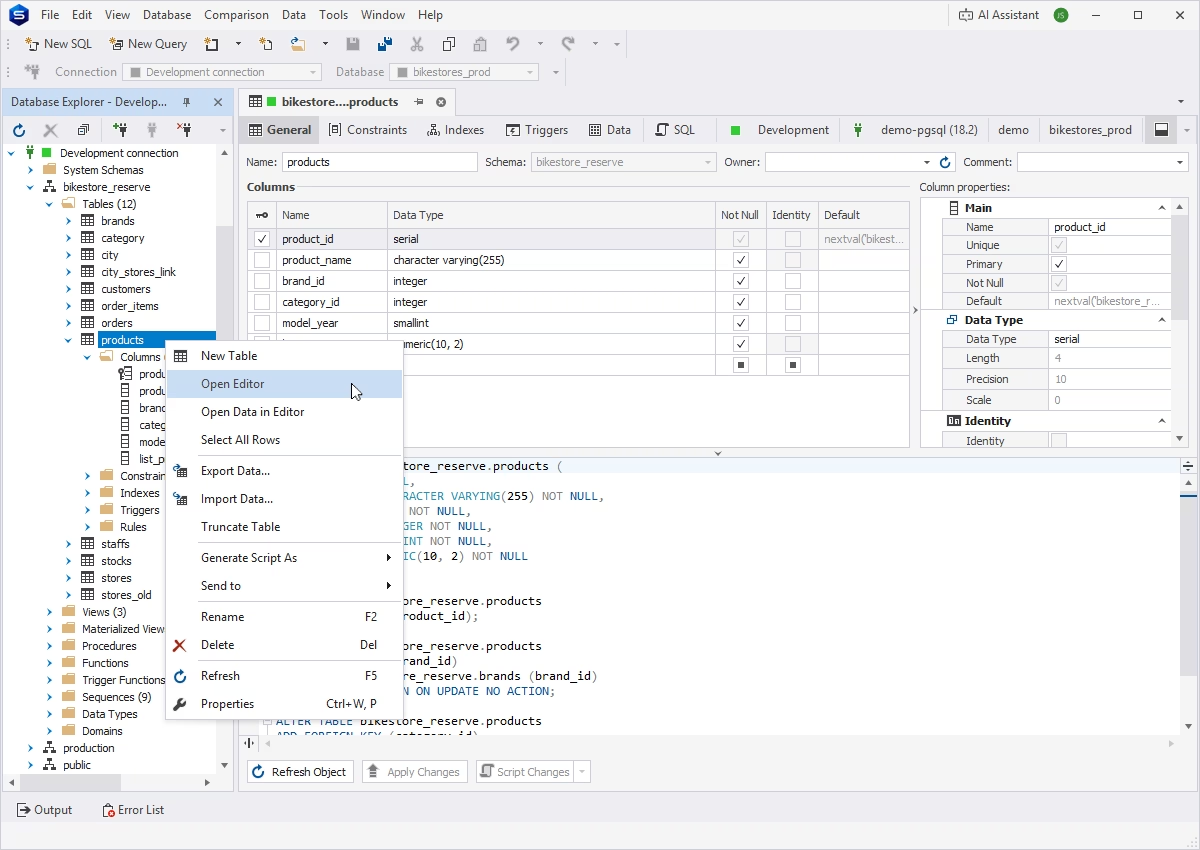
Try dbForge Studio for PostgreSQL free for 30 days and get some firsthand experience with its rich feature set and extensive compatibility with on-premises PostgreSQL and related cloud databases and services.
If you also manage SQL Server, MySQL, MariaDB, or Oracle, dbForge Edge covers all of them (and more) in one package.
FAQ
What is PostgreSQL in simple words?
PostgreSQL is a free database system that stores your data in tables and lets you ask questions of that data using SQL. It keeps the data consistent, handles many users at once, and can be extended with plugins for things like maps and AI search.
Is PostgreSQL the same as Postgres?
Yes. Postgres is the common short name for PostgreSQL. The project was renamed from POSTGRES to PostgreSQL in 1996 to reflect its SQL support, and both names refer to the same database today.
Is PostgreSQL a relational database?
Yes, and a little more. PostgreSQL is a relational database that stores data in tables with keys and constraints. It is usually described as object-relational because it also supports custom types, functions, extensions, and JSON documents.
Is PostgreSQL free?
Yes. PostgreSQL is released under the permissive PostgreSQL License, so it is free to use, modify, and distribute, including commercially. There is no paid edition that unlocks core features. Your costs are infrastructure, any managed service you choose, and the time to administer it.
Is PostgreSQL better than MySQL?
For most new projects, yes, though it depends on the workload. PostgreSQL is stronger on complex queries, JSON handling, extensibility, and licensing terms. MySQL retains advantages in simple read-heavy workloads and in legacy applications built around it.
Can PostgreSQL store JSON data?
Yes. PostgreSQL supports both JSON and JSONB columns. JSONB stores documents in a binary format and can be indexed with GIN, so you can query inside documents efficiently while keeping the rest of your schema strictly relational.
Is PostgreSQL good for beginners?
Yes. The documentation is among the best in open source, psql and GUI clients make the basics approachable, and standards-oriented SQL means what you learn transfers to other databases. Production administration takes longer to learn than querying does.