dbForge Studio for PostgreSQL Features

Documentation
Find technical information on product installation, activation, and utilization
Go to documentation center
Release Notes
Discover the latest product launches, enhancements, and bug fixes
View revision historyAI Assistant
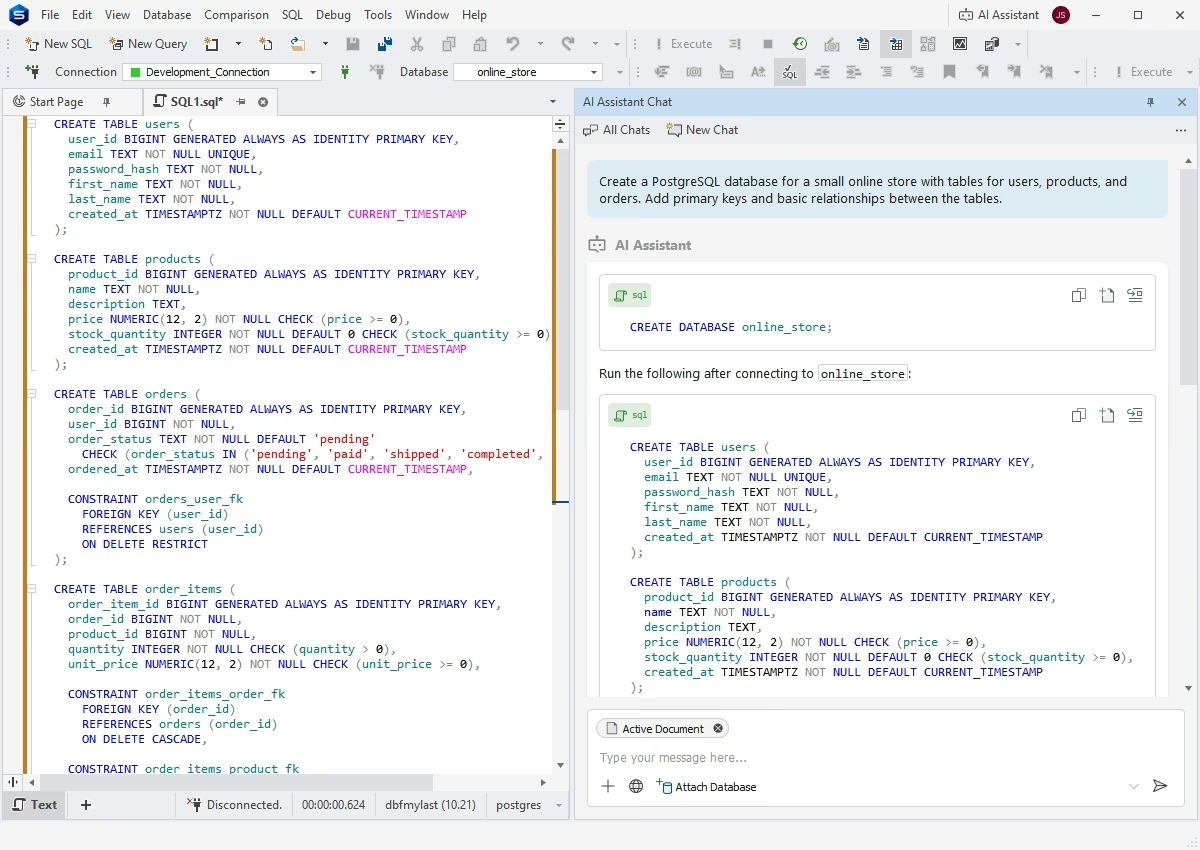
Here's your next-generation AI-powered copilot that creates error-free SQL queries based on the context of your databases, identifies and fixes potential issues in manually written queries, explains parts of code, and delivers helpful consultations on SQL and database-related topics in real time.
Query writing and editing
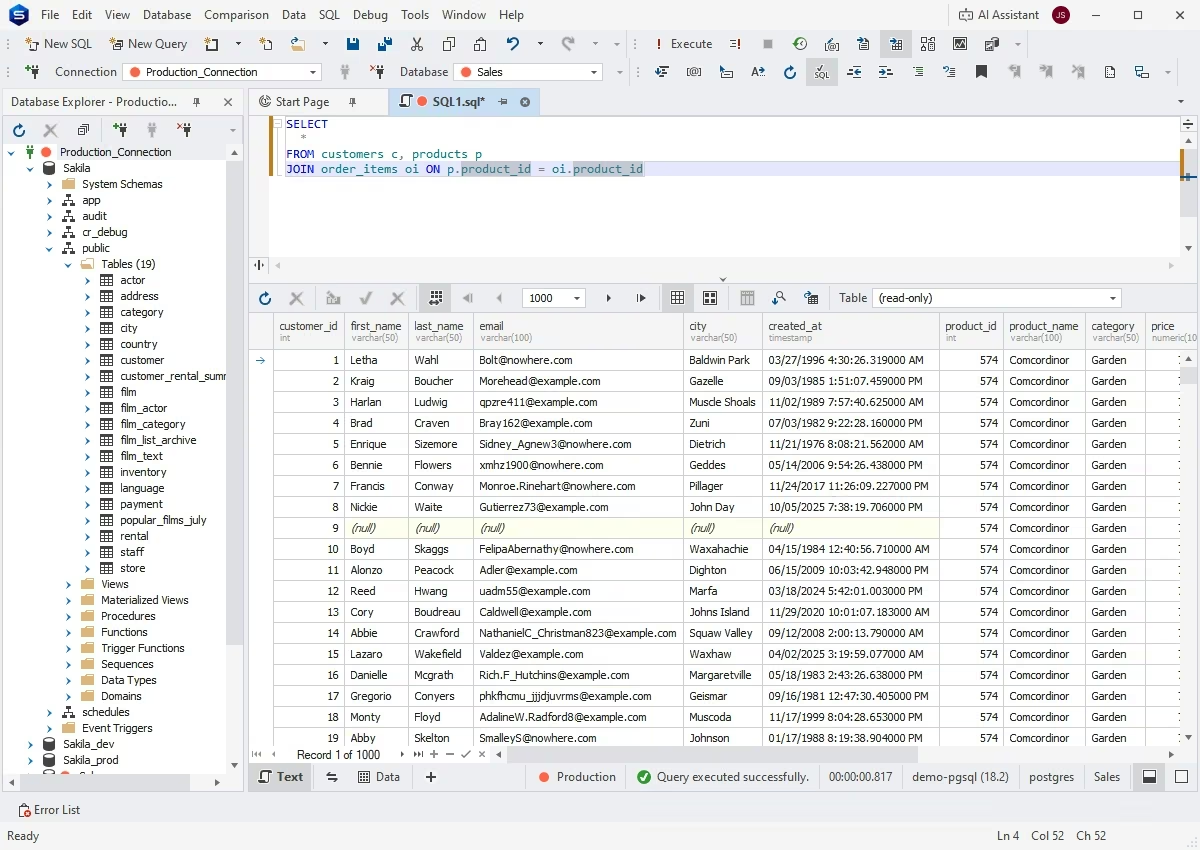
SQL Editor with smart code completion
The Studio helps you increase the speed and quality of your routine SQL coding with context-aware code completion, as-you-type object suggestions, and instant syntax validation. All of these features will make your coding fast and error-free.
SQL code formatting
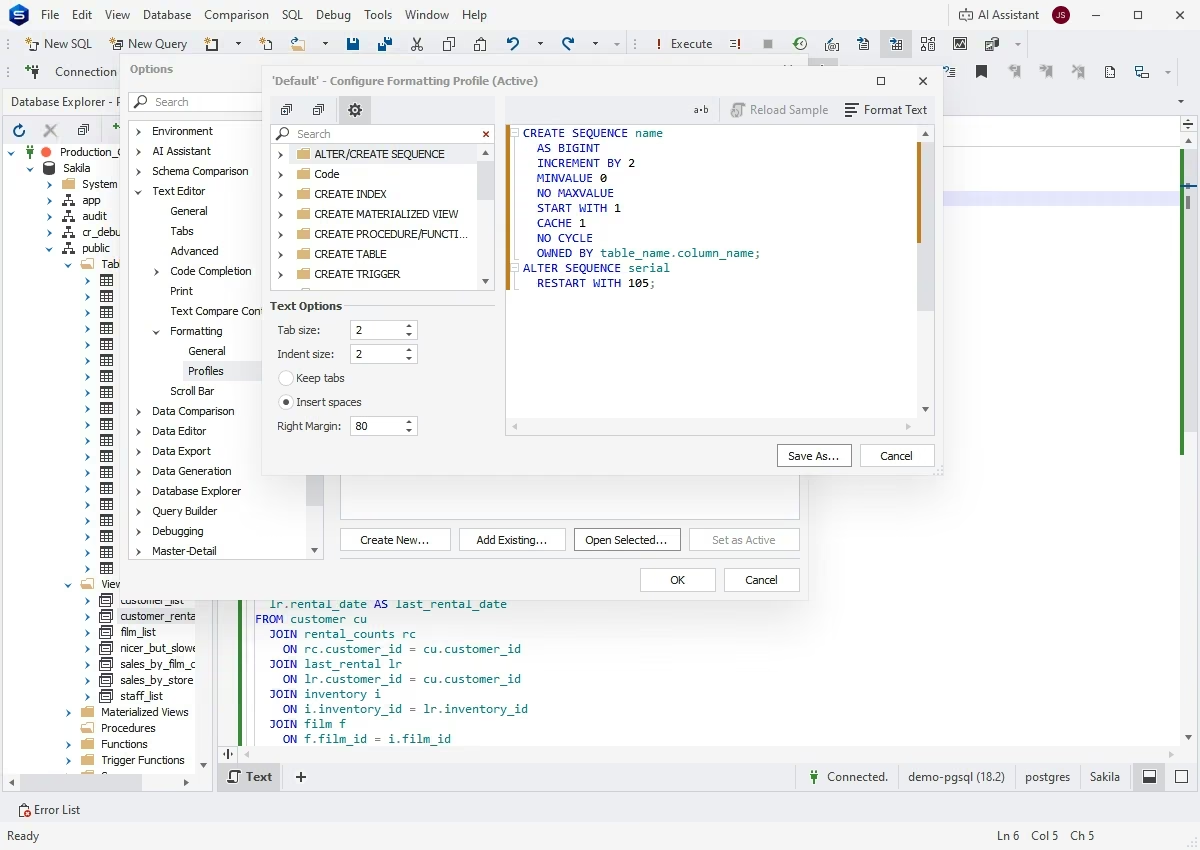
You can make SQL queries easy to review and analyze with the rich formatting capabilities of the Studio and a library of predefined and custom formatting profiles that comes with it.
SQL code snippets
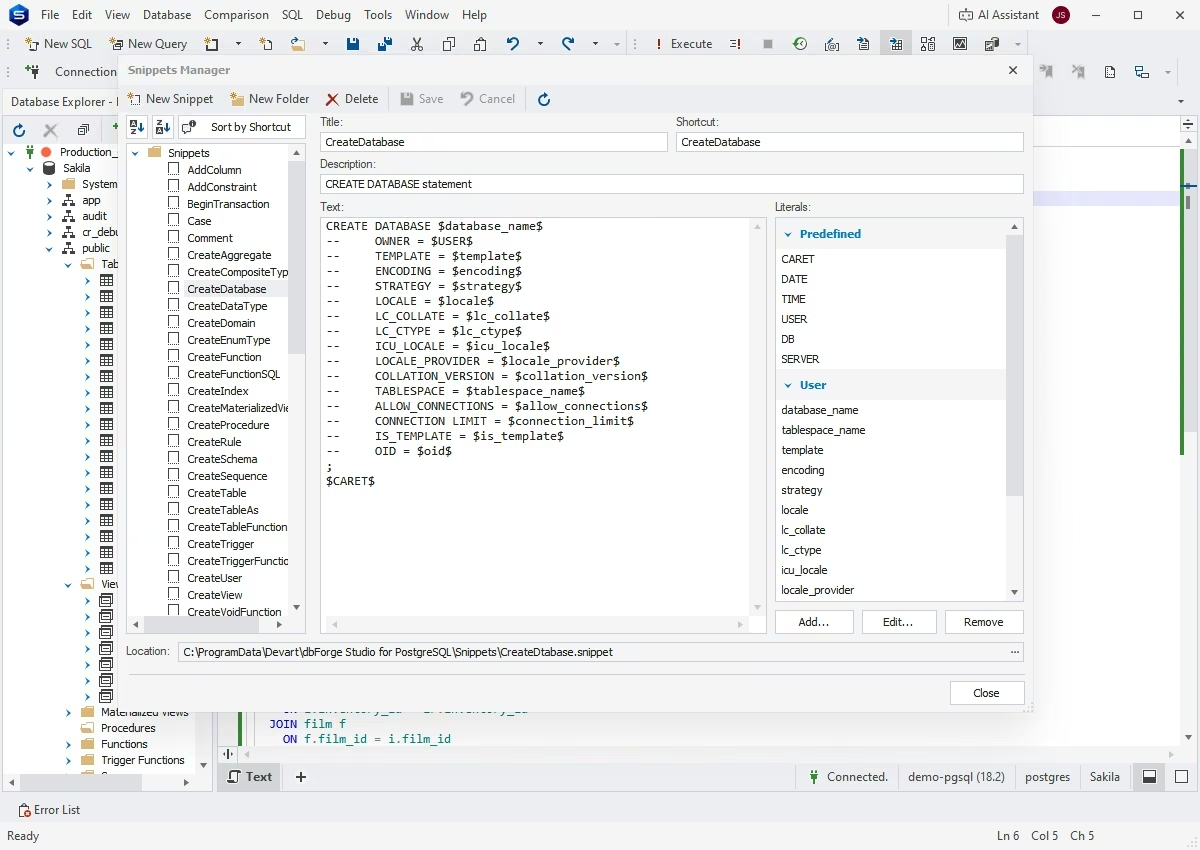
To save time working with recurring SQL blocks, dbForge Studio offers code snippets—reusable pieces of code that you can insert with one click. Code snippets are available as a context-based list of suggestions that appears as you write SQL. Just choose the snippet you need, and it will be auto-inserted.
SQL refactoring
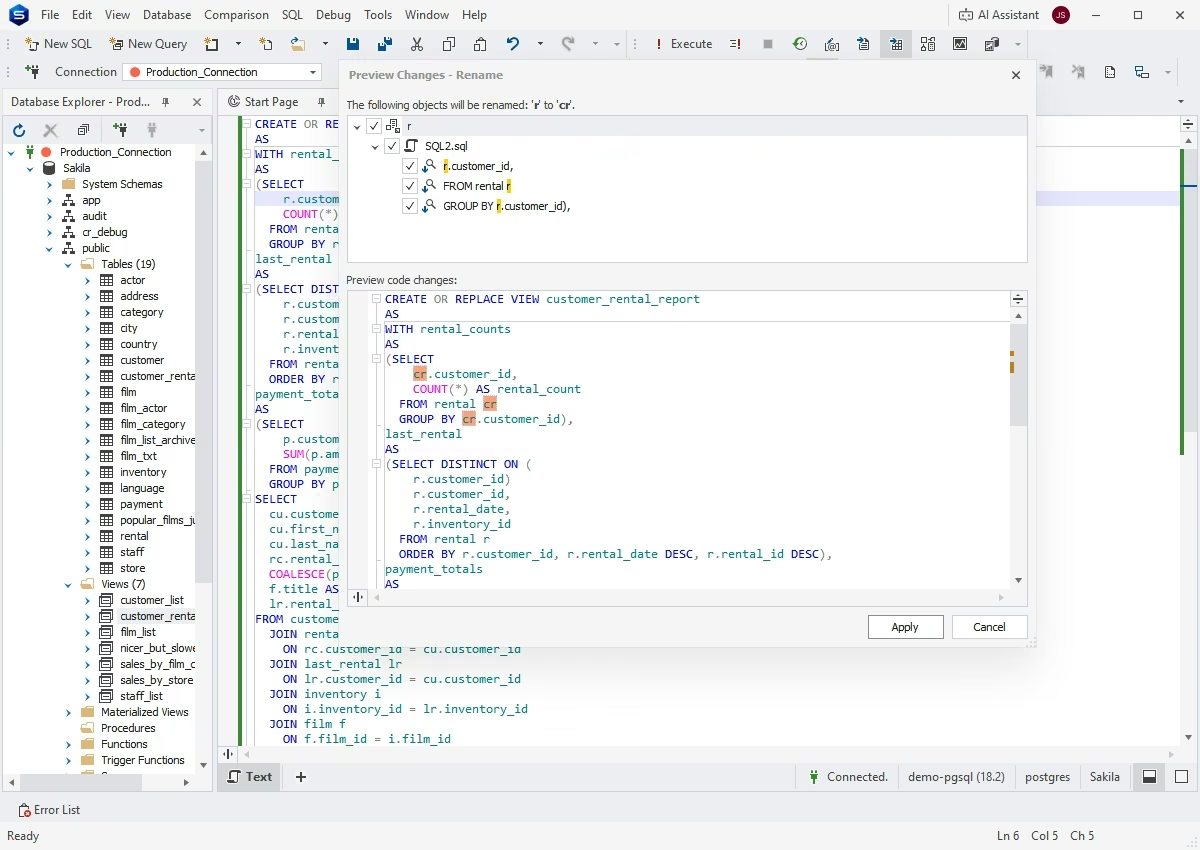
In dbForge Studio, you can improve the structure, readability, and maintainability of SQL code without changing its functional behavior. Using the built-in SQL refactoring capabilities, you can style and format code, remove redundant elements, and manage aliases to produce a cleaner and manageable structure.
Database development
Visual object editors
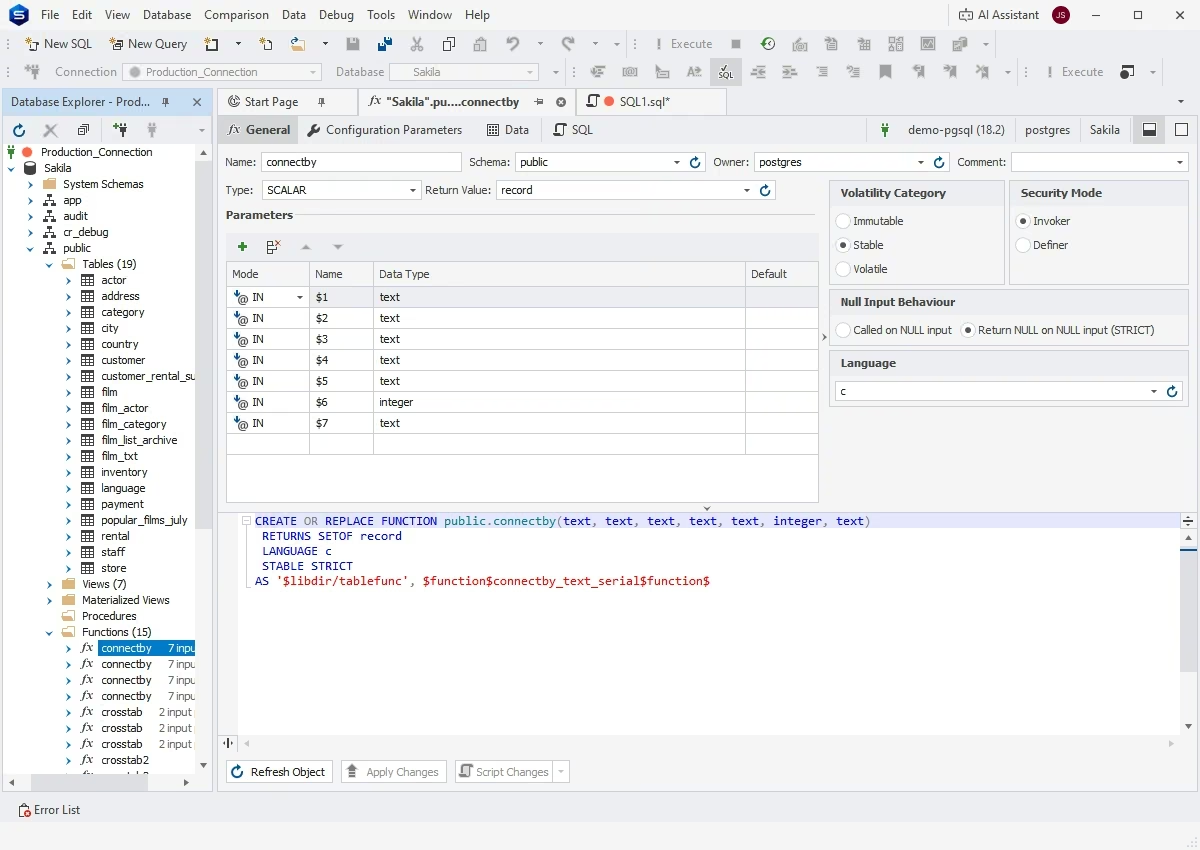
In dbForge Studio, you can edit databases, schemas, and tables without writing SQL. An intuitive visual interface enables you to define and modify database objects and immediately review the results, with the corresponding SQL statements automatically generated for further reference.
Query Builder
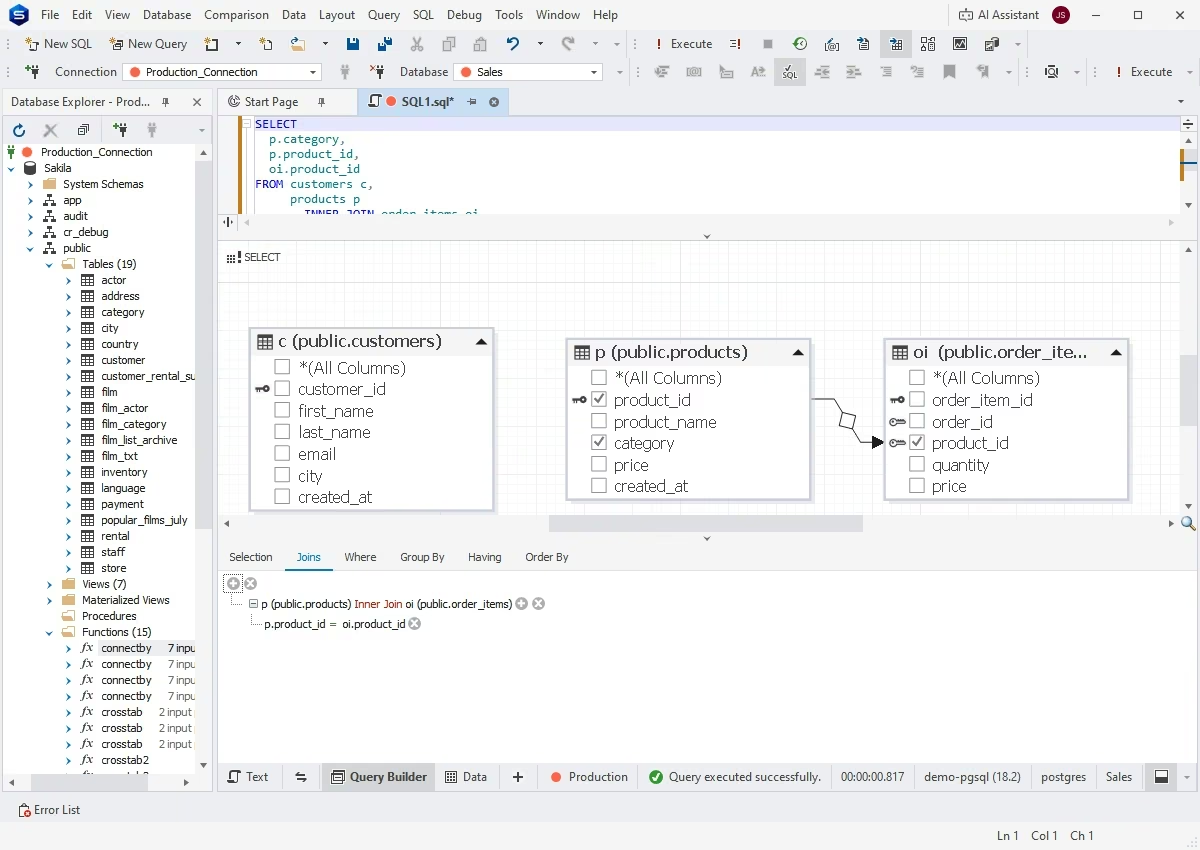
You can create and update SQL queries by visualizing them on intuitive diagrams using the Studio's Query Builder. Instead of writing SQL code manually, you can build SELECT statements, create JOINs, filter and sort tables simply by dragging and dropping, while Query Builder puts together the corresponding SQL syntax in the background.
PostgreSQL Debugger
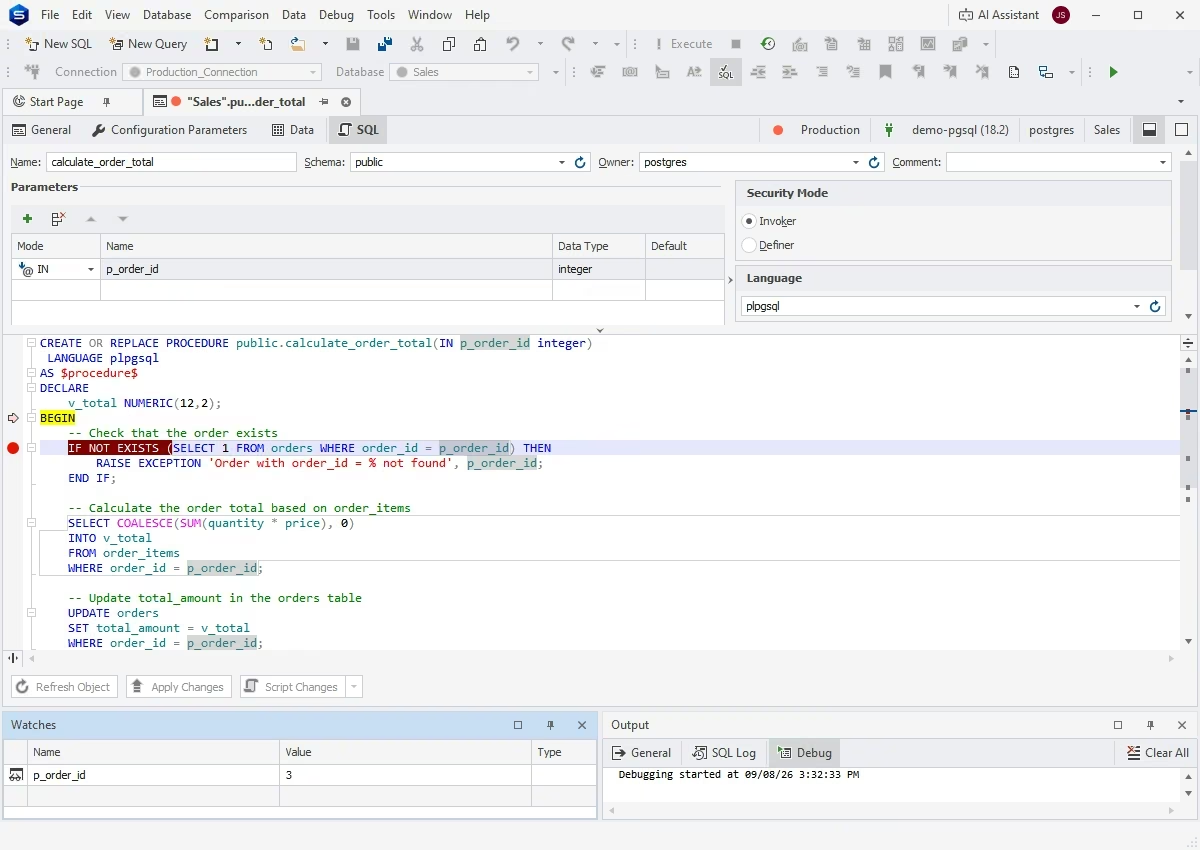
PostgreSQL Debugger helps you find errors in your SQL by enabling deep analysis of your code. With this tool, you can step through functions, procedures, and triggers statement by statement, pausing execution at certain points, analyzing parameter values, and tracking their behavior.
Query Profiler
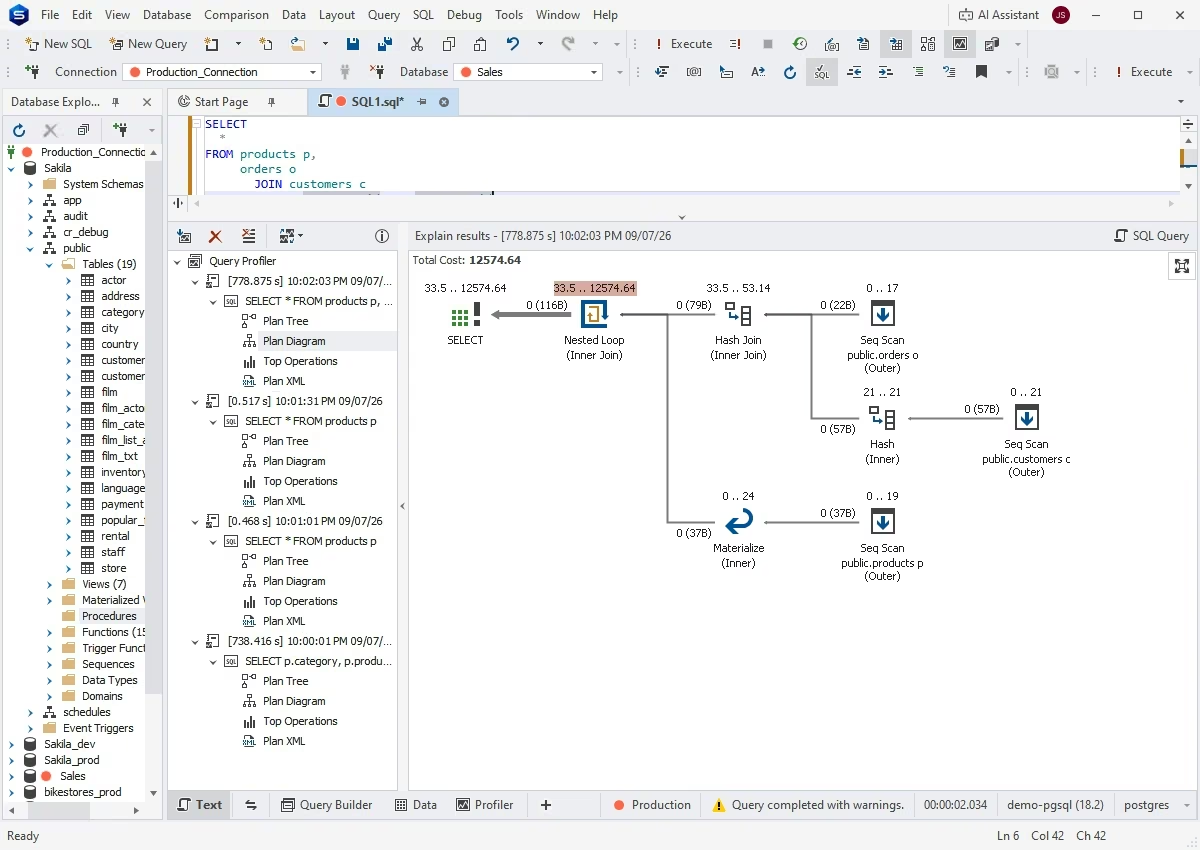
Query Profiler helps you review and optimize the performance of your queries. Profiling results are displayed conveniently on a separate tab of your SQL document, so you can easily navigate to your query and other tabs, if needed, without having to switch to additional windows and documents.
Query History
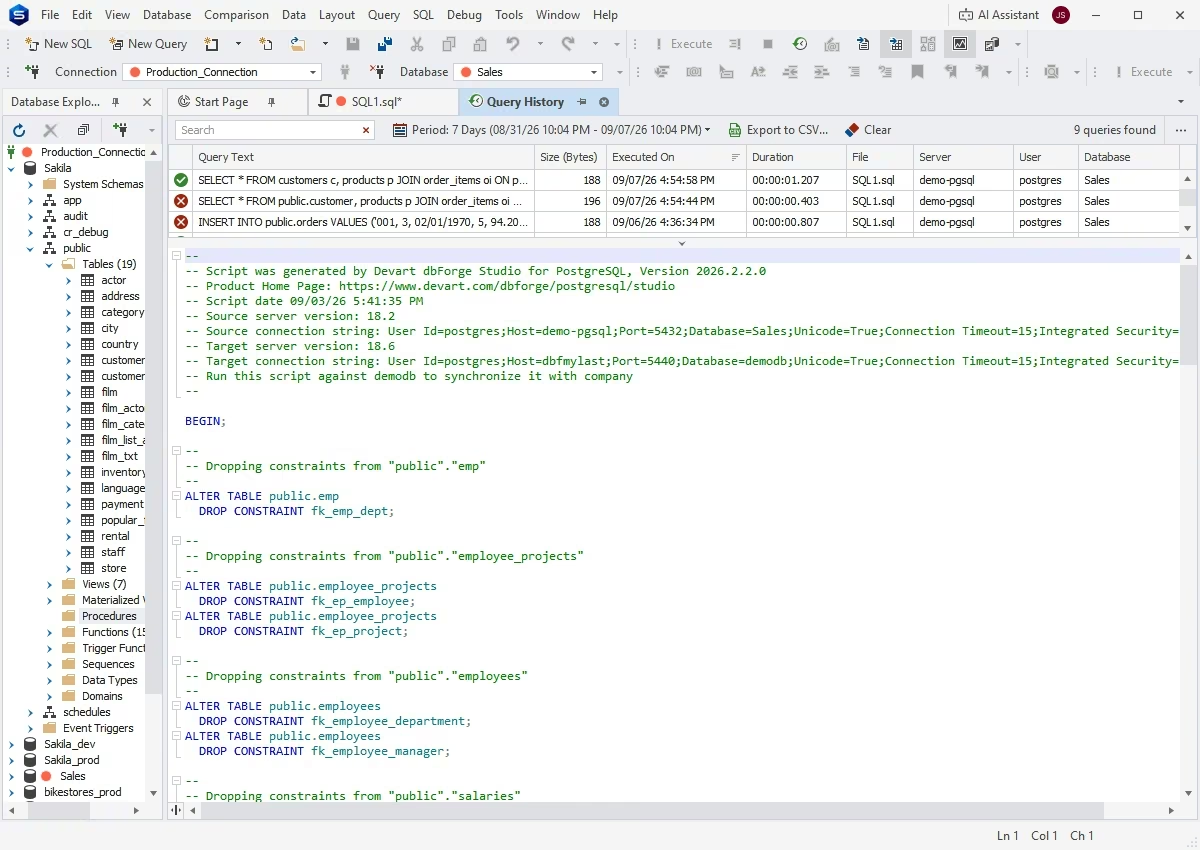
With Query History, you can easily track all executed queries. It provides a complete execution log for each query, including query text and size, status, duration, execution time, target server and database, and the user who initiated the execution.
Data management
Data Editor
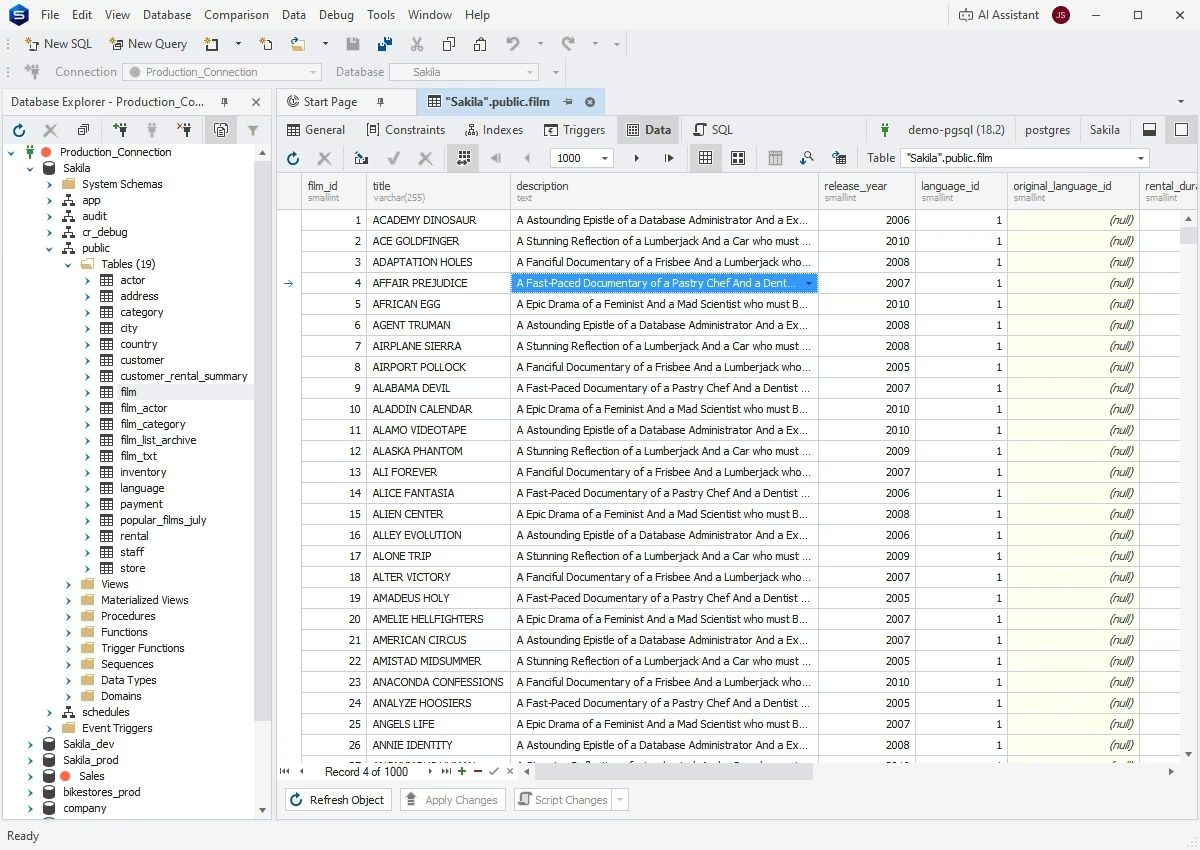
With the integrated Data Editor, you can view, edit, sort, group, and filter PostgreSQL data using a layout that is convenient for you. For instance, you can switch between Grid View and Card View, or enable the paginal mode to split your table data into a specified number of pages.
Data export and import
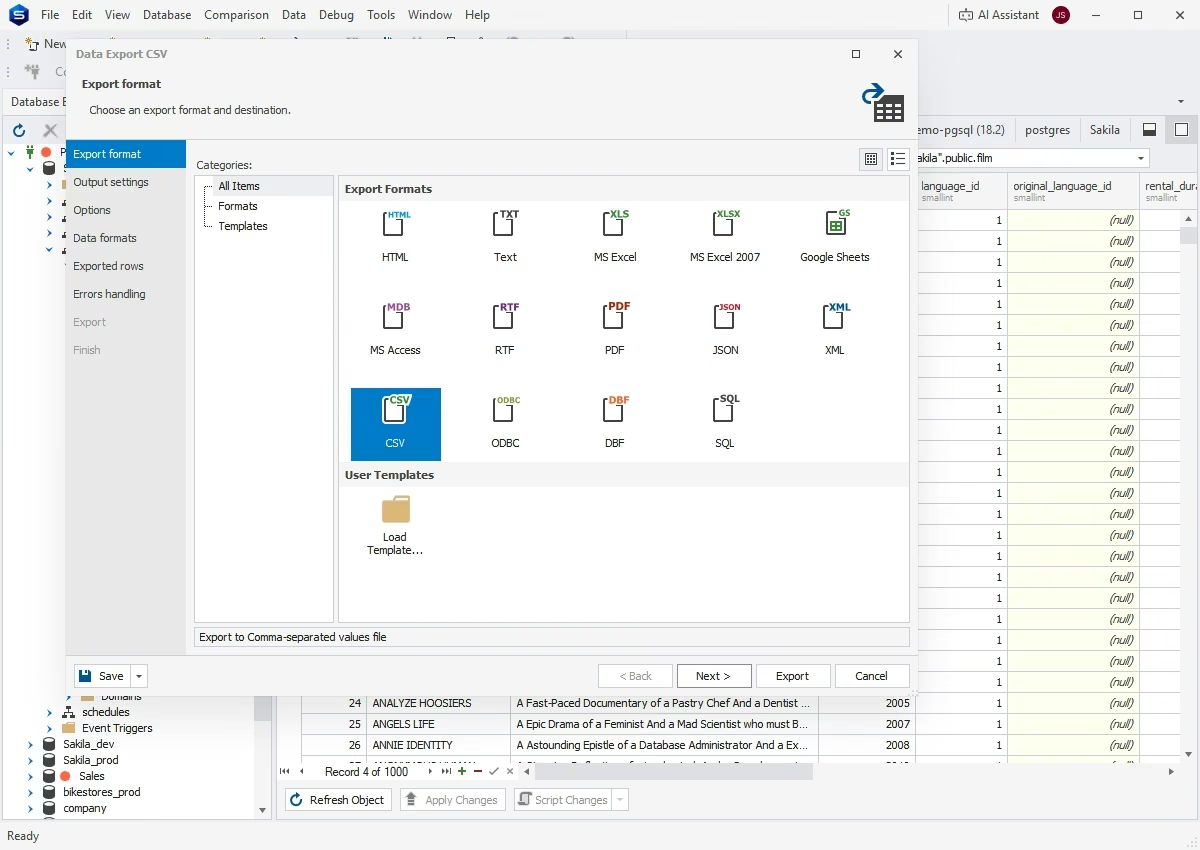
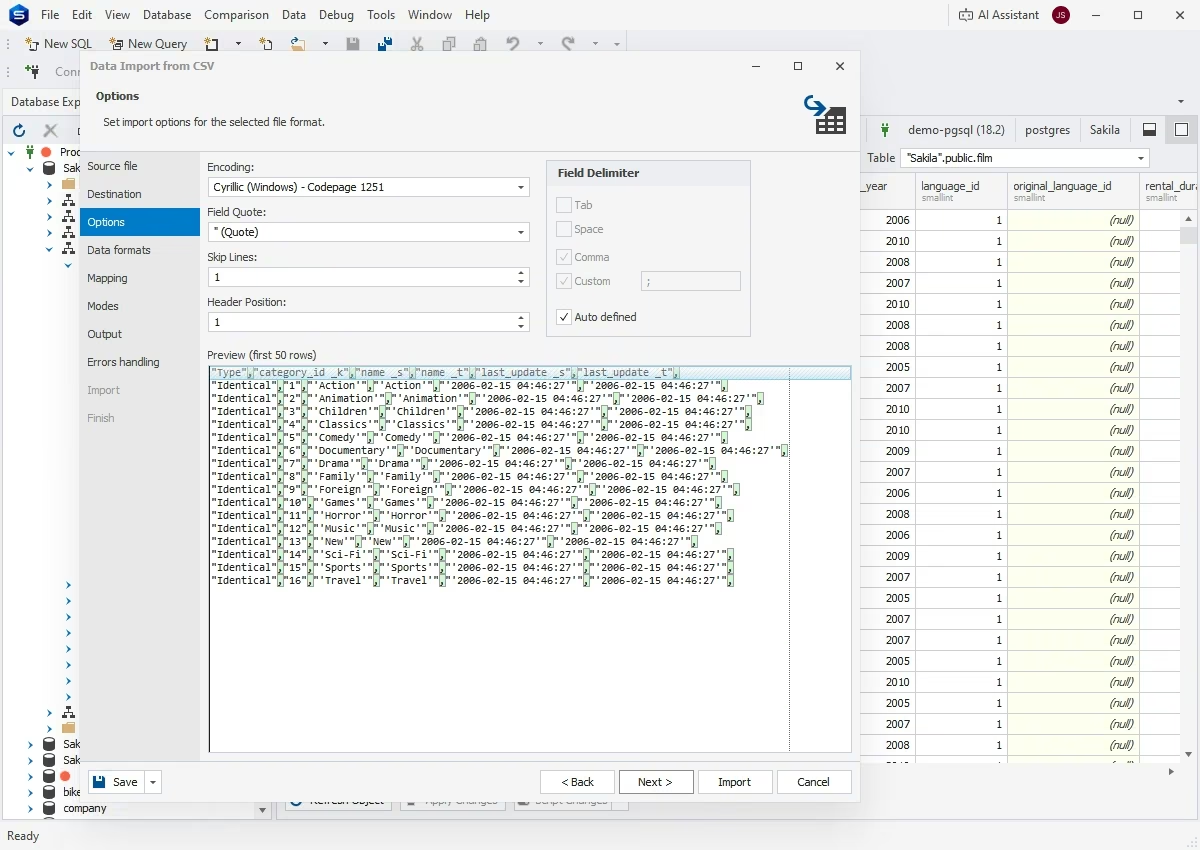
You can easily populate your databases with external source data and migrate data between different systems using the Studio's import and export functionality. Supported formats include CSV, SQL, XLS, XLSX, HTML, TXT, XML, DBF, MDB, JSON, RTF, PDF, ODBC, and Google Sheets. You can save templates with flexible settings for recurring use and use the command line to automate recurring operations.
Data migration
dbForge Studio for PostgreSQL provides a selection of tools that make migration quick and effortless, helping you effectively relocate your PostgreSQL data to different servers, databases, and environments. In addition to the regular data import and export tools, you can use Devart ODBC Drivers to expand your capabilities even further.
Database Explorer
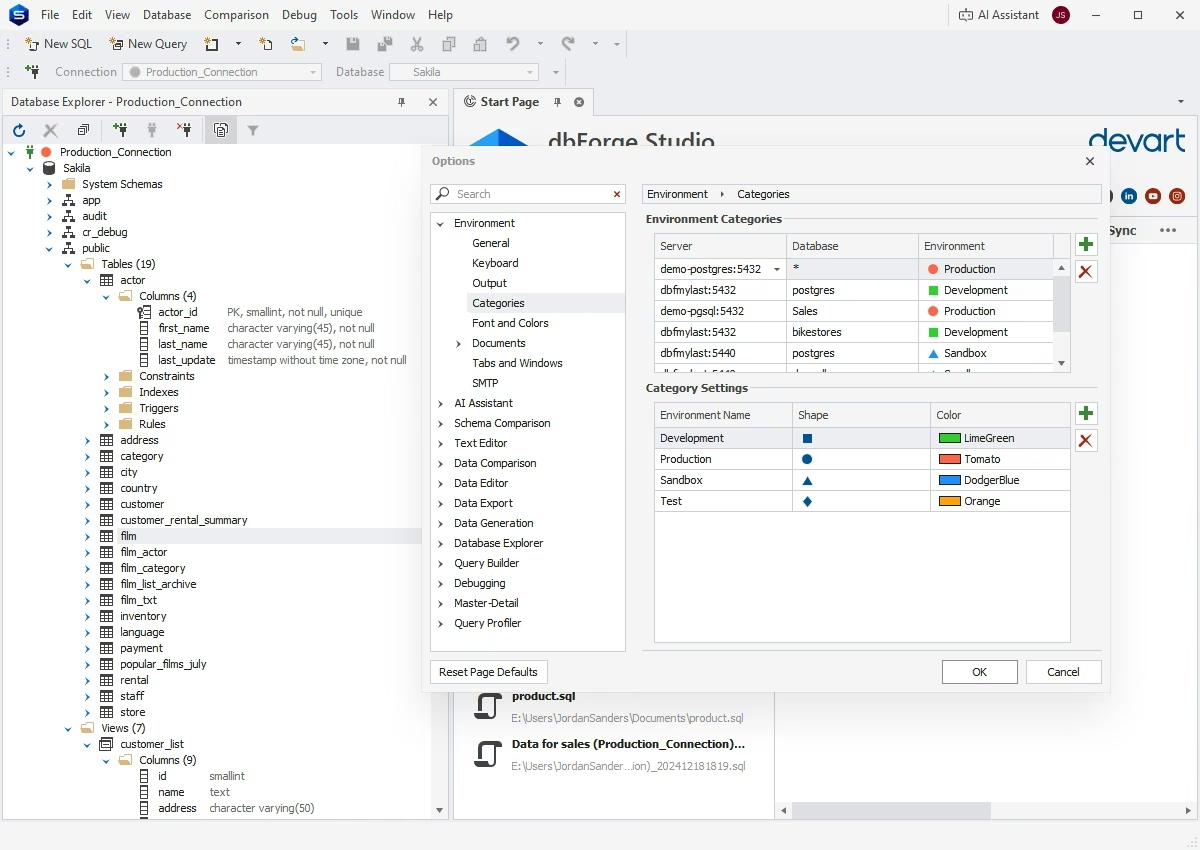
The Studio's integrated Database Explorer allows you to add, edit, delete, rename, or duplicate existing database connections in just a few clicks. Moreover, the Explorer is the best way to navigate across your databases and individual database objects. Additionally, you can invoke key features against the required objects from the shortcut menu.
Database operations
Schema Compare
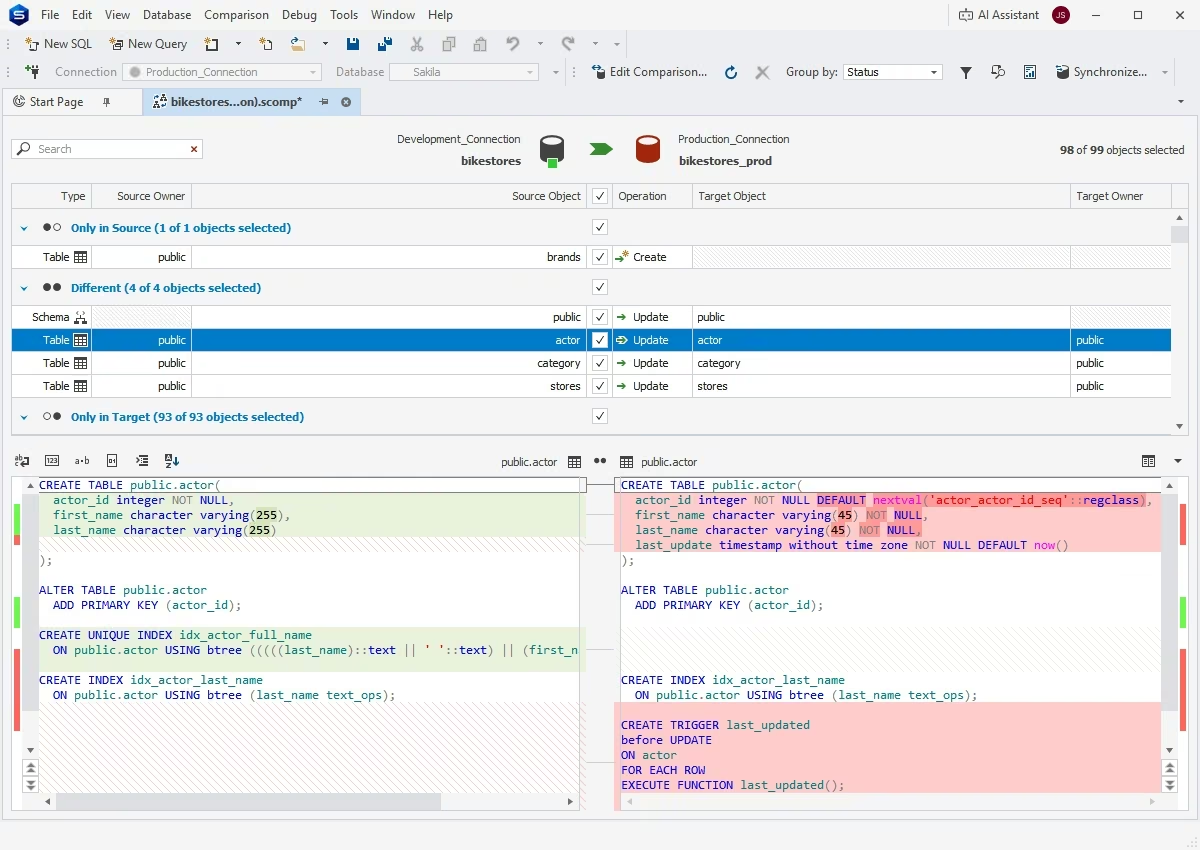
dbForge Studio enables you to easily compare PostgreSQL database structures, identify and examine schema differences, and synchronize databases after comparison. With this feature, you can replicate and migrate your databases, apply updates between environments, and fix schema inconsistencies.
Data Compare
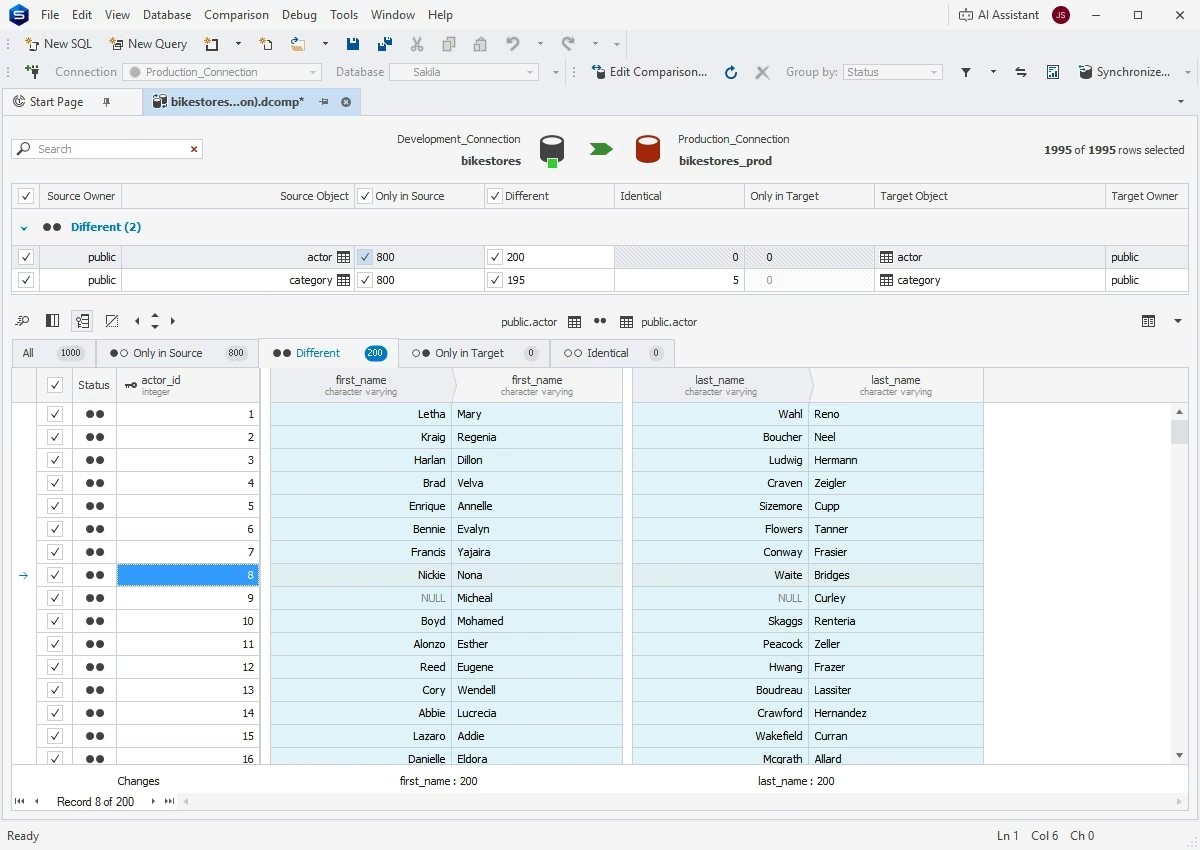
dbForge Studio is your best assistant when it comes to identifying and reviewing differences in PostgreSQL table data. With an intuitive wizard, you can easily compare, analyze, and, if necessary, synchronize source and target databases, backups, or script folders. Note that recurring synchronization tasks can be easily automated from the command line.
Collaboration
Data Generator
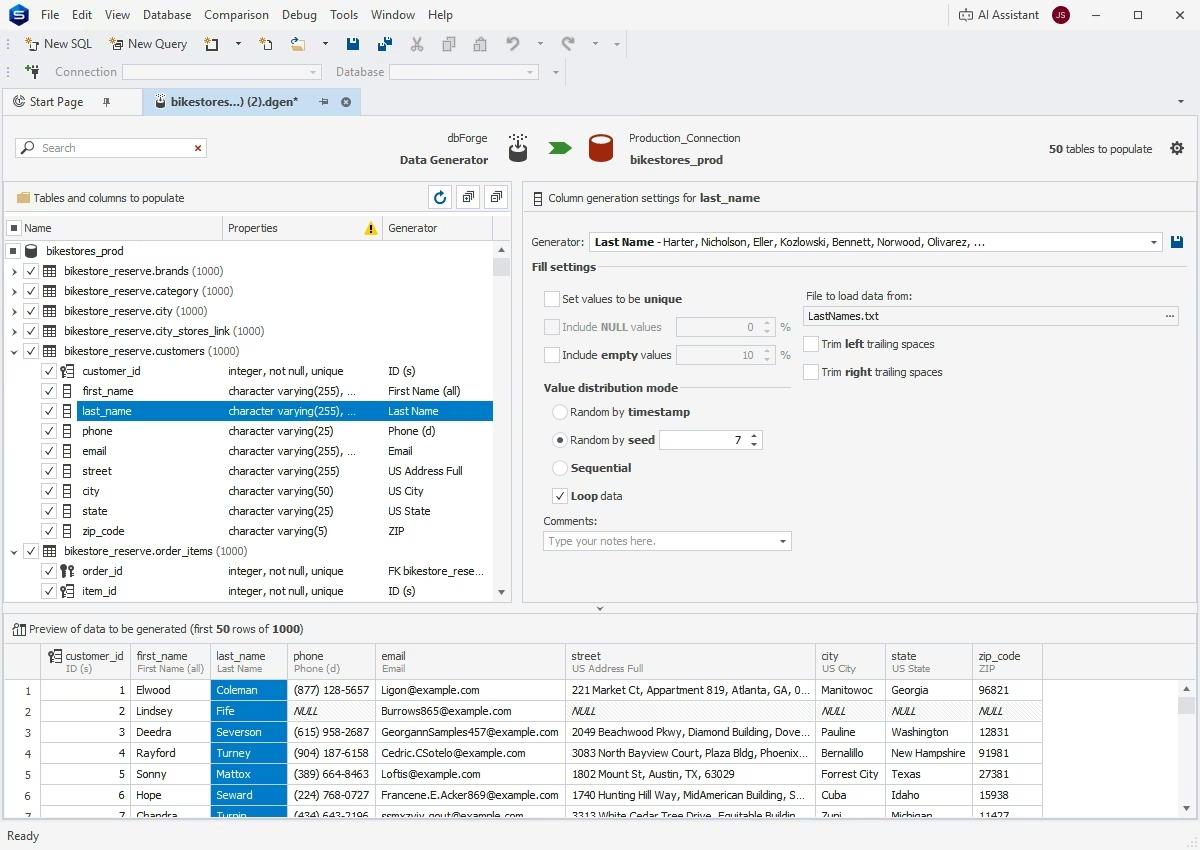
Data Generator offers the fastest way of creating massive volumes of realistic, column-intelligent test data. It comprises an exhaustive collection of predefined data generators with customizable configuration options that allow populating PostgreSQL tables with test data in a matter of moments.
Automation
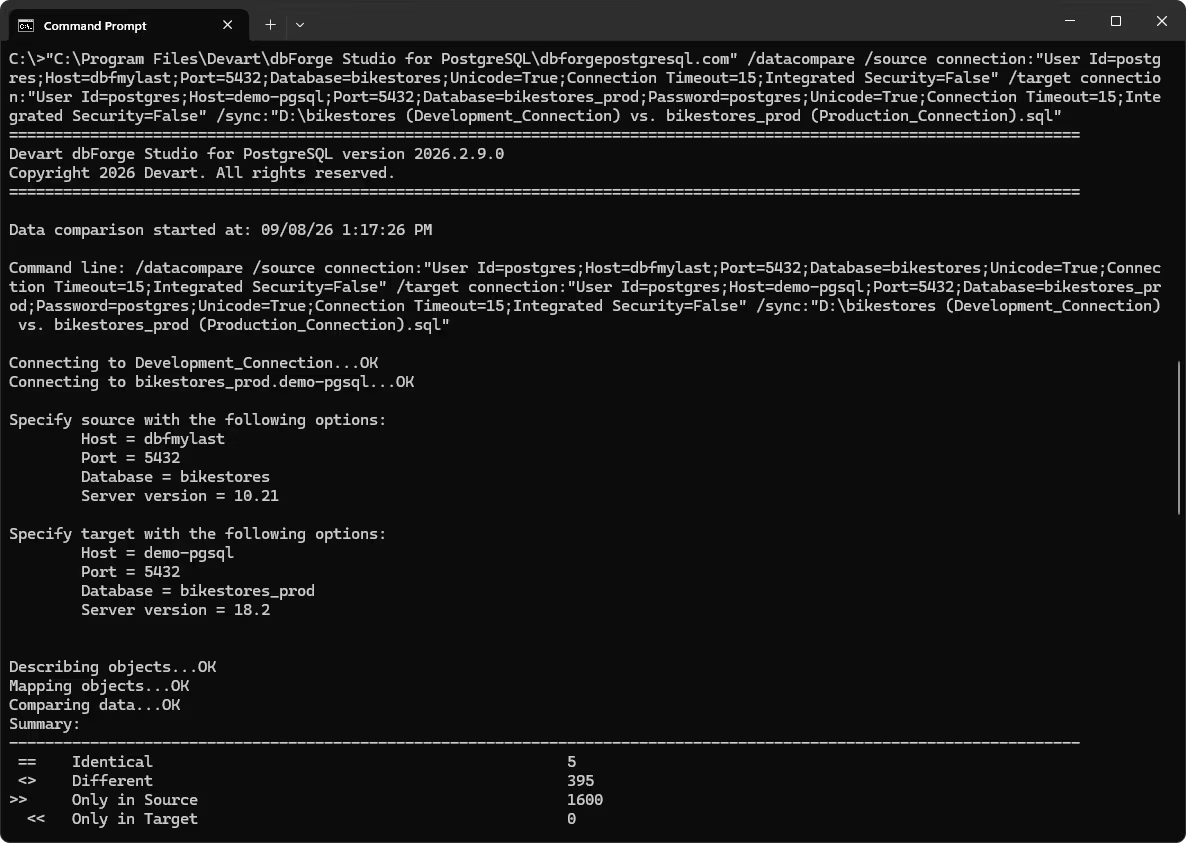
CLI-powered Data Compare
With dbForge Studio, you can easily include data comparison in your deployment pipelines to verify data integrity. Data Compare generates valid command-line scripts to run automated data comparisons and synchronizations.
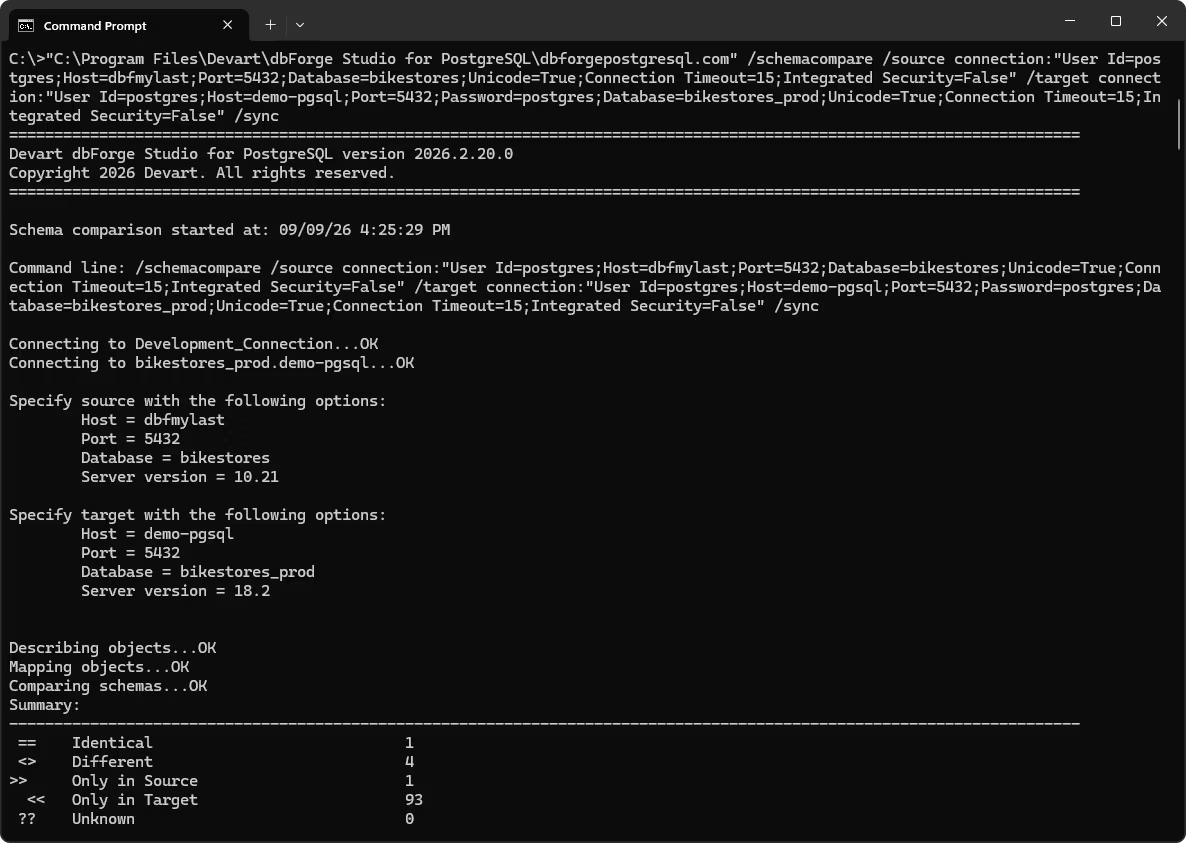
CLI-powered Schema Compare
dbForge Studio adds consistency to your deployments by enabling script-driven schema comparisons and synchronizations that can also be run from the command line as part of your CI/CD workflows.
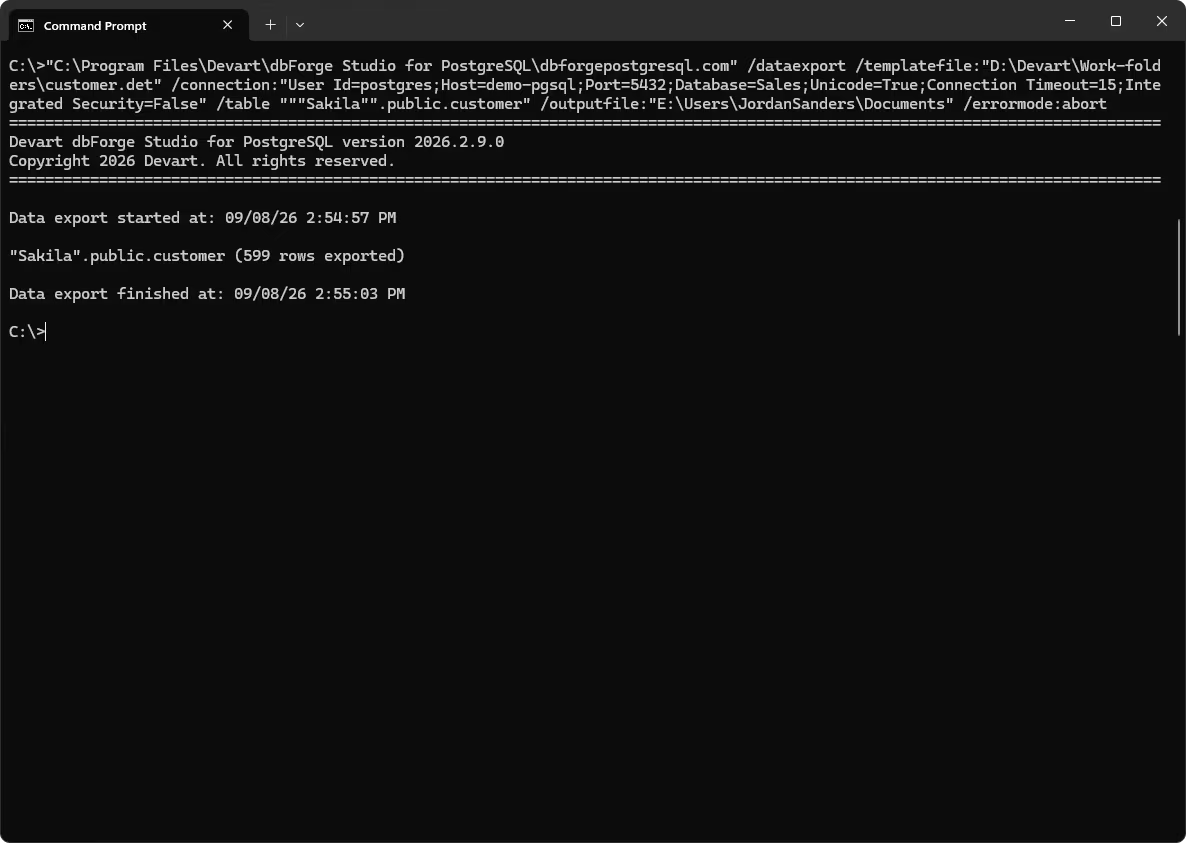
CLI-powered data export and import
You can also integrate regular data export and import into your automated pipelines. The Studio generates scripts for exporting or importing specified data in up to 14 predefined formats, which can then be executed manually or on schedule.
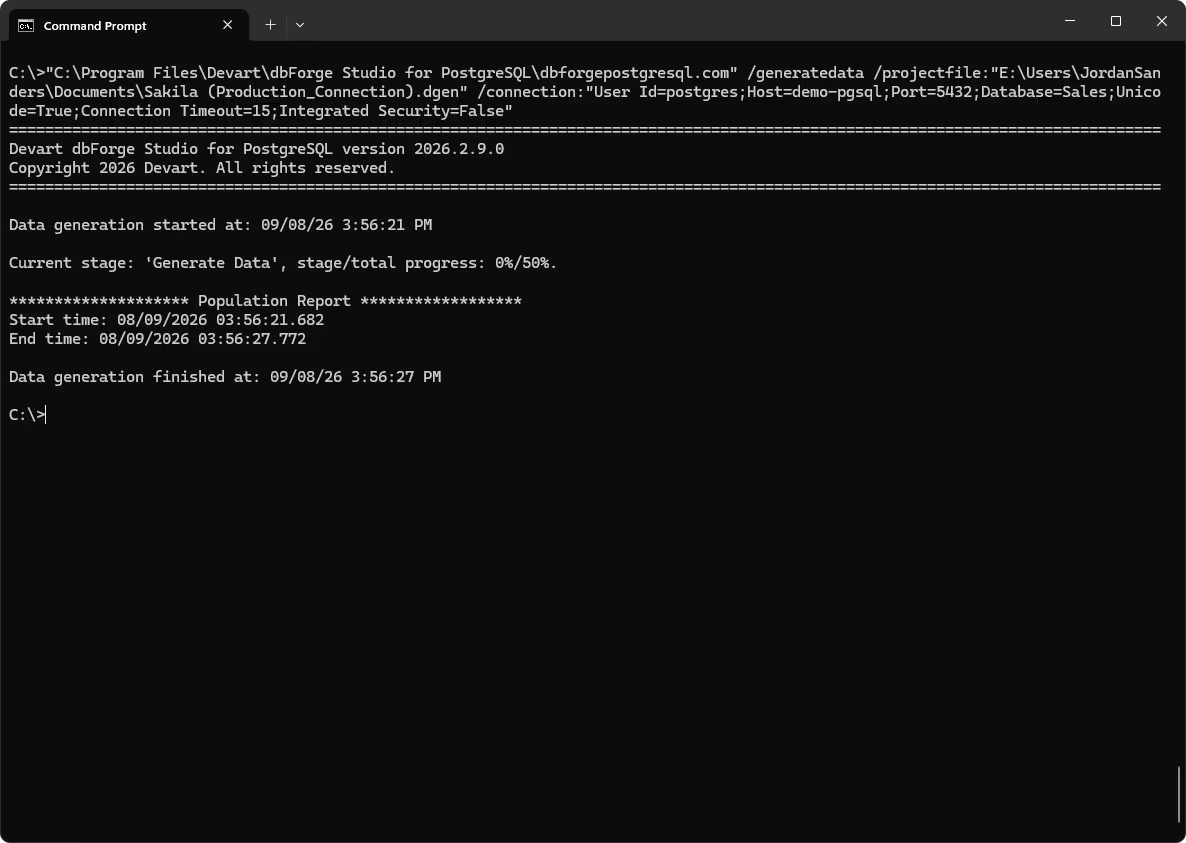
CLI-powered data generation
dbForge Studio for PostgreSQL automates data generation tasks by creating executable files that you can run whenever you need to populate your database with realistic data for development or testing purposes.
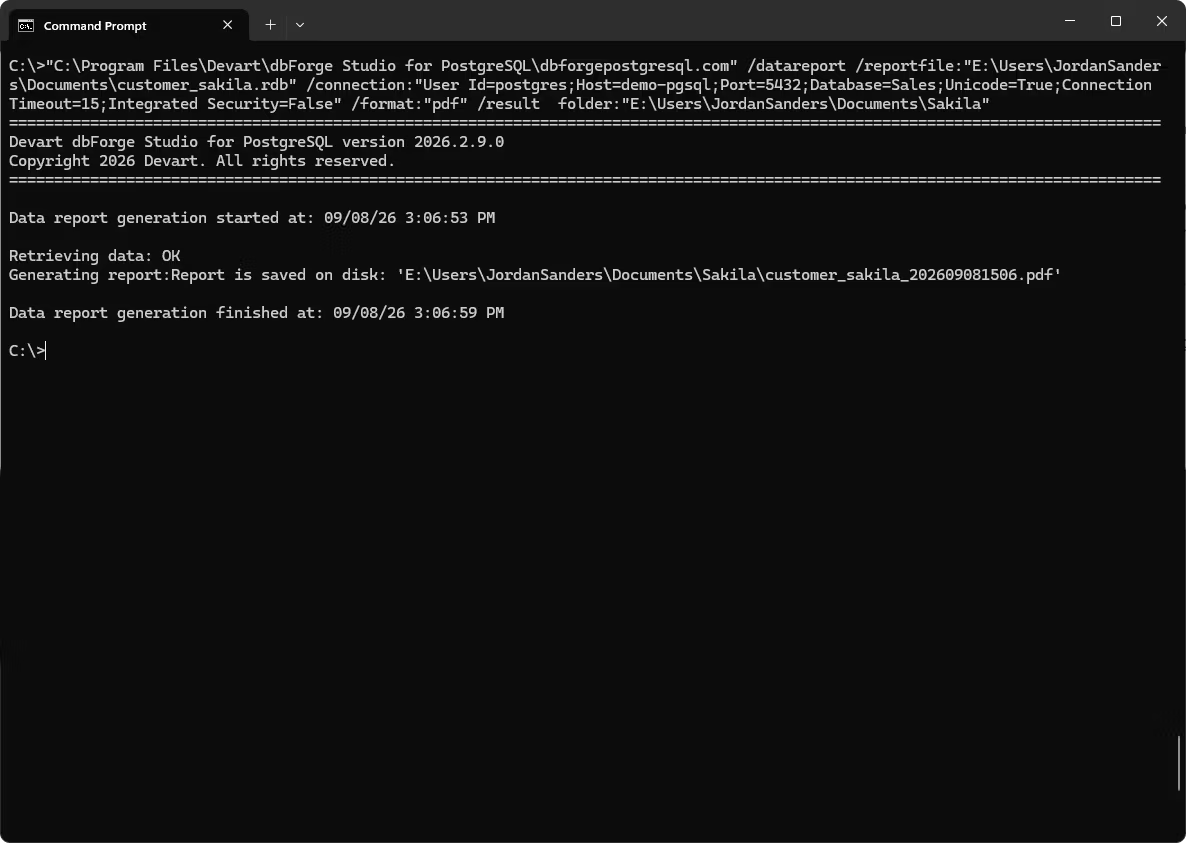
CLI-powered data reporting
You can set up and automate the generation of compelling data reports using the same command-line interface.
Analysis and reporting
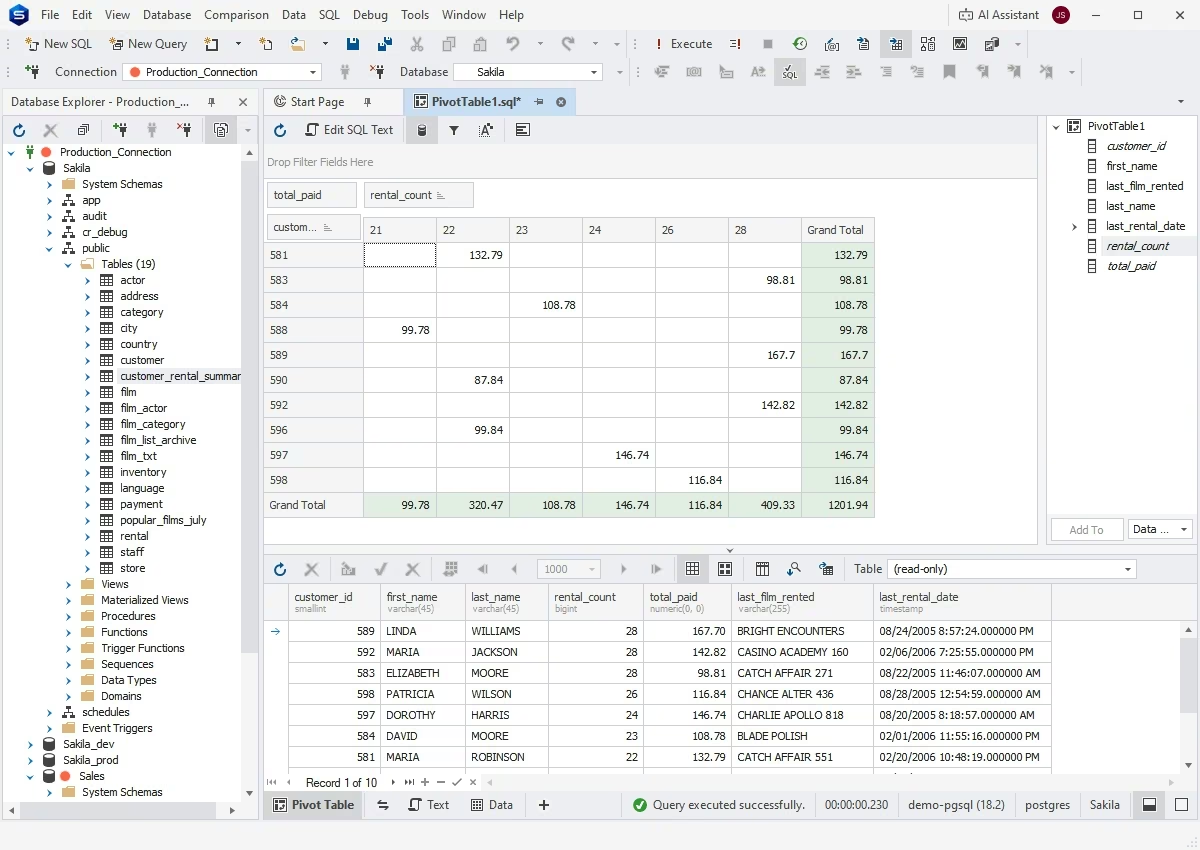
Pivot tables
If you need to aggregate, rearrange, summarize, and analyze large amounts of data without writing overcomplicated queries, pivot tables are the perfect solution. It is also worth noting that you can effortlessly visualize data dependencies and compare them by viewing your pivot data as a chart.
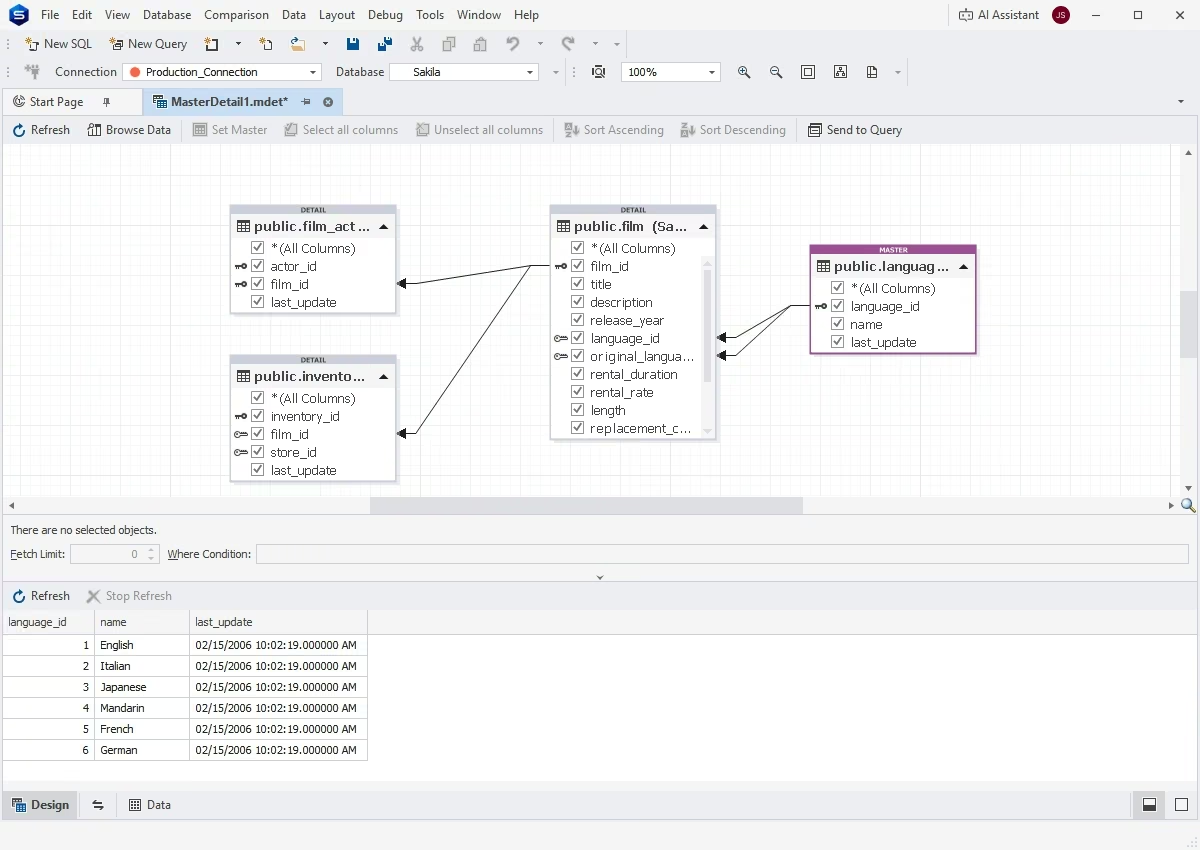
Master-Detail Browser
Master-Detail Browser helps you view and analyze related PostgreSQL data in parent tables or views, related child tables or views, and self-referencing tables. Drag and drop tables and views from Database Explorer onto the master-detail document, sort and filter your data, and examine the relationships with convenience.
Data reporting
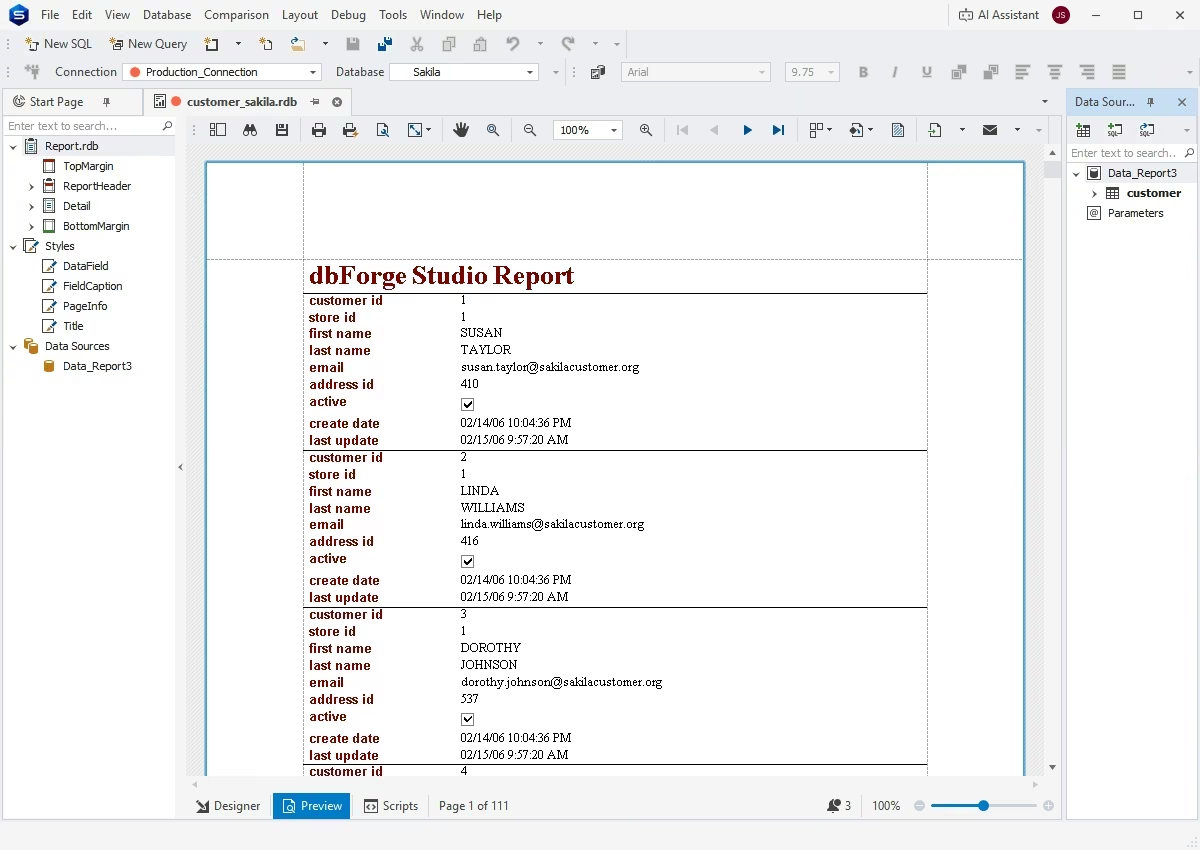
The Studio's integrated Report Designer allows you to create data reports and fill them with static text, images, shapes, and other elements. The contents of your reports can be modified and stylized in order to enhance their readability and aesthetic cohesiveness. Note that you can easily preview the results of your efforts at any given moment.
Compatibility
dbForge Studio for PostgreSQL supports the most popular cloud databases, services, data warehouses, and search engines, thus allowing you to select the most suitable solutions for your particular needs:
- PostgreSQL
- Supabase
- Heroku
- TimescaleDB
- Amazon Redshift
- Amazon RDS
- Amazon Aurora
- Azure PostgreSQL
- Alibaba Cloud
- AlloyDB
- Greenplum DB
- YugabyteDB
- PolarDB
- IBM Cloud