







Augment your skills with our database solutions

dbForge Edge
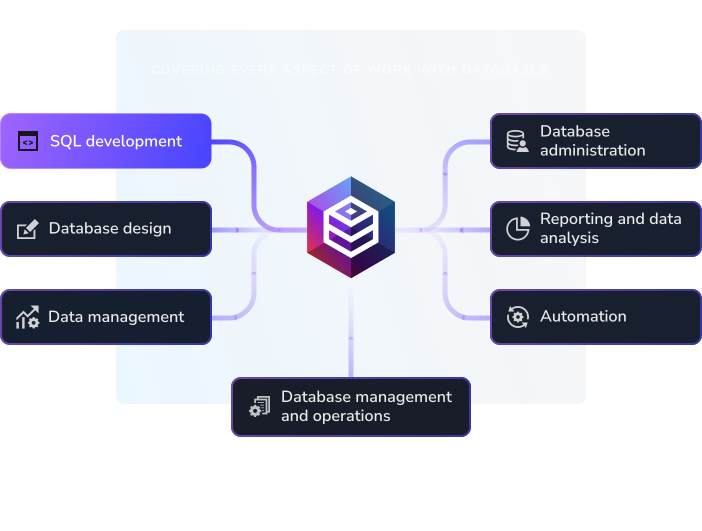
This is a multidatabase suite for the development, management, and administration of on-premises and cloud databases. It's a perfect solution for handling a broad range of tasks across SQL Server, MySQL, MariaDB, Oracle, PostgreSQL, and a variety of related cloud databases and services.

dbForge AI Assistant
Meet our AI-powered tool, integrated into multiple dbForge solutions and designed to reinvent daily SQL development. It instantly generates context-aware queries, conducts code analysis and optimization, explains blocks of code, and delivers real-time consultations on everything SQL.
dbForge Edge
Get one solution to handle all tasks across multiple database systems

dbForge Studio for SQL Server
Employ the ultimate IDE for database development and management

dbForge SQL Tools
Get a bundle of 15 standalone tools and add-ins for SSMS and Visual Studio

dbForge SQL Complete
Level up your SQL coding, formatting, debugging, refactoring, and code analysis

dbForge Compare Bundle for SQL Server
Get Schema Compare and Data Compare in a single cost-effective bundle

dbForge Schema Compare for SQL Server
Find differences in database schemas and synchronize them to a target environment

dbForge Data Compare for SQL Server
Find differences in table data and synchronize them to a target environment

dbForge Documenter for SQL Server
Generate complete, highly customizable database documentation in multiple formats

dbForge Data Generator for SQL Server
Generate any volume of meaningful test data to populate your databases with

dbForge Query Builder for SQL Server
Build queries of any complexity on visual diagrams with no coding whatsoever

dbForge Transaction Log
Inspect and analyze data from SQL Server transaction logs

dbForge Index Manager for SQL Server
Analyze index fragmentation statistics and rebuild indexes in the visual mode

dbForge Data Pump for SQL Server
Import and export SQL Server data using 14 most widely used file formats

dbForge Source Control for SQL Server
Link your database schemas and static table data to a variety of version control systems

dbForge Unit Test for SQL Server
Write and automate database unit tests directly in SQL Server Management Studio

dbForge DevOps Automation for SQL Server
Release SQL Server databases faster and safer via extensive automation

dbForge Event Profiler for SQL Server
Keep an eye on your databases by capturing and analyzing SQL Server events in trace files

dbForge SQL Decryptor
Decrypt encrypted procedures, functions, triggers, and views in SQL Server

dbForge Monitor
Track SQL Server performance in real time, pinpoint bottlenecks, and address them

dbForge Search for SQL Server
Locate database objects and table data directly in SQL Server Management Studio
dbForge Edge
Get one solution to handle all tasks across multiple database systems

dbForge Studio for MySQL
Employ the ultimate IDE for database development and management

dbForge Query Builder for MySQL
Build queries of any complexity on visual diagrams with no coding whatsoever

dbForge Compare Bundle for MySQL
Get Schema Compare and Data Compare in a single cost-effective bundle

dbForge Data Compare for MySQL
Find differences in table data and synchronize them to a target environment

dbForge Schema Compare for MySQL
Find differences in database schemas and synchronize them to a target environment

dbForge Data Generator for MySQL
Generate any volume of meaningful test data to populate your databases with

dbForge Documenter for MySQL
Generate complete, highly customizable database documentation in multiple formats
dbForge Edge
Get one solution to handle all tasks across multiple database systems

dbForge Studio for Oracle
Employ the ultimate IDE for database development and management

dbForge Compare Bundle for Oracle
Get Schema Compare and Data Compare in a single cost-effective bundle

dbForge Schema Compare for Oracle
Find differences in database schemas and synchronize them to a target environment

dbForge Data Compare for Oracle
Find differences in table data and synchronize them to a target environment

dbForge Data Generator for Oracle
Generate any volume of meaningful test data to populate your databases with

dbForge Documenter for Oracle
Generate complete, highly customizable database documentation in multiple formats
dbForge Edge
Get one solution to handle all tasks across multiple database systems

dbForge Studio for PostgreSQL
Employ the ultimate IDE for database development and management

dbForge Data Compare for PostgreSQL
Find differences in table data and synchronize them to a target environment

dbForge Schema Compare for PostgreSQL
Find differences in database schemas and synchronize them to a target environment
dbForge AI Assistant
Meet our AI-powered tool, integrated into multiple dbForge solutions and designed to reinvent daily SQL development. It instantly generates context-aware queries, conducts code analysis and optimization, explains blocks of code, and delivers real-time consultations on everything SQL.
 Microsoft SQL Server
 MySQL
MySQL
 MariaDB
 Oracle Database
 PostgreSQL
 Galera Cluster
 Percona
 Greenplum DB
 Supabase
 Google Cloud Platform
 Microsoft Azure SQL
 Heroku
 Amazon Redshift
 Amazon RDS
 Amazon Aurora
 TimescaleDB
 Alibaba Cloud
 AlloyDB
 Tencent Cloud
 YugabyteDB
 Aiven Cloud
 Neon.tech
 IBM Cloud for PostgreSQL